Learn about the Fireflies Mobile App
Last updated: October 21, 2026
Fireflies’ mobile app for Android and iOS is your AI teammate, right in your pocket. Record in-person meetings on the fly, add Fireflies to live calls, upload files, view notes, search, share highlights, and use Fireflies Talk to dictate messages, emails, notes, and other text on your phone - anytime, anywhere.
Whether you’re in a coffee shop, at your desk, or on the move, you’re always ready to capture, revisit, and share key moments.
✅ 1: Download & Log in
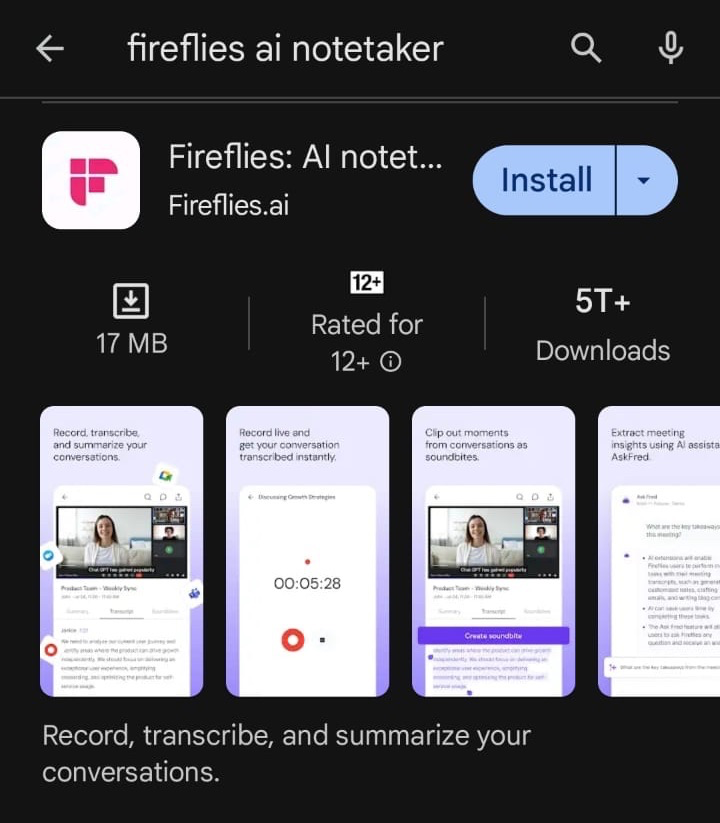
Search for Fireflies: AI notetaker in PlayStore or AppStore.
Download the app to your smartphone.
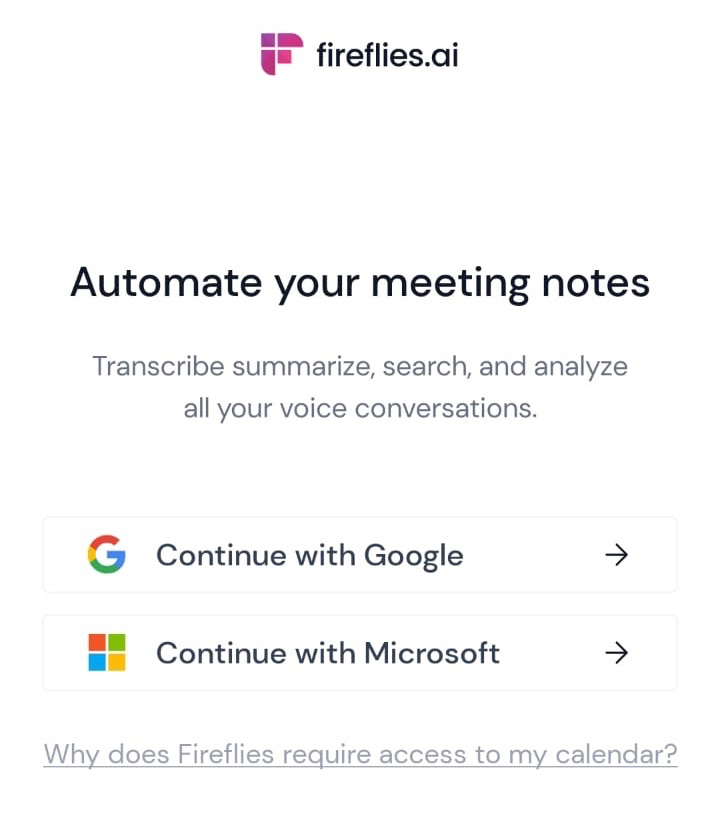
Open the app and sign in with your Gmail, Outlook, or Fireflies account — or sign up if you’re new!
🏠 2: Explore your Home Feed
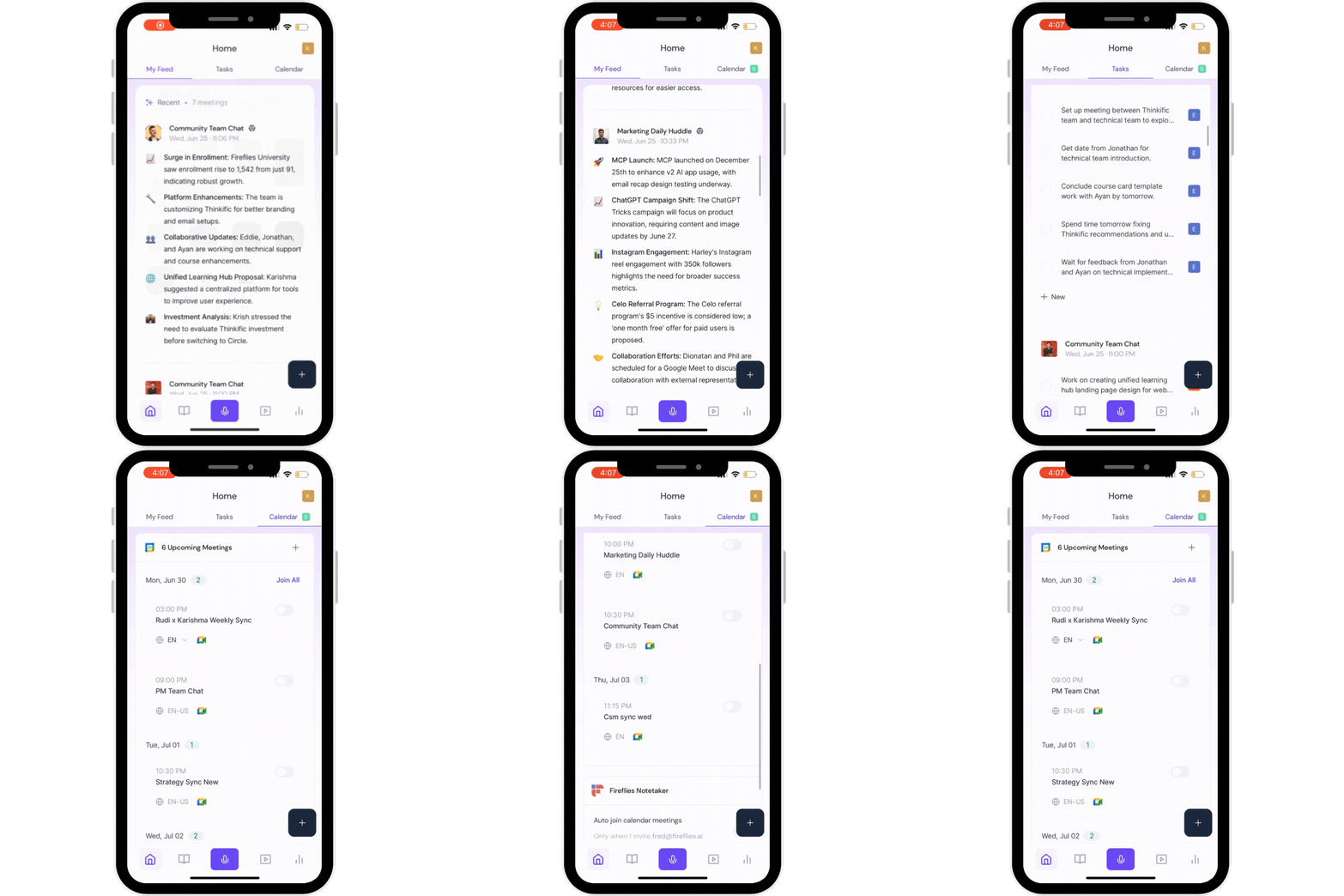
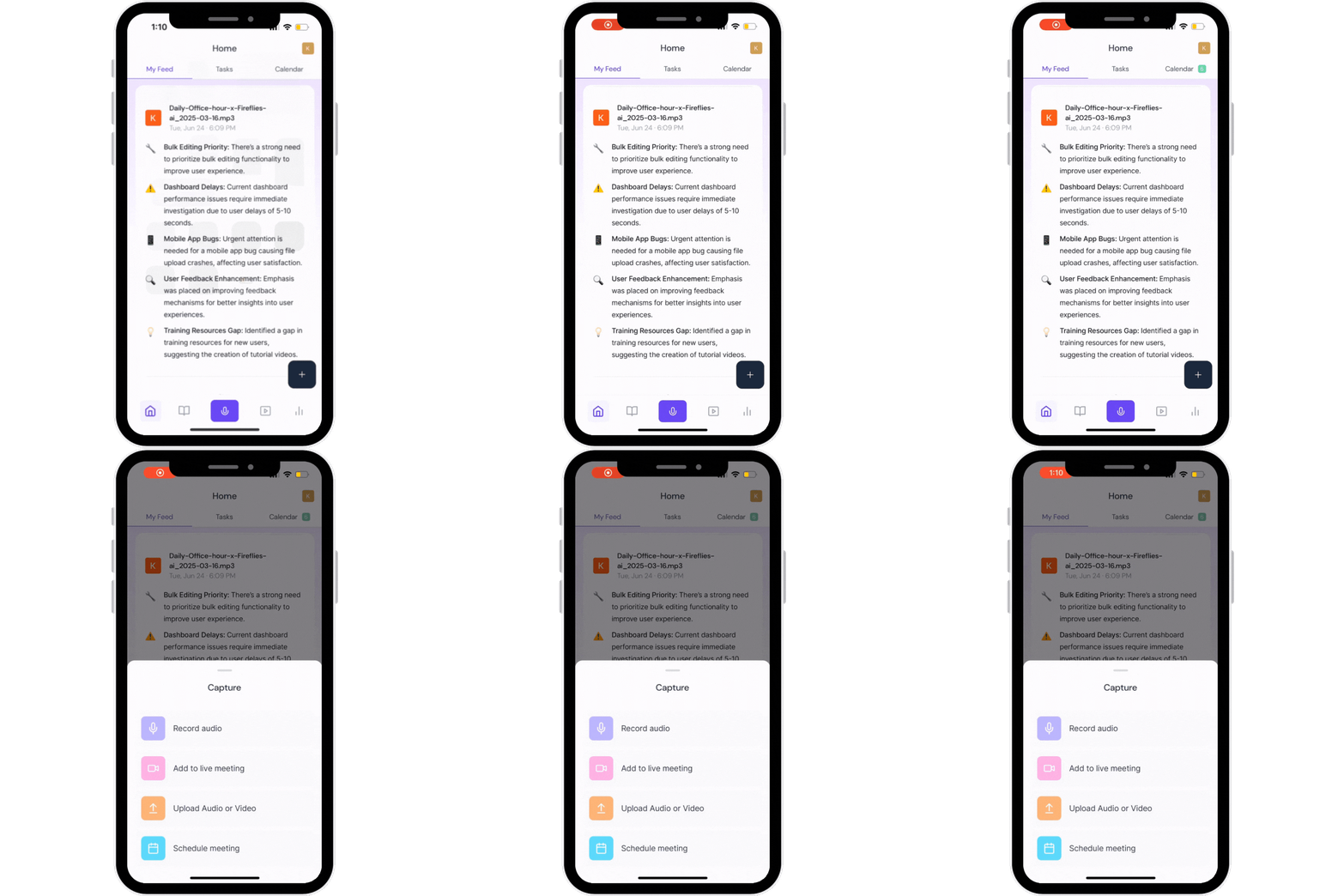
When you log in, you’ll land on My Feed — this is your central hub for:
My Feed which has the recent meetings - scroll through the feed to see all your recent meetings
The Tasks tab has all the tasks assigned to the relevant team mate as discussed in the meetings
Calendar tab has all your upcoming meeting - you can even invite fireflies directly from here
Swipe between My Feed, Tasks, and Calendar using the tabs at the top.
🎙 3: Record with One Touch
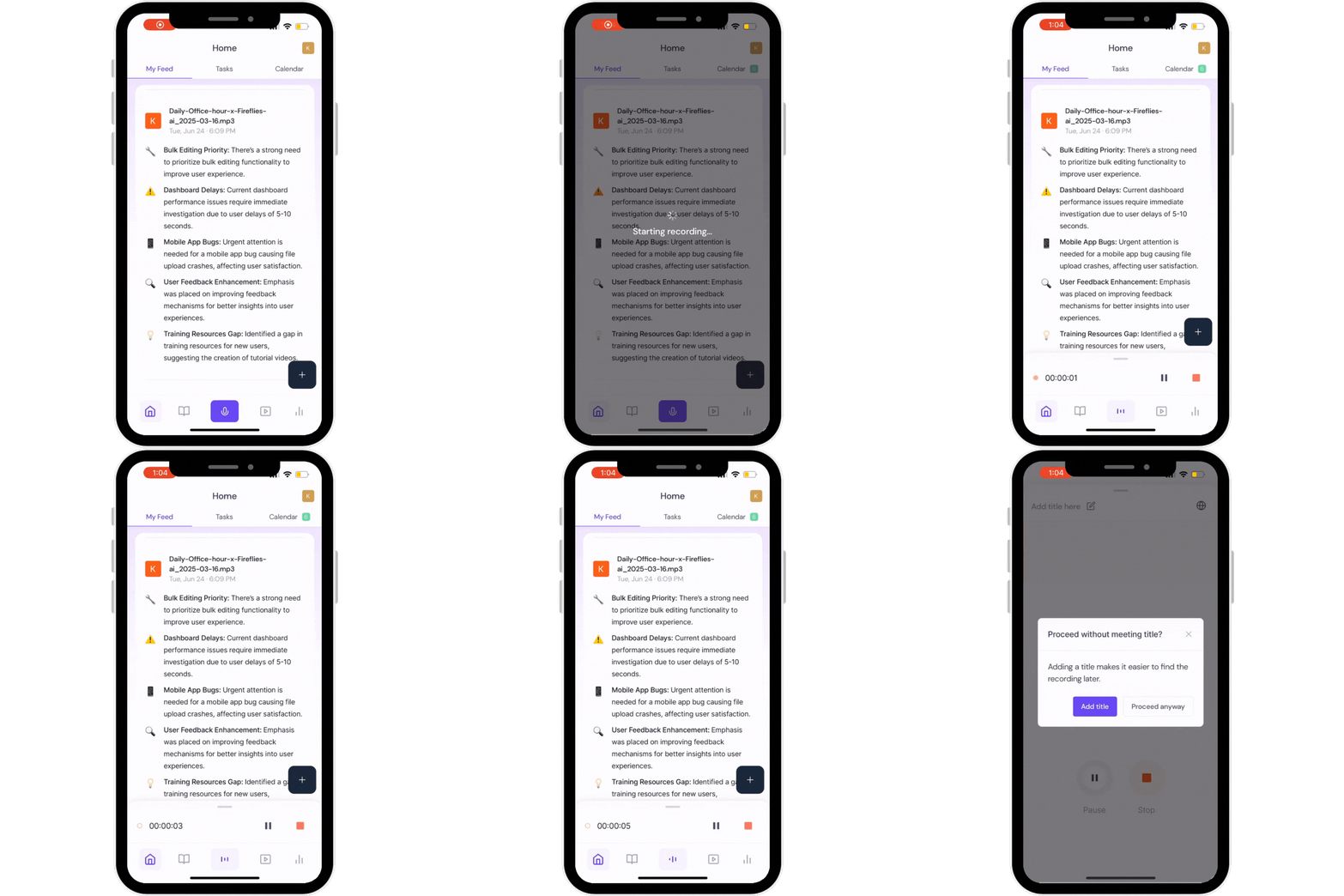
Need to capture something right now?
Tap the big purple mic button at the bottom to start recording instantly.
While recording: Pause, resume, or stop anytime
You’ll get a friendly prompt if you forget to add a title
4: Use the Floating + Menu to record, add Fireflies to meetings or upload audio/ video
Tap the black + icon next to the record button to see more quick actions:
Record audio (same as the mic button)
Upload audio or video
👉 How to upload & transcribe files →Add Fireflies to a live meeting
Schedule a meeting
5. Use bottom navigation shortcuts
Your Fireflies Mobile App has a simple bottom bar for quick access:
Home: Recent meetings, tasks & calendar (Discussed above)
Notebook: All your meetings, summaries, transcripts, AskFred (Meeting chatbot) and soundbites — See full Mobile Notebook guide →
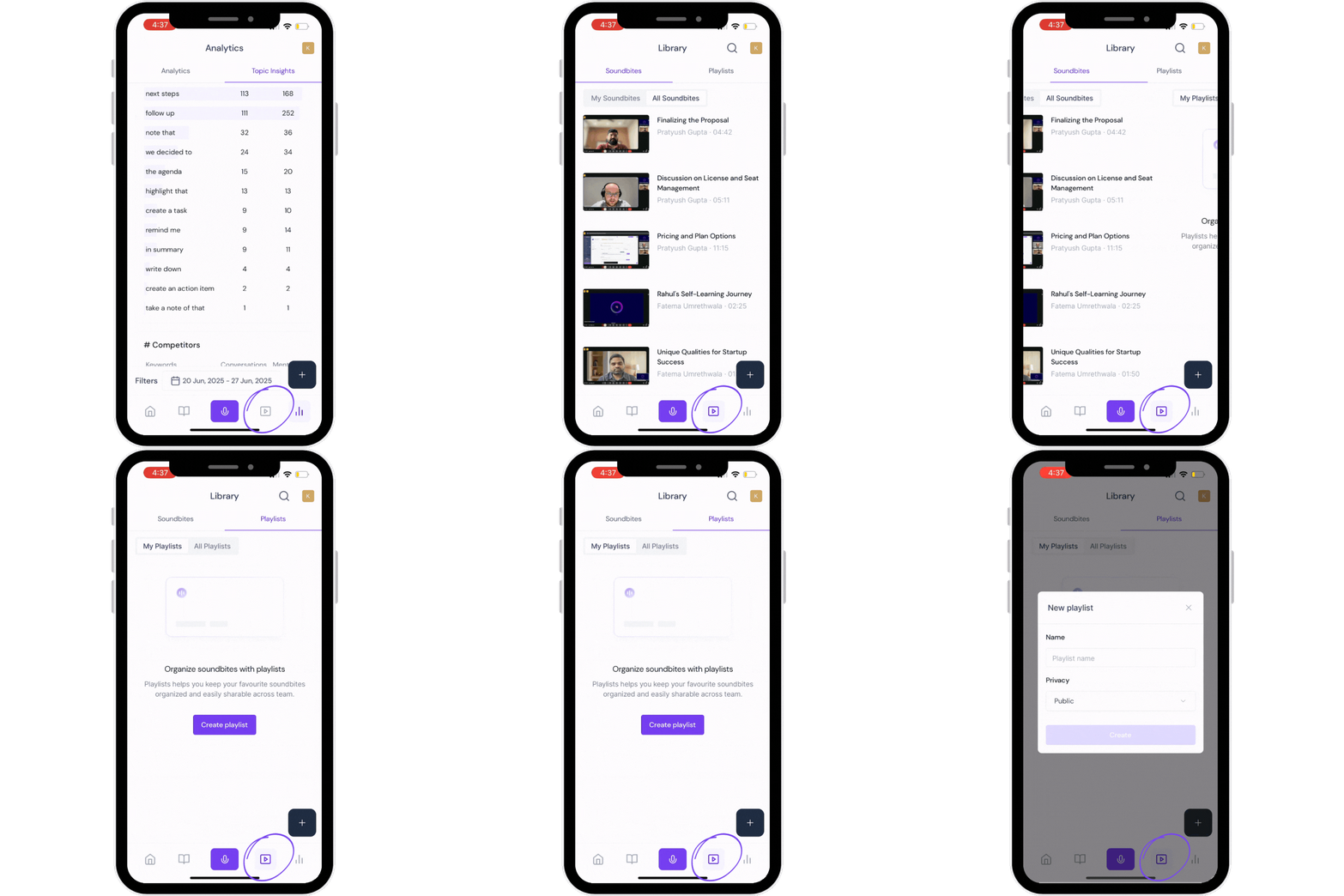
Playlist: Save & manage important soundbites and moments. This is where all your soundbites sit, and you can create playlists for these soundbites for easy reference.
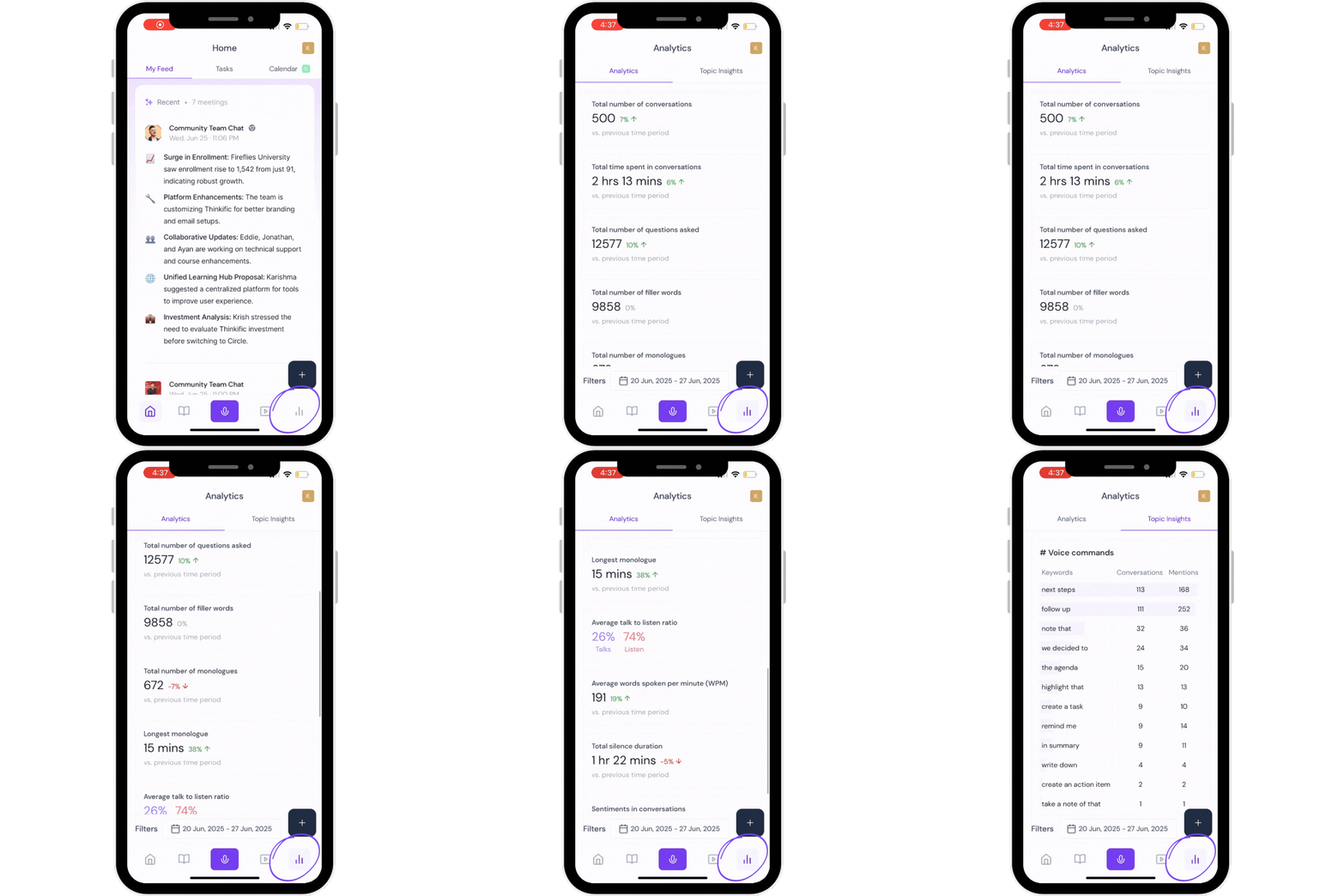
Analytics: Spot trends, see Topic Insights, and measure conversation data on the go.
📂 6: Check Meeting Status
Wondering if a file or recording was processed?
✅ See how to check unprocessed files →
🎙 7: Fireflies Talk
Want to dictate messages, emails, notes, and other text on your phone instead of typing? Fireflies Talk is available on iPhone and Android, making it easy to turn your speech into text across apps.
✅ Explore the guide to learn more about Fireflies Talk and how to set it up on your mobile device.
🎉 You’re all set!
That’s it — with Fireflies Mobile, you’re ready to capture meetings, create highlights, search insights, and stay organized — wherever you are