Stay updated with in-app notifications
Last updated: October 15, 2026
Get updates about your meetings directly in your Fireflies dashboard. In-app notifications help you stay informed when meetings are transcribed, when teammates share meetings with you, and when other updates are available. You can view these notifications directly in Fireflies instead of relying only on email.
💡 Why Use In-App Notifications?
Stay on top of your meeting activity without leaving Fireflies. Instead of manually checking for updates, use the notification panel to find important meeting activity and navigate to the relevant information.
📌 Instant Meeting Updates in One Place
See when your meetings are ready to review, check their recording and processing statuses, and find other updates from your dashboard. This keeps important meeting activity in one place without cluttering your inbox.
📋 What Notifications You'll Receive
In-app notifications help you keep track of different types of meeting activity.
Notification type | When you'll see it | What it tells you |
|---|---|---|
Meeting transcribed | After your meeting finishes processing | Your meeting is ready to review with its available transcript and summary. |
Meeting shared | When a teammate shares a meeting with you | Someone has given you access to their meeting insights. |
Meeting status | When a relevant recording or processing status is displayed | Check whether your meeting is active, processing, completed, or has encountered an issue. |
Auto-Fill activity | When an Auto-Fill notification is available | Find updates related to Auto-Fill. |
Product and feature updates | When an announcement or update is available | Find information about product capabilities, events, and other updates. |
The notifications you see depend on the activity in your account and the notification types currently supported by Fireflies.
🛠 How to Access Your Notifications
👀 View Notifications
Log in to your Fireflies account.
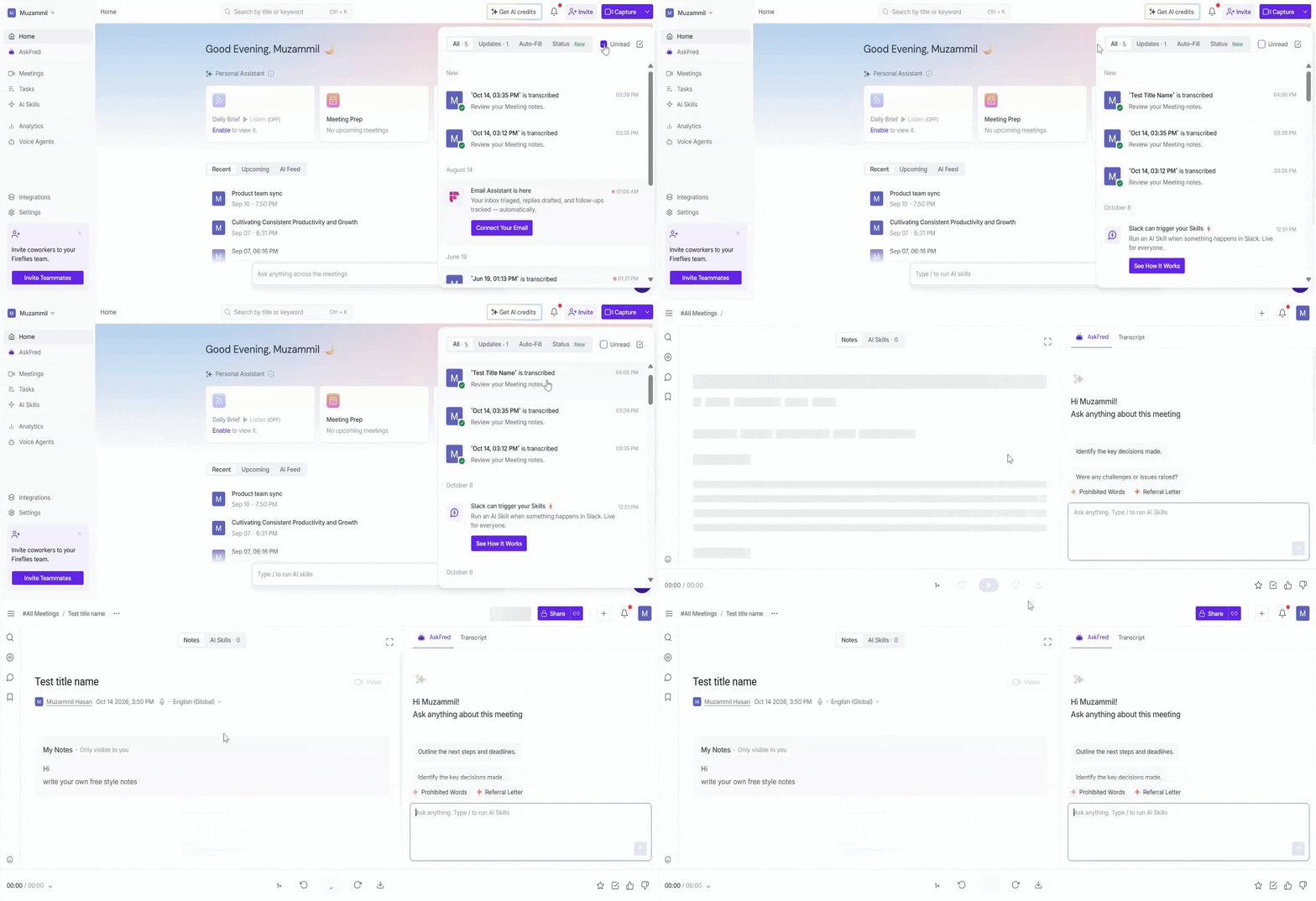
Click the notification bell in the top-right corner of your dashboard.
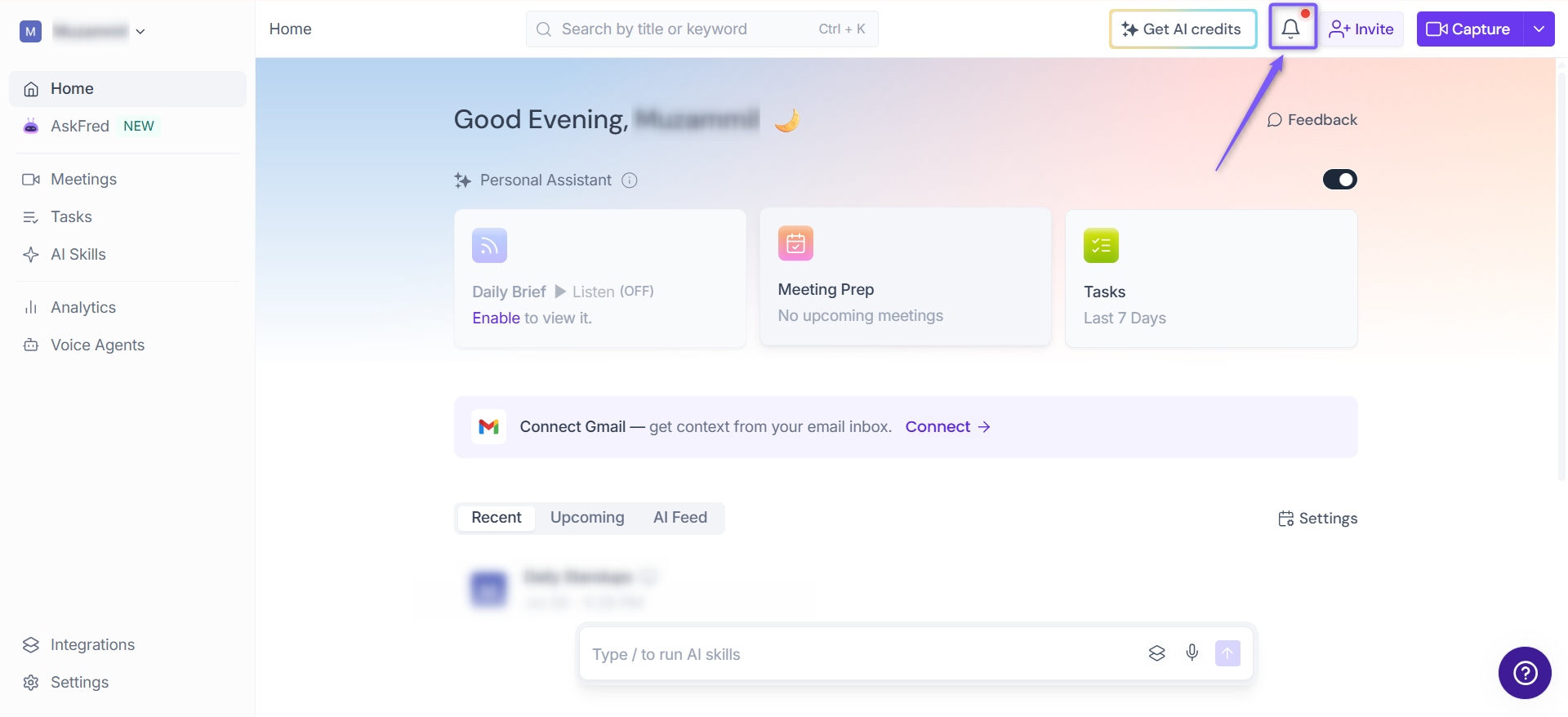
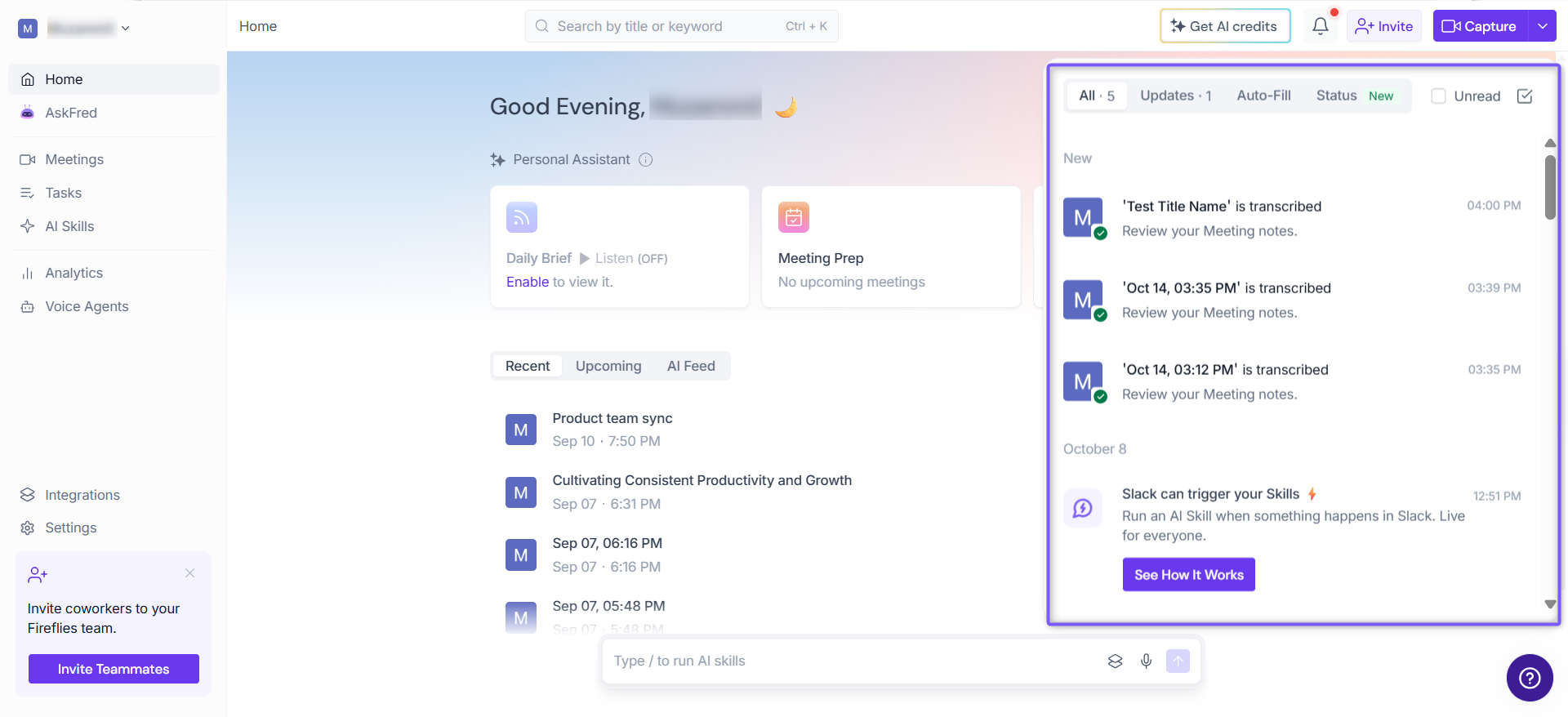
The notification panel opens on the right side of the screen, displaying recent meeting activity and other updates.
🗂 Filter Notifications
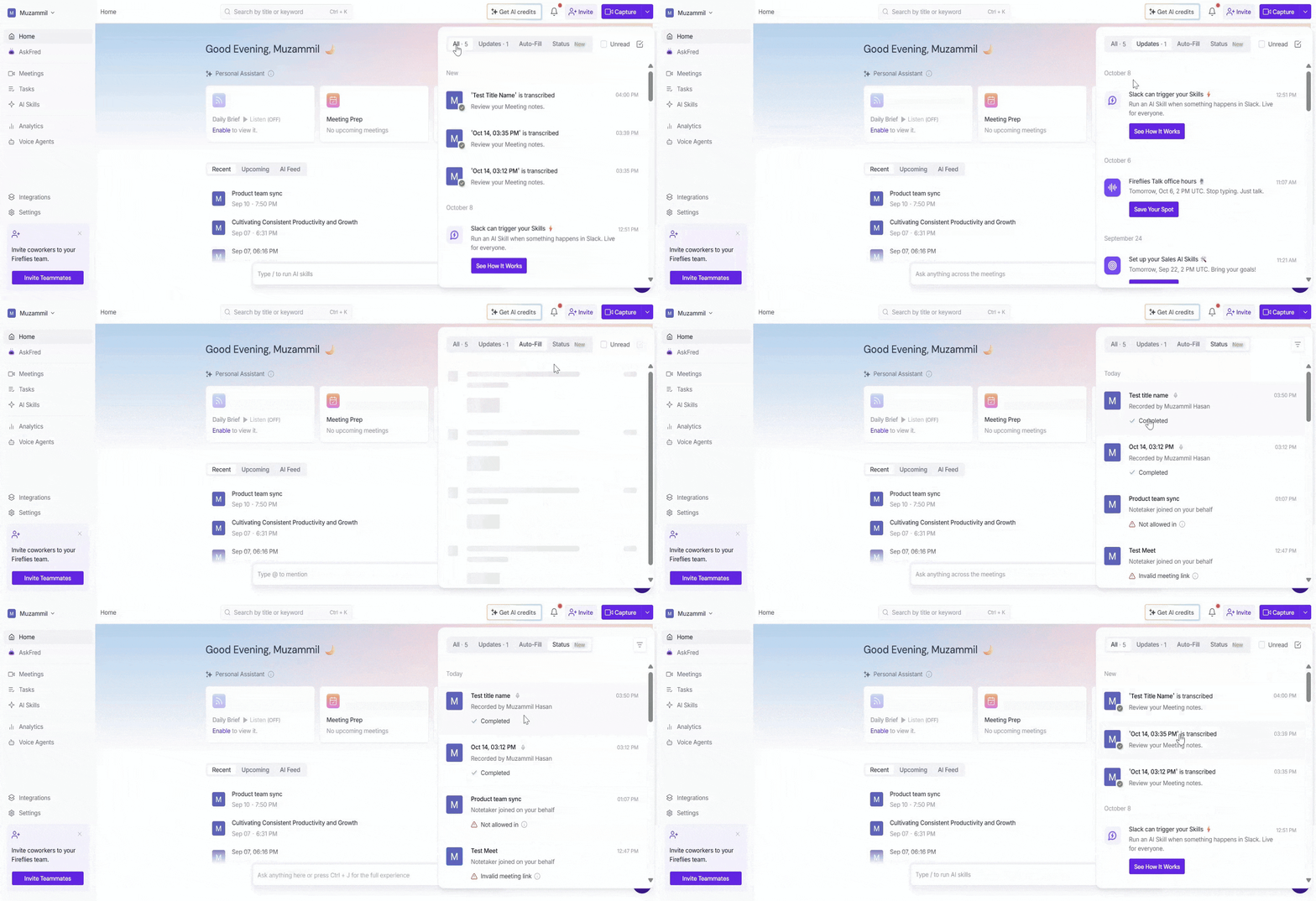
Use the tabs at the top of the notification panel to find specific types of activity.
All: View notifications across the available categories.
Updates: View product announcements, feature updates, and other general updates.
Auto-Fill: View notifications related to Auto-Fill activity.
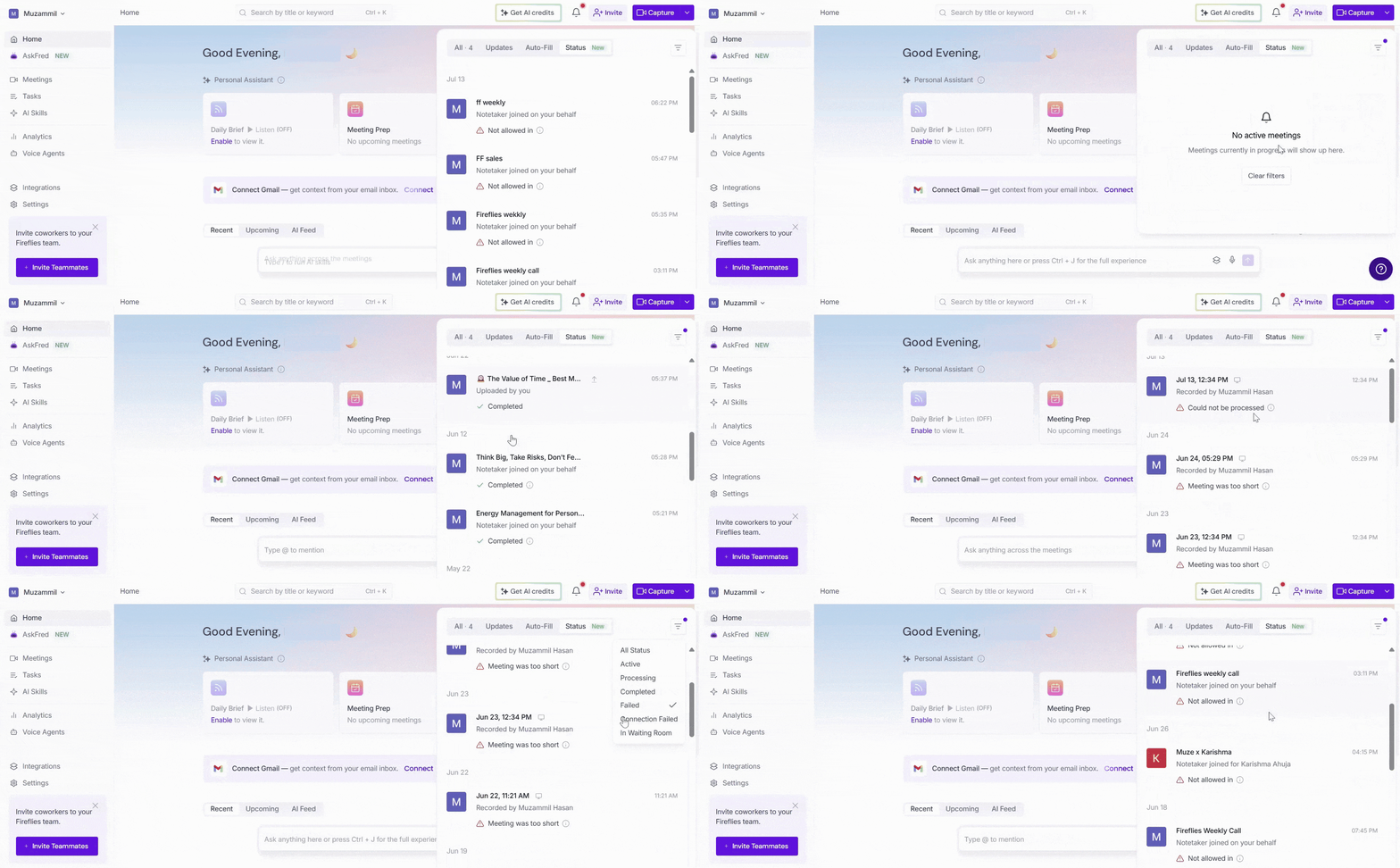
Status: View meeting recording and processing statuses.
Select a tab to focus on the type of notification you want to review.
📬 Find Unread Notifications
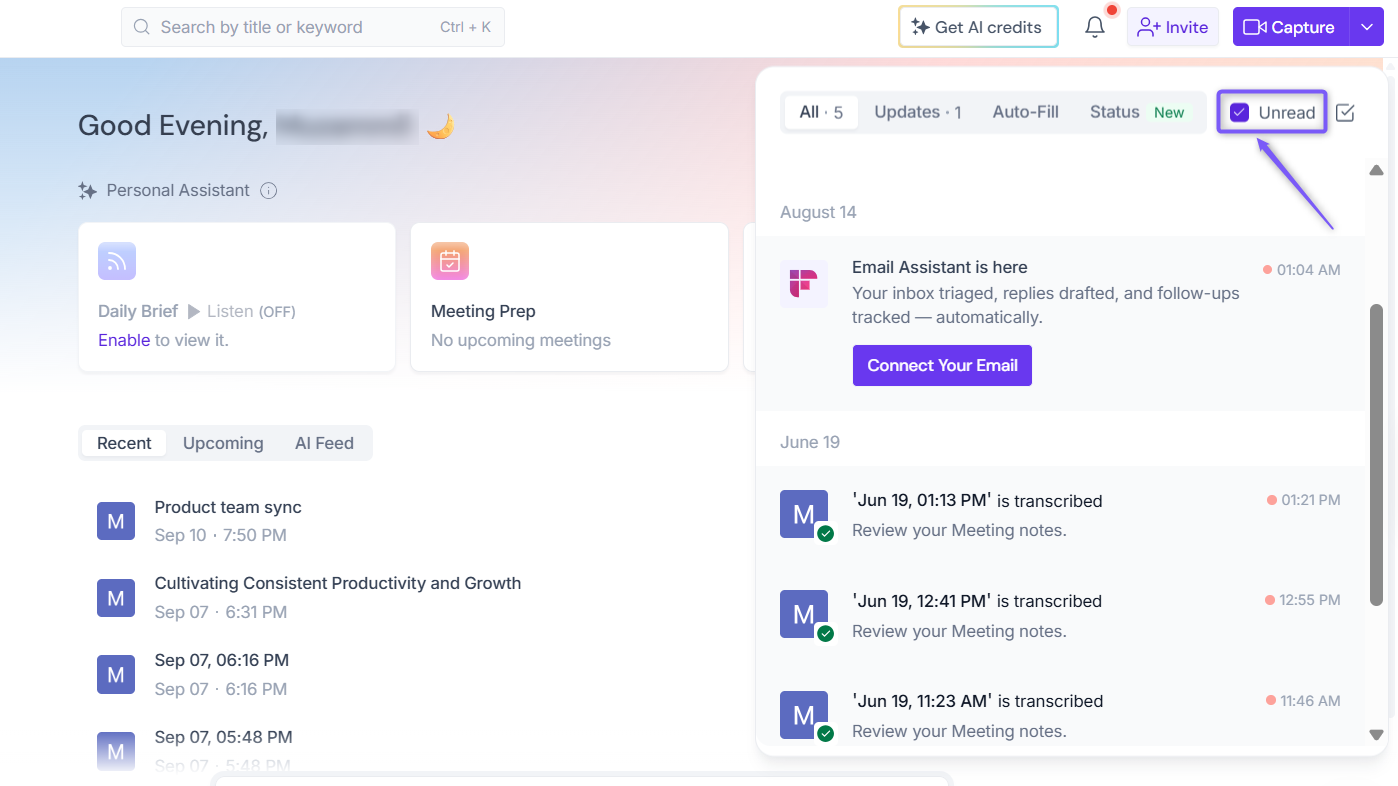
To focus on notifications you haven't reviewed yet:
Open the notification panel.
Select the Unread checkbox near the top of the panel.
Review the notifications displayed.
This filter helps you find notifications that still need your attention.
🔗 Open a Meeting from a Notification
You can open a meeting directly from its notification instead of searching for it separately.
Open the notification panel from your Fireflies dashboard.
Find the notification for the meeting you want to review.
Click the meeting notification.
Fireflies opens the corresponding meeting page, where you can view the available meeting details, transcript, and summary.
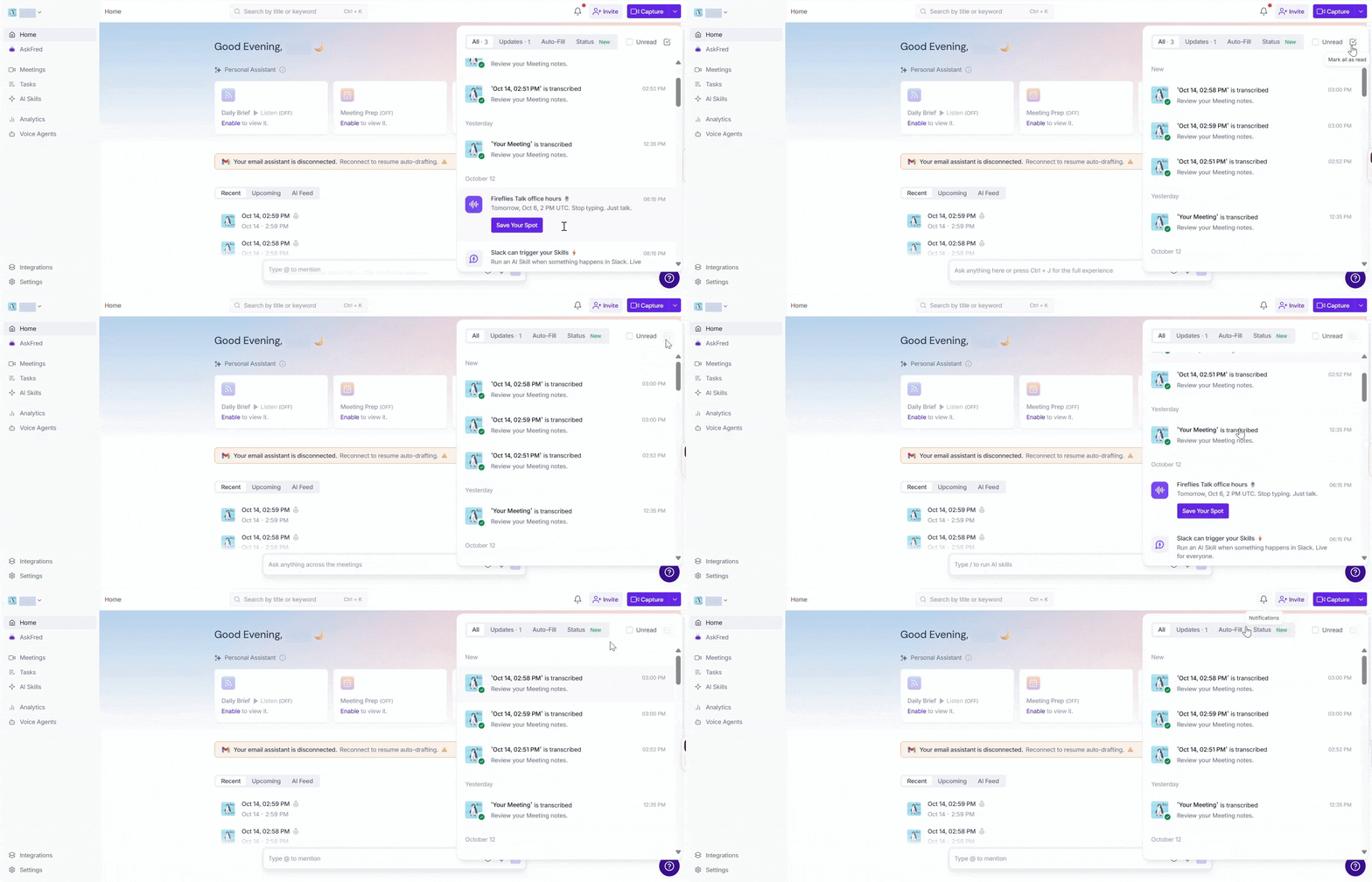
✅ Mark All Notifications as Read
To mark all notifications as read, click the checkmark icon in the top-right corner of the notification panel. This removes the unread indicators, including the red New labels, without requiring you to open each notification individually.
🎥 Check Your Meeting Status
The Status tab helps you check the current recording and processing status of your meetings. It can also help you identify meetings that encountered an issue.
Click the notification bell in the top-right corner of your Fireflies dashboard.
Select the Status tab.
Browse your recent meetings and review their displayed statuses.
Click a meeting to open its meeting page and review the available meeting content.
For an explanation of each status and troubleshooting guidance, see the Meeting Status Page: Check the Status of Your Meetings in Fireflies.
🔮 What's Coming Next?
The original guide described plans to expand in-app notifications to include additional notification types, such as:
Team announcements: Important updates about your workspace.
Feature updates: Information about new capabilities and improvements.
Workspace activity: More detailed updates about team collaboration.
These were planned additions in the original guide. Check the current product UI before describing them as upcoming or confirming their availability.
🧠 Making Sense of It All
Dashboard notifications: Find meeting activity and updates directly in Fireflies without relying solely on email.
Meeting processing: Check when your meeting is ready to review.
Meeting sharing: Find notifications when teammates share meetings with you.
Multiple categories: Use the All, Updates, Auto-Fill, and Status tabs to find relevant activity.
Unread filtering: Focus on notifications you haven't reviewed yet.
Direct access: Click a meeting notification to open its corresponding meeting page and view the available details, transcript, and summary.
Meeting status guidance: Use the Meeting Status Page guide to understand recording and processing statuses.
Expanding feature: Additional notification types may become available as the product evolves.