How to Manage Fireflies Channels and Organize Your Meetings
Last updated: July 29, 2026
Channels help keep related meetings organized and make it easier to collaborate with the right people. As your Channels grow, you may need to rename a Channel, manage members, remove meetings, or delete a Channel that is no longer needed.
This guide walks you through the different ways to manage Public and Private Channels in Fireflies.
Let's get started 🚀
📝 Before You Start
Before managing a Channel, make sure:
A Public or Private Channel has already been created.
You have access to the Channel.
Some Channel management actions may require Channel ownership or Workspace Admin permissions.
Related: Learn About Fireflies Channels to Organize Your Meetings
🚀 Navigation
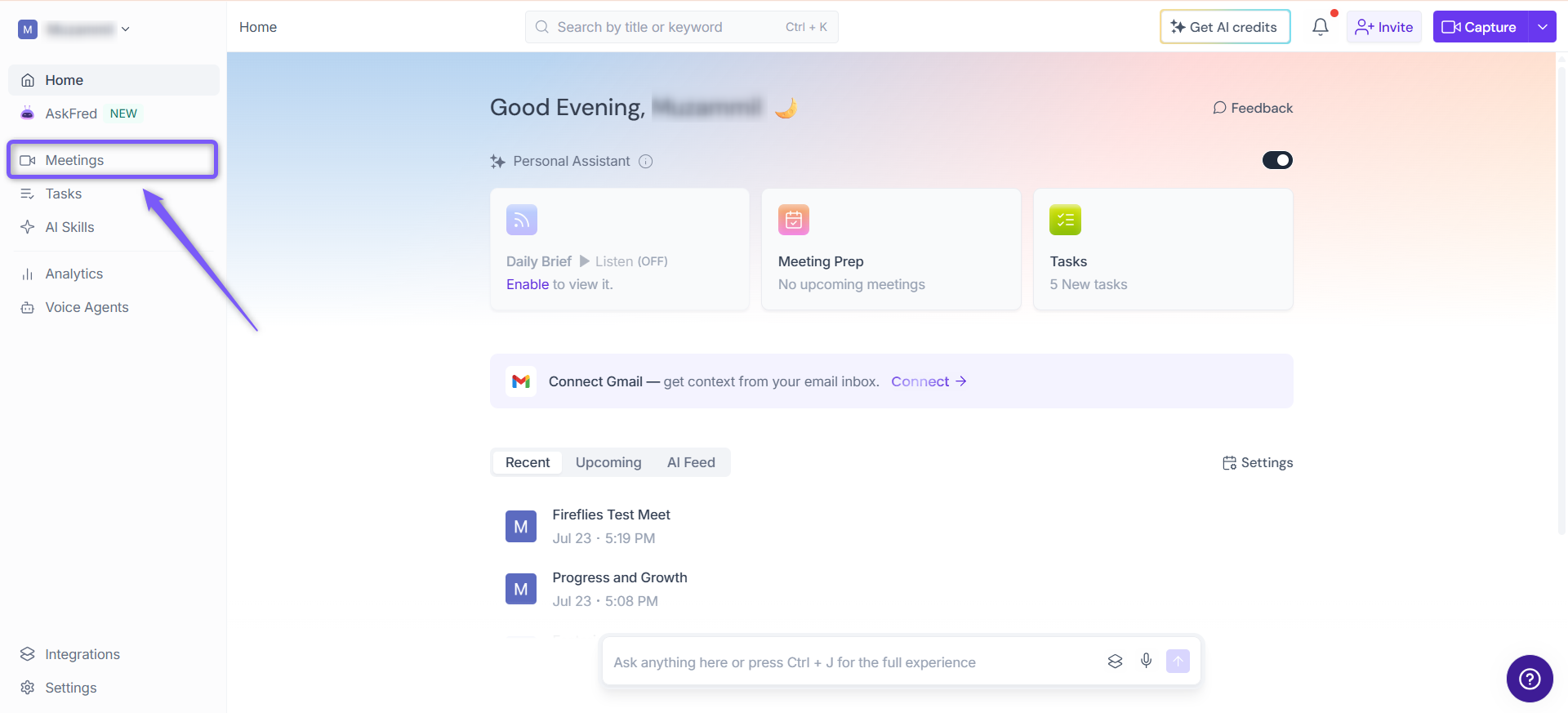
1. Log in to your Fireflies account and click the Meetings tab from the left sidebar.
2. Open the Public or Private Channel that you want to manage or update.
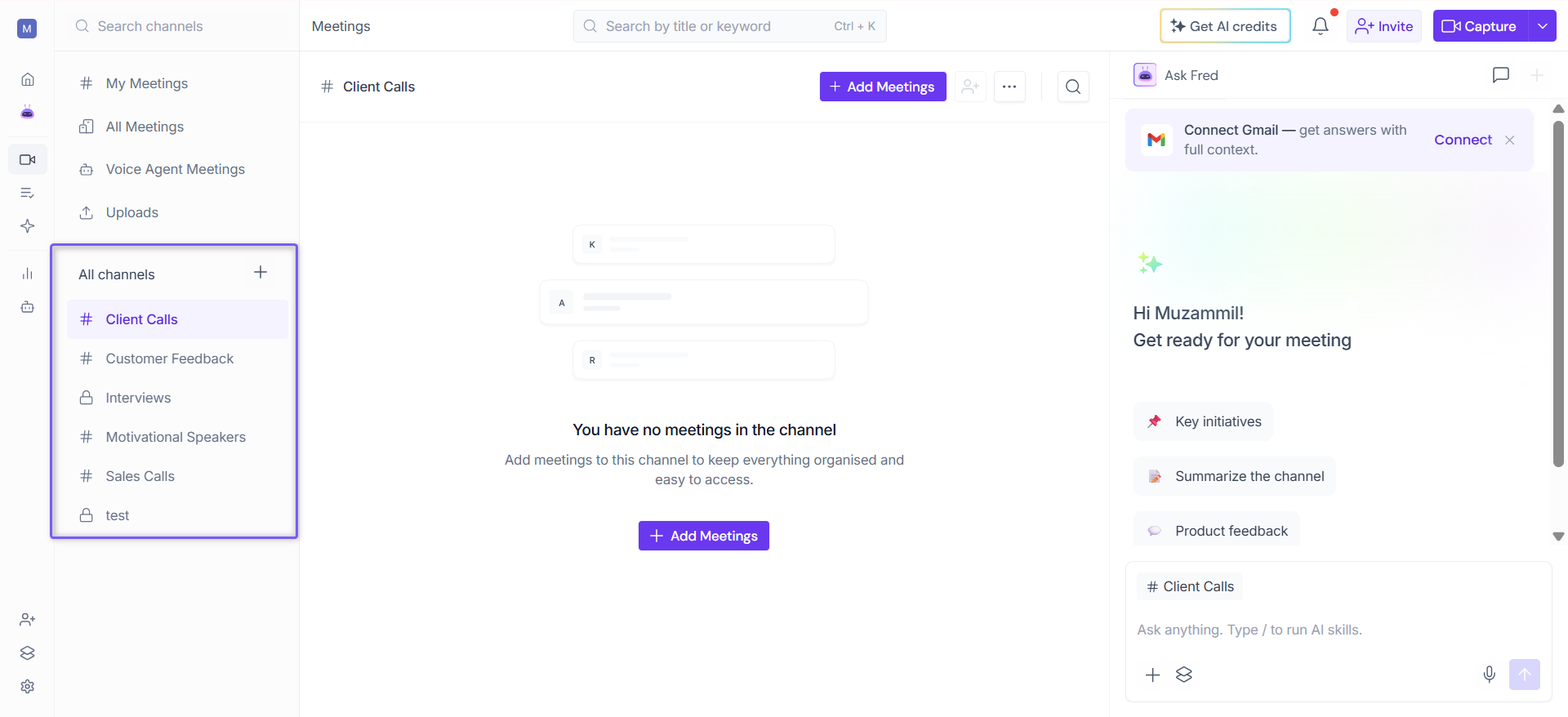
⚙ Manage Your Channel
Keep your Channels organized by updating their names, managing member access, organizing meetings, configuring automatic routing, and removing Channels that are no longer needed.
✏ Rename a Channel
A clear and descriptive Channel name makes it easier for members to identify the Channel's purpose and find related meetings quickly. If a Channel's name no longer reflects its content or use case, you can rename it at any time.
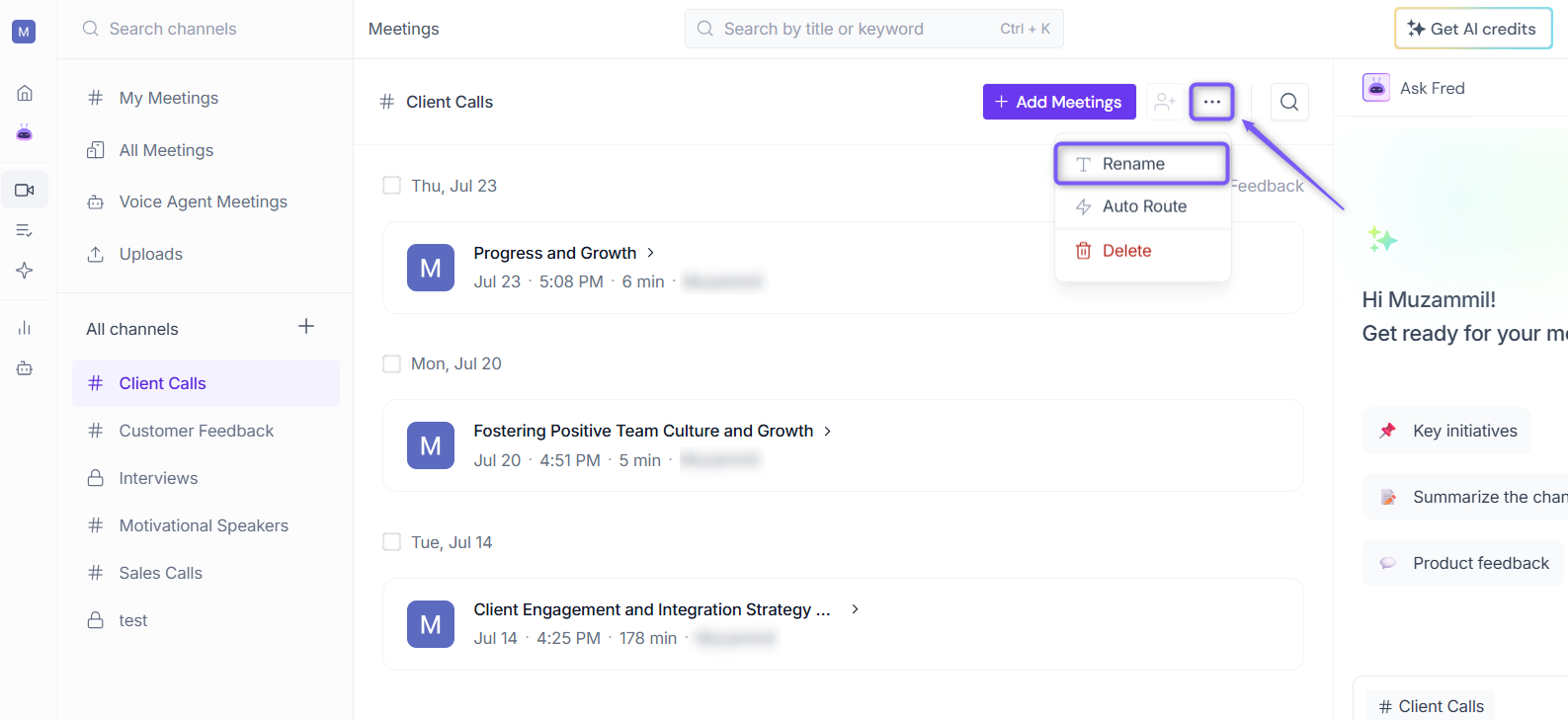
1. Click the ellipsis (...) icon in the top-right corner of the Channel page, then select Rename.
2. Enter the new Channel name. For example, you can rename Client Calls to Motivational Speakers if the Channel contains meetings related to motivational speaking and personal development.
3. Click anywhere outside the Channel name field to save the change.
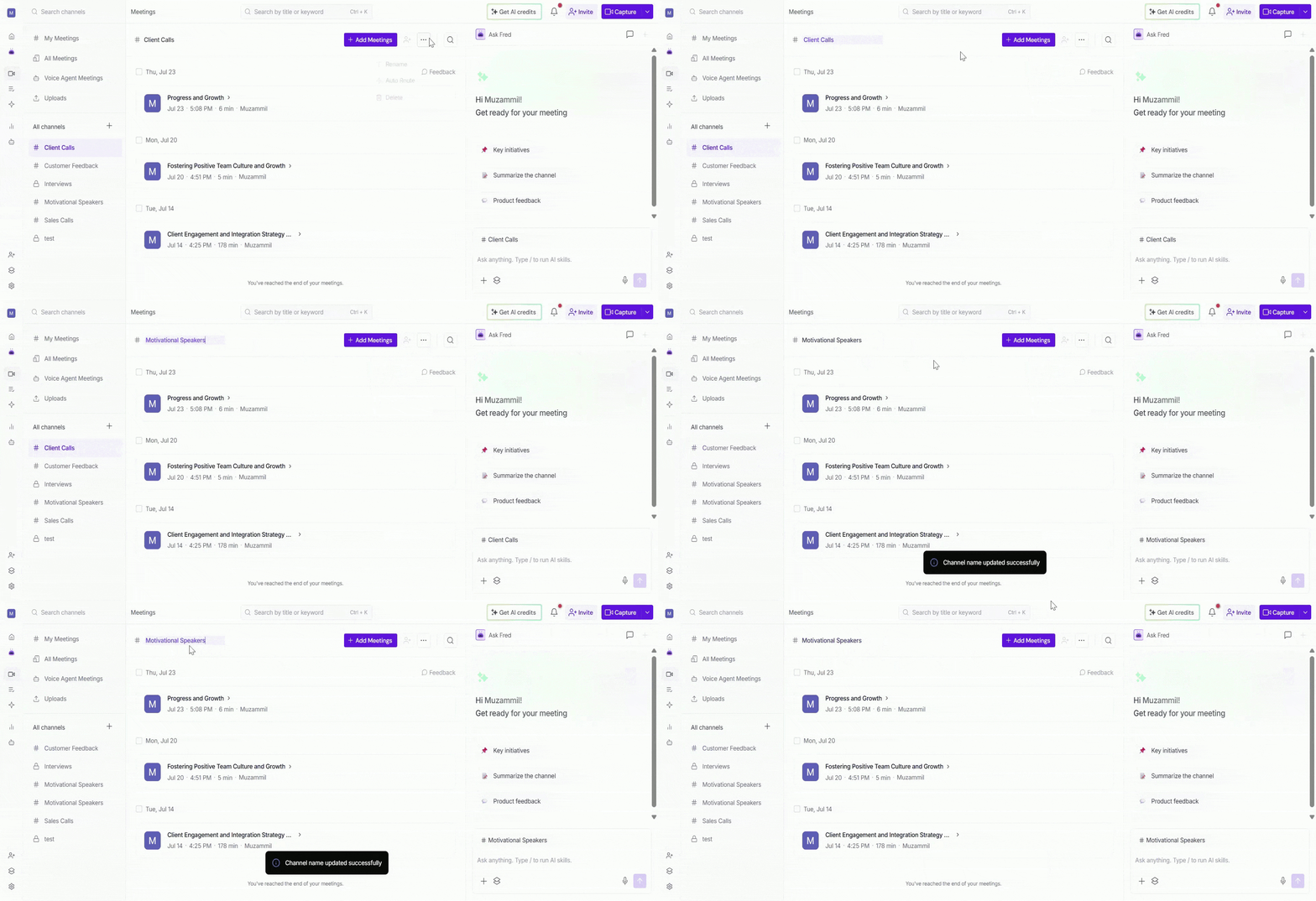
4. The updated Channel name will appear throughout your workspace.
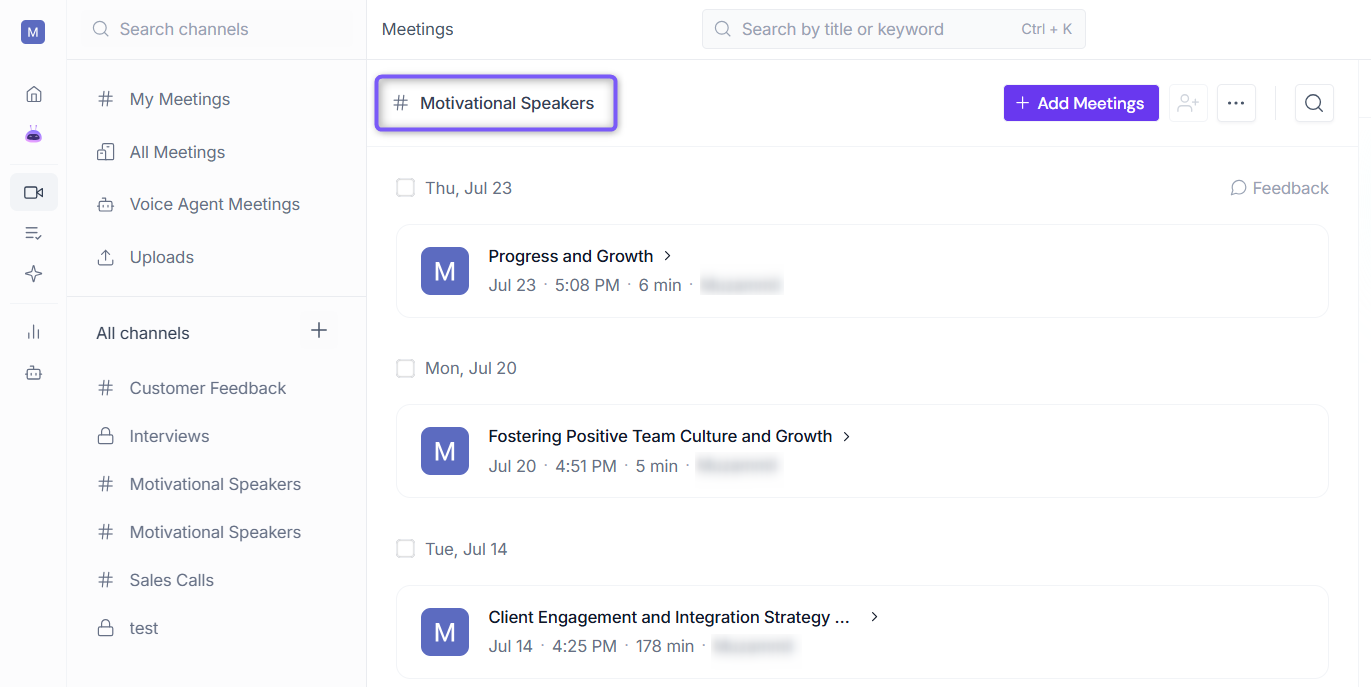
💡Alternatively, you can click directly on the Channel name at the top of the page to make it editable.
👥 Add Channel Members
Adding members to a Private Channel allows you to share meetings and collaborate with specific people while keeping the Channel private.
Members can only be added to Private Channels. All workspace members can access Public Channels, so there is no need to add members to them.
1. Open the Private Channel that you created and want to add members to.
You can identify a Private Channel by the lock icon (🔒) displayed next to the Channel name.
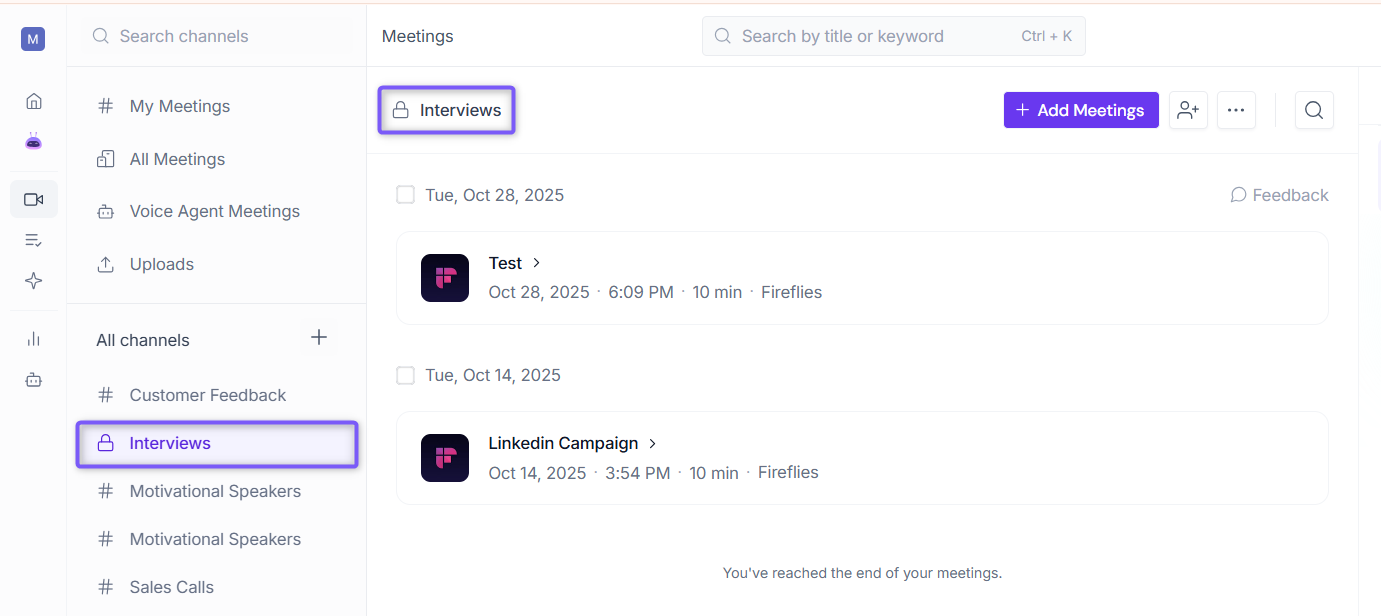
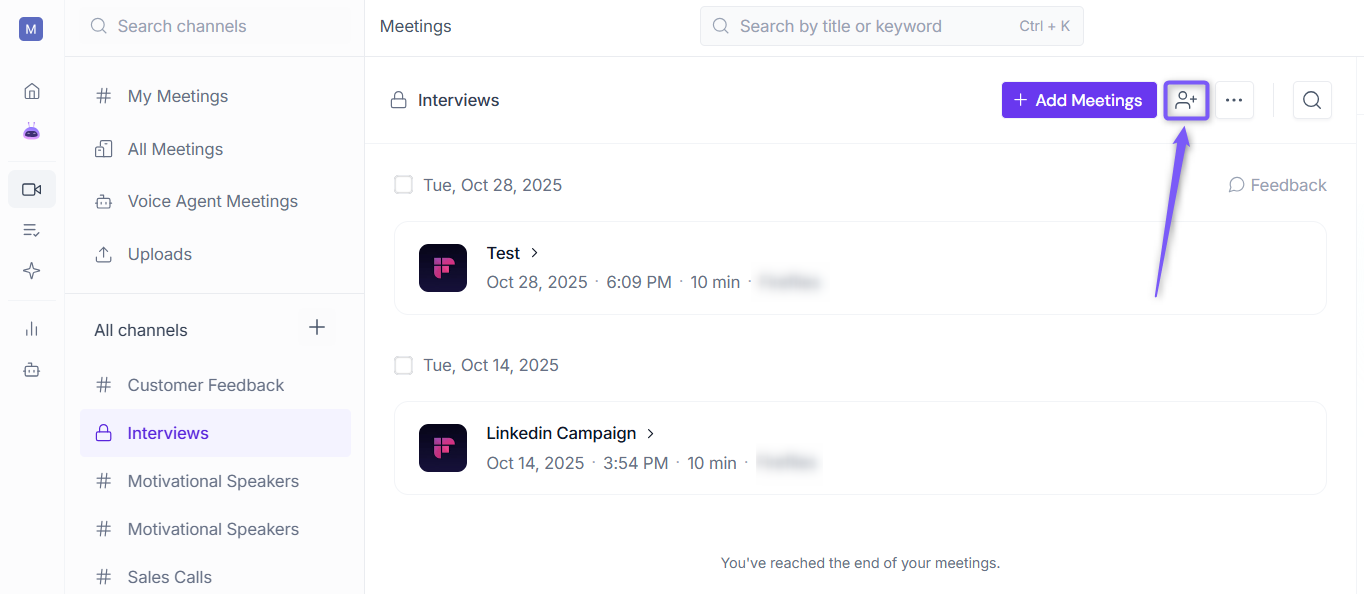
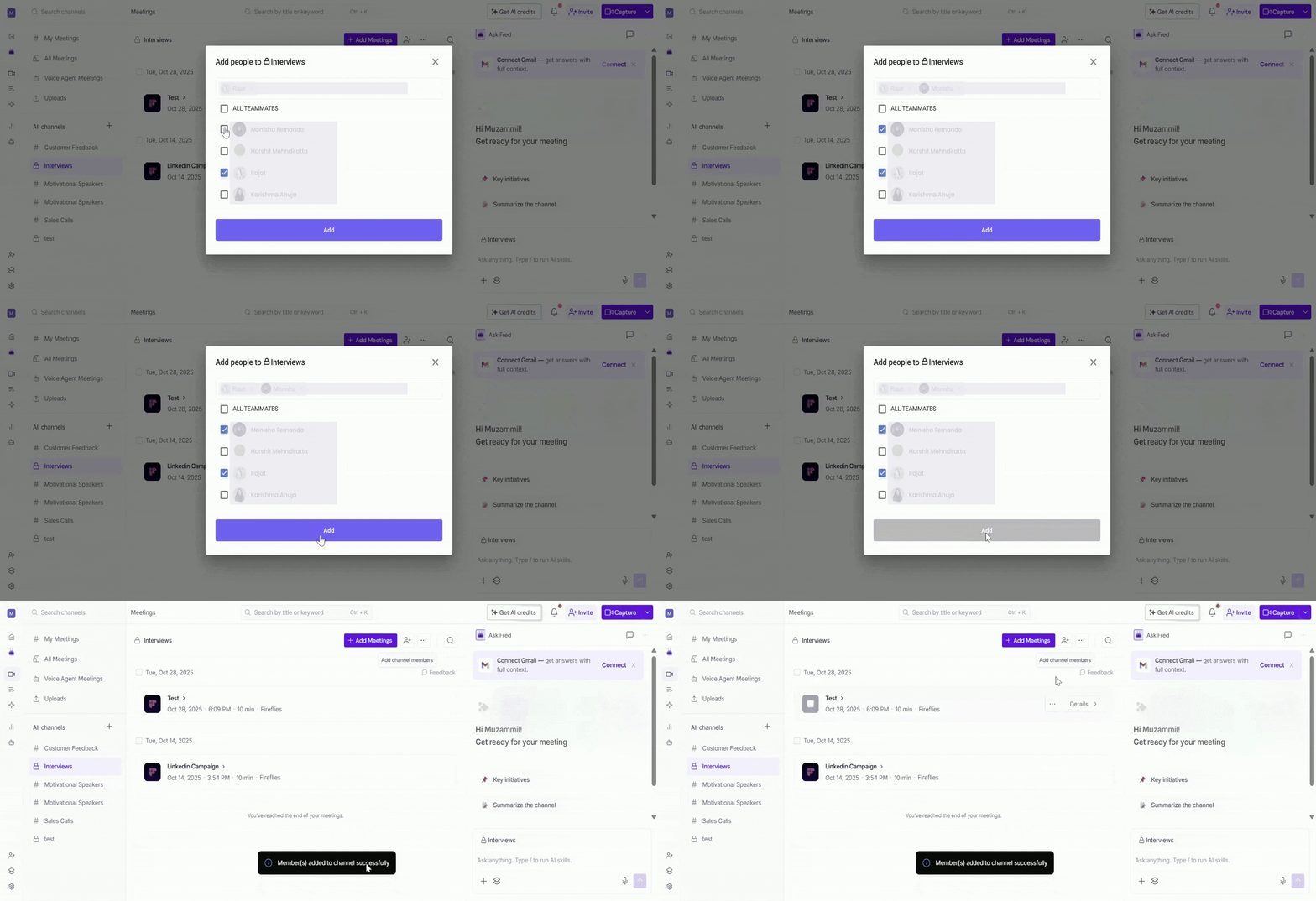
2. Click the Add Channel Members icon in the top-right corner of the Channel page.
3. A dialog box appears, displaying the workspace members available to add to the Channel. Search for a member by name or select one or more members from the list.
💡 Tip: To add everyone in the workspace at once, select the ALL TEAMMATES checkbox.
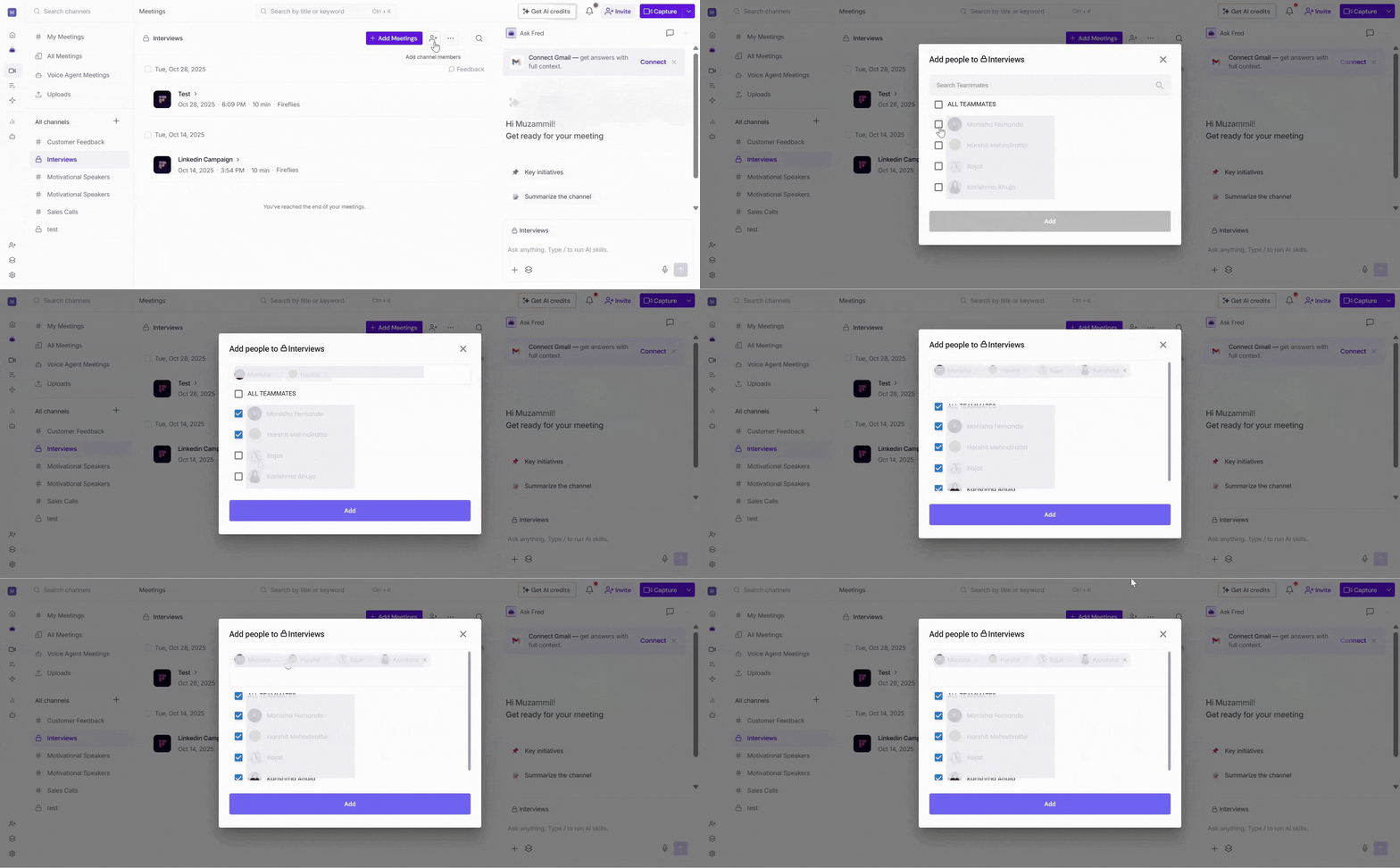
4. Click on the Add button to add the selected members to the Channel.
👥 View or Remove Channel Members
Want to see who has access to a Private Channel? You can view all Channel members and remove members who no longer need access.
📌 This option is only available for Private Channels.
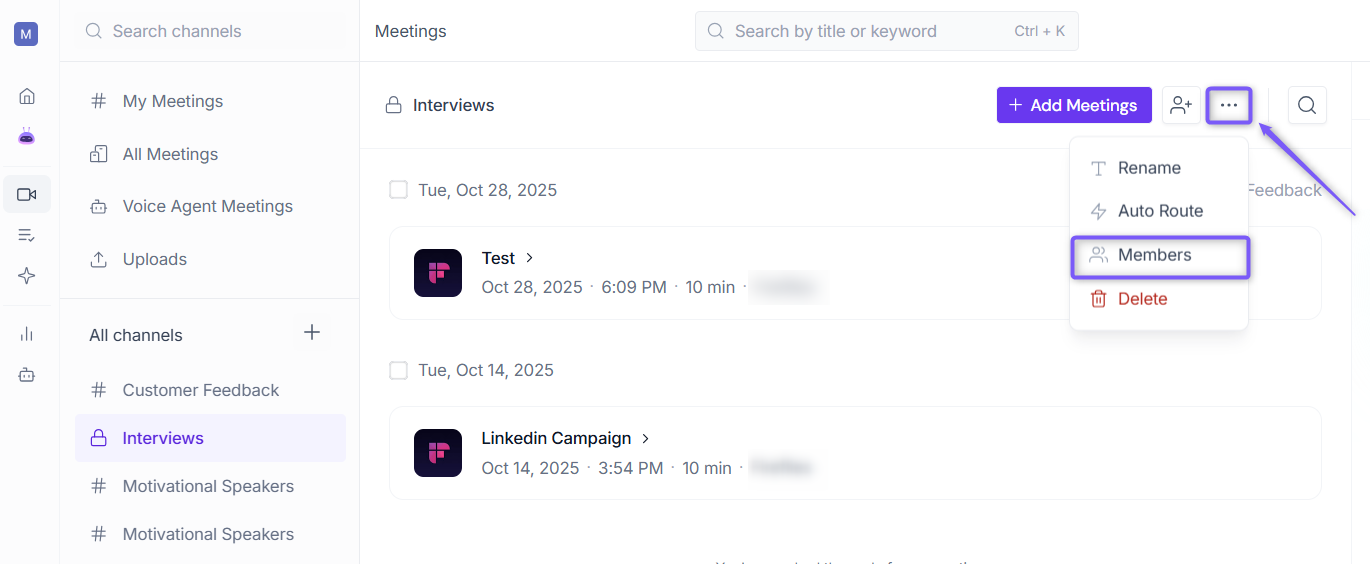
1. Click the ellipsis (...) icon in the top-right corner of the Channel page, then select Members.
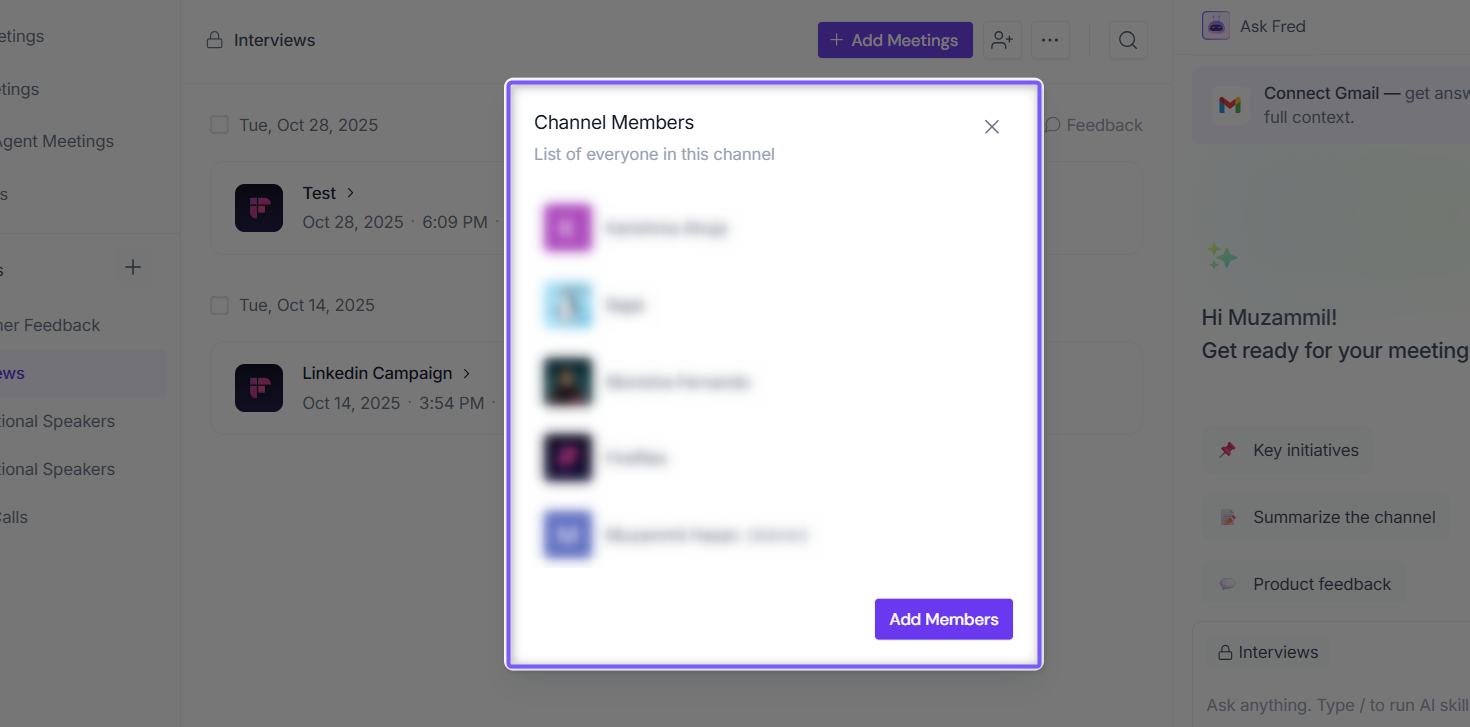
2. A dialog box appears, displaying the list of members who currently have access to the Private Channel.
3. From here, you can manage Channel members:
Add members: Click Add Members, select the members you want to add, then click Add. The selected members are added to the Private Channel and can access its meetings.
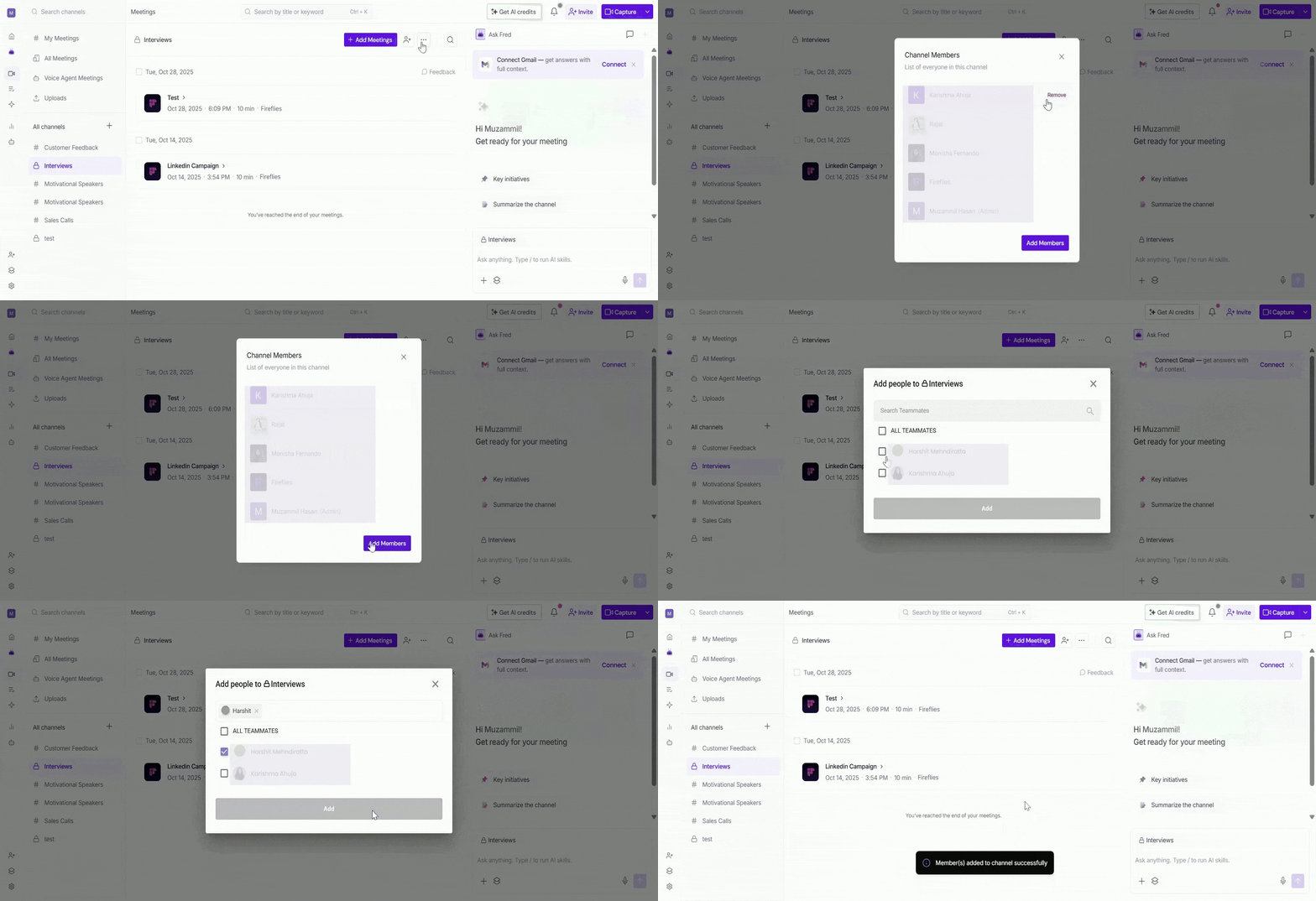
Remove members: Hover over the member you want to remove and click Remove. The selected member will no longer have access to the Private Channel or its meetings.
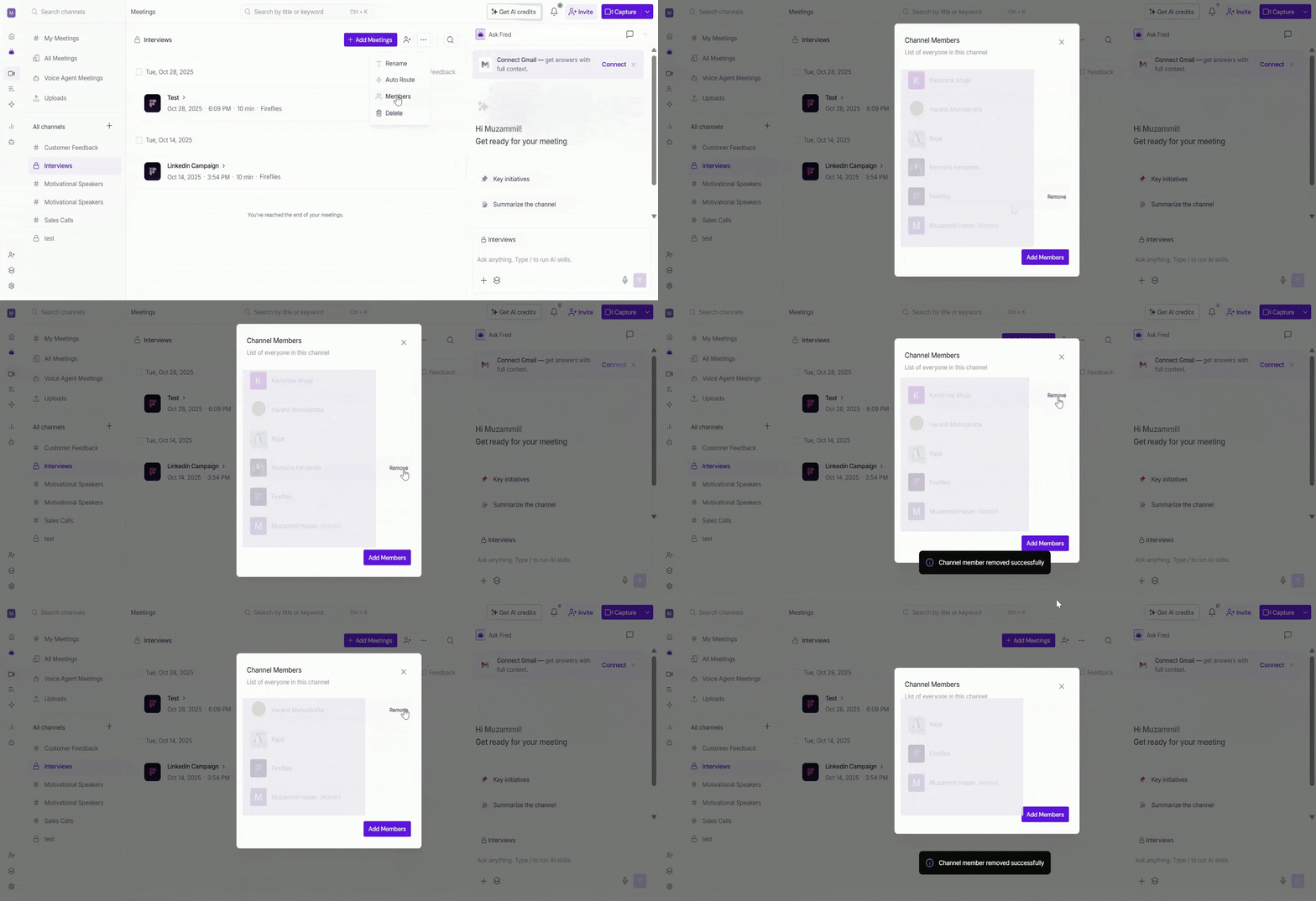
Access to Private Channels is managed individually. Adding a member to one Private Channel does not grant them access to other Private Channels. Members can only access the specific Private Channels they have been added to.
⚙ Configure Automatic Meeting Routing
Rules Engine allows you to automatically add future meetings to specific Channels based on rules you configure. This helps ensure meetings are organized in the appropriate Channel without requiring manual action.
Automatic meeting routing via Rules Engine is available on the Enterprise plan only. Only Workspace Admins can create and manage Rules Engine rules.
1. Open the Public or Private Channel that you want future meetings to be automatically added to.
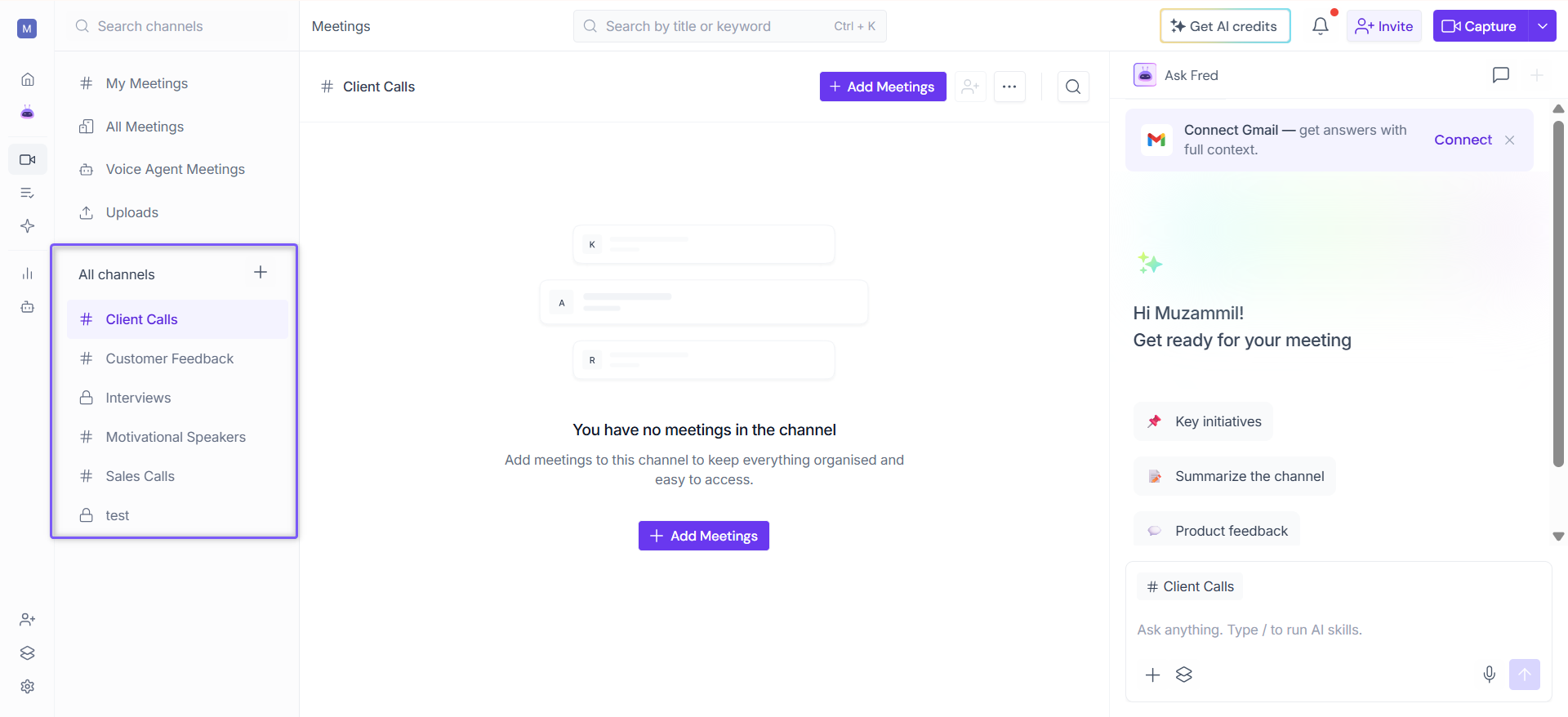
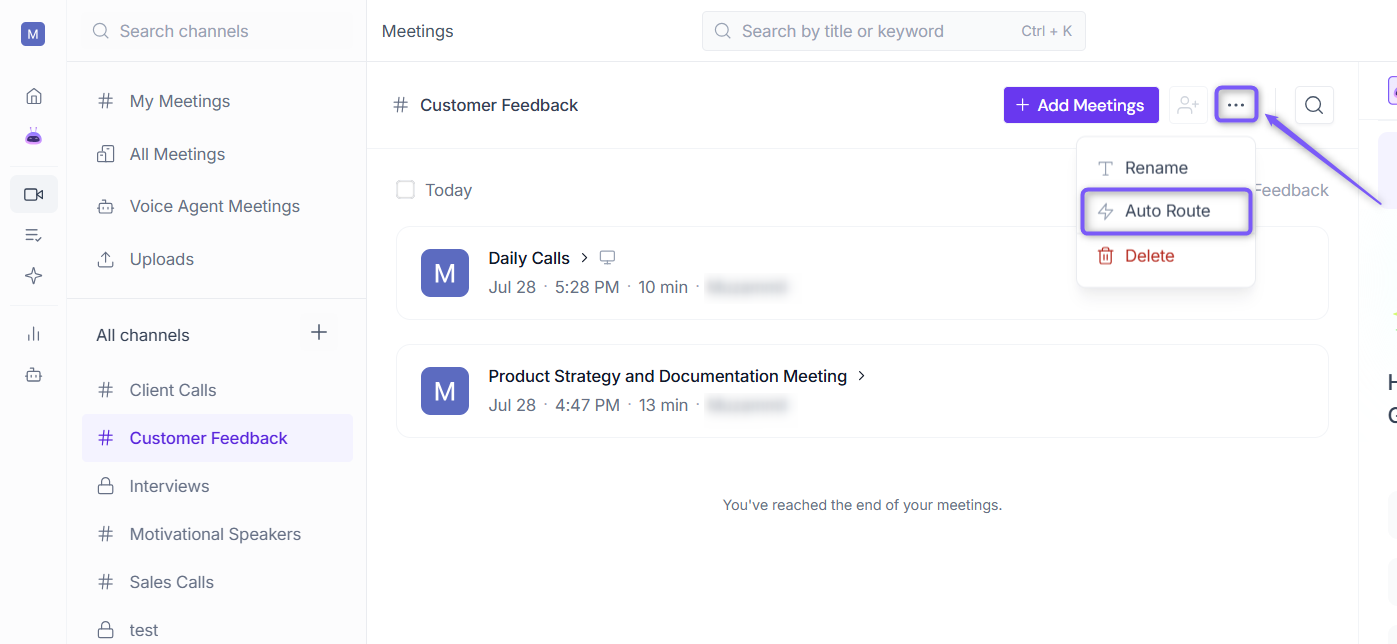
2. Click the ellipsis (...) icon in the top-right corner of the Channel page, then select Auto Route.
3. The rule builder opens with the selected Channel already set as the destination, so you can start configuring the routing conditions right away.
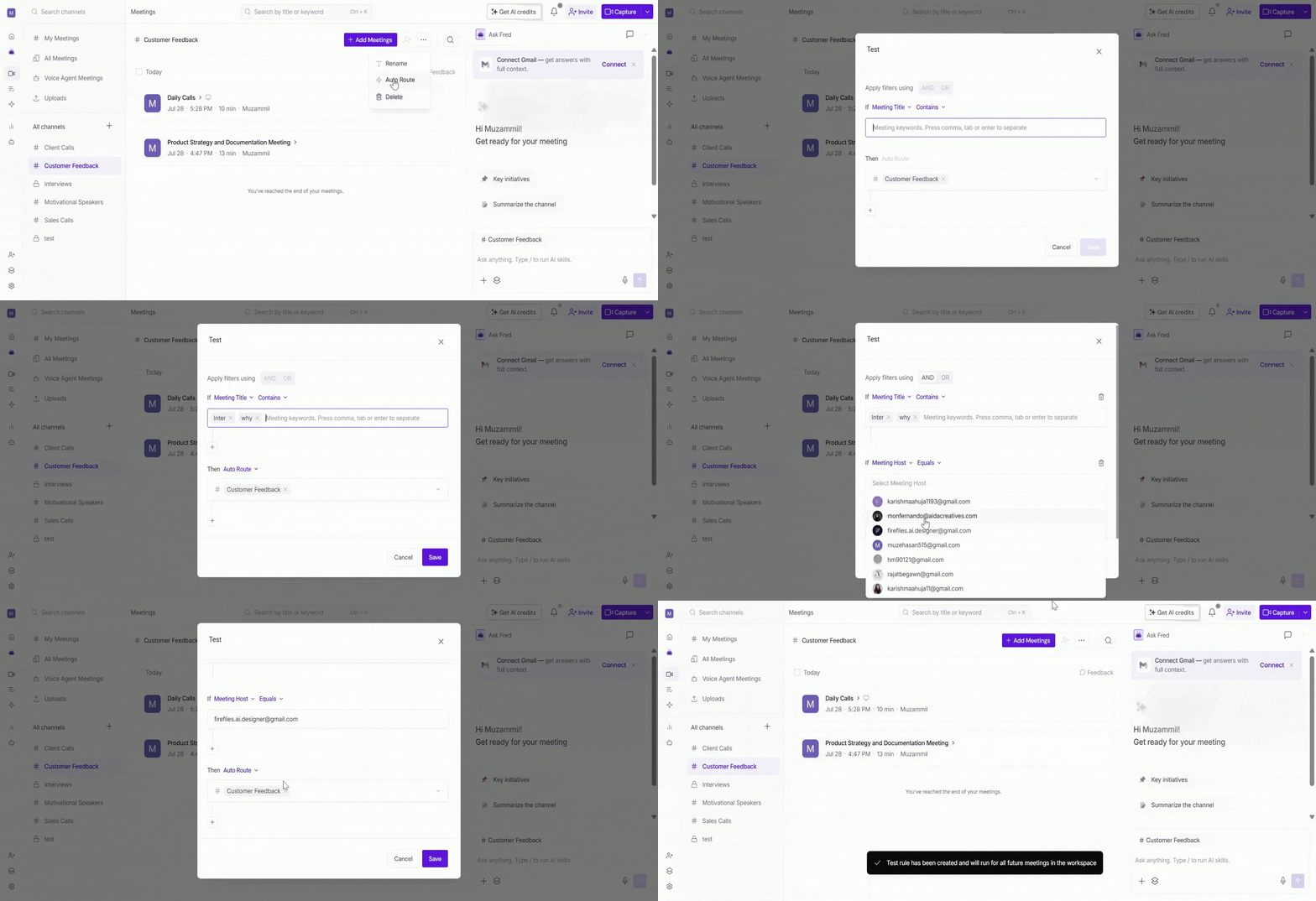
Once the rule is active, future meetings that match the configured conditions will be automatically routed to the selected Channel.
📌 Learn More: For detailed steps on creating, managing, editing, and deleting routing rules, see Fireflies Rules Engine: Route, Share, and Control Meeting Visibility.
🗂 Remove, Move, or Delete Meetings from a Channel
Over time, you may need to reorganize the meetings in a Channel. You can remove meetings from the current Channel, move them to another Channel, or delete them if they are no longer needed.
1. Open the Public or Private Channel that contains the meetings you want to manage.
2. Select the meetings you want to manage using the checkboxes.
Select the checkbox next to an individual meeting to select a specific meeting.
If multiple meetings are grouped under the same date, select the checkbox next to the date to select all meetings listed for that day.

3. From the action bar at the bottom of the page, choose one of the following options:
Move meetings: Click Move. A dialog box appears displaying the available Channels. Select the Channel where you want to move the selected meetings, then click Move to confirm.

Remove meetings: Click Remove to remove the selected meetings from the current Channel while keeping them available in your workspace.

Delete meetings: Click Delete to permanently remove the selected meetings from your workspace.

📌 Note:
Removing a meeting from a Channel does not delete the meeting.
Meetings removed from a channel remain available in your workspace and can still be accessed from My Meetings or All Meetings.
You can move meetings between Channels or add them to another Channel at any time.
Deleting a meeting permanently removes it from your workspace.
🗑 Delete a Channel
If a Channel is no longer needed, you can delete it to keep your workspace organized.
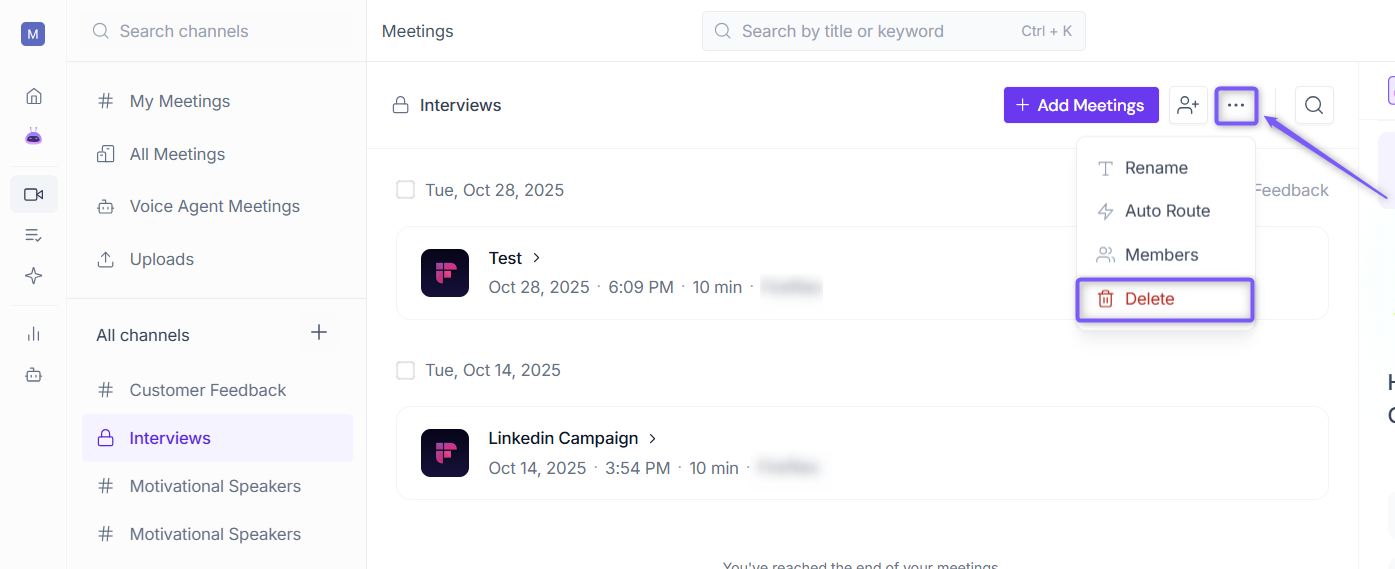
1. Click the ellipsis (...) icon in the top-right corner of the Channel page, then select Delete.
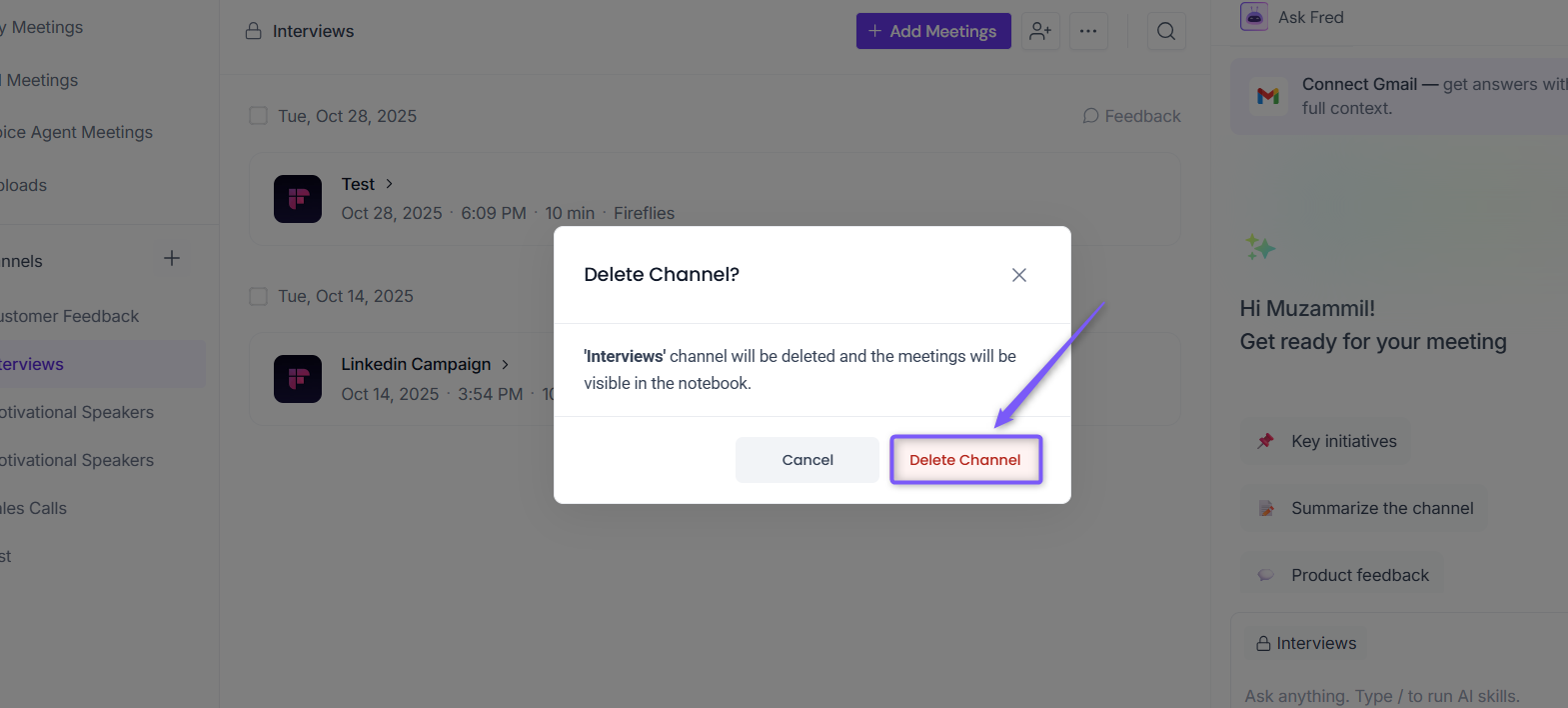
2. A confirmation dialog box appears. Click Delete Channel to permanently delete the Channel.
📌 Note:
Default Channels cannot be deleted.
You can only delete Channels that you created.
Workspace Admins can delete Public or Private Channels created by other users if they are members of the Channel.
Deleting a Channel does not delete its meetings. The meetings remain available in your workspace and can still be accessed from views such as My Meetings and All Meetings.
💡 Get answers across your Channel: Need a quick summary, key decisions, action items, or answers from multiple meetings in a Channel? Use the AskFred panel on the right to analyze all meetings in the selected Channel and get AI-powered insights without opening each meeting individually.
📌 Want to learn more? Check out Global AskFred: Get Answers from Past Meetings, Connected Apps, and Web Search.

❓ Frequently Asked Questions
1. Can I add members to a Public Channel?
No. Public Channels are accessible to all workspace members, so member management is only available for Private Channels.
2. Can I delete a Channel without deleting its meetings?
Yes. Deleting a Channel removes only the Channel. The meetings remain available in your workspace and can still be accessed from My Meetings and All Meetings.
3. Can I move meetings between Channels?
Yes. Select the meetings you want to move, click Move, then choose the destination Channel.
4. I don't see the Auto Route option. What should I do?
If the Auto Route option is not available, check the following:
Ensure your workspace is on the Enterprise plan, as automatic meeting routing is not available on other plans.
Ensure you are a Workspace Admin, as only Workspace Admins can create and manage Rules Engine rules.
If you're unsure whether you have Workspace Admin access, check with your workspace owner or administrator.
5. Can I remove a member from a Private Channel later?
Yes. Open the Channel's Members list, then remove any member who no longer needs access to the Channel.
6. Can I delete a Channel created by another user?
Only Workspace Admins can delete Public or Private Channels created by other users, and only if they are members of that Channel.
Need More Help?
If you have questions or need assistance managing Channels, click the chat button (purple) in the bottom-right corner of your Fireflies dashboard to start a conversation with Support, or contact the team through the Support link.