Instant Summaries with Live Assist—Get Post-Meeting Summaries Instantly
Last updated: June 29, 2026
Instant Summaries in Live Assist provide your meeting notes immediately after the call ends, with no waiting for processing. As long as Live Assist is open during the meeting, you’ll see Freestyle Notes and Key Takeaways instantly on the post-meeting screen.
Get AI-generated notes right away - no waiting for processing
View Freestyle Notes and Key Takeaways in the Live Assist pane
Access the same notes in your Fireflies Notebook
Available even if you're on the Free plan or out of credits
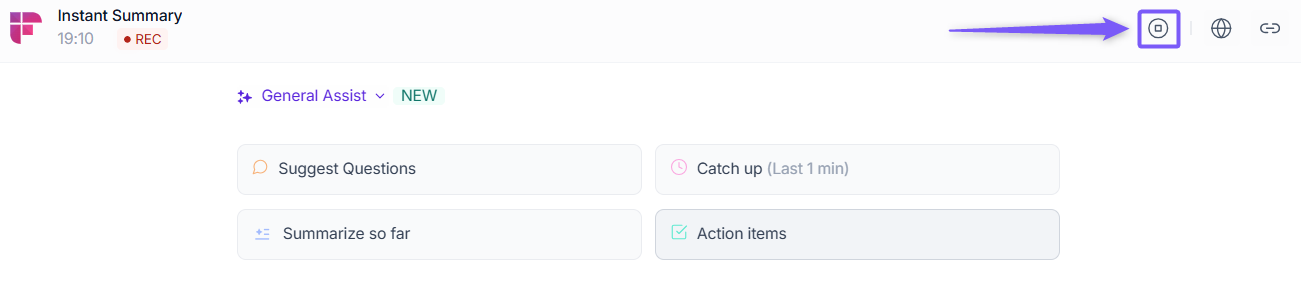
The host can use the Stop button in the live assist pane to end meetings and get summaries instantly
Instant Summaries give you quick clarity, so you can review and follow up without missing a beat.
🔑 Prerequisites
Before you start using Instant Summaries, make sure these conditions are set so everything works smoothly at the end of your meetings.
You must be logged in to your Fireflies account and have Live Assist open during the meeting.
The Fireflies.ai Notetaker must join the meeting—Instant Summaries require the bot to be present.
Instant Summaries only appear for participants who have the Live Assist pane open when the meeting ends.
Instant Summaries are currently available on Live Assist on the Web.
Instant Summaries are available to both free and paid users, even if you have 0 AI credits left.
As soon as the meeting ends (or the host stops the recording), your Instant Summary will appear automatically—no waiting, no credits, and no manual actions needed.
🚀 Navigating to Fireflies Live Assist
You can open Fireflies Live Assist in two quick ways—choose whichever feels easier for you:
Option 1: From your meeting chat—When Fireflies joins your call, it automatically posts a default message in the meeting chat with a link to View Realtime notes.
Click this link to open the Live Assist pane immediately.
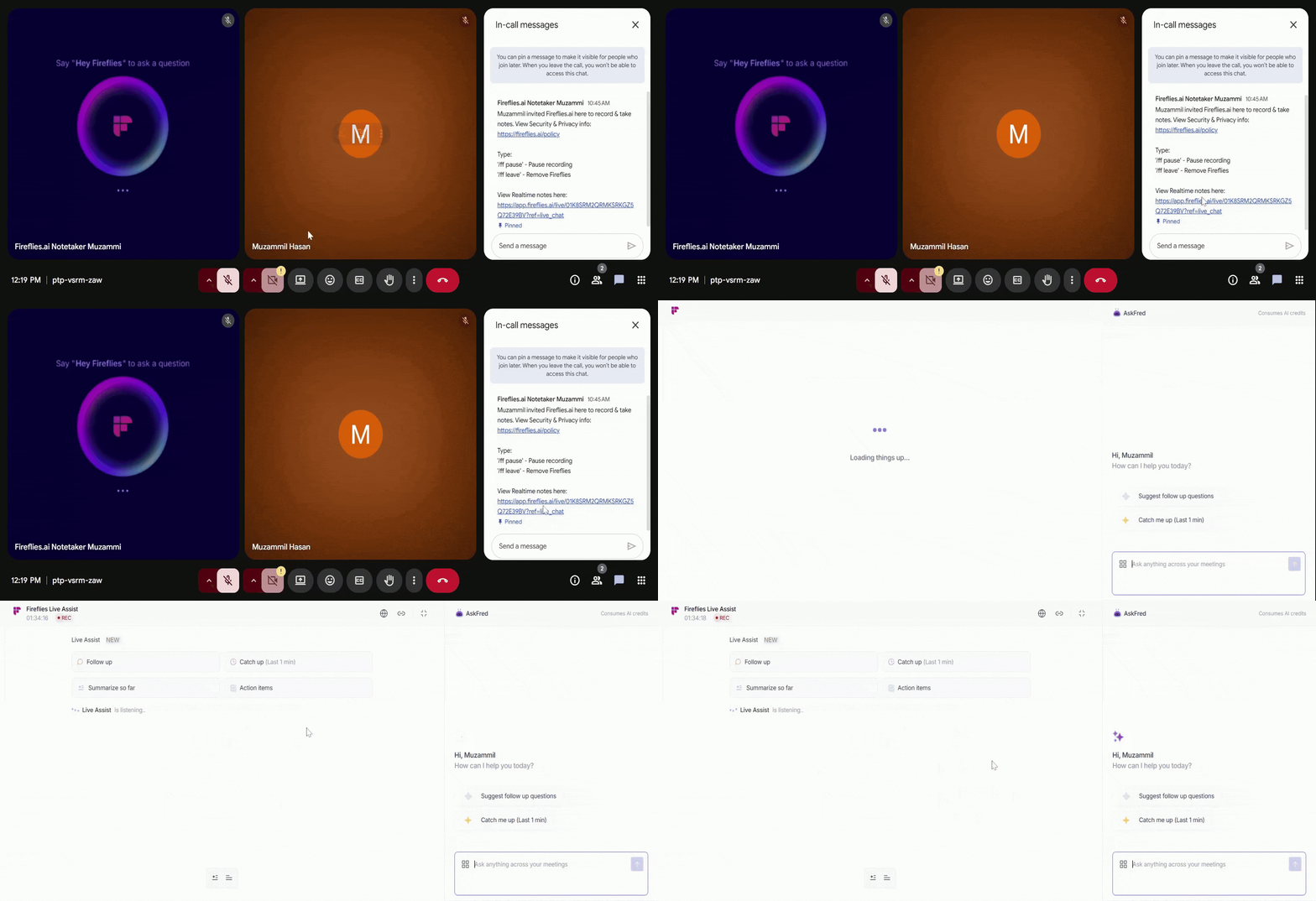
If you don’t see the message right away, wait about 30 seconds—that’s when Fireflies posts the Live Assist link in the meeting chat. It’s also pinned, so anyone who joins later can easily find it.
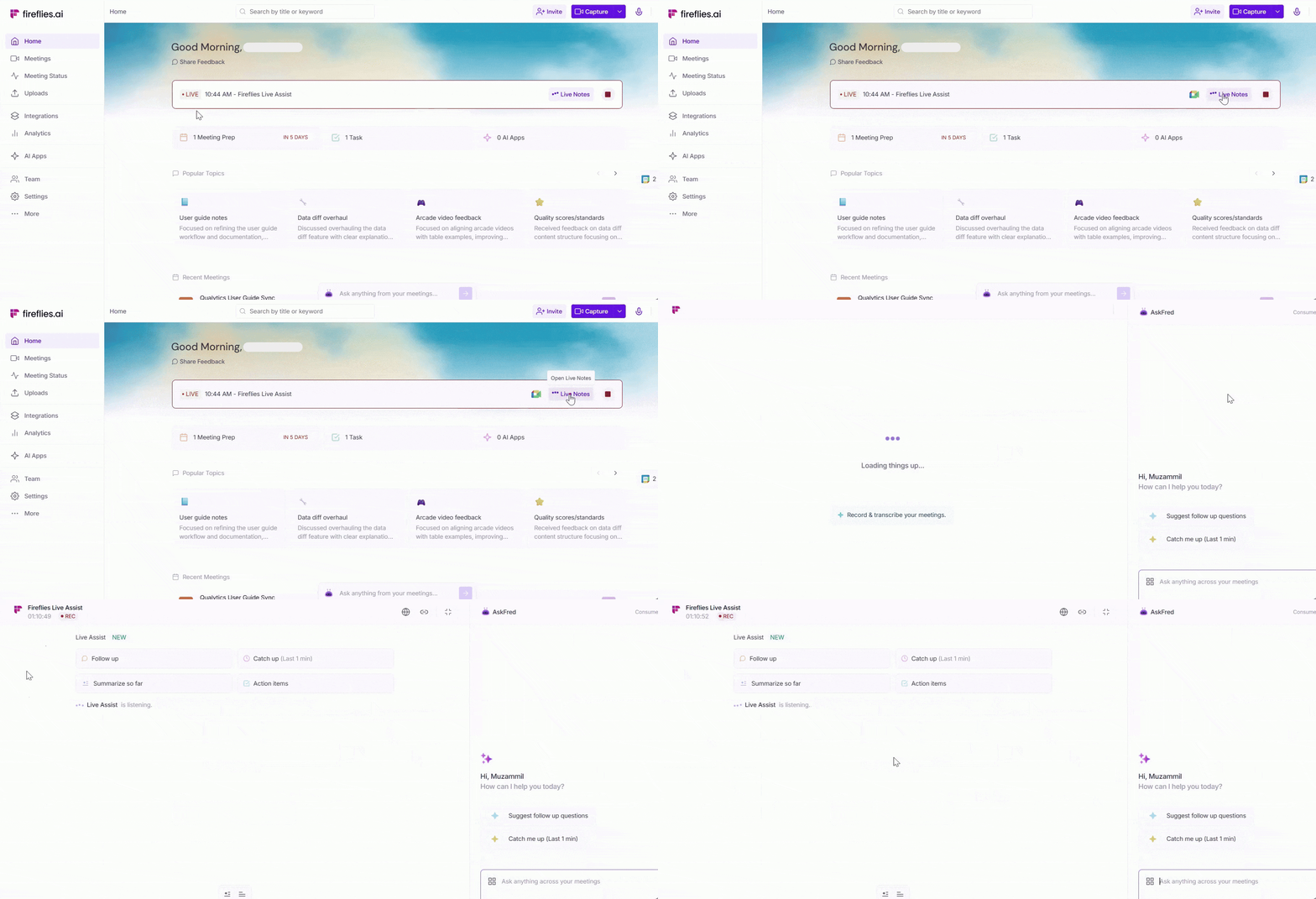
Option 2: From your Fireflies dashboard—You can also open Live Assist directly from the Home Dashboard on the web app. Look for the red LIVE label beside an ongoing meeting, and click Live Notes to open the same Live Assist pane.
📖 Using Instant Summaries
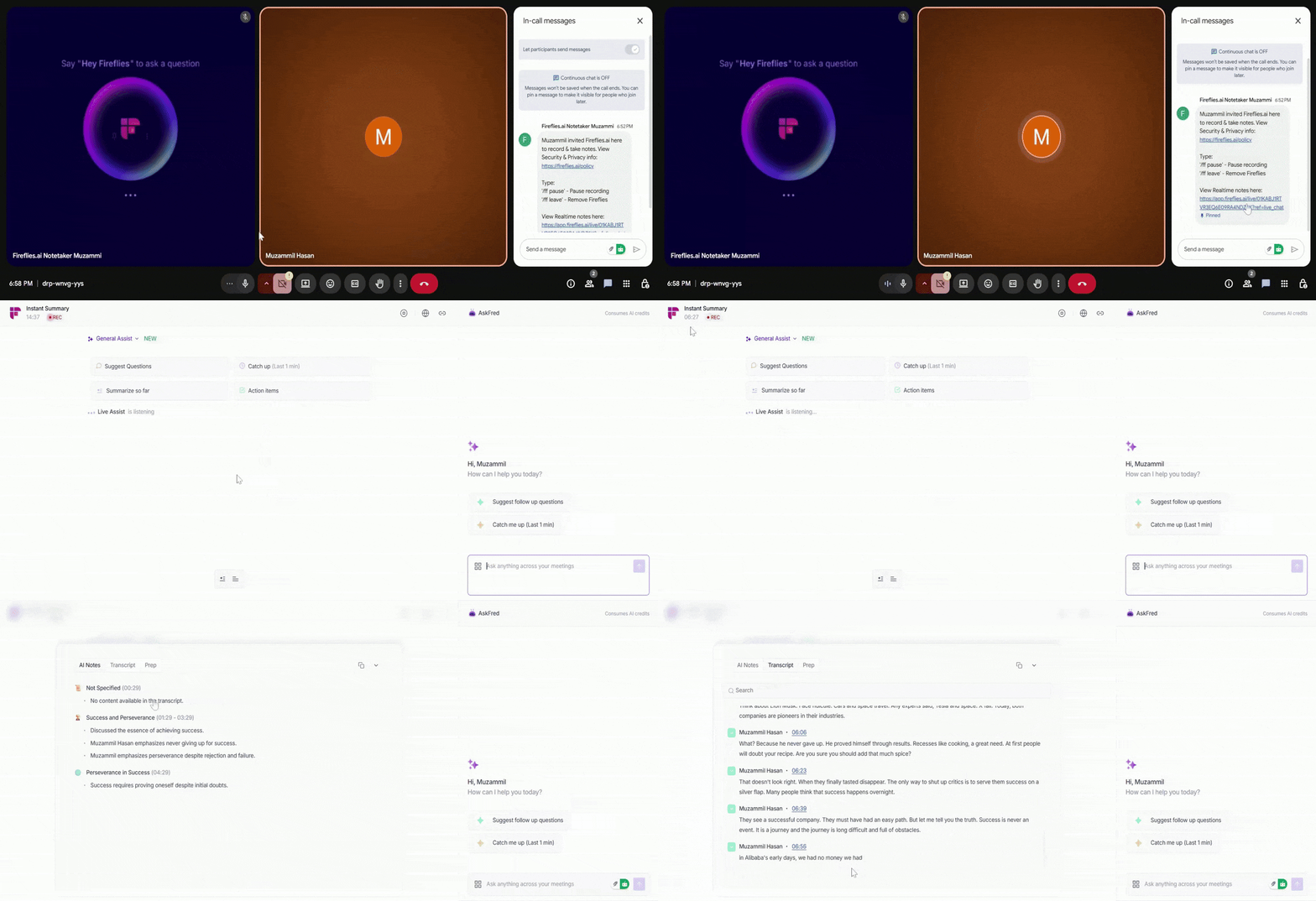
Instant Summaries appear the moment your meeting ends, as long as you have Live Assist open during the call. There’s nothing extra to enable—just join your meeting as usual and open the Live Assist pane.
1. Keep Live Assist Open During the Meeting
Open the Live Assist pane when your meeting starts and keep it open throughout the call.
Anyone who has Live Assist open—even if they join later—will receive the Instant Summary as long as the pane is open until the meeting ends.
2. End the Meeting (How Instant Summaries Get Triggered)
Instant Summaries appear the moment the meeting ends. Fireflies will generate your notes instantly in any of the following cases:
Participants leave the meeting: When a participant exits the Google Meet call, the bot stops automatically, and your Instant Summary appears.
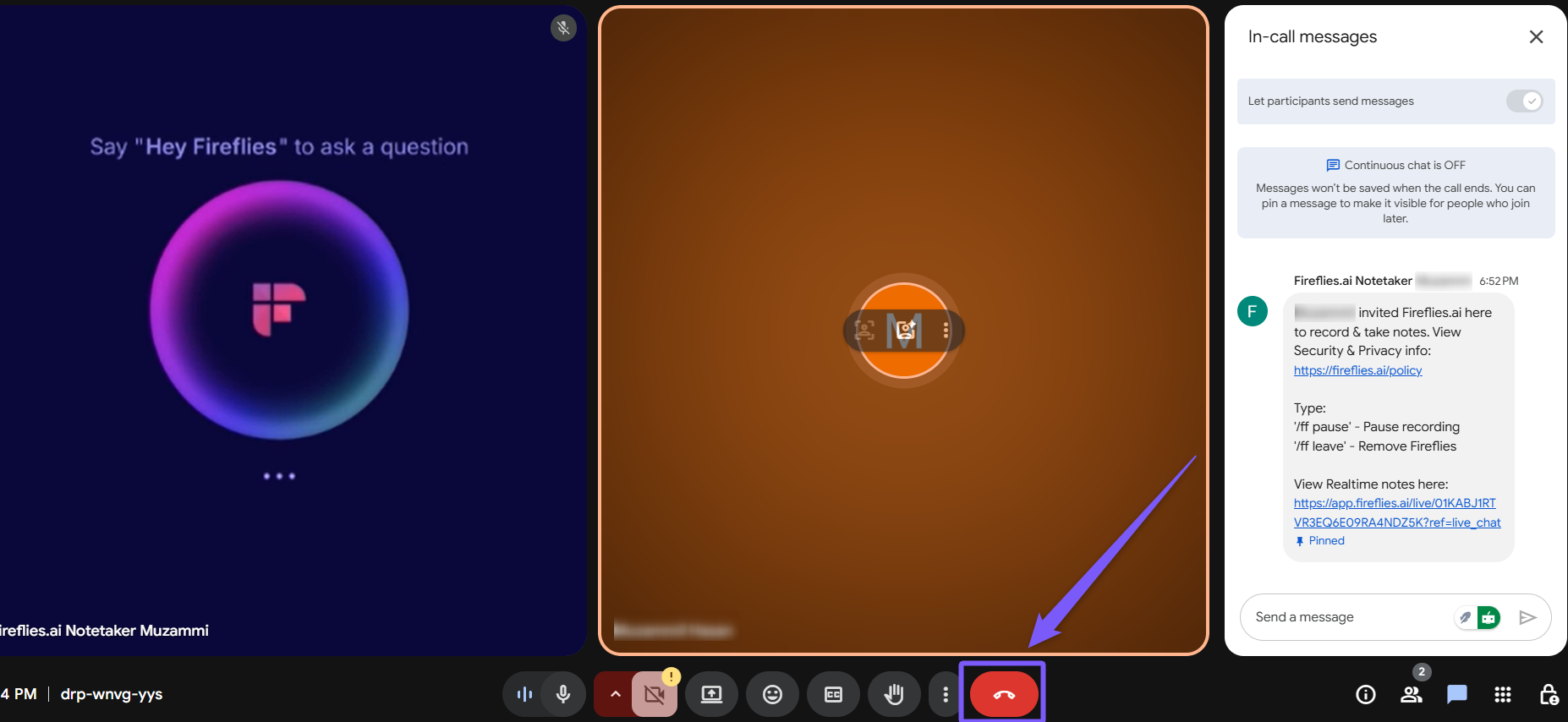
The host uses the new Stop button (Live Assist only): Only the host can see the Stop button in the Live Assist pane. Clicking it will end the meeting, remove the bot, and instantly generate the Instant Summary.
The meeting ends normally: When the meeting finishes and everyone leaves the call, the session ends naturally, and Fireflies instantly generates the Instant Summary.
3. View Your Instant Summary
Once the call ends, anyone who has Live Assist open at that time will instantly see the Instant Summary along with Key Takeaways. These are immediate summaries and not the processed meeting notes you’ll typically get later.
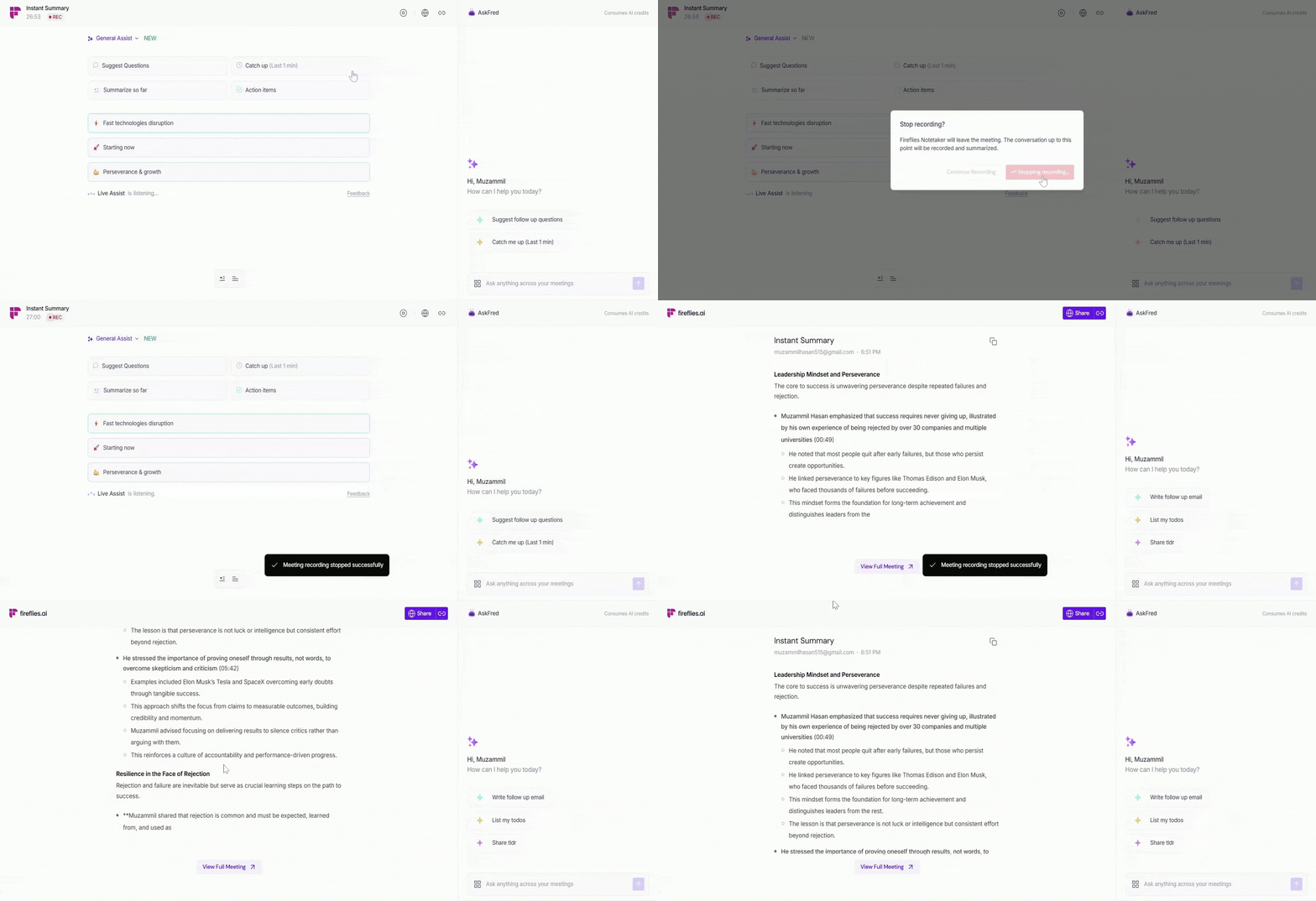
You’ll get your full meeting notes later, but Instant Summaries provide a quick overview of key points right away, with more detailed notes coming shortly after.
4. View Full Meeting
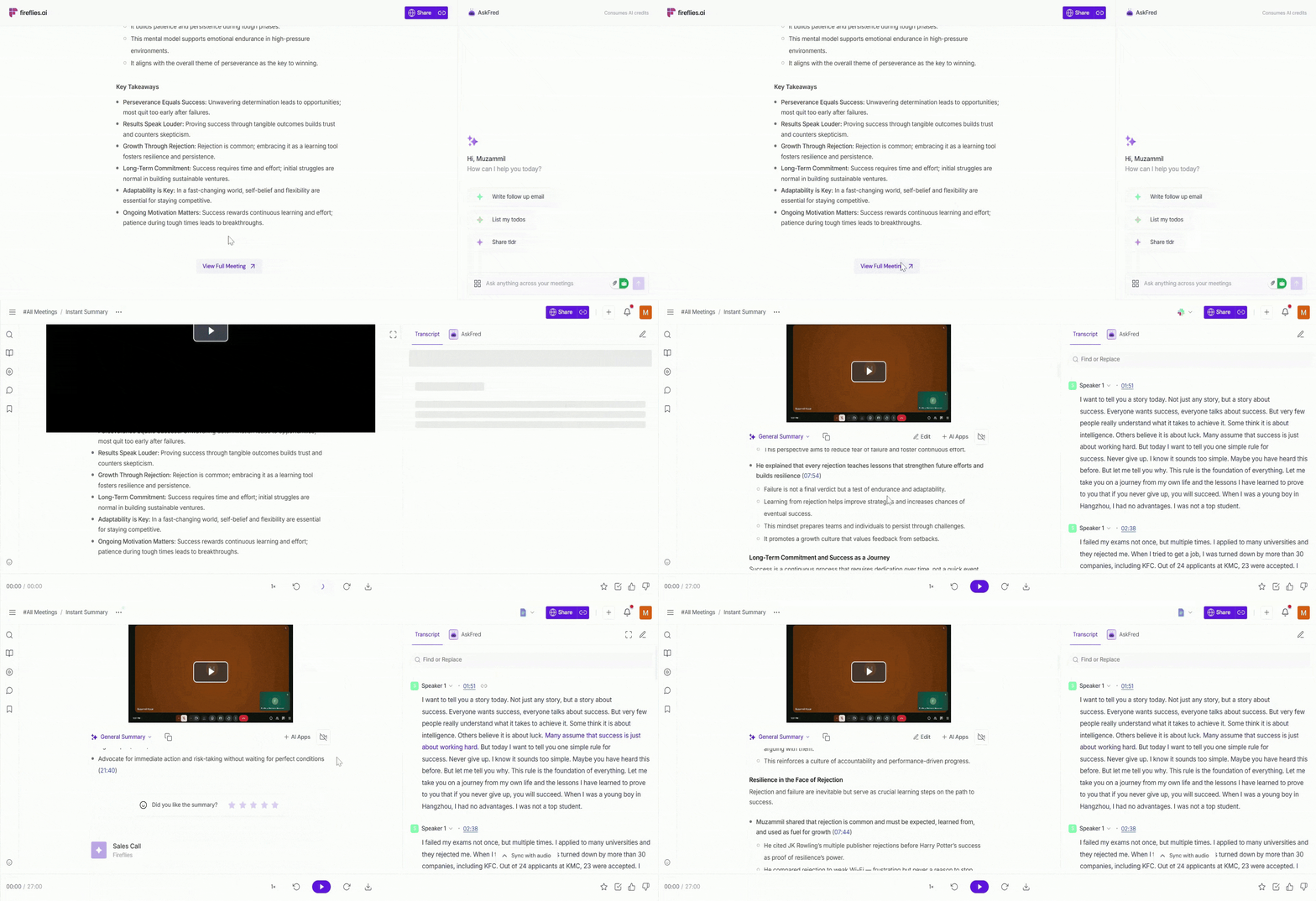
After the Instant Summary, click View Full Meeting to see the same summary with additional details. The full meeting notes will include all insights and takeaways, but will take a little longer (5-10 min) to generate.
❓Troubleshooting & FAQs
1. Instant Summary isn’t showing after the meeting ends
Ensure that the Live Assist pane was open during the meeting. Only participants with Live Assist open will receive the Instant Summary.
2. I don’t see the Instant Summary after using the Stop button
The Stop button is only available to the host. If you're not the host, ask them to use it or let the meeting end naturally.
3. Why does it take time to see the full meeting notes?
Instant Summaries are fast overviews. Your full meeting notes will be available after processing, which may take a few minutes.
4. I’m on the free plan; can I still get Instant Summaries?
Yes! Instant Summaries are available to both free and paid users, and they do not consume AI credits.
5. I clicked "View Full Meeting," but it’s not showing the full notes
The full meeting notes will be available after processing. Instant Summaries give a quick snapshot, and the full notes will appear once Fireflies finishes processing the meeting.
6. Do I need AI credits to use Instant Summaries?
No. Instant Summaries are available to both Free and paid users and do not consume AI credits. You'll continue to receive Instant Summaries even if you don't have any AI credits.
🔄 Quick Recap
Instant Summaries in Live Assist give you immediate access to Freestyle Notes and Key Takeaways right after the meeting ends—no processing wait.
Available when Live Assist is open during the meeting.
The stop button allows hosts to end meetings in the live assist pane and get summaries instantly.
Available for both Free and paid users without consuming AI credits.
Full meeting notes are still available after processing, but Instant Summaries provide key points immediately.
📚 Related Guides
For more in-depth information, check out the following guides:
Live Assist Guide—Learn how to use Live Assist for real-time notes, suggestions, and AI-powered insights during meetings.
Sales Assist Guide—Explore how Sales Assist helps with live suggestions and instant answers to customer queries.
Regular Summaries Guide—Understand how Fireflies generates detailed meeting summaries after processing.