How to Change Your Billing Admin in Fireflies
Last updated: May 12, 2026
The Billing Admin manages subscriptions, payments, and billing details for your team. This user has control over invoices and payment methods.
If the current Billing Admin changes roles, leaves the company, or needs to transfer billing responsibilities, this guide shows you how to change the Billing Admin from the Fireflies dashboard.
🔑 Prerequisites
Role: You must be the current Billing Admin to transfer these permissions.
Plan: This applies to all paid Fireflies tiers (Pro, Business, and Enterprise).
🚀 Changing the Billing Admin
Follow these steps to update who handles the invoices and subscriptions:
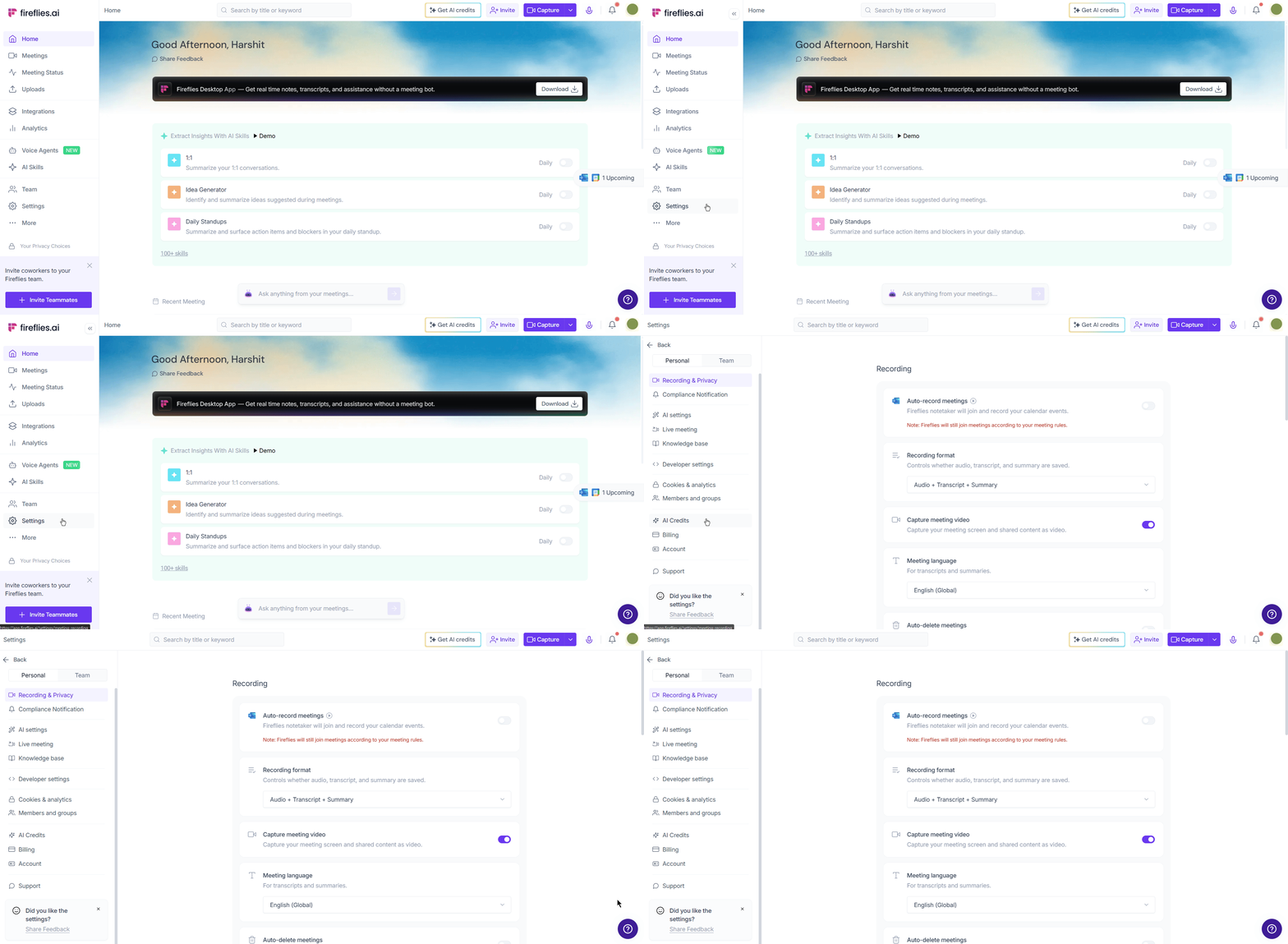
Step 1: Access your Settings
From your Fireflies dashboard, navigate to the left-hand sidebar and click on Settings.
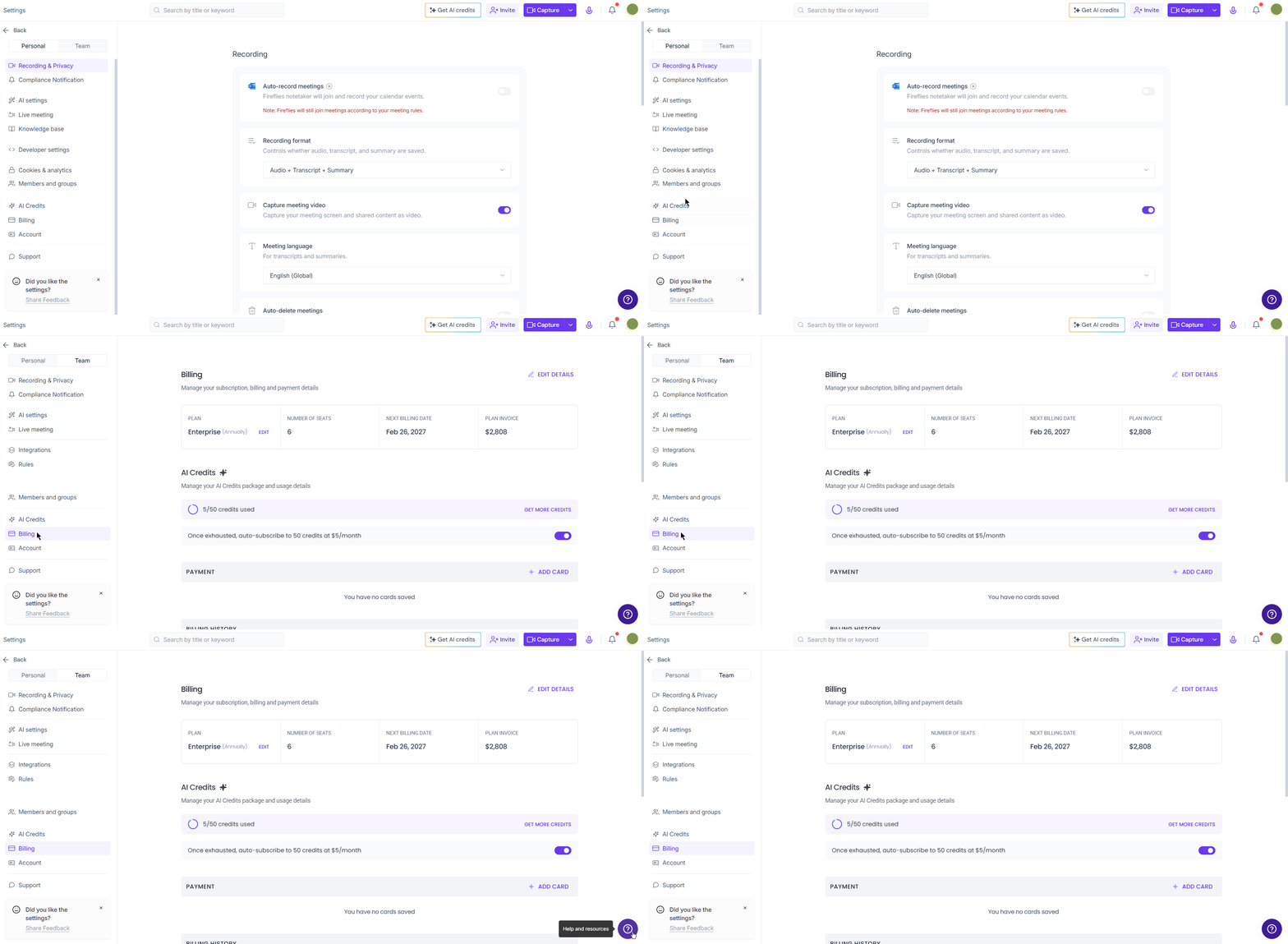
Step 2: Navigate to Billing
Inside the Settings menu, select the Billing tab. This is where you’ll see your current plan, usage, and payment history.
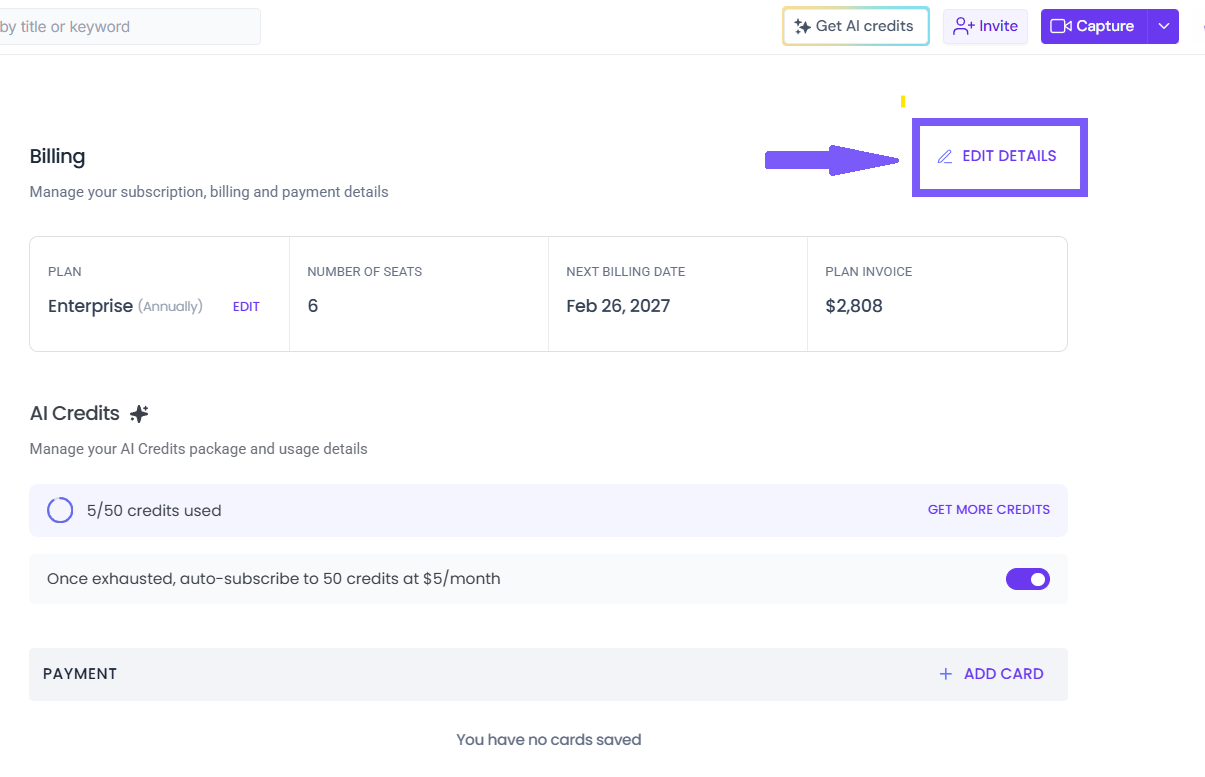
Step 3: Edit Billing Details
Under the Billing Tab, Click on the Edit Details button.
Step 4: Update Billing Details
In the Billing Details modal, fill in the required information to ensure your future invoices reflect the correct data.
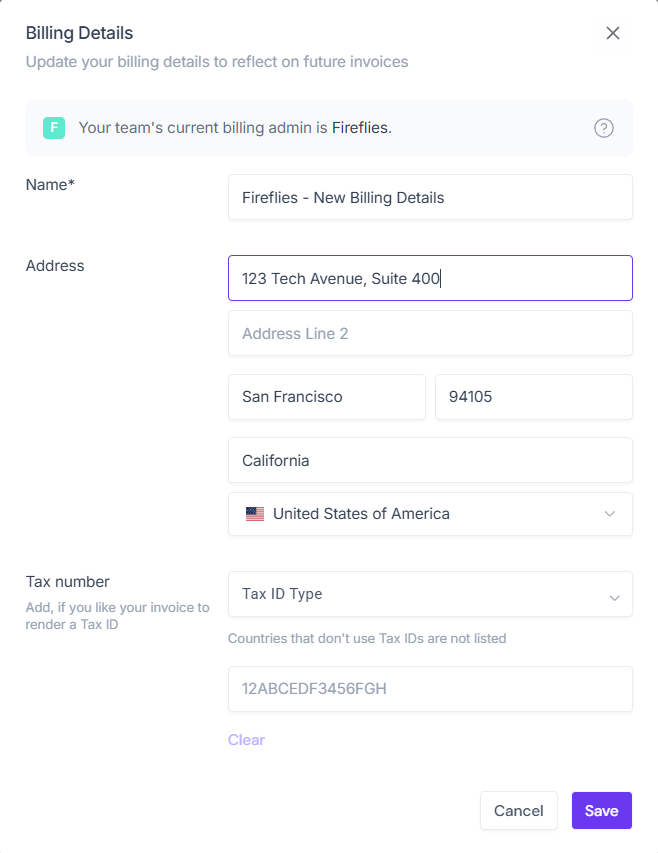
You will need to provide:
Name: Enter your company name or the name of the new billing contact.
Address: Provide the complete billing address, including street, city, state/province, zip code, and country.
Tax number: If your company uses a Tax ID, select the Tax ID Type from the dropdown and enter the number in the field below it.
Once all details are updated, click the purple Save button at the bottom right.
🔍 Troubleshooting / FAQs
I don't see the 'Billing' tab. If you don't see this tab, you are likely not the current Billing Admin or a Workspace Admin. Contact your team lead to find out who holds the billing permissions.
Why do I need to provide a Tax number? Adding your Tax ID (like VAT, GST, or EIN) ensures your future invoices comply with local tax regulations and helps your finance team process expenses smoothly. If your country doesn't use Tax IDs, it will not be required or listed in the dropdown.
Can I have two Billing Admins? No. To keep your financial data secure, Fireflies only allows one primary Billing Admin at a time.
Recap: Changing your billing admin ensures that your subscription remains active and invoices go to the right person, even as your team structure evolves.
➕ Additional Resources
📌 Need to update your credit card? → How to change your primary payment method for Fireflies
📌 Have other invoice or subscription questions? → Fireflies Billing-related FAQs