Learn about Fireflies Channels to Organize Your Meetings
Last updated: July 29, 2026
As your meeting library grows, finding and managing meetings can become difficult. Channels help you keep meetings organized by team, project, client, or workflow, making it easier to locate and manage what matters most.
Fireflies automatically organizes meetings into Default Channels, and you can create additional Public or Private Channels to organize meetings in a way that works best for your workflow.
Let's get started 🚀
📁 What Are Channels?
Think of Channels as folders for your meetings. They help you group and organize meetings by team, project, client, department, region, or workflow, making it easier to find the meetings you need.
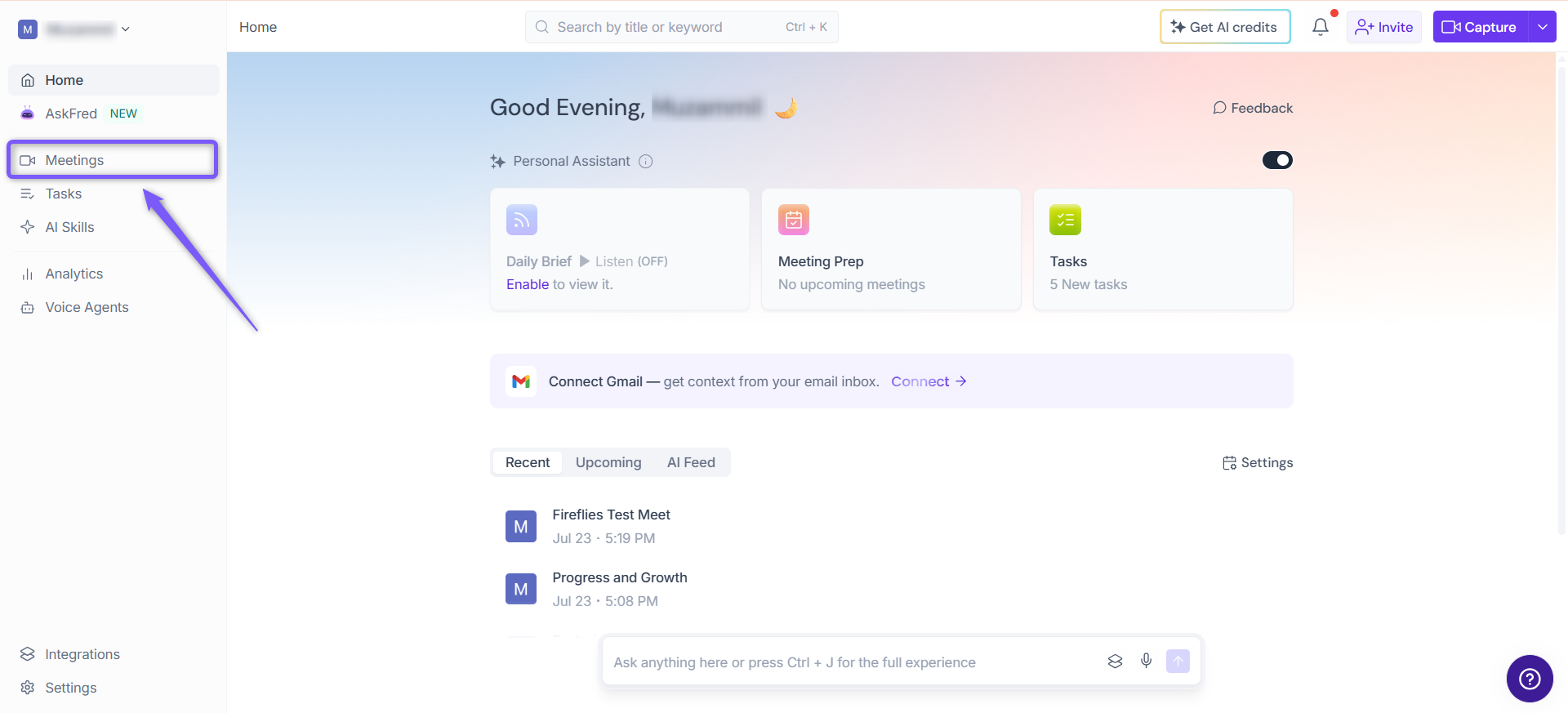
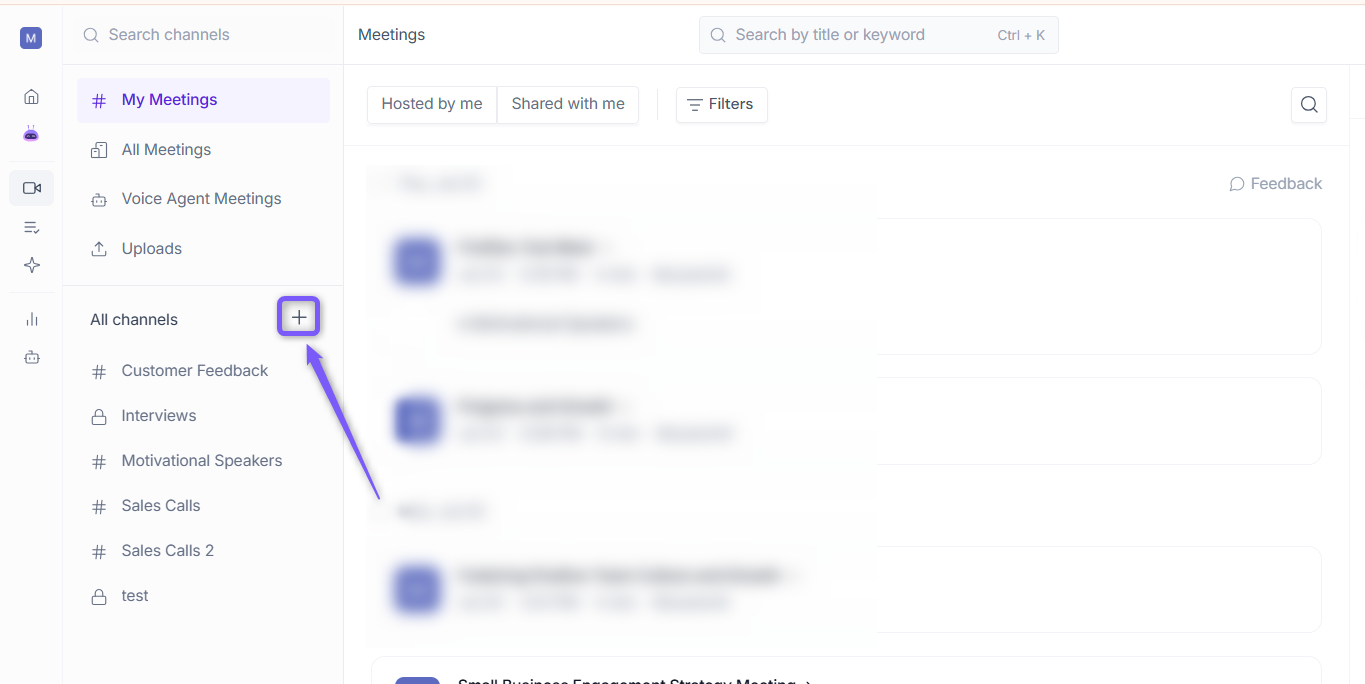
To view and manage Channels, log in to your Fireflies account and click the Meetings tab from the left sidebar.
🗂Types of Channels
Fireflies provides two types of Channels: Default Channels and Custom Channels.
1. Default Channels
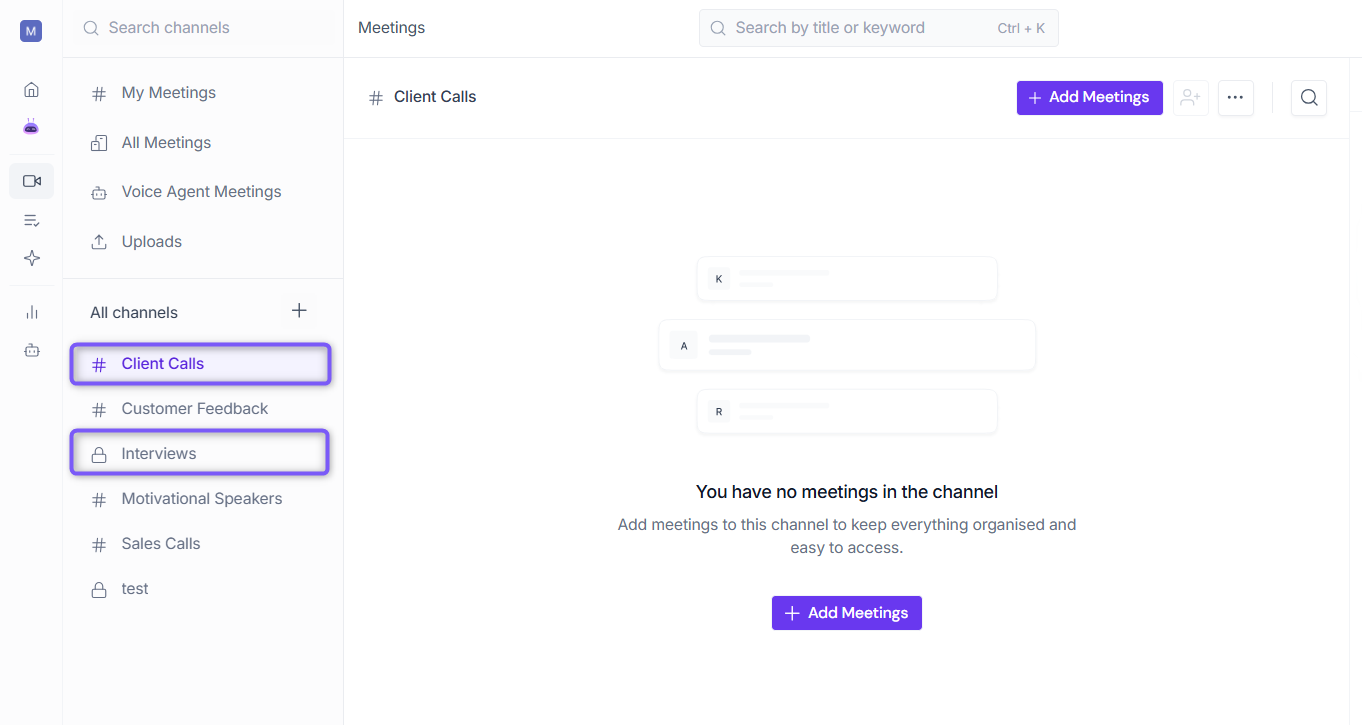
Fireflies provides three built-in Default Channels to help you find and manage your meetings. Meetings are automatically sorted into these Channels based on how they were recorded, hosted, or shared.
The following default Channels are available:
My Meetings: Contains meetings where you are the host. Meetings recorded by your Fireflies Notetaker also appear here. Use this Channel to access, manage, edit, or delete your own meetings.
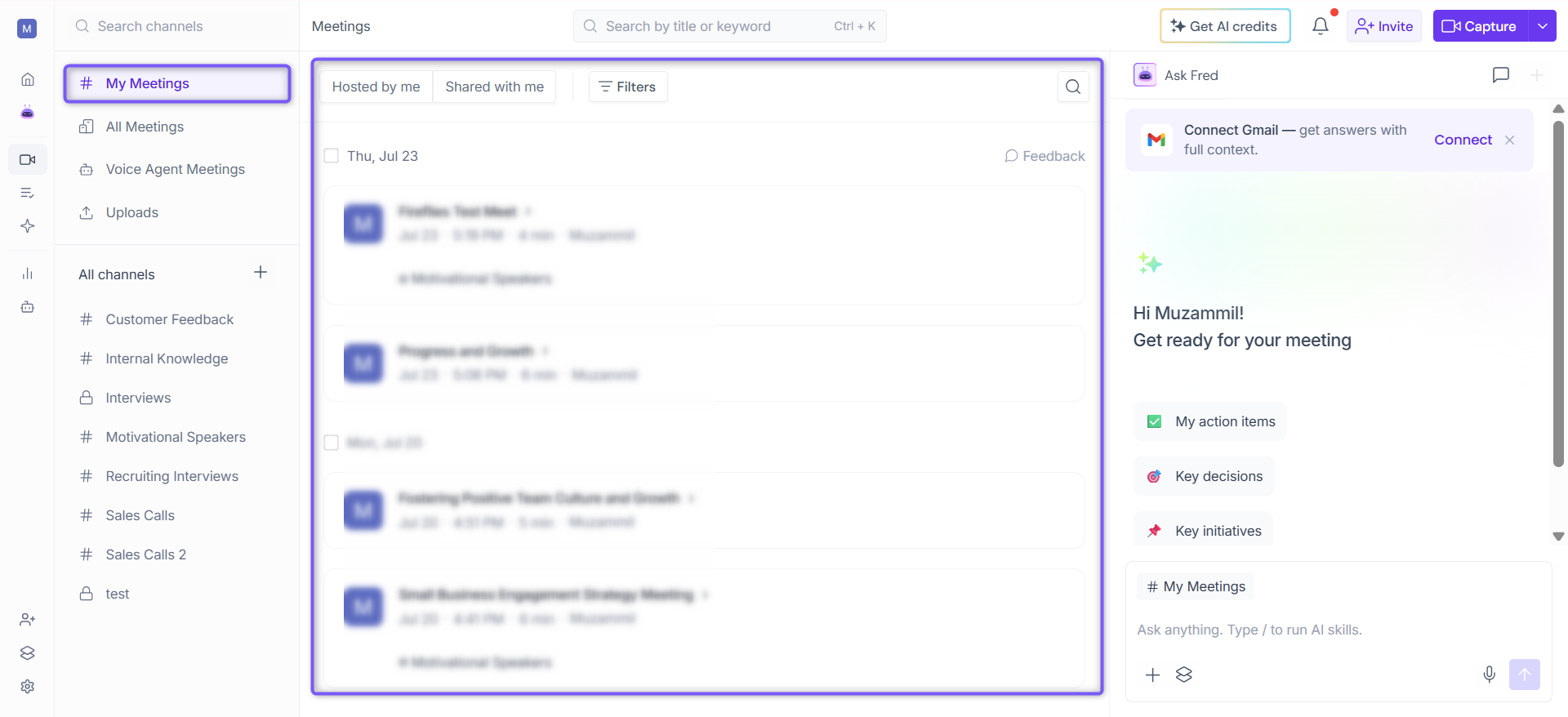
All Meetings: Contains all meetings available to you in Fireflies, including meetings you host, meetings shared with you, Voice Agent meetings, and meetings captured using the Fireflies desktop app. Use this Channel when you want a complete view of all accessible meetings in one place.
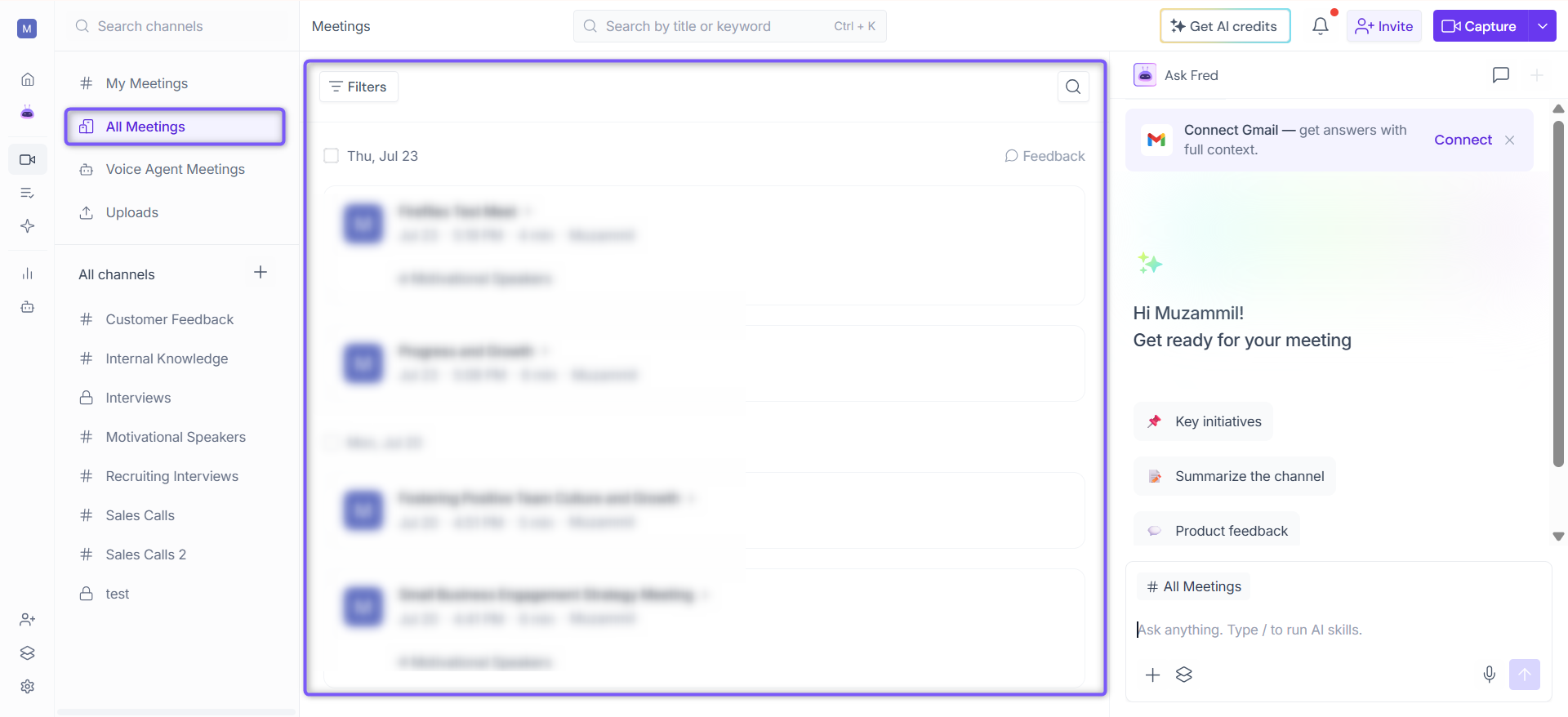
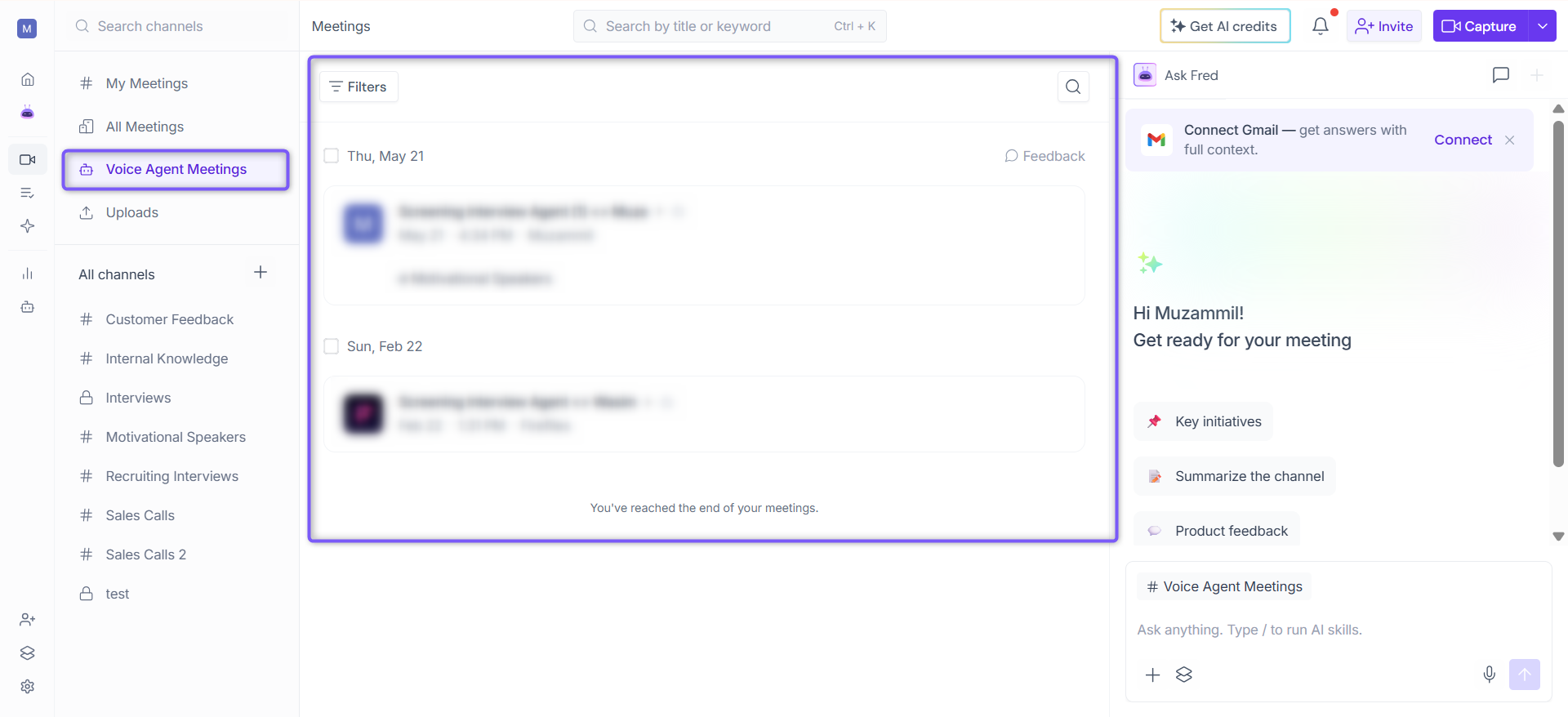
Voice Agent Meetings: Contains calls handled by Fireflies Voice Agents. Use this Channel to review and manage conversations captured by your Voice Agents.
📌 Want to learn more about Fireflies Voice Agents? Check out: How to Set Up Automated Calls with Fireflies Voice Agents.
Uploads: Have an existing audio or video recording? Use the Uploads view to upload recordings to Fireflies for transcription and AI analysis. Once processing is complete, you can access the transcript, summary, action items, and other AI-generated insights.
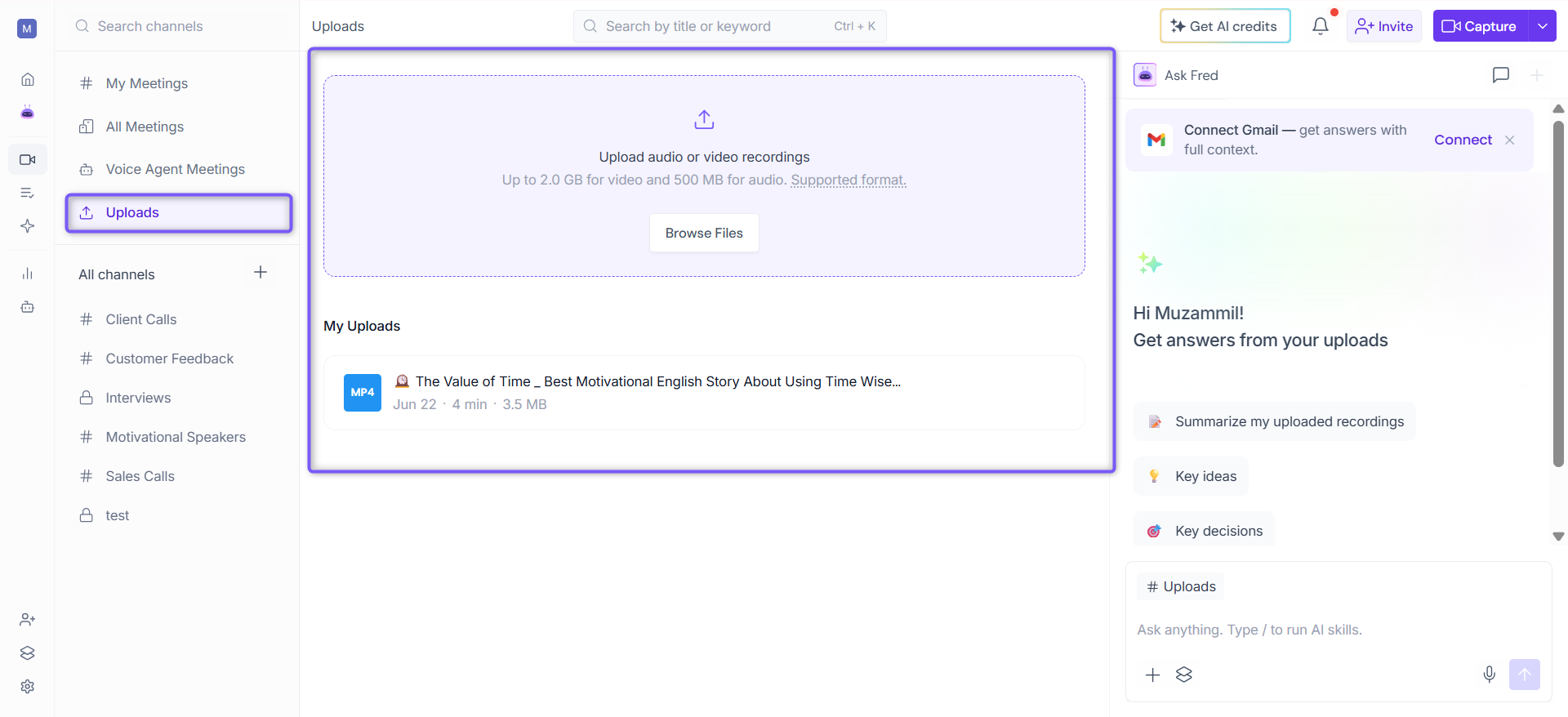
📌 Want to learn more? Check out: How to Upload and Transcribe Audio or Video Files in Fireflies.
Default Channels are built into Fireflies and cannot be renamed or deleted.
2. Custom Channels
If you want to organize meetings beyond the default Channels, you can create your own Custom Channels based on your specific needs.
For example, if you're conducting interviews, you could create a Channel called Interviews and keep all interview-related meetings in one place, making them easier to find and manage. Similarly, you can create Channels for projects, clients, departments, regions, campaigns, or any other workflow.
Custom Channels appear under All Channels and can be set as Public or Private, depending on who needs access.
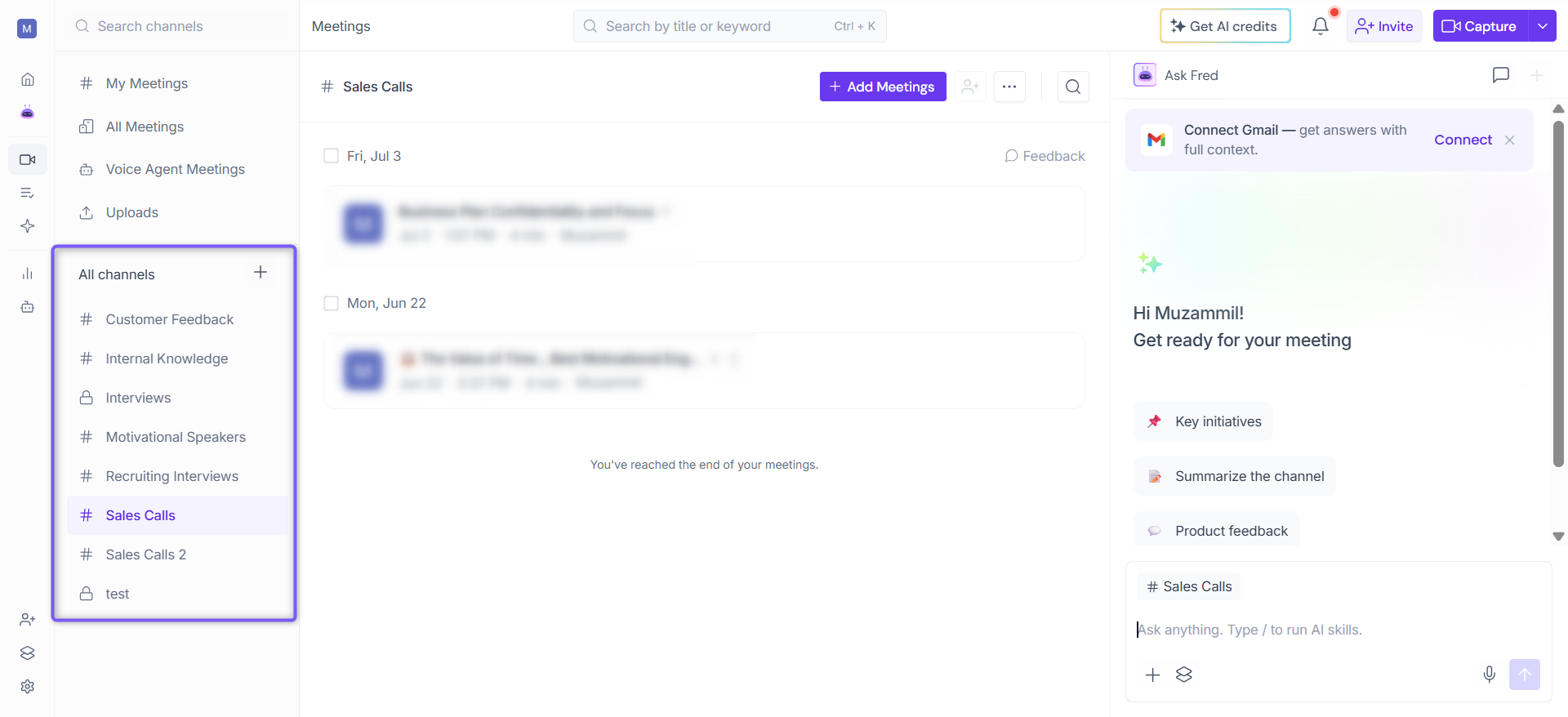
🔓 Public Channels
Public Channels are designed for meetings that need to be easily accessible across your workspace. They provide a shared location for organizing meetings while making it easier for teammates to find relevant content.
Plan Availability
Freemium: Up to 3 Public Channels
Pro, Business, and Enterprise: Unlimited Public Channels
Key Things to Know
All workspace members can view Public Channels.
Adding a meeting to a Public Channel does not change its privacy settings. Access is still controlled by the meeting's own privacy configuration.
Example: If a meeting is set to Only Participants, only those participants can access it, even if it's added to a Public Channel.
💡Public Channels are identified by a
#icon next to the Channel name, making them easy to distinguish from Private Channels.
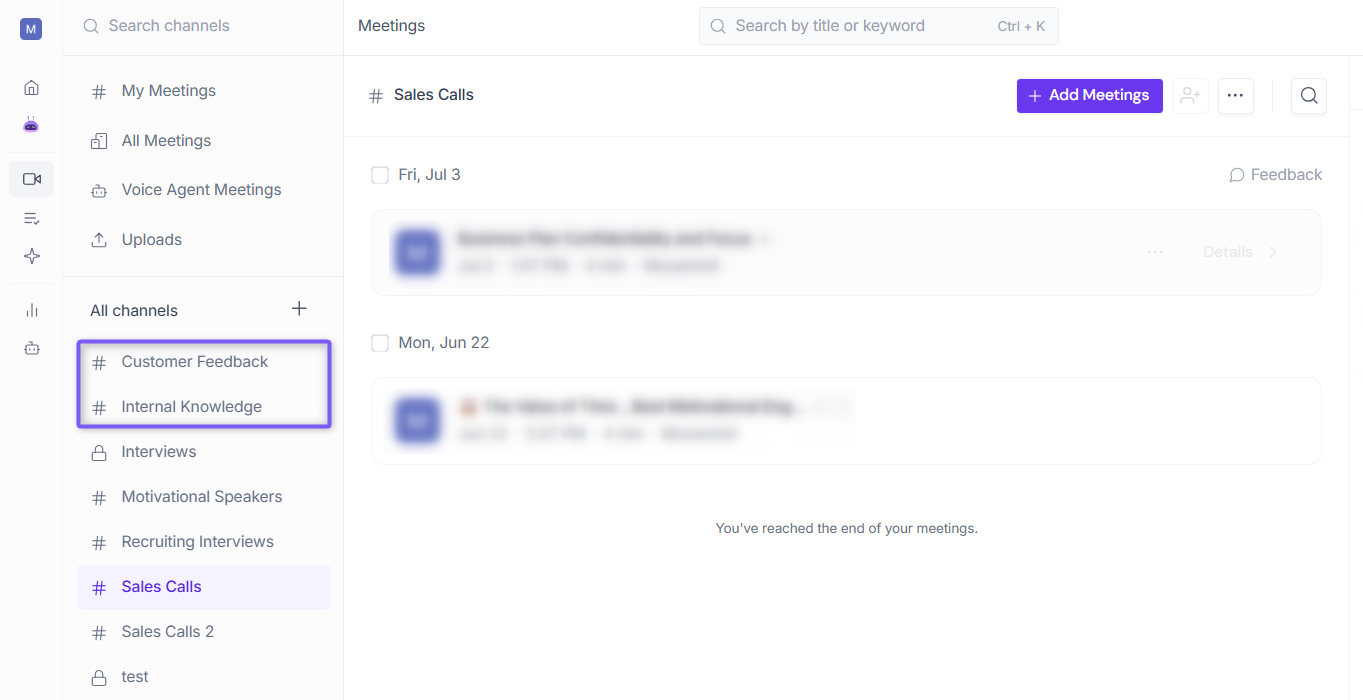
🔒 Private Channels
Private Channels give you a more controlled way to organize meetings by limiting access to invited members only. Use them when meetings contain sensitive or confidential information that should not be visible to the entire workspace.
Plan Availability
Private Channels are available on Business and Enterprise plans only.
Key Things to Know
Workspace Admin access is required to create Private Channels.
Only invited members can view and access a Private Channel.
Adding a meeting to a Private Channel does not change its privacy settings. If a meeting is set to Public, anyone with the link can still access it.
A Private Channel cannot be converted into a Public Channel.
📌 Related: How to Control Meeting Privacy Settings
Example: If you're managing a sensitive client account or conducting internal HR reviews, create a Private Channel and invite only the relevant members.
💡 Tip: Private Channels are identified by a 🔒 lock icon next to the Channel name, making them easy to distinguish from Public Channels.
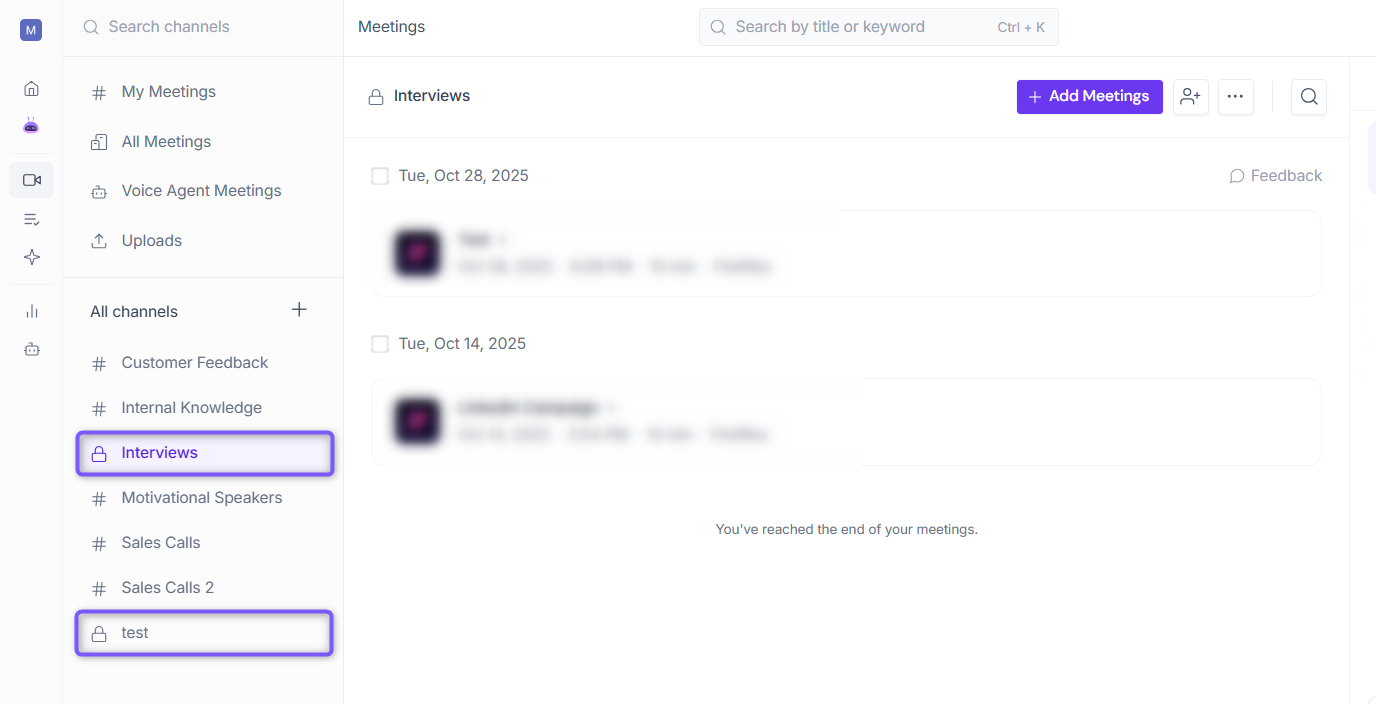
➕ Create a Channel
Once you've decided whether you need a Public or Private Channel, you can create one directly from the Meetings page.
1. Log in to your Fireflies account and click Meetings tab from the left sidebar.
2. Click the + icon next to All Channels.
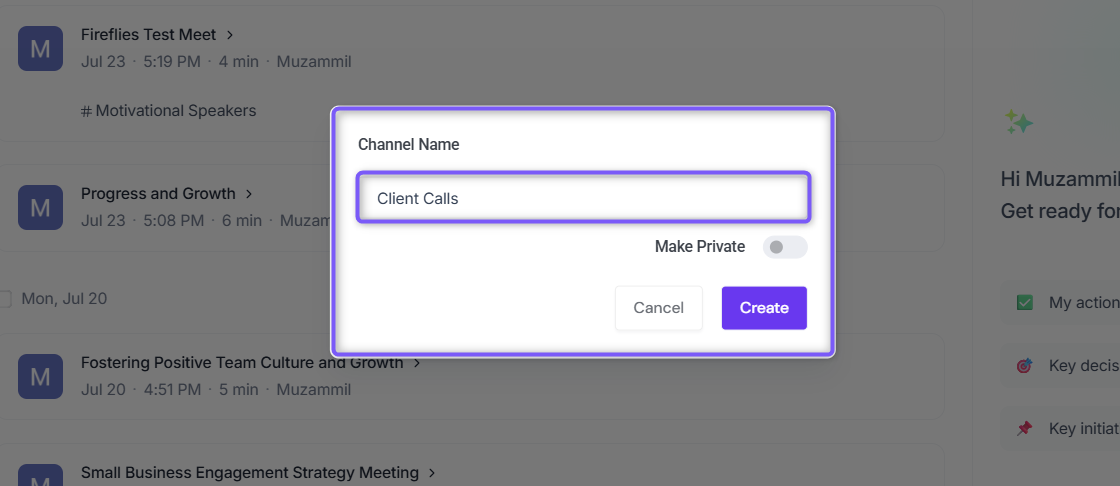
3. A dialog box will appear. Enter a name for the Channel. Use a descriptive name that reflects the meetings it will contain, such as Interviews, Client Calls, or Sales Meetings.
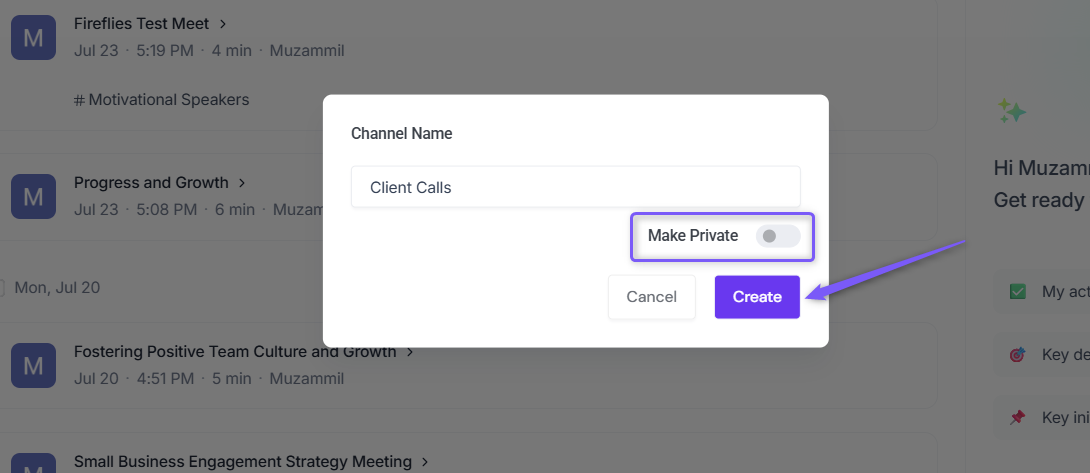
4. Choose the type of Channel you want to create:
To create a Public Channel, leave the Make Private toggle turned off and click Create.
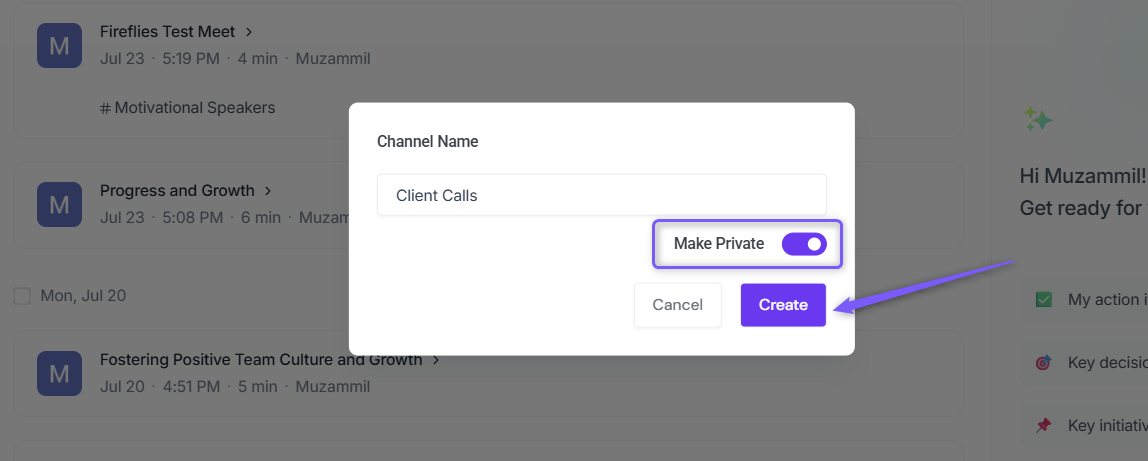
To create a Private Channel, turn on the Make Private toggle and click Create.
💡 If you're unsure whether to create a Public or Private Channel, refer to the Public Channels and Private Channels sections above.
5. Once created, the Channel appears under All Channels.
Public Channels are identified by a
#icon next to the Channel name.Private Channels are identified by a 🔒 lock icon next to the Channel name.
💡 Get answers across your Channel: Need a quick summary, key decisions, action items, or answers from multiple meetings in a Channel? Use the AskFred panel on the right to analyze all meetings in the selected Channel and get AI-powered insights without opening each meeting individually.
📌 Want to learn more? Check out Global AskFred: Get Answers from Past Meetings, Connected Apps, and Web Search.

⏭ Next Steps
Once you've created a Channel, you can start organizing and managing meetings within it.
📌 Add Meetings to a Channel → Learn how to manually or automatically organize meetings within a Channel.
📌 Manage Channels → Learn how to rename Channels, add or remove members, move meetings between Channels, configure auto-routing, and delete Channels.
📌 Invite Fireflies to Meetings → Learn how to add Fireflies to upcoming meetings so notes, transcripts, summaries, and action items are captured automatically.