Unlock Unlimited Transcriptions on the Fireflies Free Plan
Last updated: September 2, 2026
Get unlimited free transcripts from your meetings without upgrading. Once Auto-join is enabled, Fireflies automatically captures and transcribes your eligible meetings across supported recording methods.
This feature is exclusive to Free plan users.
📌 These limits apply to users who sign up on or after September 1, 2026. If you signed up before this date and already had unlimited free meetings, your account is unaffected and will continue with the same limits.
🚀 Enable Unlimited Transcripts
1. From the Fireflies Home page, click Settings on the right side of the page.
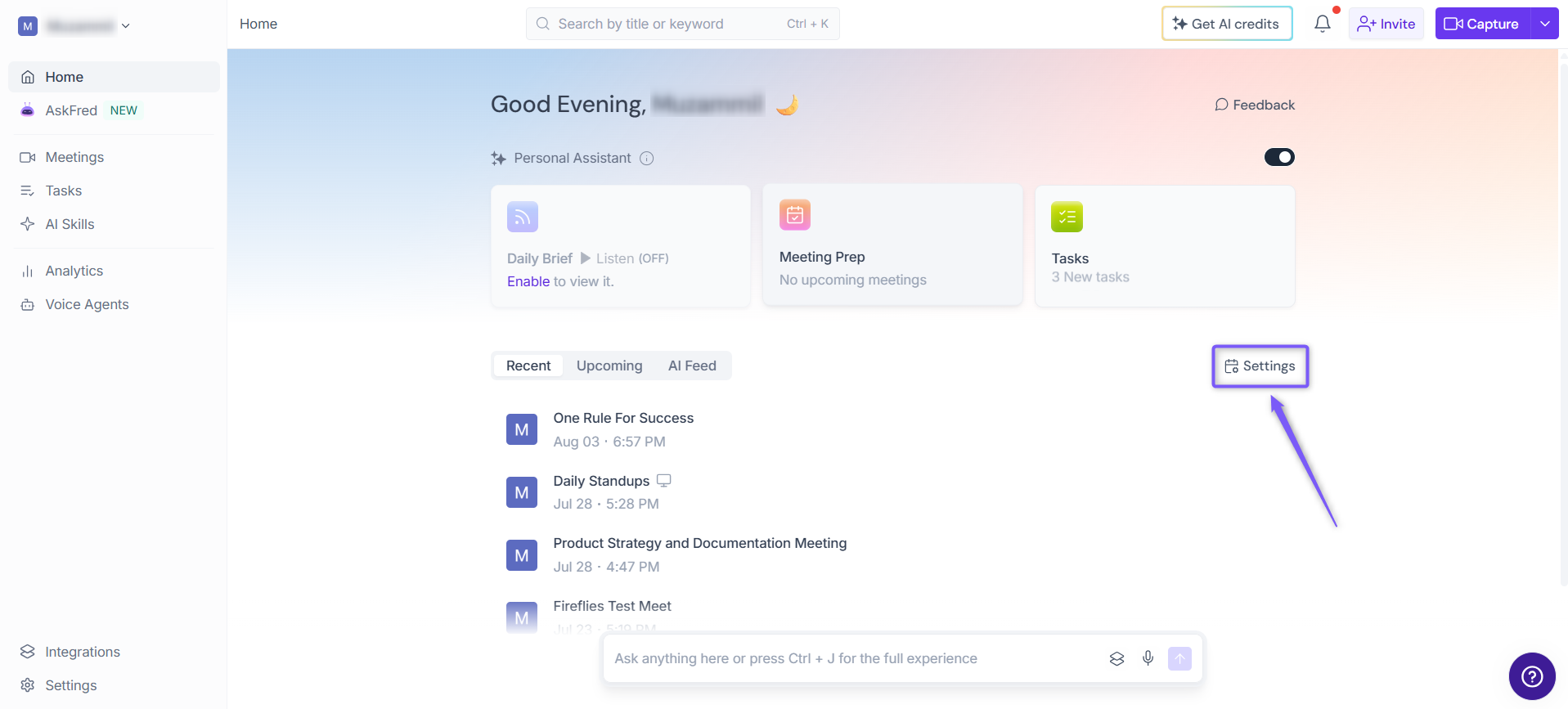
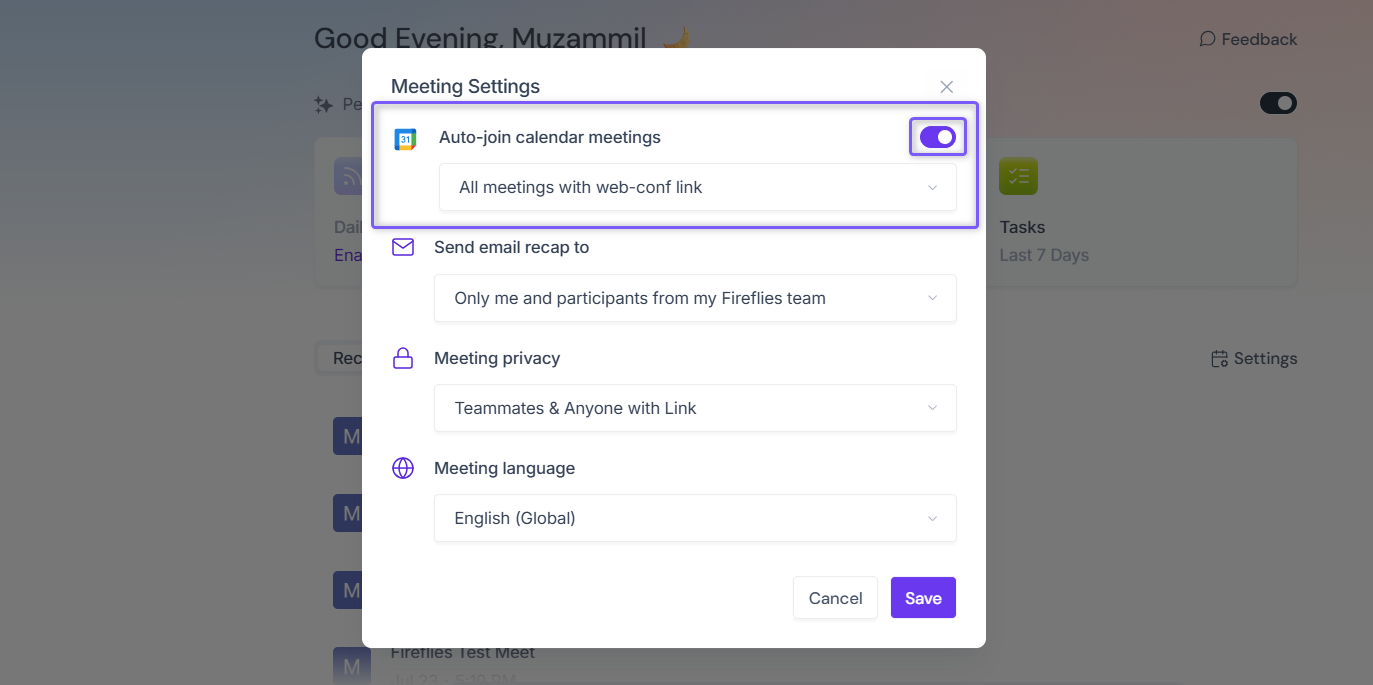
2. In the Meeting Settings window, use the Auto-join calendar meetings toggle to turn automatic meeting joining on or off.
Toggle ON → Fireflies automatically joins and transcribes your eligible meetings, with no cap on the number of transcriptions.
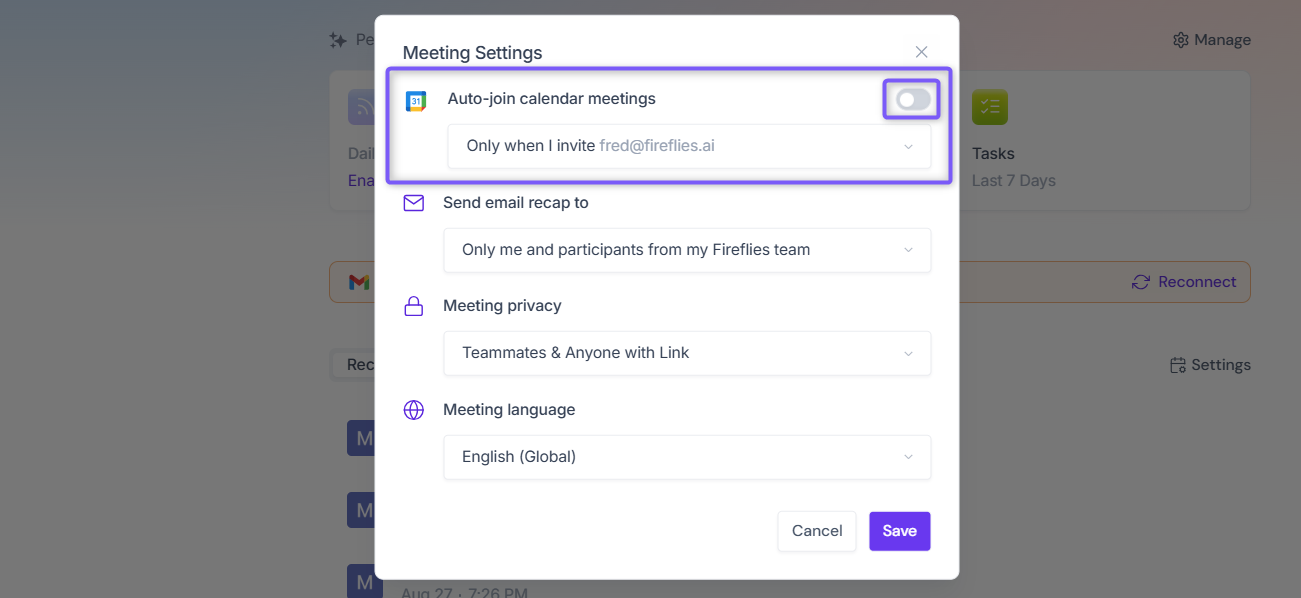
Toggle OFF → You're limited to the Free plan's default of 3 meeting transcriptions.
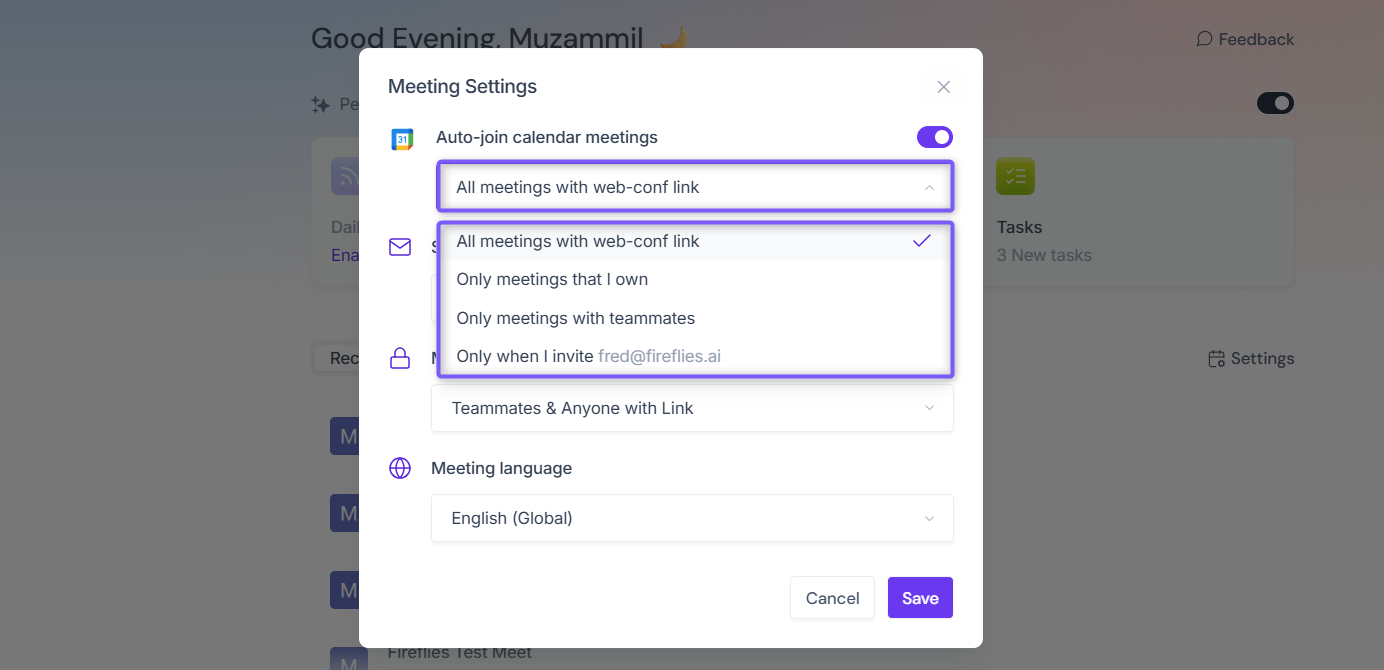
3. Use the dropdown below to filters which meetings are picked up under Auto-join. All meetings with web-conf link, Only meetings that I own, or Only meetings with teammates. This dropdown filters which meetings are picked up under Auto-join.
Note: Only when I invite fred@fireflies.ai option does not support unlimited transcriptions. To use unlimited transcriptions, select another Auto-join option instead.
You can still manually add fred@fireflies.ai as a guest to get an individual meeting transcribed, even with Auto-join turned off - but this only covers that specific meeting and does not unlock unlimited transcriptions overall.
💡Alternatively
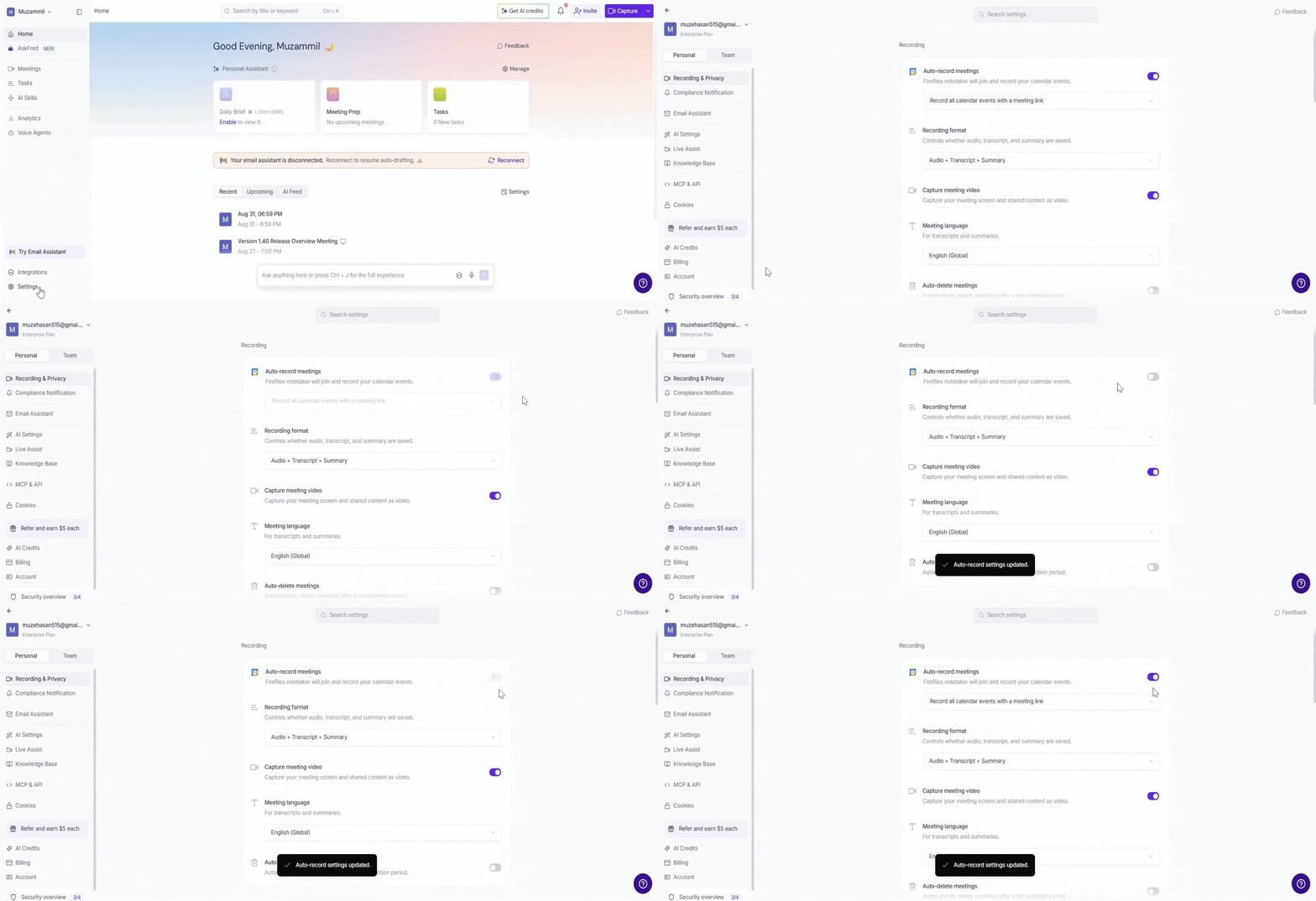
You can configure your auto-record settings from Settings.
Go to Settings.
Select Recording & Privacy from the Personal tab.
Under Auto-record meetings, turn the toggle On or Off to enable or disable auto-recording.
✅ To get unlimited transcriptions, Always enable Auto-join to automatically capture meetings without transcription limits.
📱 Use Unlimited Transcripts Across Meeting Types
Once enabled, unlimited transcripts work automatically across all Fireflies meeting types.
1. Google Meet
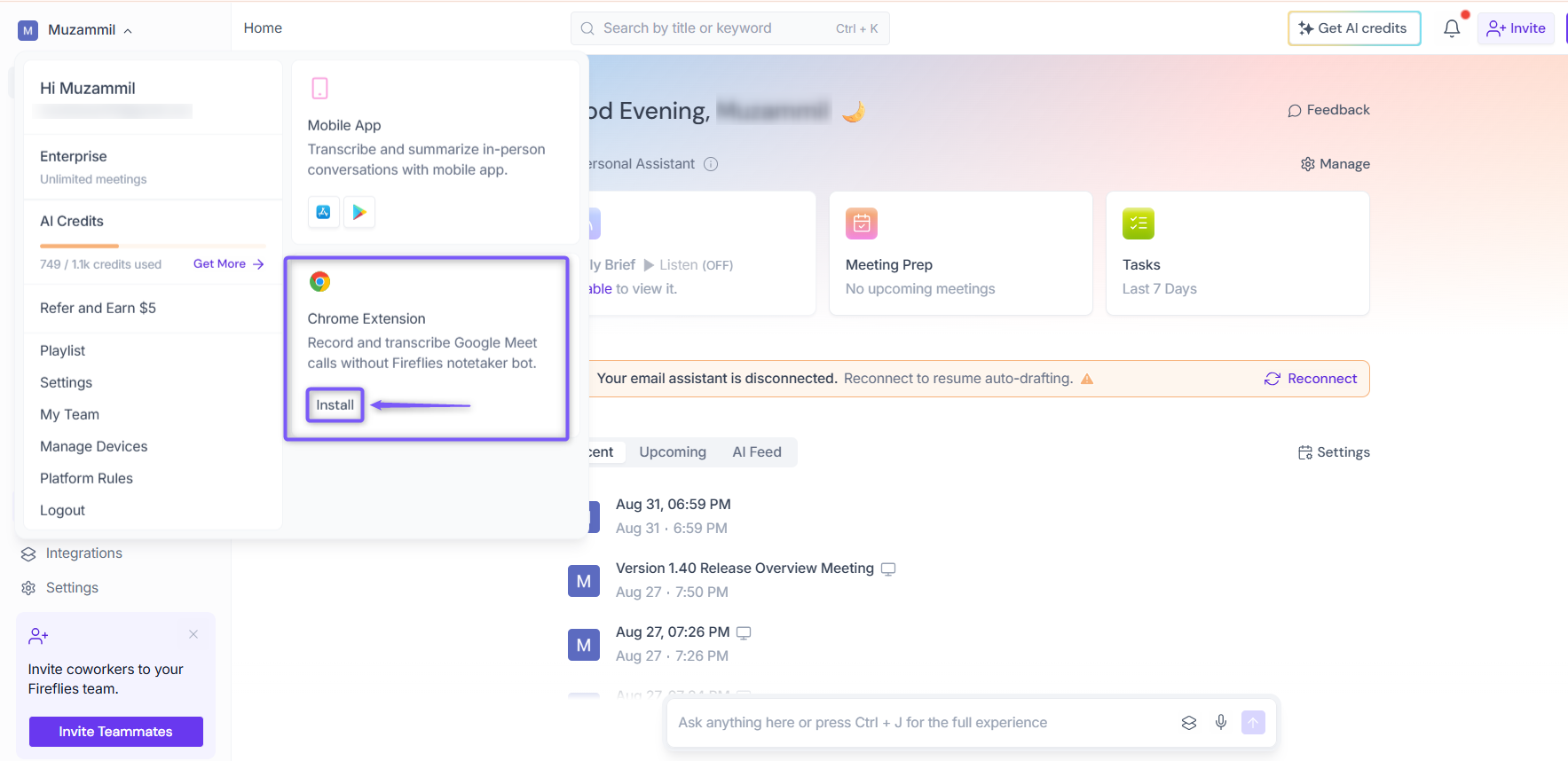
With the Fireflies Chrome extension, you get unlimited free transcripts — no extra steps needed once Auto-join is on. Just install the extension, sign in with your Google account, and Fireflies will automatically record and transcribe every meeting.
2. Record In-Person or Live Conversations (Mobile App)
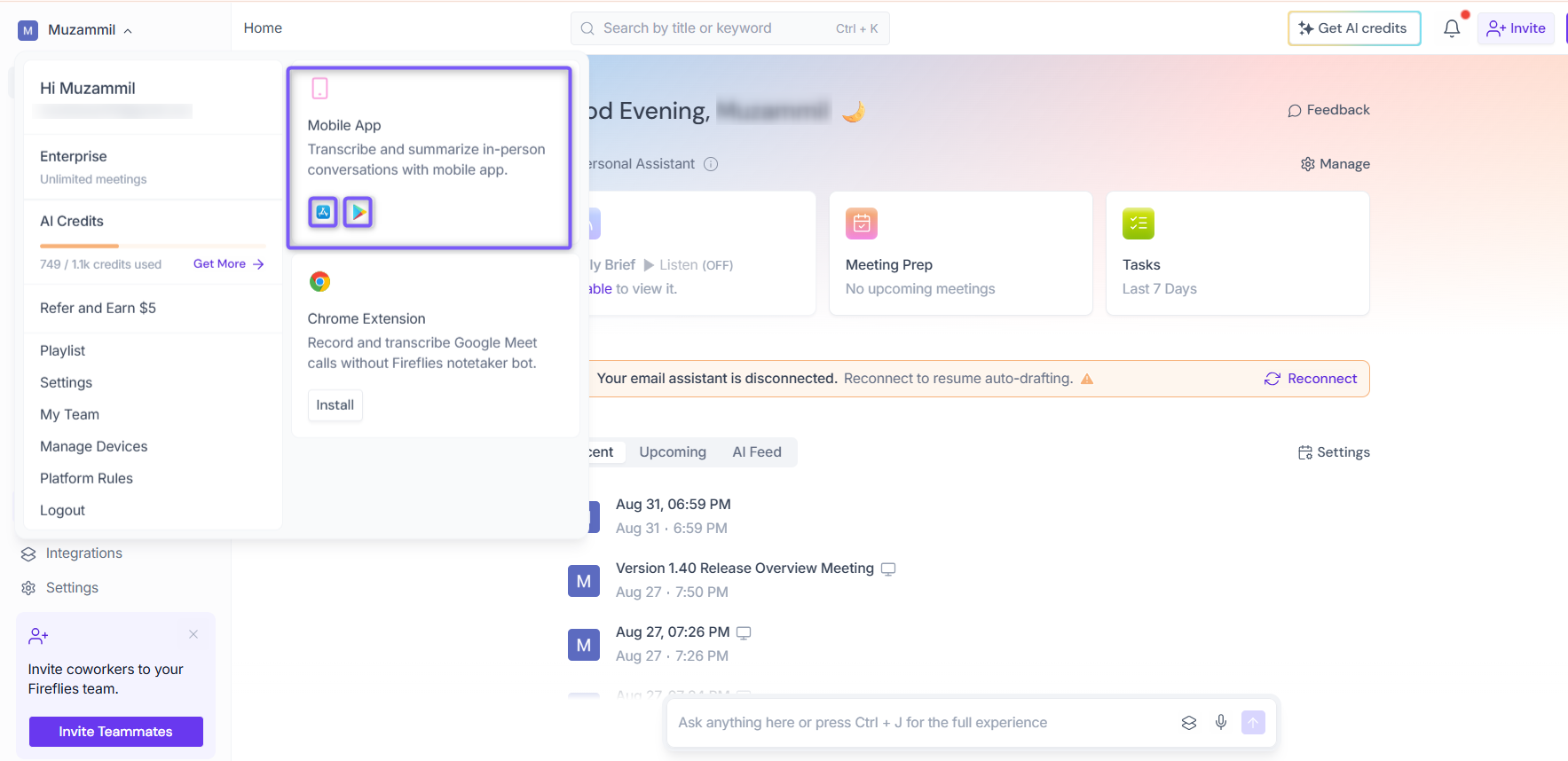
Use the Fireflies mobile app on iOS or Android to record and transcribe meetings anywhere — unlimited and free. Open the app, tap + Transcribe, and select Record Audio to start.
3. Shared Bot Meetings
The shared Fireflies bot automatically joins and transcribes meetings organized by anyone in your workspace, not just your own calendar events.
Learn more: Learn about the Fireflies Auto-Join settings.
🧠 Understanding Unlimited Transcripts vs AI Features
With Unlimited Transcripts, you can record and access the full text of your meetings — completely free and without limits.
However, AI-powered features such as Smart Summaries, Meeting Recaps, Action Items, and Analytics still depend on your plan’s AI credit balance. These advanced insights are included in paid tiers.
Think of Unlimited Transcripts as your full raw text, searchable meeting history, while AI features help you quickly summarize and extract insights from those transcripts.
🛠 Troubleshooting & FAQs
1. Why didn’t Fireflies join my shared bot meeting?
Ensure the shared bot is enabled under your workspace settings and that Auto-Join is turned on for your calendar events.
2. Why isn’t my mobile app recording or transcribing?
Check that you selected Record Audio under + Transcribe, and you have a stable internet connection when uploading. The transcript will appear once processing completes in your Fireflies workspace.
3. How can I verify that Unlimited Transcripts is active?
If you're on the Free plan and have reached your 3-meeting limit, check your Fireflies dashboard — it will reflect whether unlimited transcription is currently available to you based on your Auto-join setting.
4. Are AI summaries included in Unlimited Transcripts?
No. Unlimited Transcripts gives you complete, raw text for all meetings. AI-powered features like summaries, action items, and analytics depend on your AI credit balance, which varies by plan.
🔁 Recap
Turn on Auto-join calendar meetings to get unlimited transcriptions.
ON = unlimited transcriptions. OFF = limited to 3 meetings.
The dropdown only controls which meetings Auto-join captures. The exception is
Only when I invite fred@fireflies.ai, which does not support unlimited transcriptions.Unlimited transcription works across Google Meet, shared bot meetings, and the mobile app.
AI features such as Smart Summaries, Action Items, and Analytics still depend on your AI credit balance.