How to integrate Fireflies with Todoist
Last updated: August 27, 2026
Ever ended a meeting with 10 action items and no clue where to start?
Now you don’t have to chase tasks manually — the Fireflies + Todoist integration automatically sends your meeting action items straight into your task list. Whether you're a solo operator or part of a fast-moving team, this lets you go from conversation → execution in seconds.
🚀 What this integration does
Once connected, Fireflies will:
Automatically send action items from your meetings to a Todoist project of your choice.
Optionally filter and push only the tasks assigned to you, so your task list stays focused and clutter-free.
No more copy-pasting notes or rewriting todos — Fireflies handles it.
🔧 Step-by-step: How to set up the integration
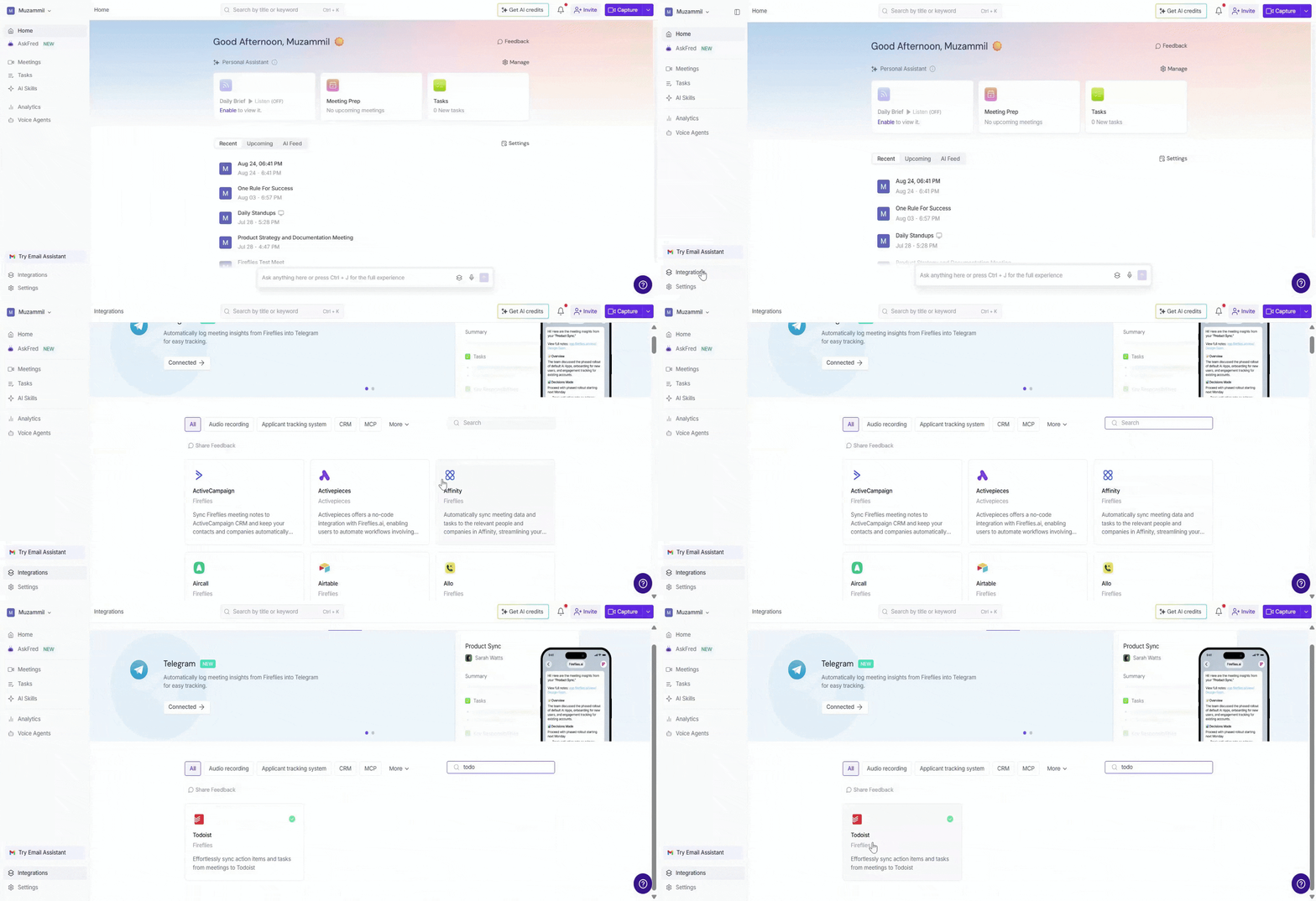
1. Head to the Integrations tab
Log in to your Fireflies dashboard
Click on the Integrations tab in the left menu
Search for Todoist. Click on it to get started.
2. Connect Todoist
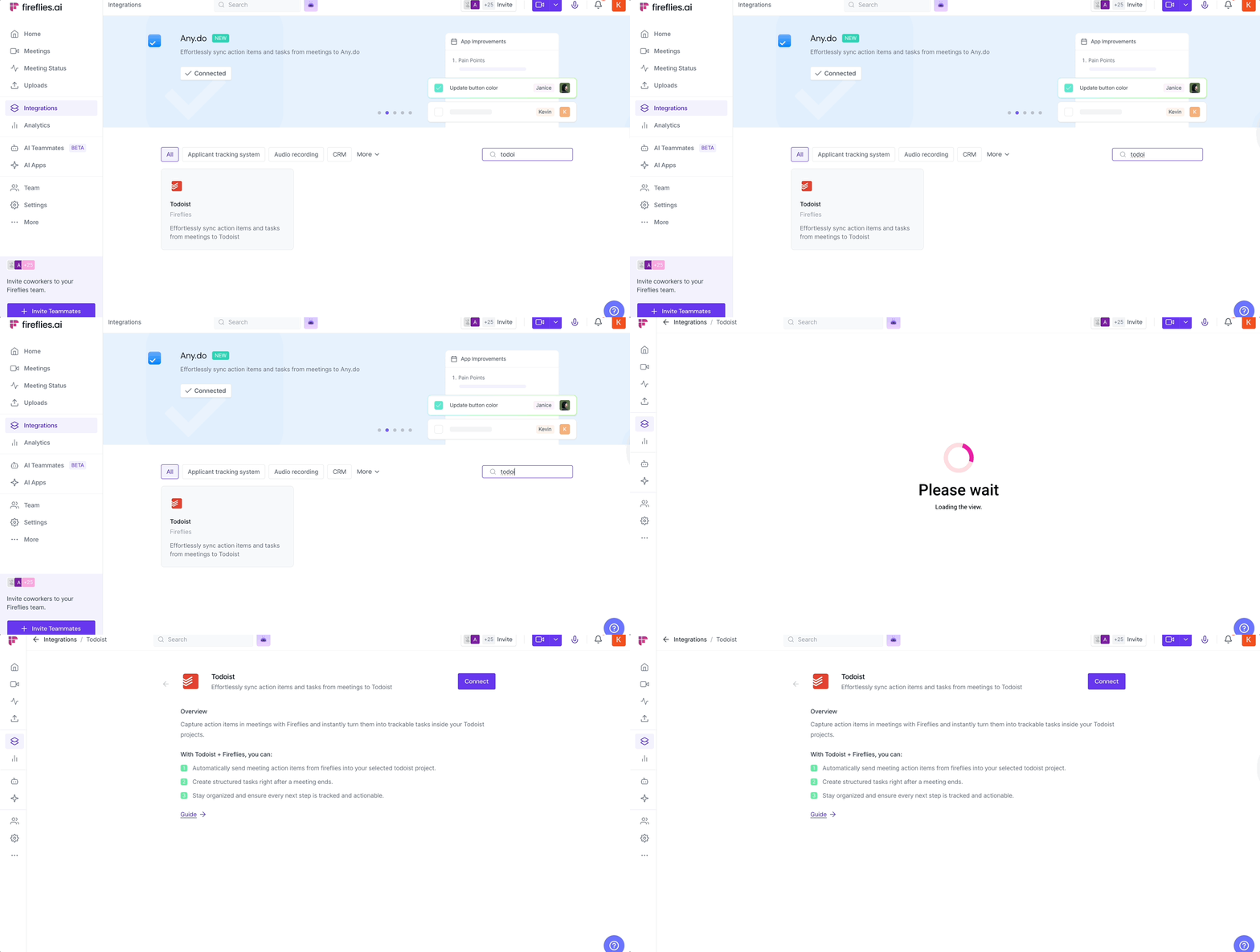
Click Connect
3. Authorize Fireflies in Todoist
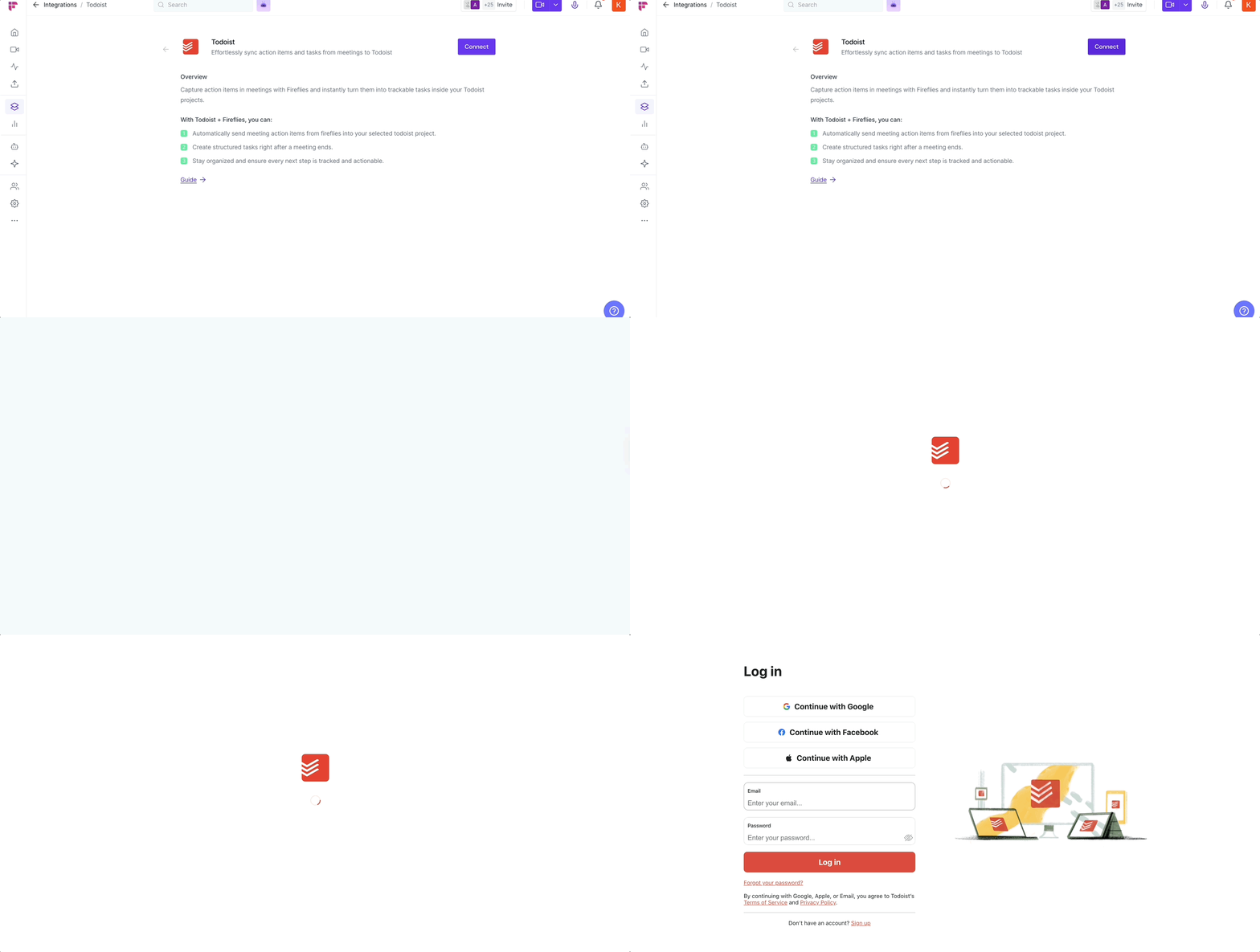
You’ll be redirected to Todoist to authorize access
Grant permissions so Fireflies can create tasks on your behalf
Once done, you’ll be brought back to Fireflies
4. Configure your settings
You’ll now see a short setup flow:
Choose a project where tasks should be sent (e.g., “Inbox,” “Work,” “Marketing Tasks”)
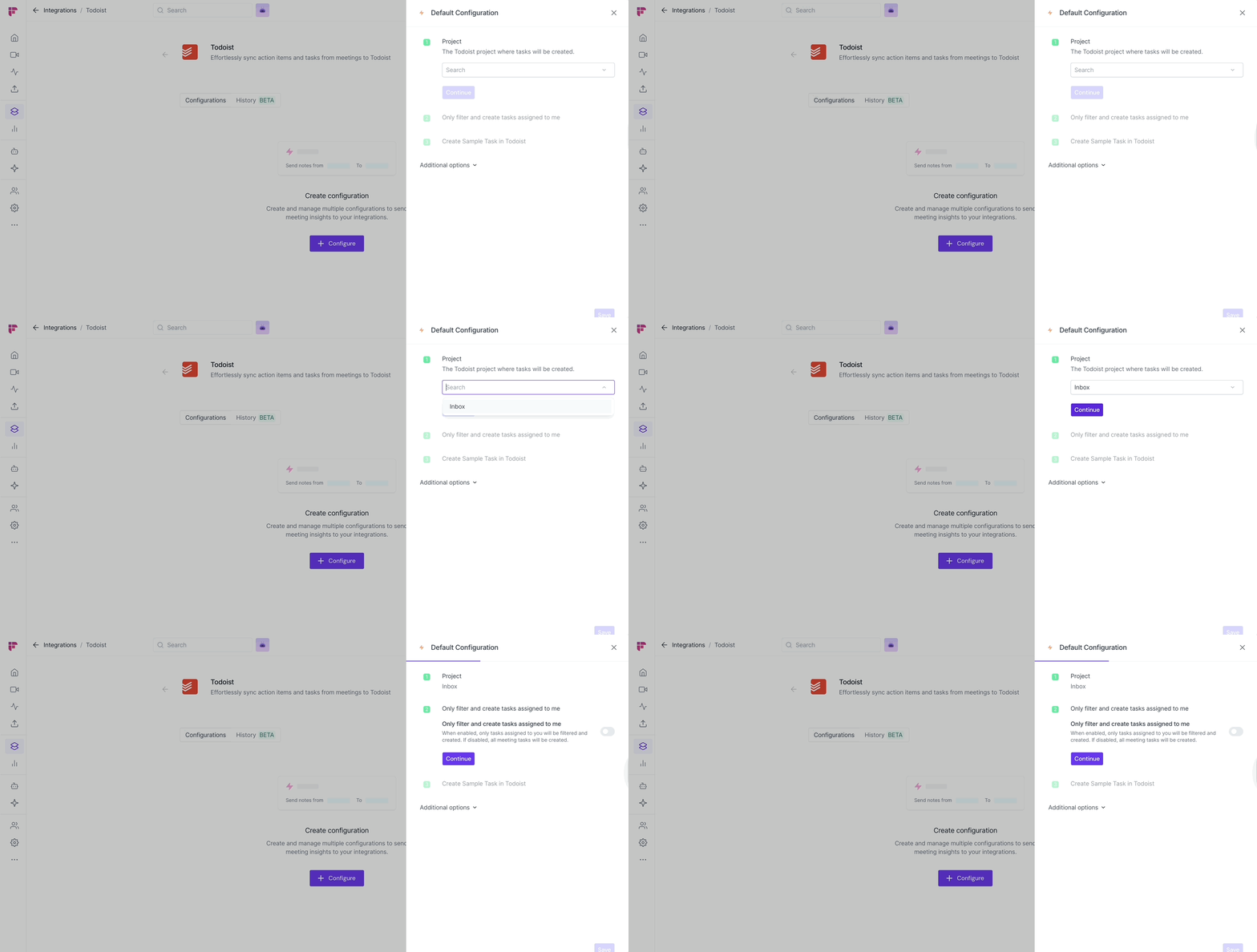
Toggle ON if you want only tasks assigned to you (Fireflies will smartly detect this from the meeting)
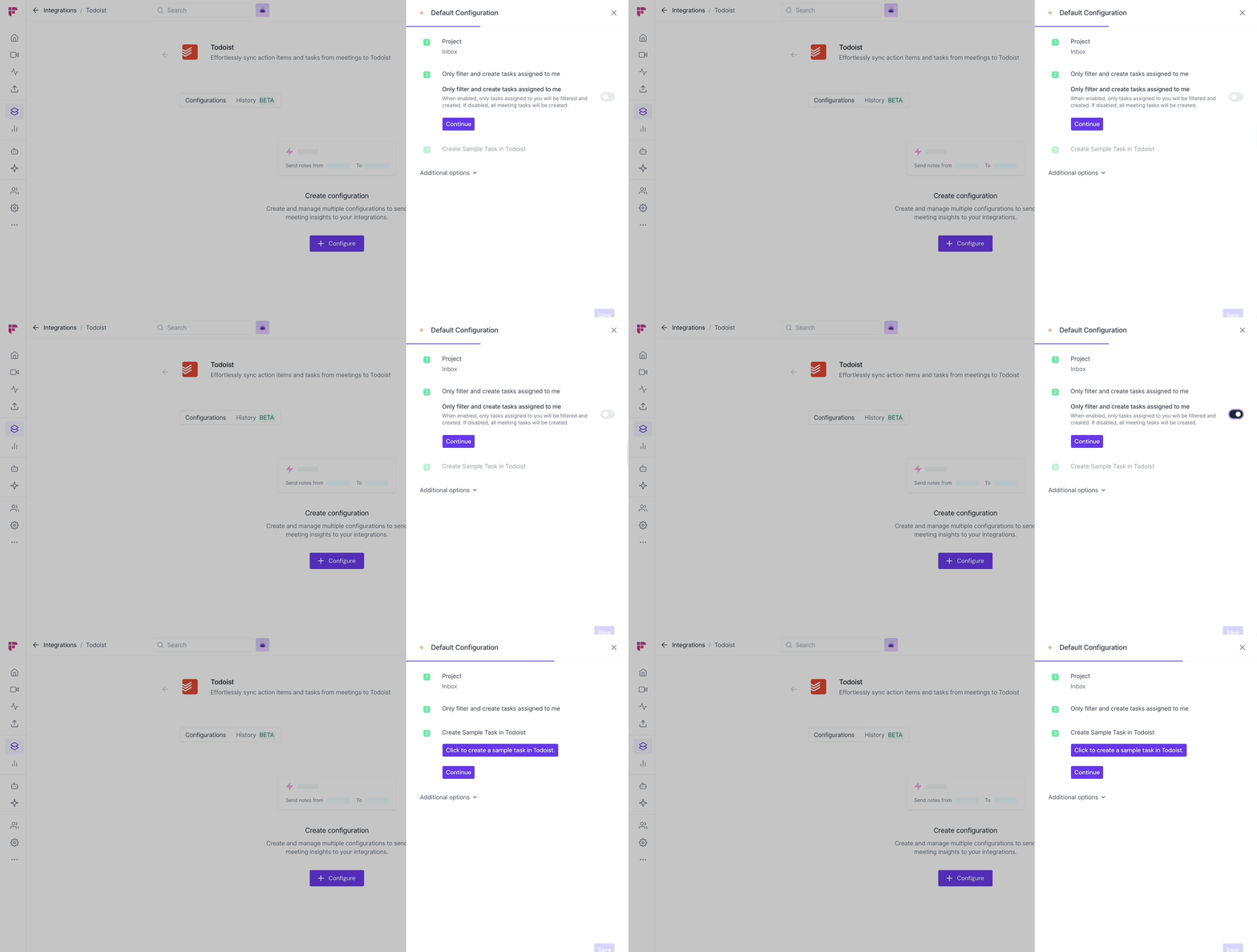
Click Continue + Save when ready
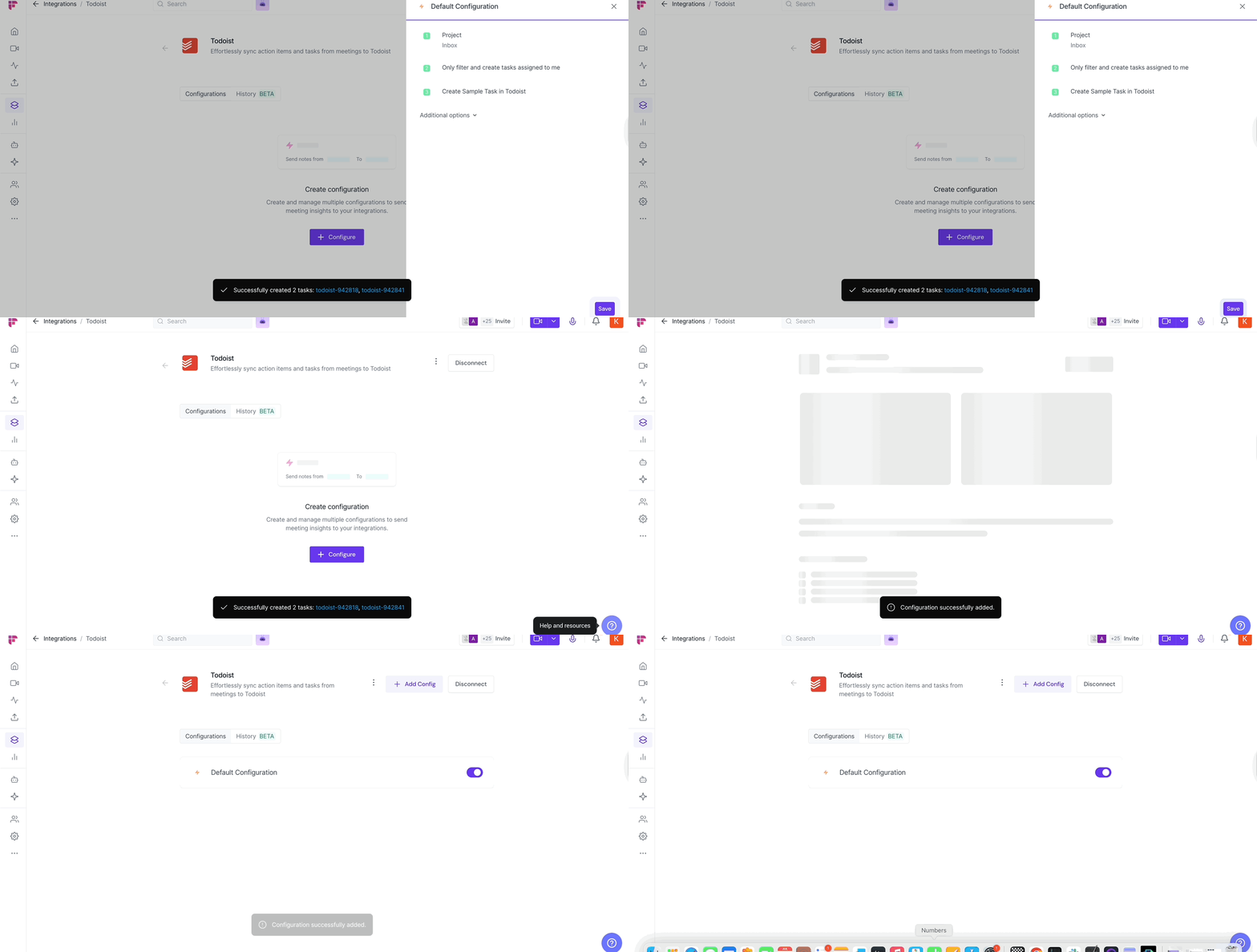
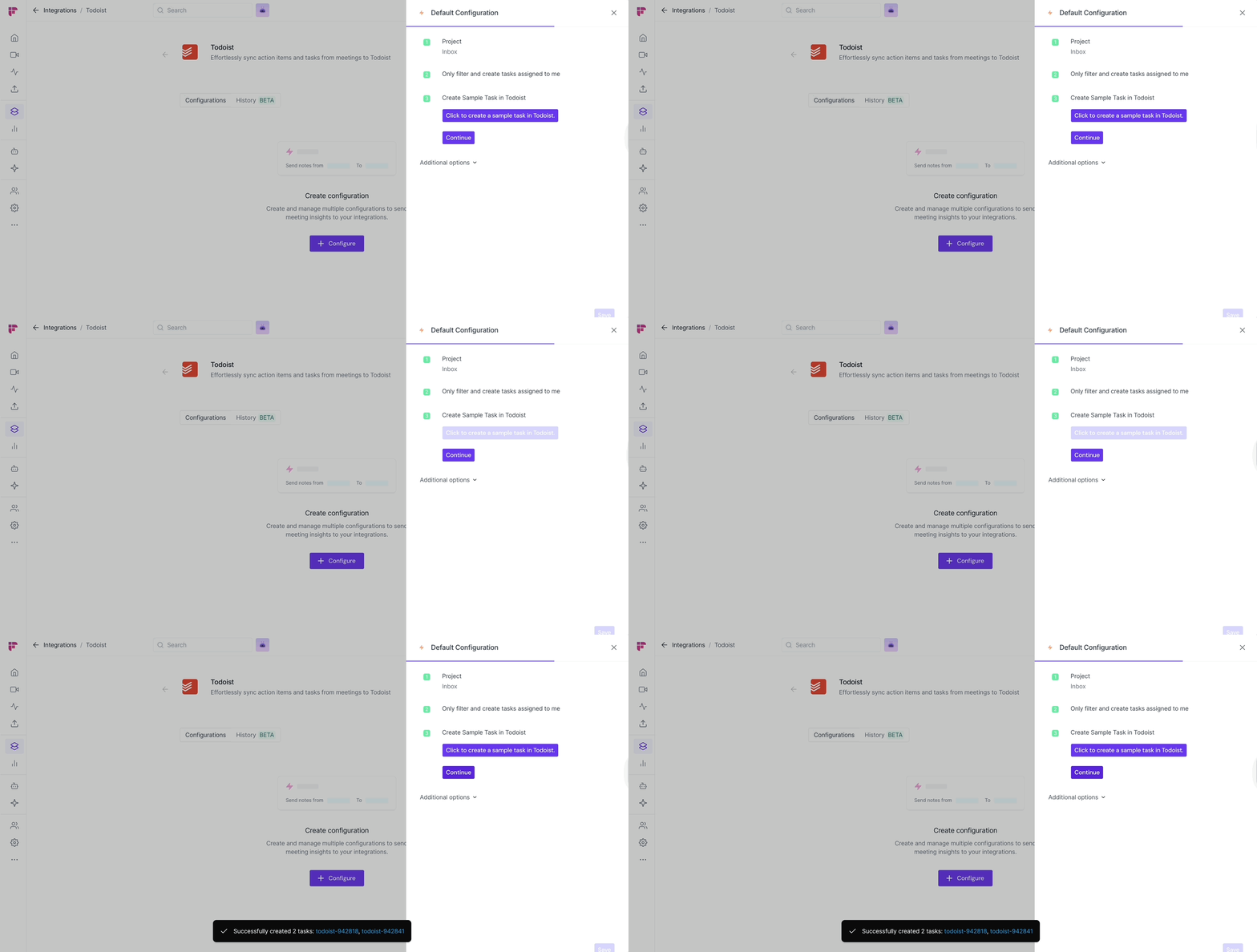
✅ Optional: You can test the connection by sending a sample task to Todoist.
💼 What the synced tasks will look like
Each action item in Todoist will include:
🔹 Task title — e.g., “Send onboarding docs” (Meeting: Q2 Kickoff)
📍 Assigned to — the person it was delegated to (if Fireflies captured it)
⏱ Timestamp — when it was mentioned in the meeting
📄 Meeting details — title, date, and a clickable link to the meeting in Fireflies
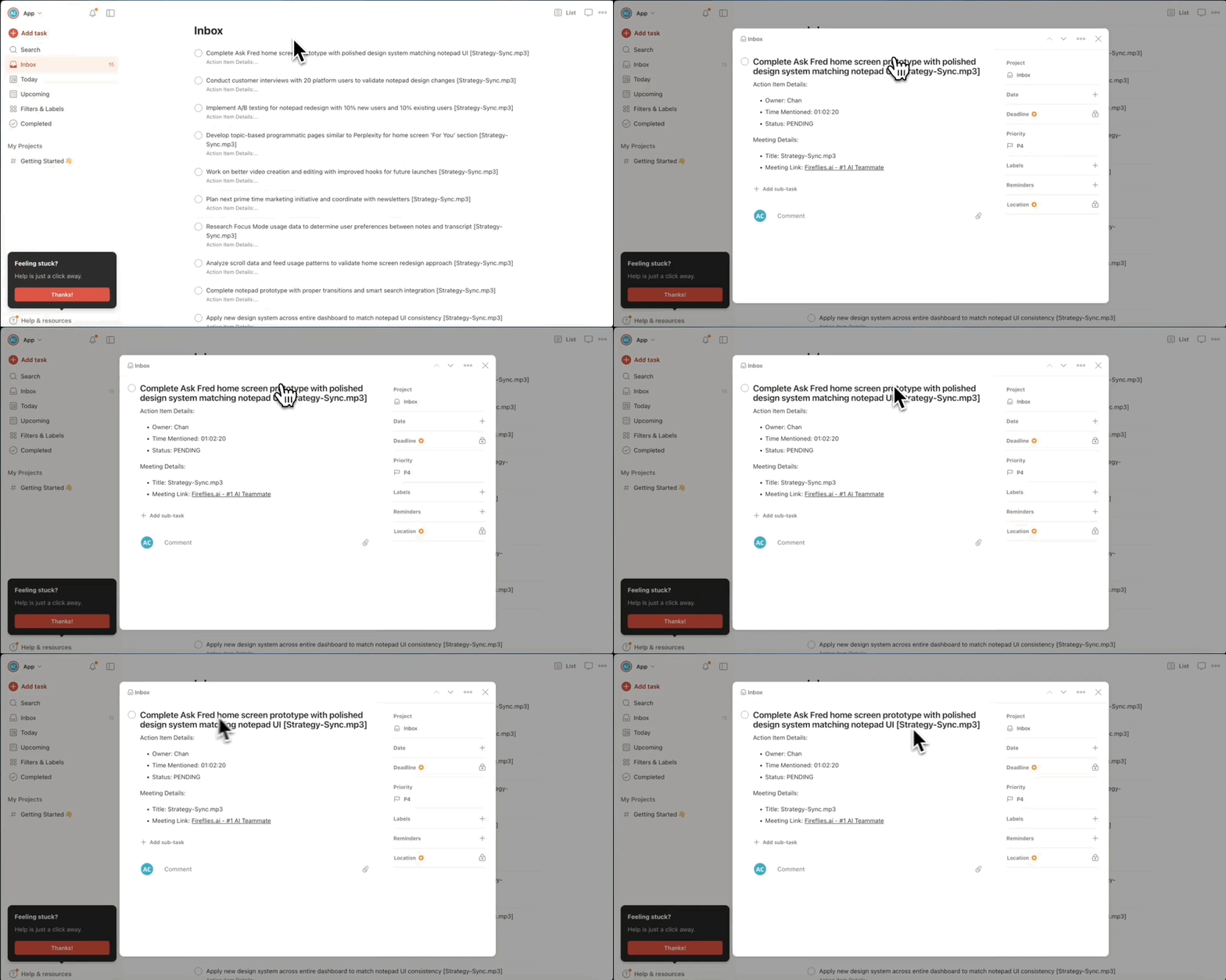
So every task is contextual and trackable — not just a vague line item.
👥 Team Integration Settings
Workspace admins can control how the Todoist integration is used across their team. The available options depend on your plan and workspace role.
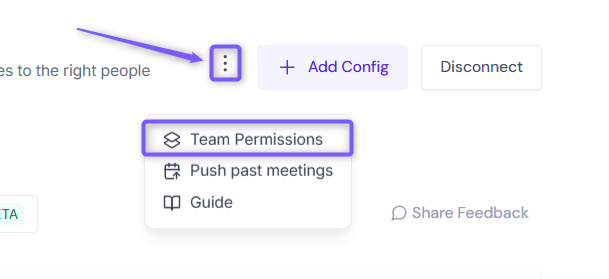
Click the vertical ellipsis (⋮) next to your Todoist and select Team Permissions from the dropdown list.
Business and Enterprise
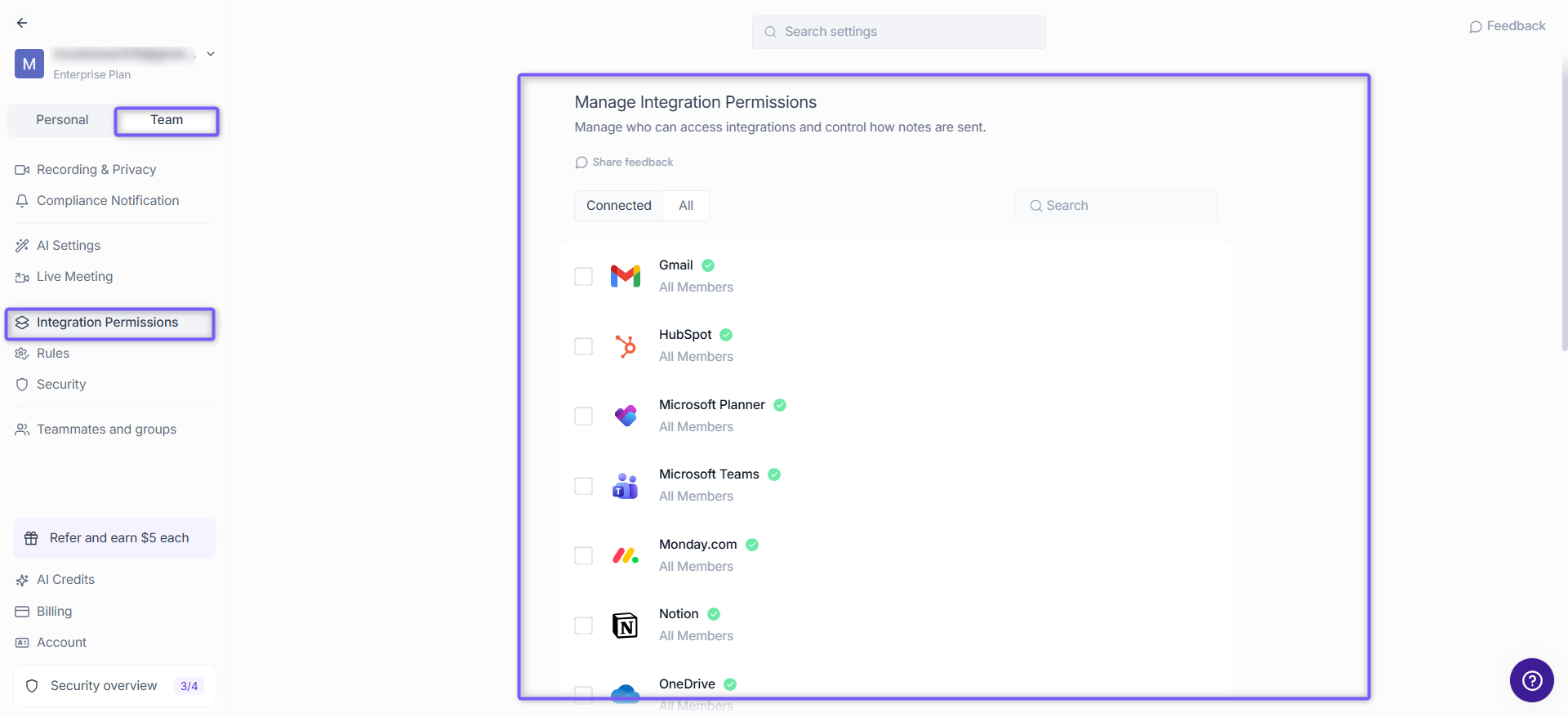
If you are a Workspace Admin on a Business or Enterprise plan, you can manage granular Integration Permissions for the integration, including who can access and connect it.
📖 See Integration Permissions: Control Who Can Access and Connect Integrations for detailed instructions on managing integration permissions.
Free and Pro
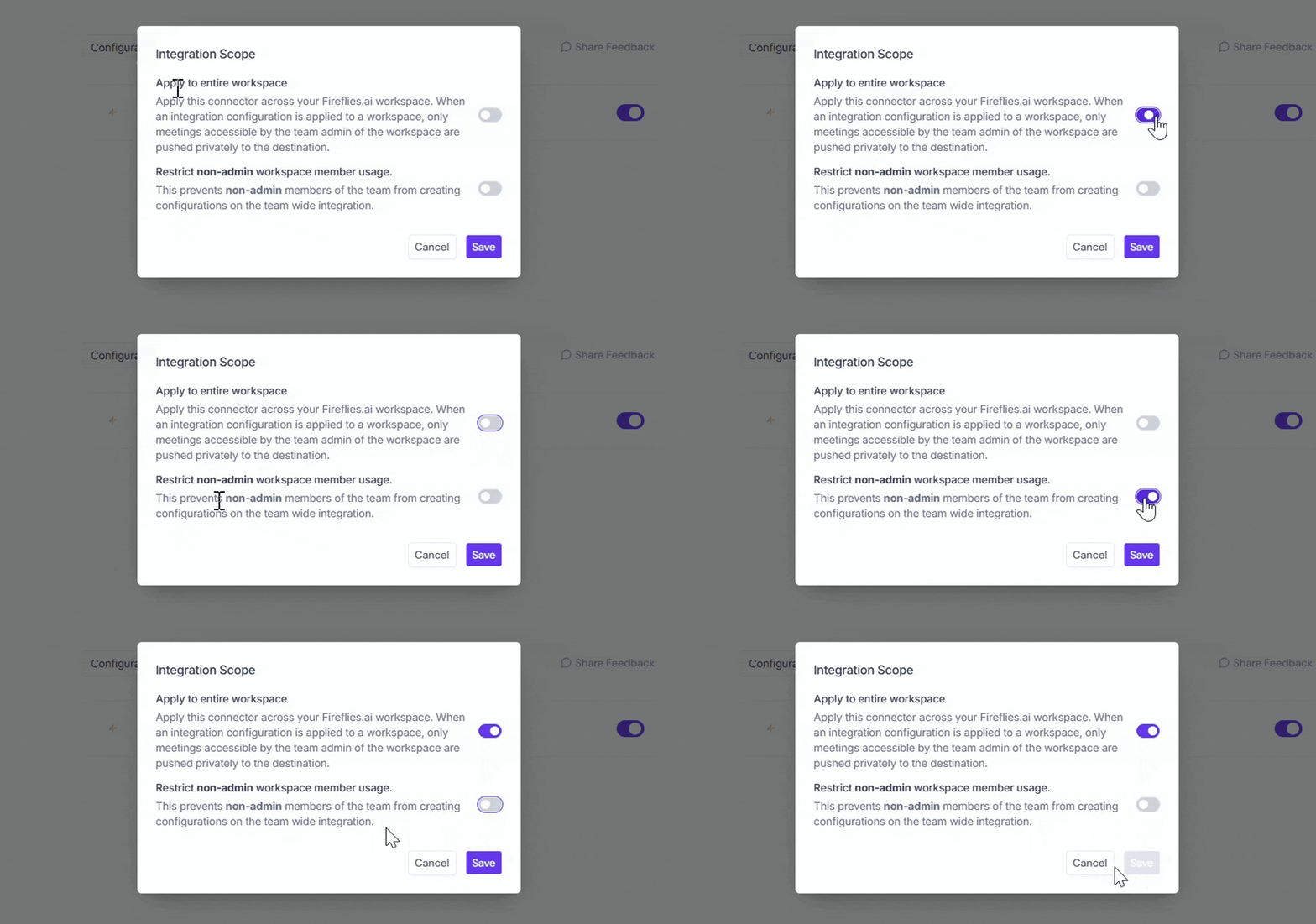
Free and Pro users do not have access to the full Integration Permissions dashboard. Instead, Team Permissions opens a modal with the available workspace-level settings.
Apply to entire workspace → Toggle this ON to apply the Todoist integration across your Fireflies workspace. All team meetings accessible by the team admin will have notes sent to Todoist, keeping everything centralized.
📌Meetings that are set to private in a teammate’s Privacy Settings won’t be pushed to Todoist unless you’re a Super Admin who can access meetings regardless of privacy settings.
Restrict non-admin usage → Toggle this ON to prevent non-admin members from creating their own Todoist configurations. This helps maintain consistent settings and avoid unintended changes.
After adjusting the toggles to fit your team’s workflow, click Save to apply the changes.
Note: Business and Enterprise Workspace Admins have access to granular integration permissions, while Free and Pro workspaces have more limited workspace-level controls.
⏪ Push Past Meetings to Todoist
Sometimes, the meetings you want in Todoist happened before you connected the integration. Whether you enabled the integration later or want to add older meeting notes to Todoist, Push Past Meetings lets you choose a date range and meeting type, then send those meetings in just a few clicks.
Note: Make sure you've connected Todoist and created at least one push configuration before using Push Past Meetings. If you haven't, complete the Setting Up Your Configuration section above first.
Follow the steps below to push past meetings to Todoist.
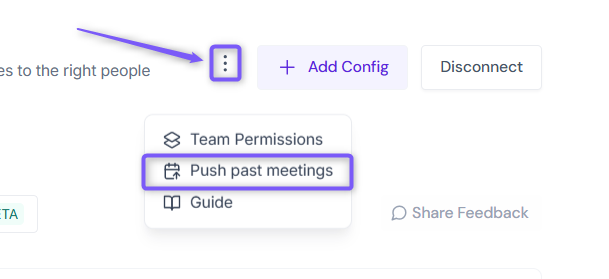
From the Todoist integration page, click Push past meetings.
A dialog box will appear. Choose the following:
Date range → Select the meetings you want to send by choosing Last 7, 14, 30, 60, or 90 days, or specify a custom date range.
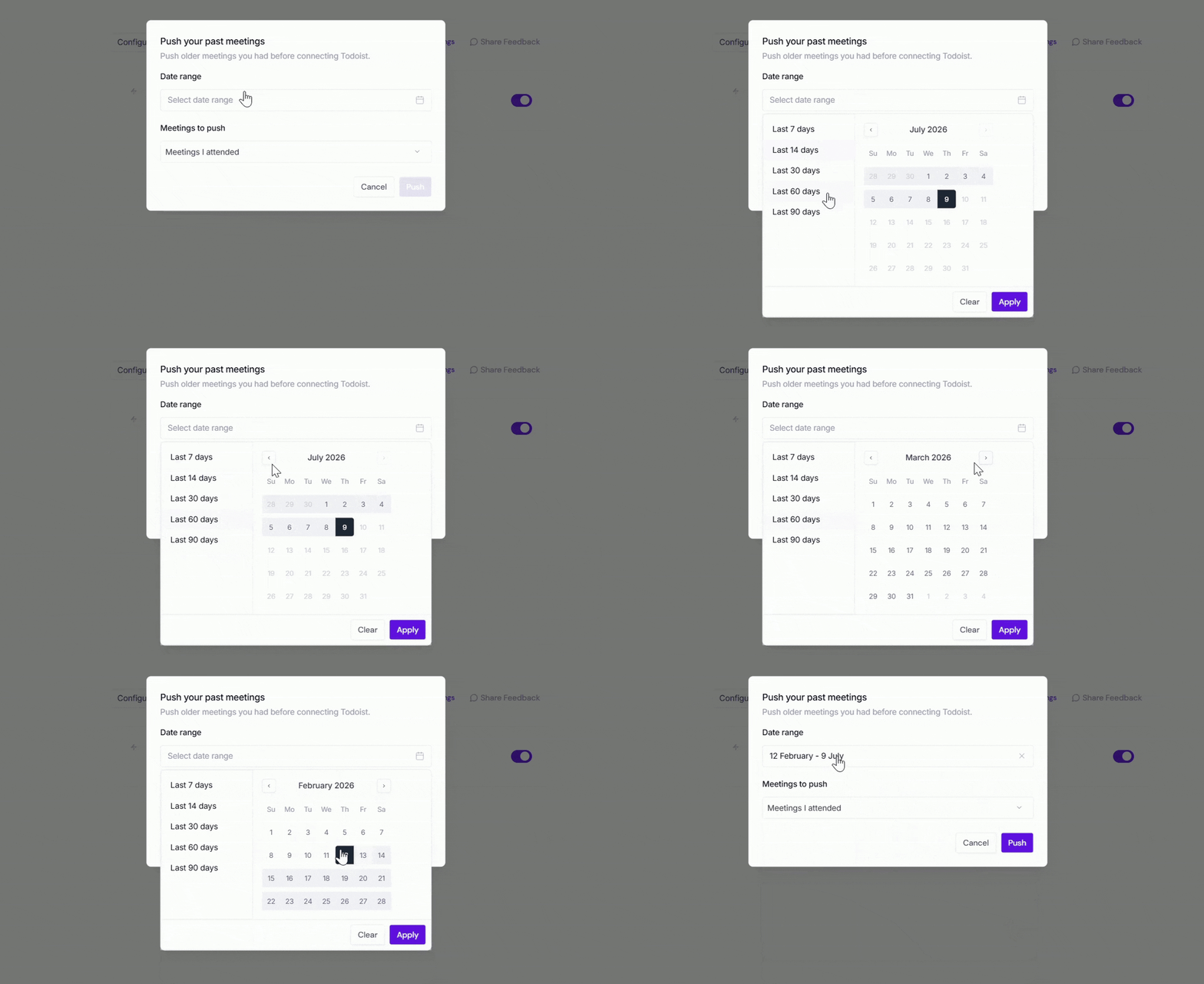
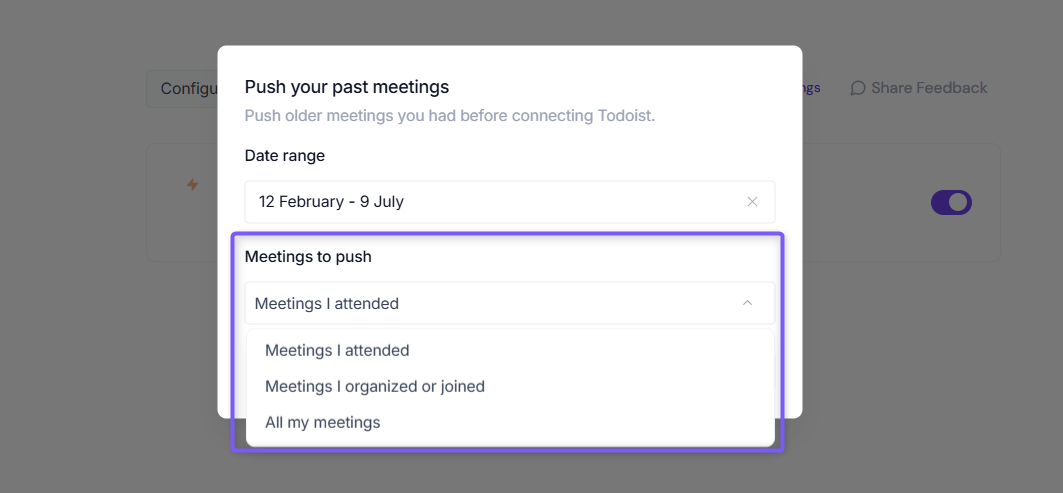
Meetings to push → Choose whether to push Meetings I attended, Meetings I organized or joined, or All my meetings.
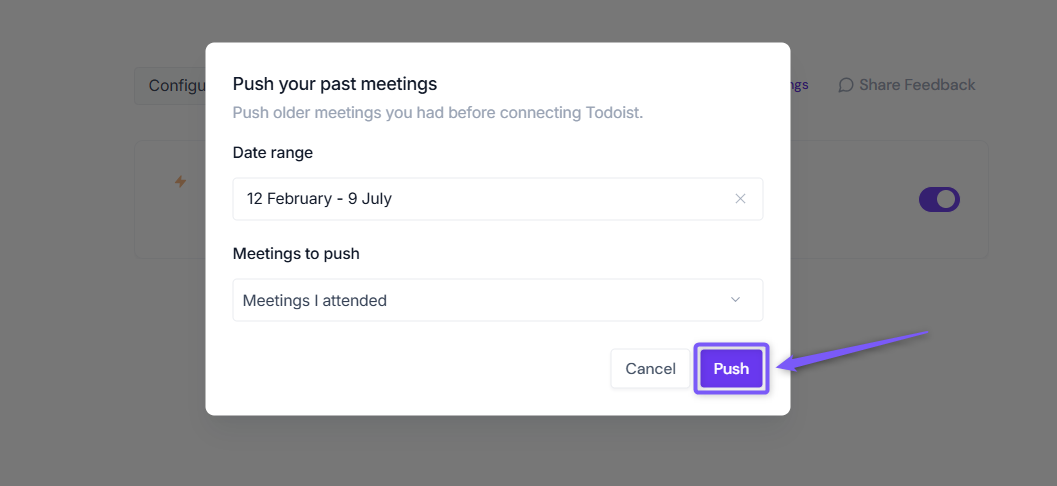
Click Push. Fireflies will send the matching meeting notes to Todoist using your existing configuration settings.
Meetings recorded after you connect Todoist are sent automatically. Push Past Meetings is only needed for meetings that happened before the integration was connected.
✅ Send AI Skill Outputs to Todoist
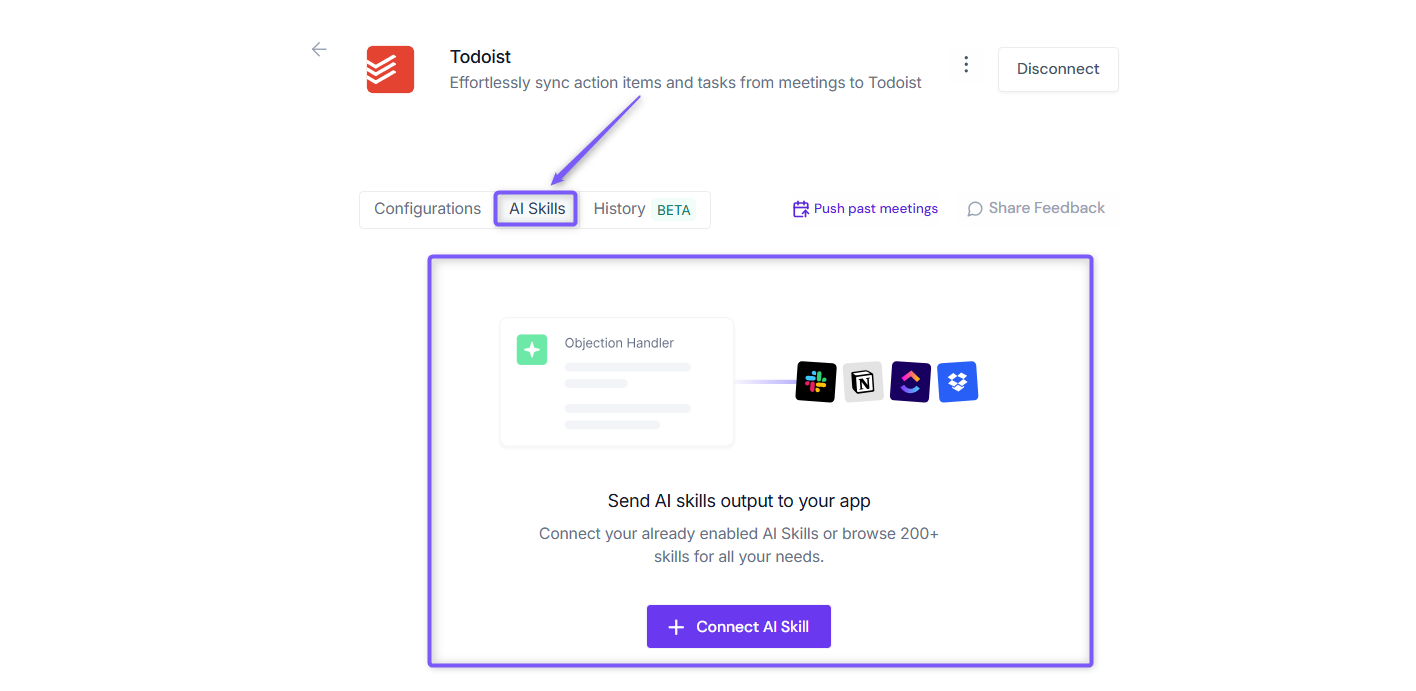
Want to send more than just meeting notes to Todoist? Fireflies also allows you to send AI Skill outputs directly to your connected Todoist account.
This is helpful when you want custom AI-generated content, such as project updates, customer insights, follow-up emails, call analyses, or action item reports, automatically logged to Todoist for your team to review and act on.
👉 Learn how: Send AI Skill Outputs to Any Integrated Tool.
✨ Why this matters
Capturing action items is only half the job. This integration helps you actually complete them — without switching tabs, tools, or your mental context.
It’s the bridge between your meetings and your momentum.
🙋♀ FAQs
Can I turn this off anytime?
Yes — just go back to the integration settings and disconnect or pause it.
Will it send all tasks from every meeting?
Only action items from meetings Fireflies processes. You can further filter by assignee.
Do I need a paid plan on Todoist?
Nope — the integration works with free Todoist accounts too.