Connect Fireflies with Devin AI
Last updated: August 27, 2025
Bridge the gap between meeting decisions and code implementation – let Devin access your conversation context while building.
Why This Matters to You
Product managers discuss complex features in Monday's planning meeting, detailing specific requirements and user feedback. By Friday, when development starts, those nuanced details are buried in notes or lost entirely. Devin ends up building based on incomplete context.
Fireflies' integration with Devin changes this completely. As the first AI meeting tool on Devin's MCP marketplace, Fireflies gives your AI coding assistant direct access to the conversations that shaped your requirements. When Devin codes that feature, it can reference exactly what your team discussed.
What You'll Accomplish
By connecting Fireflies with Devin, you'll transform how your team builds software:
Benefit | What This Means for You |
Context-aware development | Devin codes with full understanding of meeting discussions and decisions |
Seamless requirement handoff | No more lost details between planning meetings and implementation |
Cross-platform access | Query meeting insights from within Slack or directly in Devin |
Enhanced team alignment | Developers work with the same context as product and business teams |
Getting Started
Step 1: Access the Devin MCP Marketplace
Navigate to Devin's official MCP marketplace where Fireflies is prominently featured.
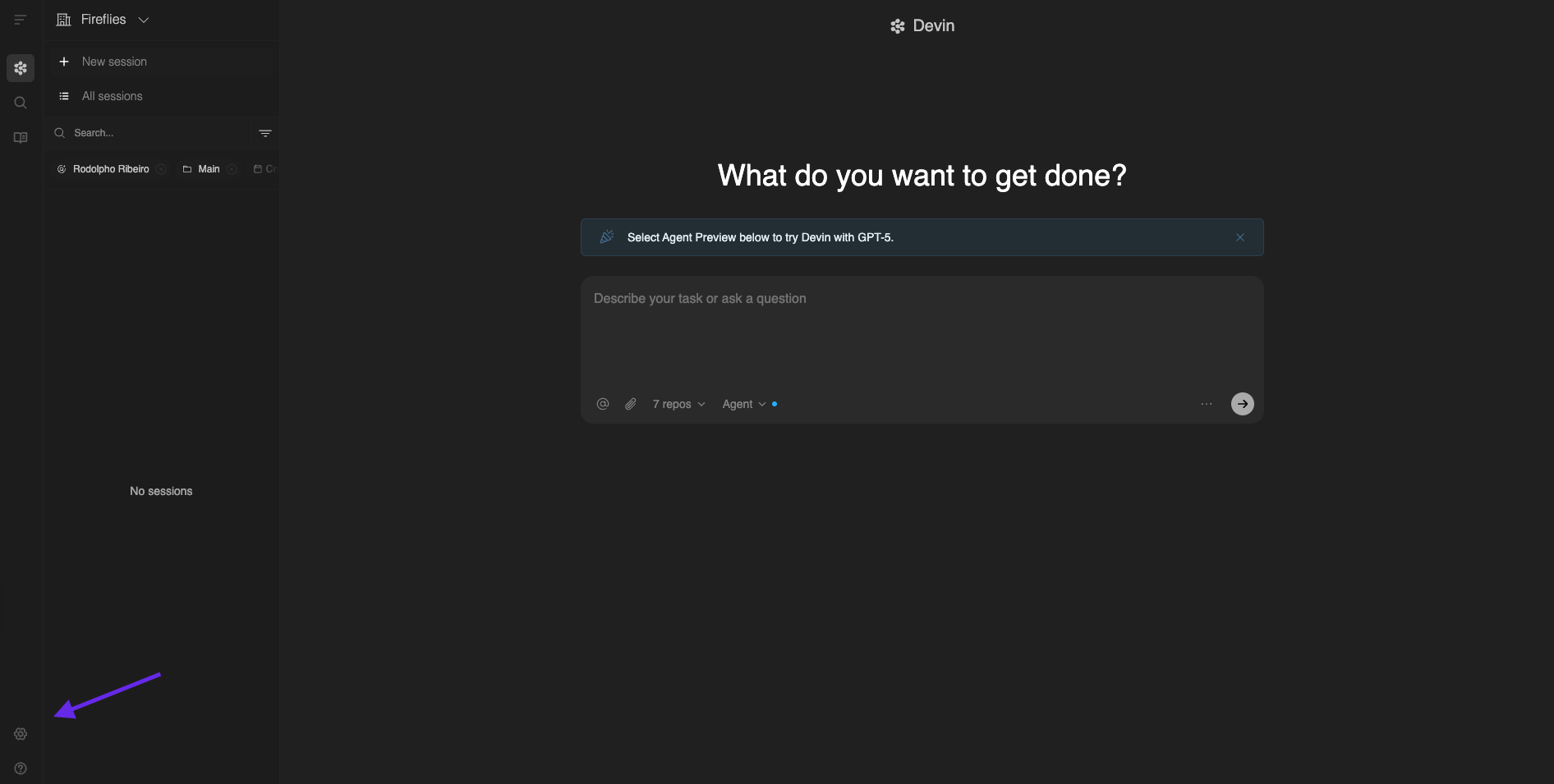
Open Devin and go to Settings
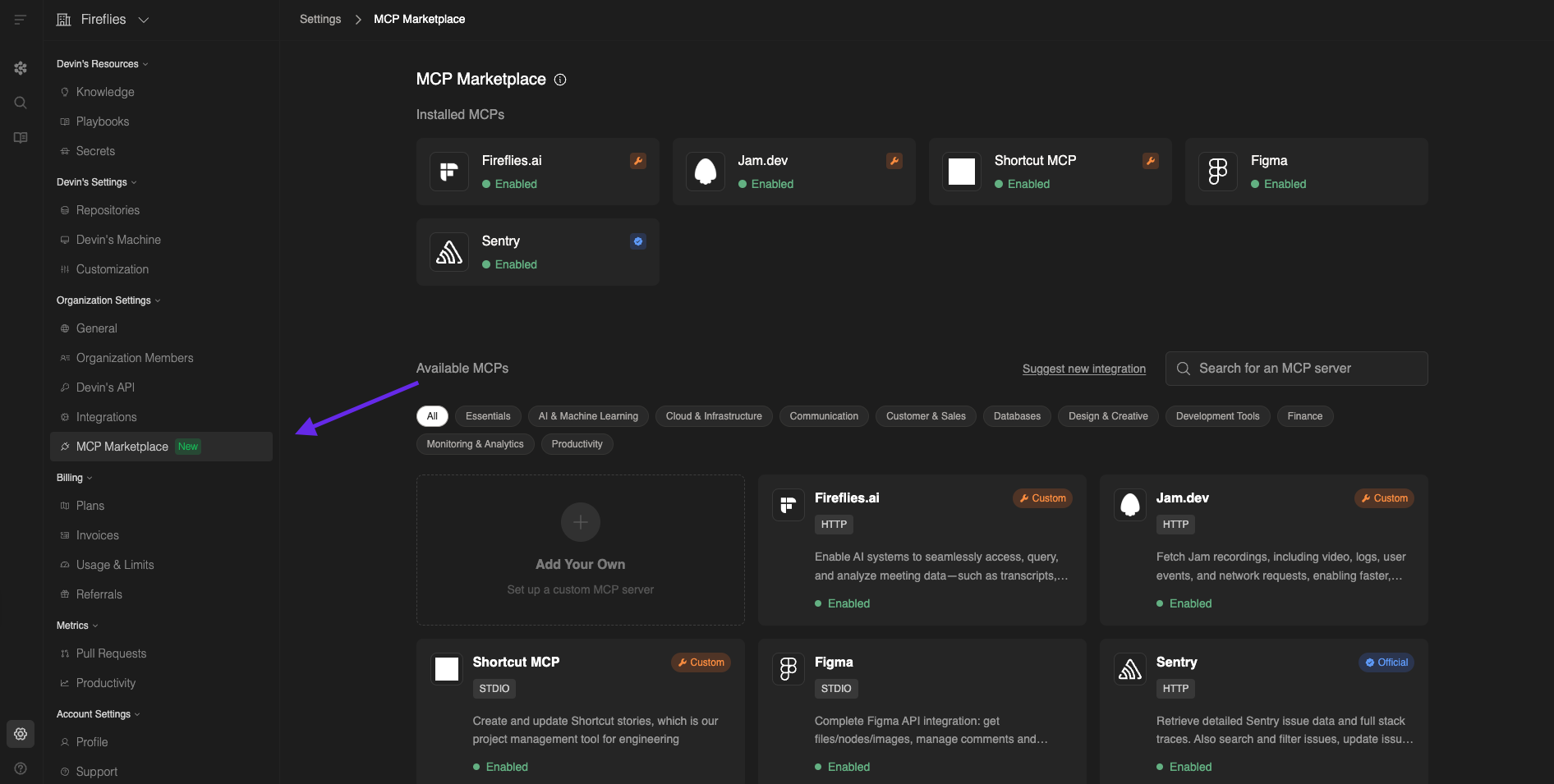
Click MCP Marketplace in the left navigation
Find Fireflies in the featured integrations
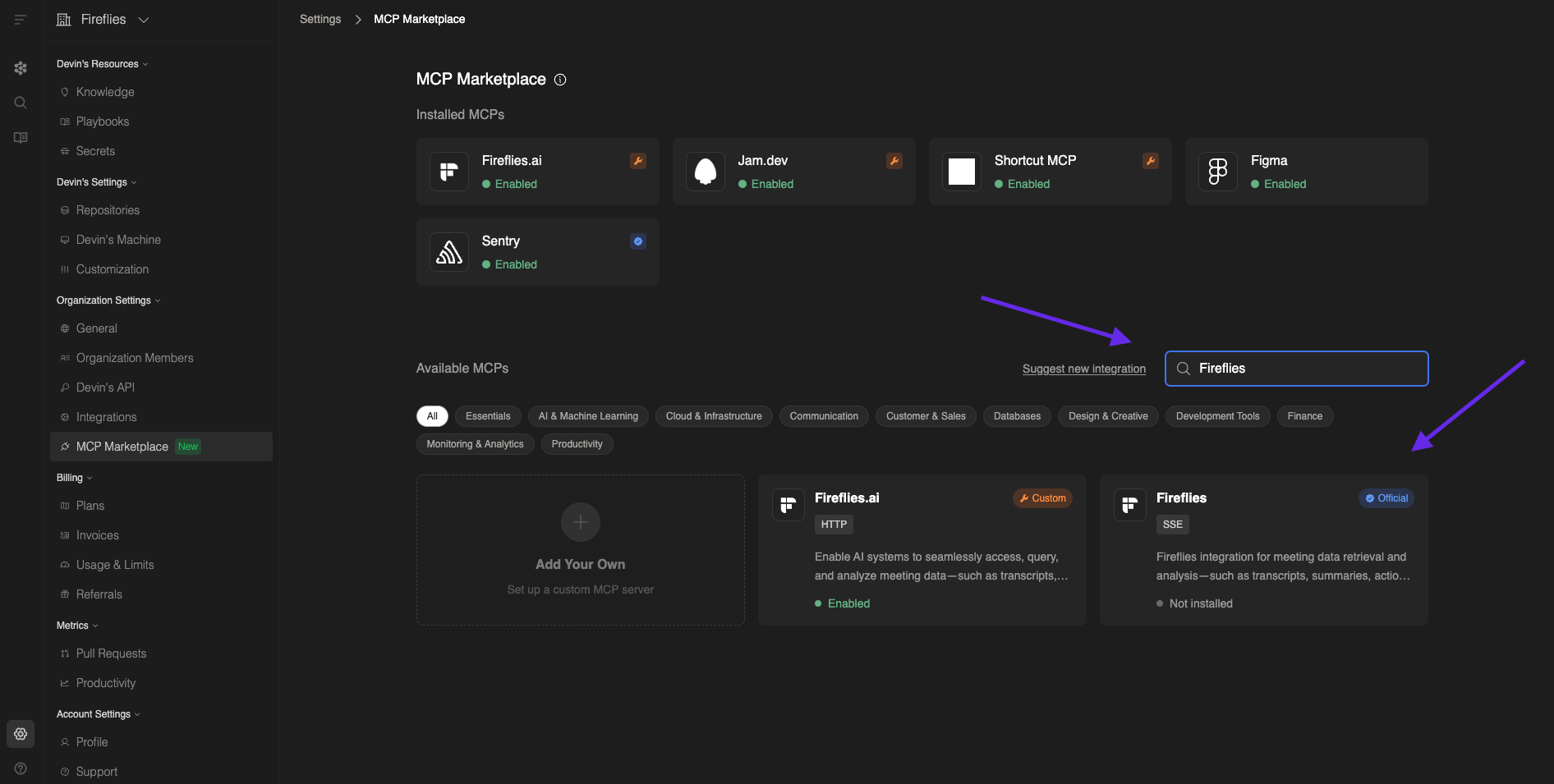
Click on the Fireflies integration tile
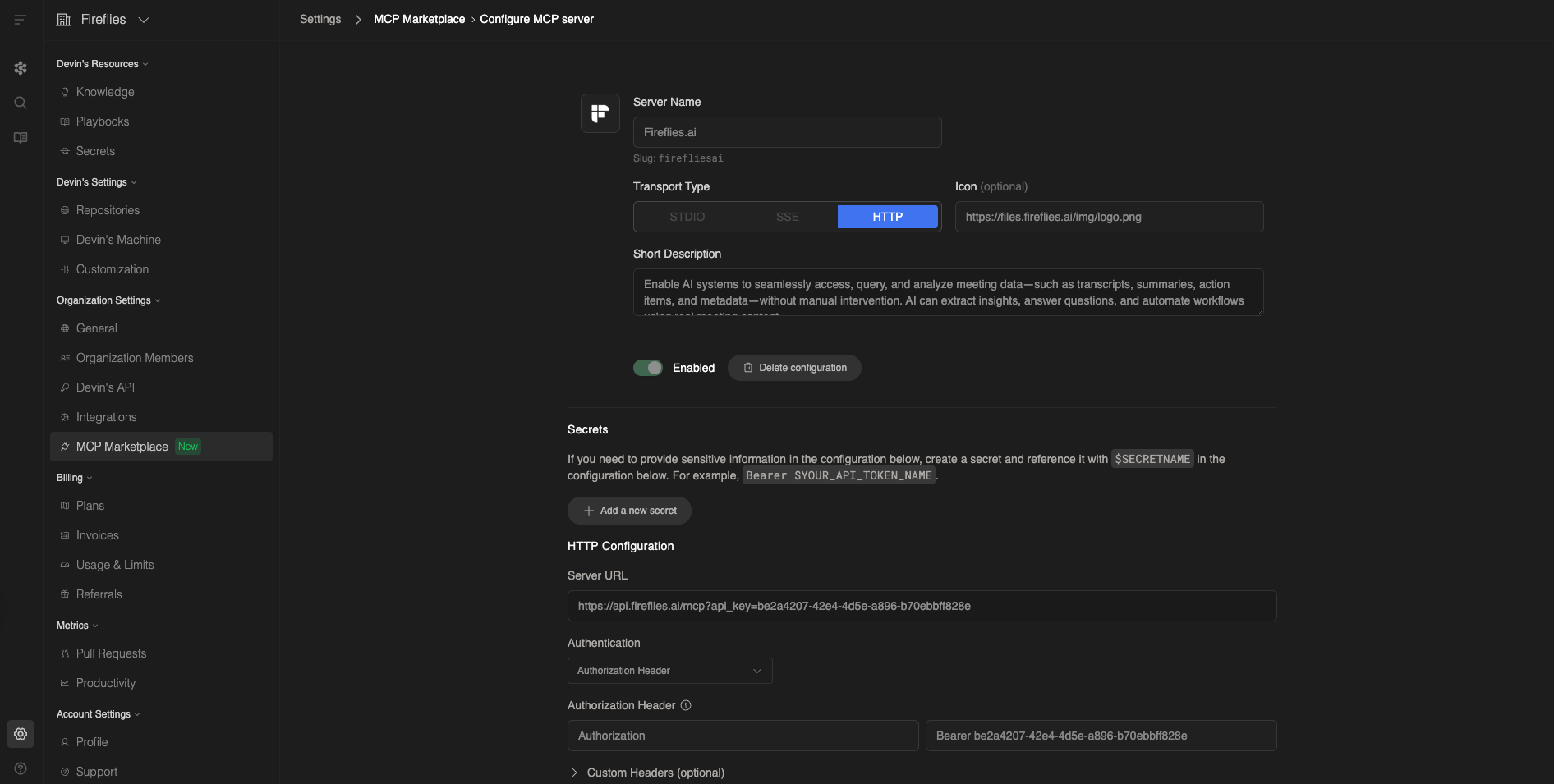
Step 2: Set Up the Integration
Connect your Fireflies account with Devin using OAuth authentication.
Click Enable on the Fireflies MCP page
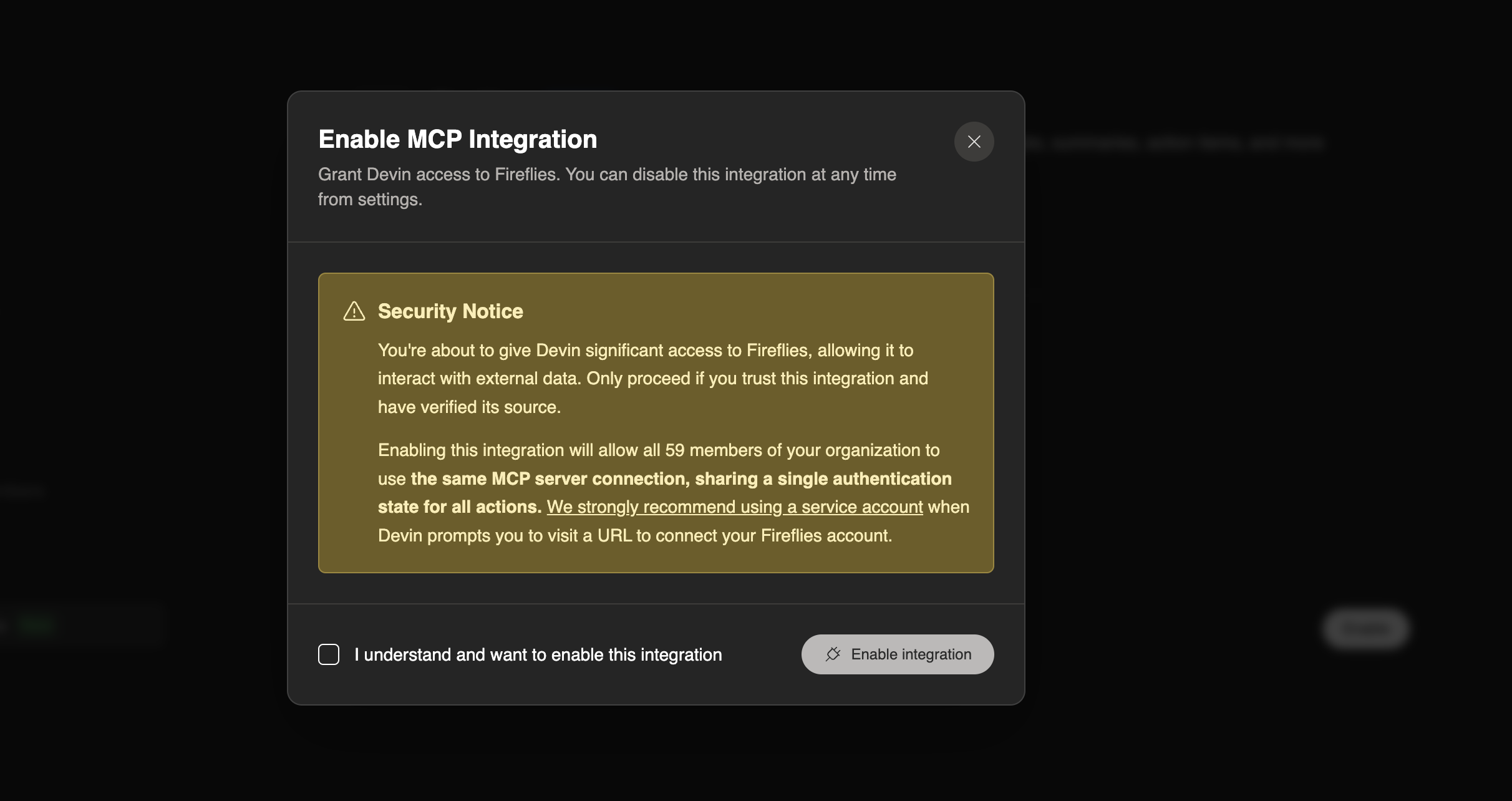
Tick the box before enabling it
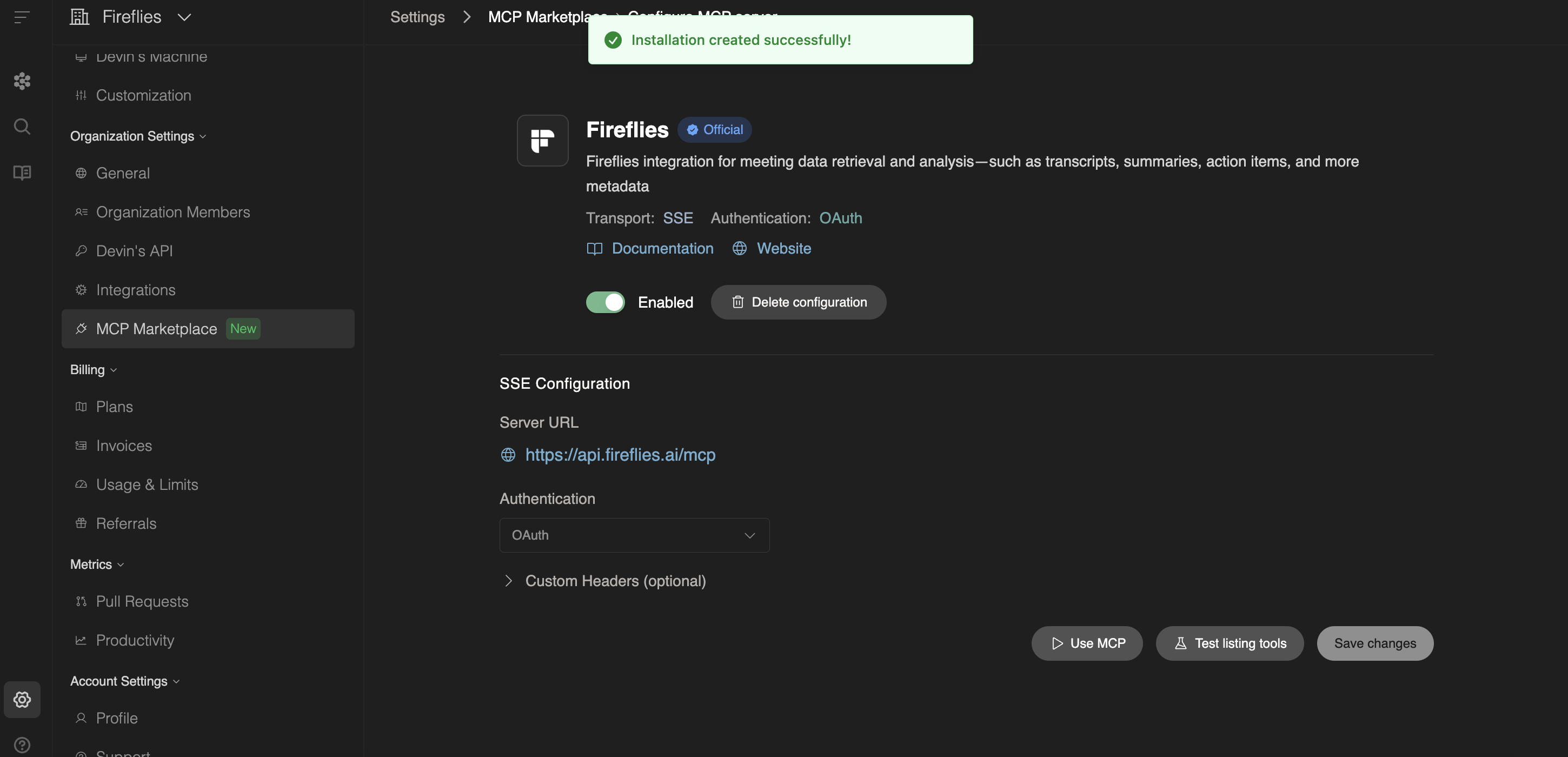
Follow the prompts to authorize Devin's access to your Fireflies data
Confirm the connection and test access
Step 3: Verify Connection
Ensure Devin can access your meeting data effectively.
Ask Devin a simple query like "Show me my recent meetings"
Verify that Fireflies transcripts appear in the response
Test a more specific query to confirm full functionality
Check that meeting context is properly integrated
How Teams Are Using Fireflies + Devin
Development Teams
Context-driven coding:
"Reference the technical requirements discussed in yesterday's architecture meeting while building the user authentication system"
"Check what performance constraints the product team mentioned for the dashboard feature"
"Review the API discussion from last week's engineering standup before implementing the integration"
Bug resolution with meeting context:
"Find mentions of this bug in recent customer calls and understand the user impact"
"Reference the debugging session we had last Tuesday while fixing this issue"
Product Development
Feature implementation:
"Build the checkout flow based on the user experience requirements discussed in Monday's product meeting"
"Implement the search functionality using the specifications from the customer feedback session"
"Code the notification system according to the UX decisions made in yesterday's design review"
Requirement clarification:
"What specific edge cases did the product team mention for the payment processing feature?"
"Summarize the accessibility requirements discussed across this week's design meetings"
Cross-functional Collaboration
From Slack integration:
"What were the main technical concerns raised in this morning's product planning meeting?"
"Summarize the customer feedback about our mobile app from this week's support calls"
"Find all mentions of performance optimization in our recent engineering meetings"
Direct Devin queries:
"Create a summary of all API-related discussions from the past month"
"List the security requirements mentioned in our client onboarding calls"
Advanced Use Cases
Meeting-Informed Development
Instead of working from static requirements documents, Devin can now:
Access real-time context – Reference live discussions about feature priorities, technical constraints, and user feedback while writing code
Understand decision rationale – Know not just what to build, but why specific approaches were chosen based on team discussions
Incorporate stakeholder feedback – Build features that reflect actual customer needs expressed in sales calls and user interviews
Cross-Platform Workflow
Slack Integration – Query Fireflies data directly from your team's Slack workspace, making meeting insights available where most collaboration happens
Devin Direct Access – Ask detailed questions about meeting content while actively coding, without switching contexts or tools
Security and Permissions
Your Fireflies data remains secure with the same protections you're already familiar with:
Security Aspect | How It Works |
Data access | Only meetings you have permission to view are accessible to Devin |
Authentication | OAuth ensures secure, authorized connections |
Privacy controls | Existing Fireflies privacy settings apply to Devin integration |
Team permissions | Devin respects your workspace's meeting visibility rules |
Advanced Configuration
For detailed MCP setup instructions across multiple AI tools or alternative configuration methods, visit our comprehensive MCP Server Configuration guide.
This resource covers OAuth setup, API key configuration, and troubleshooting for various AI platforms including Claude, Cursor, and other MCP-compatible applications
Making Sense of It All
Fireflies is the first meeting tool officially listed on Devin's MCP marketplace, giving you early access to meeting-informed development
Devin can now reference specific meeting discussions while coding, ensuring implementation matches original requirements and stakeholder intent
Cross-platform access lets you query meeting insights from both Slack and directly within Devin's interface
The integration maintains all existing security and privacy controls from your Fireflies workspace
This connection transforms development from working with static documents to context-aware coding based on live team discussions