How to Integrate Jit.si with Fireflies
Last updated: September 4, 2025
Fireflies automatically joins your Jit.si meetings and captures everything — no heavy setup or connectors required. As long as your Jit.si link is included in the calendar connected to Fireflies, the bot will auto-join, record, transcribe, and summarize your meetings.
🚀 What Can This Integration Do?
With Fireflies + Jitsi, you can:
✅ Have Fireflies auto-join scheduled Jitsi calls directly from your calendar
✅ Get recordings, transcripts, and summaries without extra setup
✅ Capture insights from every conversation seamlessly
🔧 Step 1: Generate Your Jit.si Meeting Link
Go to meet.jit.si and connect your calendar (the same one connected to Fireflies)
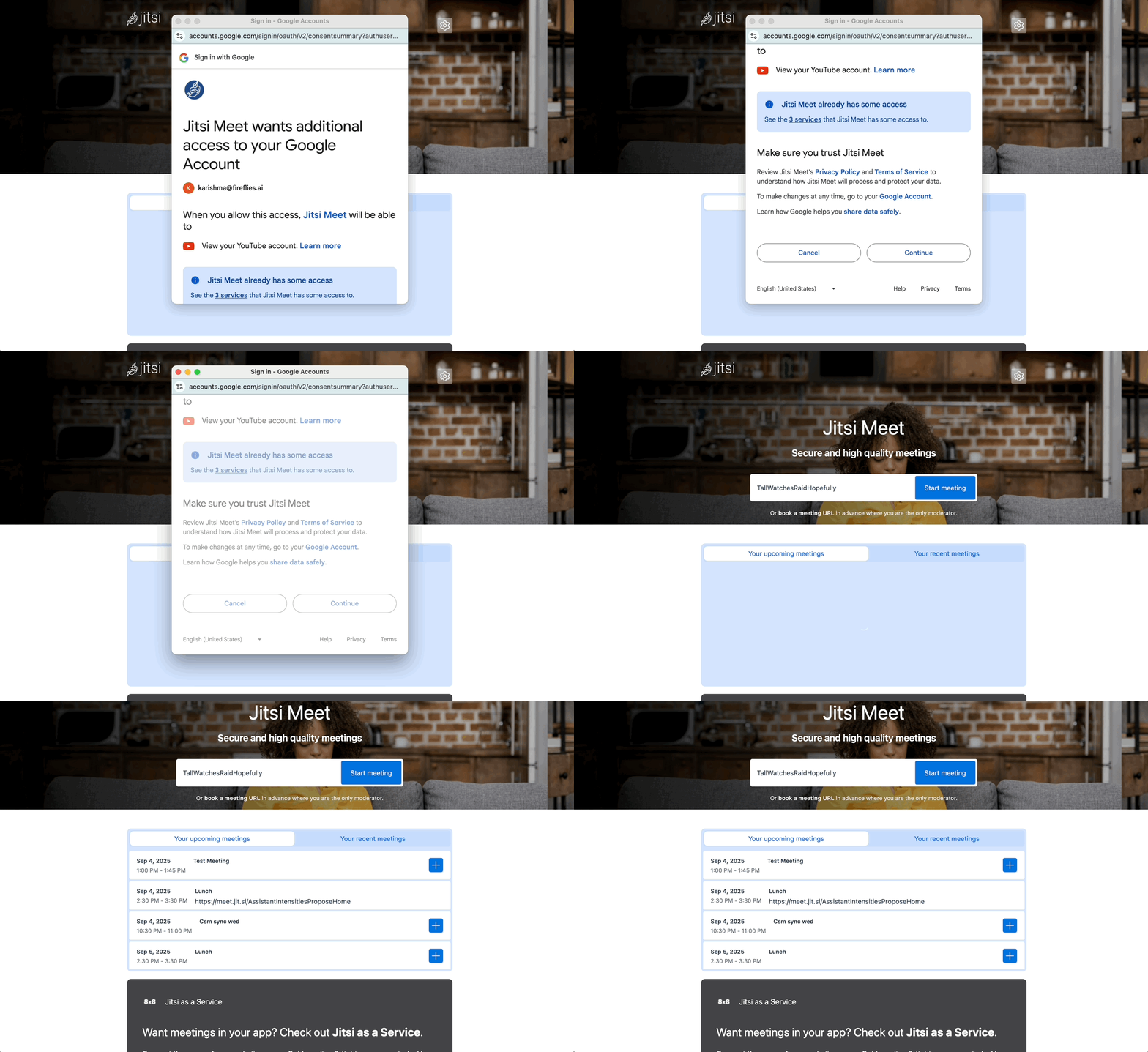
Type a custom room name (e.g., TeamSyncWednesday) and click Start Meeting.
Jitsi generates a unique link like:
https://meet.jit.si/TeamSyncWednesday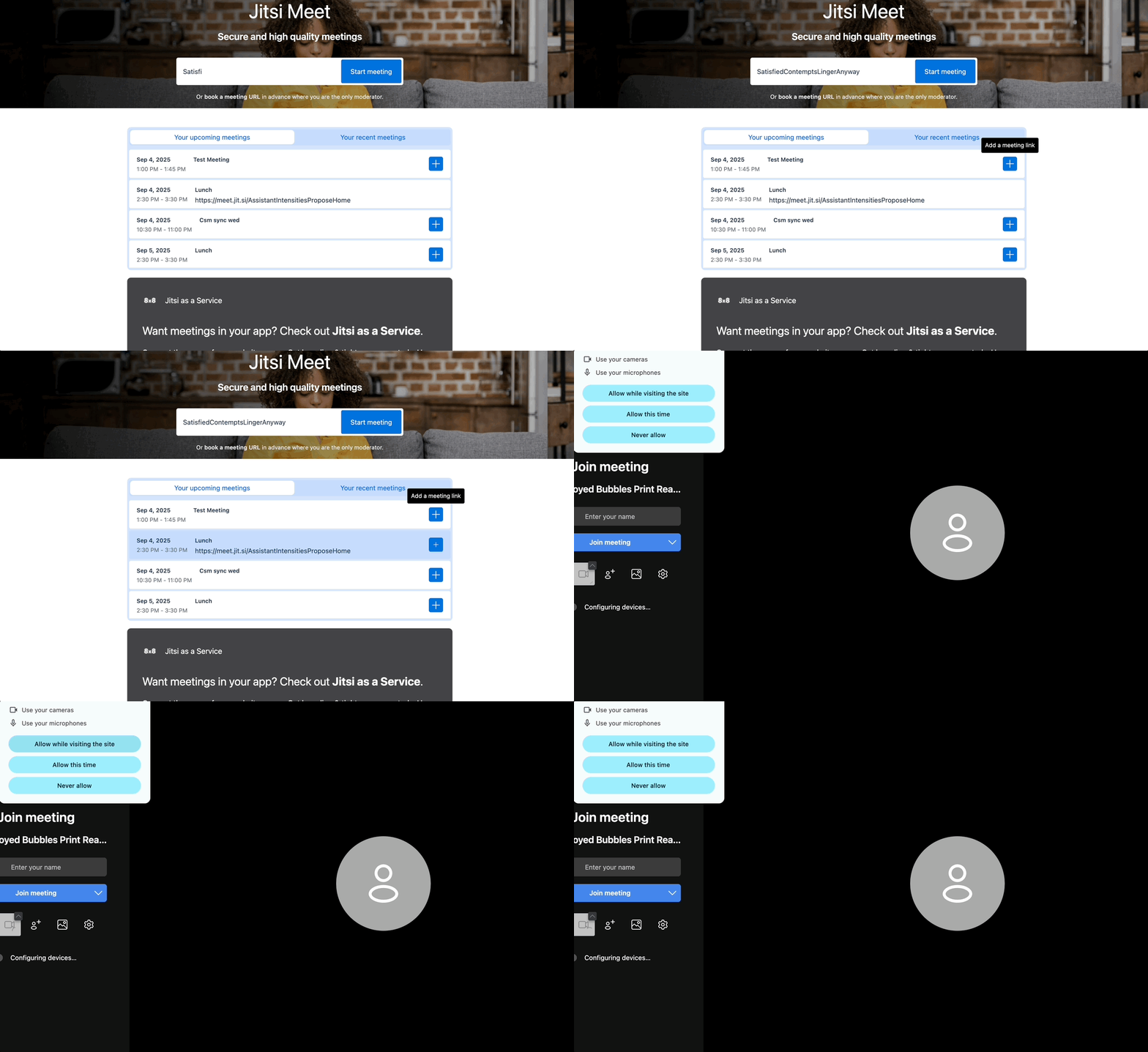
👉 Anyone with this link can join — no downloads or accounts required.
🔧 Step 2: Add the Jitsi Link to Your Calendar
Open your calendar (Google, Outlook, etc.) that is connected to Fireflies.
Paste the Jitsi meeting link into the event’s location or conferencing field.
Invite your teammates (and optionally,
fred@fireflies.aiif you prefer manual control).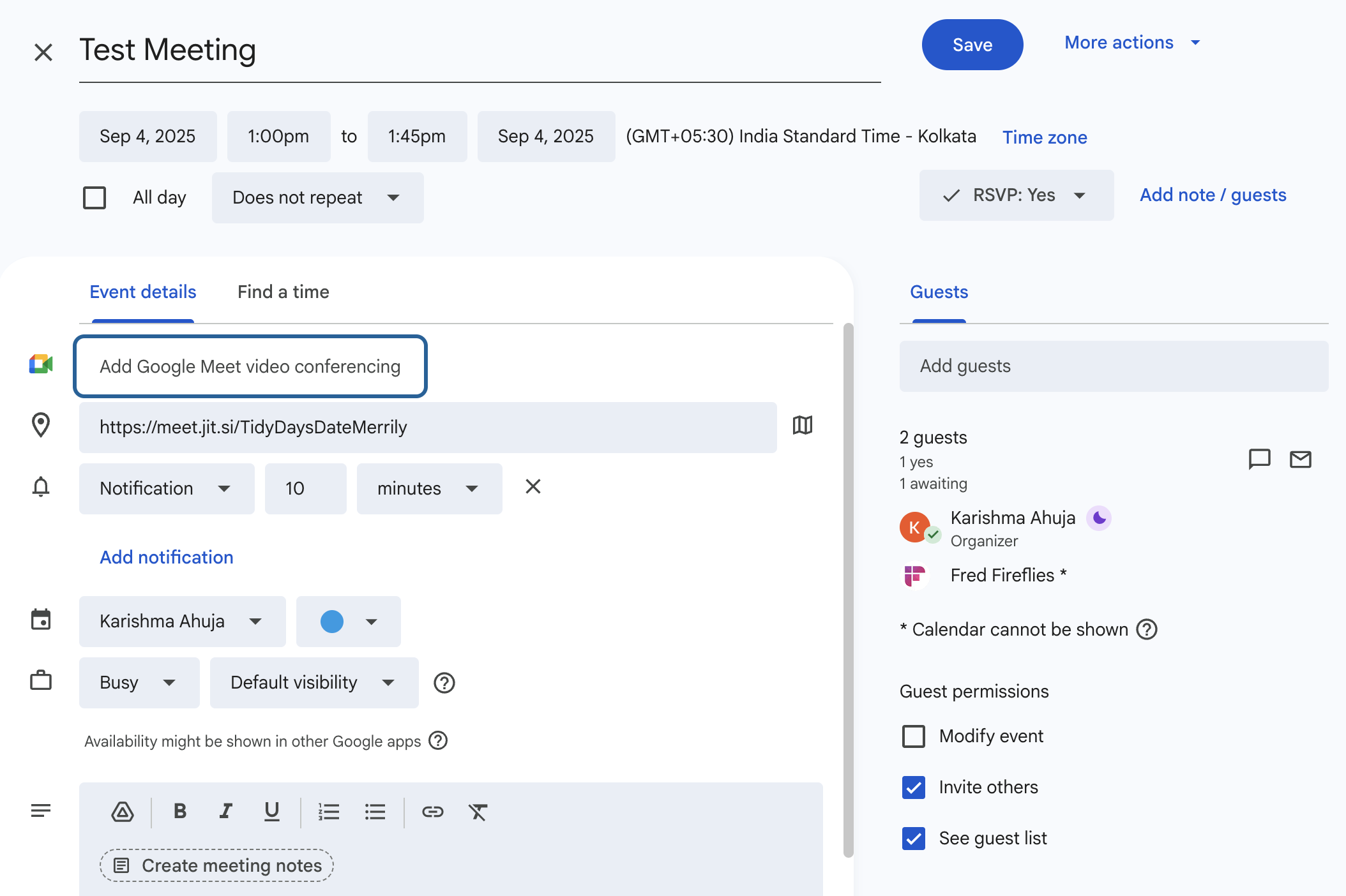
⚠ Important: The calendar you add the Jitsi link to must be the same one connected to Fireflies. Otherwise, Fireflies won’t detect and auto-join the meeting.
🔧 Step 3: Configure Auto-Join Settings
By default, Fireflies auto-joins all meetings with supported links (including Jitsi). However, you can change these settings
📖 Full guide: Learn about Fireflies Auto-join settings
🔧 Step 4: Alternate Ways to Invite Fireflies
If you don’t want to rely on auto-join settings and need manual control. Below is the guide to invite fireflies in other ways
📖 Full guide: How to invite Fireflies to meetings
✅ What Happens After Setup?
Once Fireflies joins your Jitsi call:
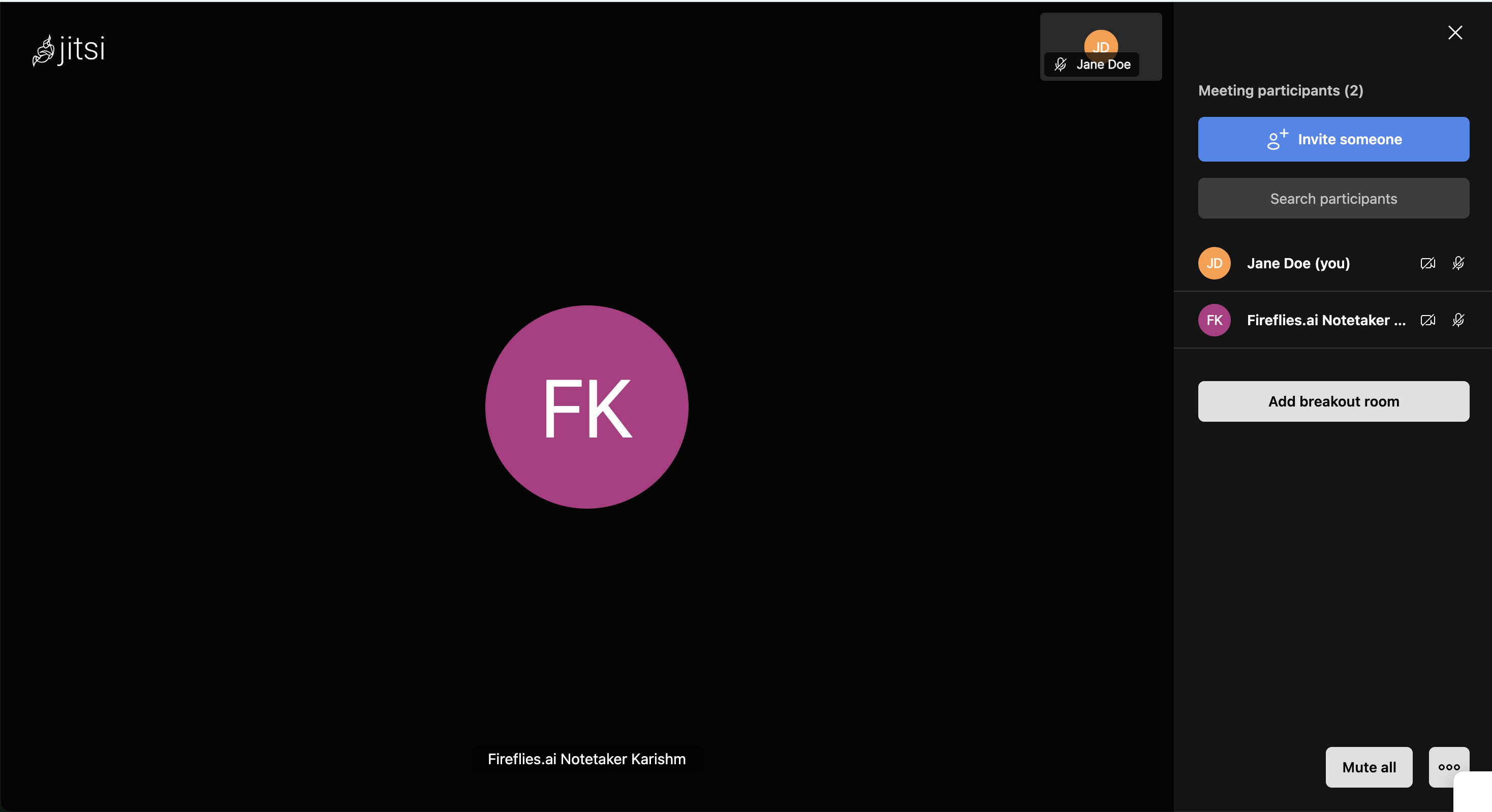
It appears as a participant (e.g., Fireflies.ai Notetaker)
/image
Captures the conversation in real time
Generates transcripts, summaries, and tasks once the meeting ends