How to Manage Your Calendar with AskFred in Fireflies Scheduler
Last updated: November 24, 2026
Fireflies Scheduler brings AskFred, your AI teammate, into your calendar workflow. You can ask Fred to create or update booking links, manage your availability, and handle calendar tasks. Simply describe what you need in plain English, and Fred will help you get it done.
You can use AskFred directly in Fireflies or through Slack. This guide walks you through a few practical examples.
👉🏻 To learn how to create and configure your booking link, see How to Create and Share a Booking Link in Fireflies Scheduler.
Let's get started! 🚀
🤔 When Should You Use AskFred in Fireflies Scheduler?
AskFred is useful when you want to handle scheduling tasks through simple conversations instead of manually navigating through different settings.
With AskFred, you can:
Create and update booking links: Set up new booking links or make changes to existing ones.
Manage your availability: Adjust your scheduling preferences and block calendar time when you're travelling or unavailable.
Create calendar events and send invites: Arrange meetings and coordinate with attendees directly through Fred.
Change your time zone: Update your Scheduler time zone through a simple request.
Manage your Scheduler through Slack: Handle booking links and calendar tasks directly from Slack without switching to Fireflies.
Whether you're setting up a new meeting, adjusting your schedule, or coordinating with attendees, Fred helps you get it done through a conversation.
Good to know: AskFred uses dynamic AI credit pricing. Each request consumes credits based on the effort required to complete the task. Simpler requests may use fewer credits, while more complex tasks may use more.
🤖 Access AskFred in Fireflies Scheduler
1. Log in to your Fireflies account and click Scheduler from the left navigation pane.
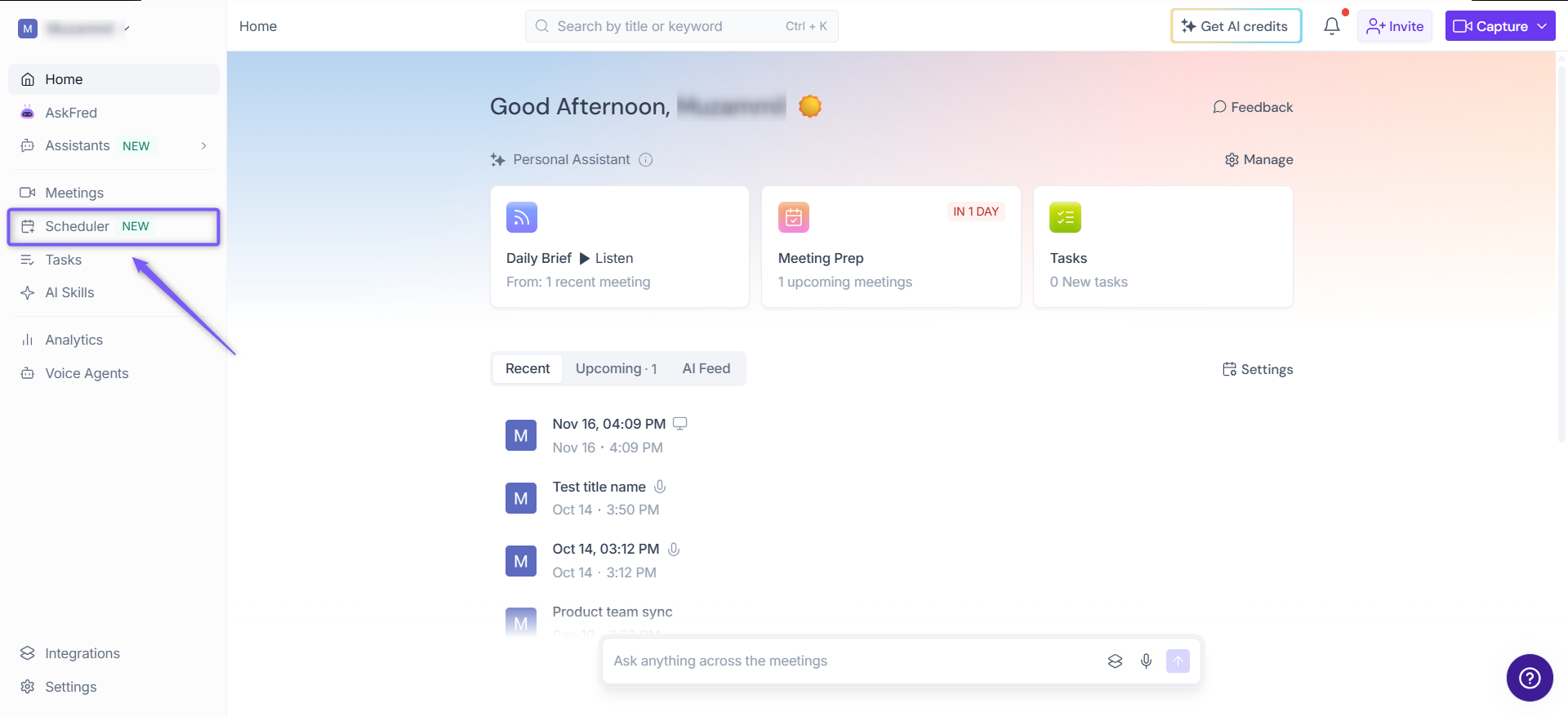
2. On the Scheduler dashboard, find the AskFred panel on the right side.
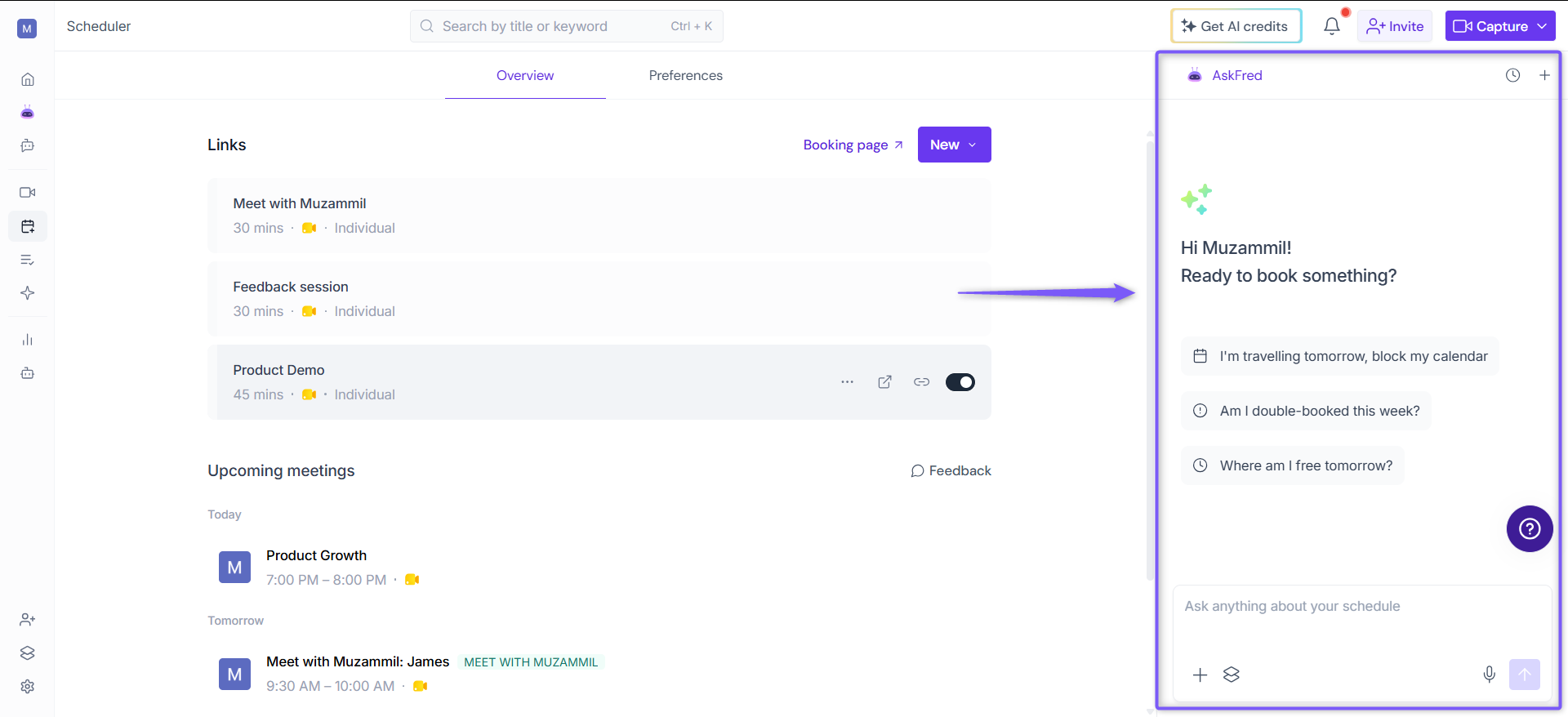
Tip: You can ask Fred to manage your booking links, availability, and connected calendar using simple, natural-language requests. Just describe what you need, and Fred will help you get it done.
💬 Ask Fred to Manage Your Scheduler
With AskFred, you don't need to navigate through multiple settings to manage your Scheduler. Simply describe what you want to do, and Fred can help carry out the task.
Here are some ways you can use Fred.
1. Create a Booking Link
You can ask Fred to create a booking link by describing the meeting type and your preferred schedule. Fred will collect any additional details needed to set it up.
For example, in the demo, the user asks Fred:
Create a new booking link for client meetings every Sunday from 9 AM to 12 PM.
Fred asks you to provide additional details, such as:
Meeting duration: Choose 30, 45, or 60 minutes.
Meeting location: Select Google Meet, Phone call, Custom location/link, or Something else.
Once you provide the details, Fred creates the booking link. In the demo, the Client Meetings link appears in Scheduler with Sunday availability from 9 AM to 12 PM and a 30-minute duration.

📋 Find and Share Your Booking Links
Ask Fred to retrieve your existing booking links without opening Scheduler and copying them manually.
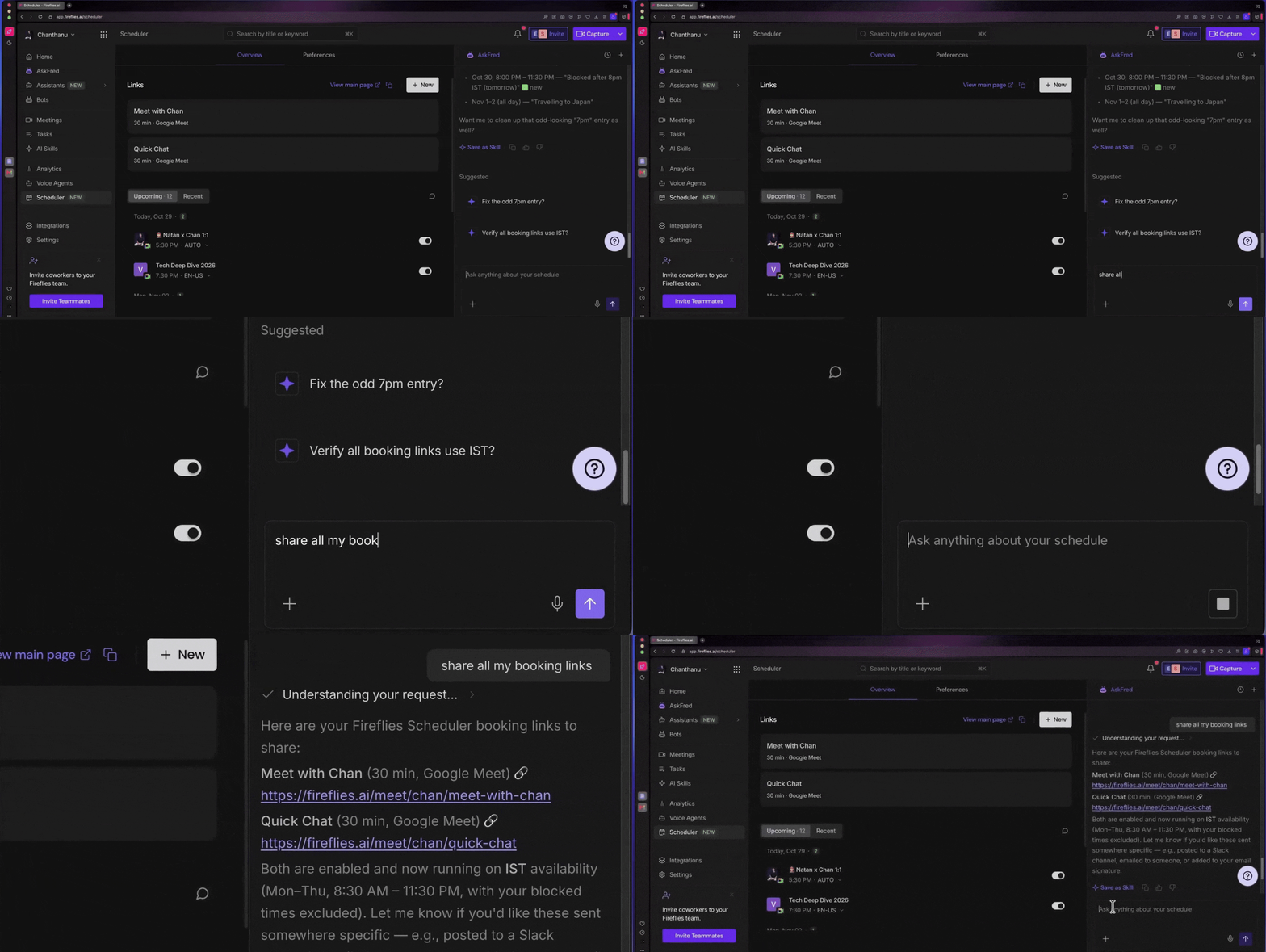
For example, ask: Share all my booking links.
Fred displays your available booking links along with details such as meeting duration, location, and availability. You can then ask Fred to share a booking link through Slack or email.
📅 Block Time Across Your Booking Links
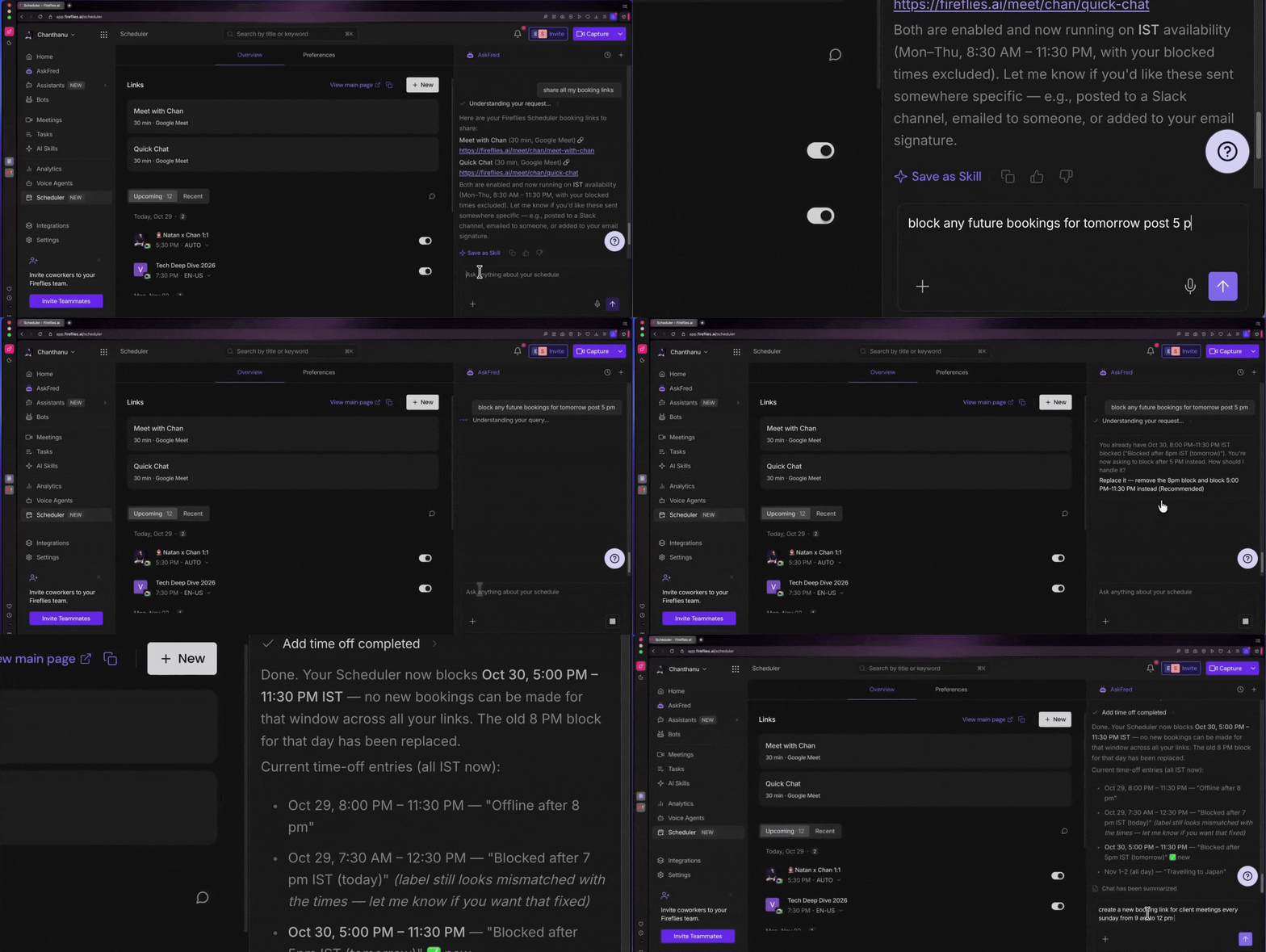
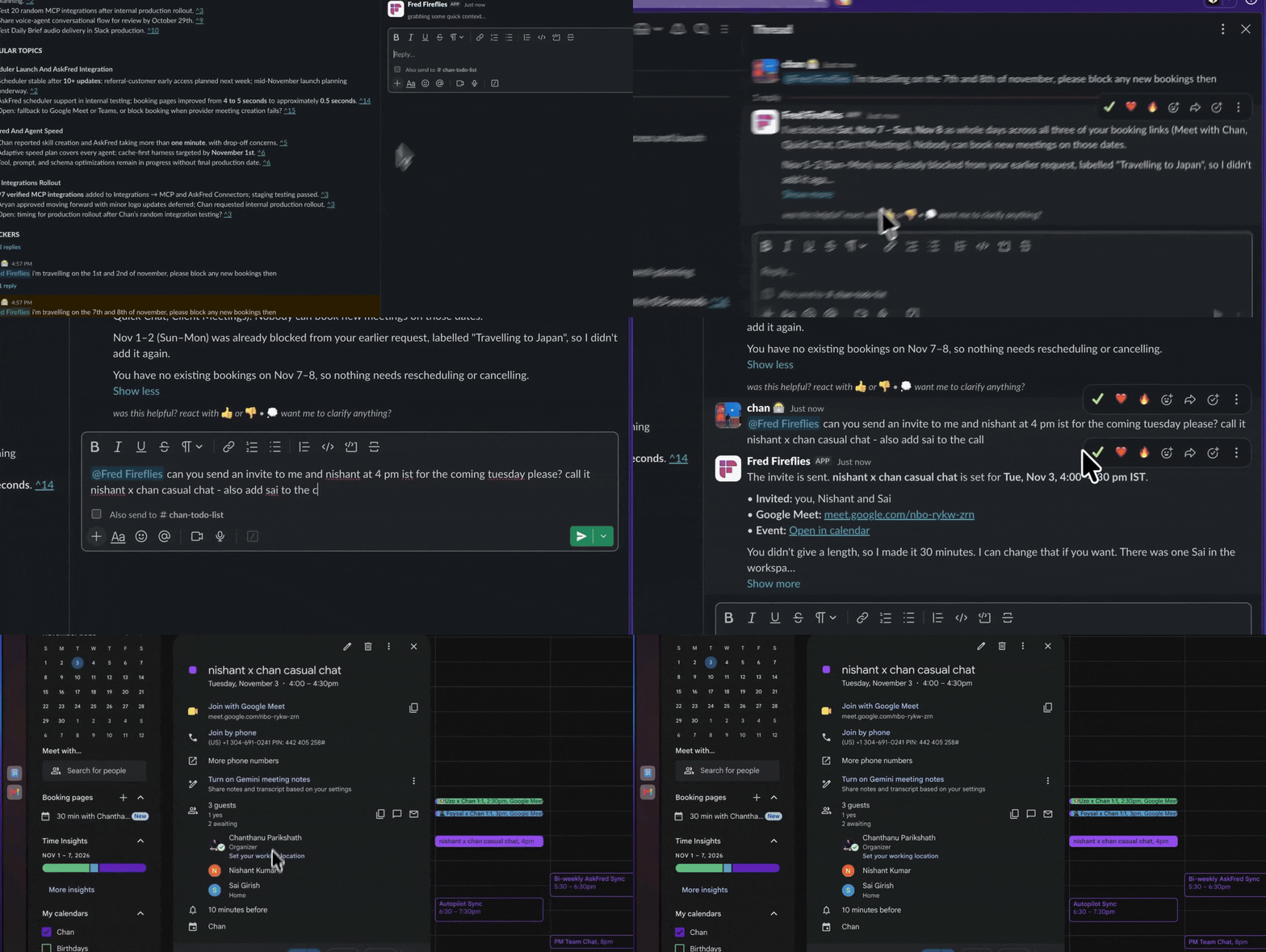
If you're travelling or unavailable, ask Fred to block those dates so guests can't book new meetings during that time.
For example, ask:
I'm travelling on November 7 and 8. Please block any new bookings during those dates.Block any future bookings for tomorrow after 5 PM.
Fred checks your existing bookings and blocks the requested dates across your booking links. It also confirms the changes and lets you know if any existing meetings need attention.
💬 Manage Your Calendar from Slack
You can use AskFred directly in Slack to create calendar events and send invitations without switching to Fireflies or your calendar. Simply tag @Fireflies and describe what you need.
For example, ask:
@Fireflies Can you send a calendar invite to me and Nishant for next Tuesday at 4 PM IST? Call it a casual chat.
Fred creates the calendar event and sends the invitations. It then confirms the meeting time, attendees, and provides a link to open the event in your calendar.
🧭 What AskFred in Scheduler Can and Can't Do
AskFred is designed to help you manage your booking links and connected calendar through conversational requests. You can ask Fred to handle Scheduler tasks directly in Fireflies or Slack.
AskFred can:
Create new booking links and modify existing ones.
Retrieve and share your booking links.
Manage your availability and add time blocks when you're unavailable.
Create calendar events and send invitations to attendees.
Change your Scheduler time zone.
Handle Scheduler-related requests directly in Slack by tagging Fireflies.
AskFred can't:
[Need information]
❓ Troubleshooting & FAQs
1. Can I use AskFred in Slack?
Yes. Tag @Fireflies in Slack and describe the Scheduler or calendar task you want Fred to handle.
2. Can AskFred create and modify booking links?
Yes. You can ask Fred to create new booking links or update existing ones through conversational requests.
3. Can Fred move an existing meeting?
Yes. You can ask Fred to change a meeting time and send the reason for the change to attendees.
4. How do AI credits work with AskFred in Scheduler?
AskFred uses dynamic AI credit pricing. Credits are charged per request, and the number of credits used depends on the effort required to complete the task. Simpler requests may use fewer credits, while more complex tasks may use more.
Learn more: AI Credits Explained and How to Purchase AI Credits.
5. Can Fred block my calendar when I'm travelling?
Yes. Ask Fred to block the dates you're unavailable. Fred can apply the time blocks across your booking links.
6. Can I ask Fred to send calendar invitations?
Yes. Ask Fred to create a calendar event and send invitations to the requested attendees.
Still stuck? Contact support via this link for more help.
📚 Related Guides
How to Create and Share a Booking Link in Fireflies Scheduler — Create, customize, and share your Scheduler booking links.
How to Set Your Availability and Scheduling Rules in Fireflies Scheduler — Configure your working hours, booking limits, and custom scheduling rules.
Learn About the Fireflies Slack Assistant — Use Fireflies directly in Slack to get help with your work.
How to Set Up Fireflies Slack Integration — Connect Fireflies to your Slack workspace.
AI Credits Explained — Understand how AI credits work across Fireflies.