Learn about the Fireflies Slack Assistant: Your AI Teammate for Smarter, Faster Collaboration
Last updated: June 26, 2026
If your team already uses the Slack integration, the Fireflies Slack Assistant makes teamwork effortless. It’s your AI teammate inside Slack — ready to summarize meetings, answer questions, and fetch context from your channels or even the web in real time.
🤔 When should I use Slack Assistant?
Slack moves fast, and it’s easy to miss context. Slack Assistant is most helpful when you want to catch up or get clarity without digging through long threads or old meetings.
Use Slack Assistant when:
You joined a channel late and want a quick summary of what you missed
A thread has gotten long, and you don’t want to scroll through every message
Someone mentions a decision, but you’re not sure when or where it was made
You remember something was discussed in a meeting, but can’t recall which one
🔑 Prerequisites
Before you start using the Fireflies Slack Assistant, make sure you’ve:
Connected the Slack integration to your Fireflies account.
Have a Fireflies account linked to the same email as your Slack workspace.
Workspace members with Fireflies accounts can use the assistant once connected by anyone in the workspace.
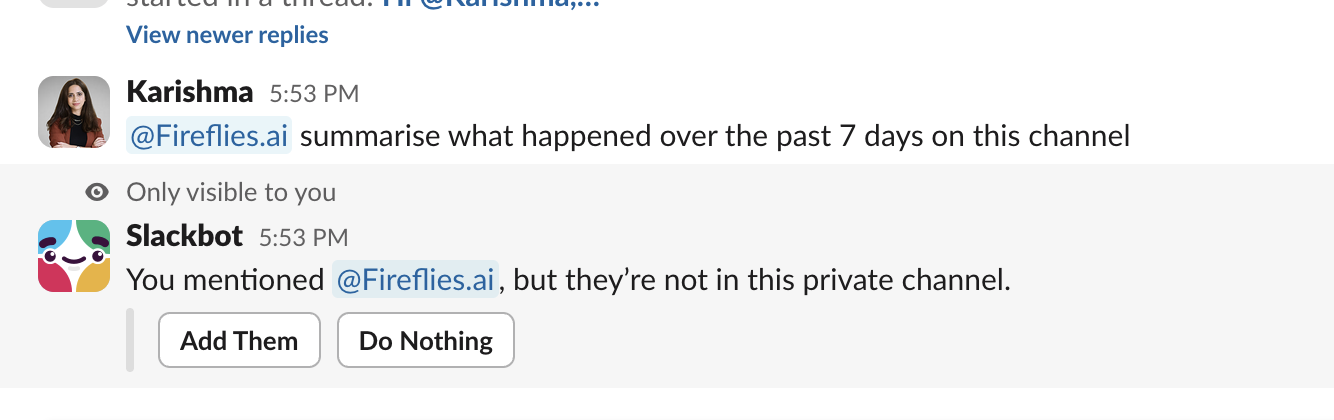
Just tag Fireflies.ai on a specific channel and get prompted to add Fireflies.ai
Or simply add it to the specific Slack channel where you want to use the Slack Assistant
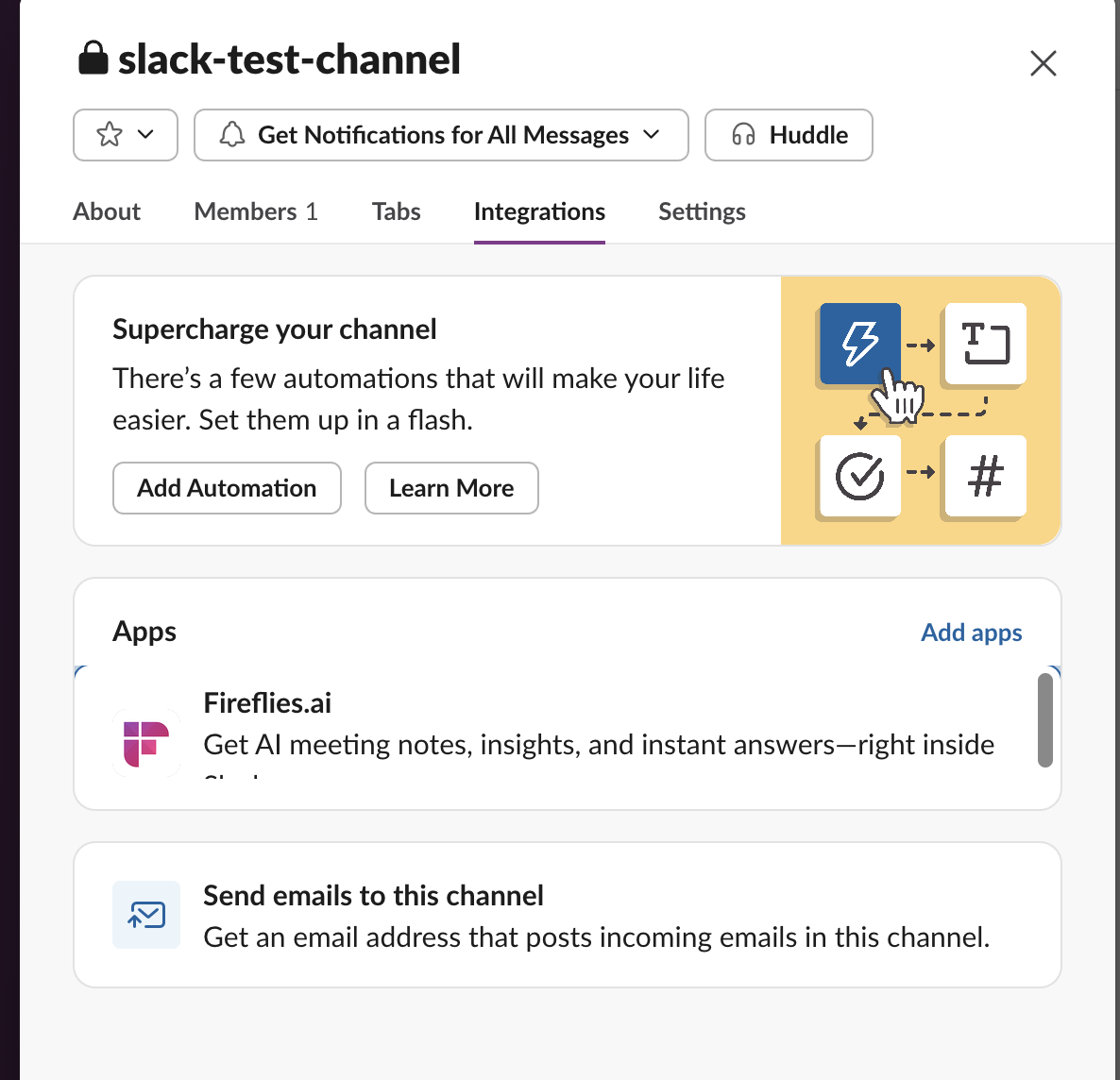
That’s it — no extra setup needed.
🚀 What can Slack Assistant do?
Once your Slack integration is connected, you’re all set — there’s no extra setup or configuration needed.
1. Tag Fireflies in Slack
You can talk to @fireflies.ai right where you chat — no need to switch apps or open Fireflies.
Just type @fireflies.ai in any message, thread, or channel to start a conversation.
Ask about your meetings, threads, channels, or even the web, and Fireflies will reply instantly with what you need.
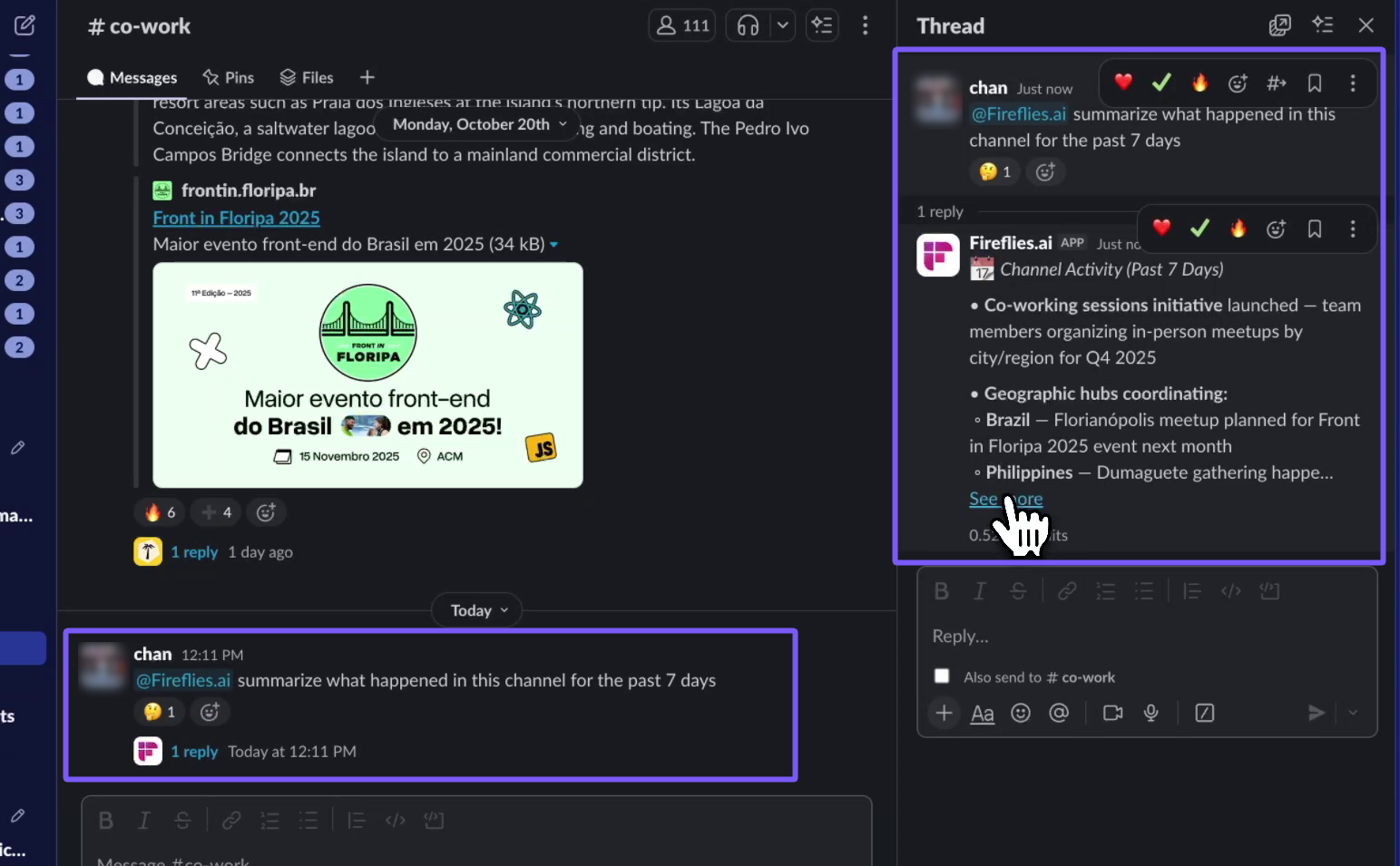
2. Get Quick Context Before Meetings
Need a quick refresher before joining a call? Just tag @fireflies.ai, and it’ll instantly pull highlights or takeaways from your recent meetings — helping you walk in fully prepped.
Example: @fireflies.ai I'm meeting Elon from Stripe today- do a quick research on him.
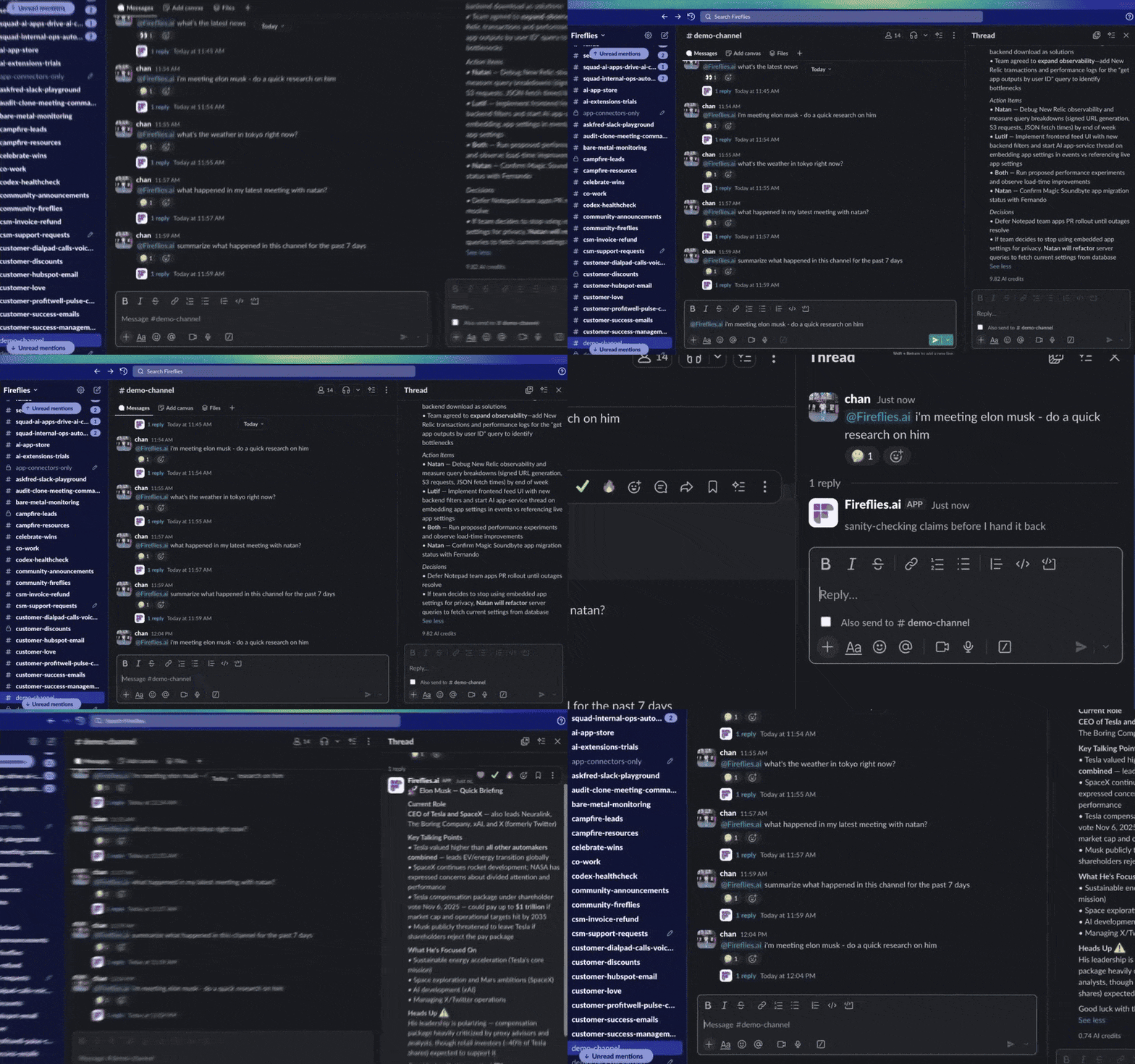
3. Ask Everyday Questions
The assistant isn’t limited to meetings — it can handle everyday queries too:
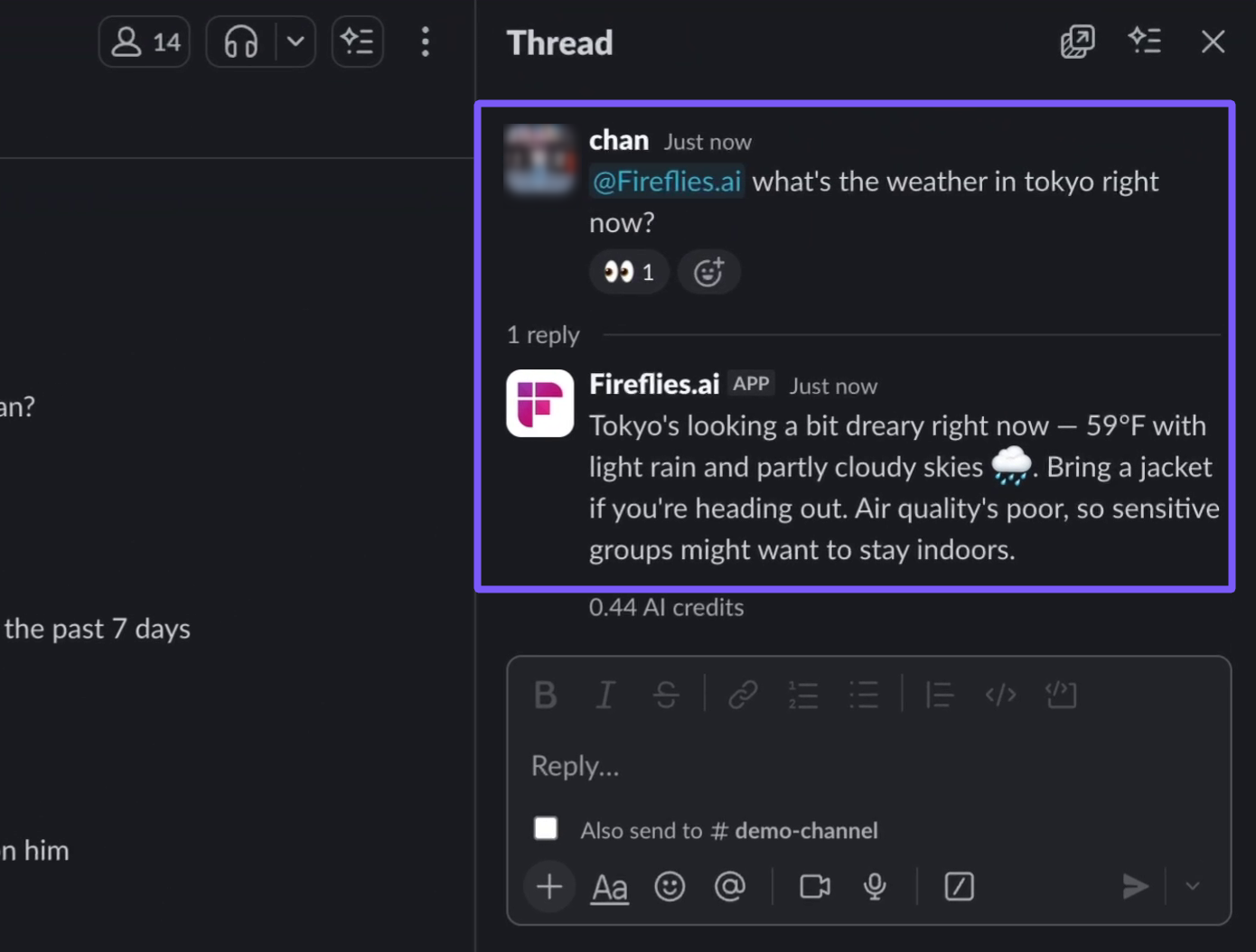
Example: @fireflies.ai What’s the weather in Tokyo right now?
4. Recall and Summarize Past Meetings
Want to quickly revisit what was discussed? Tag @fireflies.ai and ask:
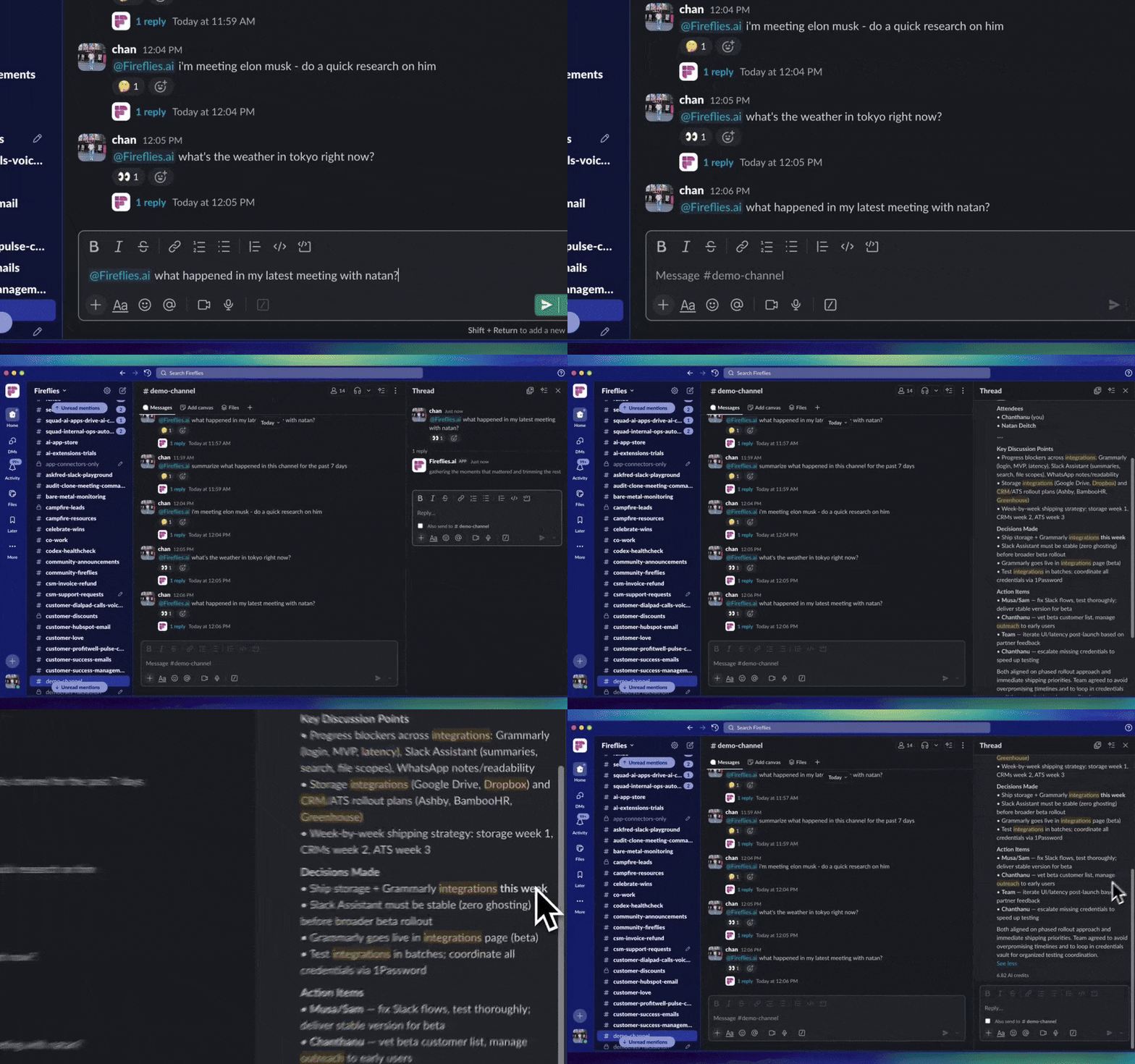
Fireflies will analyze your meeting notes and reply instantly in the same thread.
Example: @fireflies.ai What happened with my latest meeting with Natan?
5. Ask Questions in Slack Threads and Channels
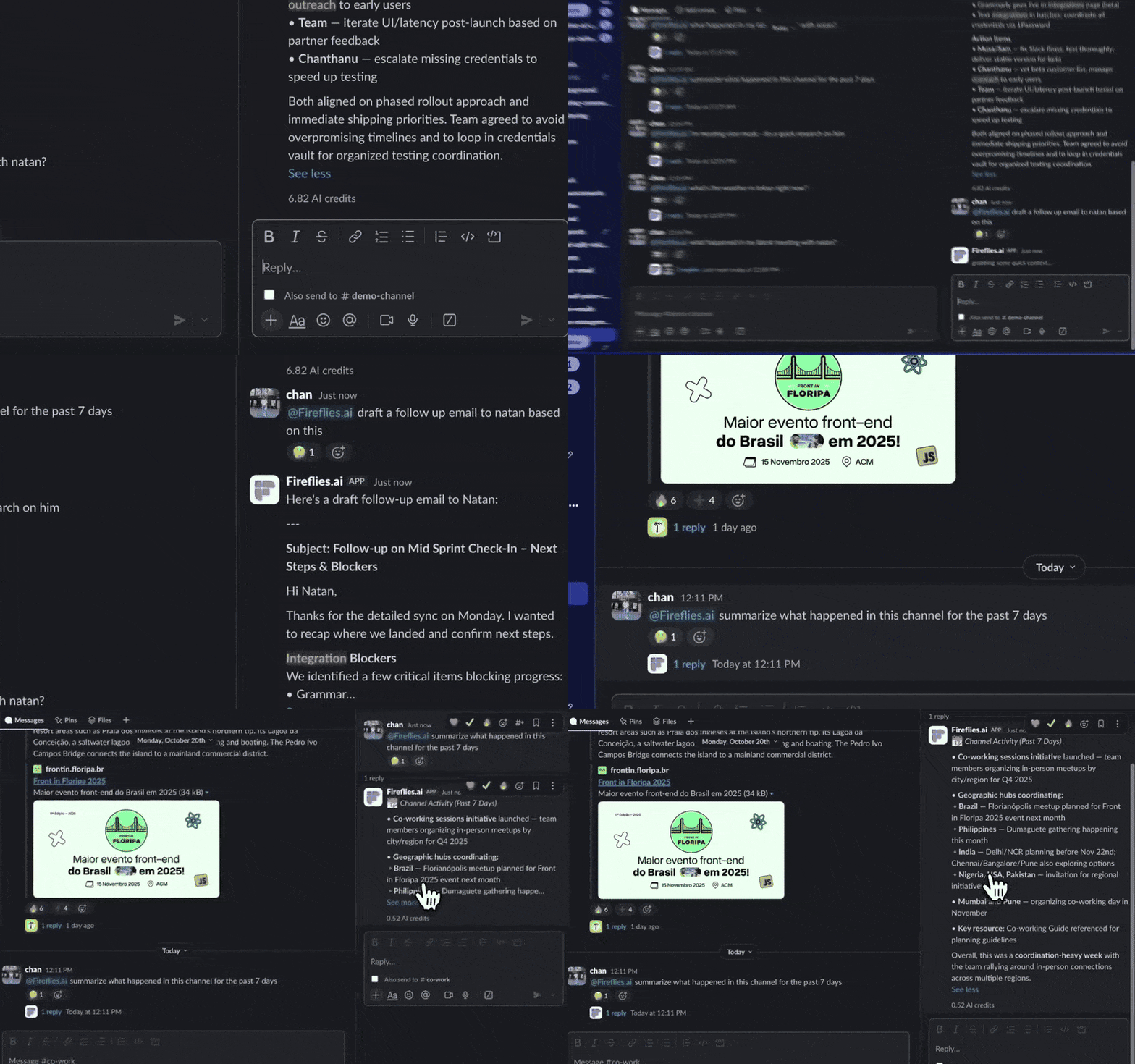
You don’t have to leave an active discussion to get help — the Slack Assistant works right inside any thread or channel. Simply tag @fireflies.ai, and it’ll instantly summarize the conversation or draft a follow-up email based on the context.
Example: @fireflies.ai Draft a follow-up email to Natan based on this thread.
Fireflies can scan up to 90 days of messages in a channel and generate a clean summary. AI credits are charged dynamically based on the complexity of each query.
6. How people actually use it
Use Slack Assistant by tagging @fireflies.ai in a channel or thread and asking a question like the examples below.
Summarize this thread.
What did we decide here?
What are the next steps?
Did this come up in a meeting?
Have we discussed this before?
Summarize the last 30 days of this channel.
👥 Team Access and AI Credits
Once the Slack integration is active, every teammate in your workspace with a Fireflies account can start using the Slack Assistant right away — no extra setup or permissions required.
To view your team’s AI credit usage:
From your Fireflies dashboard, click Settings on the left navigation bar.
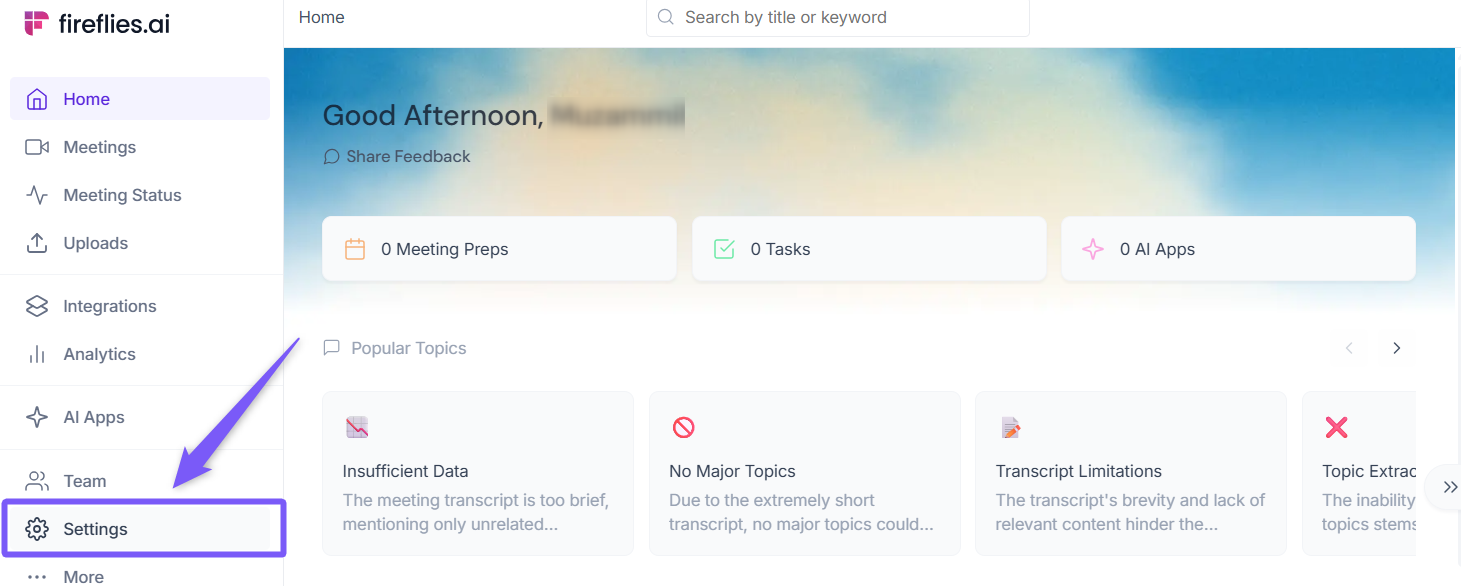
Select Billing → AI Credits Usage to see a detailed breakdown of credits consumed by the Slack Assistant.
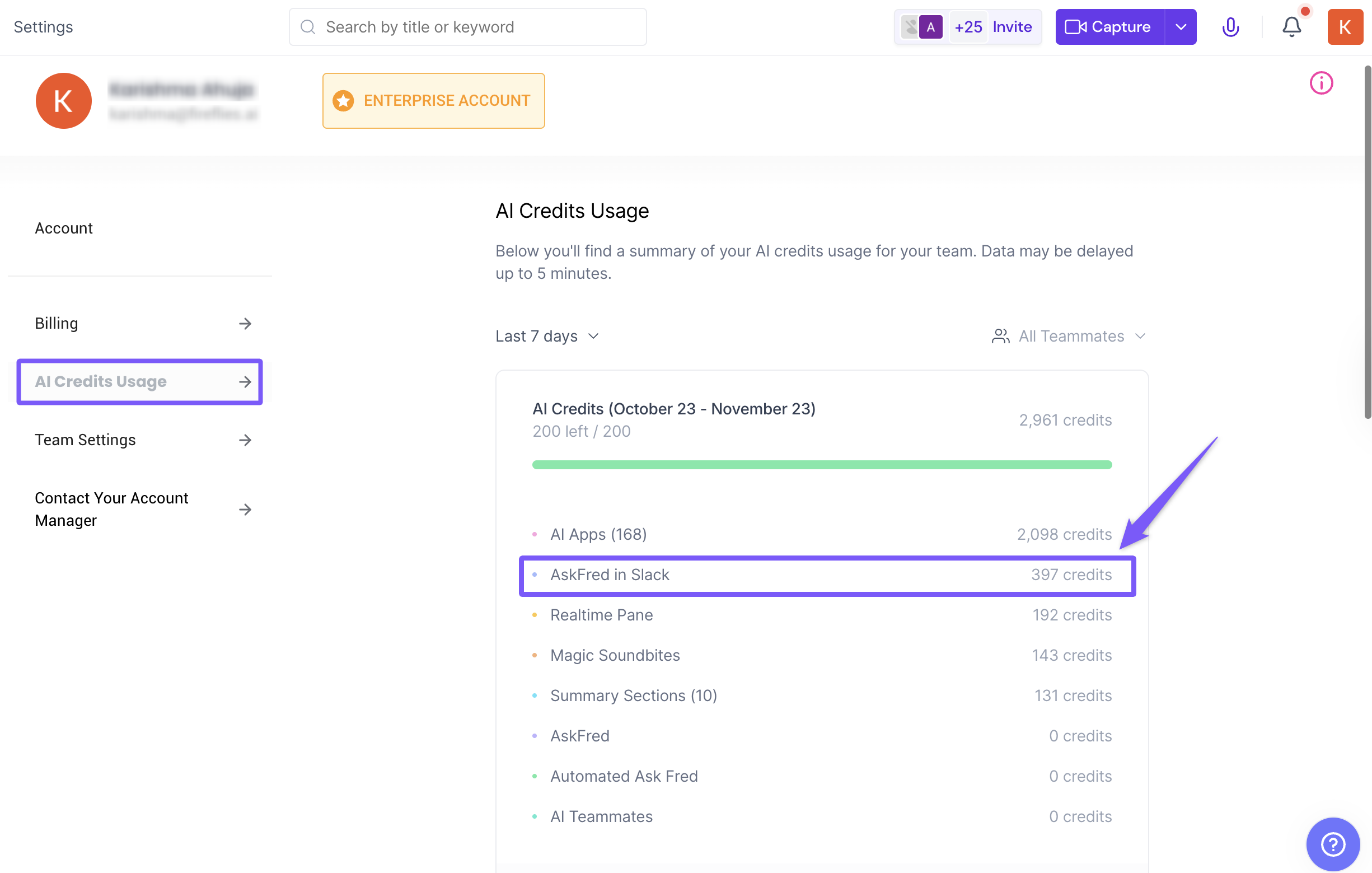
Each query uses AI credits based on its complexity. Short summaries use fewer credits, while deeper scans (like 90-day message summaries) may consume more.
🔍 What to expect from the answers
Slack Assistant answers questions based on the information it can access, so responses may vary depending on what’s available.
Slack Assistant answers questions using:
Slack channels and threads it’s been added to
Your Fireflies meetings and meeting notes
The web, when you ask it to look things up
Because of this, the quality of the answer depends on what information exists and what Slack Assistant can access. If something feels missing, asking a more specific question usually helps.
🧭 What Slack Assistant can and can’t do
Slack Assistant is designed to help you quickly get context and answers, but its responses depend on what information is available and what it has access to.
Slack Assistant can:
Summarize Slack channels and threads it’s been added to, so you can catch up quickly.
Answer questions based on your Fireflies meetings and meeting notes.
Search the web from Slack when you explicitly ask it to.
Slack Assistant can’t:
See private channels or threads where it hasn’t been added.
Answer questions about conversations or meetings that don’t exist.
Guess or infer decisions that were never discussed.
❓Troubleshooting & FAQs
1. I tagged @fireflies.ai but didn’t get a response.
Make sure your Slack integration is active and connected to the same Fireflies account. If needed, re-authenticate from your Integrations page.
2. Why can’t I ask questions about certain meetings?
Only teammates who have access to that meeting inside Fireflies can get answers.
If you don’t have access, Fireflies will politely reply that it can’t share the information.
3. How do AI credits affect the Slack Assistant?
Every question or summary request uses AI credits depending on its complexity.
Learn more here → AI Credits Explained or How to Purchase More Credits.
4. Can I use the Slack Assistant in private channels or DMs?
Yes — as long as @fireflies.ai is added to that space and the user has the right meeting access.
5. How far back can Fireflies summarize messages?
It can scan and summarize up to 90 days of channel messages to help you catch up quickly.
Still stuck? Contact support via this link for more help.
🔄 Quick Recap
Tag @fireflies.ai anywhere in Slack to ask questions or get summaries.
Get quick insights from meetings, threads, or channels (up to 90 days).
Draft follow-up emails or messages instantly.
All teammates with Fireflies accounts can use it right away.
Each query uses AI credits based on complexity
📚 Related Guides
Learn about the Fireflies Slack Assistant — Your AI teammate for smarter, faster collaboration.
How to Purchase AI Credits— Step-by-step on how to buy extra AI credits when your team needs more.
What is Fireflies.ai? — Overview of what the platform does and why it matters.