Meeting Prep: Get Briefed Before Every Meeting
Last updated: October 19, 2026
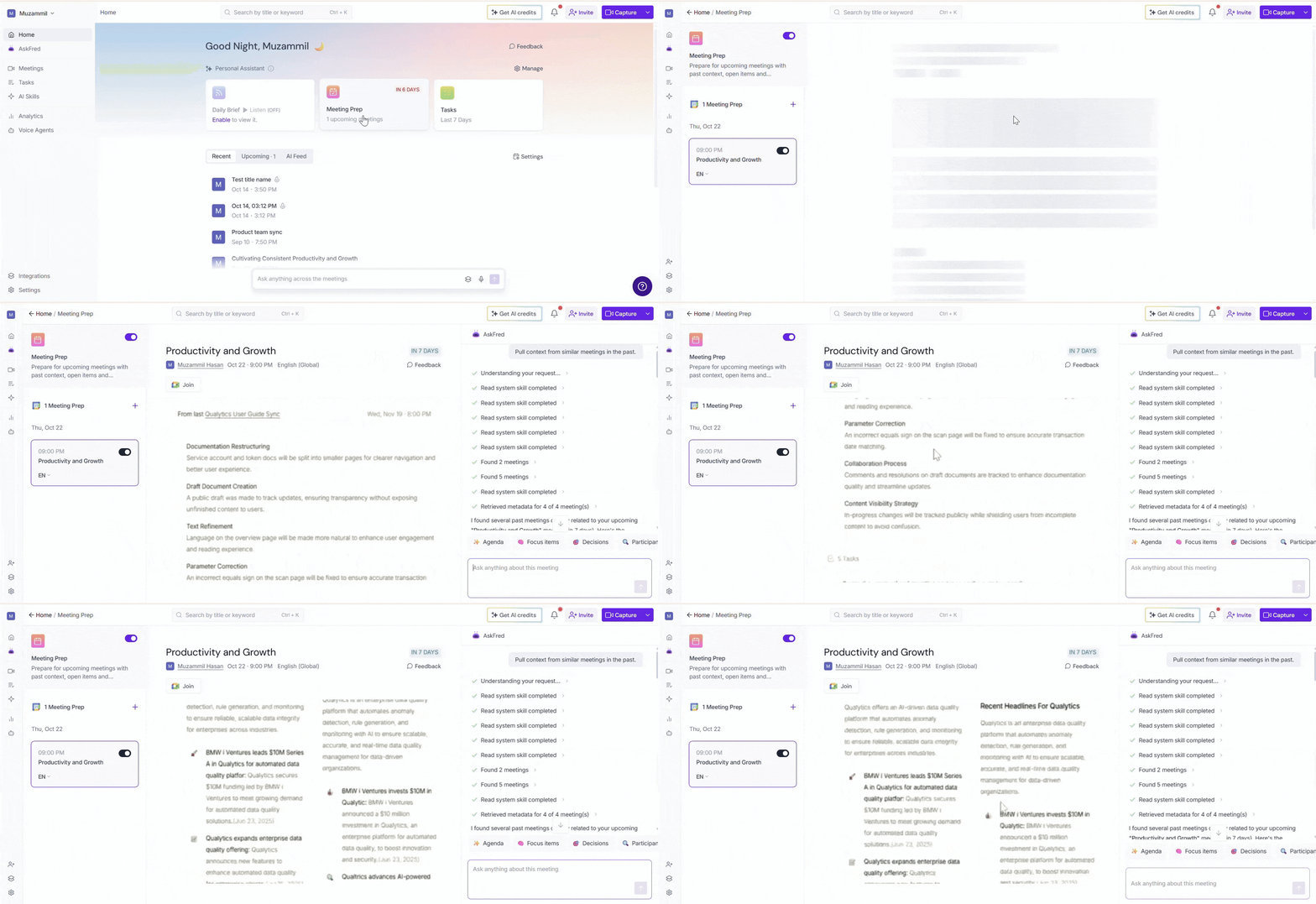
Going into a meeting without context makes it harder to recall prior discussions, decisions, and action items. Meeting Prep prepares you with AI-generated briefs that bring together everything you need, including:
A summary of key points from previous meetings with the same attendees
Open action items and important decisions from past conversations
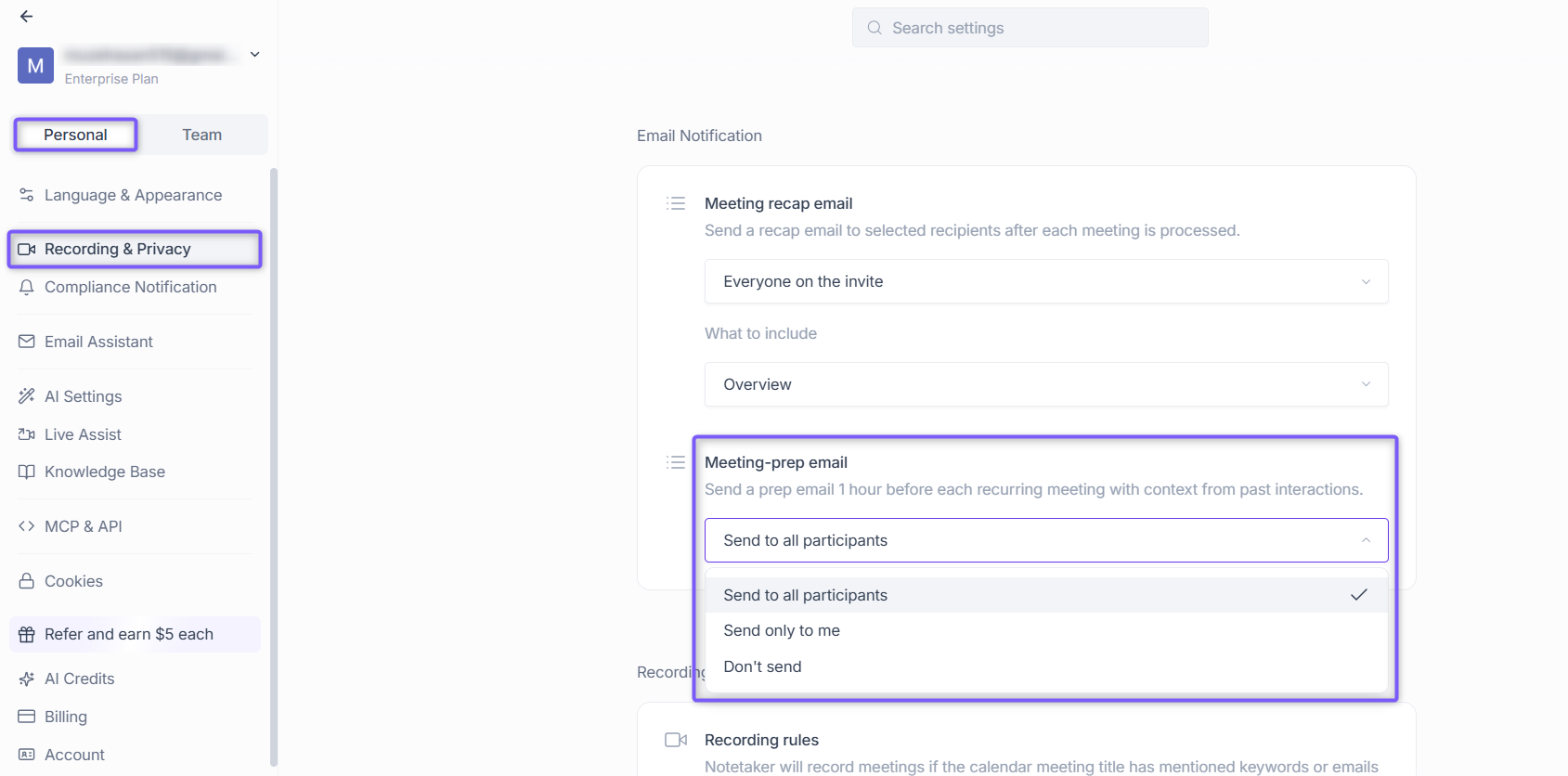
A prep email sent 1 hour before each recurring meeting with context from your past interactions
Meeting Prep is enabled by default. You can turn it off from your AI Skills settings. It also requires a connected calendar to identify your upcoming meetings. If enabled, it uses dynamic AI credit pricing to generate briefs.
📋 What Does Meeting Prep Include?
Each Meeting Prep brief is generated using your previous meetings with the same attendees and may include:
Key discussion points from previous meetings with the same people or team.
Open action items that were assigned but not yet completed.
Decisions and agreements that may need to be revisited.
Relevant context to help you enter your meeting prepared.
💡 Tip: The more meetings you've had with the same people or team, the richer and more useful your Meeting Prep brief becomes.
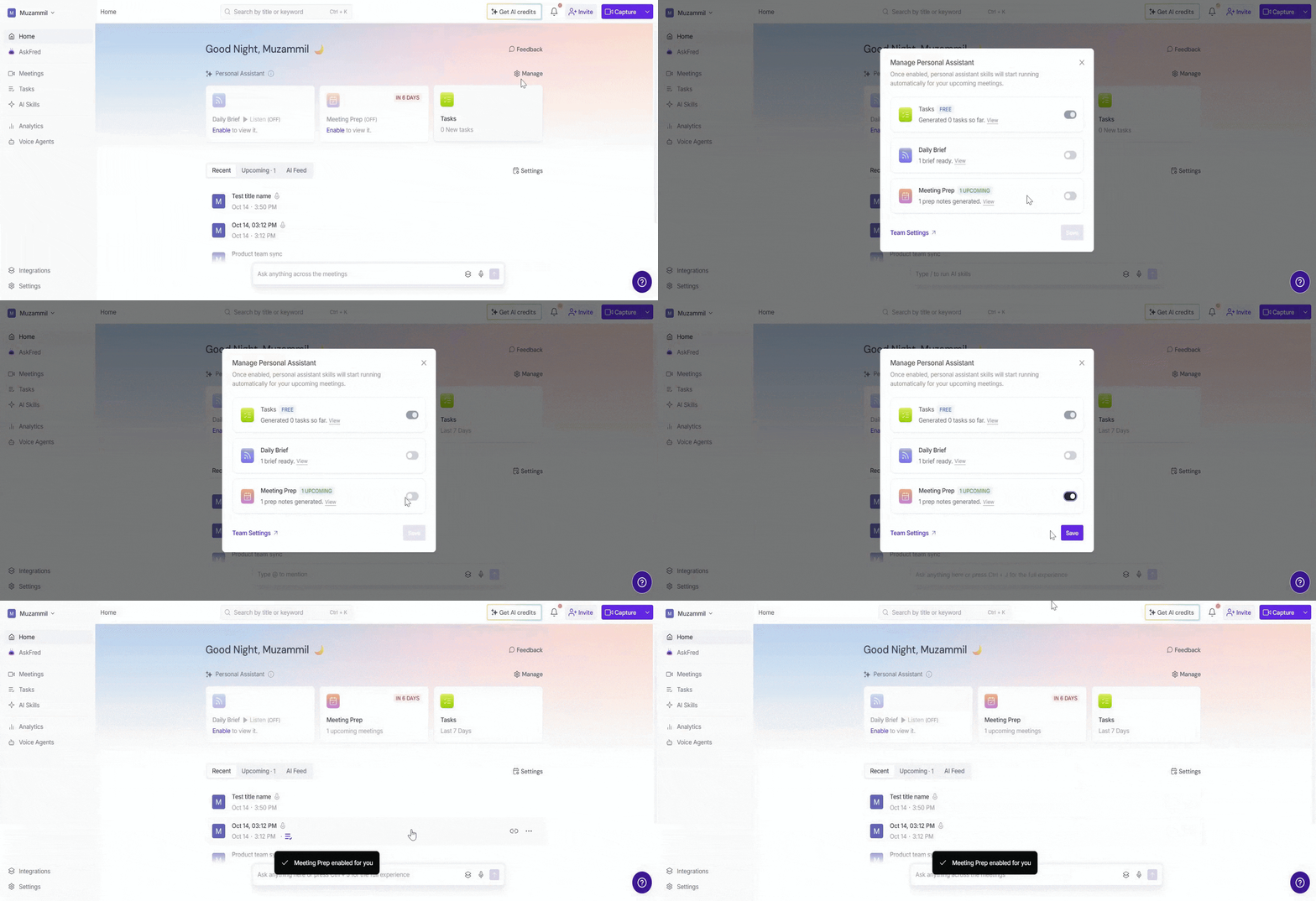
▶ How to Enable or Disable Meeting Prep
1. From your Home dashboard, locate the Personal Assistant section.
2. Click Manage
in the top-right corner of the section.
3. In the Manage Personal Assistant dialog, turn on the toggle next to Meeting Prep.
4. Click Save to apply your changes.
Fireflies needs calendar access to send Meeting Prep. If your calendar isn't connected yet, you'll be prompted to connect it during setup.
👉🏻 Learn more: What Calendars Are Supported?
📬 Configure Meeting Prep Email Notifications
Meeting Prep is delivered by email to your connected Fireflies account 1 hour before each recurring meeting. You can manage who receives these emails from Settings → Email Notification → Meeting-prep email.
👉🏻 For step-by-step instructions, see How to Turn On Meeting Prep Email Notifications.
🗓 Which Meetings Receive a Meeting Prep Brief?
Meeting Prep generates briefs for eligible meetings when:
The meeting has at least one other attendee.
The meeting is 5 minutes or longer.
Fireflies has access to your connected calendar.
Meeting Prep supports both internal and external meetings.
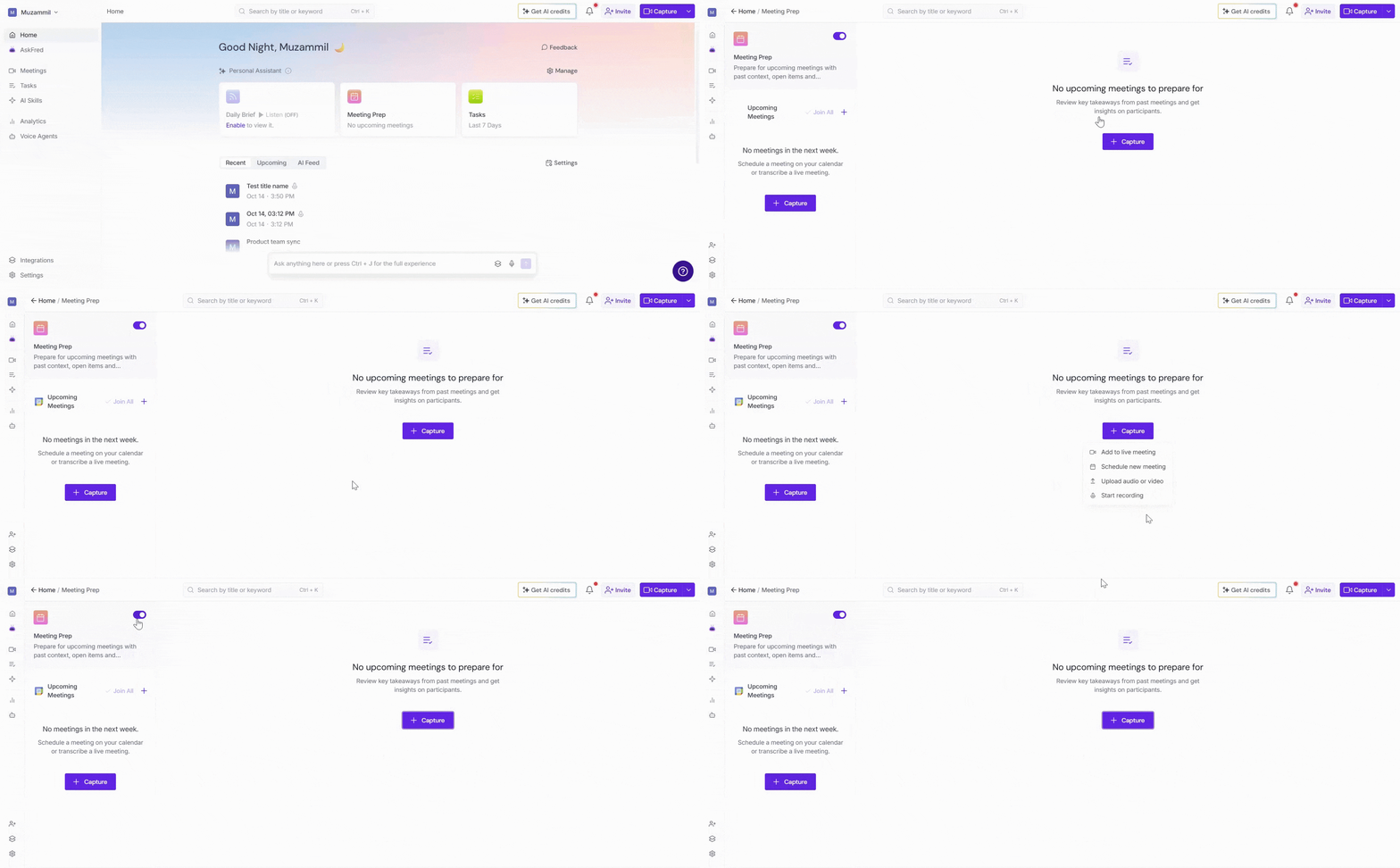
If you don't have any upcoming eligible meetings, you'll see No upcoming meeting to prepare on the Meeting Prep card. The card updates automatically as meetings are added to your calendar.
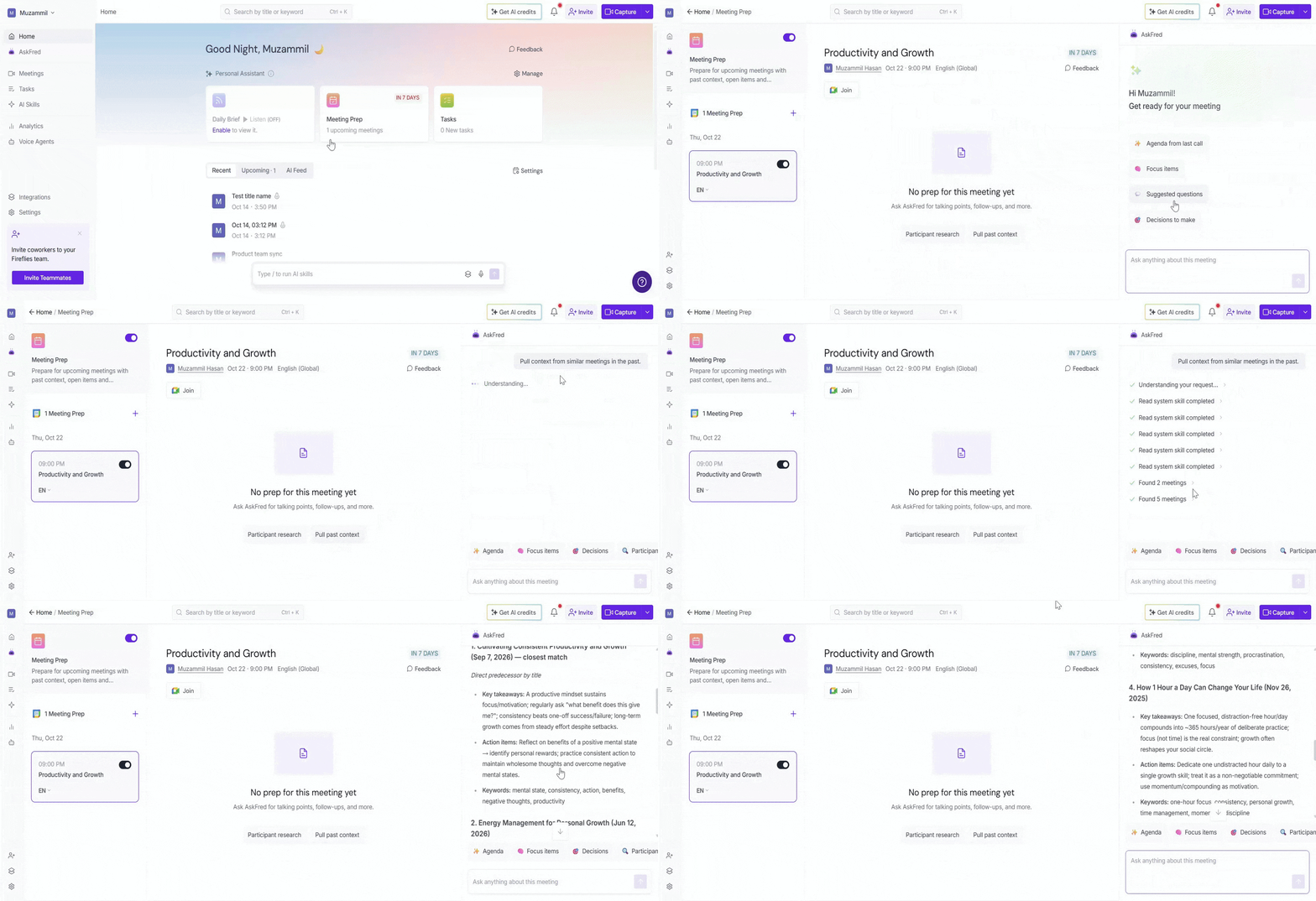
🔍 AskFred About Your Upcoming Meeting
Every Meeting Prep brief includes an AskFred link. Click it to open AskFred and ask deeper questions about the meeting — pull past context, what was discussed last time, what's still open, who was involved, and more.
👉 Want to learn more? See Global AskFred: Get Answers from Past Meetings.
👥 Manage Meeting Prep for Your Workspace
Workspace admins can manage Meeting Prep for everyone in the workspace.
1. Click Settings from the left navigation menu and switch to the Team tab.
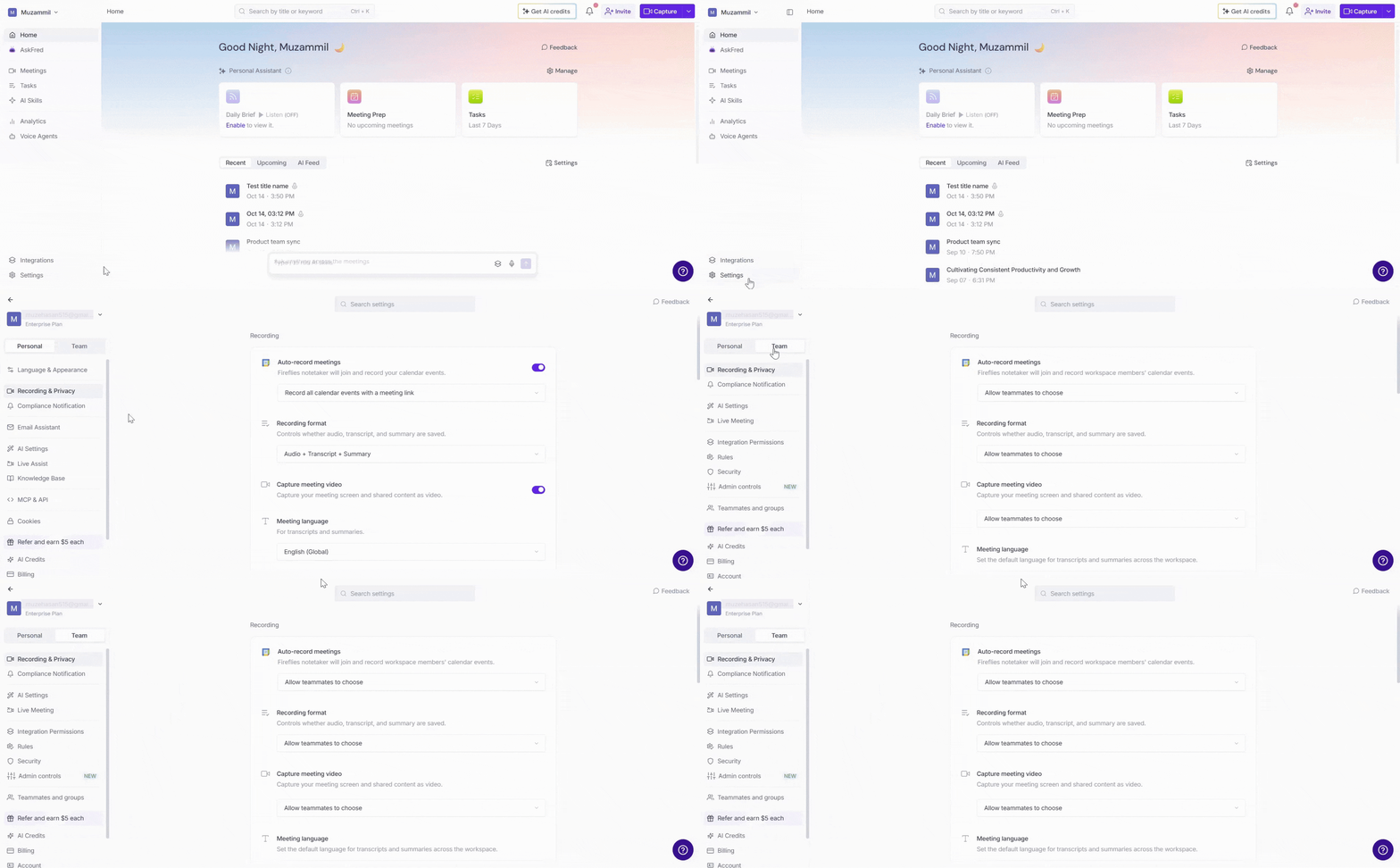
2. Select AI Settings.
3. Under Personal Assistant, turn the Meeting Prep toggle On or Off to enable or disable the feature for your workspace.
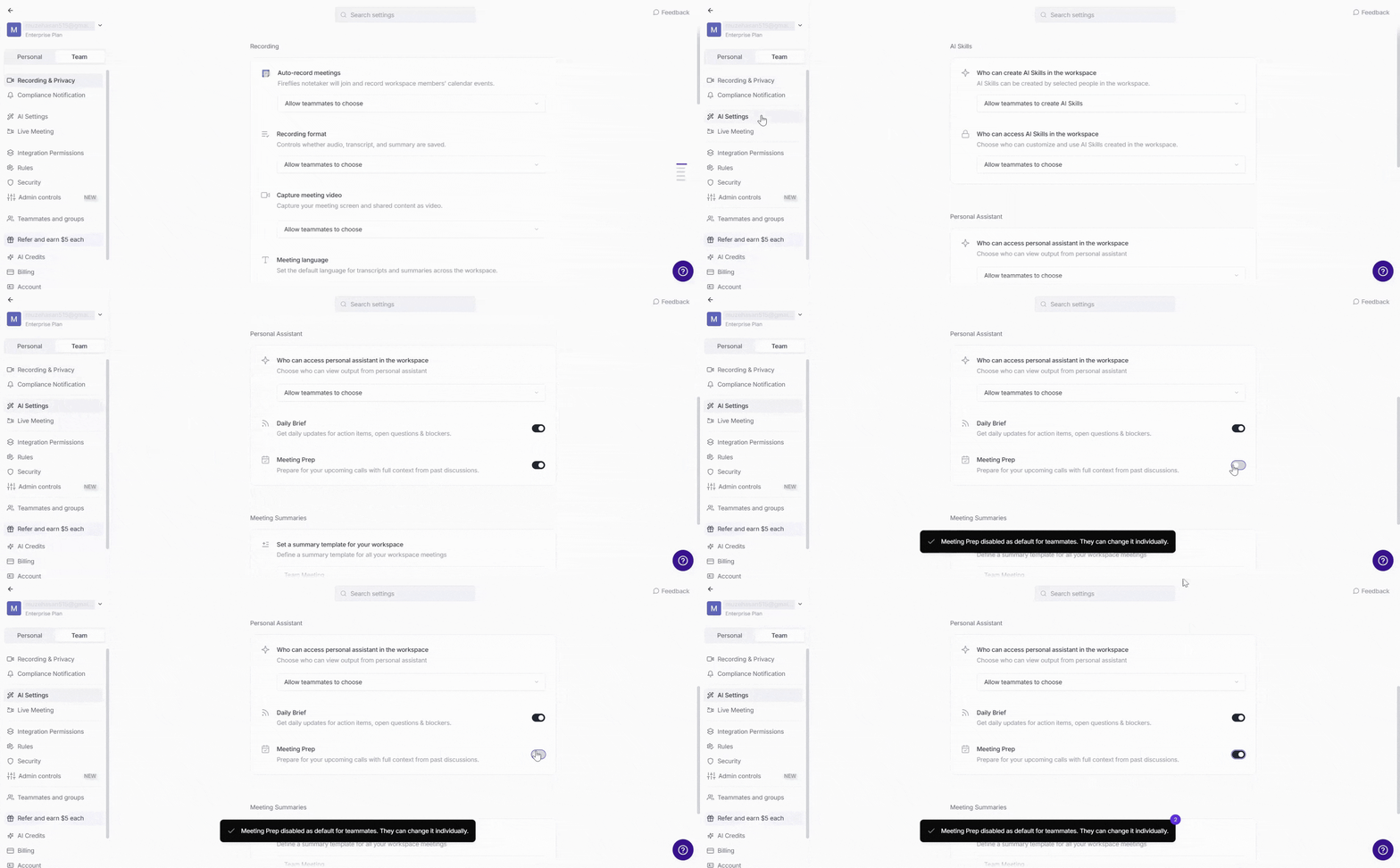
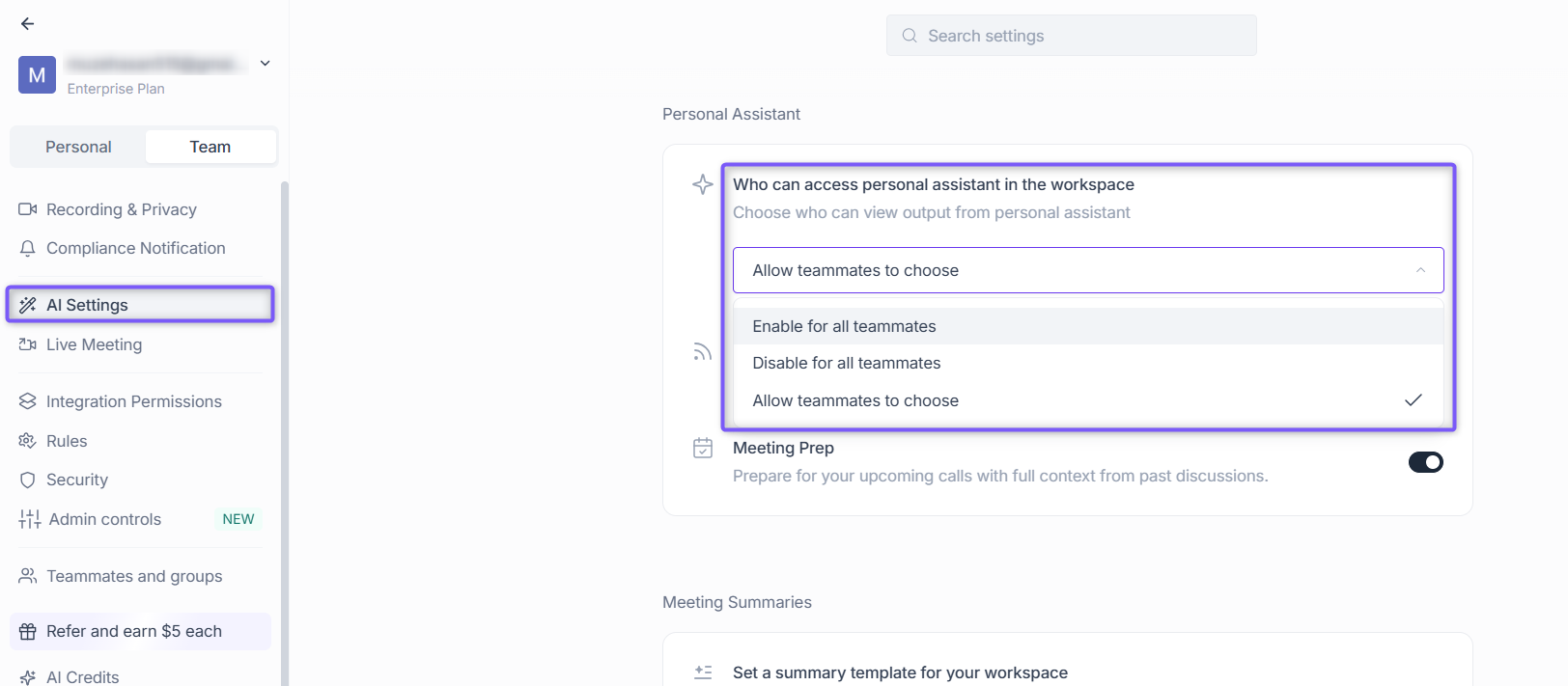
📌 Note: Changes apply to everyone in the workspace. Individual teammates can manage their own Meeting Prep settings only if the workspace admin sets Who can access Personal Assistant in the workspace to Allow teammates to choose.
❌ How to Turn Off Meeting Prep
If you no longer want to receive Meeting Prep briefs, you can disable the feature at any time.
1. From your Home dashboard, locate the Personal Assistant section.
2. Click Manage in the top-right corner of the section.
3. In the Manage Personal Assistant dialog, turn off the toggle next to Meeting Prep.
4. Click Save to apply your changes.
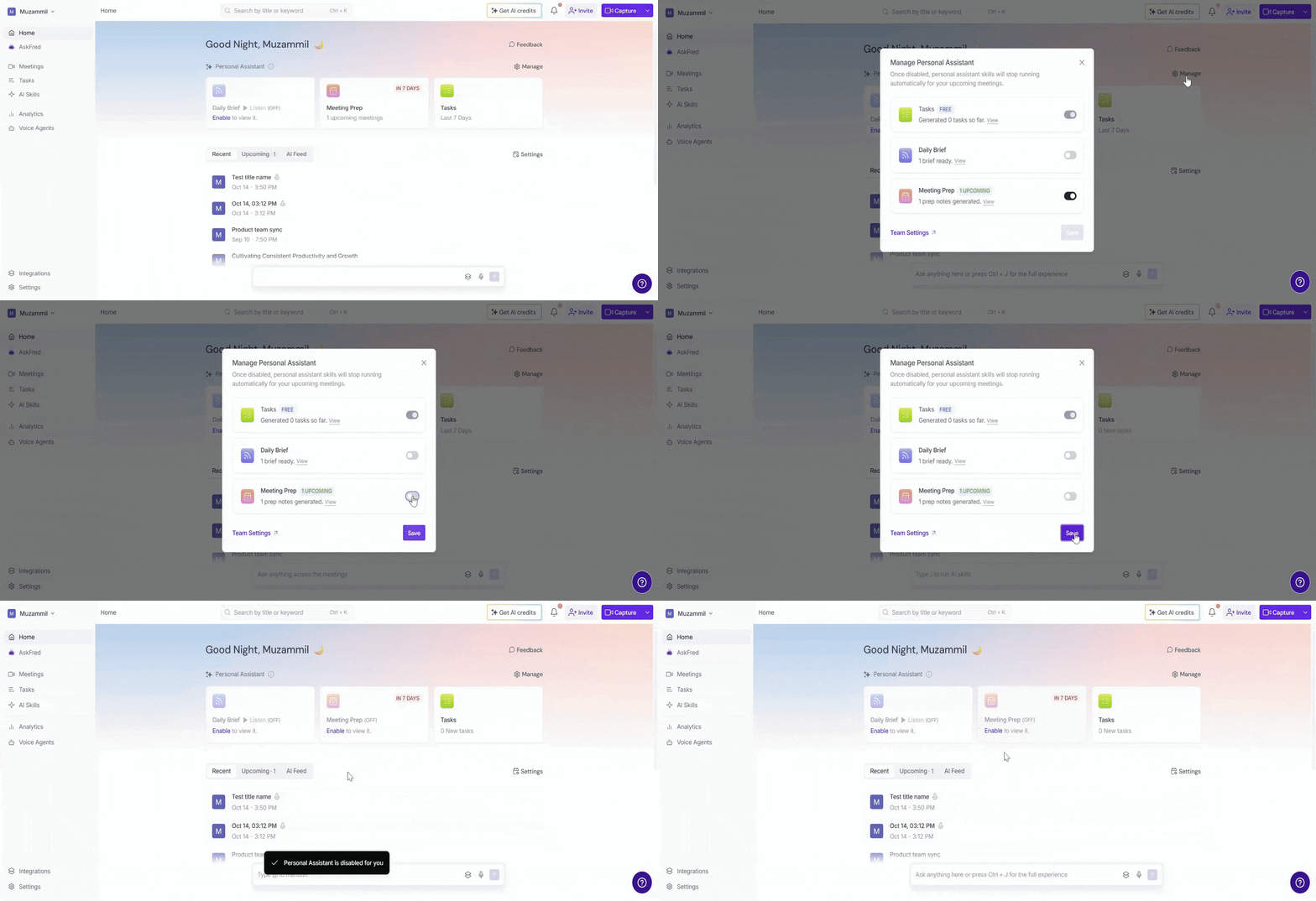
Note: Once disabled, Meeting Prep stops generating new briefs and no longer consumes AI credits. Turning off Meeting Prep doesn't affect Daily Digest or Tasks. Each AI Skill can be managed independently.
❓Frequently Asked Questions
Q1. My calendar is connected, but Meeting Prep isn't sending — what should I check?
Make sure:
Meeting Prep is enabled.
Your calendar is connected.
Meeting-prep email isn't set to Do not send under Settings → Email Notification.
The meeting is eligible for Meeting Prep.
If the issue continues, contact Fireflies Support.
Q2. What if I haven't met with someone before?
If there's no previous meeting history with those attendees, Meeting Prep will still send with the attendee list and any agenda from the calendar invite description.
Q3. What if a meeting is added last-minute?
Fireflies checks your calendar regularly. If a meeting is added with less than 30 minutes' notice, the brief may not arrive in time — but the context is always available through AskFred.
Q4. Does Meeting Prep use AI credits?
Yes. Meeting Prep uses dynamic AI credit pricing once enabled. Credits are only used when a brief is generated. Tasks is always free and does not use AI credits.
Q5. Can I turn off Meeting Prep for specific meetings only?
At this time, Meeting Prep applies to all eligible meetings on your connected calendar. You can turn it off entirely from the Manage Personal Assistant dialog.