Monitor AI Credits Usage for Your Team
Last updated: September 16, 2026
Track exactly how your team uses AI Credits across features, users, and specific AI Skills. The AI Credits Usage page gives admins complete visibility into credit consumption patterns to optimize usage and manage costs effectively.
Admin-only feature: Only workspace admins can access credit usage data
Why Use the AI Credits Usage Page?
No more guessing how your team consumes AI Credits or wondering which features drive the most usage. Get detailed breakdowns by feature, individual users, and specific AI Skills to make informed decisions about your AI strategy.
Complete usage transparency — See exactly where your AI Credits go, from high-level feature categories down to individual AI Skills and team members.
Team-level insights — Identify which team members are power users and which features drive the most credit consumption across your workspace.
Smart resource allocation — Make data-driven decisions about which AI Skills to prioritize and how to optimize your team's AI Credit usage.
How to Access the AI Credits Usage Page
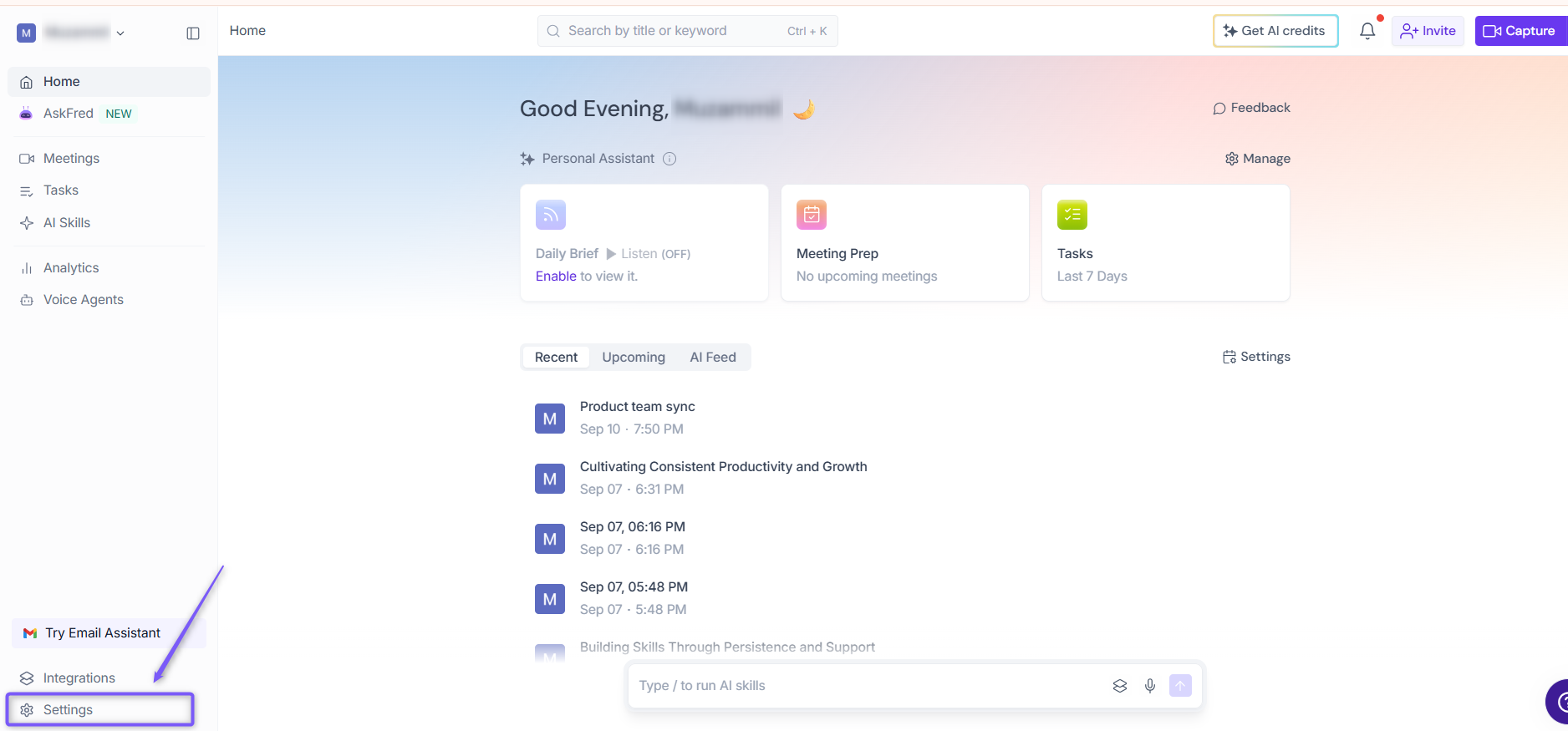
1. Go to the Fireflies web app and click the Settings from left side menu.
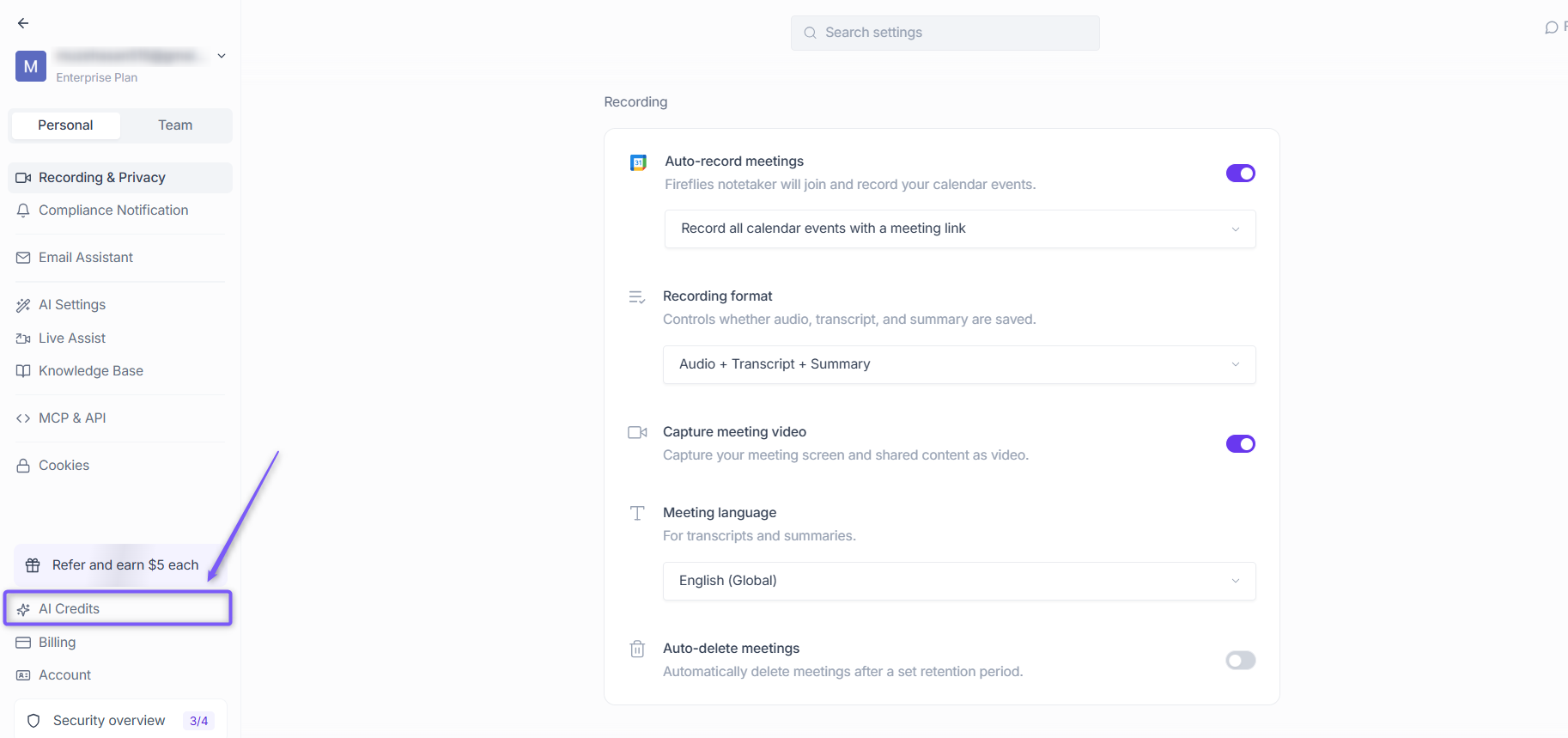
2. Navigate to AI Credits from the left panel.
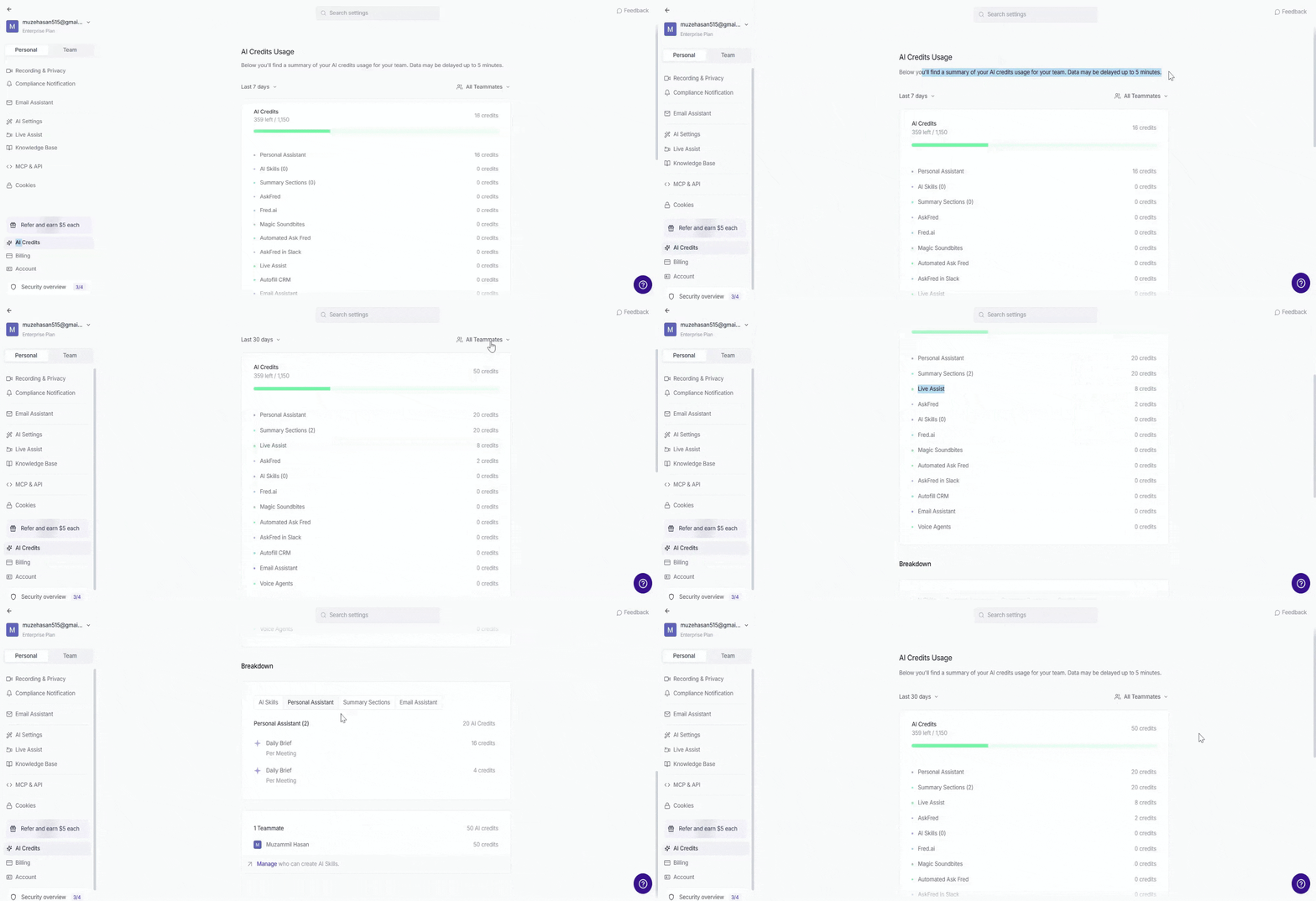
3. The AI Credits Usage page will load with a summary of your team's credit consumption. Data may be delayed up to 5 minutes.
Understanding Your Usage Data
Monthly Overview
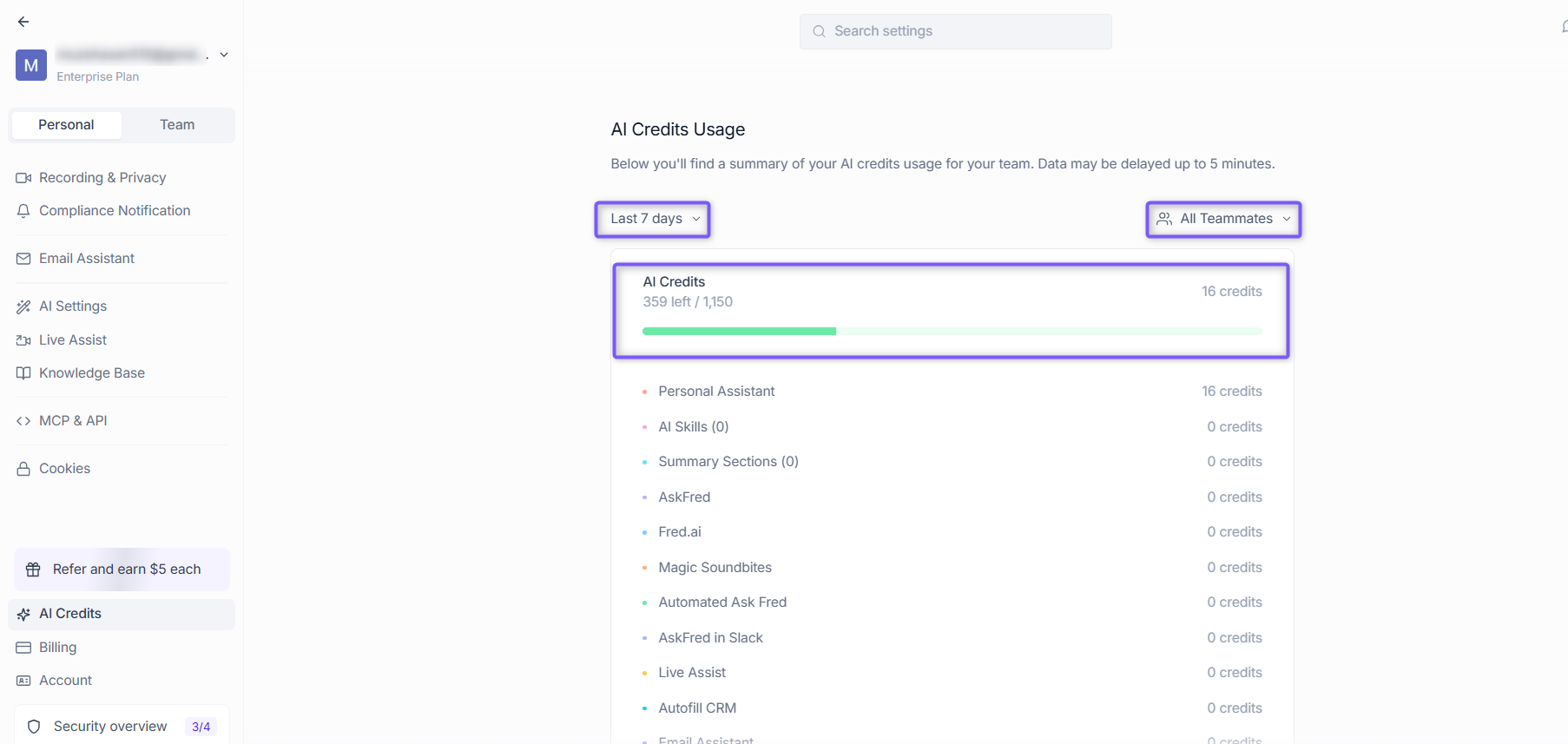
At the top of the page, filter your usage data to get the most relevant insights:
Date filter — Filter by Last 7 days, Last 14 days, or Last 30 days to view credit consumption over a specific time period.
Teammates filter — Filter by All Teammates or select a specific team member to view their individual credit consumption.
The credit summary shows total credits allocated, credits remaining, and credits used per feature.
Usage Breakdown by Feature
The usage dashboard breaks down credit consumption across all Fireflies features:
Feature Category | What it includes | Typical usage |
|---|---|---|
AI Skills | Custom AI applications and automations | Dynamic – AI credits vary based on request complexity |
Personal Assistant | AI-powered personal assistant features | Dynamic – AI credits vary based on usage |
Summary Sections | Meeting summaries and structured notes | Per-meeting generation |
AskFred | AI-powered meeting queries | Dynamic – AI credits vary based on query complexity |
Web-based AI queries | Dynamic – AI credits vary based on query complexity | |
Magic Soundbites | AI-generated audio/video clips | On-demand creation |
Automated Ask Fred | Scheduled AI queries | Dynamic – AI credits vary based on query complexity |
AskFred in Slack | AI queries via Slack integration | Dynamic – AI credits vary based on query complexity |
Live Assist | Real-time meeting assistance | Dynamic – AI credits vary based on query complexity |
Autofill CRM | AI-powered CRM autofill | Dynamic – AI credits vary based on usage |
Email Assistant | AI-powered email assistance | Dynamic – AI credits vary based on usage |
Voice Agents | Automated voice-based AI agents | 1 AI credit / min |
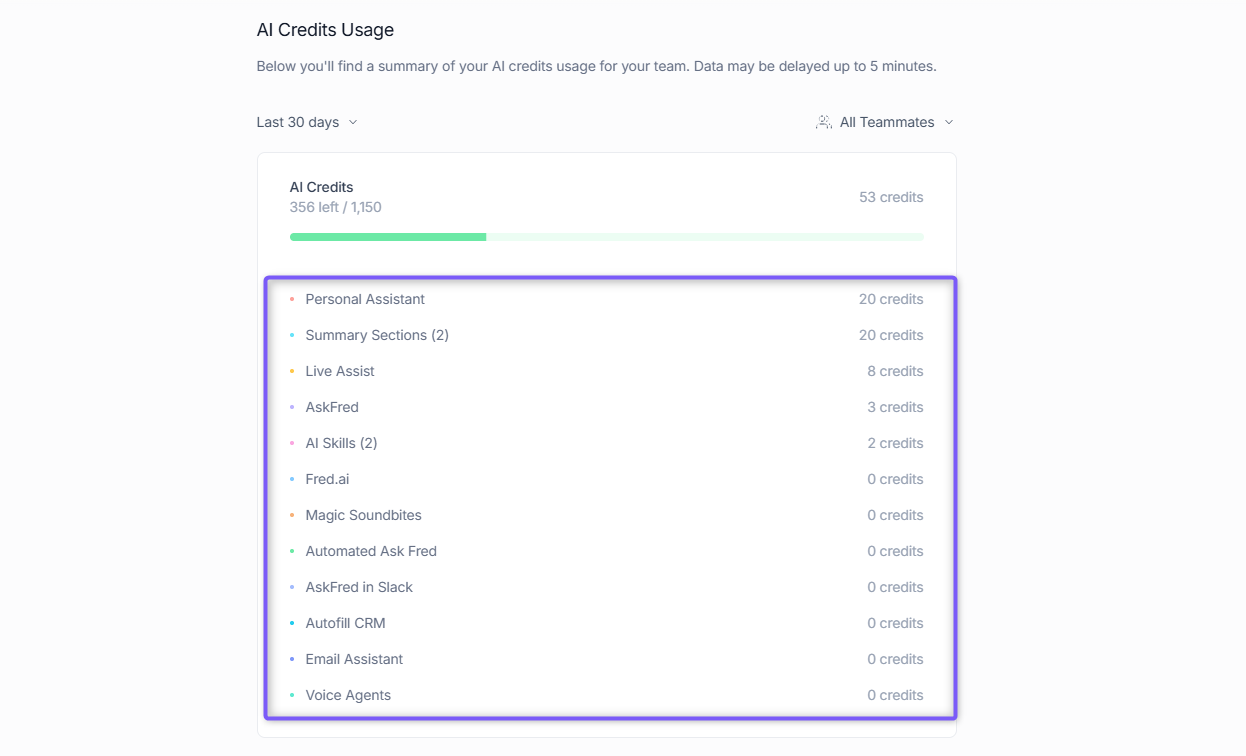
⚡All AI features use dynamic AI credit pricing. AI credits are charged per request, so the number of AI credits used depends on the complexity and effort required to generate the output. Simpler requests may use fewer credits, while more complex requests may use more.
💡 Templates used in summaries don't consume credits — only custom summary sections do. Reprocessing summaries is free; only custom summary sections use credits.
Breakdown Section
The Breakdown section gives you a deeper look into how AI Credits are being consumed across your workspace. It has two tabs:
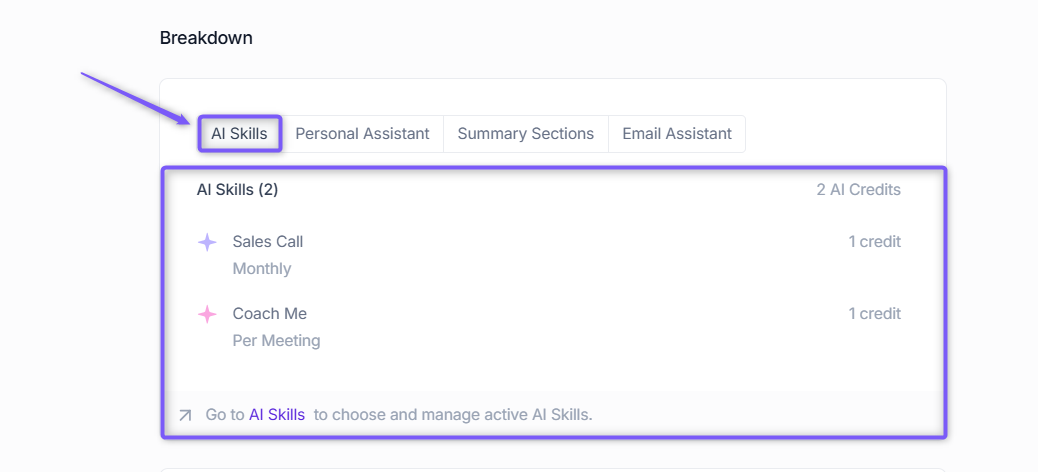
AI Skills — View individual AI Skill credit consumption and see which apps consume the most credits. Click Go to AI Skills to choose and manage your active AI Skills.
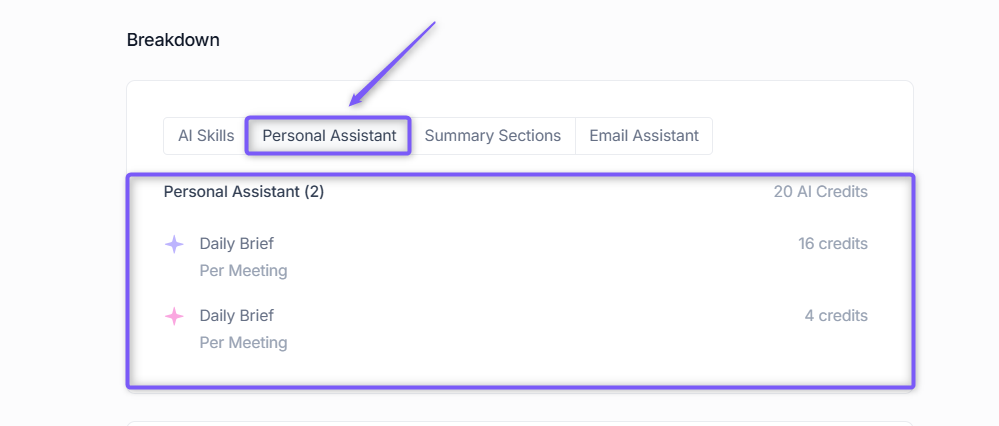
Personal Assistant — View AI Credit consumption for your Personal Assistant features, such as Daily Brief.
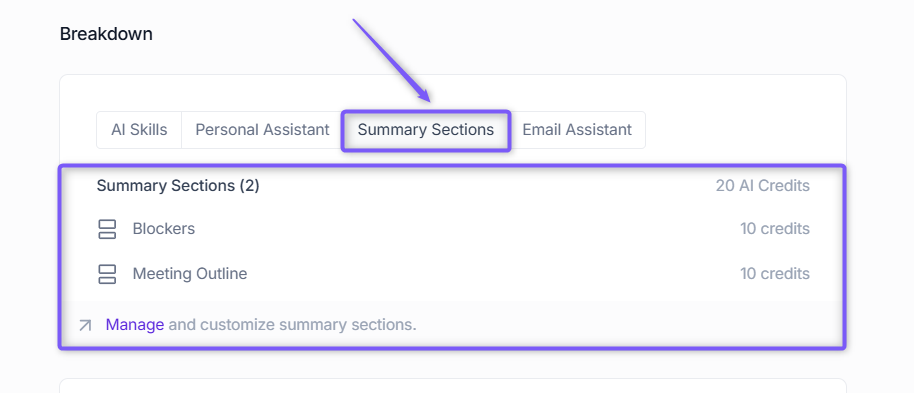
Summary Sections — View credits consumed by each meeting summary section across your workspace.
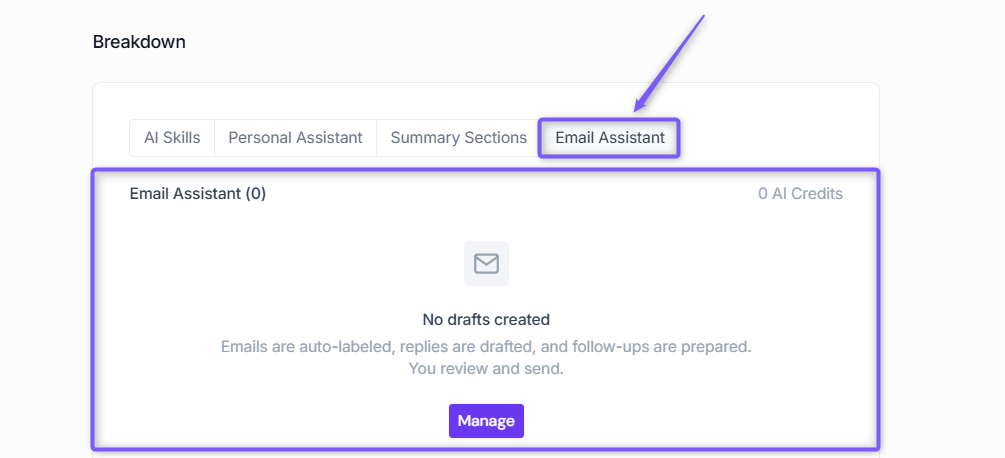
Email Assistant — View AI Credit usage for Email Assistant. If no drafts have been created, the tab displays 0 AI Credits and No drafts created.
Team Member Analysis
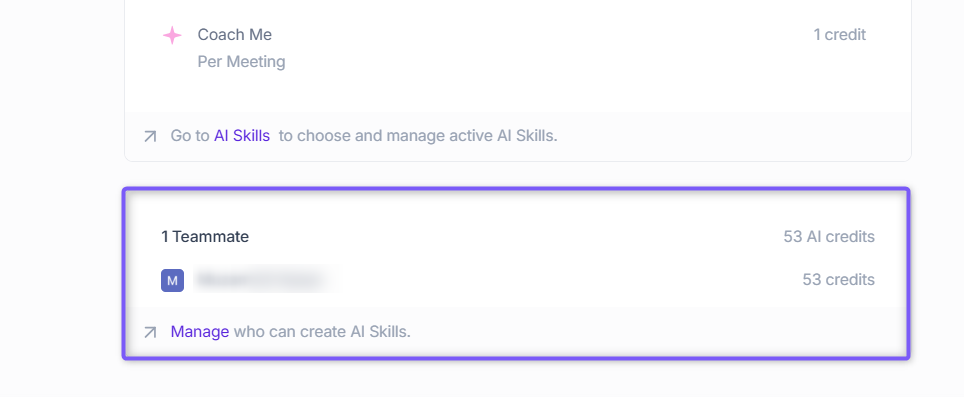
The Teammates section shows individual credit consumption per team member.
Review per-user consumption to identify power users and usage patterns.
Optimize team training by focusing on high-value AI features for heavy users.
Optimize your AI strategy
Use your usage insights to make strategic decisions about AI Skills and team management
Action | How to access | Use case |
Manage AI Skills | Click "Go to AI Skills" | Enable/disable apps based on usage data |
Control app creation | Click "Manage" | Set permissions for who can create new AI Skills |
View app performance | Review AI Skills breakdown | Identify high-ROI vs low-value applications |
Strategic optimization tips
High-usage, high-value apps → Keep active and consider expanding
High-usage, low-value apps → Review necessity or optimize settings
Low-usage apps → Evaluate if team needs training or if app should be disabled
Important usage information
Aspect | Details |
Data availability | Usage tracking starts from mid-May 2025 - earlier data is not available |
Data freshness | Usage reports may have up to 5-minute delay for recent activity |
Monthly cycles | Credits reset at the beginning of each billing period as shown in your dashboard |
The granular usage tracking introduced in May 2025 provides much more detailed insights than previous systems, enabling the comprehensive breakdowns you see in this dashboard
Making sense of it all
AI Credits Usage page is admin-only for workspace management and cost control
Usage data is available from mid-May 2025 forward - earlier data wasn't tracked with this level of detail
Monthly reset dates show when your credit allowance refreshes
AI Skills use dynamic AI credit pricing. AI credit usage varies based on the complexity of each request.
Team member insights help identify training opportunities and usage optimization
5-minute data delay means recent usage may not immediately appear in reports