How to turn on meeting prep email notifications
Last updated: July 24, 2026
In this guide, we’ll explain what a prep email is and how to turn on prep email notifications.
🔑 Before you begin: Meeting Prep emails are generated by the Meeting Prep skill in your AI Personal Assistant. This skill is not enabled by default — you'll need to turn it on first from your AI Skills settings (
app.fireflies.ai/skills). If Meeting Prep isn't enabled, no prep email content will be generated, regardless of your email notification settings.
What is a meeting prep email?
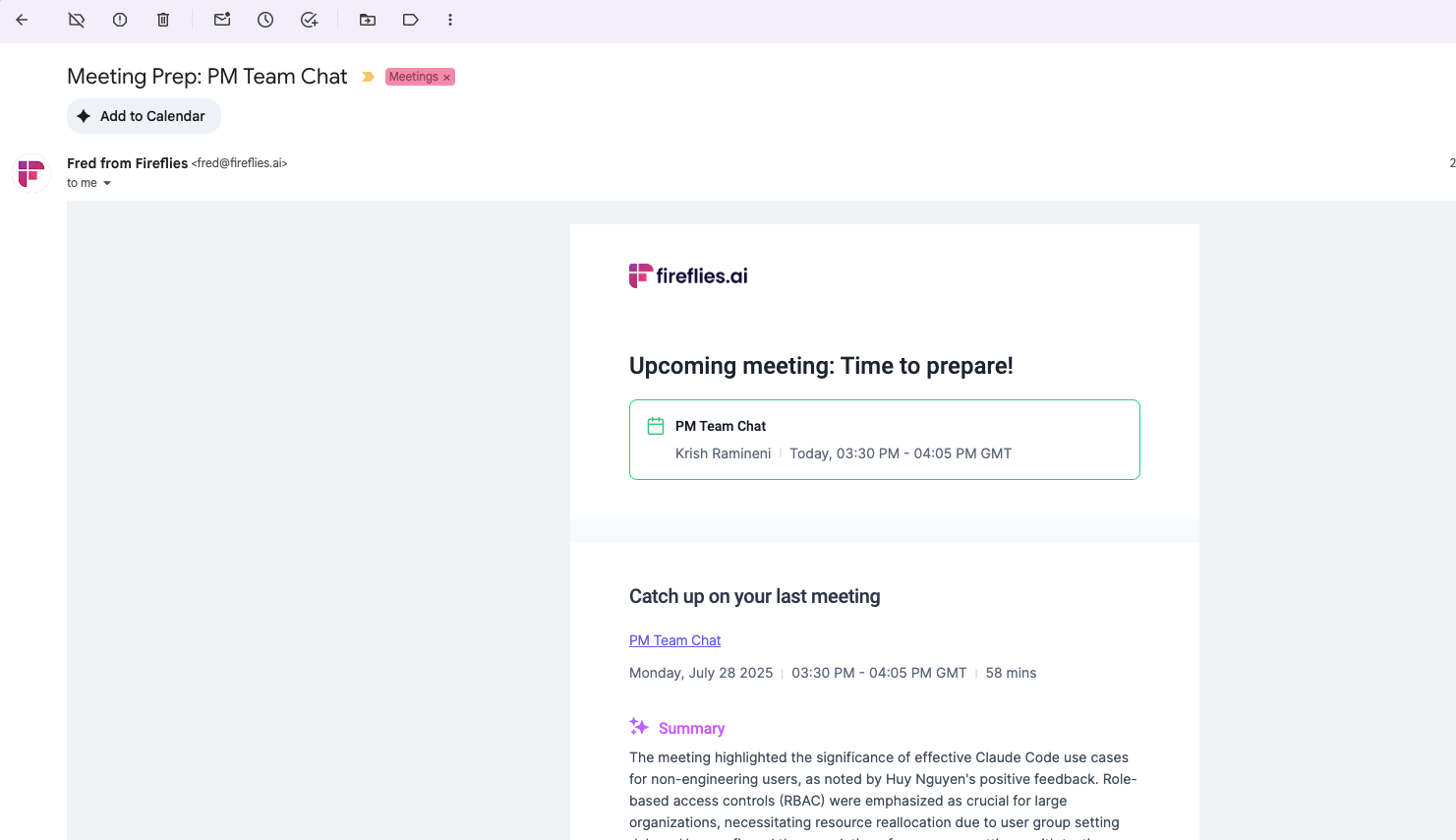
The Meeting Prep email is a pre-meeting summary email sent 1 hour before each recurring meeting.
It contains key summary notes and action items from the previous recurring meeting to ensure you are prepared with the proper context for the upcoming meeting.
Prep emails aren’t sent for non-recurring or one-time meetings
This is what the email looks like:
Benefits of a prep email
Stay prepared: Quickly review key highlights and action items from your last meeting, so you can smoothly continue the conversation.
Save time: No need to dig through past notes—focus more on the upcoming discussion.
Improve follow-up: Keep track of what was discussed and agreed upon, ensuring nothing is missed.
Maintain consistency: Stay updated and keep your recurring meetings on track with seamless continuity.
How to turn on meeting prep email notifications
To enable meeting prep email notifications, follow these steps:
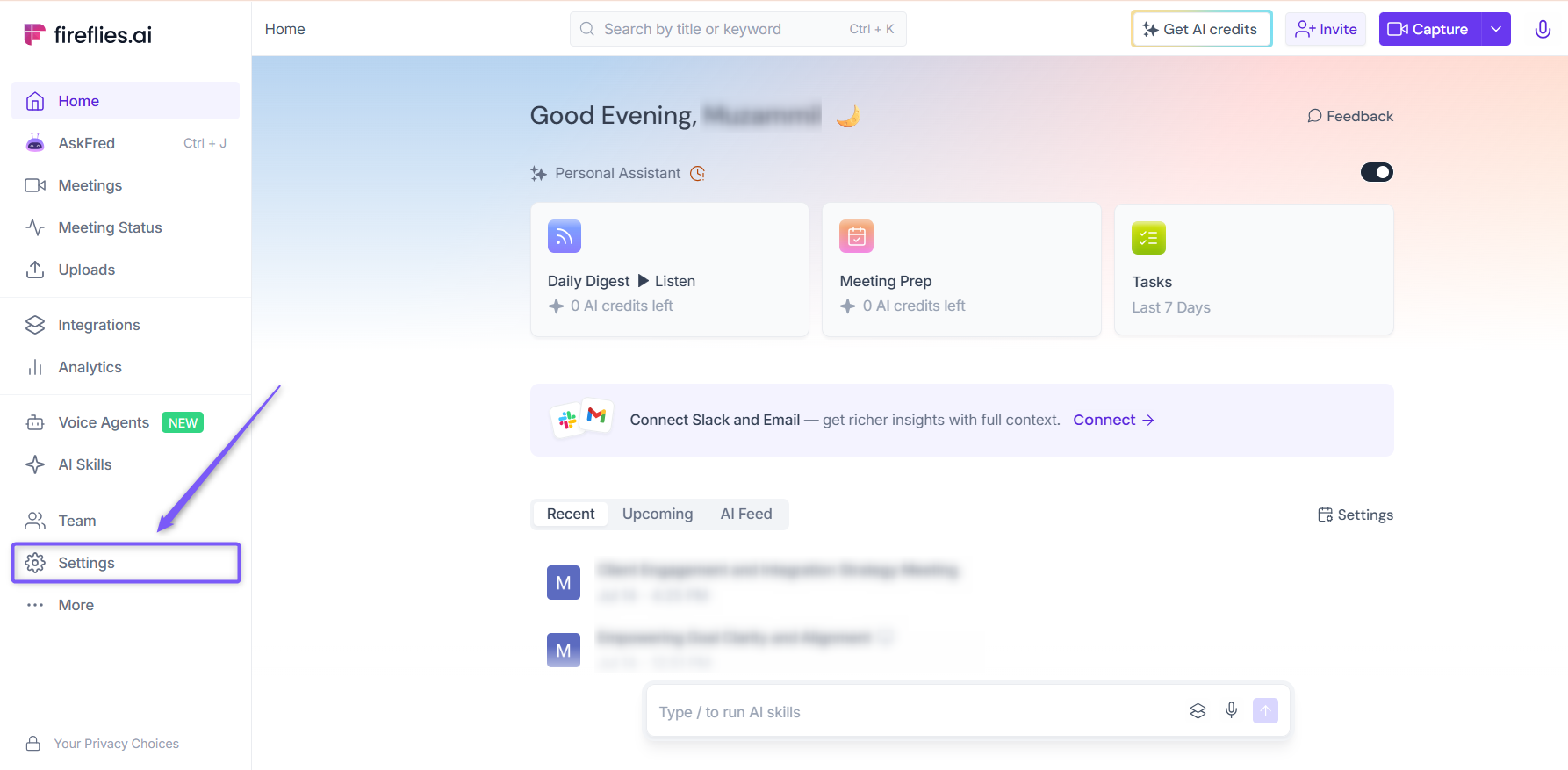
1. Open your Fireflies web app and click on Settings in the main navigation menu.
2. From the left panel, click Recording & Privacy (Personal tab). Scroll down to find Email Notification
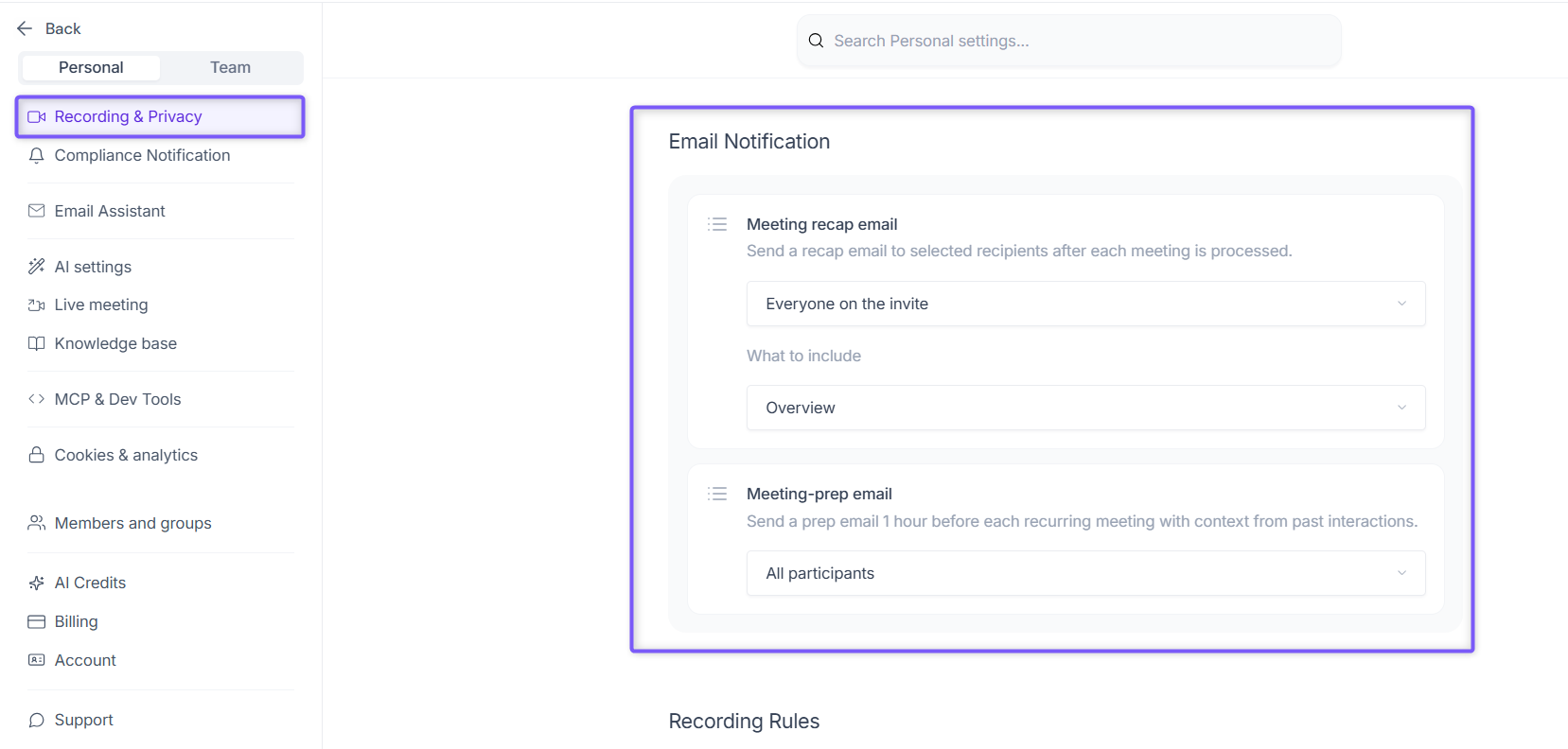
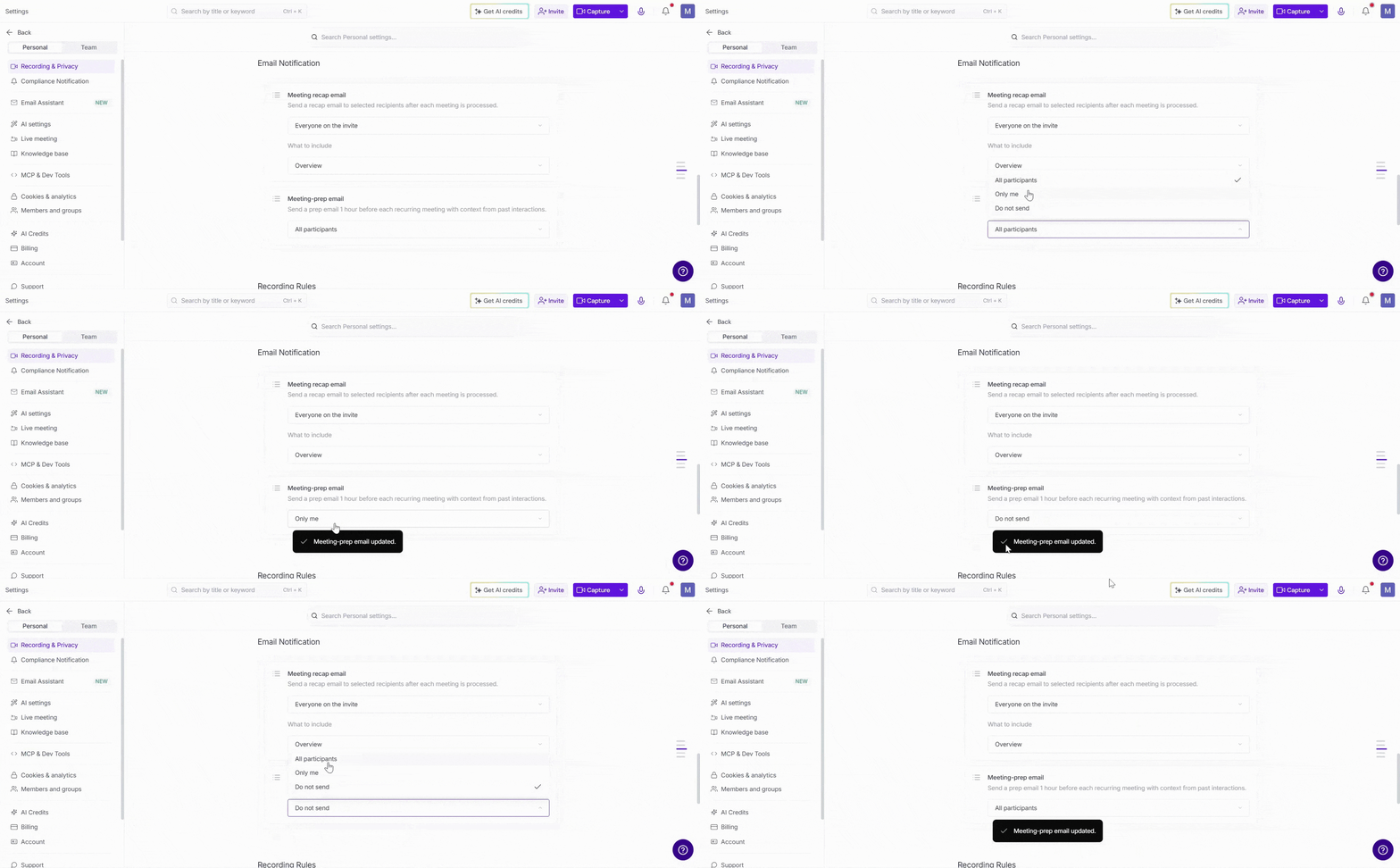
3. Locate Meeting-prep email. By default, this is set to All participants. Click the dropdown and select your preferred option:
All participants — All participants on the recurring meeting invite receive a meeting prep email 1 hour before the meeting
Only me — Fireflies sends the meeting prep email only to you
Do not send — Fireflies will not send a meeting prep email
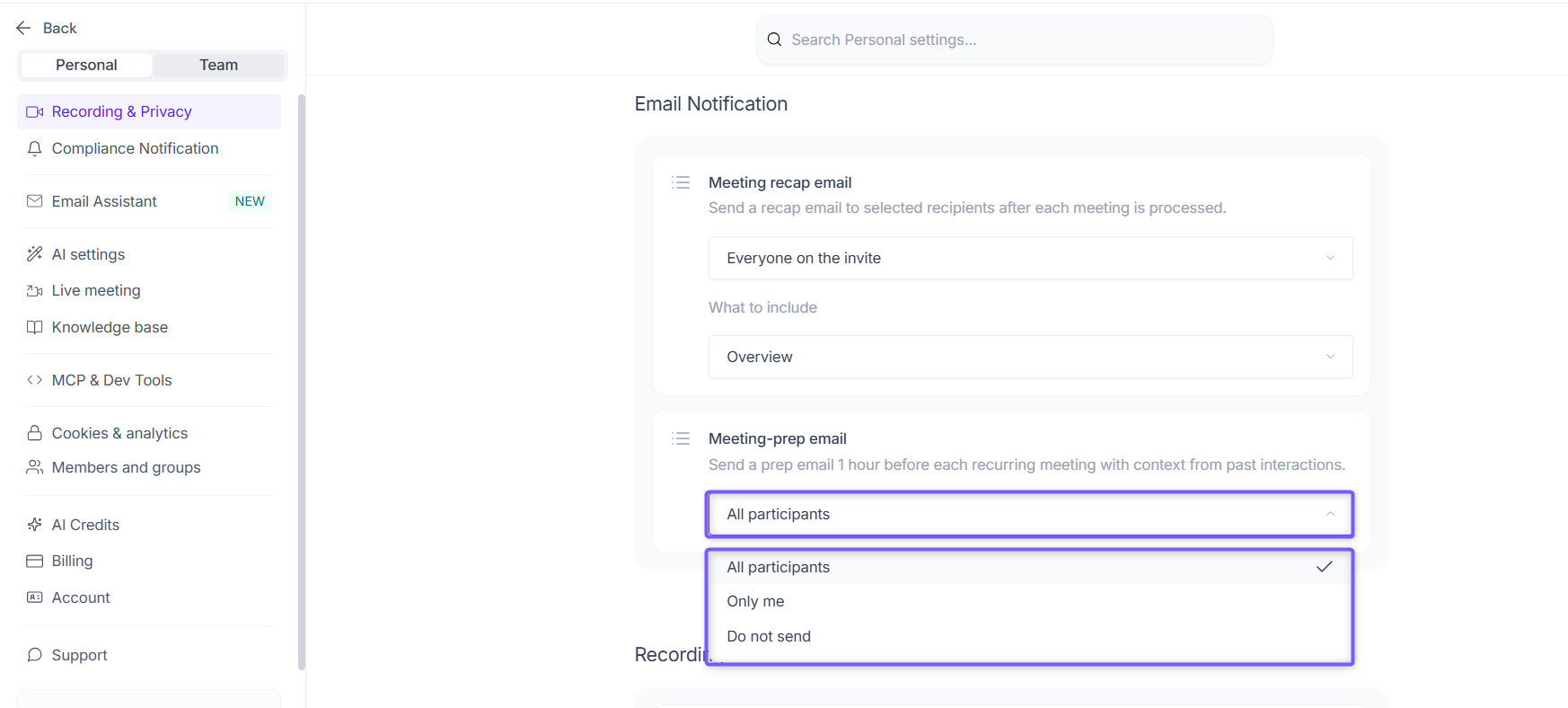
Once you change it, Fireflies will show a confirmation Meeting prep email updated.
By following these simple steps, you can activate meeting prep email notifications and start receiving timely recaps to stay on top of your meetings.