How can I customize my meeting settings so that only I receive meeting recaps?
Last updated: October 13, 2026
Want to keep your meeting recaps private? Fireflies allows you to send recap emails only to yourself so others on the invite don’t receive them.
📝What is a meeting recap?
A meeting recap is an email sent by Fireflies after each meeting. It contains essential information such as links to the transcript, key insights, an overview, and other relevant details about the meeting.
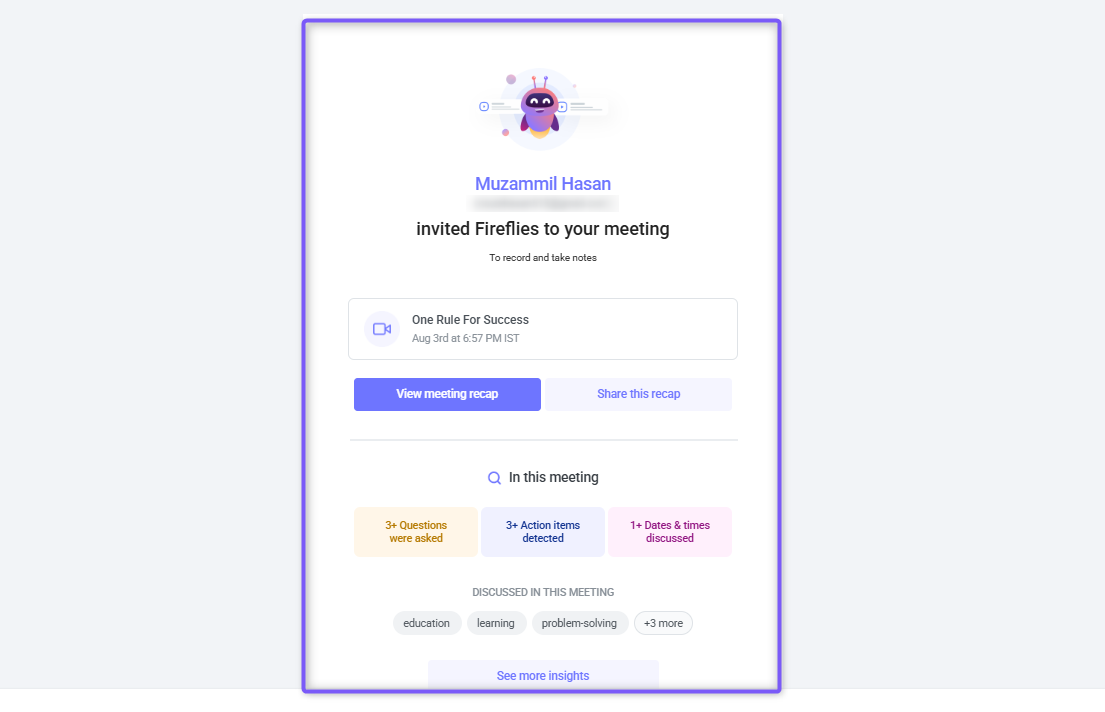
You can configure who receives this email and also choose to restrict it to yourself if desired.
Related: Why did I get a meeting recap from Fireflies if I don’t have an account?
🚀 How to send meeting recaps only to yourself?
There are two ways to customize your meeting settings so that only you receive the meeting recaps.
Option 1: From Upcoming Dashboard
Use this option for the quickest way to enable Multi-Language Mode and choose which meetings it applies to.
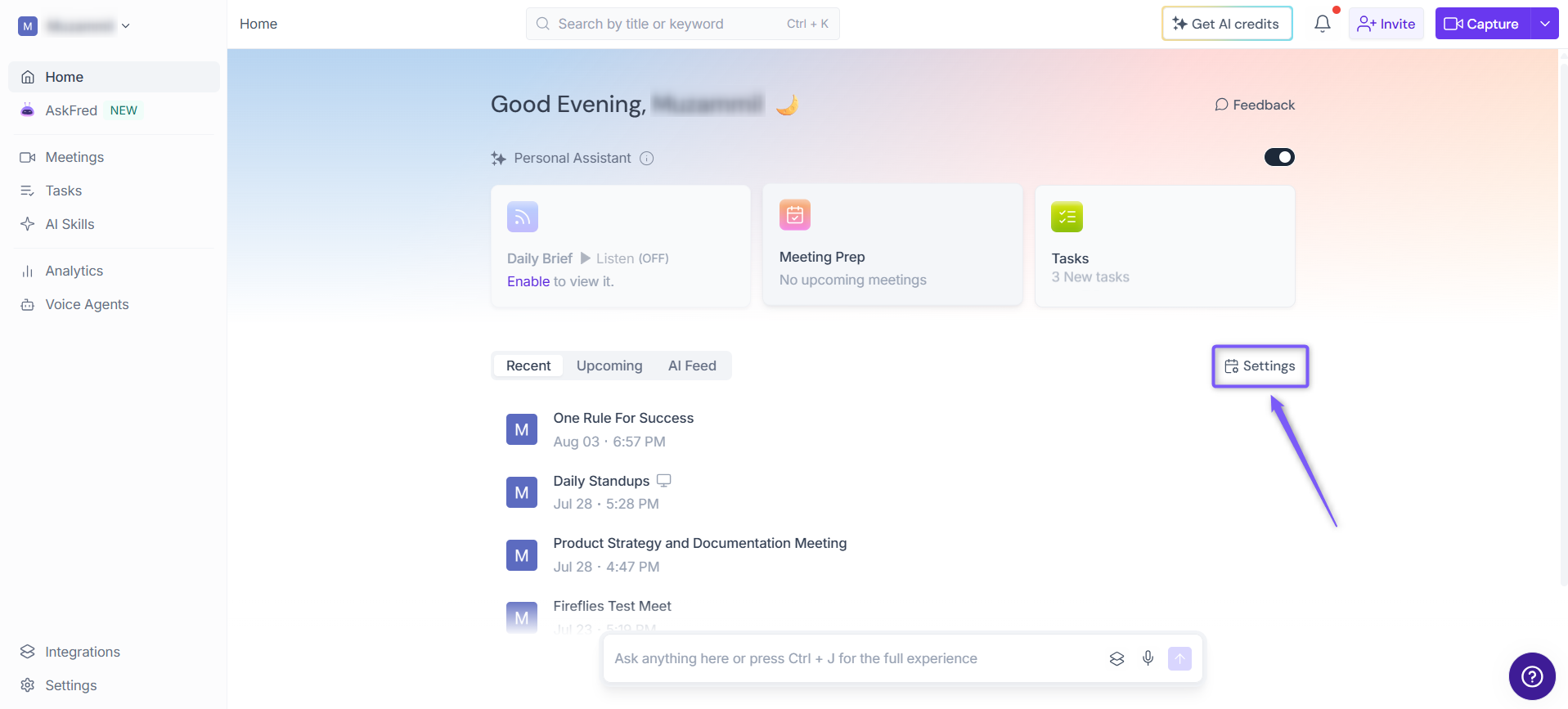
1. From the Fireflies Home page, click Settings on the right side of the page.
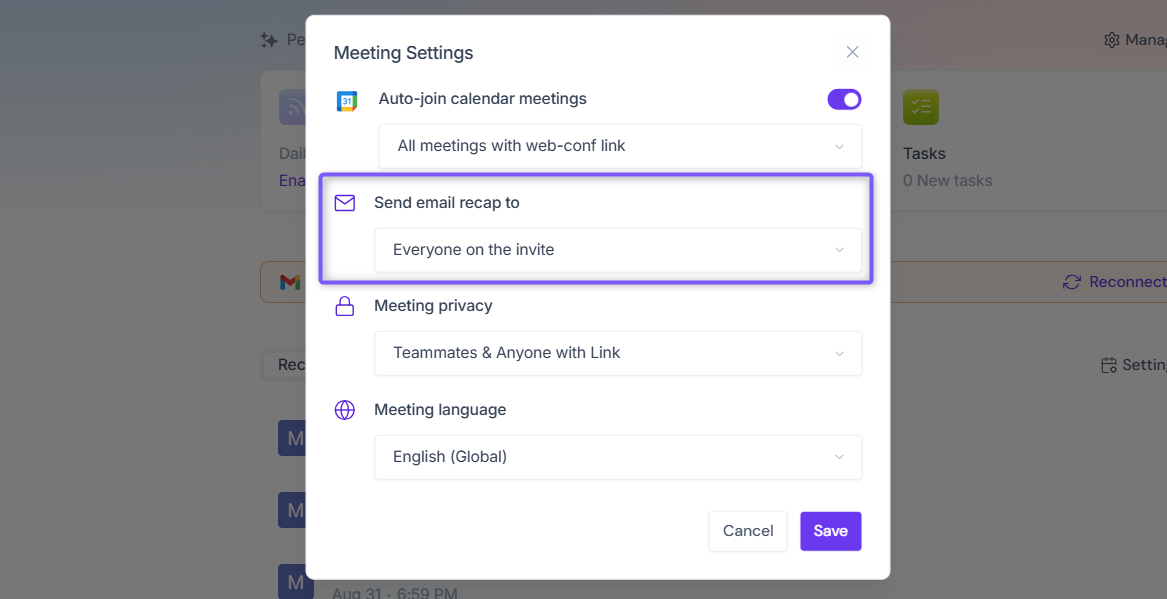
2. In the Meeting Settings modal, click the dropdown under Send email recap to. By default, this is set to Everyone on the invite.
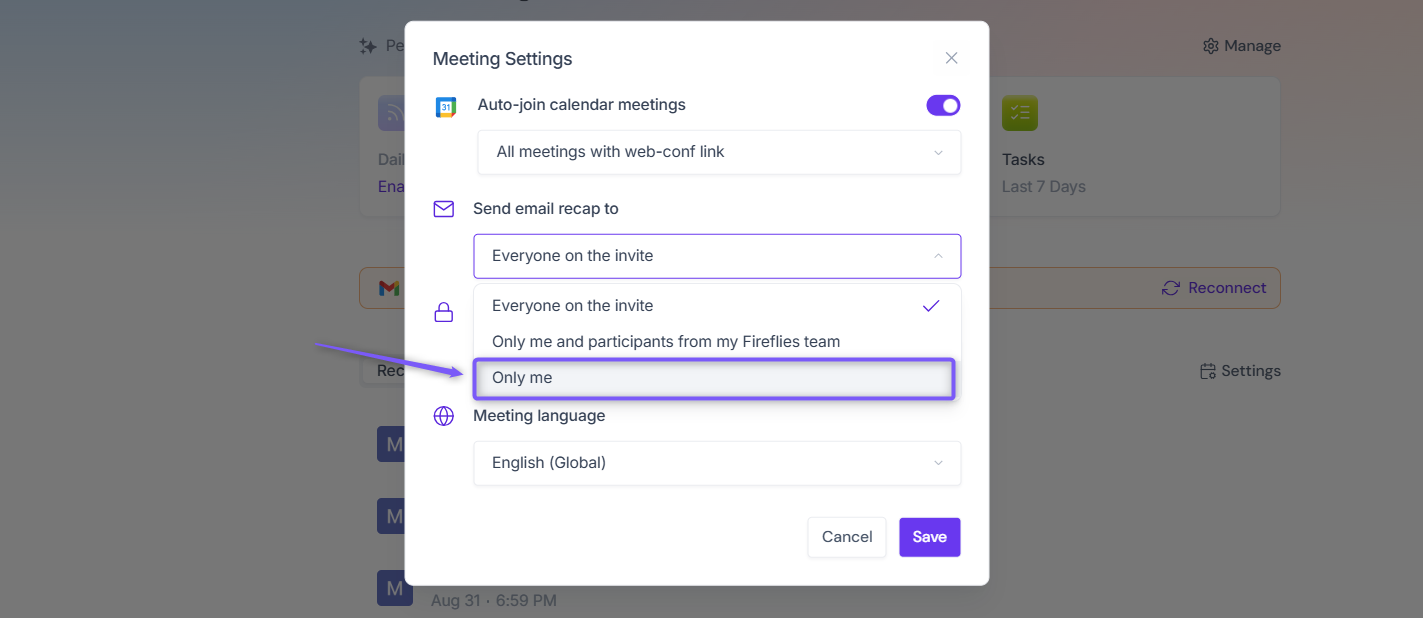
3. Select the Only me option from the dropdown list.
4. Click Save.
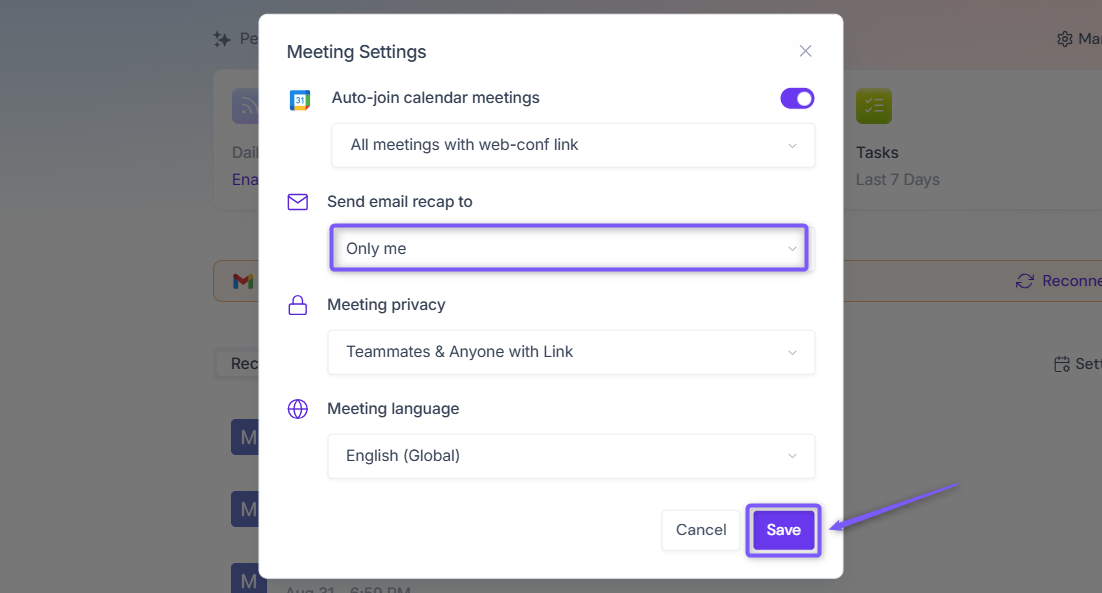
Once saved, new meetings will send recap emails only to you.
Option 2: From Settings
1. Open your Fireflies web app and click on Settings in the main navigation menu.
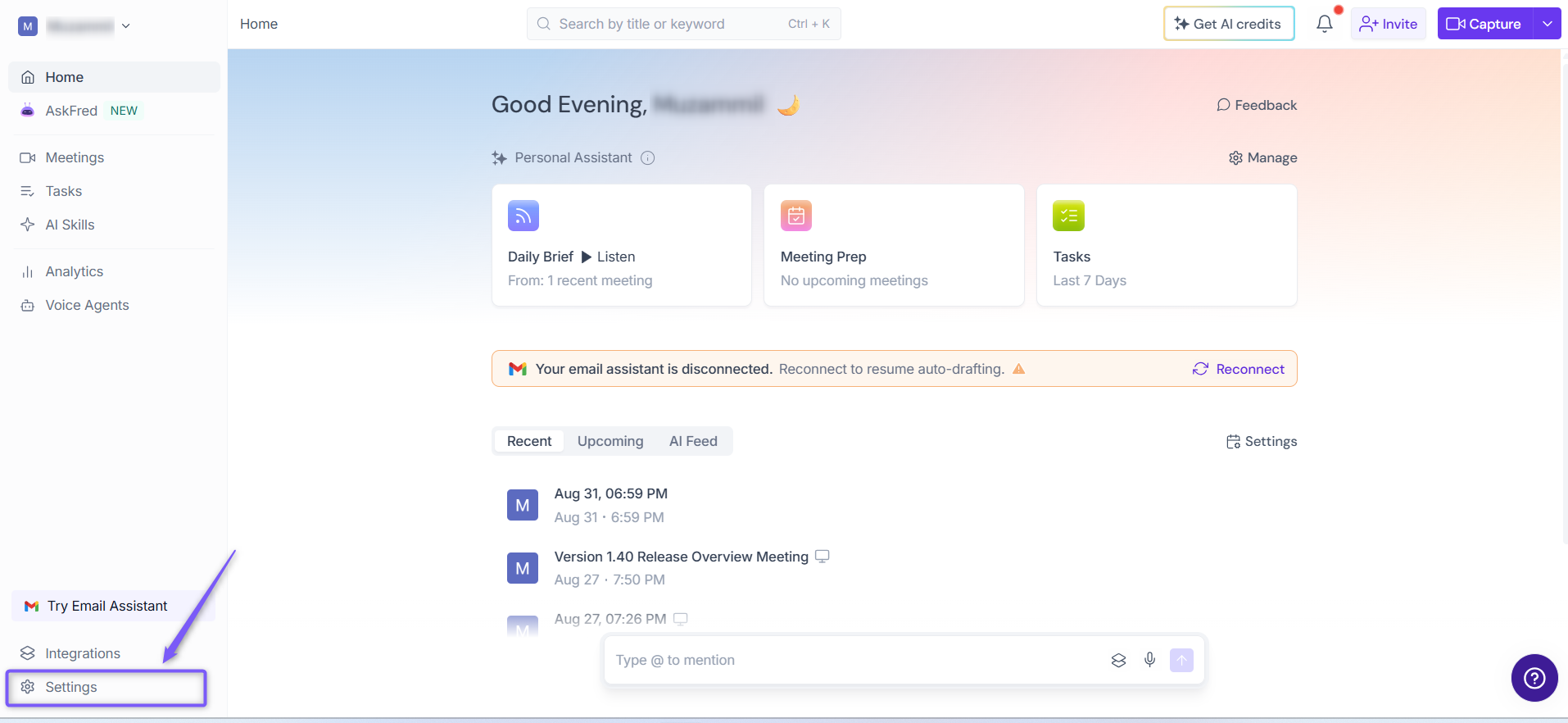
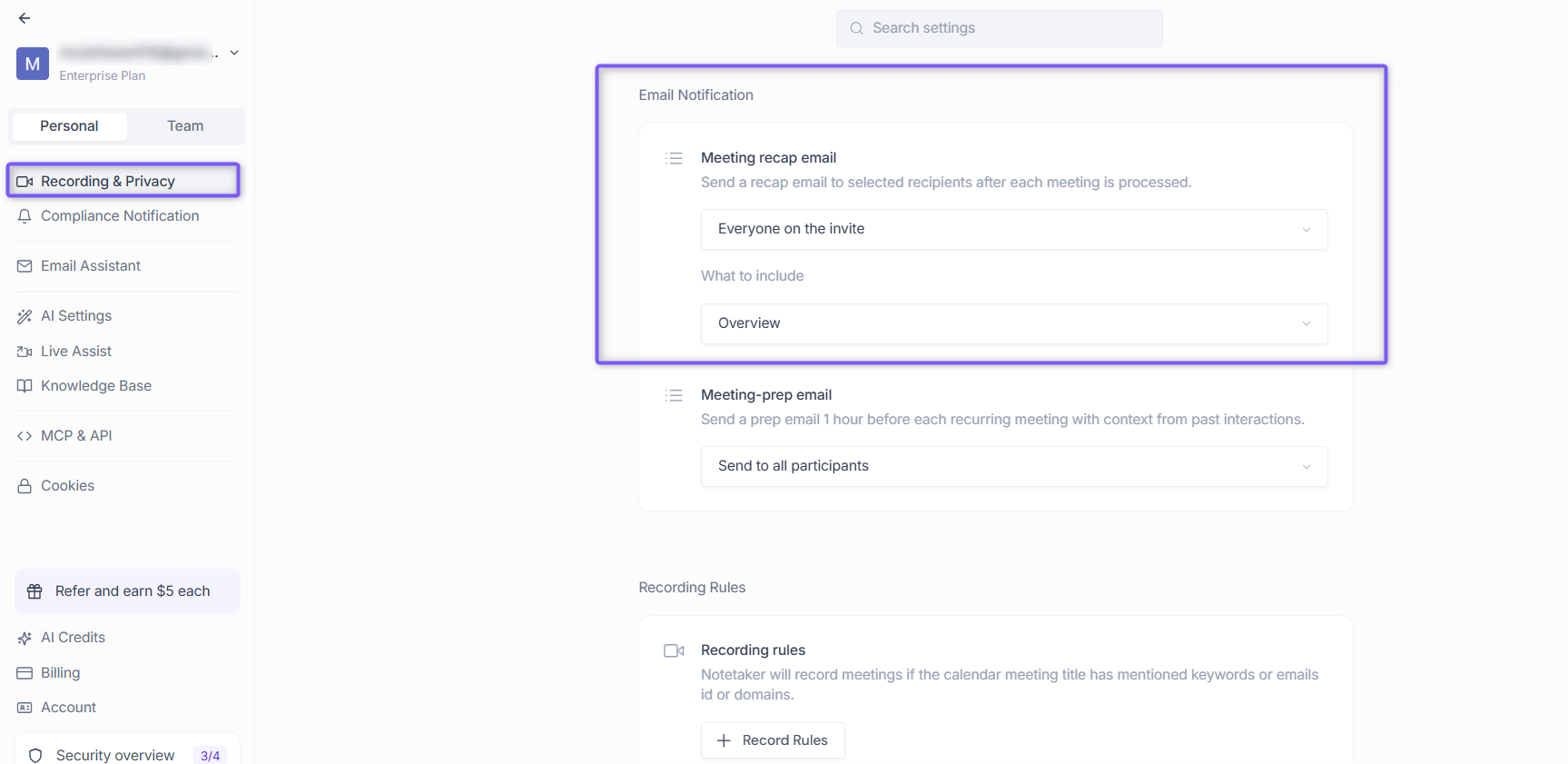
3. From the left panel, click Recording & Privacy (Personal tab). Scroll down to find Email Notification section.
4. Click the dropdown under Meeting recap email to view the available options. By default, this is set to Everyone on the invite.
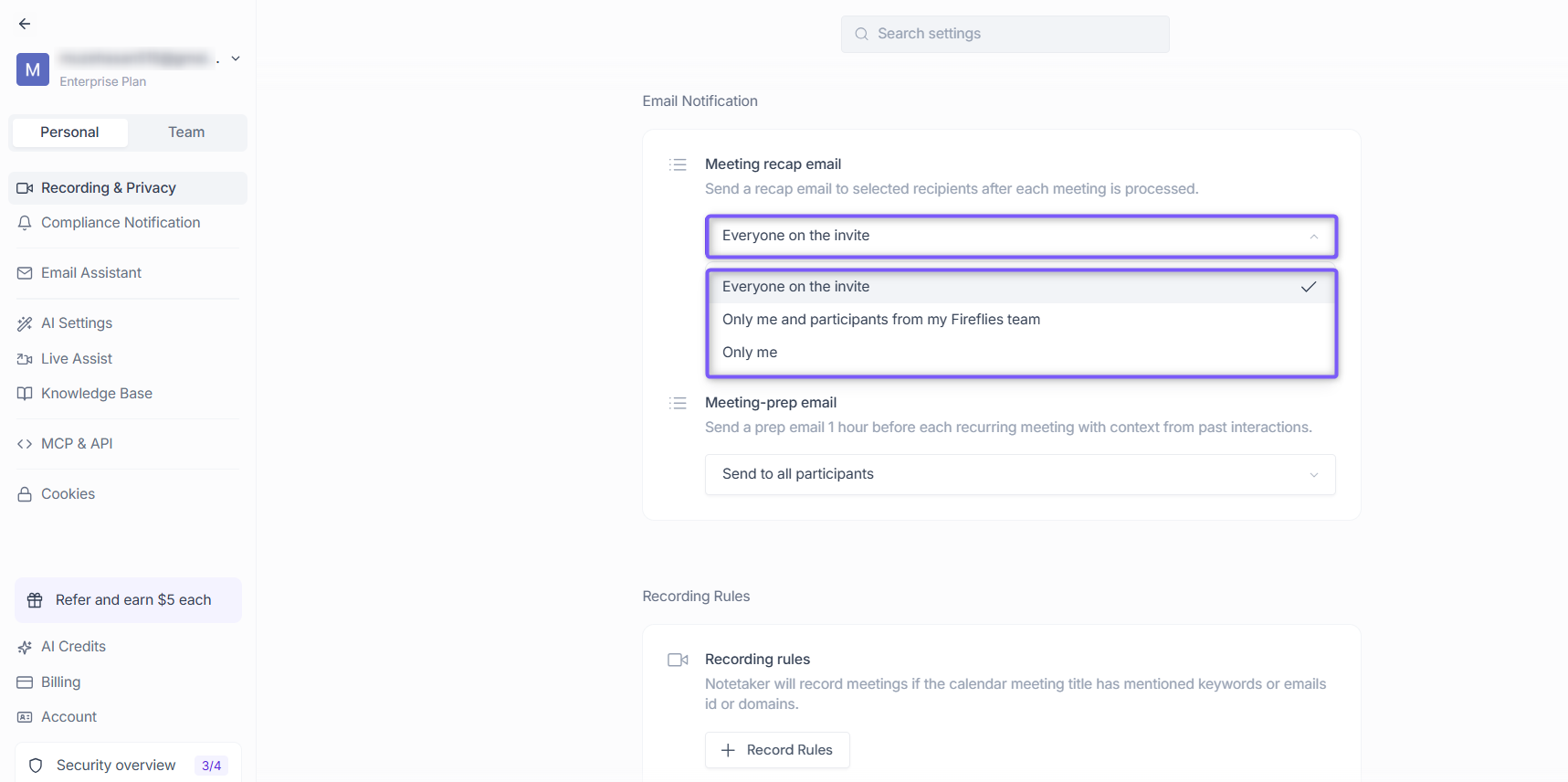
5. Select the Only me option from the dropdown list.
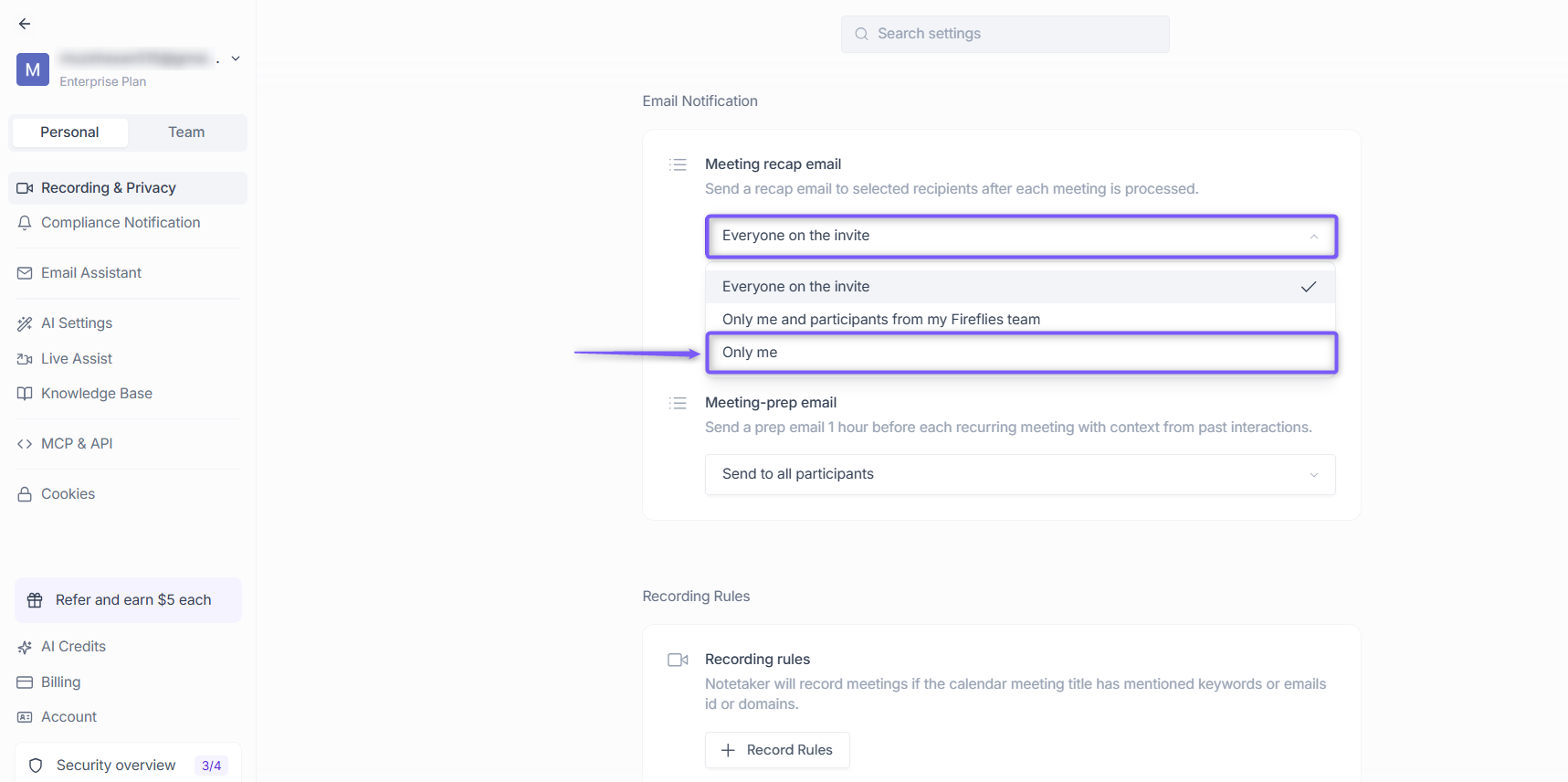
6. Your changes are saved automatically.
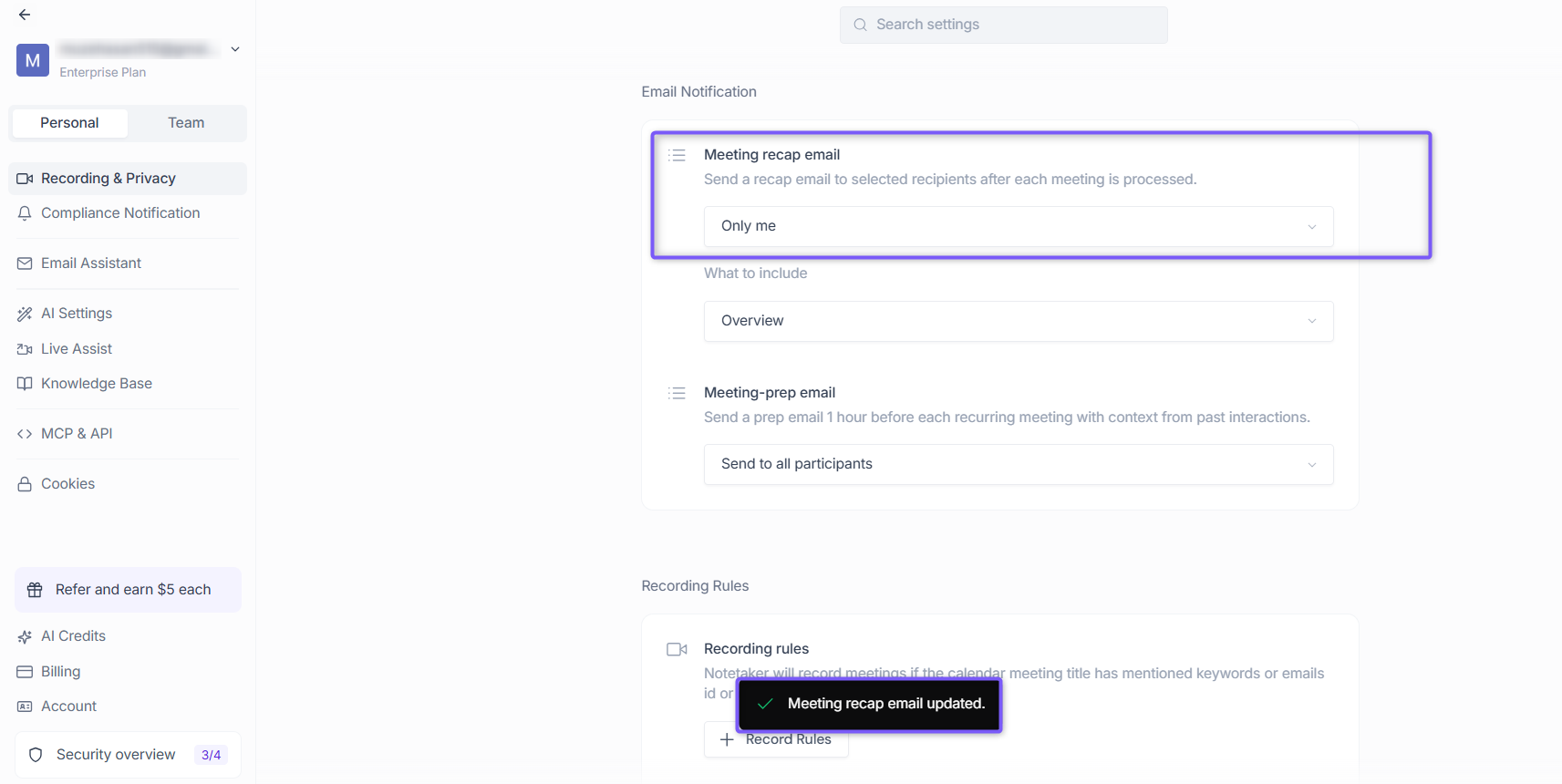
When set to Only me, recap emails are sent only to you. Other participants will not receive any recap email, and this setting does not change who can access the meeting inside Fireflies.
These recap emails include a summary + a link to the full notes. But they do not override the privacy of the actual meeting. That’s handled by privacy settings discussed here
Want unlimited transcriptions on the Free plan?
Turn on Auto-join to automatically capture and transcribe eligible meetings without limits.
👉🏻Learn how: How to get unlimited transcription credits on the free plan