Set up Private Storage for your workspace
Last updated: May 26, 2026
Private Storage allows you to store meeting data in your own storage bucket — giving you full control over where your information lives. This guide shows how to configure Private Storage and what to expect once it’s enabled.
🔒 What is Private Storage?
Private Storage lets Fireflies store your meeting transcripts, audio, and summaries in a storage bucket that you own and manage. It’s perfect for teams with strict compliance or data governance needs.
Store data in a location you choose
Meet internal or external compliance requirements
Maintain exclusive access to your data
Available to customers on the Enterprise plan
Data is processed on Fireflies’ servers in the U.S. but stored in your designated bucket location
🤔 Confused about Fireflies’ approach to security? Check out How Fireflies keeps your information safe
⚙ How to enable Private Storage
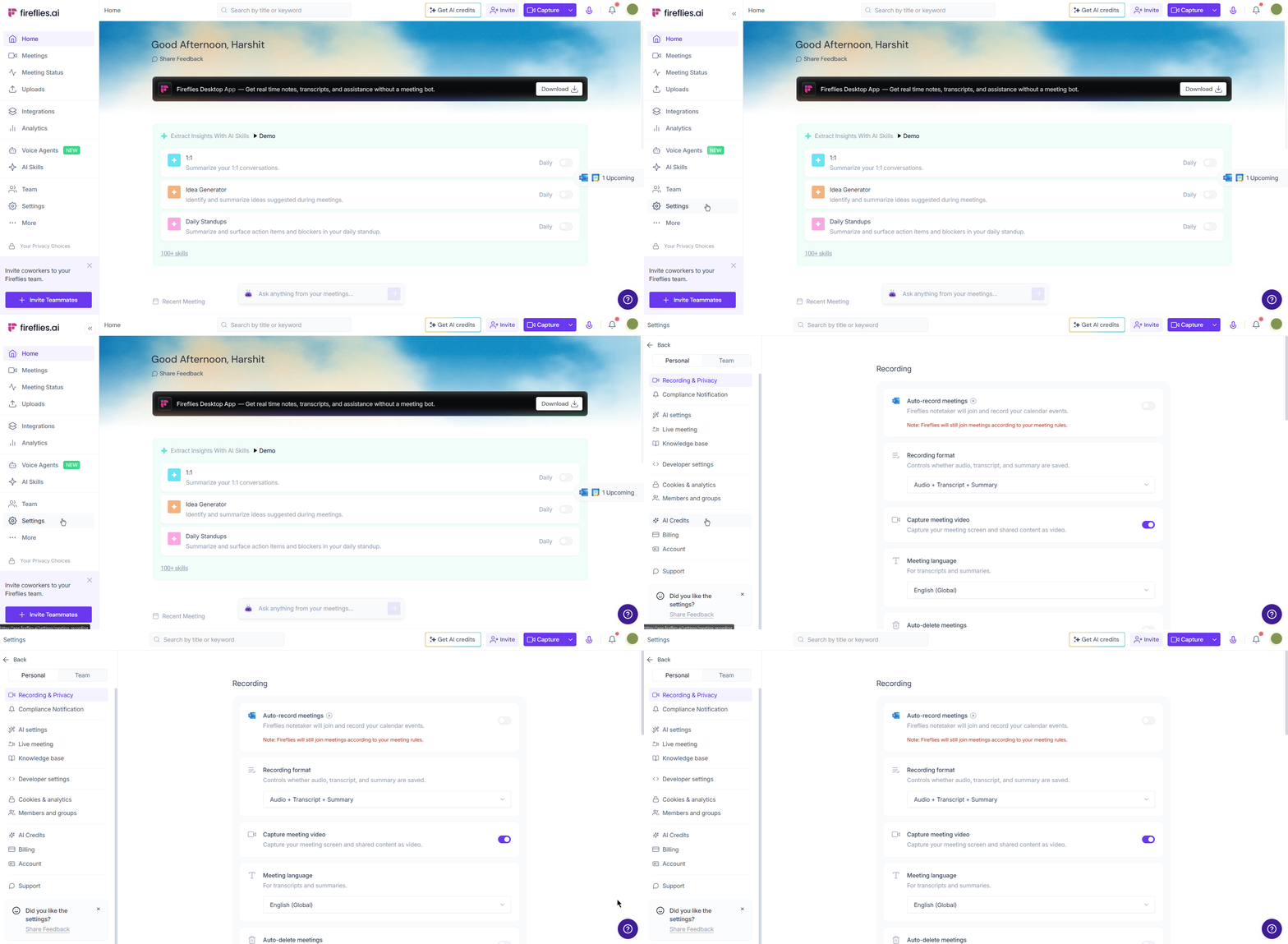
Step 1: Access your Settings
From your Fireflies dashboard, navigate to the left-hand sidebar and click on Settings.
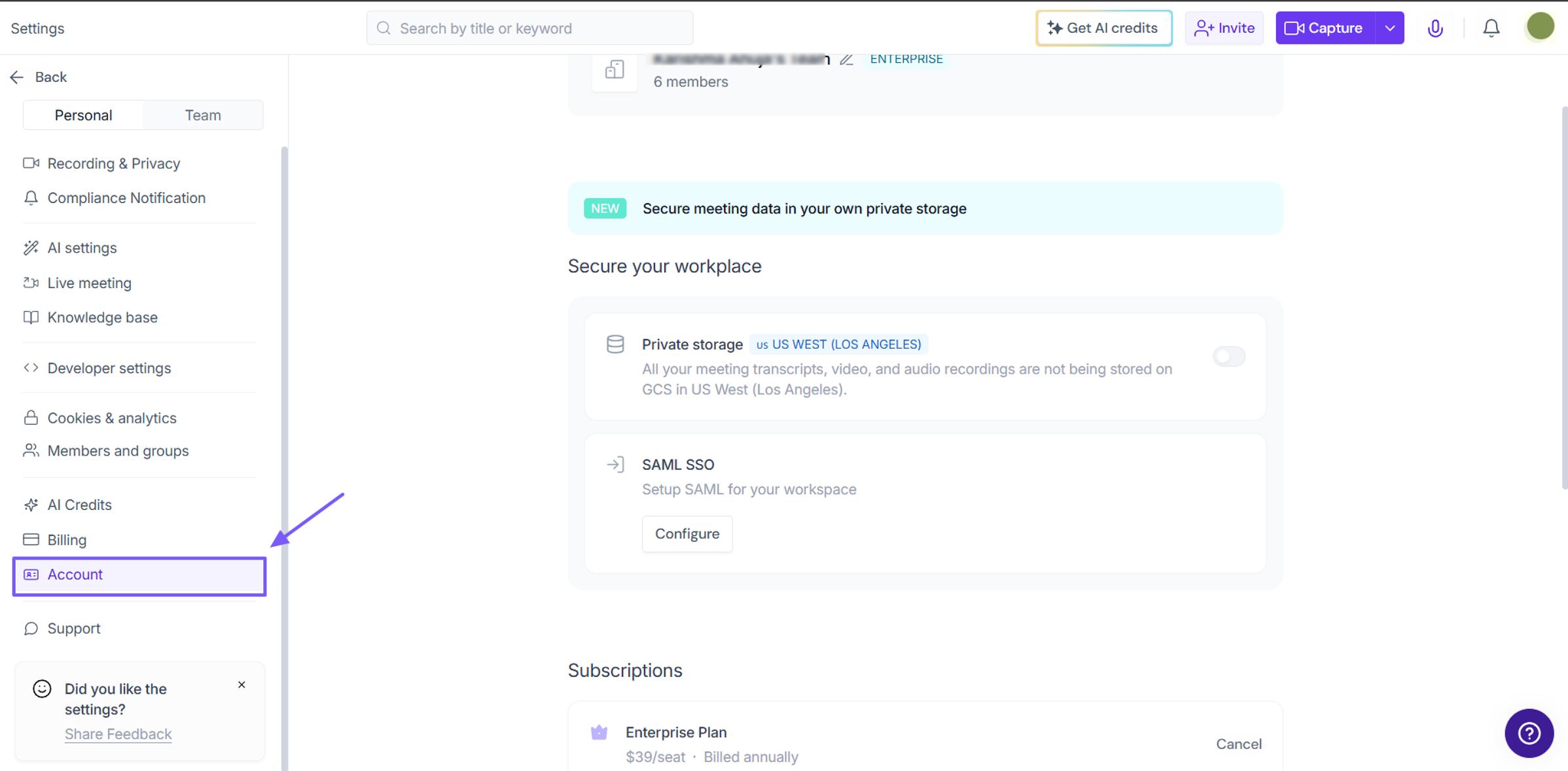
Step 2: Navigate to Account
Inside the Settings menu, select the Account tab. This is where you’ll find the Private Storage section
Step 3: Find Private Storage Section
Scroll down the page until you locate the Private Storage block. Click the toggle switch to turn Private Storage ON.
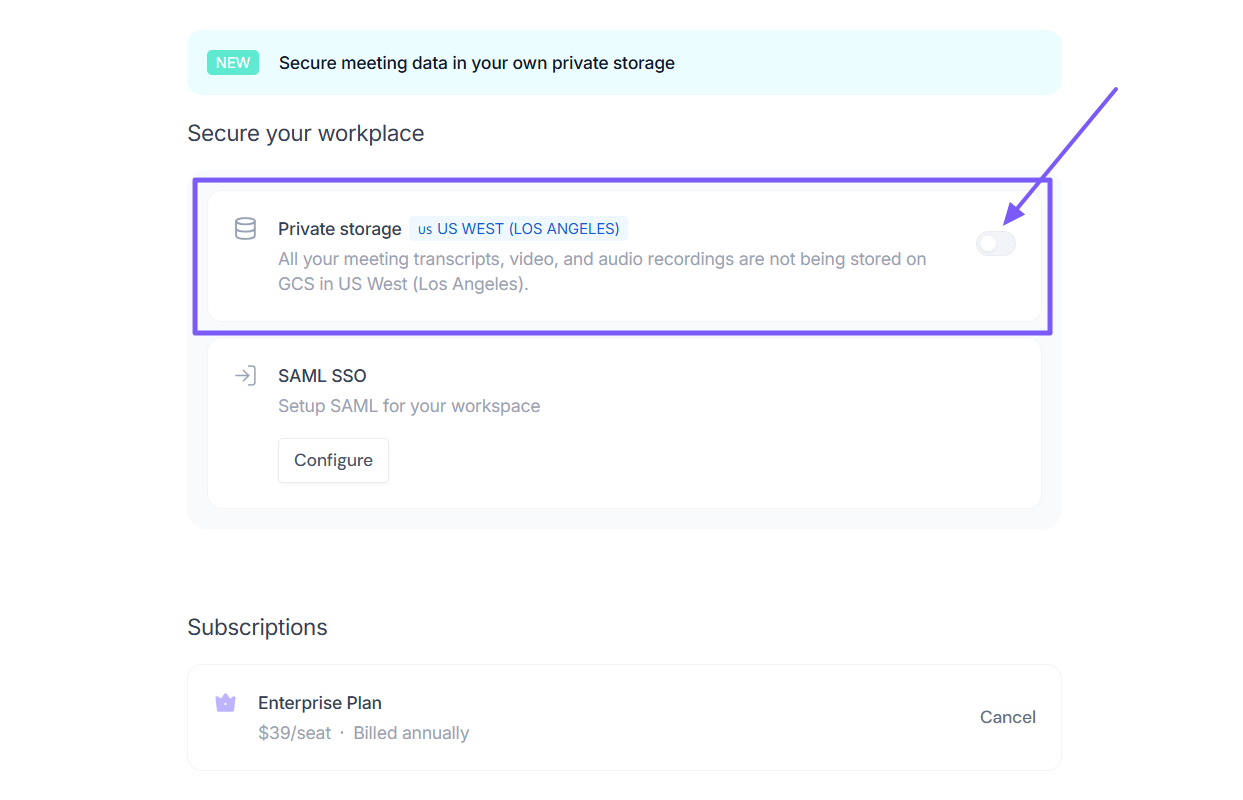
Step 4: Toggle On Private Storage
When you switch the Private Storage toggle to ON, the following message will appear:
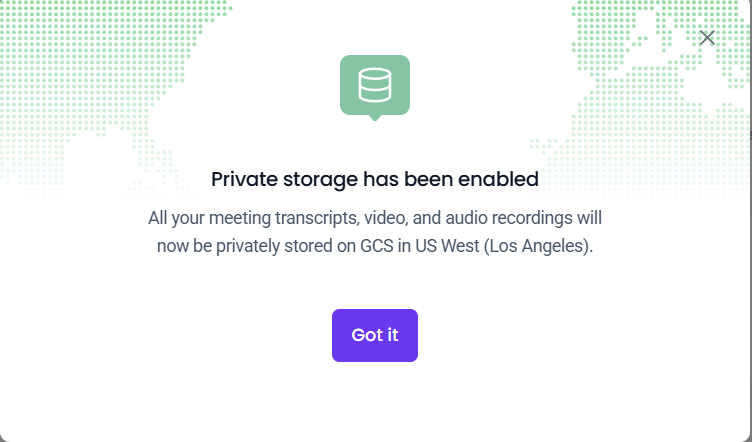
Once configured, the toggle will appear so you can turn Private Storage on or off as needed. When enabled, all new meeting data is stored privately on Google Cloud in US West Los Angeles.
🧠 Making sense of it all
Private Storage is available to Enterprise customers and can be set up through Team Settings
BYOS is also Enterprise-only but requires working with our Customer Operations or Customer Success teams
You'll choose your storage location during the initial setup — if you ever need to update it later, our support team will be happy to help you make that change
All new meetings will be stored in your bucket once enabled (for both Private Storage and BYOS)
Private Storage can be toggled on or off at any time from Team Settings
BYOS provides more customization but requires team coordination for any changes