How to Edit Your AI Credits Subscription
Last updated: September 15, 2026
Running low on AI Credits or need to scale up for your team? You can adjust your AI Credits package anytime — on monthly or annual billing — whether you need more credits for heavy usage or want to trim down. This guide walks you through how to edit your subscription, manage auto-upgrade, and stay in control of your AI usage.
✨ What Are AI Credits?
AI Credits are tokens required to use Fireflies AI features like AskFred, AI Skills, Custom Summaries, Magic Soundbites, and more.
AI Credits are available on monthly or annual billing. Annual plans are priced 20% lower than monthly.
Your monthly credits limit stays the same on an annual plan — annual billing affects the price and renewal frequency, not the credits you receive each month.
💡You need to be on a paid plan to purchase AI Credits. Learn more: How to purchase AI Credits
🚀 How to Edit Your AI Credits Subscription
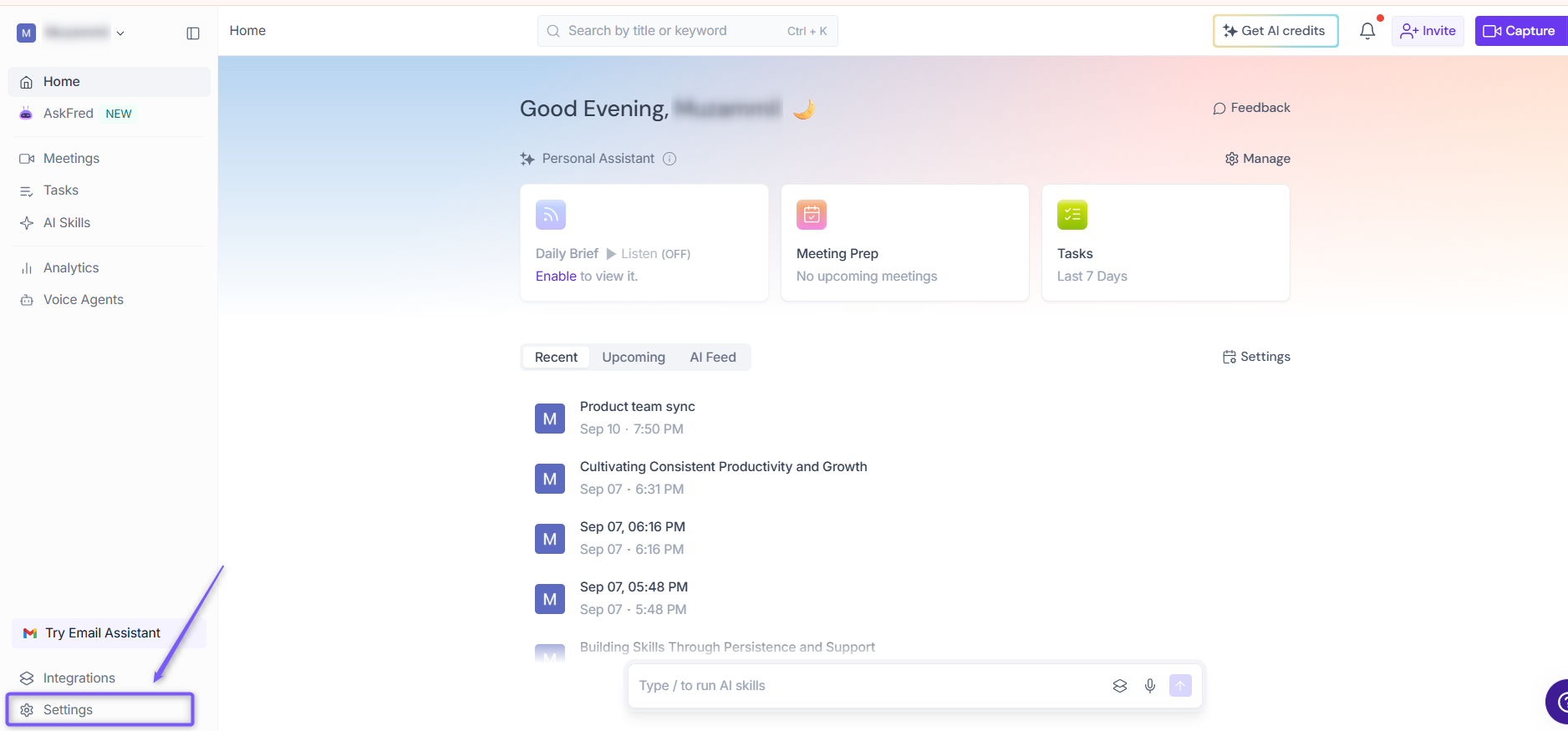
1. Go to the Fireflies web app and click the Settings from left side menu.
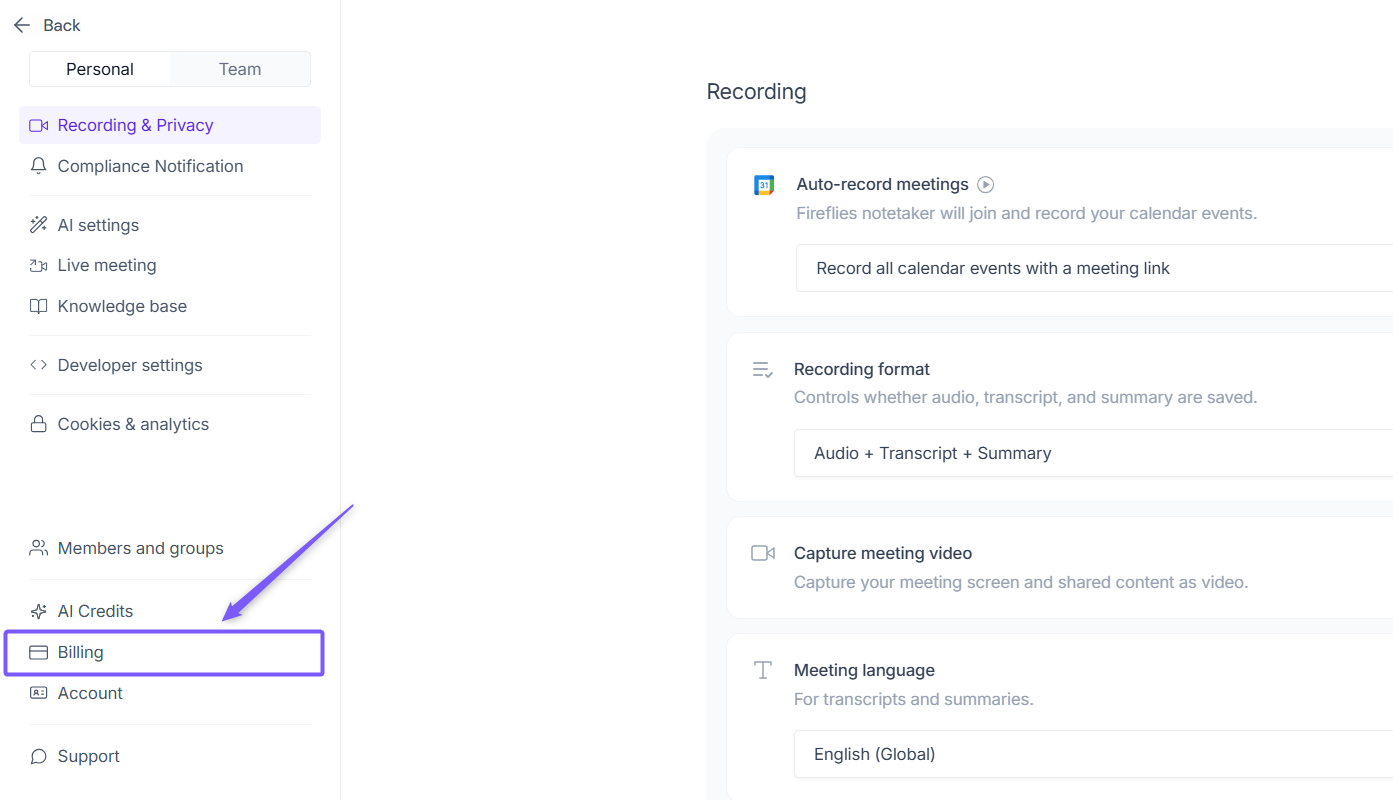
2. Navigate to Billing from the left panel.
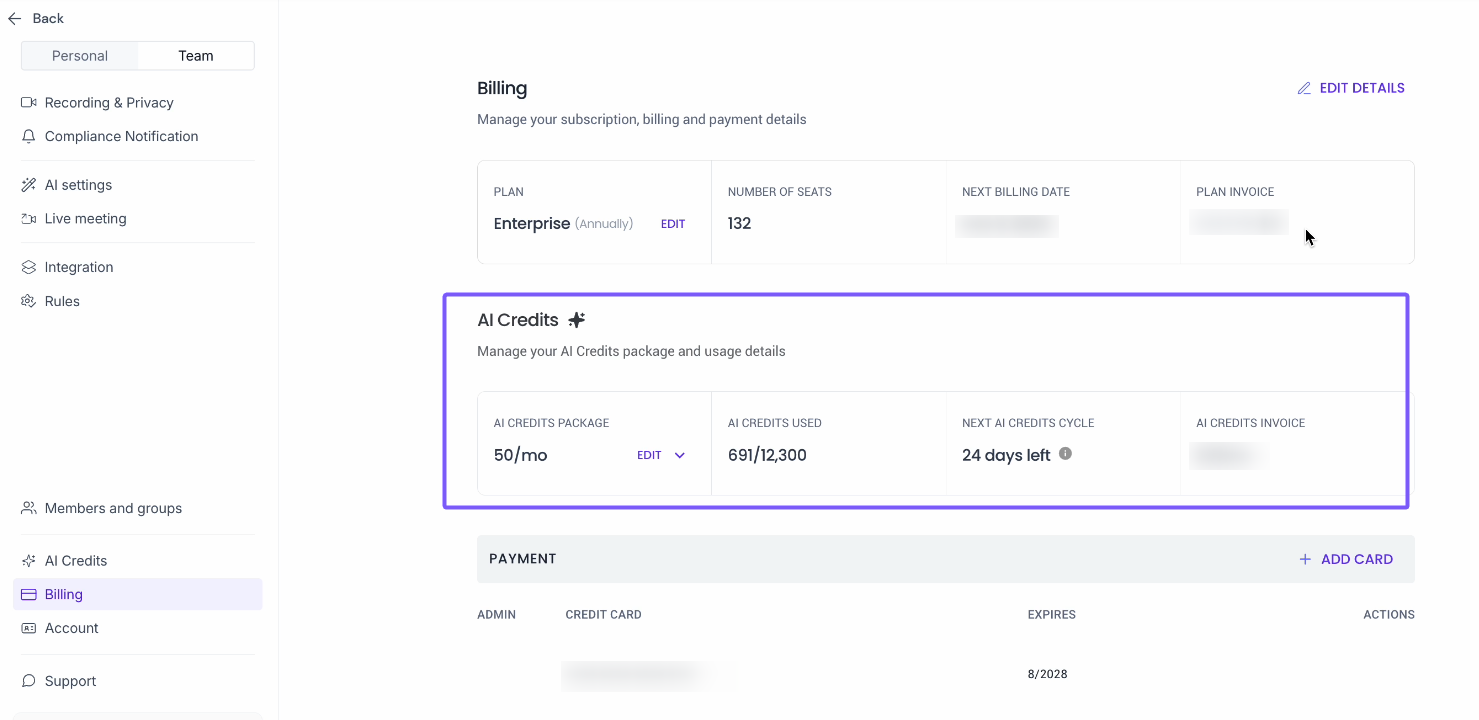
3. Under the Billing section, locate AI Credits.
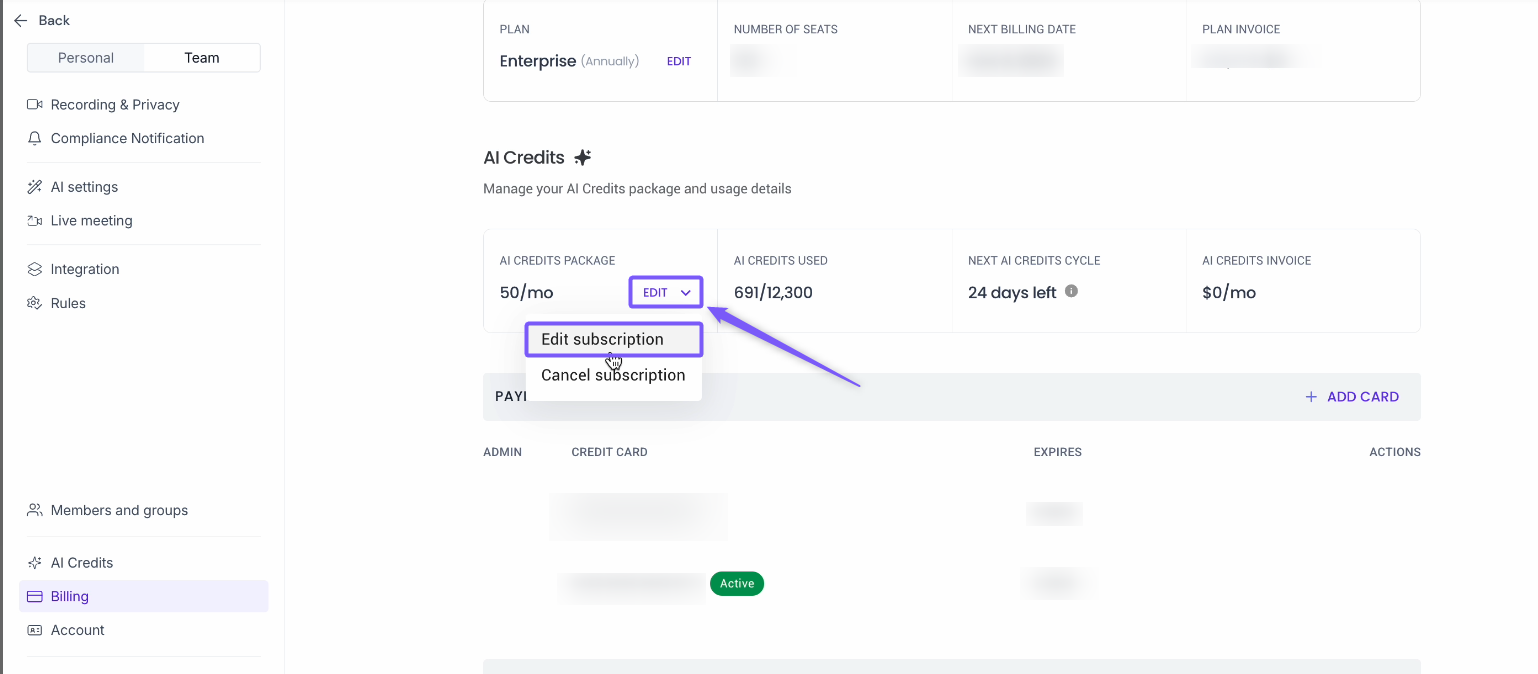
4. Under AI Credits, click Edit and select Edit Subscription to open the Upgrade AI Credits Package modal.
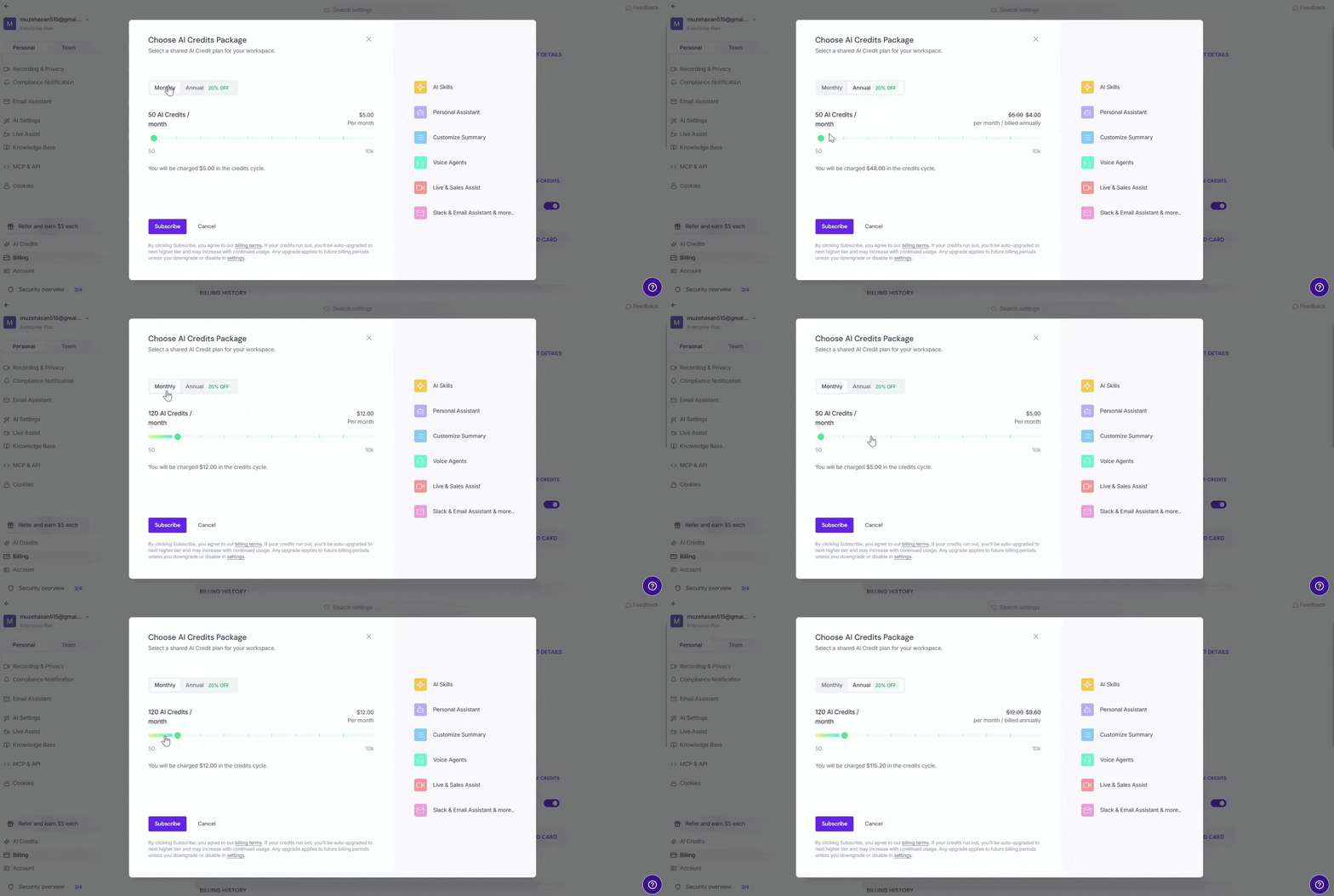
5. Choose your billing interval by selecting the Monthly or Annual tab.
6. Drag the slider to select the number of AI Credits you need (from 50 to 10,000 credits/month). As you change the AI Credits package, the price updates based on your selected package and billing interval.
💡 Annual plans are priced 20% lower than monthly.
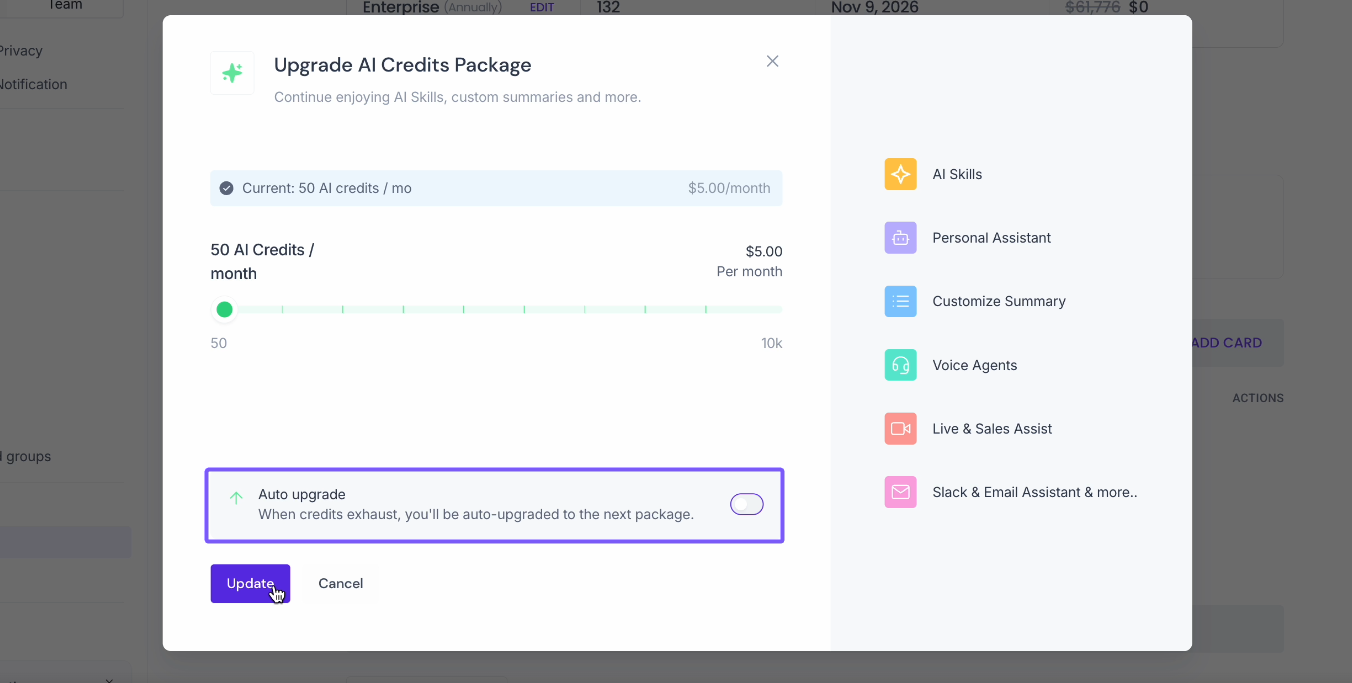
7. Toggle Auto upgrade on or off:
On — When you run out of credits, Fireflies automatically upgrades you to the next higher AI Credits package. If you're on an annual AI credits plan, the upgrade charge is applied pro-rata based on your annual billing cycle.
Off — Your AI Credits will not automatically upgrade when you run out of credits.
📌 Related: How to disable auto-upgrade of AI Credits
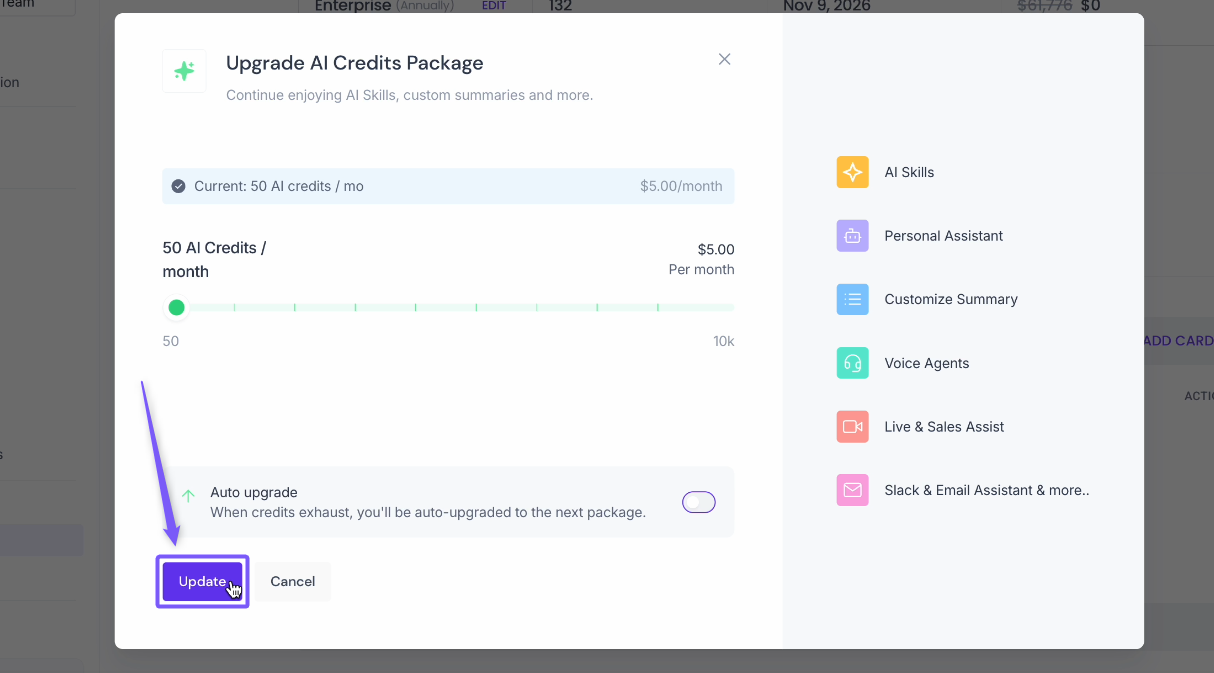
8. Click Update to save your changes.
With just a few clicks, you can scale your AI Credits up or down anytime to match your team's needs — no need to wait for your next billing cycle.
🔍 Recap
Adjust your AI Credits anytime from Settings → Billing → AI Credits → Edit, on monthly or annual billing.
Use the slider to choose between 50 and 10,000 credits/month — this limit is the same on annual plans.
Annual plans are priced 20% lower than monthly.
Your monthly credits limit stays the same on an annual plan — annual billing affects the price and renewal frequency, not the credits you receive each month.
Toggle Auto upgrade off if you don't want Fireflies to automatically upgrade your package when you run out of credits.
Want to make further changes to your subscription? 📌 Manage Fireflies subscriptions, billing and refunds.