How to Pause or Cancel AI Credits Subscription
Last updated: September 15, 2026
When you run out of AI Credits before your current billing cycle, Fireflies automatically upgrades you to the next higher AI Credits tier based on your Auto-Upgrade settings. If you're on an annual AI credits plan, the upgrade charge is applied pro-rata based on your annual billing cycle, not as a separate monthly charge.
You can either pause auto-upgrade or cancel your AI Credits subscription entirely, depending on your needs.
📌 This guide is part of the comprehensive Manage Fireflies Account Subscriptions, Billing and Refunds guide.
Your monthly credits limit stays the same on an annual plan — annual billing affects the price and renewal frequency, not the credits you receive each month.
How to Pause AI Credits Auto-Upgrade
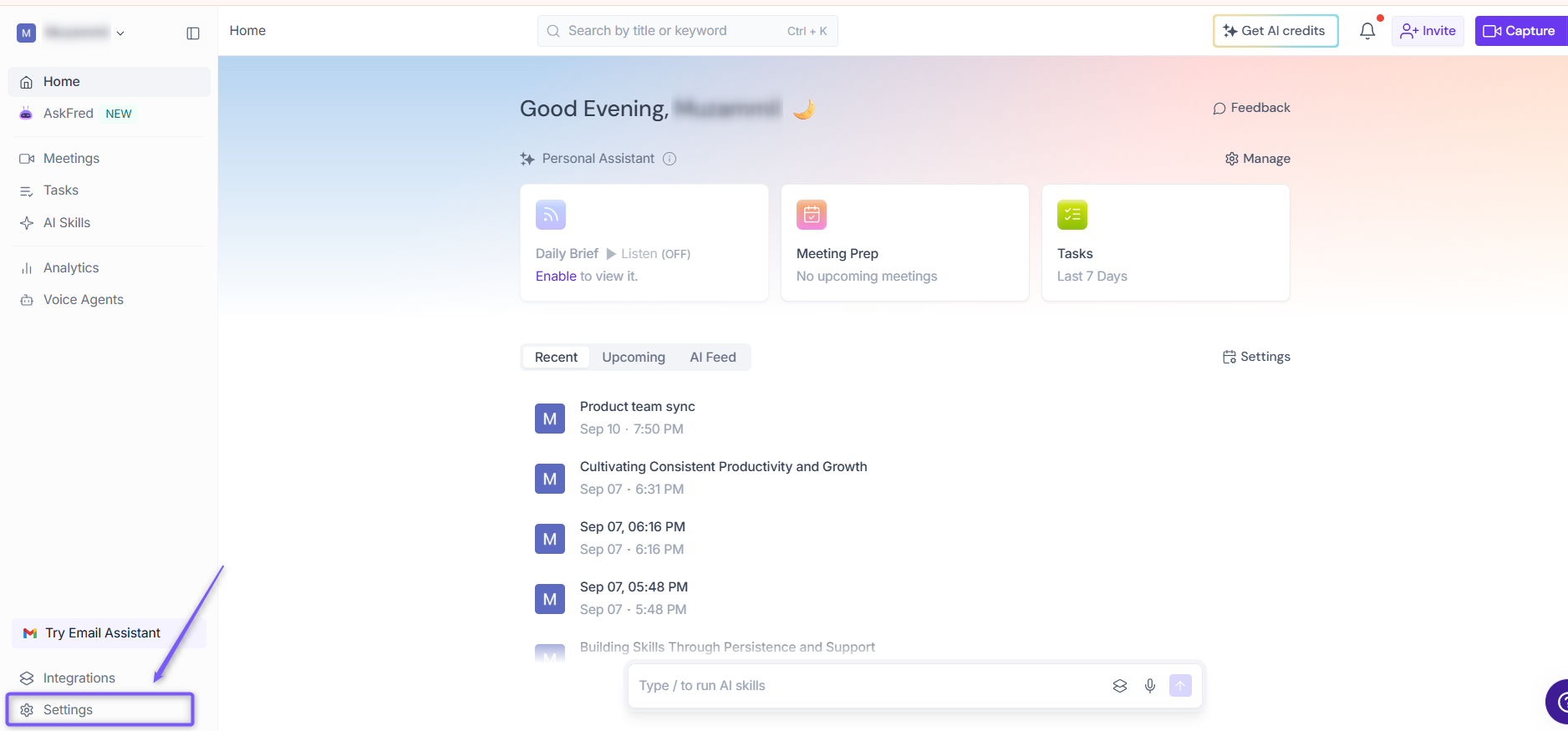
1. Go to the Fireflies web app and click the Settings from left side menu.
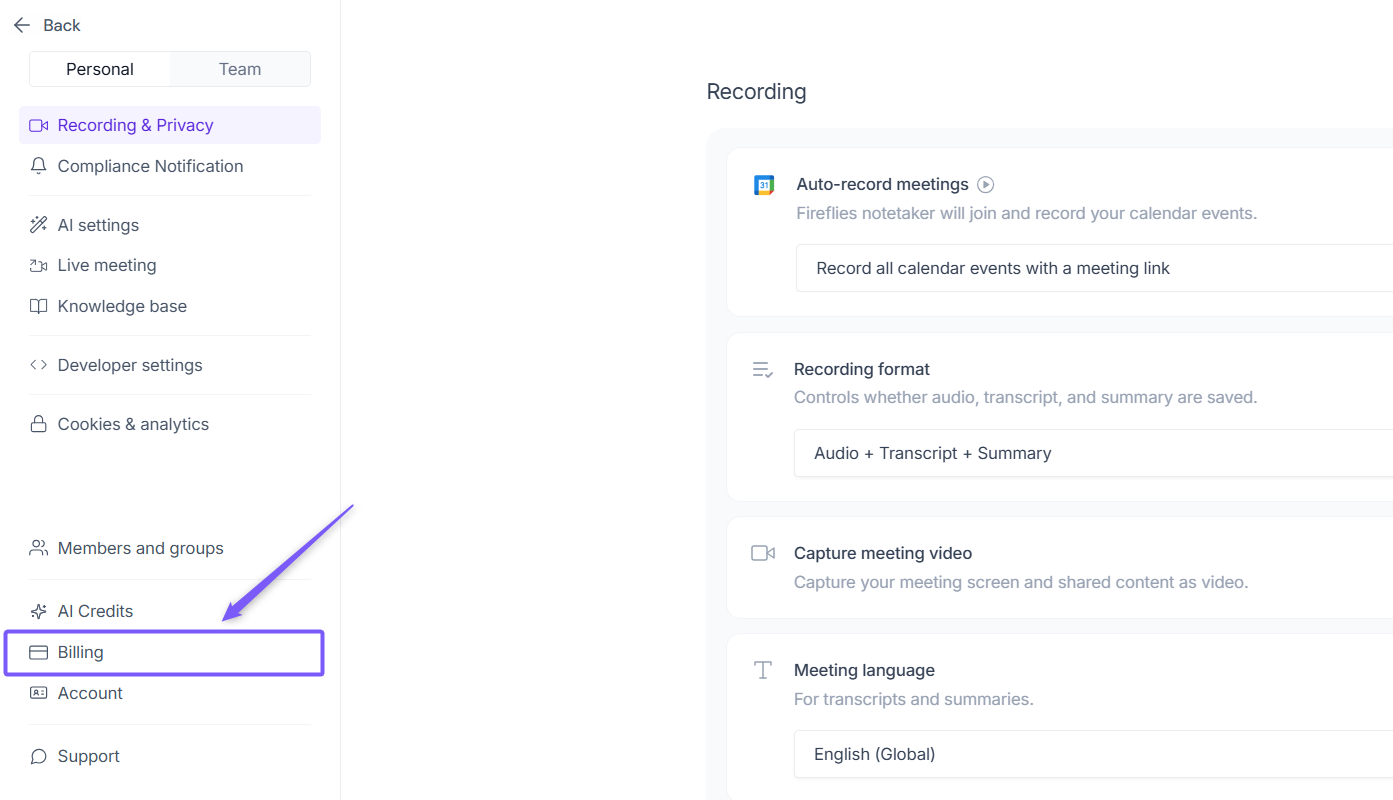
2. Navigate to Billing from the left panel.
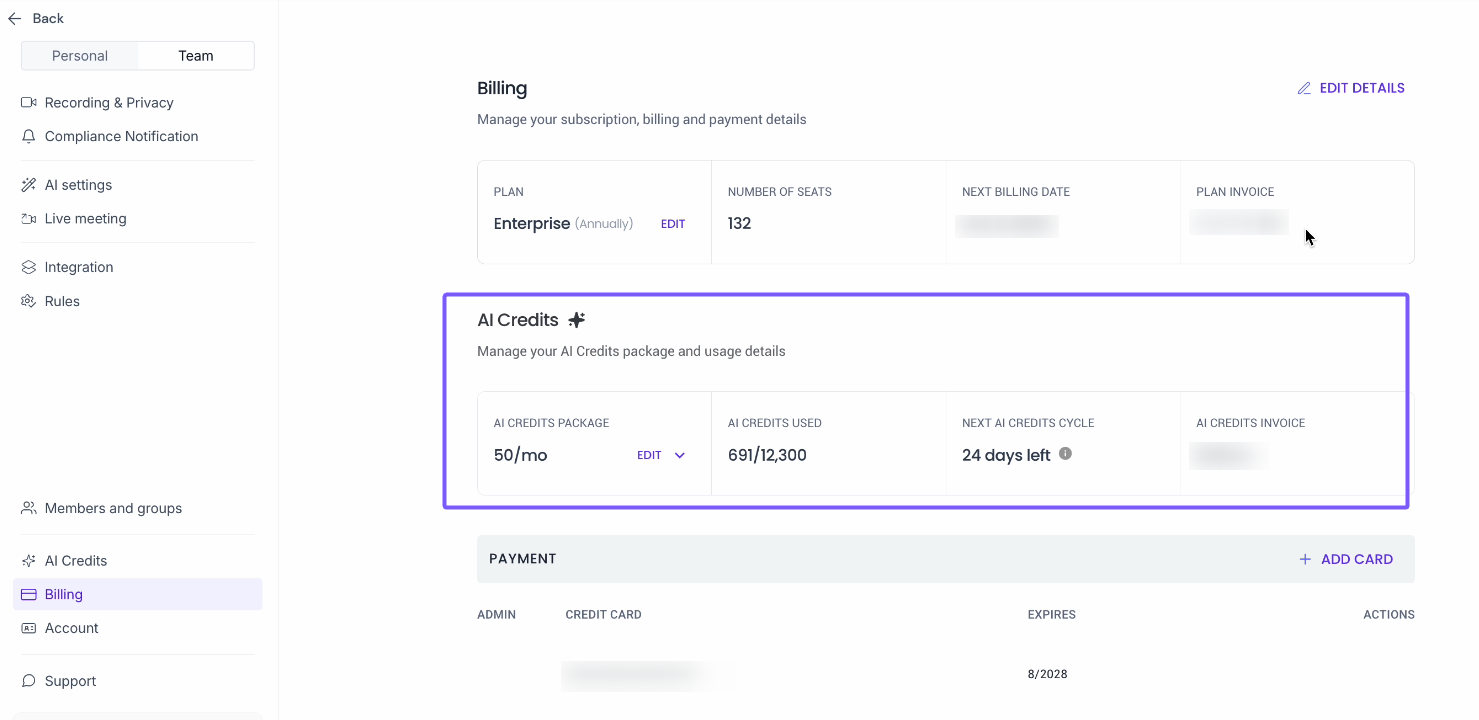
3. Under the Billing section, locate AI Credits.
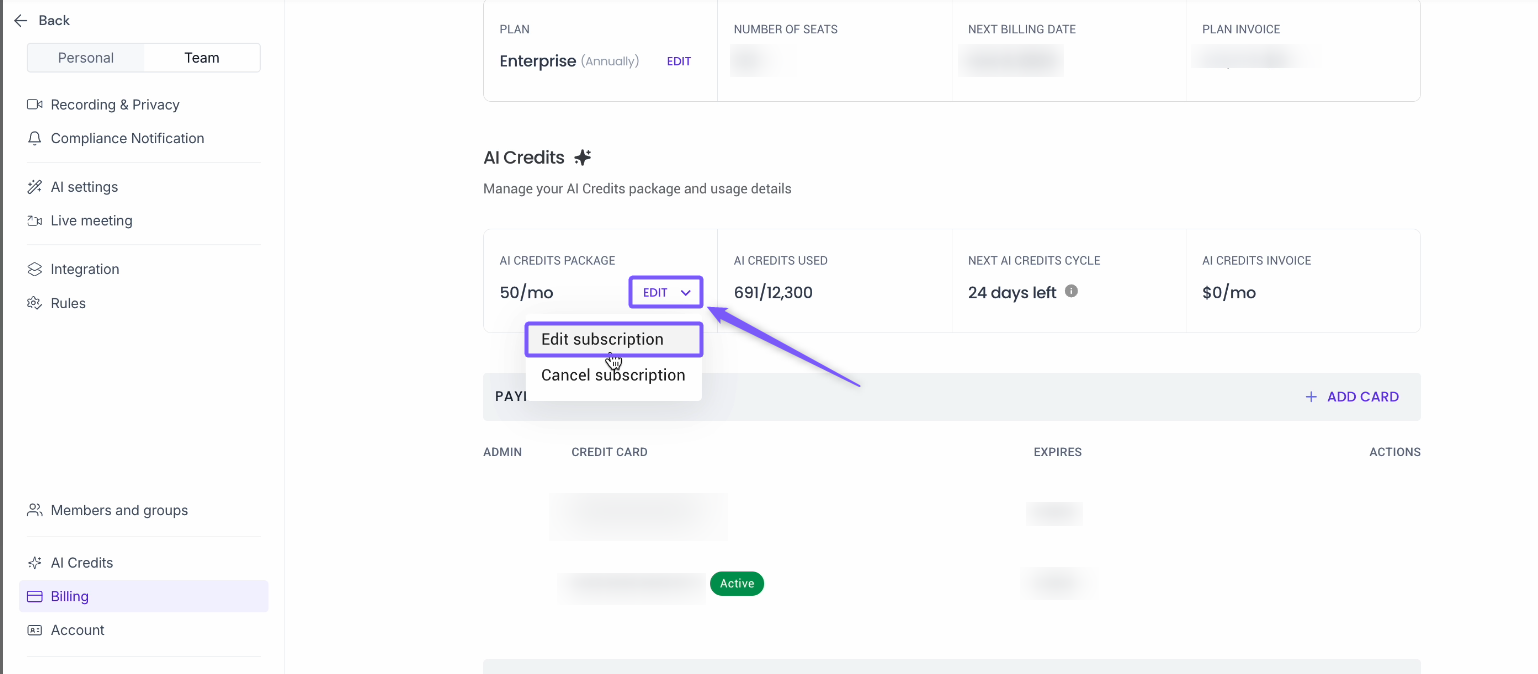
4. Under AI Credits, click Edit and select Edit Subscription to open the Upgrade AI Credits Package modal.
5. Toggle off Auto upgrade and click Update to save your changes.
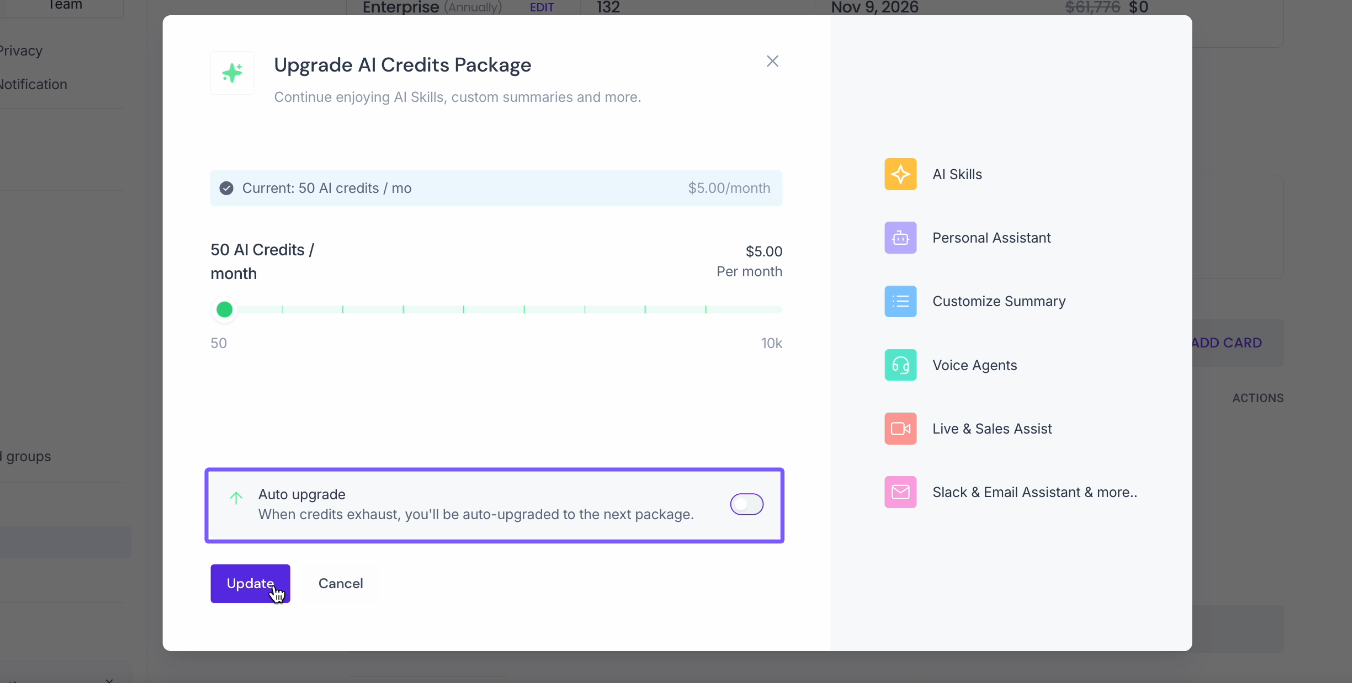
💡 Alternatively, if you are a team member and did not purchase the AI Credits package directly, you can toggle off Auto-Upgrade from the Account.
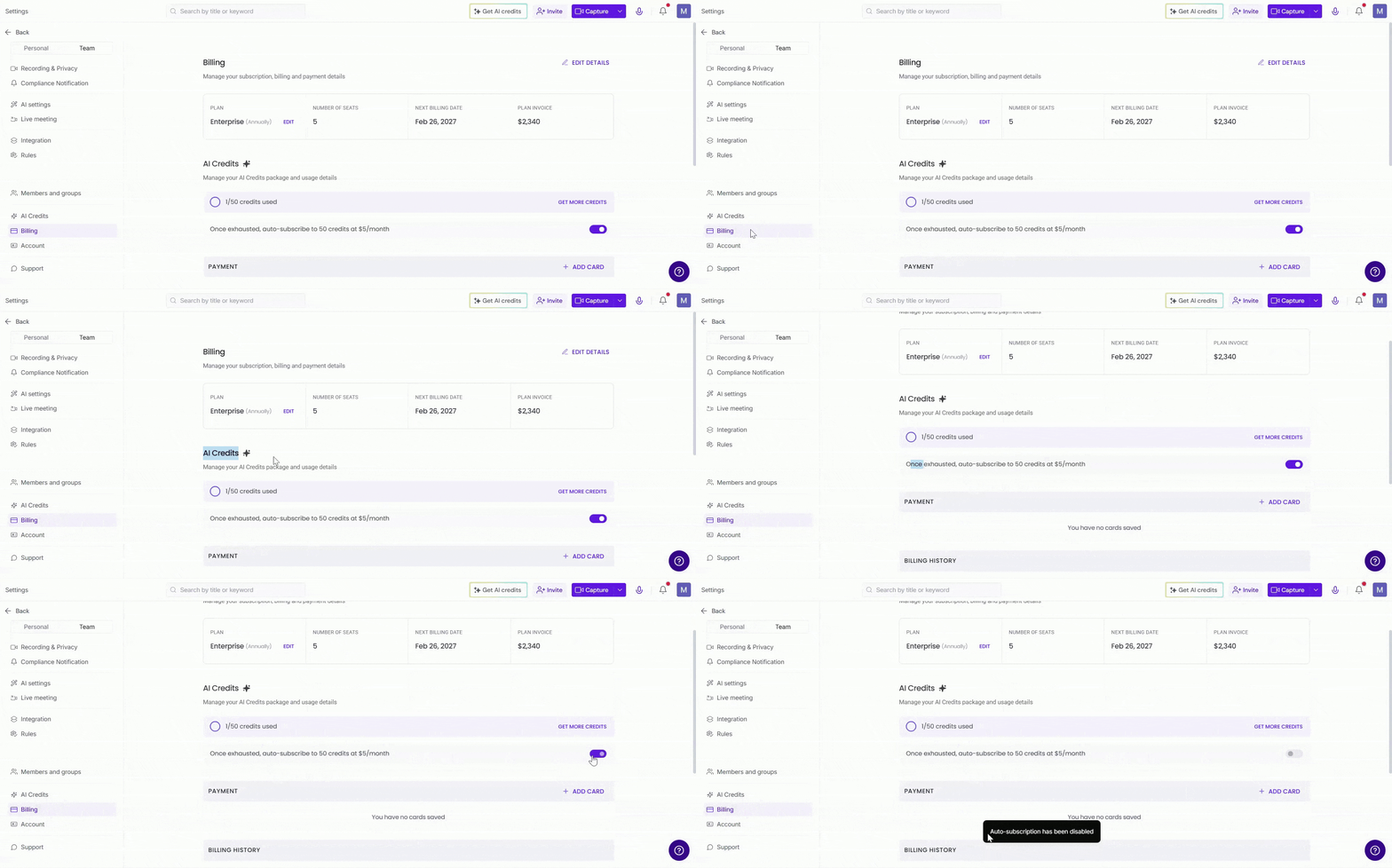
Fireflies will no longer automatically subscribe to additional AI Credits once your current package is exhausted.
How to Cancel AI Credits Subscription
1. Go to the Fireflies web app and click the Settings from left side menu.
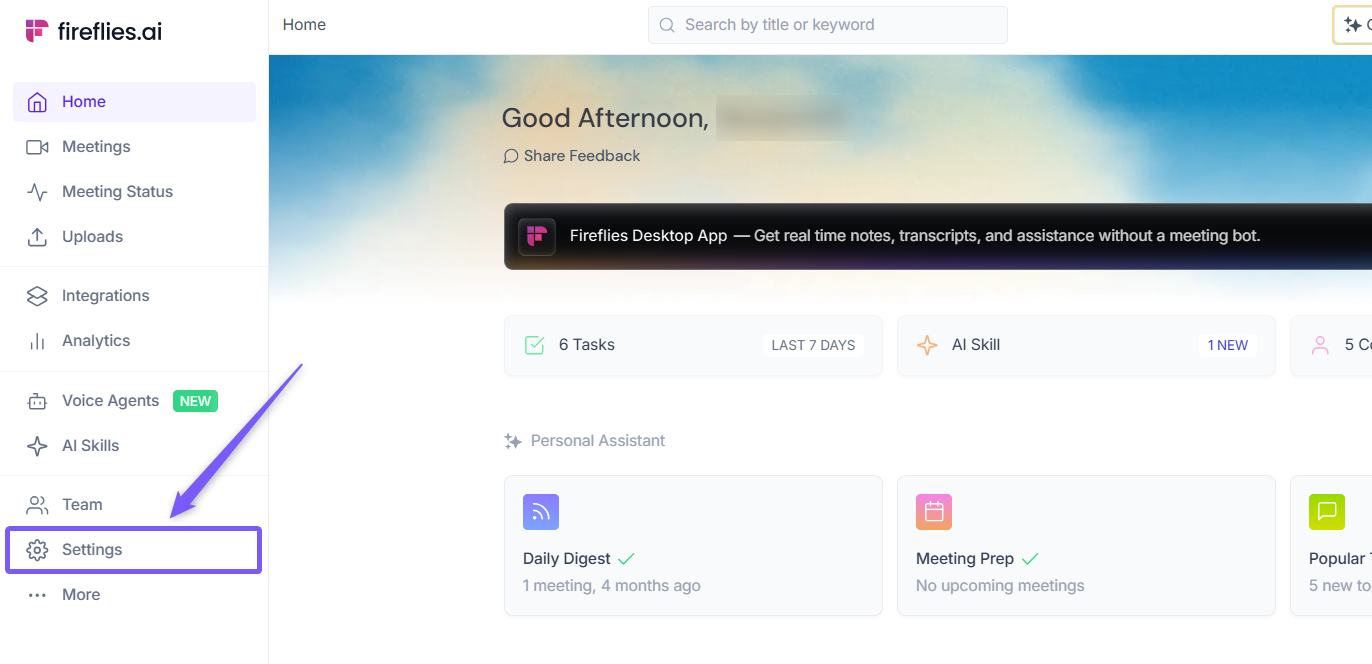
2. Navigate to Billing from the left panel.
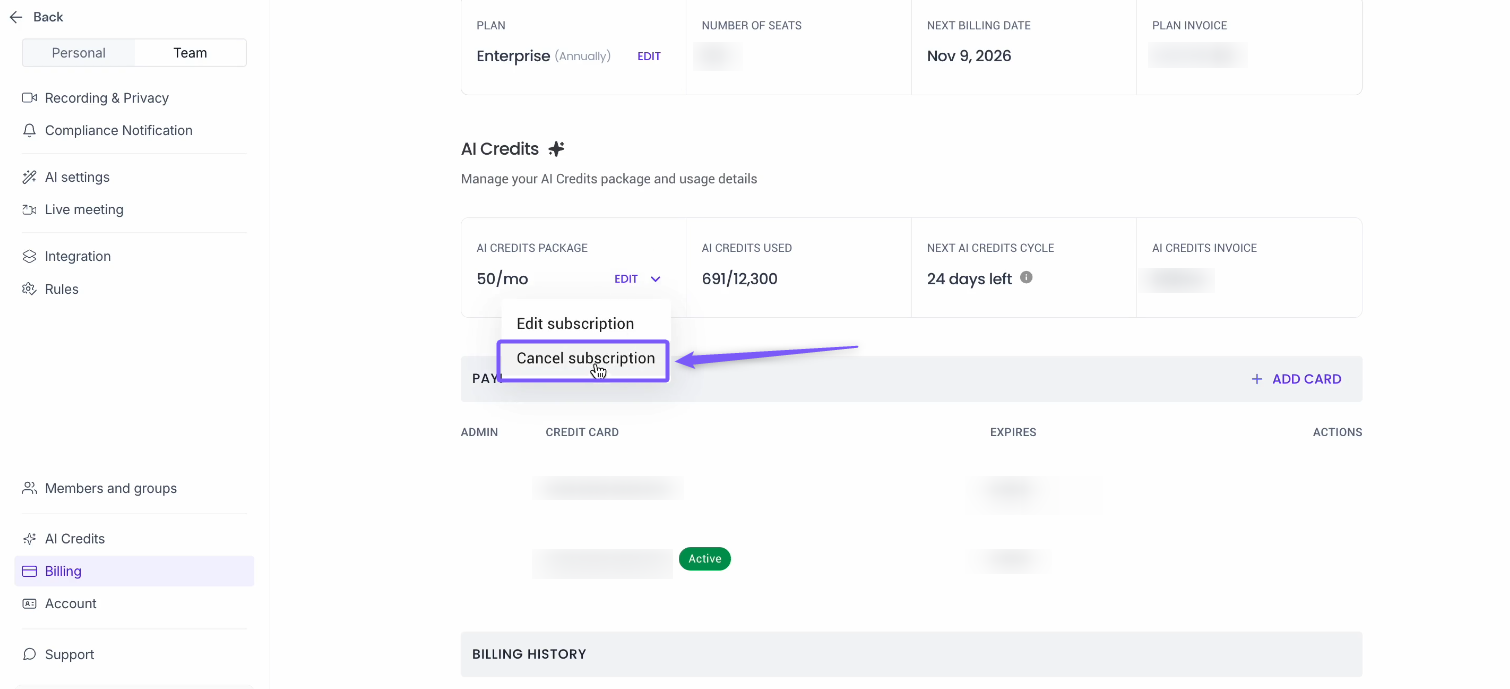
3. Under the Billing section, locate AI Credits.
4. Under AI Credits, click Edit and select Cancel Subscription.
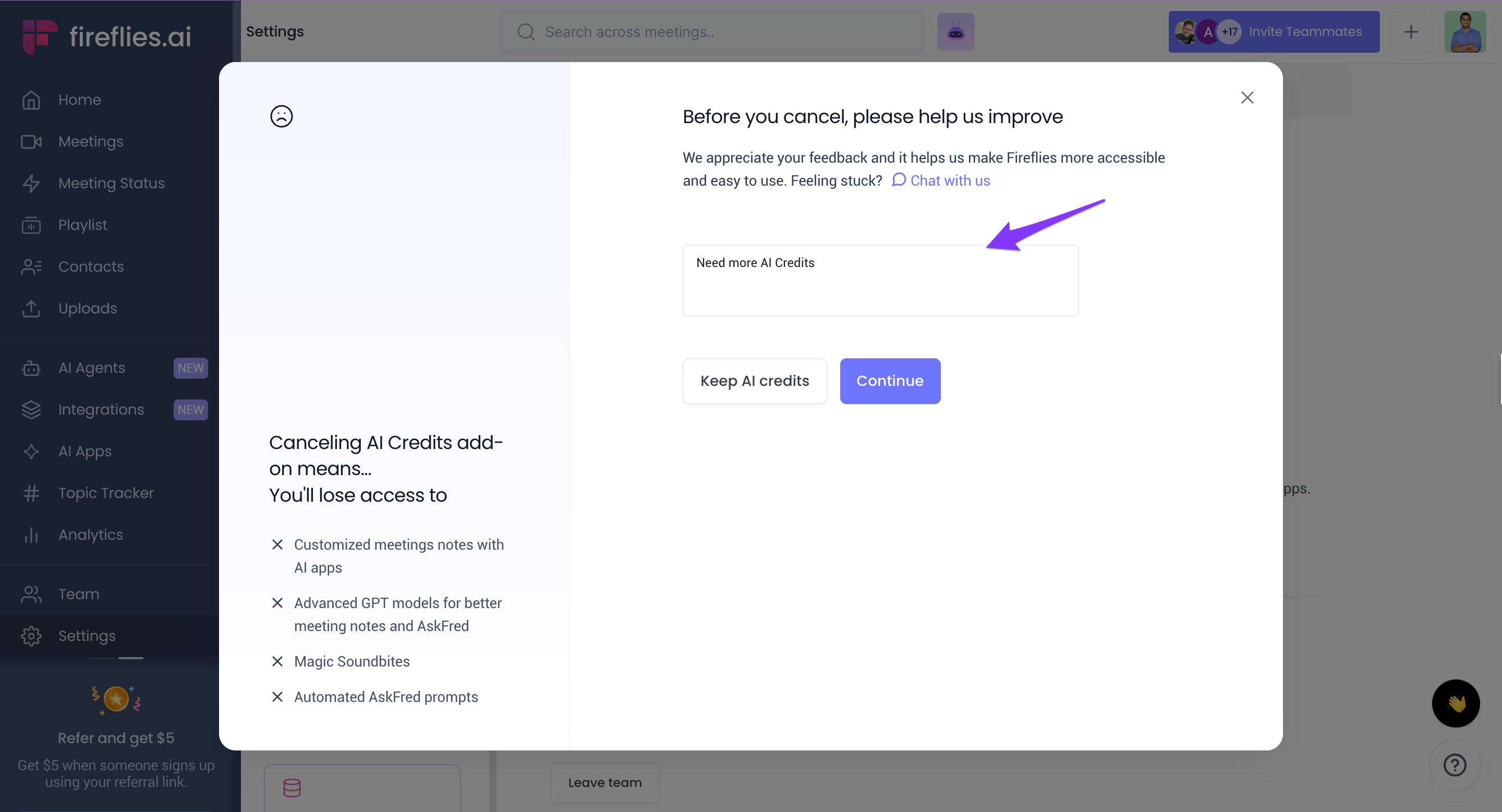
5. Enter a reason in the textbox.
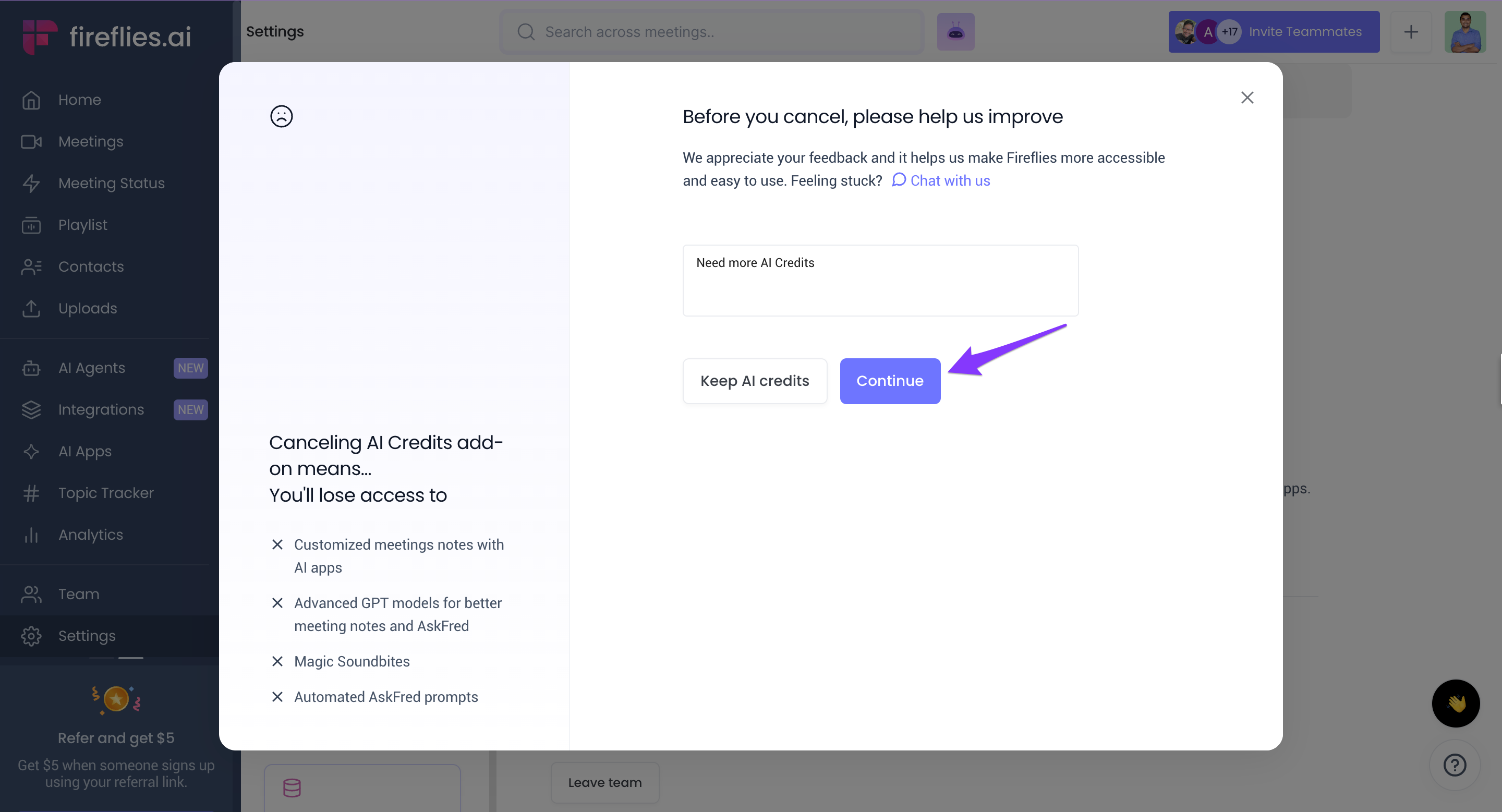
6. Click Continue.
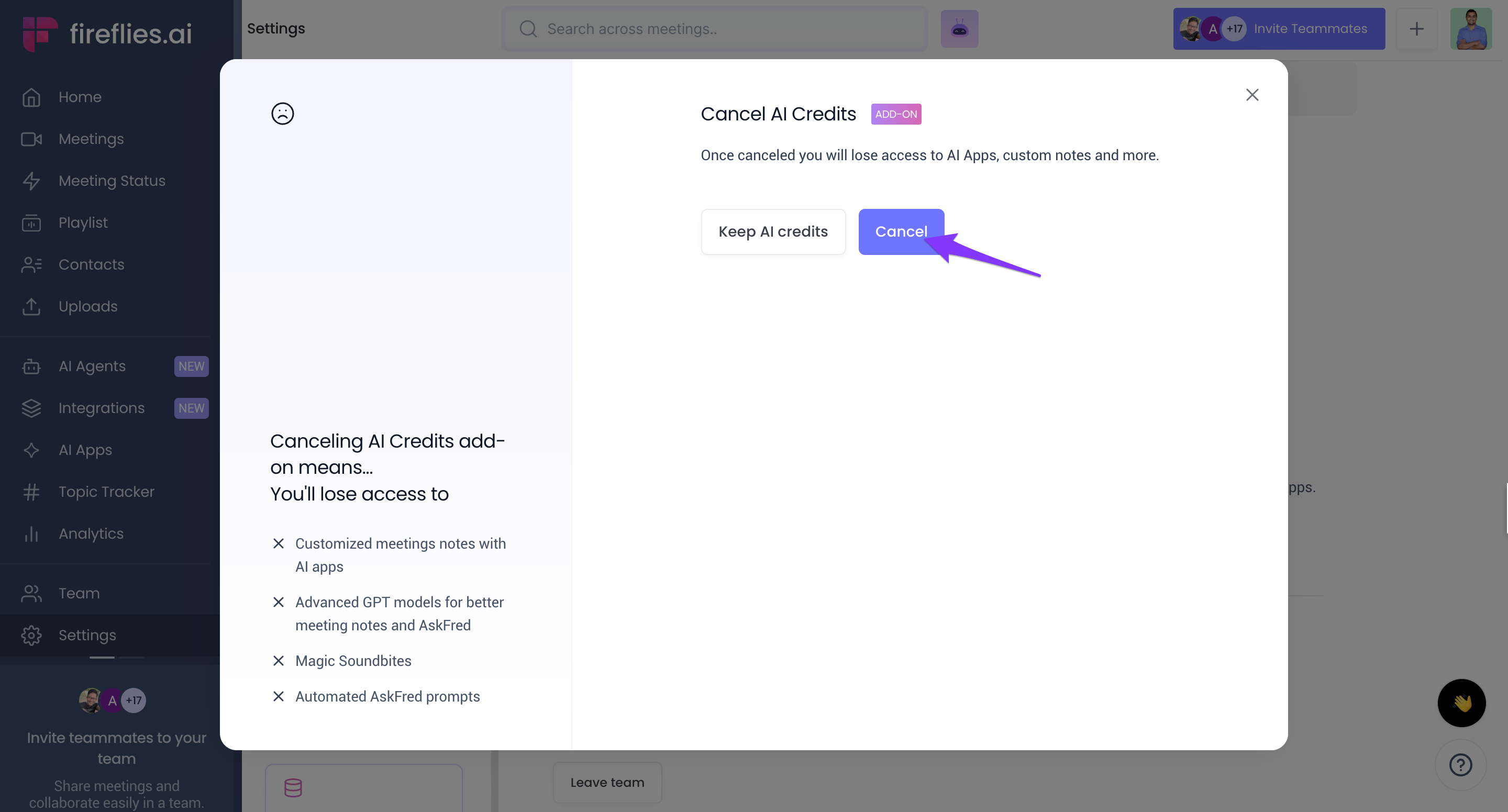
7. Click Cancel.
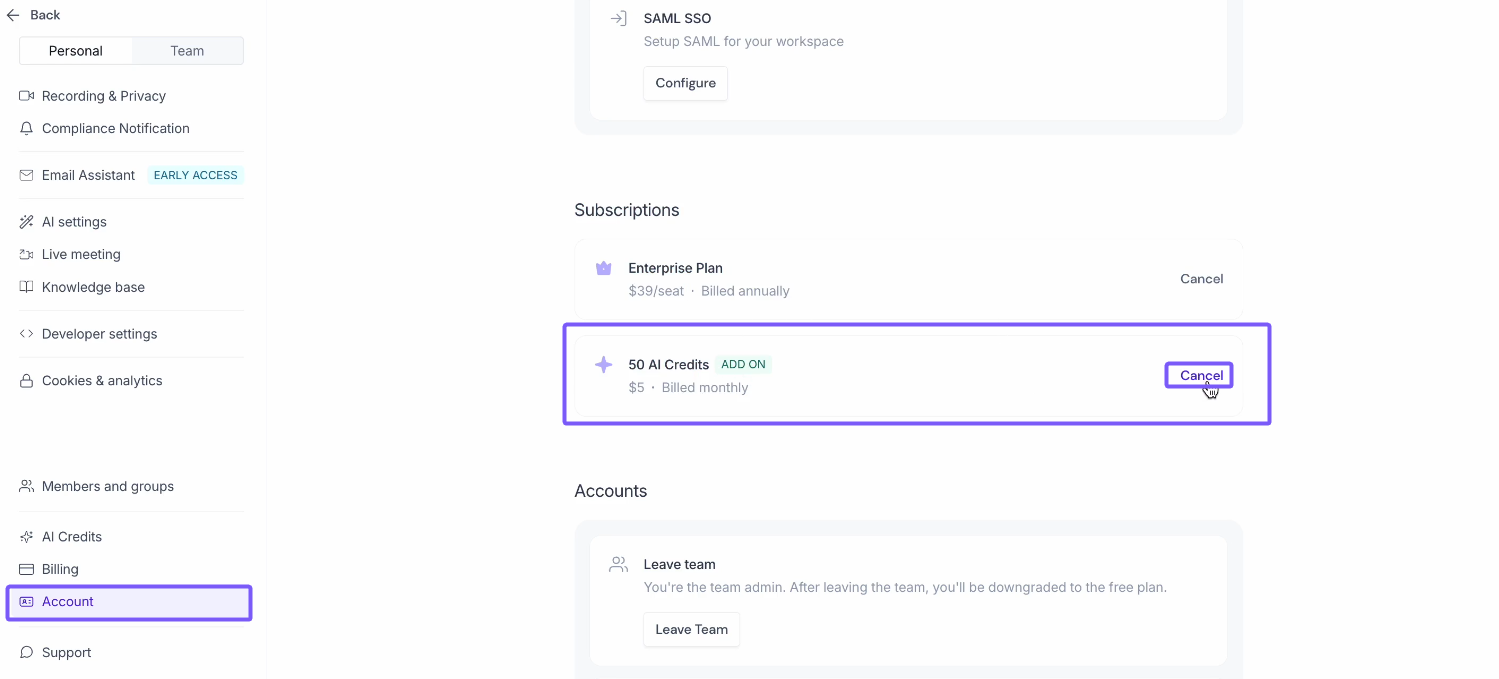
💡Alternatively, you can go to the Account section, go to Subscription section, click on Cancel and follow the same steps as above to cancel the subscription.
Note:
After canceling your AI Credits subscription, you will still have access until the end of your current billing period.
After this period, your subscription will be canceled and you will not be automatically billed further.