Connect Fireflies with Monday CRM
Last updated: August 27, 2026
Turn every prospect conversation into actionable CRM data – automatically.
Why This Matters to You
Your sales team just had a promising discovery call with a potential enterprise client, full of insights about pain points and decision timelines. Now someone needs to manually update the CRM and ensure those crucial details don't get lost.
Monday CRM's integration with Fireflies eliminates this manual work entirely. Every meeting participant automatically becomes a lead in your pipeline, and every conversation insight flows directly into the right contact, lead, or account record.
What You'll Accomplish
By connecting Fireflies with Monday CRM, you'll transform how your sales and customer success teams manage relationships:
Benefit | What This Means for You |
Automatic lead creation | Every new meeting participant becomes a CRM lead without manual data entry |
Seamless note mapping | Meeting insights sync directly to existing contacts, leads, and accounts |
Complete conversation history | Access full meeting context from within your CRM workflow |
Pipeline accuracy | Never miss a prospect or lose track of relationship status |
Getting Started
Step 1: Connect Monday CRM to Fireflies
Access your Monday CRM integration through the Fireflies integrations hub.
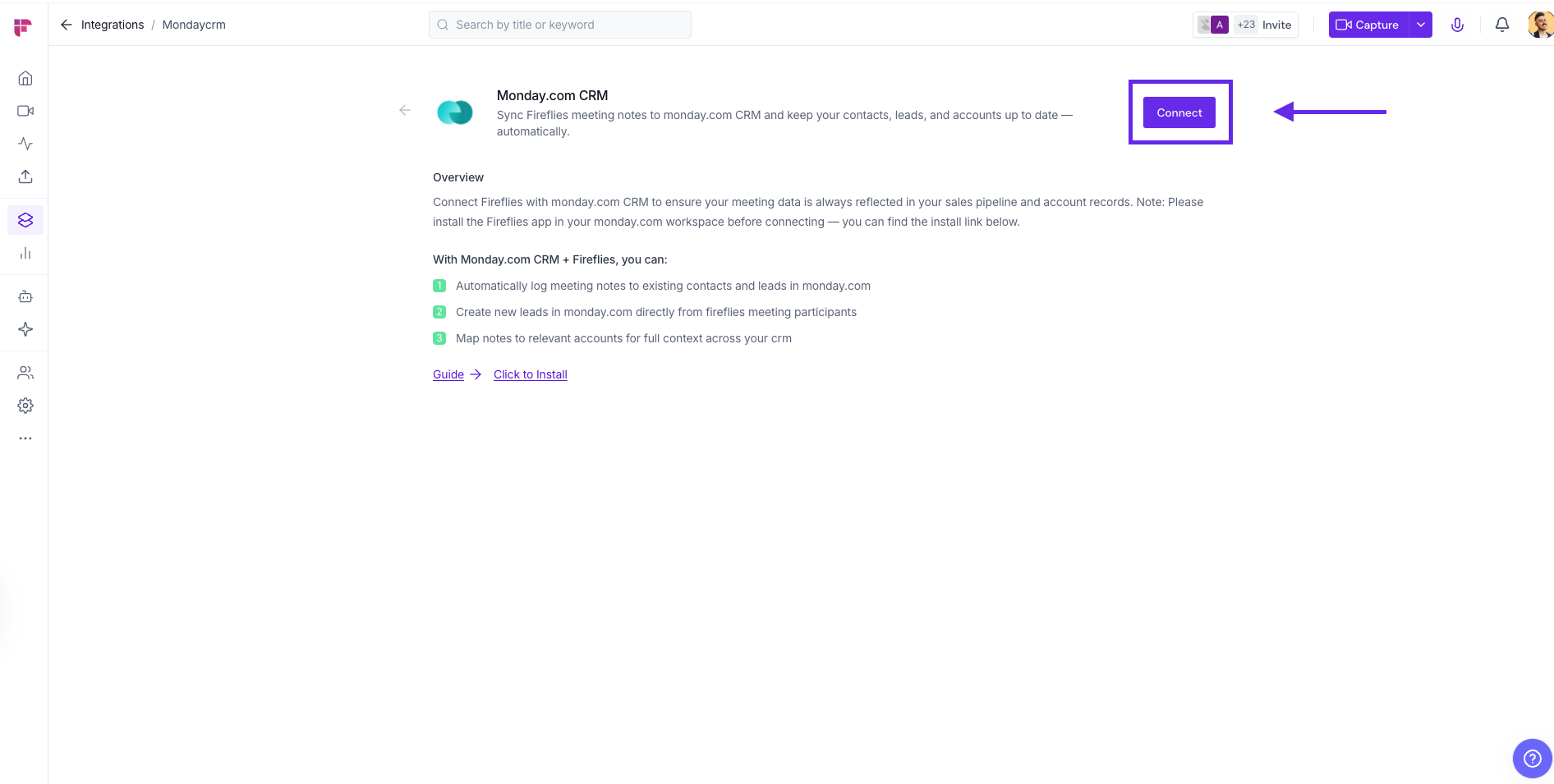
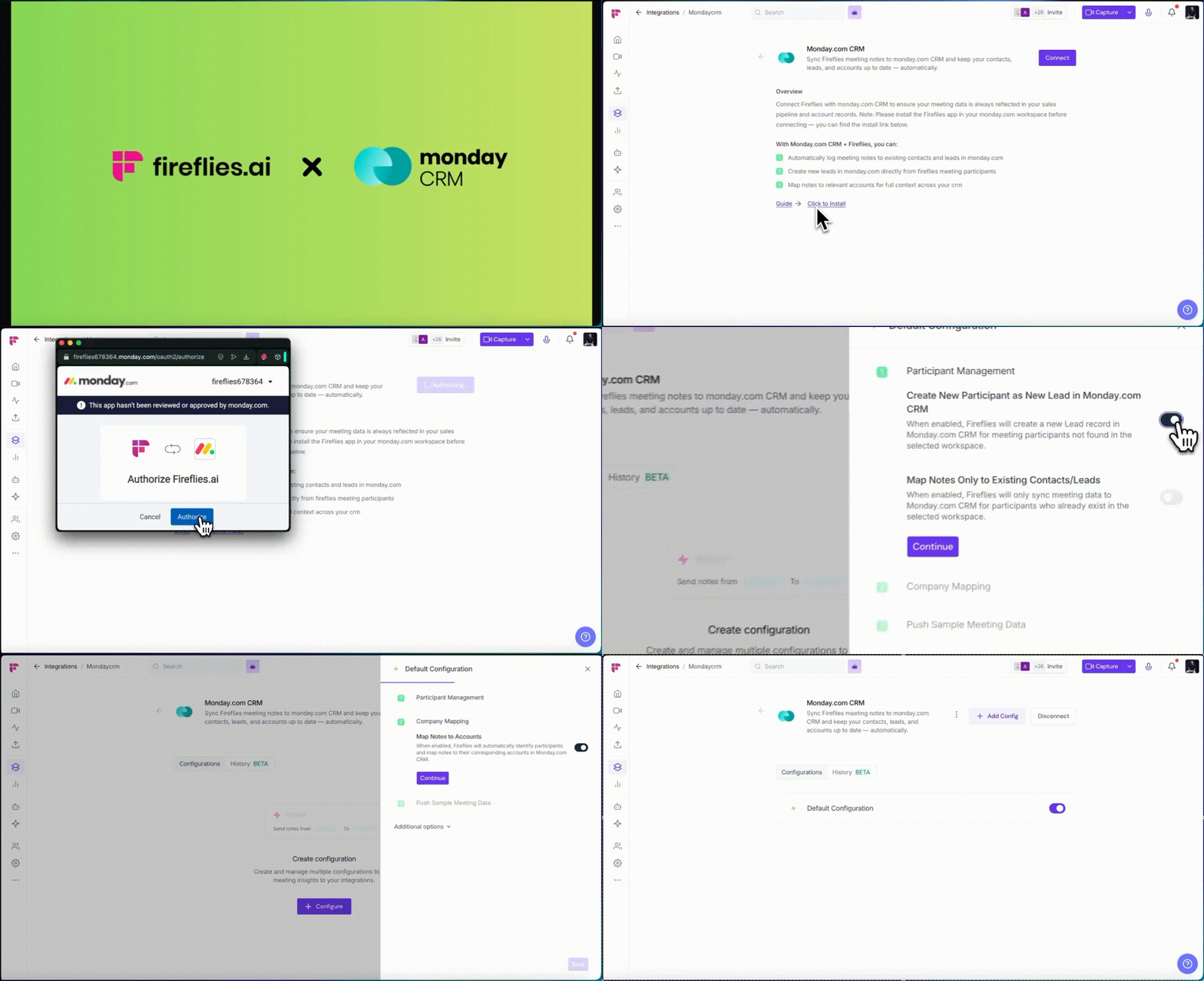
Log in to your Fireflies account, go to the Integrations page, and search for Monday.com CRM. Click on it to get started.

Click to Install.
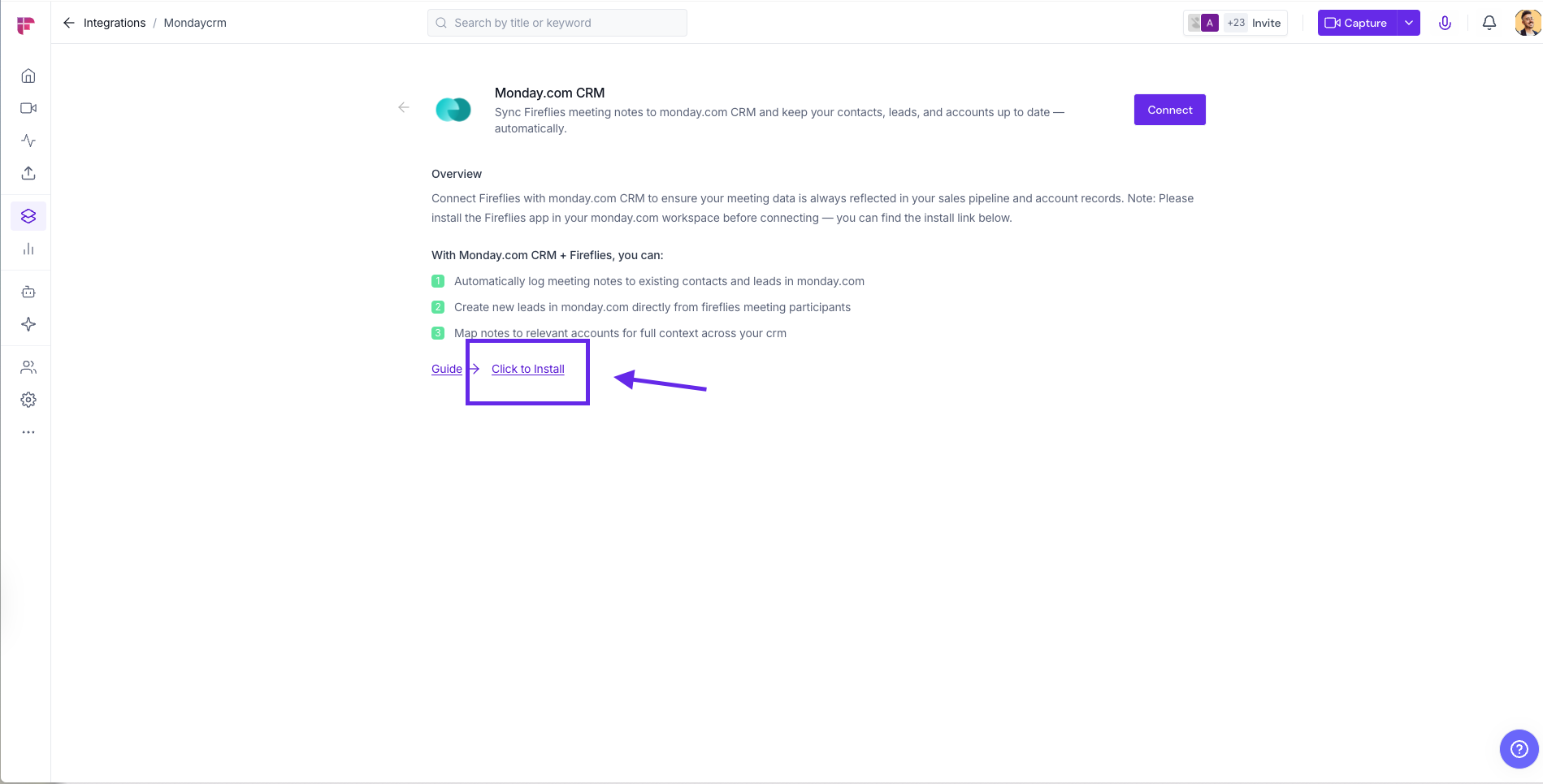
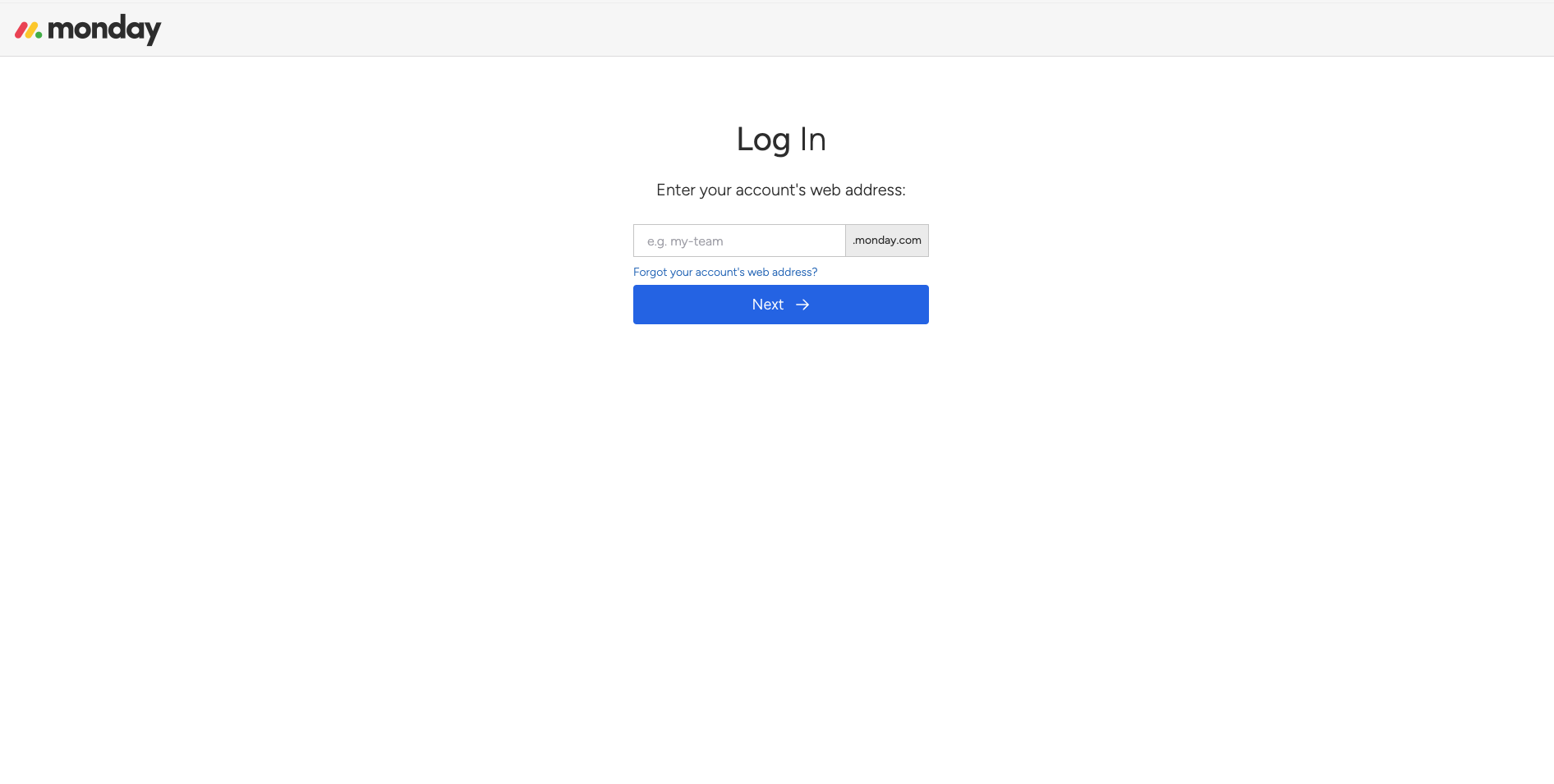
Unlike other integrations, this requires the Fireflies app to be installed in Monday.com first
Follow the steps to install the Fireflies app and click on Authorize
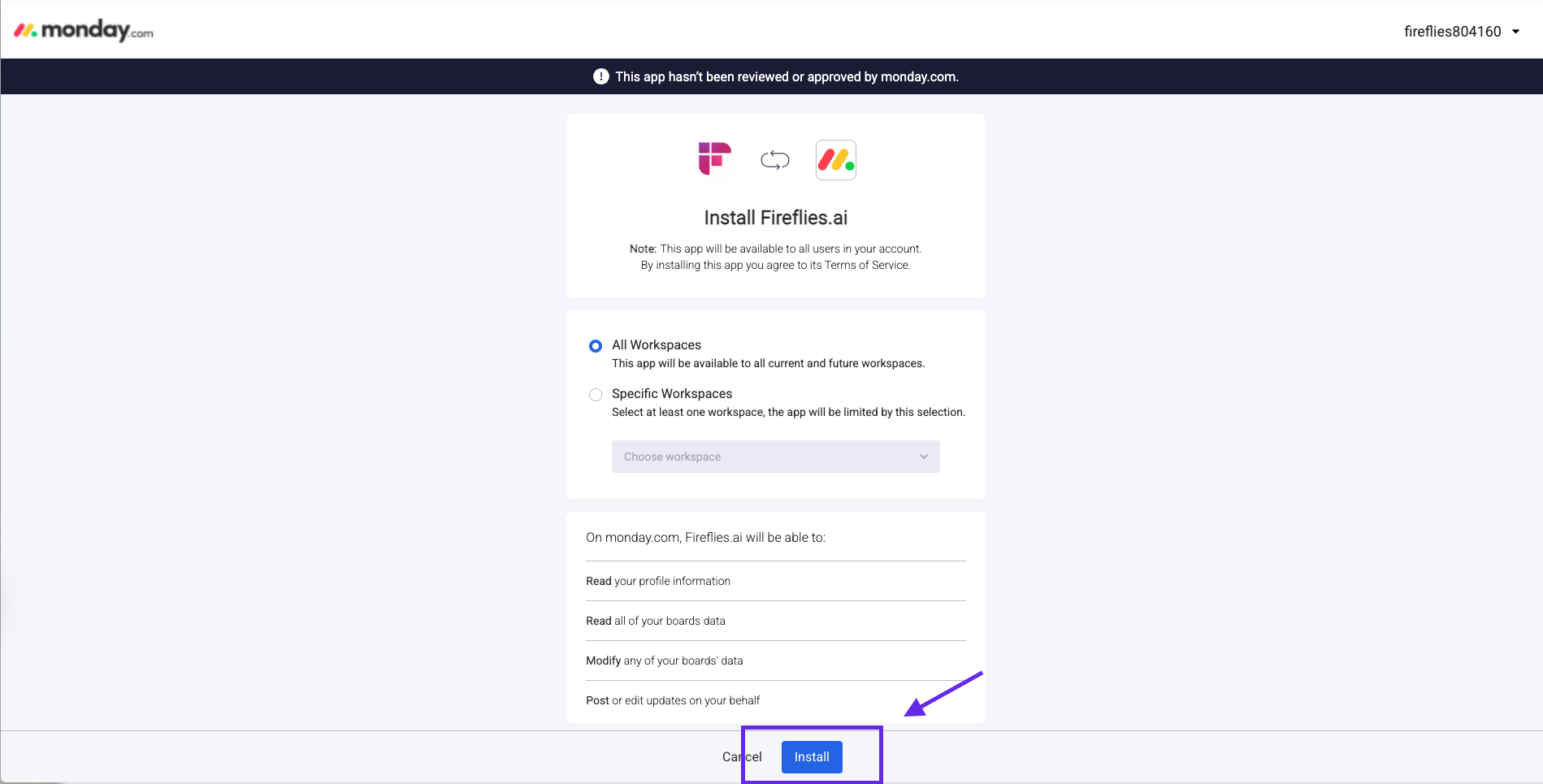
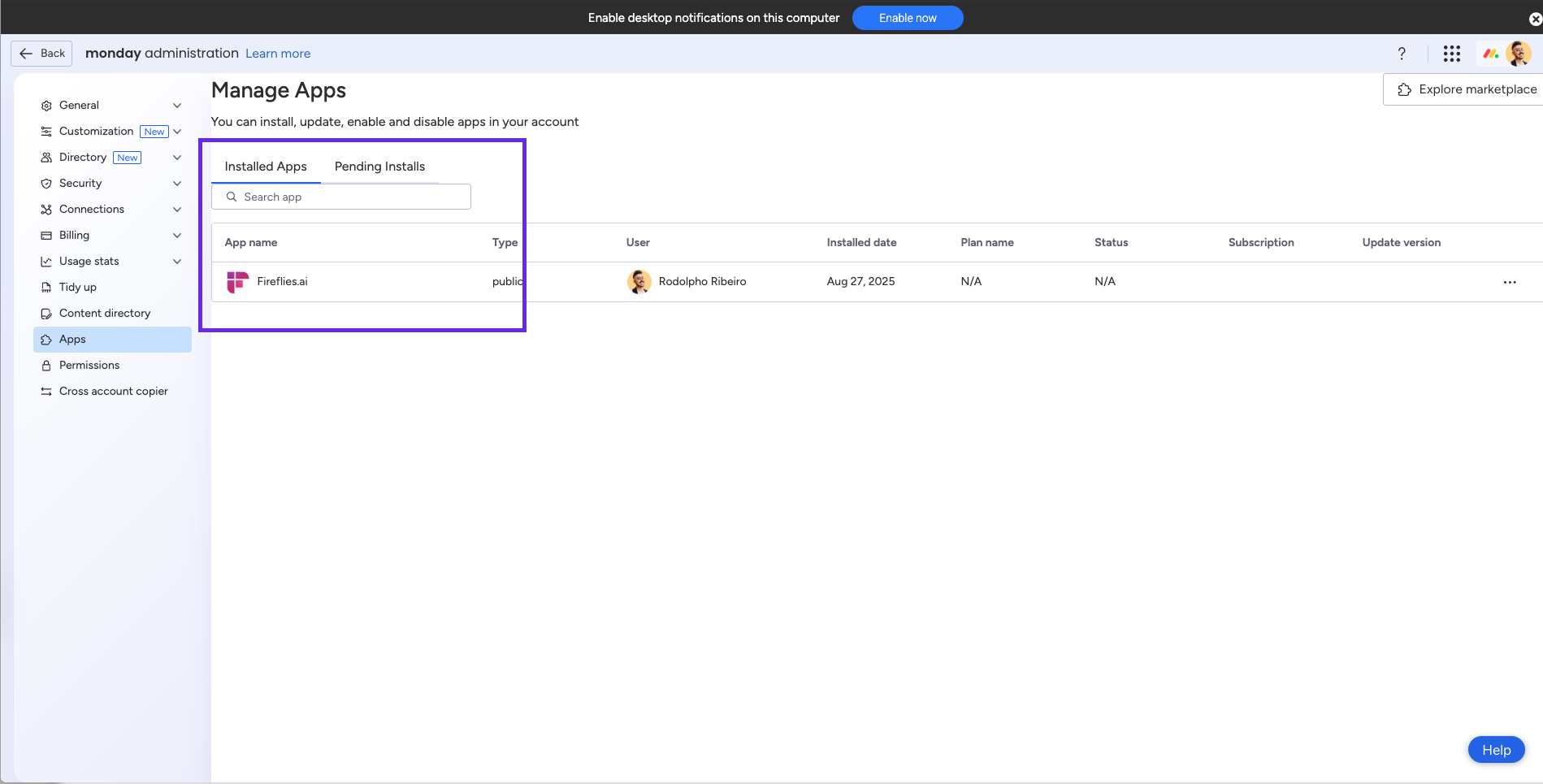
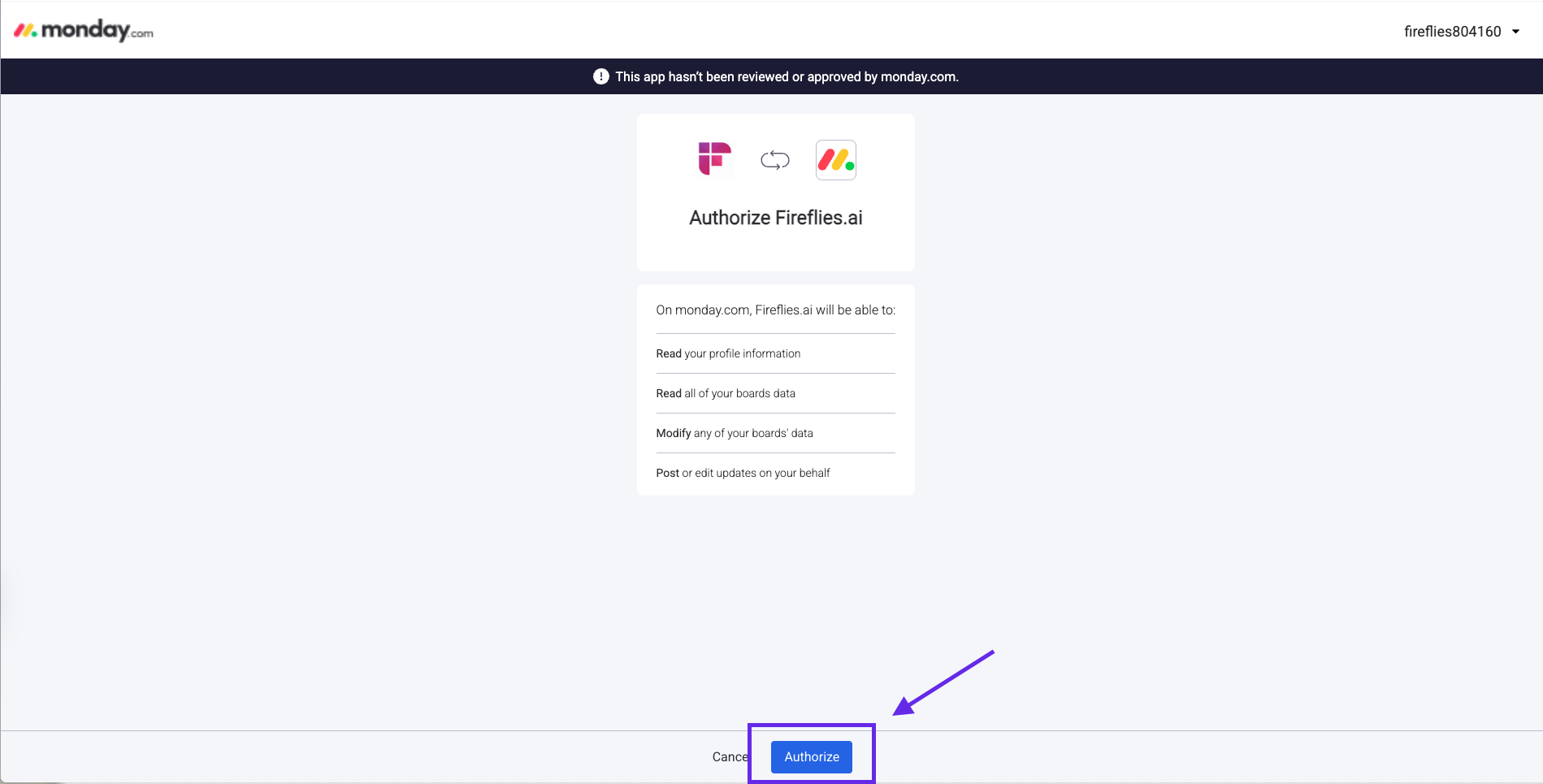
Now as the window returns to the Fireflies app, click Connect
Authorize Fireflies to access your Monday CRM workspace
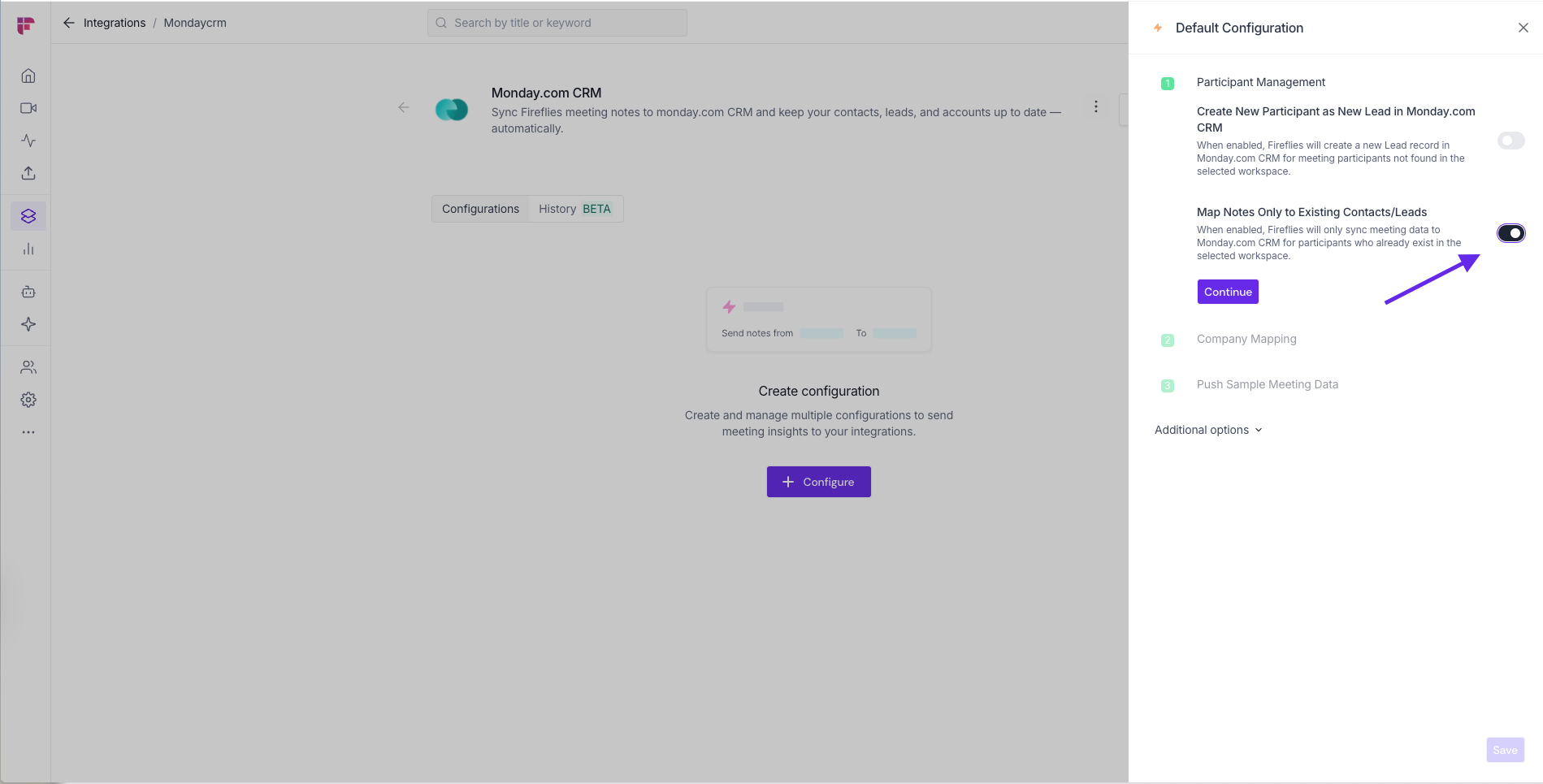
Setup your Default Configuration by toggling on/off Create New Participant as New Lead or Map Notes Only to Existing Contacts/Leads
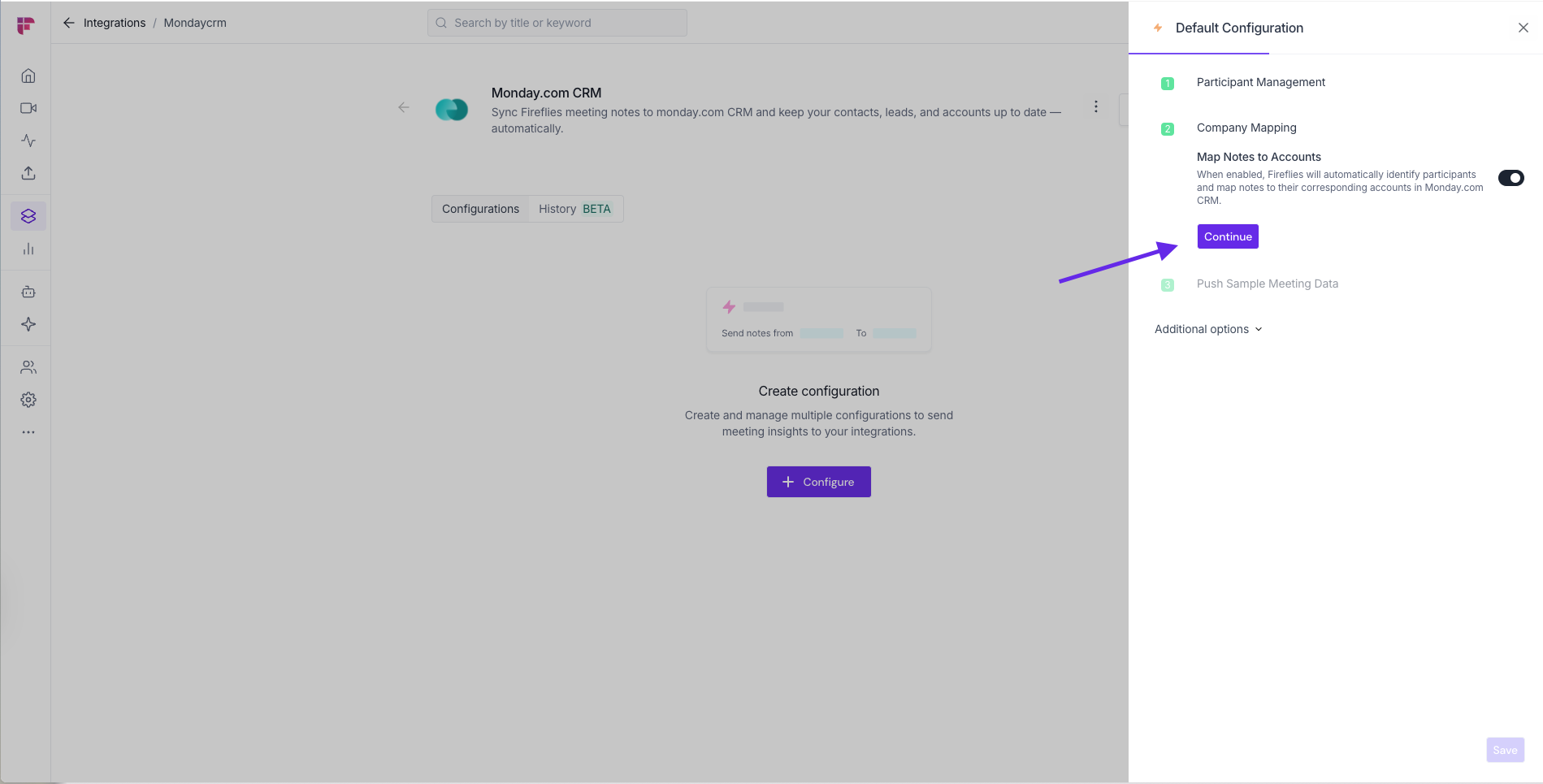
Setup Company Mapping if desired
Choose to Push Sample Meeting Data or simply Continue
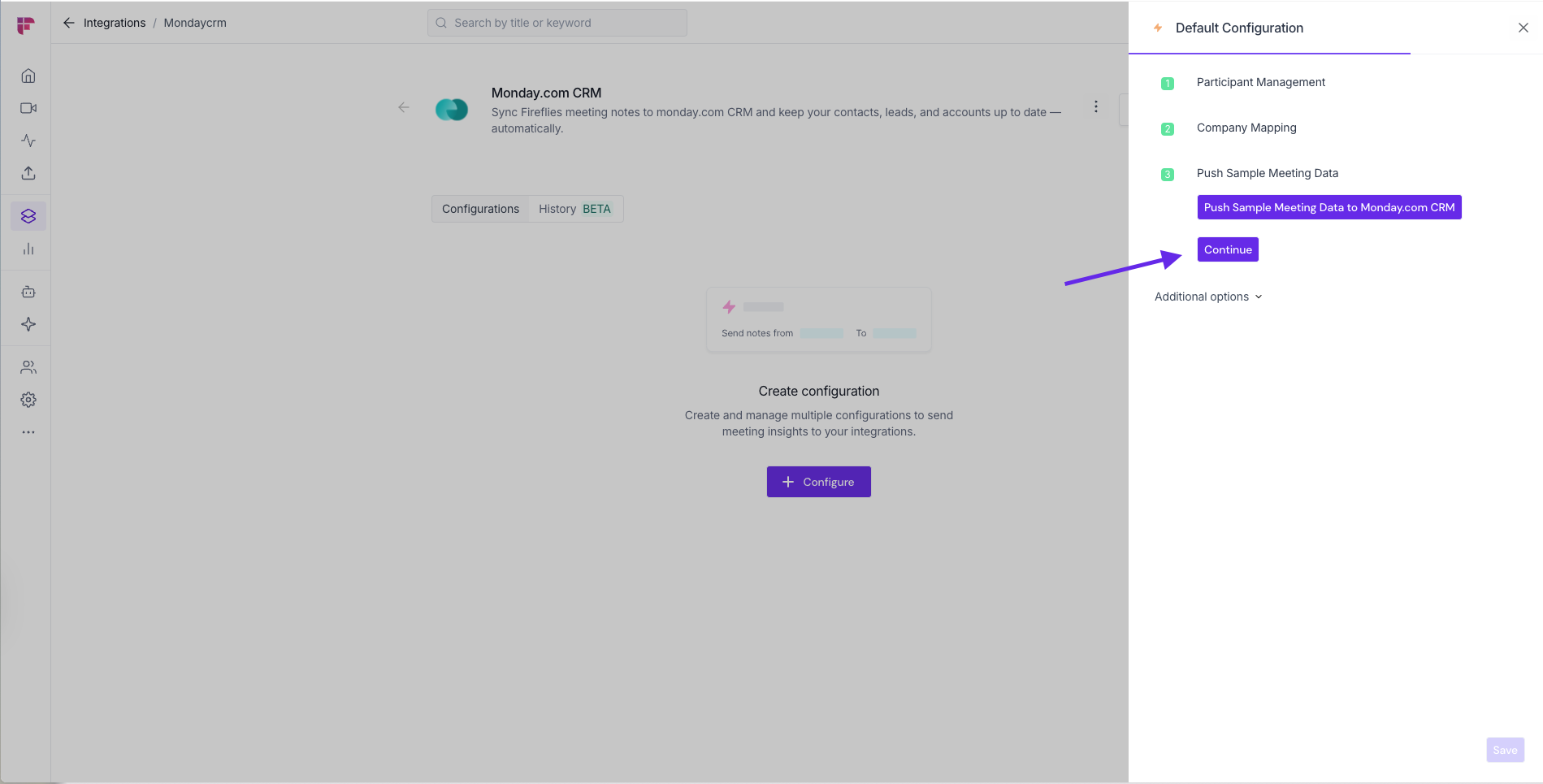
Click on Save to complete the setup
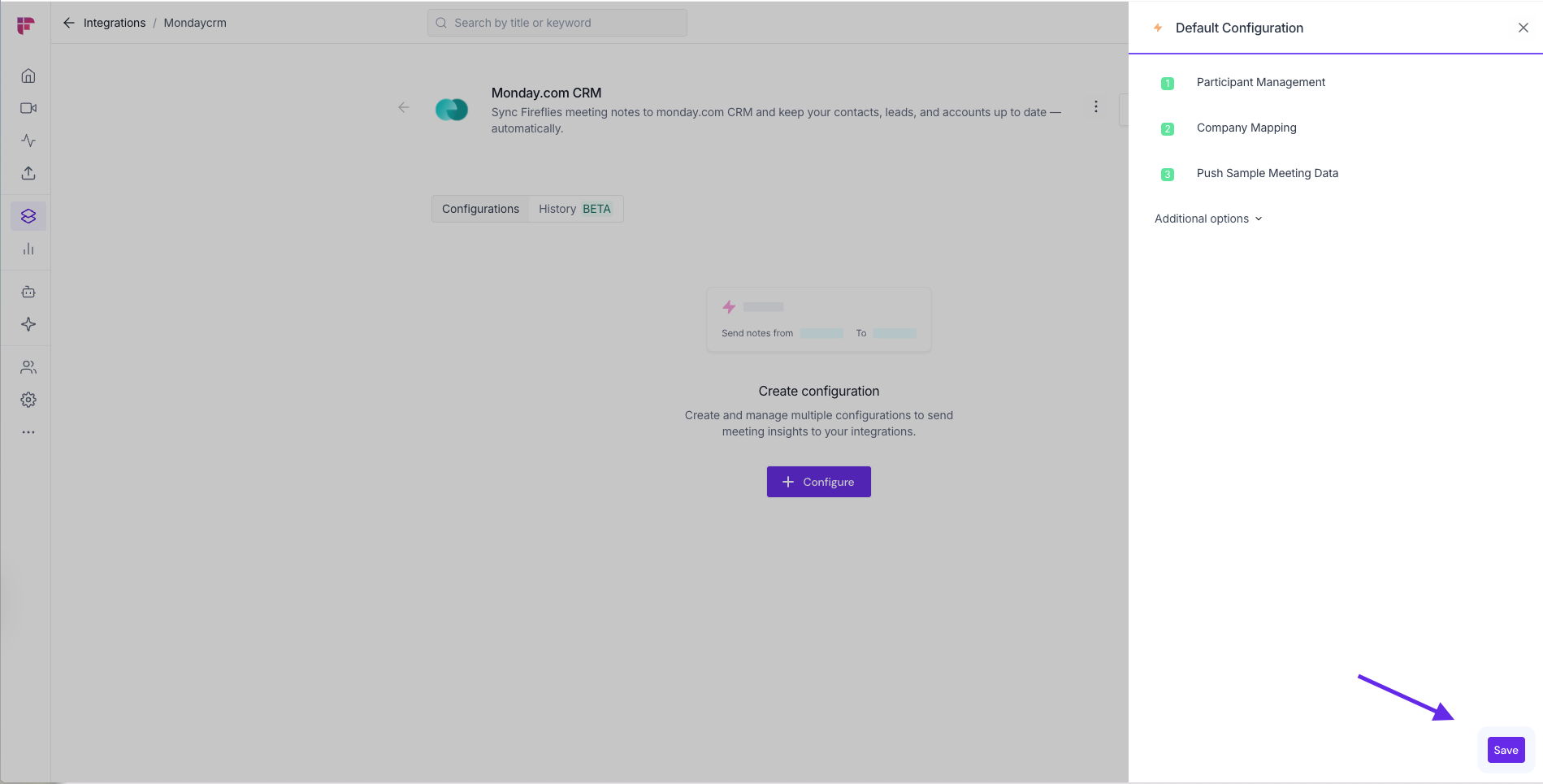
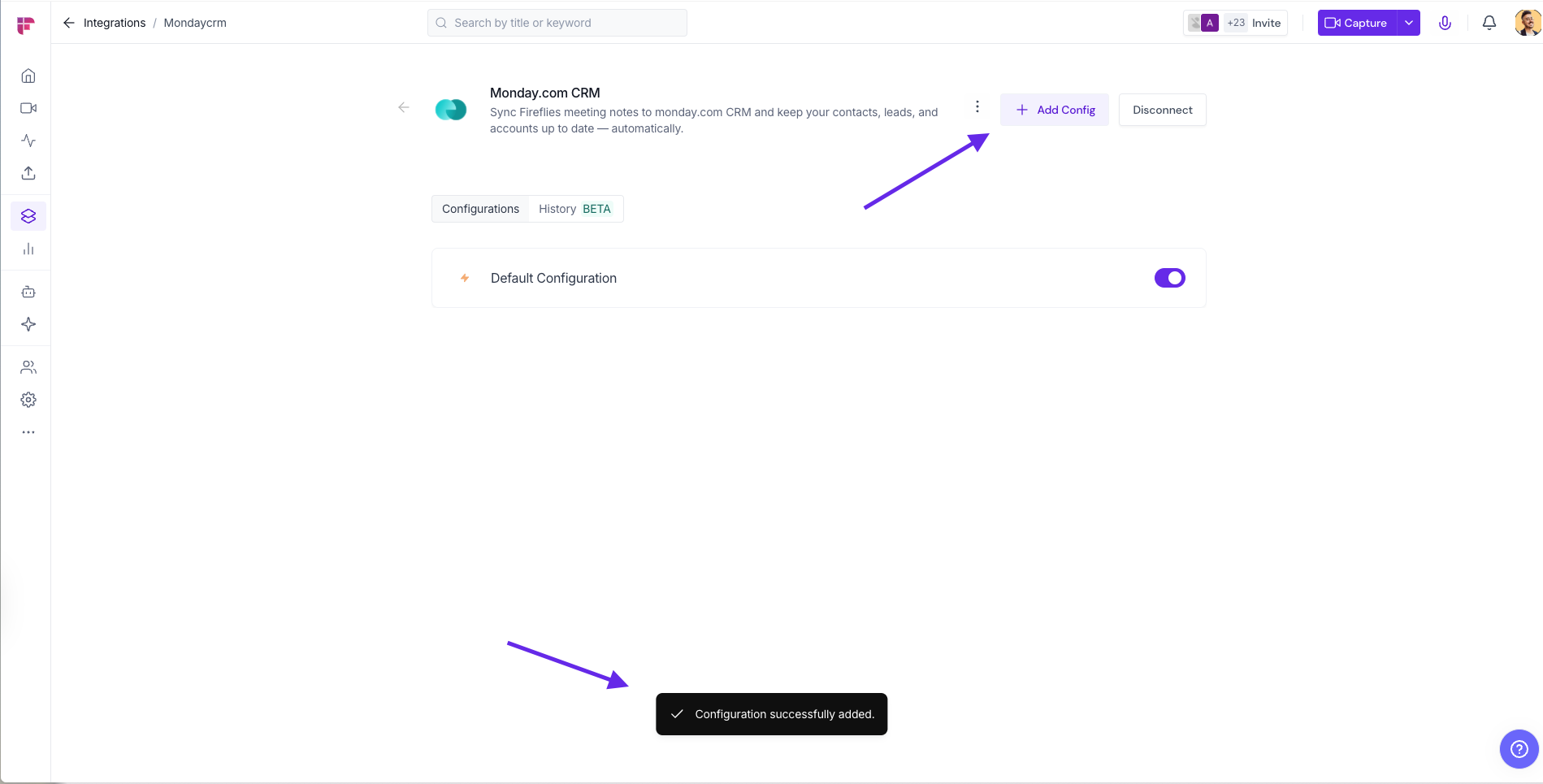
You'll see the pop up message confirming your successful integration
Fine-Tune Your Syncing with Integration Rules
Take complete control over which meetings sync to your connected apps. Instead of sending every meeting to your CRM, project management tools, or storage apps, Integration Rules let you filter precisely what matters for each workflow.
What you can filter by:
Filter Type | Examples |
Meeting title | Sync only meetings containing "client", "demo", or "interview" |
Host | Include meetings led by specific team members |
Participants | Target meetings with external attendees or specific departments |
Meeting type | Choose internal-only or external meetings |
Smart combinations: Use AND/OR logic to create sophisticated rules like "meetings with external participants AND containing 'demo' in the title" or "hosted by sales team OR containing 'prospect' in the title."
Multiple rules per integration: Create different rule sets for different purposes and rename them for easy organization (e.g., "Sales Prospects," "Customer Feedback," "Internal Reviews").
Setting up Integration Rules:
Navigate to your integration settings page
Click Add Integration Rules
Choose your filter criteria and logic combinations
Name your rule for easy identification
Save and activate
No more meeting clutter in your connected apps – just the conversations that drive your specific workflows forward.
👥 Team Integration Settings
Workspace admins can control how the Monday.com CRM integration is used across their team. The available options depend on your plan and workspace role.
Click the vertical ellipsis (⋮) next to your Monday.com CRM and select Team Permissions from the dropdown list.

Business and Enterprise
If you are a Workspace Admin on a Business or Enterprise plan, you can manage granular Integration Permissions for the integration, including who can access and connect it.
📖 See Integration Permissions: Control Who Can Access and Connect Integrations for detailed instructions on managing integration permissions.

Free and Pro
Free and Pro users do not have access to the full Integration Permissions dashboard. Instead, Team Permissions opens a modal with the available workspace-level settings.
Apply to entire workspace → Toggle this ON to apply the Monday.com CRM integration across your Fireflies workspace. All team meetings accessible by the team admin will have notes sent to Monday.com CRM, keeping everything centralized.
📌Meetings that are set to private in a teammate’s Privacy Settings won’t be pushed to Monday.com CRM unless you’re a Super Admin who can access meetings regardless of privacy settings.
Restrict non-admin usage → Toggle this ON to prevent non-admin members from creating their own Monday.com CRM configurations. This helps maintain consistent data practices and avoids accidental CRM clutter.
After adjusting the toggles to fit your team’s workflow, click Save to apply the changes.

Note: Business and Enterprise Workspace Admins have access to granular integration permissions, while Free and Pro workspaces have more limited workspace-level controls.
⏪ Push Past Meetings to Monday.com CRM
Sometimes, the meetings you want in Monday.com CRM happened before you connected the integration. Whether you enabled the integration later or want to add older meeting notes to Monday.com CRM, Push Past Meetings lets you choose a date range and meeting type, then send those meetings in just a few clicks.
Note: Make sure you've connected Monday.com CRM and created at least one push configuration before using Push Past Meetings. If you haven't, complete the Setting Up Your Configuration section above first.
Follow the steps below to push past meetings to Monday.com CRM.
From the Monday.com CRM integration page, click Push past meetings.

A dialog box will appear. Choose the following:
Date range → Select the meetings you want to send by choosing Last 7, 14, 30, 60, or 90 days, or specify a custom date range.
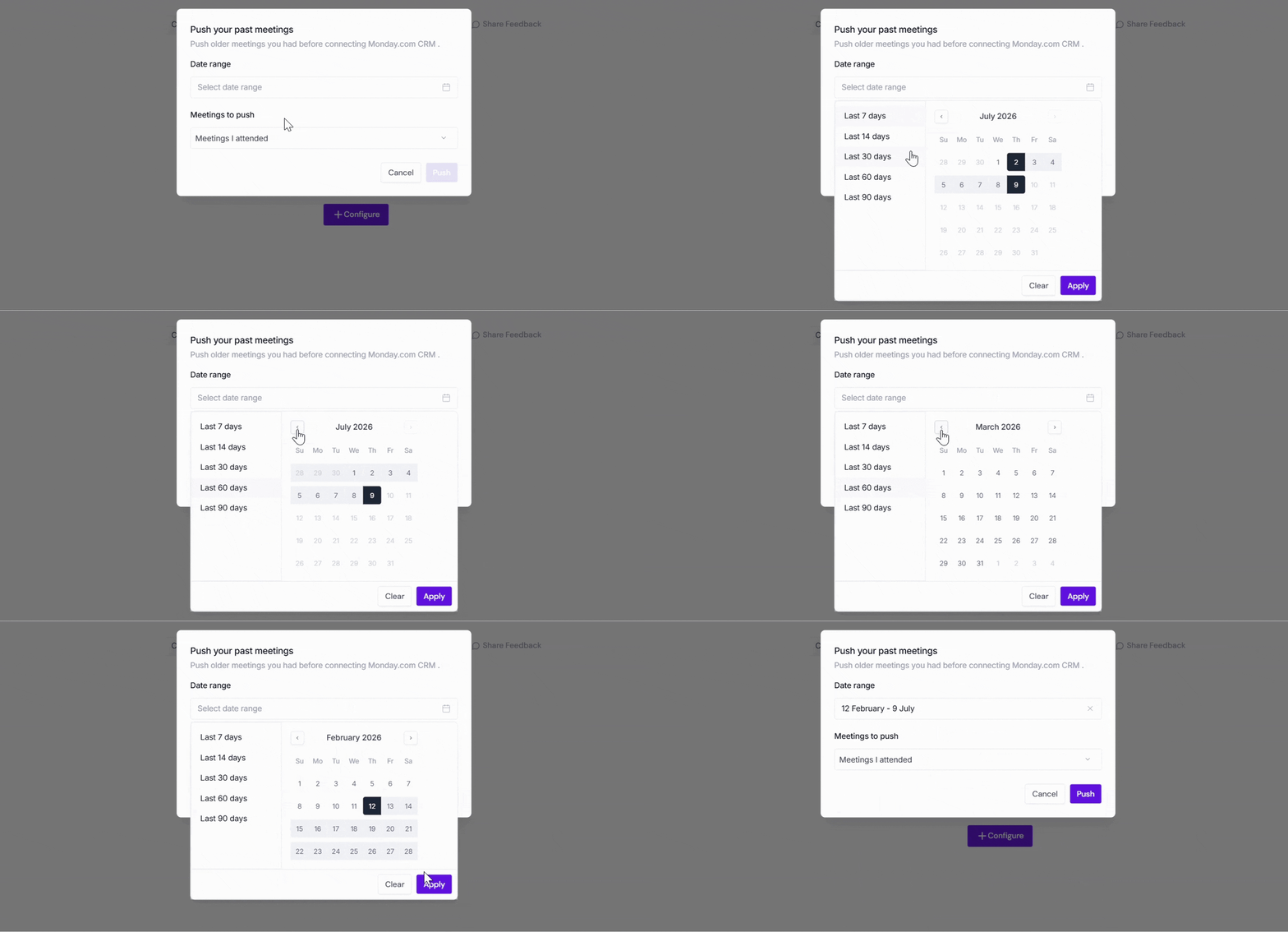
Meetings to push → Choose whether to push Meetings I attended, Meetings I organized or joined, or All my meetings.
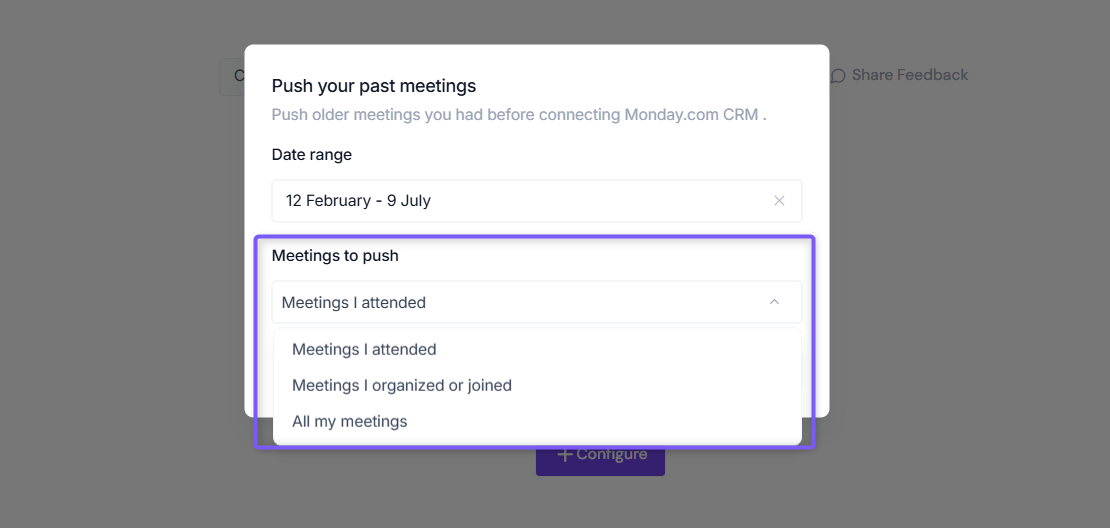
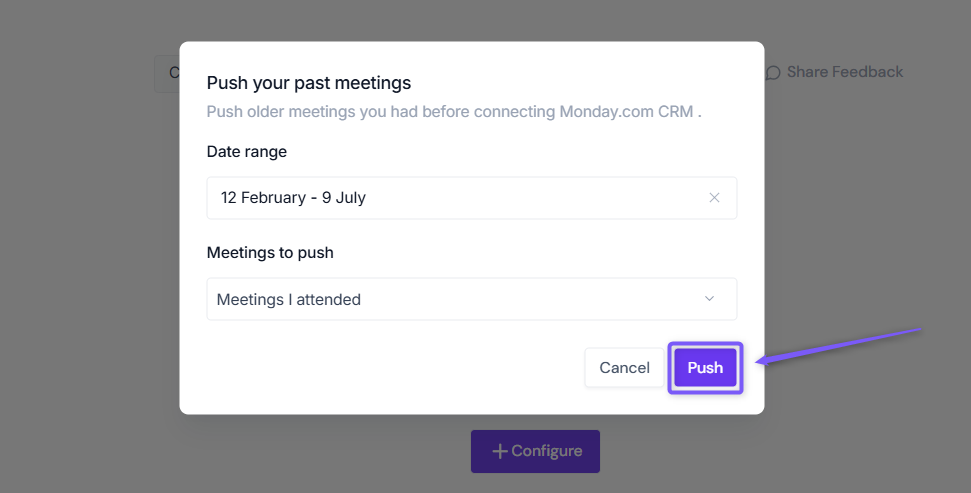
Click Push. Fireflies will send the matching meeting notes to Monday.com CRM using your existing configuration settings.
Meetings recorded after you connect Monday.com CRM are sent automatically. Push Past Meetings is only needed for meetings that happened before the integration was connected.
✅ Manually send meeting notes to Monday.com CRM
Prefer sending only certain meetings to Monday.com CRM? Fireflies also allows you to manually send meeting notes directly from the Notepad.
This is helpful when you want to review or edit notes first and then send only the relevant conversations to Monday.com CRM - without setting up automation rules or configuration.
✅ Send AI Skill Outputs to Monday.com CRM
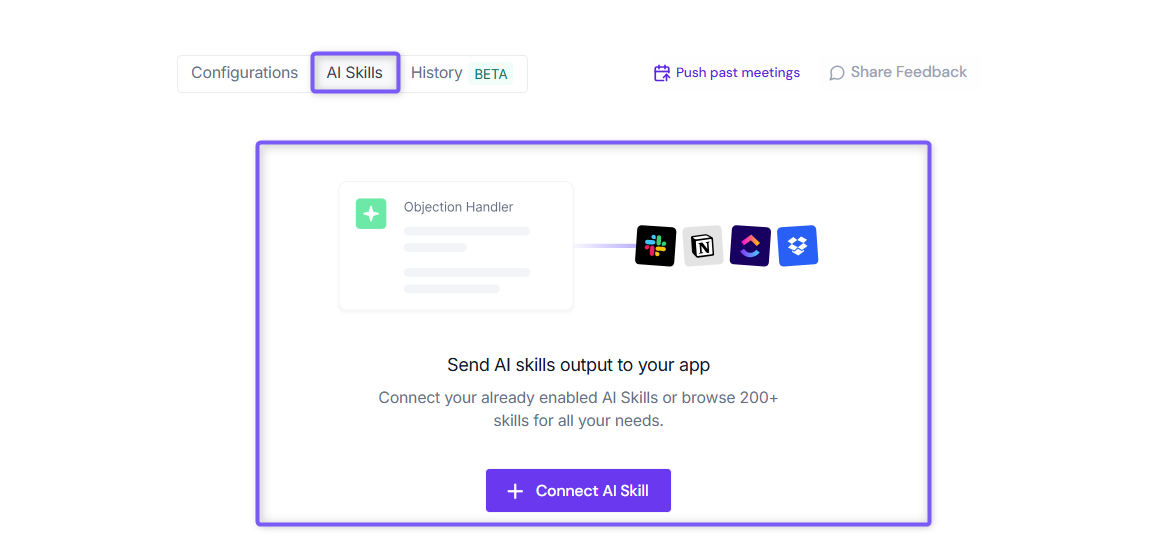
Want to send more than just meeting notes to Monday.com? Fireflies also allows you to send AI Skill outputs directly to your connected Monday.com CRM account.
This is helpful when you want custom AI-generated content, such as project updates, customer insights, follow-up emails, call analyses, or action item reports, automatically logged to Monday.com CRM for your team to review and act on.
👉 Learn how: Send AI Skill Outputs to Any Integrated Tool.
Managing Your Integration
Keep your CRM clean: Enable Monday CRM's duplicate detection for email addresses and review new leads weekly to ensure proper categorization.
Enhance contact profiles: Use meeting insights to enrich contacts with pain points, goals, and conversation topics for better deal progression.
Making Sense of It All
Monday CRM's integration with Fireflies automatically creates leads from new meeting participants, eliminating manual data entry for your sales team
Meeting notes and insights sync directly to existing contacts, leads, and accounts, keeping your CRM data rich and current
Integration Rules let you filter precisely which meetings sync to Monday CRM based on title, host, participants, or meeting type
The integration maintains complete conversation history within your CRM workflow, giving teams full context for every relationship
Data quality tools help prevent duplicates and ensure meeting insights enhance rather than clutter your pipeline management