Fireflies Referral Program: Refer Friends and Earn Rewards (Credits)
Last updated: May 25, 2026
Want to earn rewards by sharing Fireflies with your friends, teammates, or network? The Fireflies referral program makes it easy to invite others to try Fireflies, while earning credits for successful referrals.
This guide also walks you through how to access your referral dashboard, share your referral link, invite others, and track your earned credits.
⚡How the Fireflies Referral Program Works
Here's a quick overview of how the referral program works:
Share your Fireflies referral link with your friends, teammates, or network.
Anyone who signs up using your referral link gets 10% off on Fireflies plans, valid for the first 3 days after signup.
Once the referred account is successfully activated, you receive $5 in referral credits.
Earned referral credits are automatically applied as credits toward future Fireflies payments, including paid plan subscriptions, renewals, and AI Credits purchases.
You can track your referrals and earned credits directly from the Referral dashboard.
✅ Who Qualifies for Referral Credits?
You receive referral credits when:
A user signs up using your referral link.
The referred account is successfully activated.
Users with business domains are eligible for the referral (personal domains like xyz@gmail.com, abc@outlook.com are not allowed)
Once the referral is completed, the earned credits are automatically added to your account.
Referral invites are intended for eligible new users who do not already have a Fireflies account. Existing Fireflies users may not receive a referral invitation or referral benefits.
🚀 Access and Share Your Referral Link
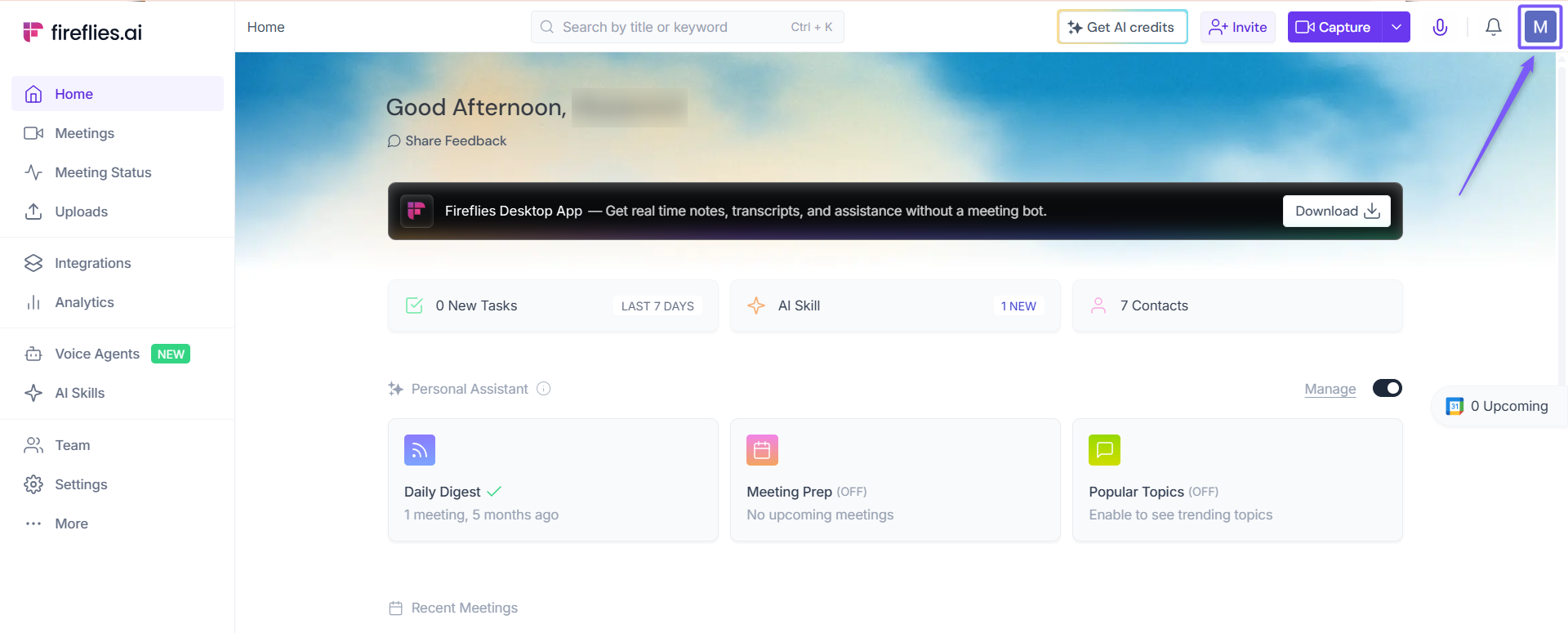
Step 1: Log in to your Fireflies account and click your profile icon in the top-right corner of the Home dashboard.
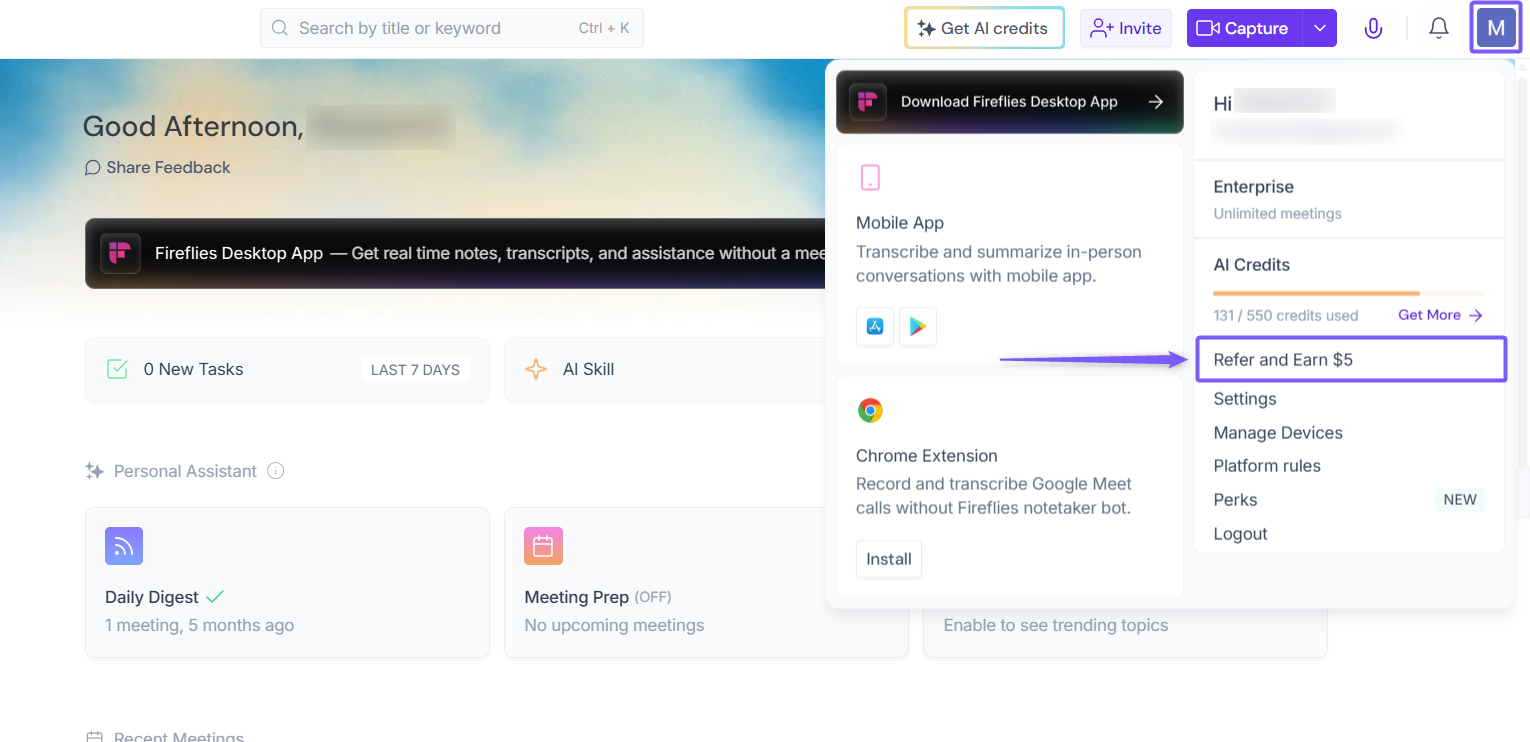
Step 2: From the dropdown menu, click Refer and Earn $5.
Step 3: This opens your personal Referral dashboard, where you can manage and share your referral link.
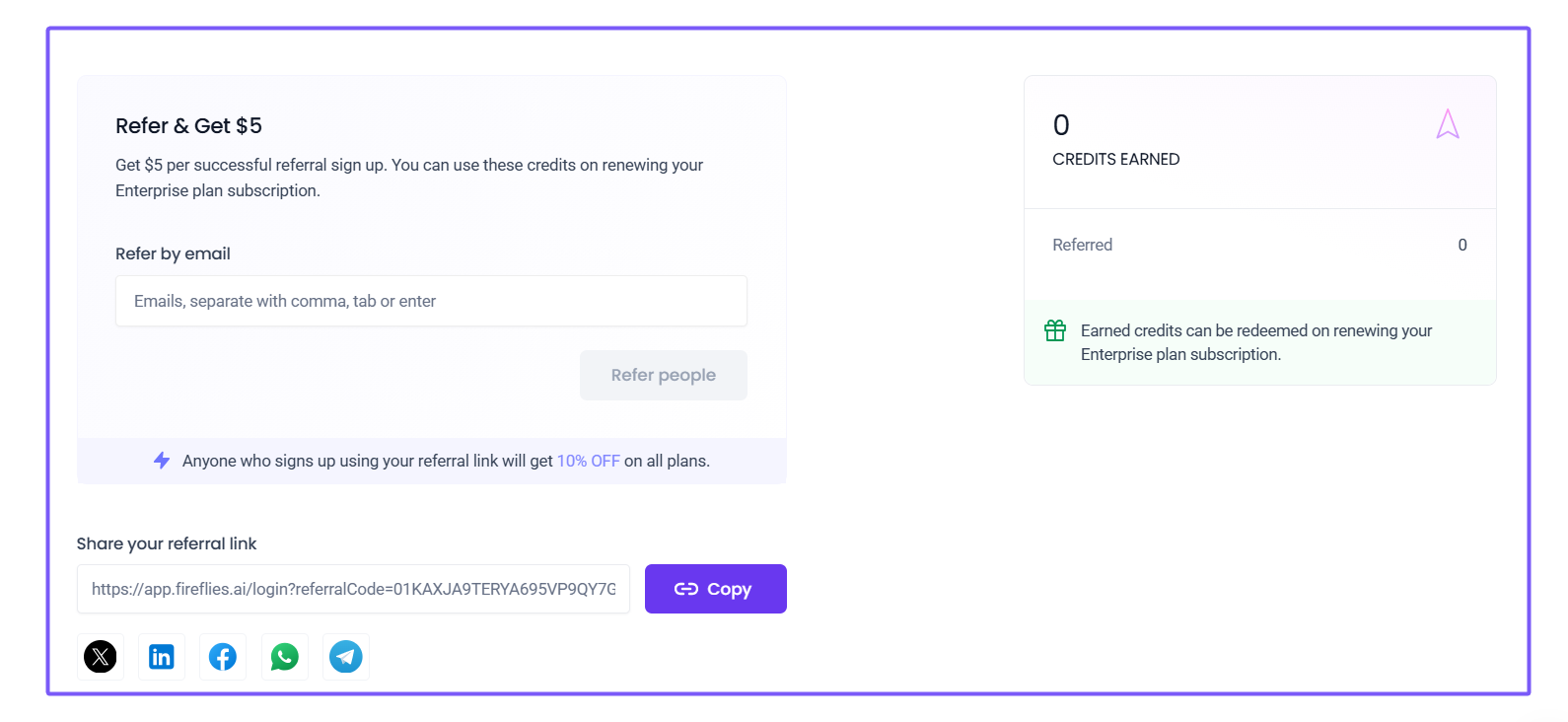
Step 4: You can invite and refer users using either of the following methods:
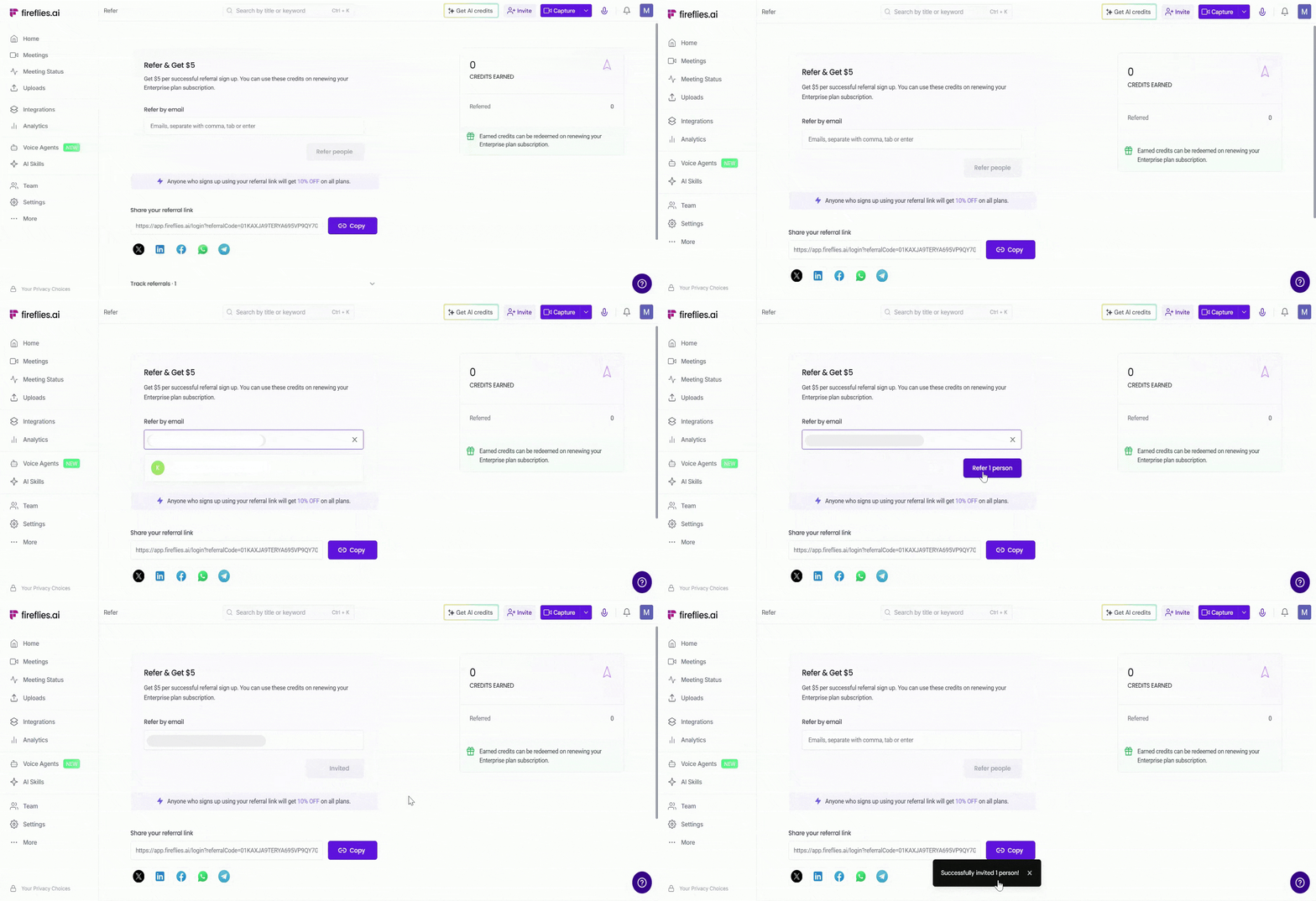
Refer by Email: You can invite multiple users at once by entering email addresses separated by commas, tabs, or by pressing Enter, then click Refer to send the referral invitation by email.
Share Referral Link: Copy your referral link and share it anywhere you want (for example: email, WhatsApp, Telegram, LinkedIn, Facebook, and more).
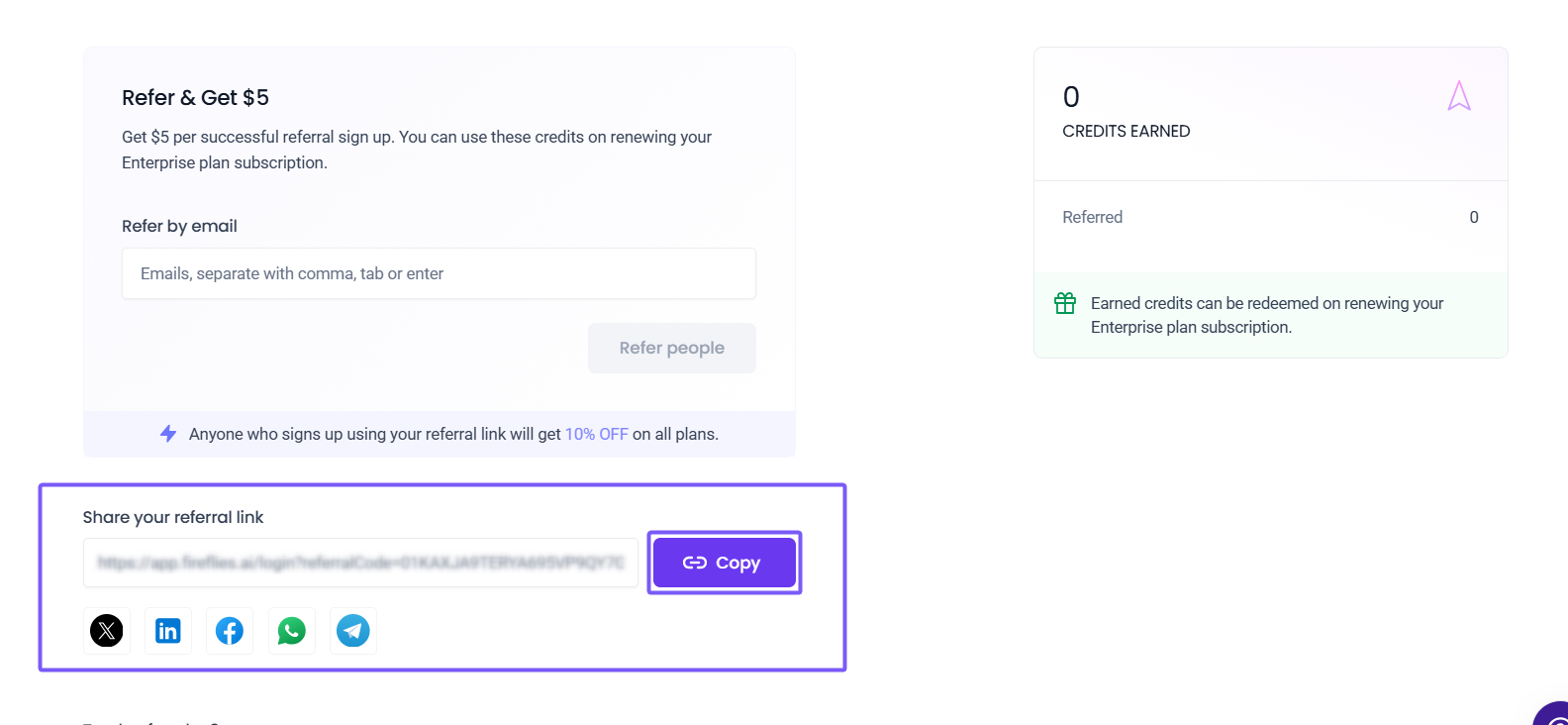
📌 If the referral invitation is not sent successfully, make sure the email address belongs to a new user who does not already have a Fireflies account.
✉ What the Referral Email Includes
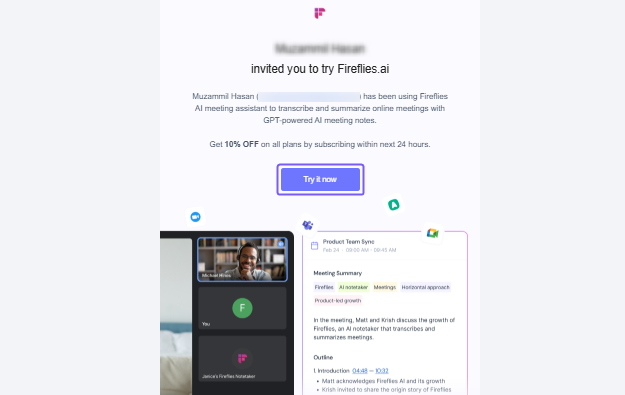
Once sent, the invited user receives a Fireflies referral email that includes:
Your invitation to try Fireflies
A 10% off offer on all Fireflies plans when subscribing within 24 hours of receiving the referral invitation
A Try it now button that redirects the user to create a Fireflies account
📌 New to Fireflies? Learn how to create your Fireflies account.
📊 Track Your Referrals and Earned Credits
The Referrals dashboard allows you to track referrals and earned credits from a single page.
Track Your Referrals
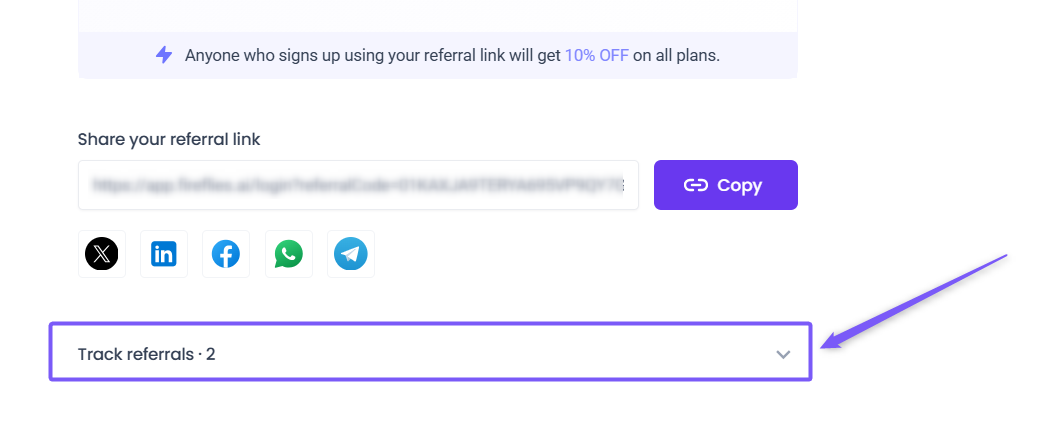
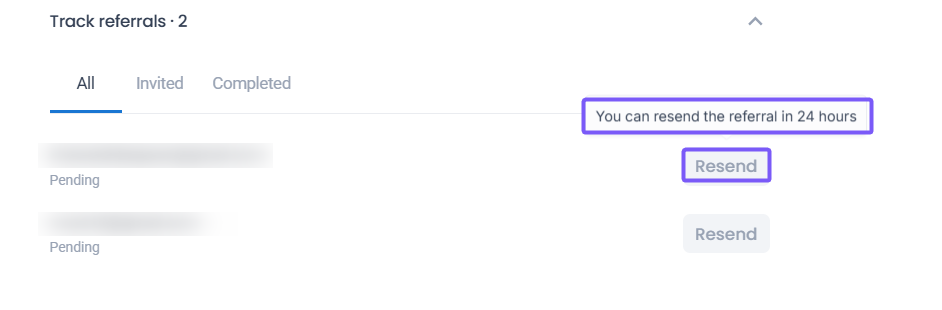
1. Scroll down to the Track referrals section on the Referral dashboard and click the dropdown arrow to expand it.
2. You can track referrals using the following tabs:
All: Displays all referral invitations.
Invited: Displays users who have received a referral invitation but have not completed signup yet.
Completed: Displays users who successfully completed the referral signup process.
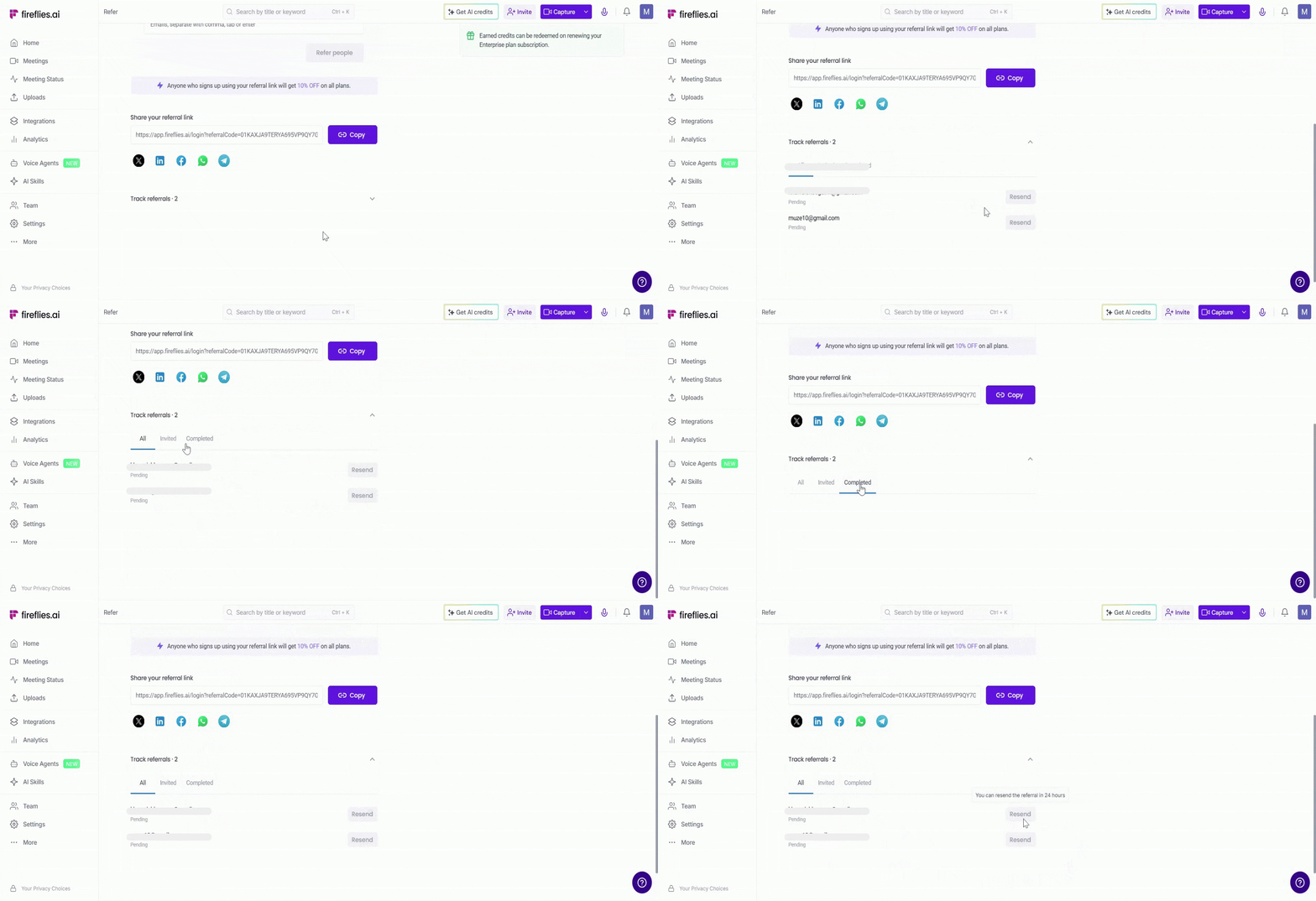
3. You can also resend a referral invitation after 24 hours if the user missed, ignored, or did not find the original invite.
Track Your Earnings
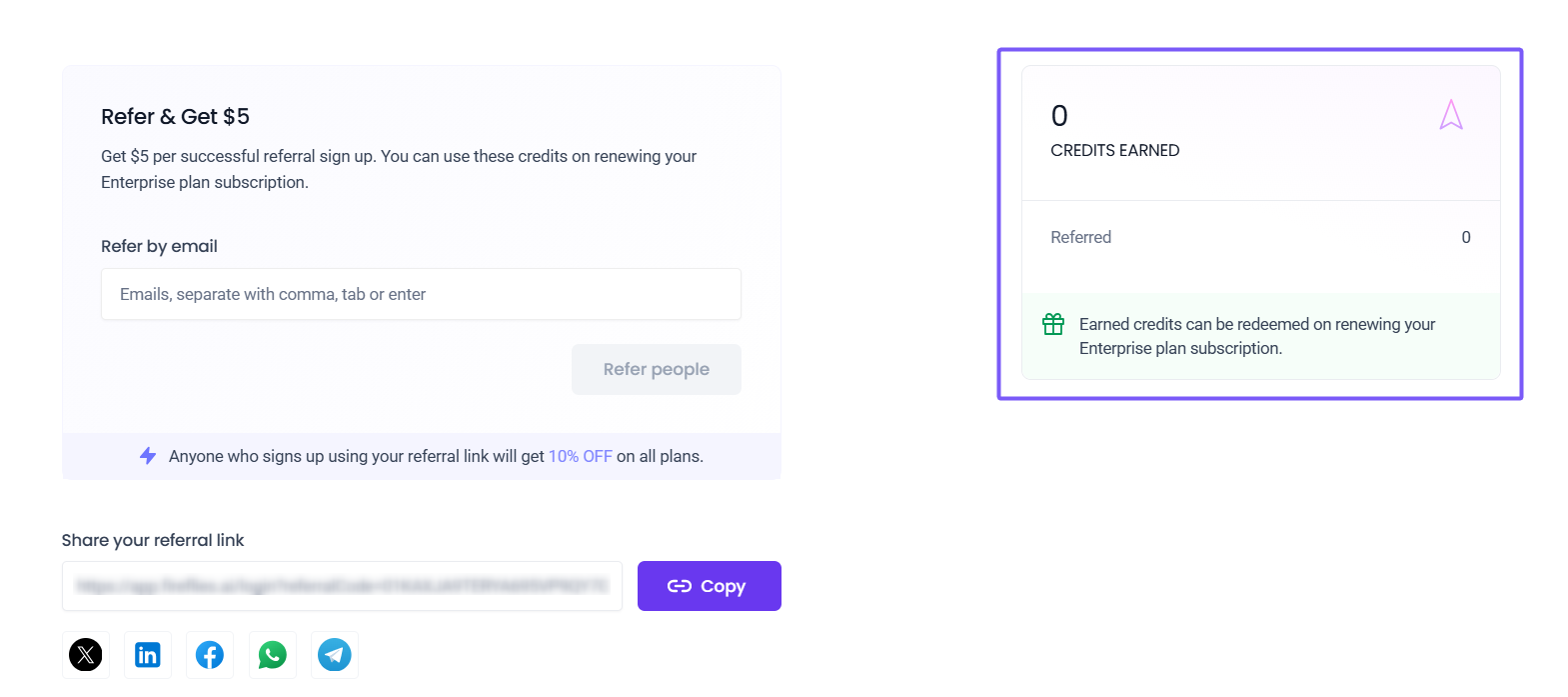
On the right-hand side of the Referral dashboard, you can view your referral earnings and credits information, including:
Total earned credits
Number of successful referrals completed
Earned referral credits are automatically applied as credits toward future Fireflies payments, including paid plan subscriptions, renewals, and AI Credits purchases.
❓ Frequently Asked Questions
1. When will I receive referral credits?
Referral credits are added once the referred account is successfully activated. You’ll also receive a confirmation email once the credits are issued.
2. What do both the referrer and referred user receive?
When someone signs up using your referral link, they get 10% off on Fireflies plans, and you earn $5 in referral credits for every successful signup.
3. Can I resend a referral invitation?
Yes. Referral invitations can be resent after 24 hours from the original invite.
4. Can existing Fireflies users receive referral invites?
Referral invites are intended for new users who do not already have a Fireflies account.
5. Where can I track my referrals and earned credits?
You can track referral activity, completed referrals, and earned credits directly from the Referral dashboard by navigating to Profile icon → Refer and Earn $5.
6. I sent a referral invite but the user did not receive the email. What should I do?
Make sure the email address belongs to a new user who does not already have a Fireflies account. You can also resend the referral invitation after 24 hours.
7. Can I share my referral link outside Fireflies?
Yes. You can copy and share your referral link anywhere, including email, messaging apps, social media platforms, or direct messages.
8. Can referral credits be used for AI Credits purchases?
Yes. Referral credits are automatically applied toward future Fireflies payments, including AI Credits purchases, paid plan subscriptions, and renewals.
9. What are AI Credits and what are they used for?
AI Credits are used across Fireflies AI-powered features such as AI Skills, Soundbites, Voice Agents, and more.
📌Want to learn more? Check out the Learn About AI Credits guide.
Start inviting new users to Fireflies using your referral link and earn $5 in referral credits for every successful signup, while referred users receive 10% off on Fireflies plans for a limited time.
💡 Need additional help? Contact the Fireflies support team for further assistance.