How to purchase AI Credits?
Last updated: September 15, 2026
AI Credits are required to use key AI features(e.g, AskFred, AI Skills, Custom summaries, Magic Soundbites) in Fireflies. This guide outlines the different ways to purchase AI Credits so you can continue using these features without interruption. For more details on how AI Credits work, refer to What are AI Credits?
Note: You must be on a paid plan to purchase AI Credits.
Steps to purchase AI Credits
You can purchase AI Credits from multiple entry points in Fireflies, depending on where you are in the app.
Option 1: From the top navigation bar
Use this option for the quickest access to purchase credits at any time.
1. Click Get AI credits from the top right corner of the dashboard.
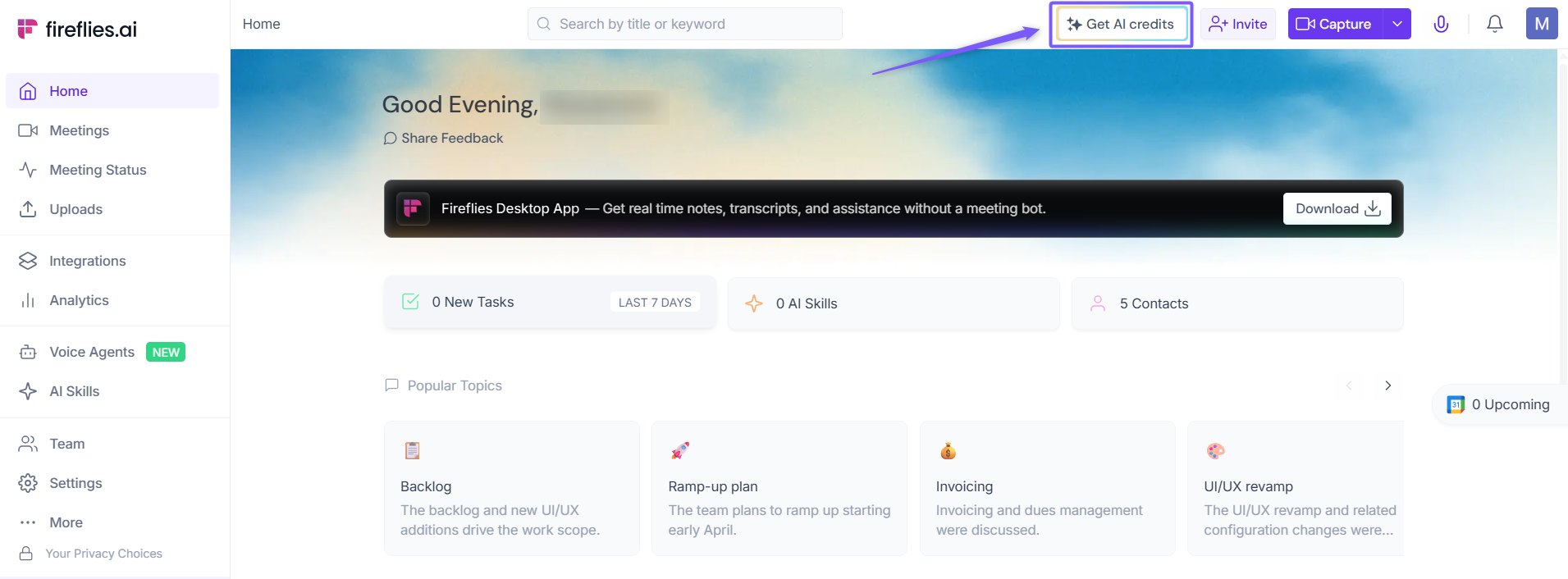
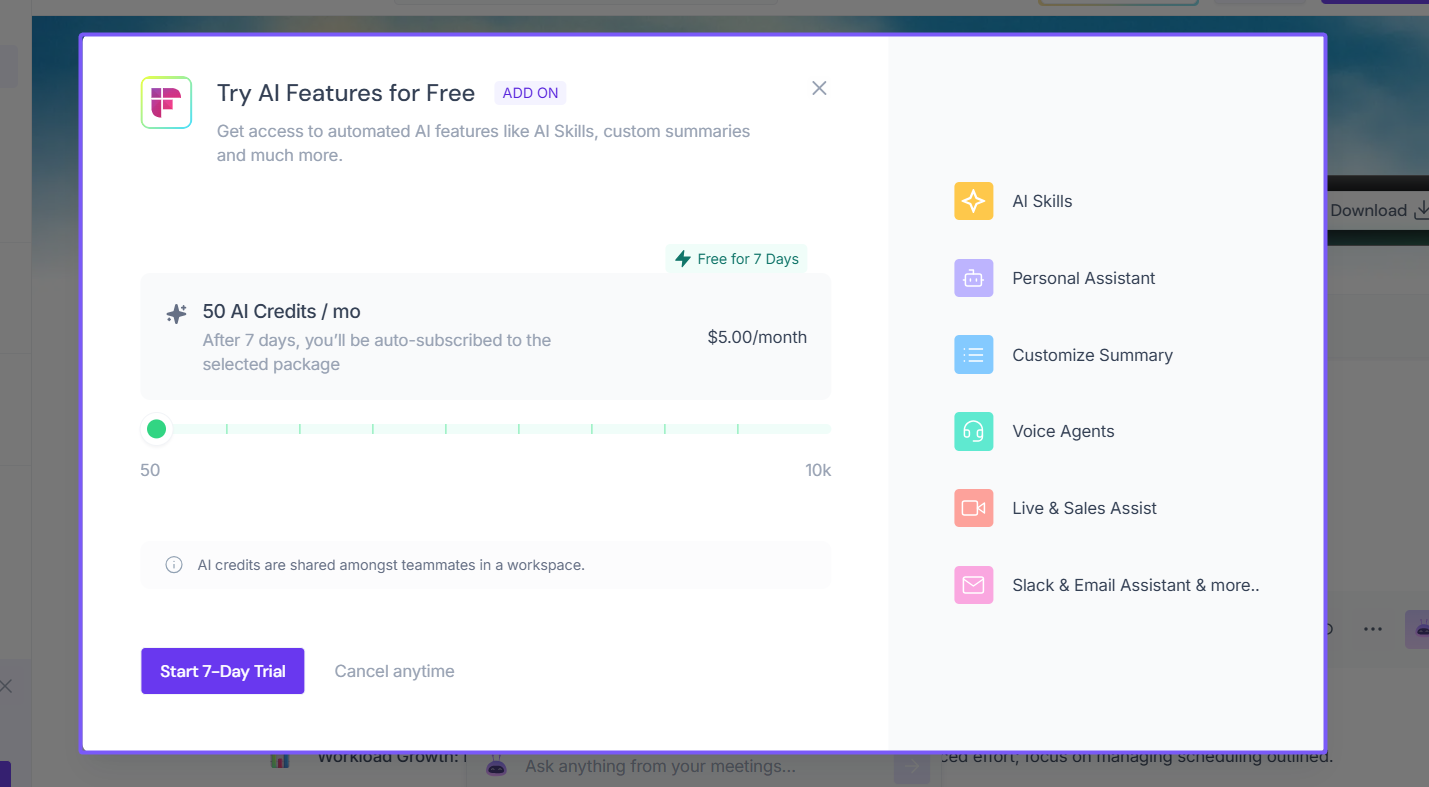
2. Select your plan, then click Start 7-Day Trial or Subscribe.
Option 2: From Billing
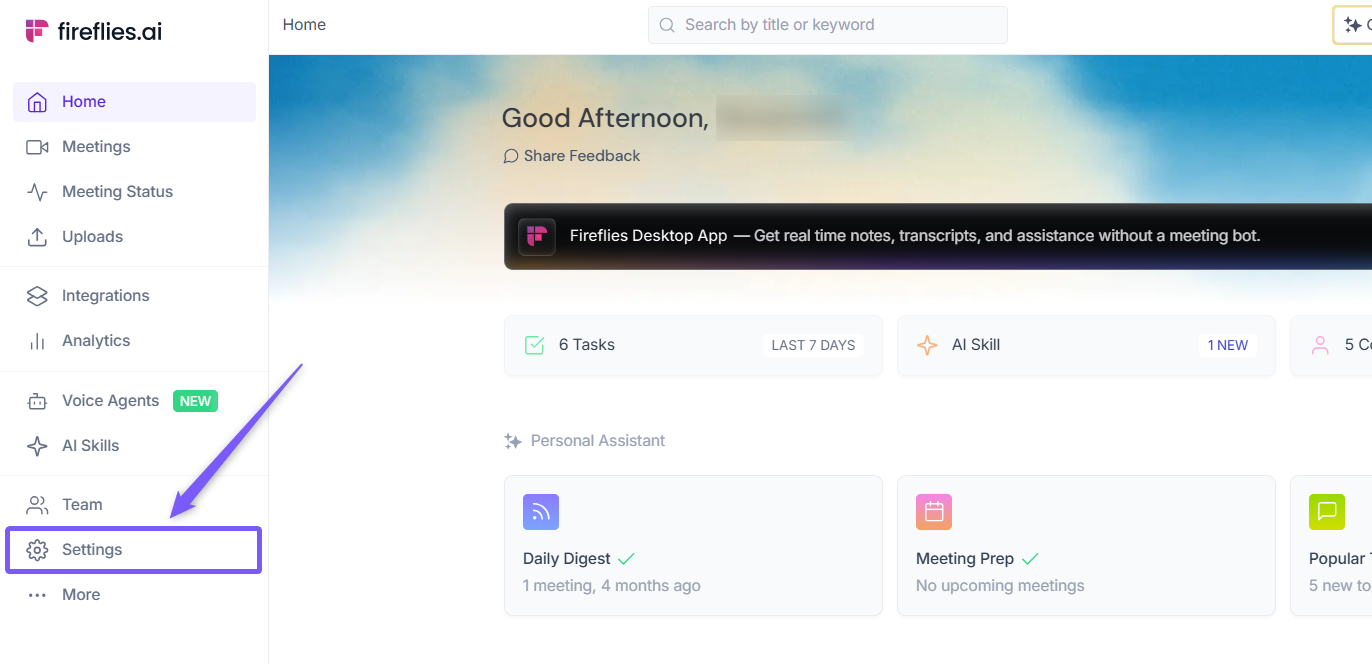
1. Go to the Fireflies web app and click the Settings from left side menu.
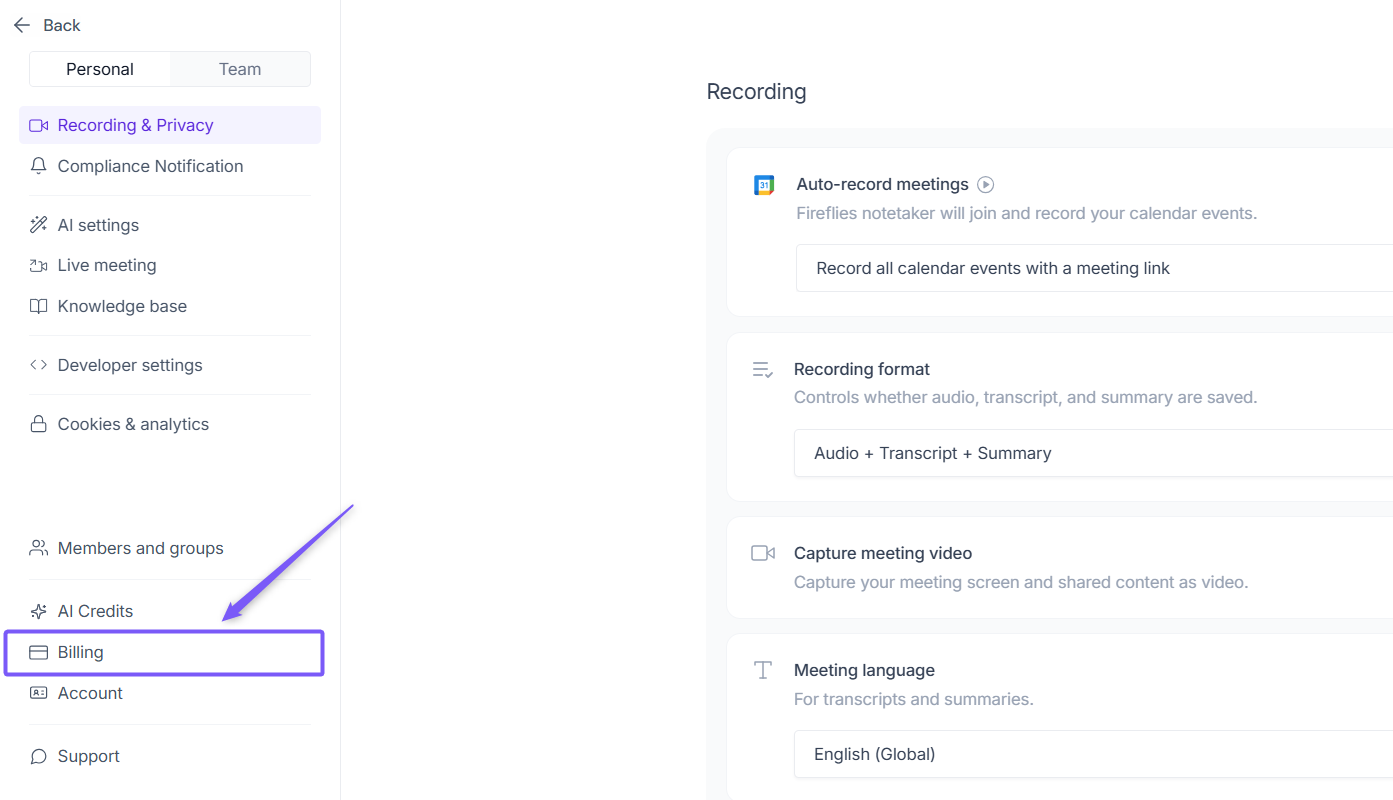
2. Navigate to Billing from the left panel.
3. Under the Billing section, locate AI Credits.
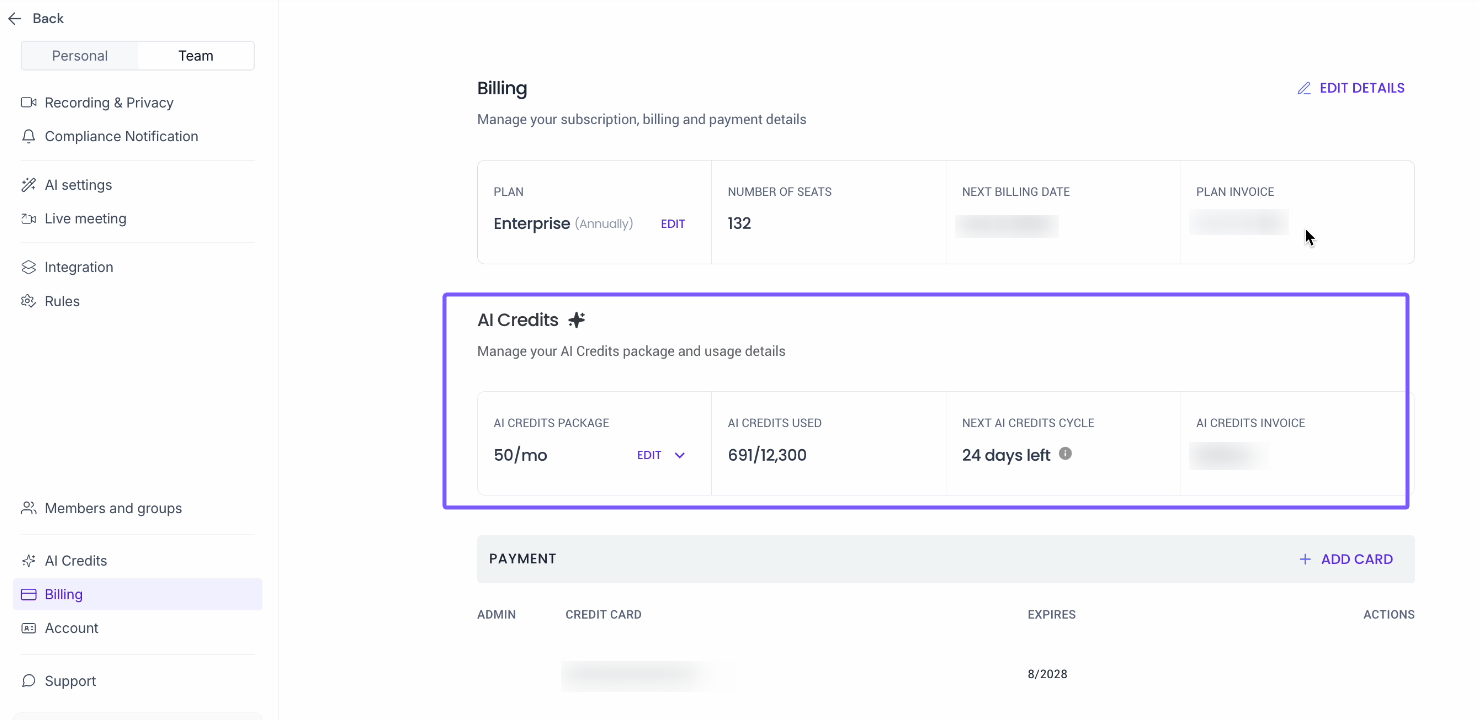
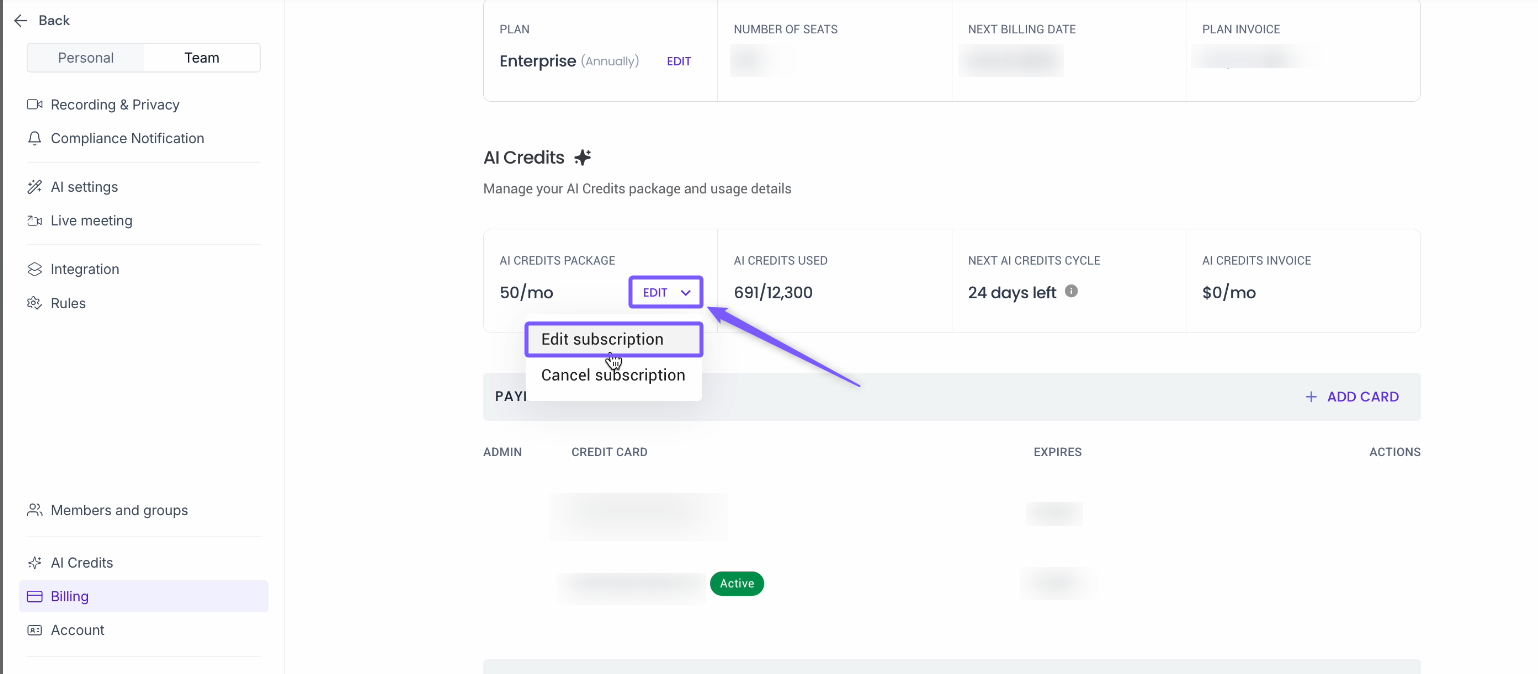
4. Under AI Credits, click Edit and select Edit Subscription to open the Upgrade AI Credits Package modal.
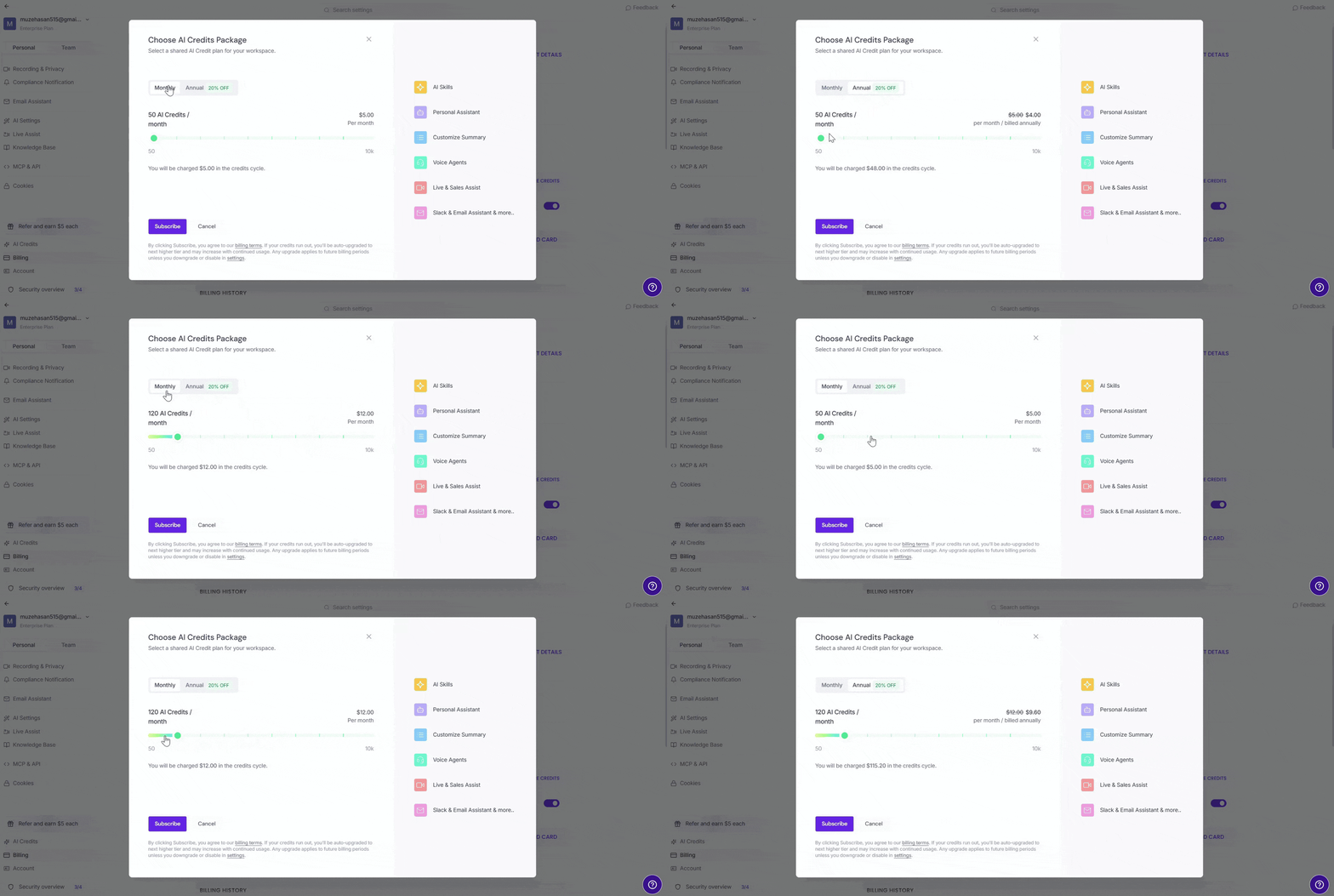
5. Choose your billing interval by selecting the Monthly or Annual tab.
6. Select the number of credits using the slider. The price will update based on your selected package and billing interval
💡 Annual plans are priced 20% lower than monthly.
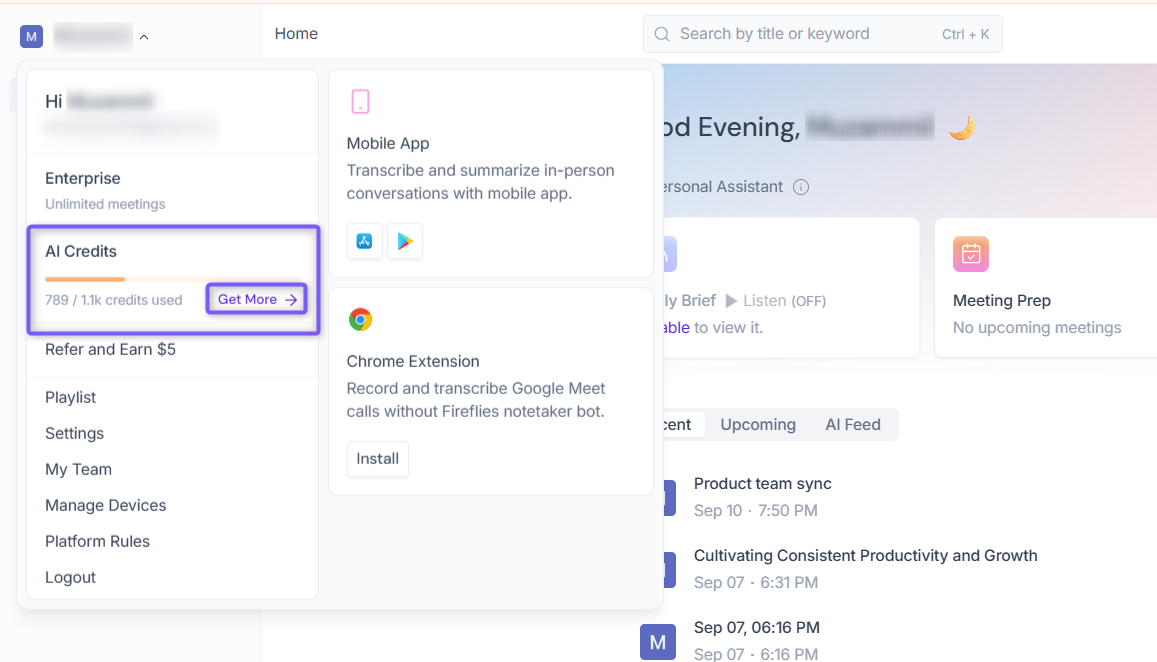
Option 3: From Account menu
1. Click your profile icon in the top-left corner.
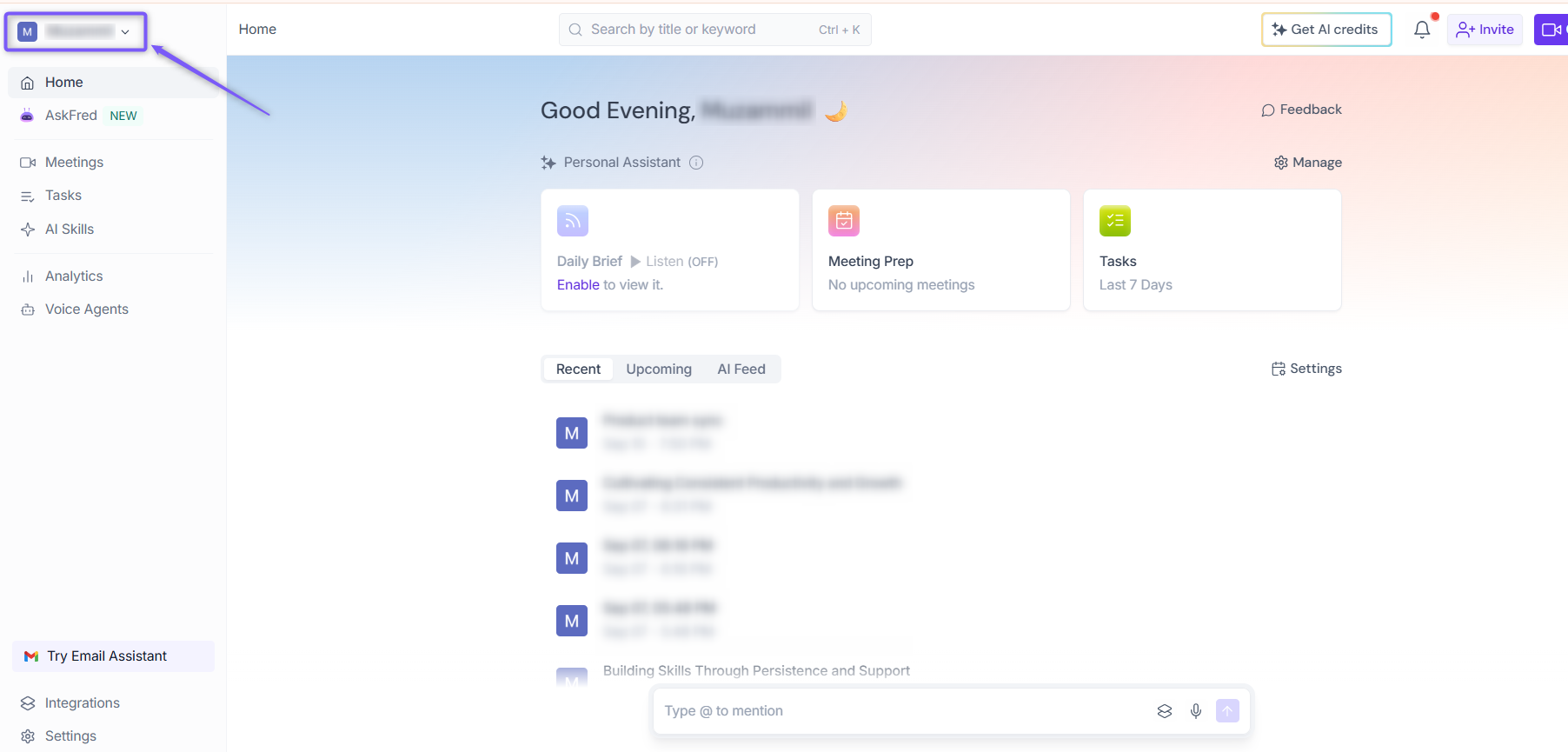
2. Under AI Credits, click Get More, then follow the on-screen steps to complete your purchase.
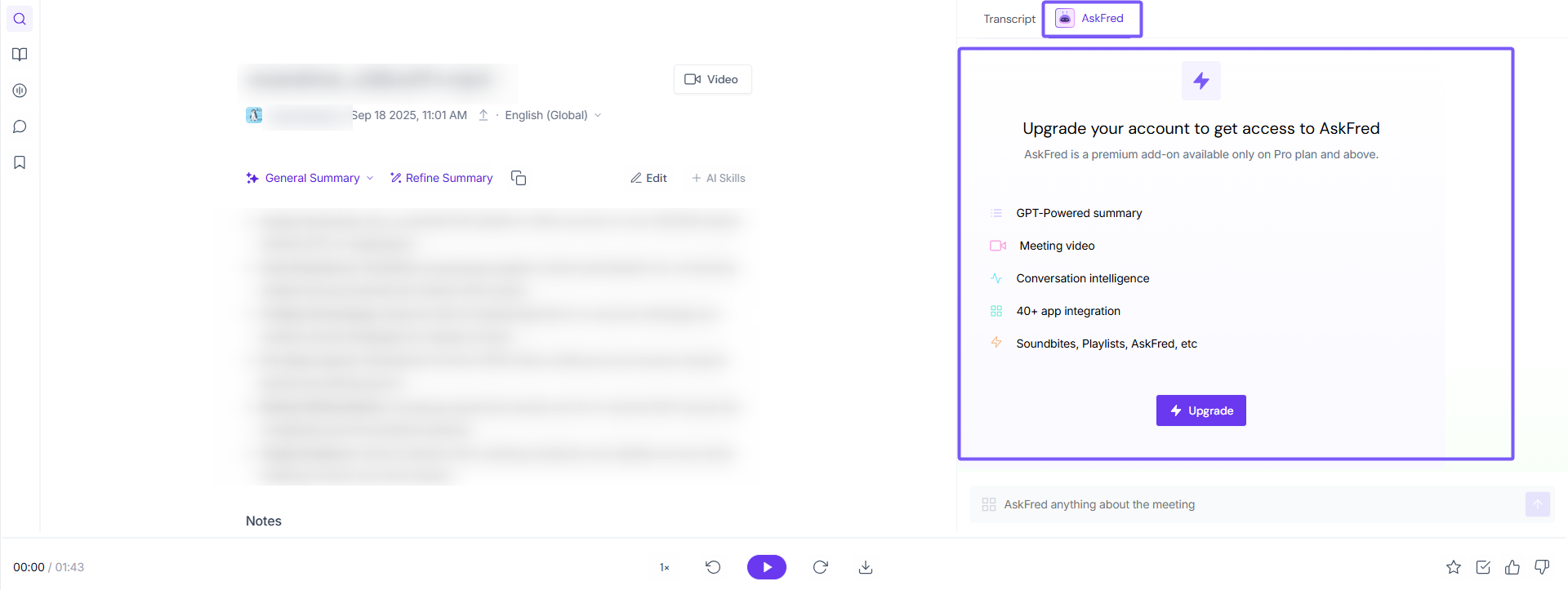
Option 4: From meetings (AskFred)
Open any meeting and click AskFred. Enter any question—if you don’t have enough AI Credits,
Fireflies will automatically detect it and prompt you to purchase credits. Follow the on-screen steps to subscribe.
After payment success, you can view the AI Credits balance on the Billing page.
📌Note:
You need to be on the paid tier to purchase AI Credits.
AI Credits are available on monthly or annual billing. Annual plans are priced 20% lower than monthly.
Credits auto-renew on your chosen billing interval (monthly or annual) unless paused. Learn how to pause auto-upgrades here.
Your monthly credits limit stays the same on an annual plan — annual billing affects the price and renewal frequency, not the credits you receive each month.
Unused purchased credits do not carry over to the next billing cycle regardless of billing interval.
If you run out of credits before the next cycle, Fireflies automatically upgrades your credits to prevent service interruptions. If you're on an annual AI credits plan, the upgrade charge is applied pro-rata based on your annual billing cycle.