How to dictate in other languages with Fireflies Talk
Last updated: October 21, 2026
If you use Fireflies Talk in more than one language, you can select the languages you speak so Talk knows which languages to listen for while you dictate. Fireflies Talk supports 90+ dictation languages on desktop and mobile, so you can dictate in the languages you use.
This guide explains how to select your languages on desktop and mobile, use automatic language detection where available, and view the full list of supported languages.
🌐 Set your languages
💻 On desktop
You can choose your dictation languages during Talk onboarding or change them later from Settings → Dictation.
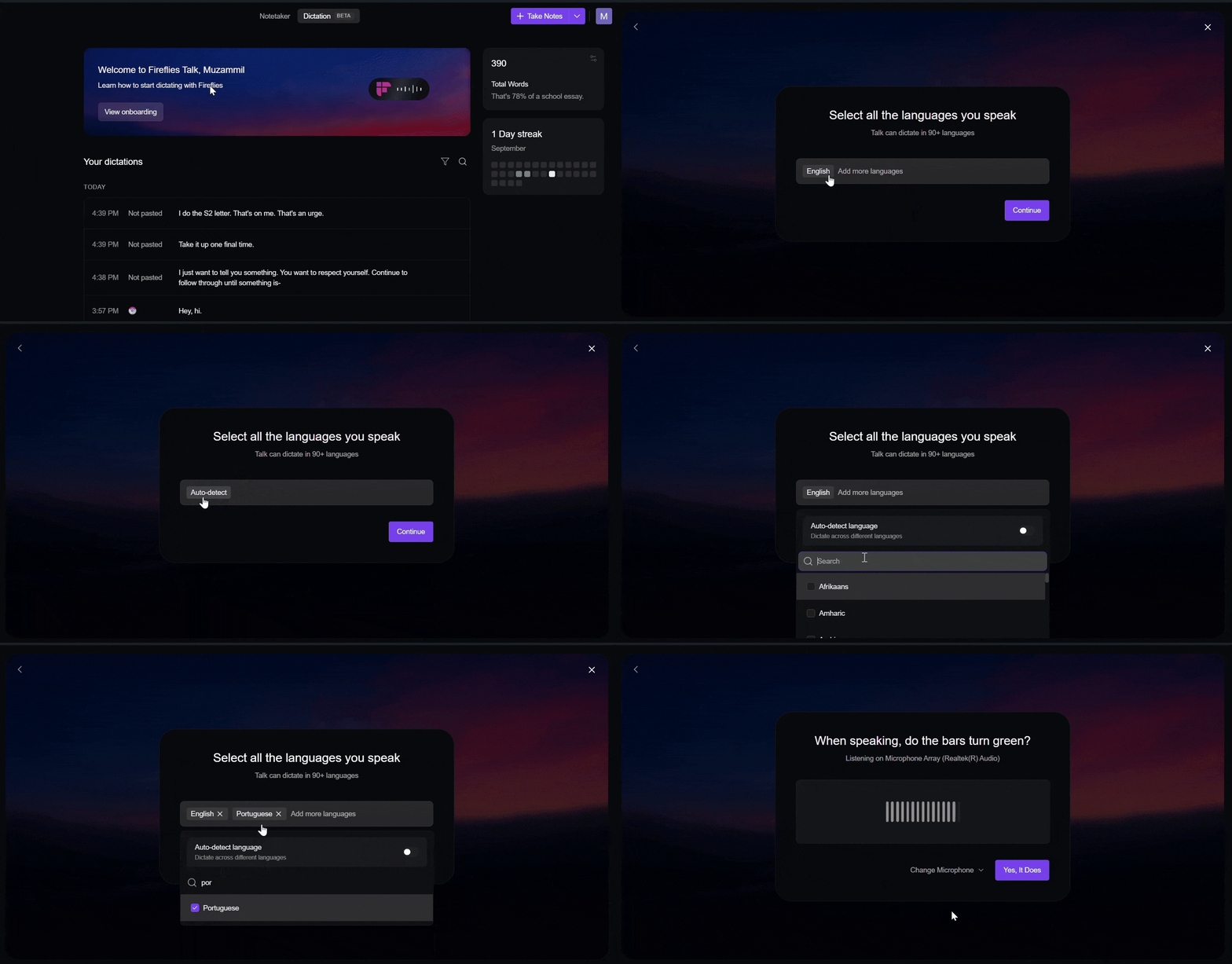
During onboarding
When you open the Dictation tab for the first time, choose the languages you use for dictation.
You can also use Auto-detect if you don't want to select specific languages.
After setup (through Settings)
To change your language preferences later:
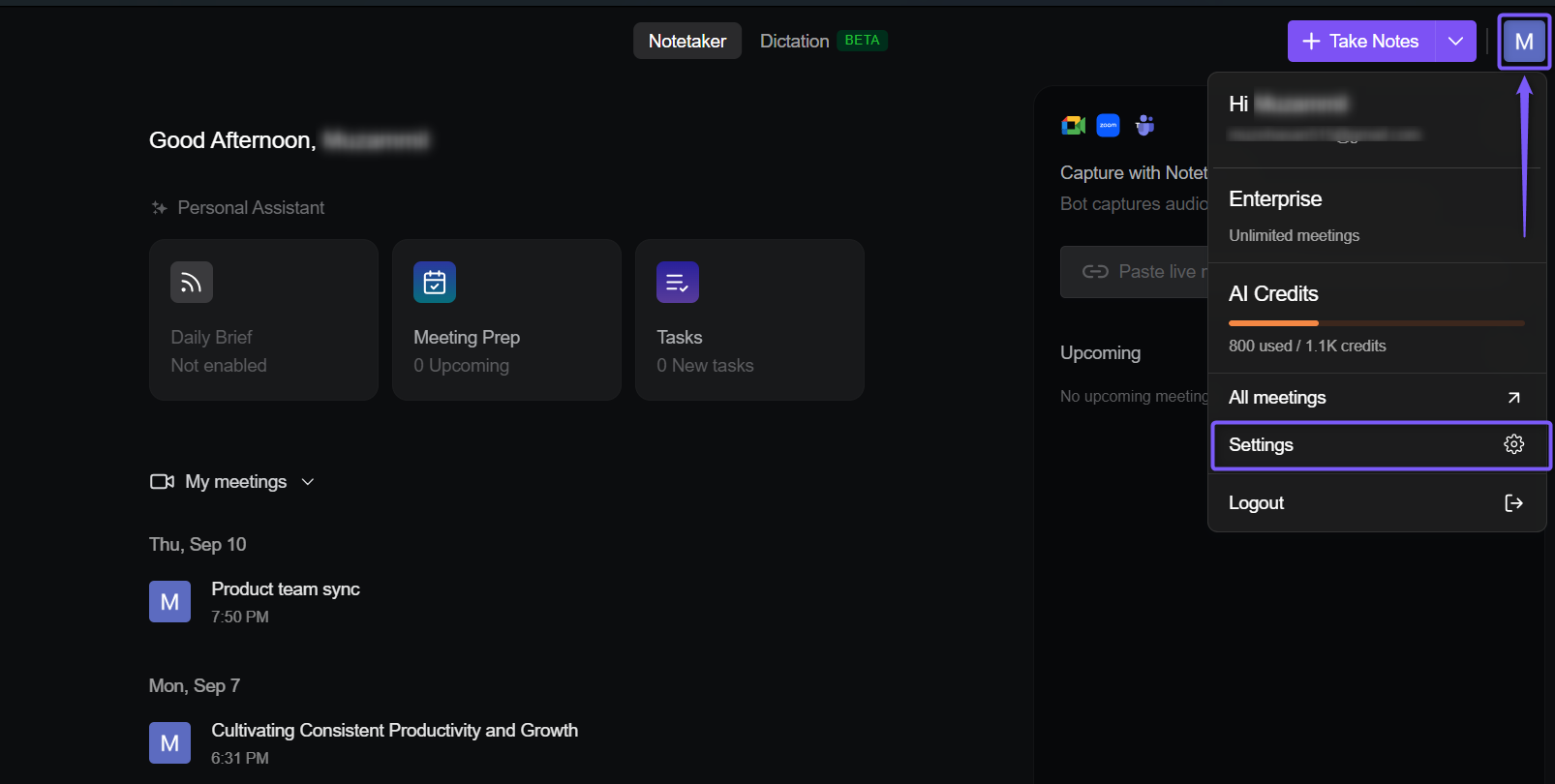
Open the Fireflies desktop app, click the Fireflies icon in the top-right corner, and select Settings.
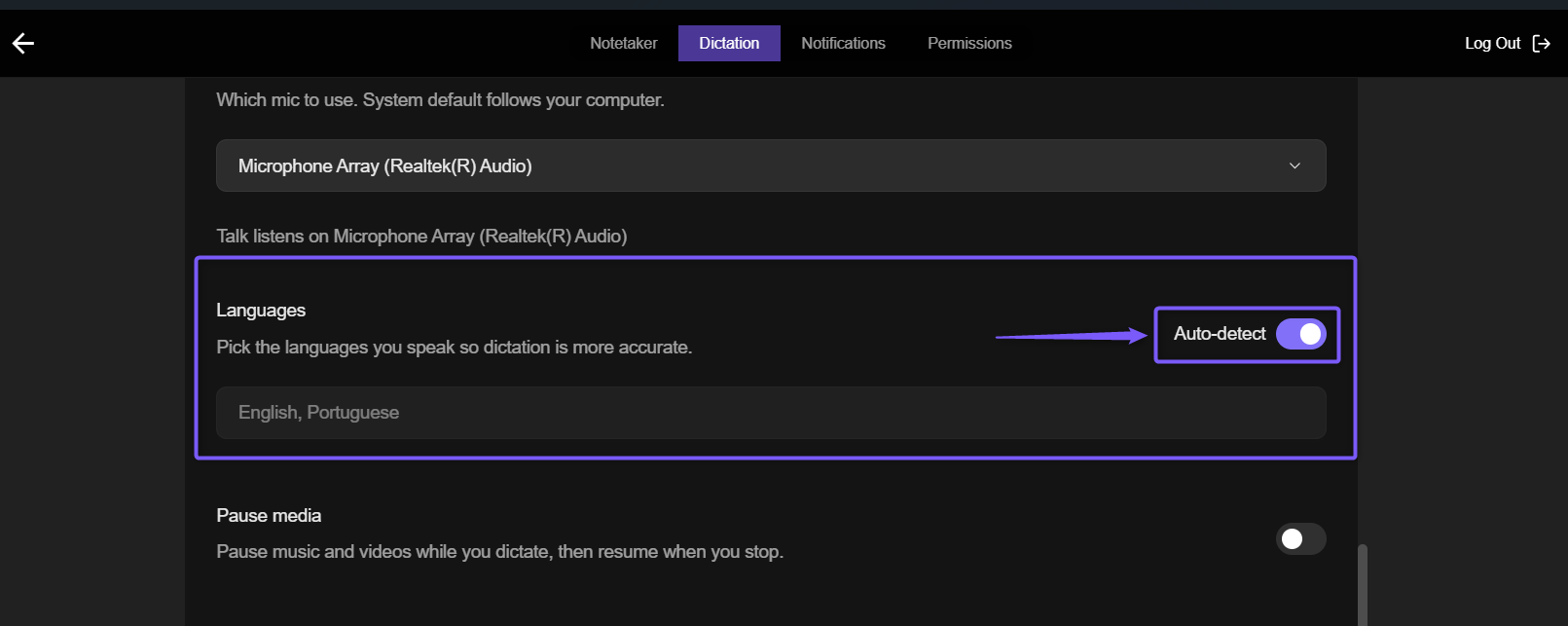
Scroll down to find Languages.
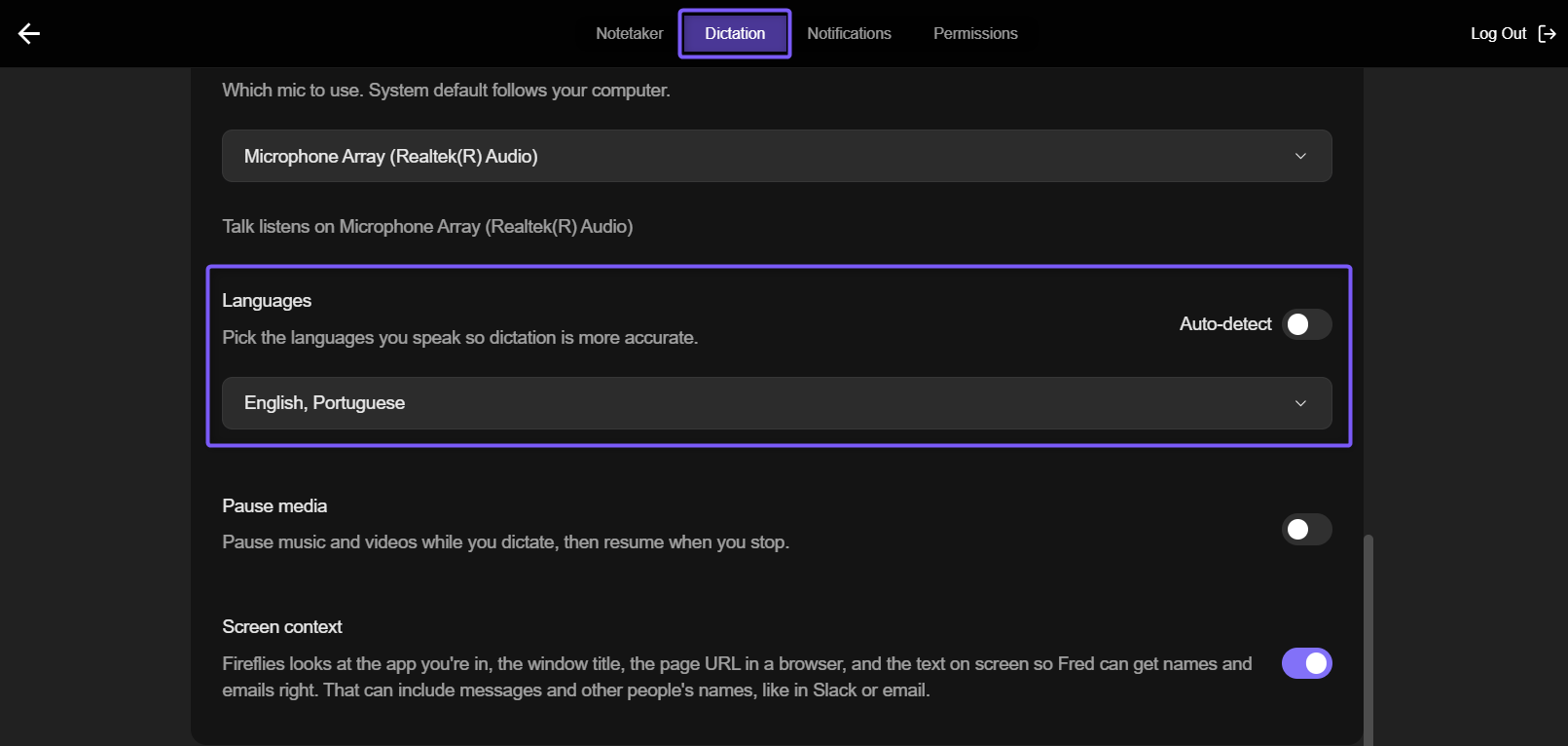
Click the Languages dropdown and select the languages you use for dictation. You can select multiple languages, such as English and Portuguese.
💡Selecting your languages helps Talk know what to listen for and improves dictation accuracy.
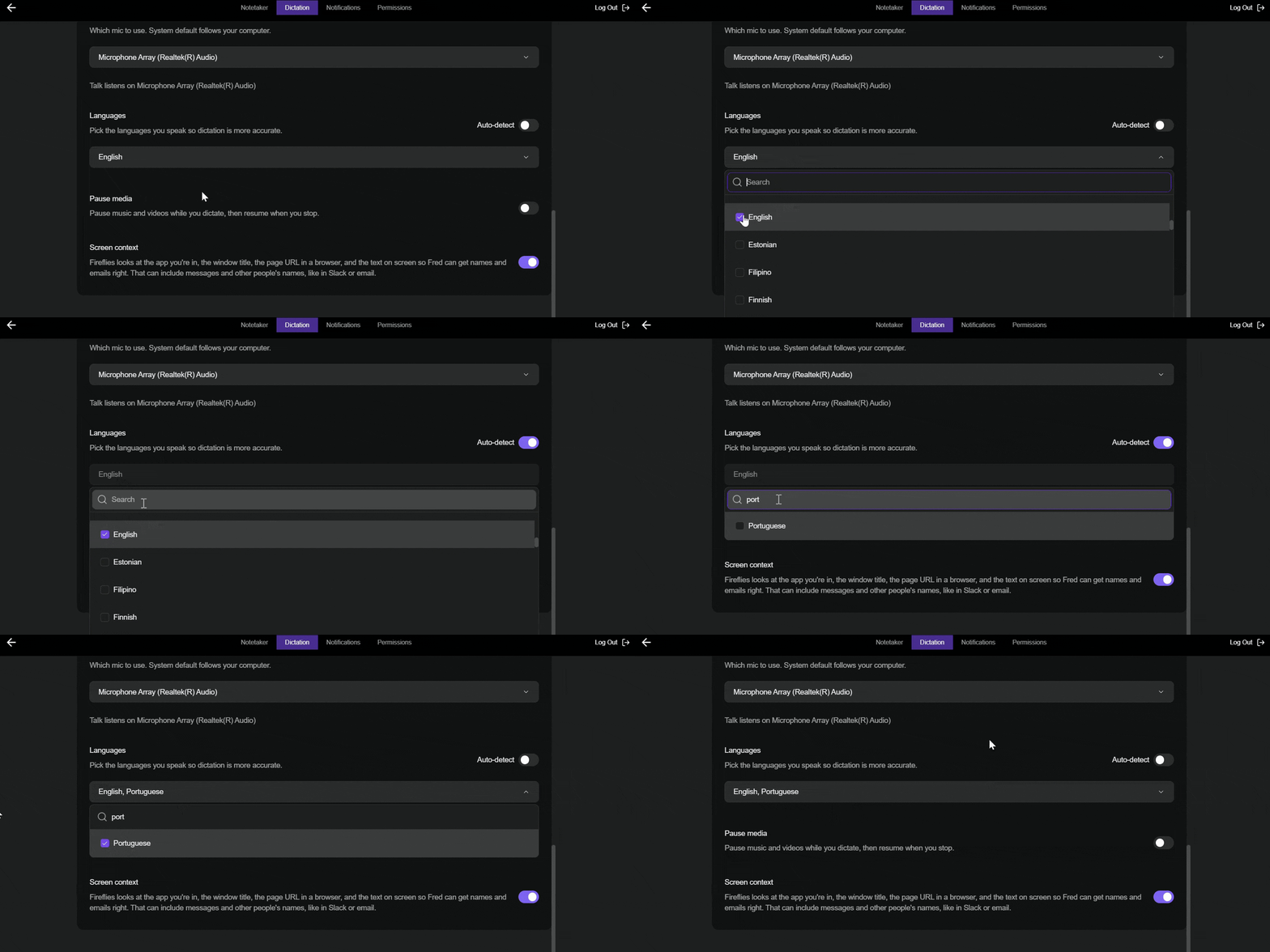
If you don't want to select specific languages, turn on the Auto-detect toggle. Talk will automatically detect the language you're speaking while you dictate.
📱 On mobile
During setup
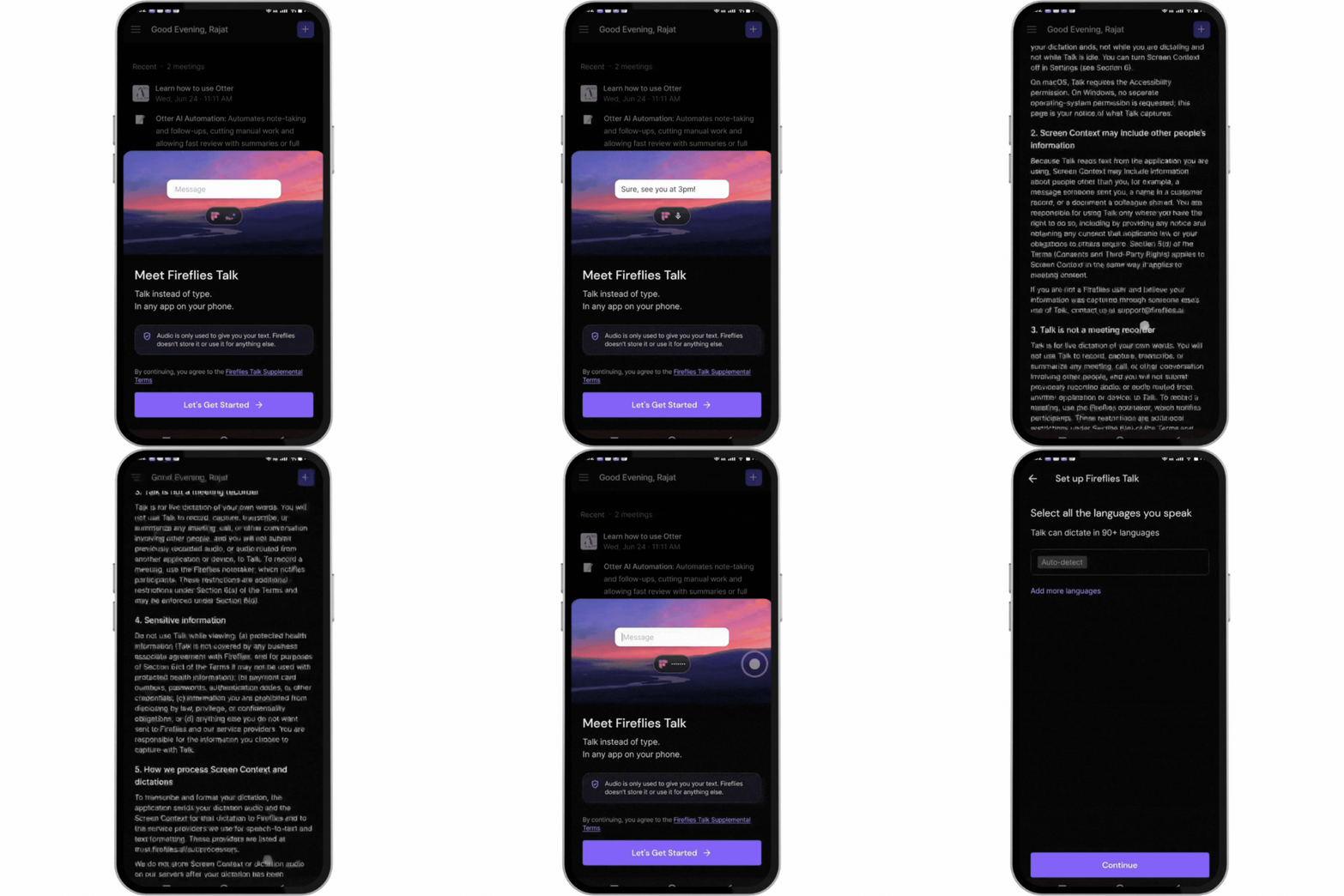
During setup, choose the languages you use for dictation on your iPhone or Android phone.
For detailed instructions, see the Fireflies Talk on iPhone and Android: Setup and Usage Guide.
After setup
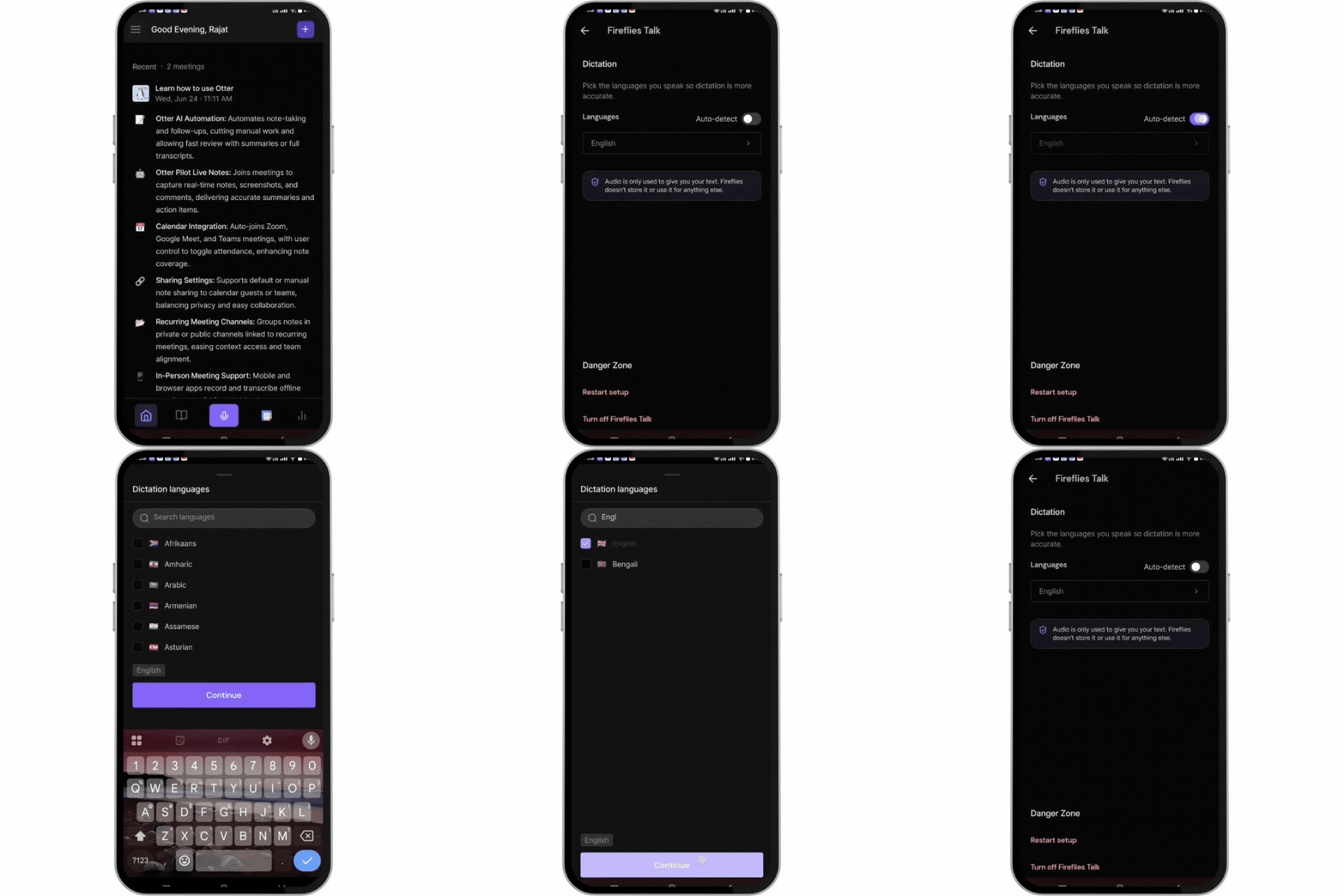
To change your language preferences later:
Open the Fireflies app.
Tap the three-line menu in the top-left corner.
Select Fireflies Talk.
Under Dictation, change your language preferences.
Note for iPhone users: Fireflies Talk supports 90+ dictation languages, but the Fireflies keyboard itself supports typing in English, Spanish, and Portuguese.
🗣 Languages supported by Fireflies Talk
Fireflies Talk supports 90+ dictation languages on desktop and mobile. Use the table below to view the full list of supported languages.
View the Full List of Supported Languages ✅
# | Languages supported by Fireflies Talk |
|---|---|
1 | Afrikaans |
2 | Amharic |
3 | Armenian |
4 | Asturian |
5 | Azerbaijani |
6 | Belarusian |
7 | Bengali |
8 | Bosnian |
9 | Bulgarian |
10 | Burmese |
11 | Cantonese |
12 | Catalan |
13 | Cebuano |
14 | Chichewa |
15 | Croatian |
16 | Czech |
17 | Danish |
18 | Dutch |
19 | English |
20 | Estonian |
21 | Filipino |
22 | Finnish |
23 | French |
24 | Fulah |
25 | Galician |
26 | Ganda |
27 | Georgian |
28 | German |
29 | Greek |
30 | Gujarati |
31 | Hausa |
32 | Hebrew |
33 | Hindi |
34 | Hungarian |
35 | Icelandic |
36 | Igbo |
37 | Indonesian |
38 | Irish |
39 | Italian |
40 | Japanese |
41 | Javanese |
42 | Kabuverdianu |
43 | Kannada |
44 | Kazakh |
45 | Khmer |
46 | Korean |
47 | Kurdish |
48 | Kyrgyz |
49 | Lao |
50 | Latvian |
51 | Lingala |
52 | Lithuanian |
53 | Luo |
54 | Luxembourgish |
55 | Macedonian |
56 | Malay |
57 | Malayalam |
58 | Maltese |
59 | Mandarin Chinese |
60 | Maori |
61 | Marathi |
62 | Mongolian |
63 | Nepali |
64 | Northern Sotho |
65 | Norwegian |
66 | Occitan |
67 | Odia |
68 | Pashto |
69 | Persian |
70 | Polish |
71 | Portuguese |
72 | Punjabi |
73 | Romanian |
74 | Russian |
75 | Serbian |
76 | Shona |
77 | Sindhi |
78 | Slovak |
79 | Slovenian |
80 | Somali |
81 | Spanish |
82 | Swahili |
83 | Swedish |
84 | Tajik |
85 | Tamil |
86 | Telugu |
87 | Thai |
88 | Turkish |
89 | Ukrainian |
90 | Umbundu |
91 | Welsh |
92 | Wolof |
93 | Xhosa |
94 | Zulu |
📚 Related guides
Fireflies Talk: talk instead of type in any app — Learn what Talk does and explore the Talk guides.
How to set up Fireflies Talk on Mac — Set up Talk and configure the required permissions on Mac.
How to set up Fireflies Talk on Windows — Set up Talk and configure the required permissions on Windows.
Fireflies Talk on iPhone and Android: Setup and Usage Guide — Learn how to set up mobile Talk and choose your dictation languages.