Fireflies for Sales: Your AI Platform for Everything After the Call
Last updated: October 14, 2026
Want your team spending more time closing deals and less time updating CRMs? Fireflies for Sales is an AI-powered bundle that automates post-meeting sales workflows. After every sales call, Fireflies drafts CRM updates, generates follow-up emails, scores deals, and identifies at-risk opportunities - helping your team stay focused on selling.
This guide introduces the features included in the Fireflies for Sales bundle, explains who it's designed for, and helps you get started.
🎯 What's Included in the Bundle
Fireflies for Sales bundle brings together five core features that help automate your sales workflow before, during, and after every customer conversation.
1. Autofill CRM
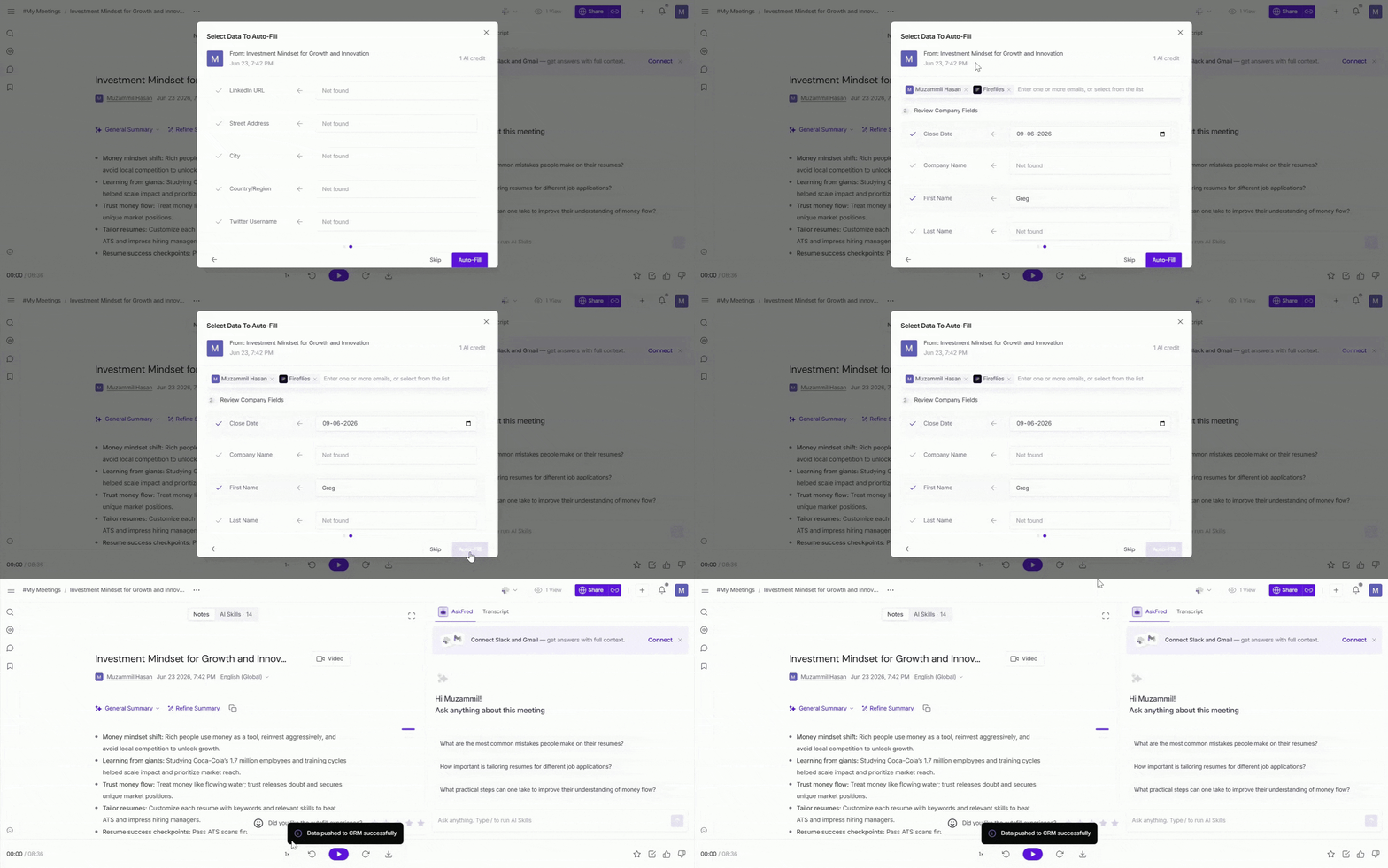
Autofill CRM keeps your CRM records up to date by automatically populating updates from your sales meetings. Connect HubSpot or Salesforce to map your CRM data with Fireflies, so meeting conversations automatically fill in contacts, companies, opportunities, and deals. Review the suggested updates, then push them to your CRM.
2. Deal Intelligence
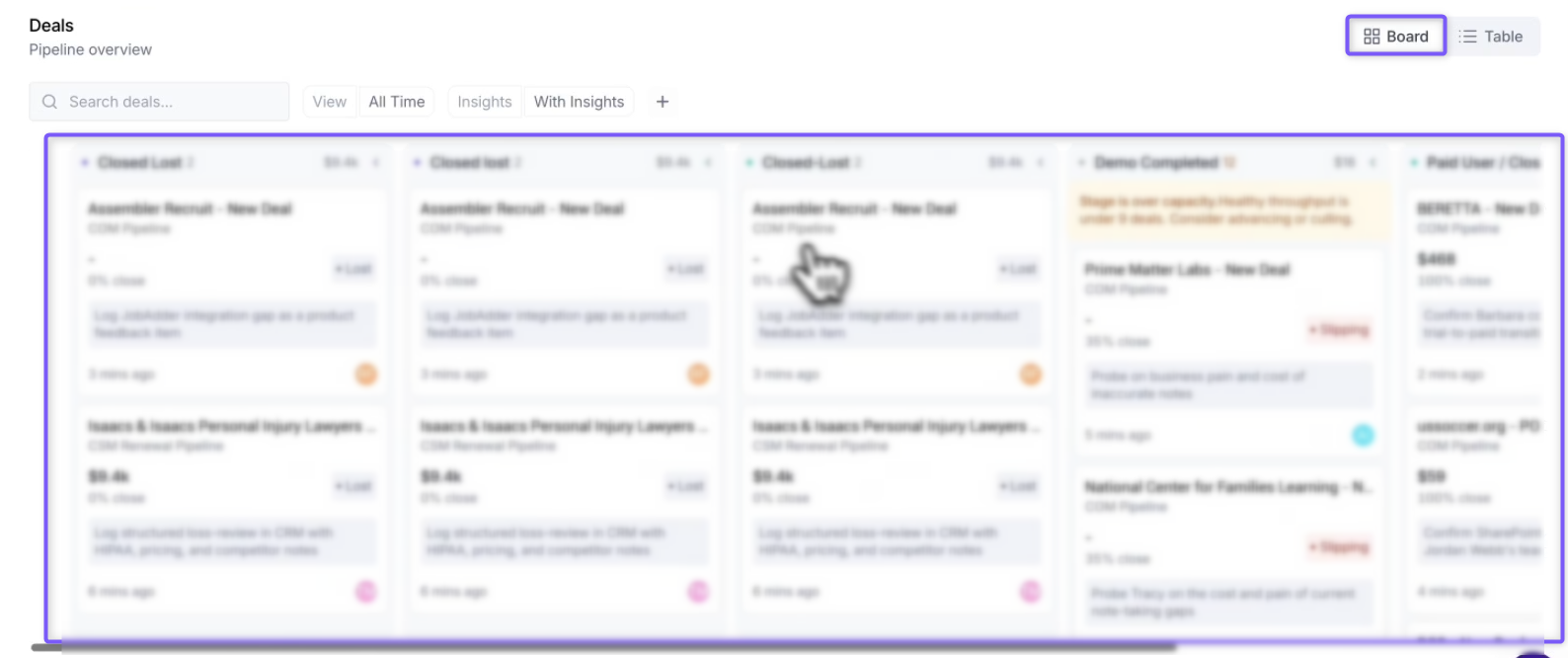
Track deal progress with AI-powered insights generated from your CRM and meeting conversations. Monitor pipeline health, identify risks early, review follow-ups and tasks, and use AskFred to answer questions about individual deals.
Available for HubSpot and Salesforce on Business and Enterprise plans.
3. Sales Assist
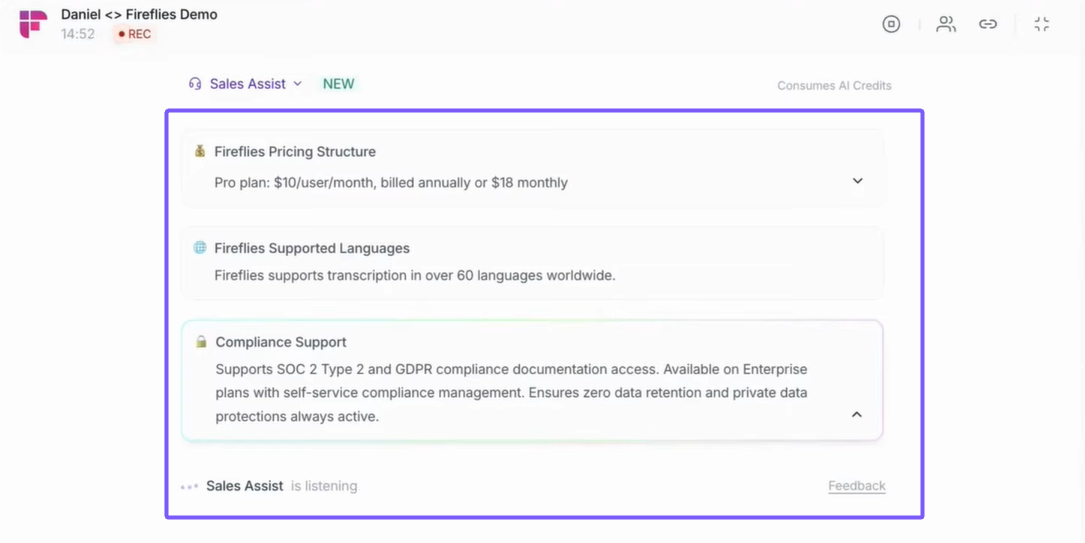
Get real-time answers, suggestions, and insights from your knowledge base during live customer calls. Sales Assist detects customer questions and surfaces relevant answers automatically, so you're never caught without a response.
📘 [Learn more about Sales Assist]
4. AI Skills for Sales
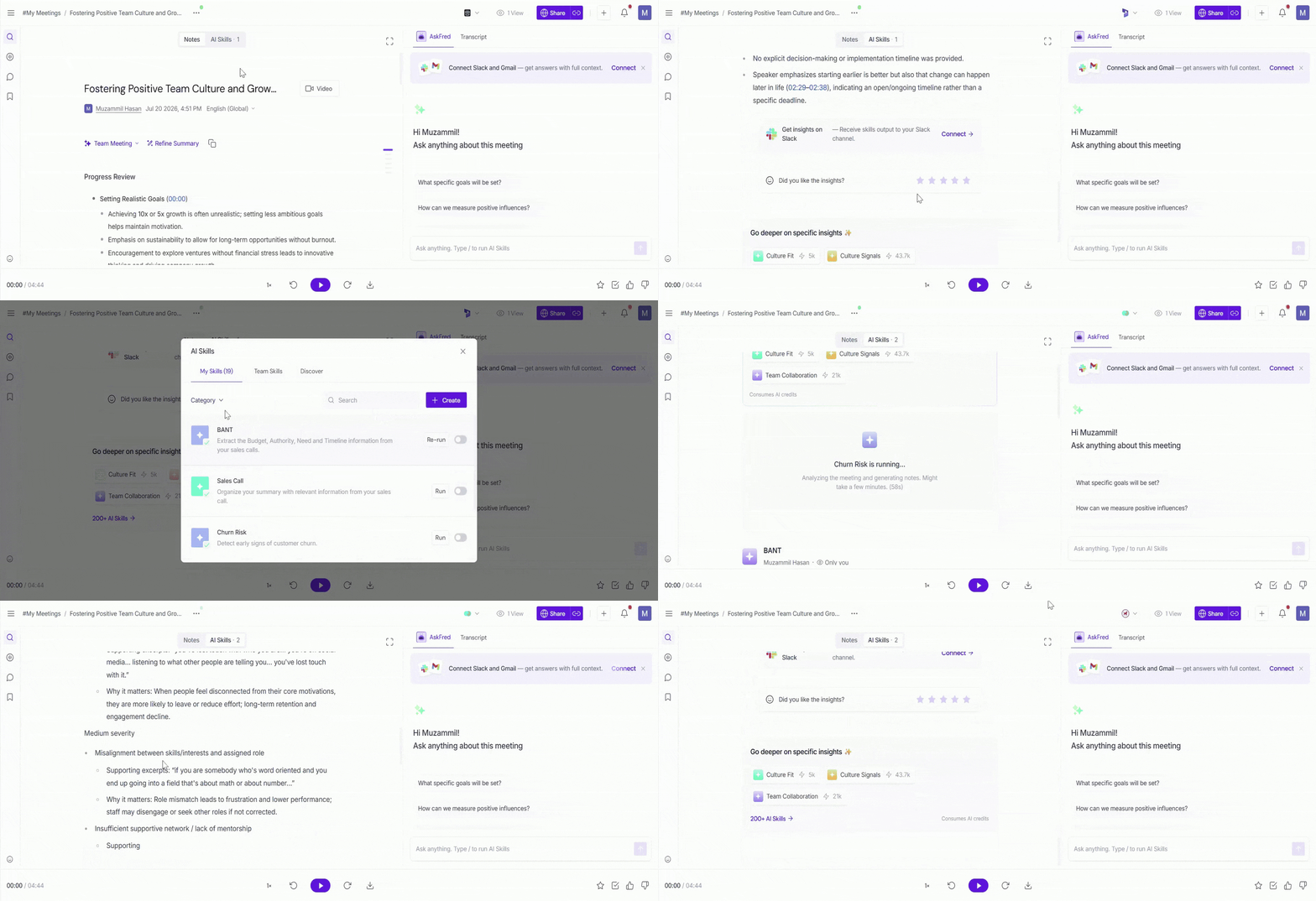
Automate sales coaching and follow-up tasks using AI-powered templates. Generate BANT and MEDDIC scorecards, flag churn risk, draft follow-up emails, and extract sales-specific insights - choose from 200+ pre-built templates, or build your own from scratch.
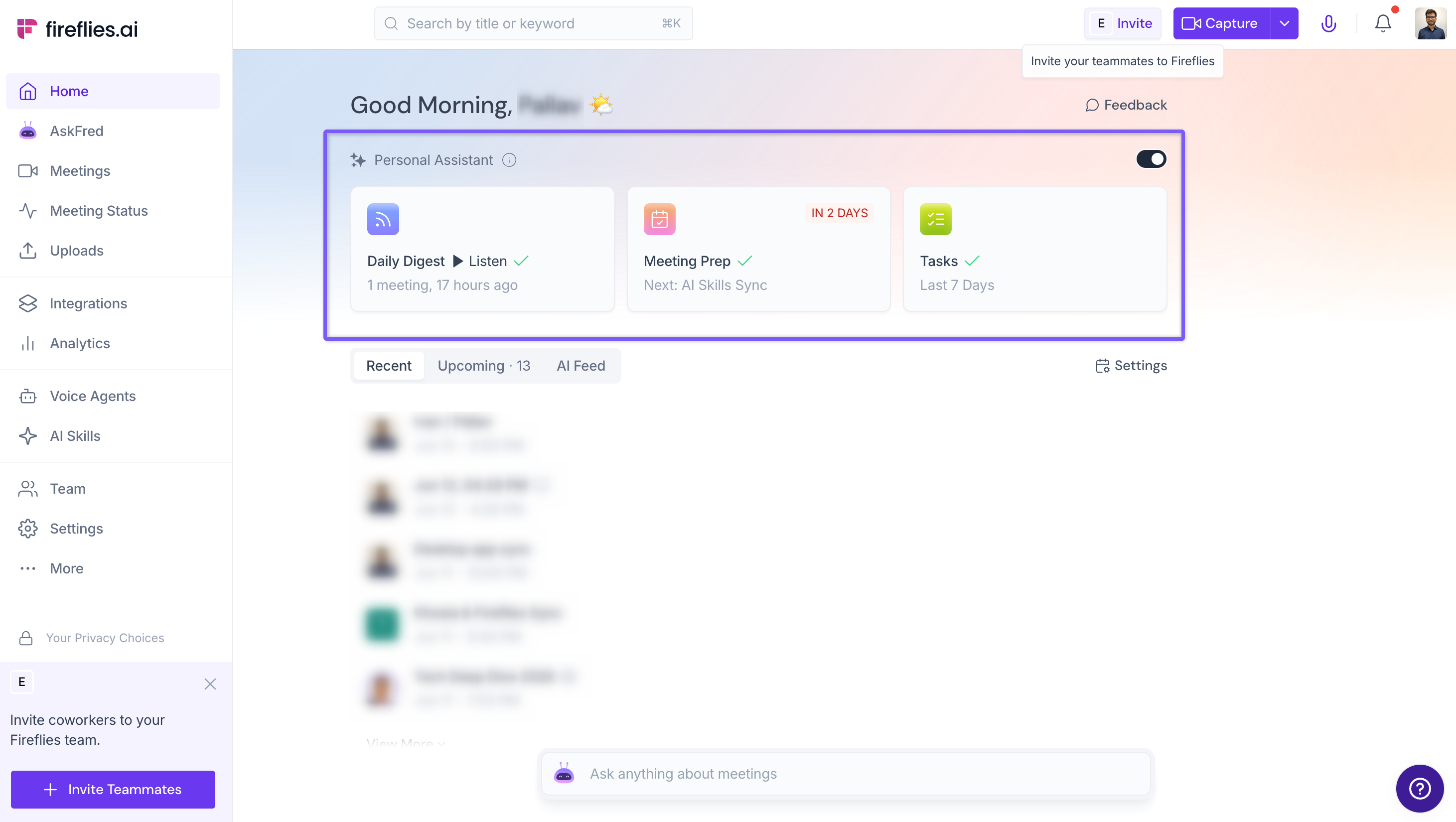
5. AI Personal Assistant (Meeting Prep, Daily Digest & Topics)
Walk into every recurring sales call with context already loaded—past discussions, deal history, and account insights, ready before you join. Once your calendar is connected, Meeting Prep generates automatically for upcoming meetings.
AI Personal Assistant also includes Daily Digest, a summary of important updates, action items, and meeting insights from the past 24 hours, and Topics, which surfaces key themes and discussion patterns gathered from your recent meetings.
Plus everything you already know about Fireflies: Beyond the sales-specific tools above, you also get Conversation Intelligence, AskFred queries across every call your team has ever run, Integrations with your CRM and other collaboration tools, the Desktop App for flexible meeting capture (bot or no-bot capture), and MCP support for connecting Fireflies to other AI tools.
👥 Who Should Use Fireflies for Sales?
Fireflies for Sales is built for:
Account Executives managing active sales pipelines
Sales Managers coaching teams and reviewing deal progress
RevOps teams maintaining CRM accuracy
Sales Leaders monitoring pipeline health and forecasting
Sales-led founders managing customer conversations and closing deals
💰 Pricing
Fireflies for Sales features are available across different Fireflies plans. The table below provides an overview of what's included with each plan.
Plan | Price | Key Features |
|---|---|---|
Free | Basic meeting transcription and summaries. | |
$10 per seat/month | Meeting transcripts, AI summaries, AskFred, and productivity features for individual users. | |
$19 per seat/month | Everything in Pro, plus Autofill CRM, Deal Intelligence, Sales Assist, and AI Skills for Sales. | |
$39 per seat/month | Everything in Business, plus enterprise features such as SOC 2 audit logs, SCIM, HIPAA BAA, FERPA DSA, custom data retention, and advanced administration controls. |
📘 For more information: Visit the pricing page to view plan details, feature availability, and the latest updates.
🚀 Getting Started
Sign up for a Fireflies account. See [Create a Fireflies Account].
Connect your calendar (Google, Outlook, or Microsoft 365).
Connect your CRM - HubSpot or Salesforce recommended for the full bundle.
Invite Fireflies to your next sales call. See [How to Invite Fireflies to Meetings].
Review your results: the CRM update is drafted for your review, the follow-up is written, and the deal is scored.
📚 Related Guides
Autofill CRM for HubSpot – Automatically Extract and Sync Meeting Data to Contacts, Company, and Deals.
Autofill CRM for Salesforce — Automatically Extract and Sync Meeting Data to Contacts, Accounts, and Opportunities.
Deal Intelligence – Connect your CRM and track deal progress, risks, and insights.
Sales Assist – Get real-time answers and suggestions during live sales calls.
AI Skills for Sales – Automate call scoring, follow-ups, and sales insights.
AI Personal Assistant – Get Meeting Prep, Daily Digest, and Topics automatically.
Daily Digest – Receive a daily summary of your meetings, including key discussions, action items, and insights.
Meeting Prep – Prepare for upcoming meetings with previous conversations, account context, and key meeting insights.
Conversation Intelligence – Search, analyze, and uncover insights across meeting conversations with AI-powered analytics, smart search, and reporting.
Learn About Fireflies + CRM Integrations – Connect Fireflies with CRMs like HubSpot, Zoho, Close.io, Copper, etc.
Global AskFred – Search across meeting conversations and get instant AI-powered answers.
Still stuck? Contact support via this link for more help.