How to Cancel Your Fireflies Subscription
Last updated: May 18, 2026
Thinking about canceling your Fireflies subscription? We understand that your needs may change over time, and we want to make the process as simple and transparent as possible. This guide walks you through how to cancel your subscription and what happens to your account afterward.
Once canceled, your account will automatically switch to the Free plan at the end of your current billing cycle, while your existing meetings, transcripts, and recordings will remain accessible within the Free plan limits.
📌 What Happens When You Cancel?
Before canceling your subscription, here are a few important things to keep in mind:
Downgrade to Free: Your account will switch from your current paid plan (Pro, Business, or Enterprise) to the Free plan at the end of your billing cycle
Access Continues: You’ll retain access to all paid features until the end of your current billing period
Your Data Stays Available: Canceling your subscription will not delete your data. Your existing meetings, transcripts, and recordings will remain accessible in your Fireflies notebook within the Free plan limits.
🚀Follow these steps to cancel your subscription
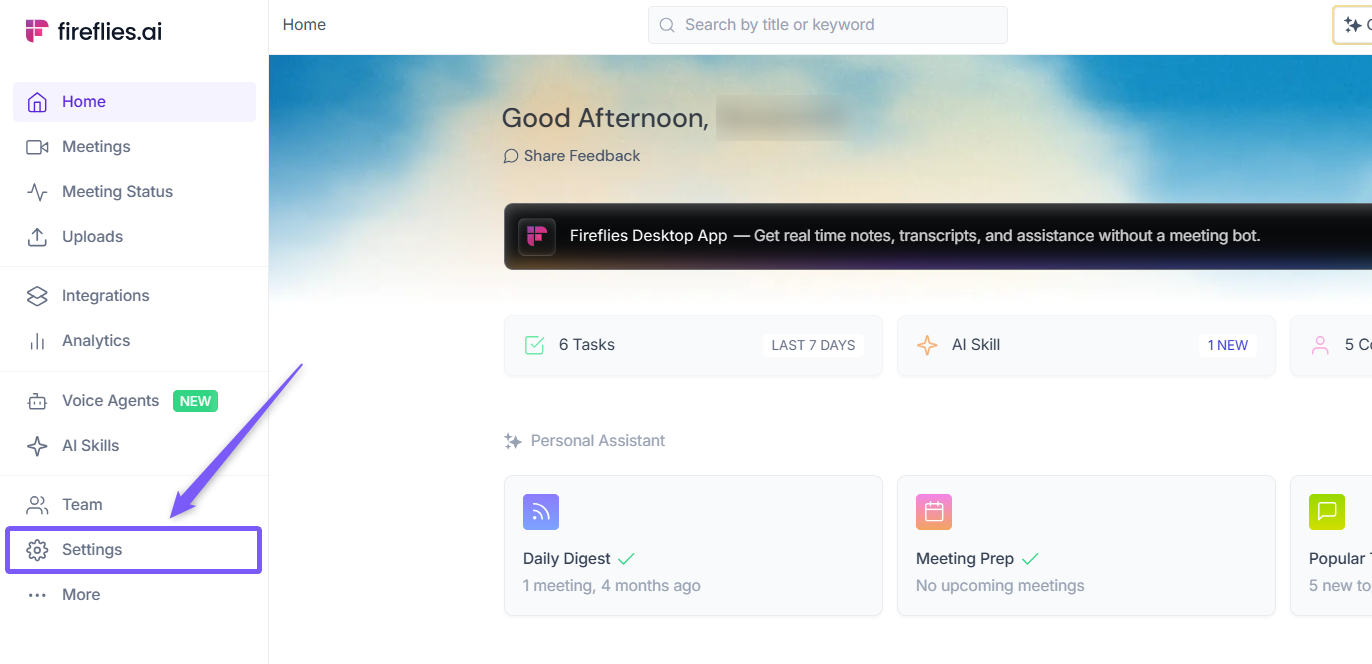
Step 1: Go to the Fireflies web app and click the Settings from left side menu.
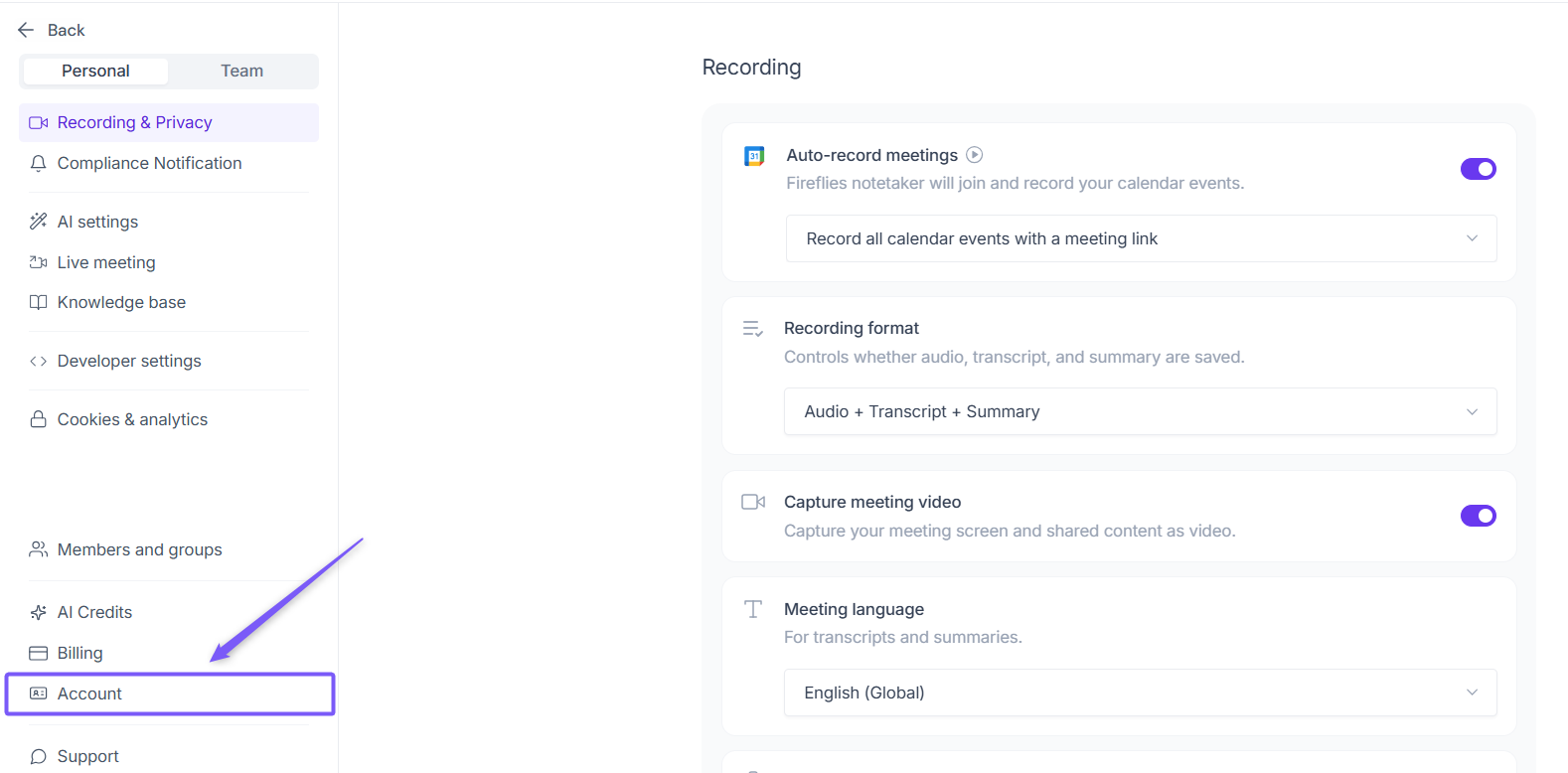
Step 2: Navigate to Account from the left panel.
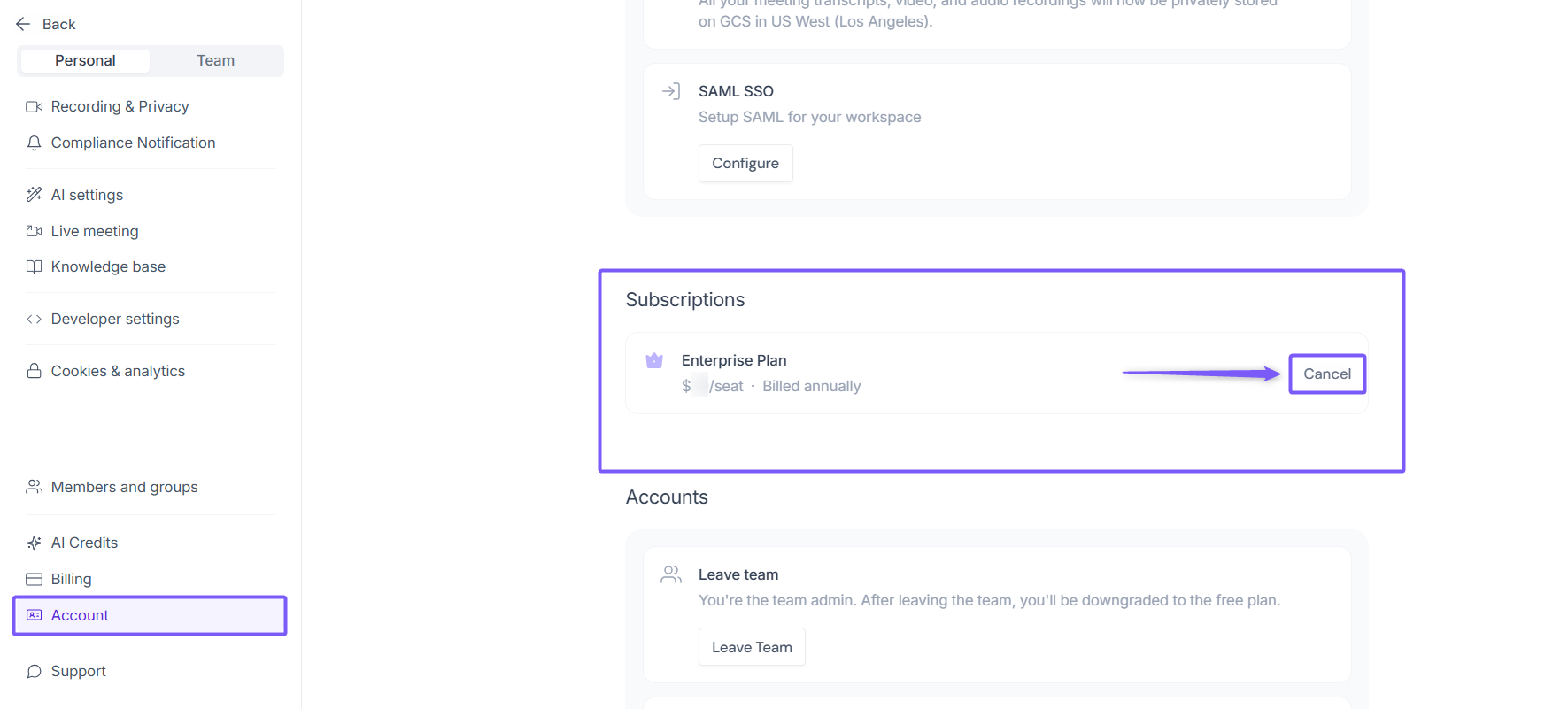
Step 3: Scroll down to the Subscriptions section and click Cancel next to your active plan.
Step 4: Share Your Feedback
A pop-up window will appear asking for your reason for canceling.
Select a reason from the drop-down menu.
💡 Based on the reason selected, Fireflies may suggest some helpful guides or resources that could help resolve the issue before you proceed with cancellation.
Add any additional feedback if needed, then click Continue.
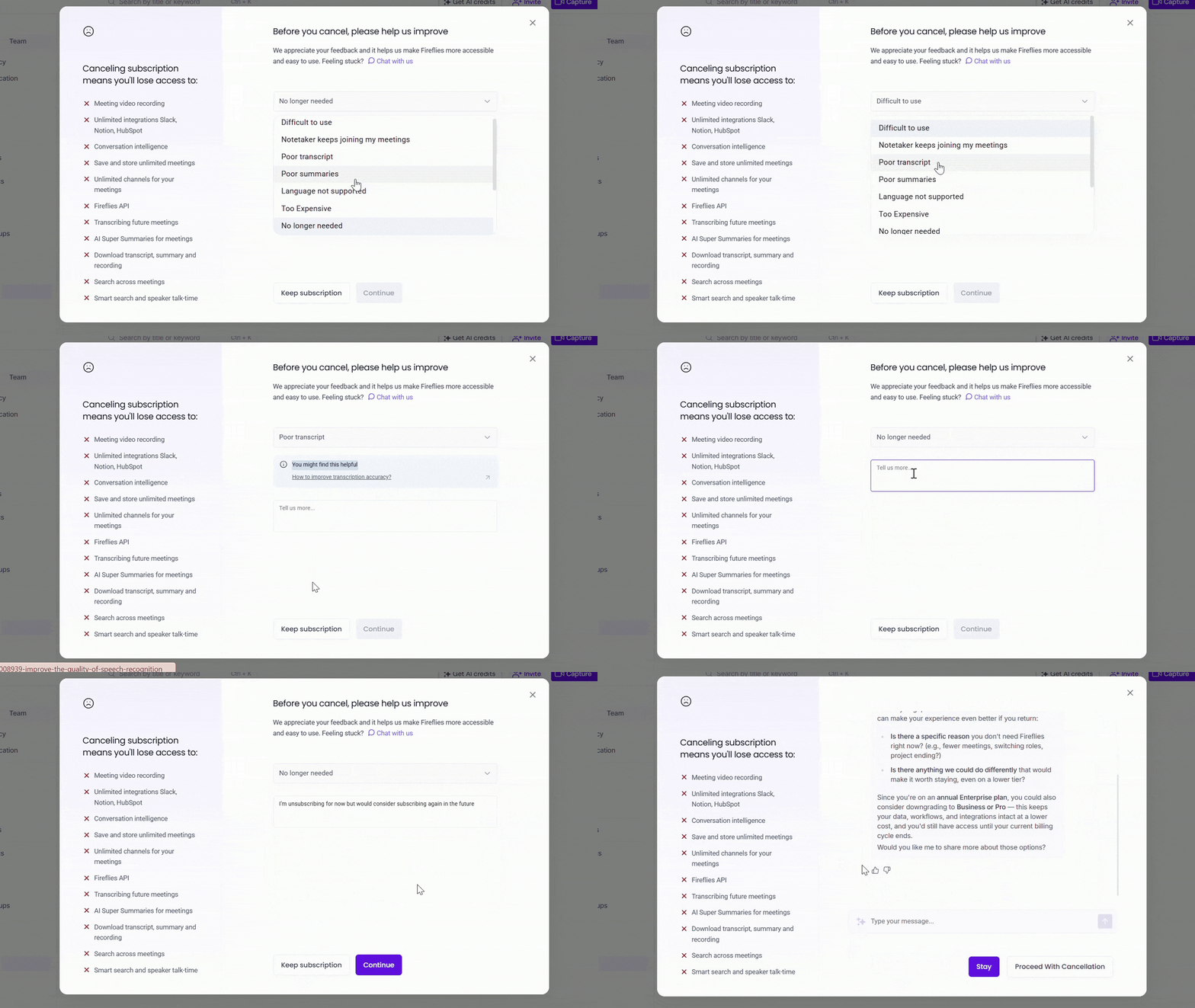
Step 5: AskFred Assistance (Optional)
The Fireflies AI assistant (AskFred), will appear and may offer helpful suggestions or alternatives based on your cancellation reason. You can interact with AskFred or skip this step entirely.
If the suggestions help, click Stay to keep your subscription.
If you still wish to cancel, click Proceed With Cancellation.
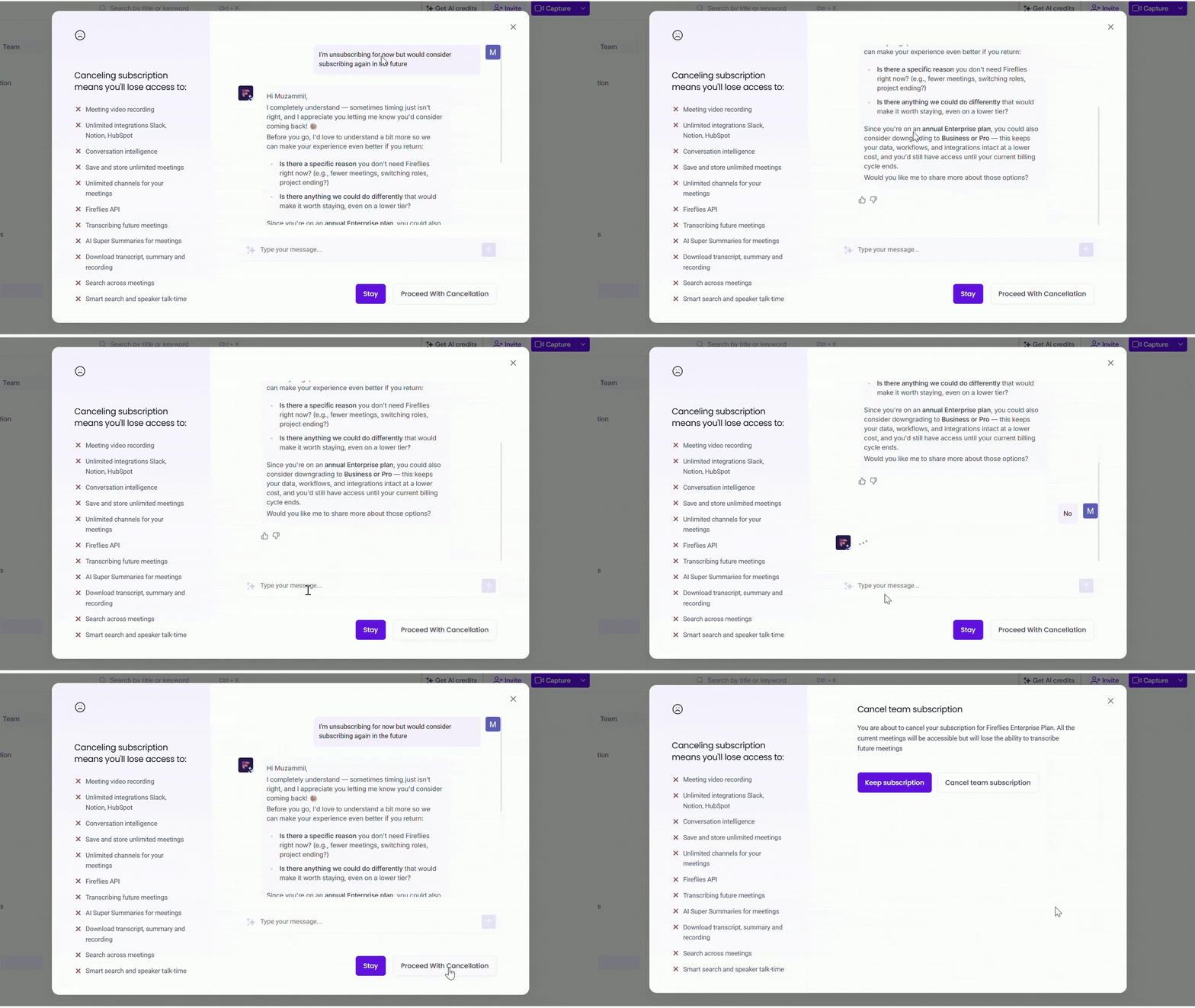
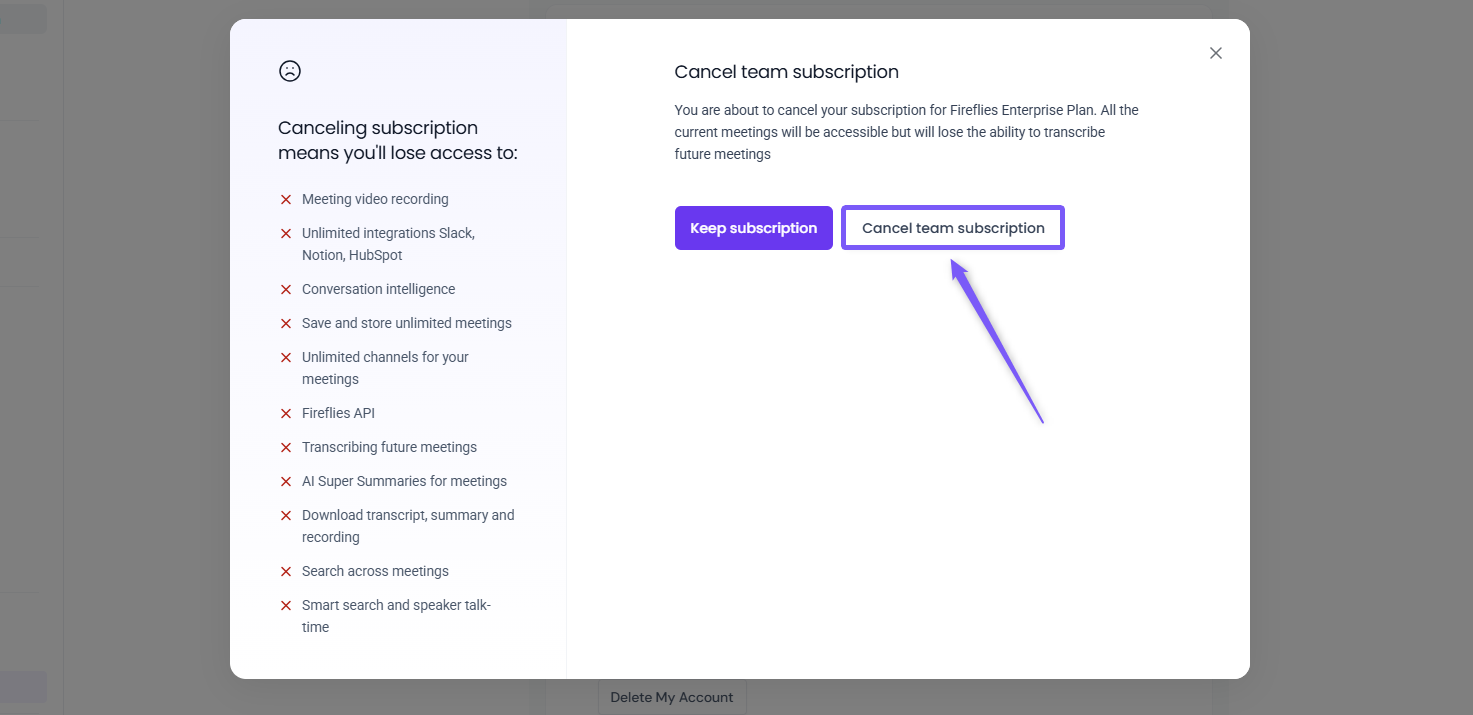
Step 6: Confirm Your Cancellation
A final confirmation prompt will appear before your subscription is canceled. To continue, click Cancel Subscription (or Cancel Team Subscription for team plans).
✅ What to expect after cancellation
Once your subscription is canceled, here’s what happens next:
Access Until Billing Cycle Ends: Your paid subscription features will remain active until the end of your current billing period, and you will not be charged again
Automatic Switch to Free: After your billing cycle ends, your account will automatically transition to the Fireflies Free plan
Your Data Stays Available: Your meetings, transcripts, and recordings will remain accessible within the Free plan limits
Resubscribe Anytime: If your needs change, you can upgrade back to a paid plan anytime.
❓ Frequently Asked Questions
1. Will I lose my meetings and transcripts after canceling?
No. Your existing meetings, transcripts, and recordings will remain accessible within the Free plan limits.
2. When does my subscription actually end?
Your paid features will remain active until the end of your current billing cycle. After that, your account will automatically switch to the Free plan.
3. Will I be charged again after canceling?
No. Once your subscription is canceled, you will not be charged for the next billing cycle.
4. Can I downgrade my plan instead of canceling?
Yes. If you don’t want to cancel your subscription completely, you can switch to a lower plan instead.
📌 Related: How to downgrade your Fireflies plan
5. What’s the difference between canceling and deleting my account?
Canceling your subscription downgrades your account to the Free plan, while deleting your account permanently removes your workspace and data.
📌 Related: How to delete your Fireflies account
We’re sorry to see you go, but we truly value your feedback. If you have any questions or need assistance during this process, please don’t hesitate to reach out. We’re here to help!
Click the chat button (purple) in the bottom-right corner of your Fireflies home dashboard to start a conversation, or contact support through this support link.