How to Integrate Sugar.ai with Fireflies
Last updated: October 22, 2026
If your team uses Sugar.ai to manage customer relationships, integrating it with Fireflies helps keep your CRM updated with meeting insights. Meeting notes and data from Fireflies can flow directly to contact and company records.
Let’s get started 🚀
🔍 What Does the Sugar.ai Integration Do?
With the Fireflies + Sugar.ai integration, you can:
Sync meeting notes: Send meeting notes and relevant information from Fireflies to Sugar.ai so your team can easily refer to past discussions.
Update contact records: Add meeting information to relevant contact records to maintain a clear history of customer interactions.
Update company records: Associate meeting details with the appropriate company records to keep business-related information organized.
Reduce manual data entry: Minimize the need to copy meeting details manually, saving time and simplifying your CRM workflow.
🔑 Prerequisites
Before setting up the Sugar.ai integration, make sure you have:
A Fireflies account with access to integrations.
A Sugar.ai account with the necessary permissions to configure the integration.
Access to your Sugar.ai CRM to complete the setup.
🔐 Get Your Fireflies API Key
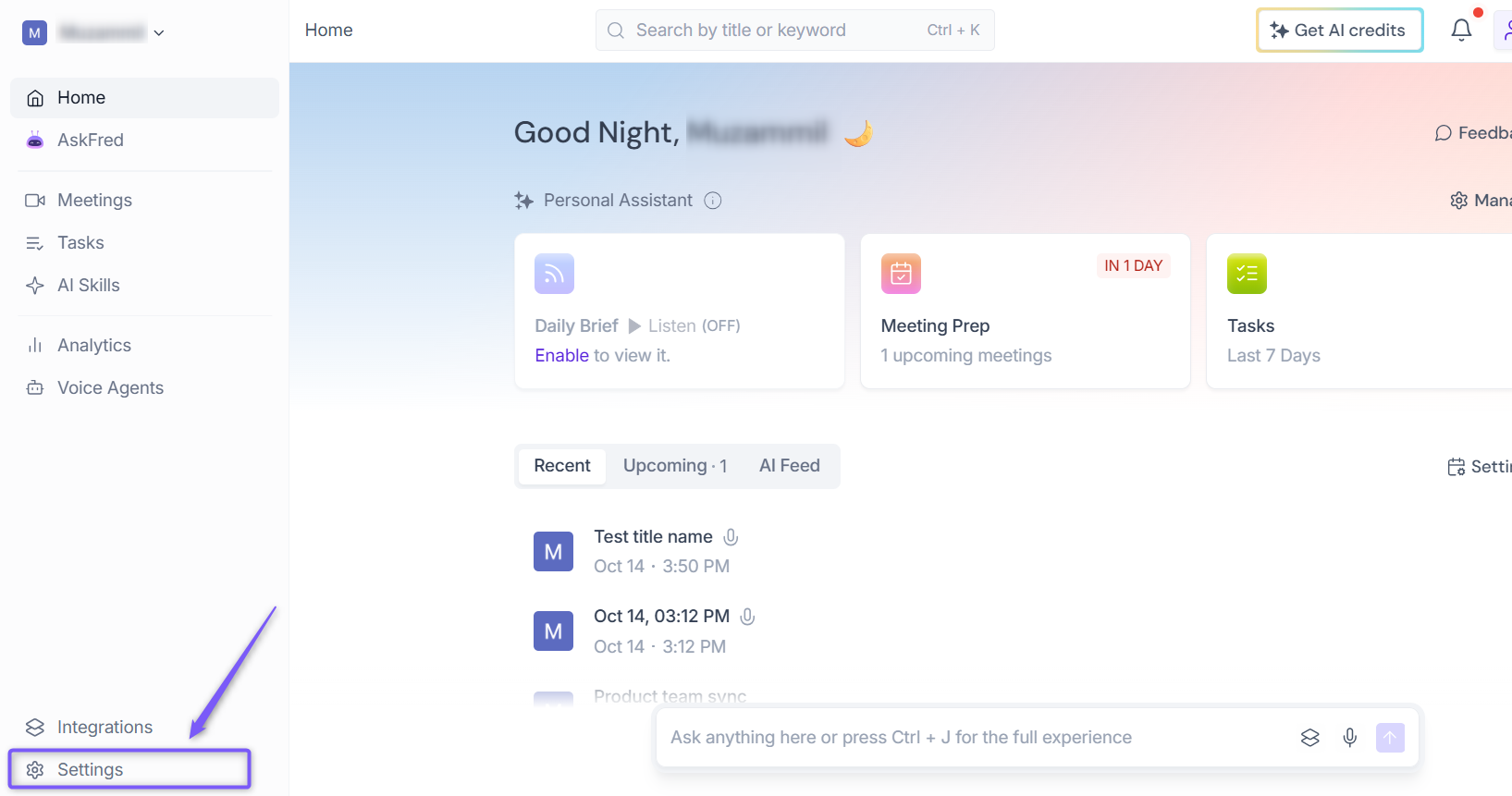
1. Log in to your Fireflies account and open Settings.
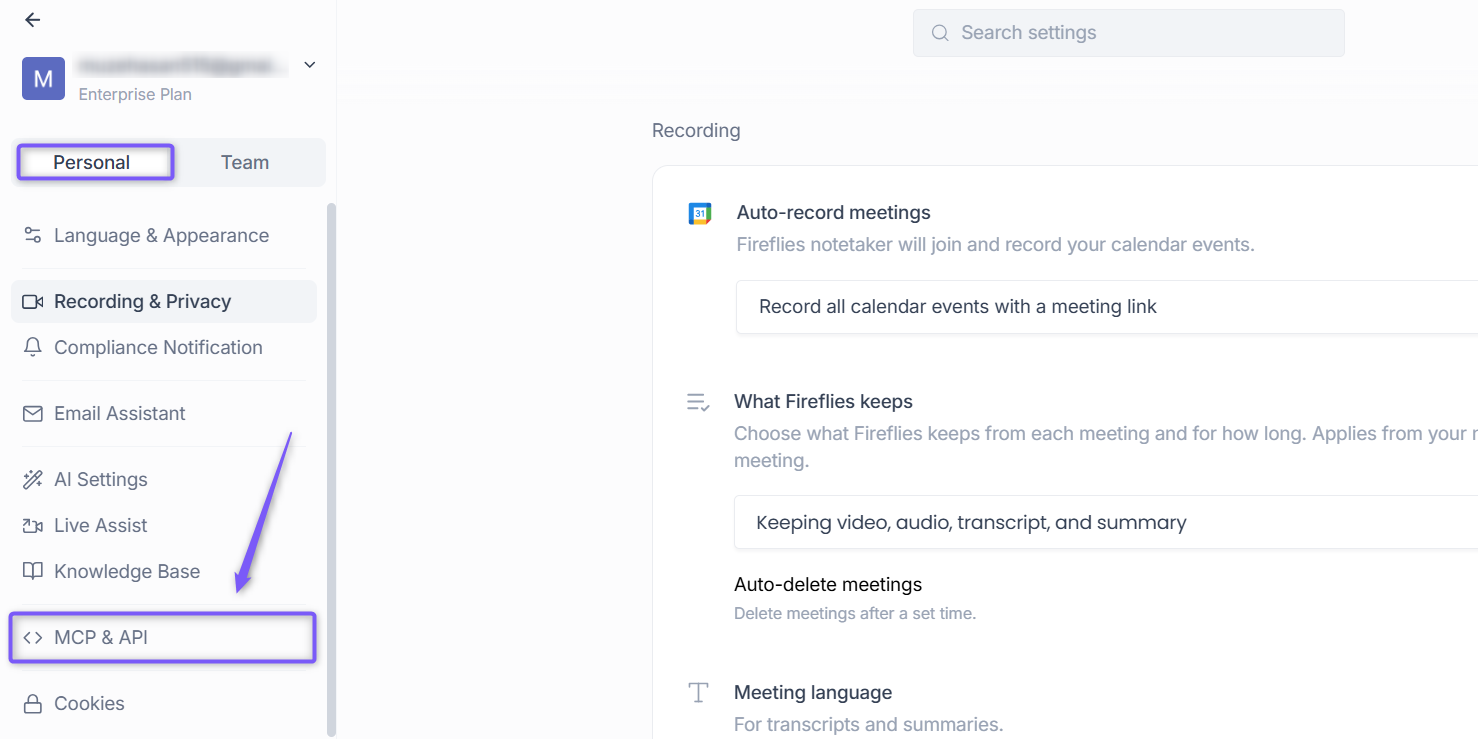
2. In the left sidebar (Personal tab), select MCP & API.
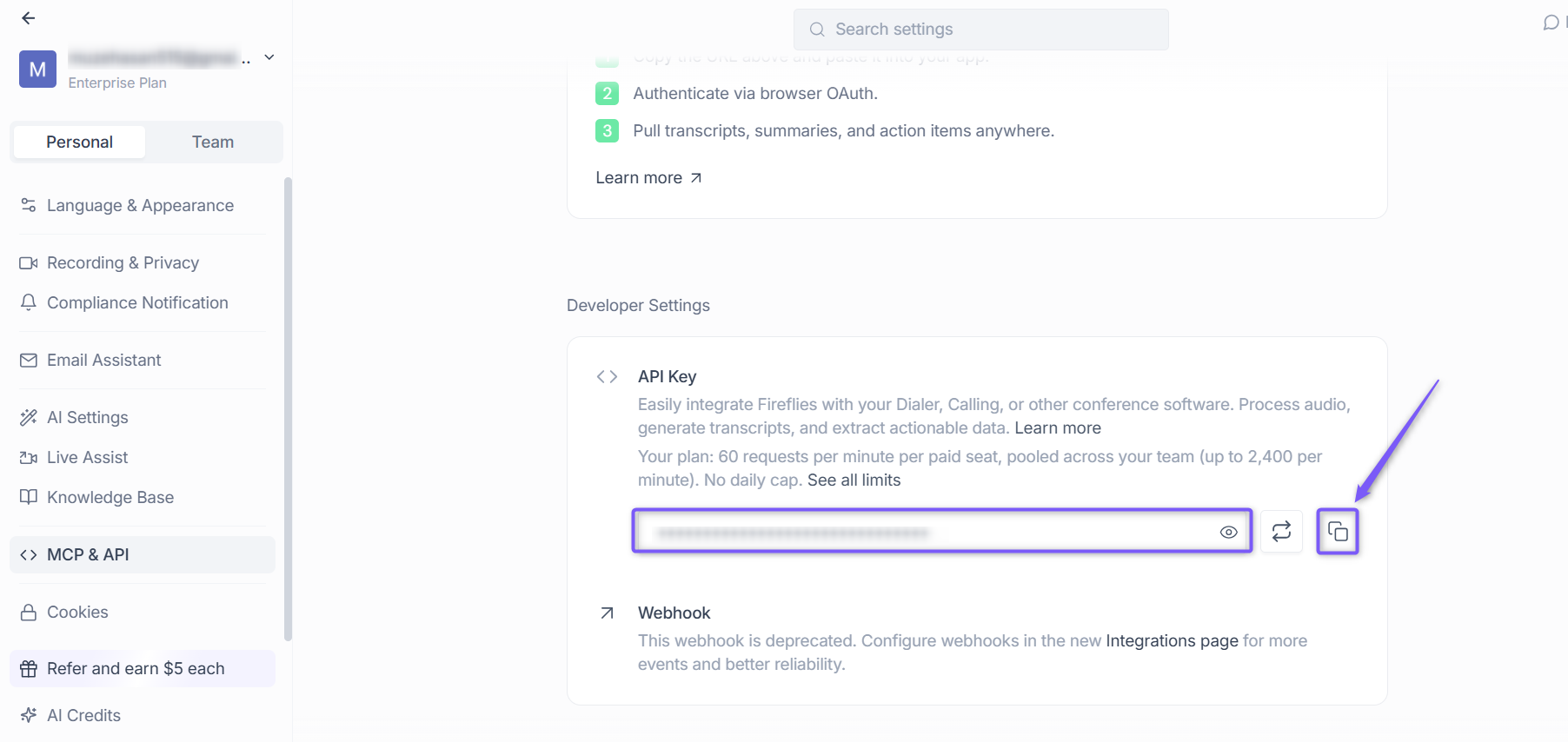
Step 3: Under Developer Settings, locate the API Key section and copy your API key. You’ll need this key to configure the Fireflies integration in Sugar.ai.
🔗 Connect Fireflies to Sugar.ai
Step 1: Log in to your Sugar.ai account and navigate to the Administration area.
Step 2: Open the Fireflies.ai Integration page.
Step 3: Under Configuration Settings, paste your Fireflies API key into the API Key field.
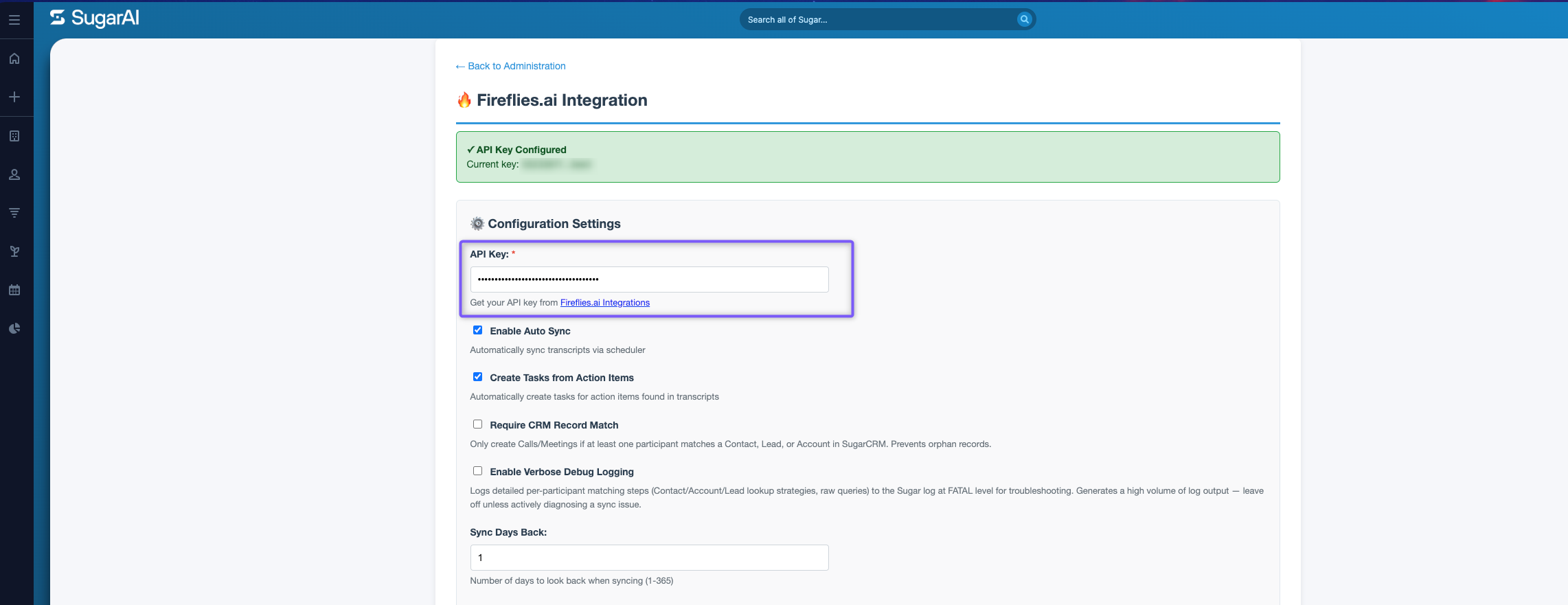
Step 4: Enable the following options by selecting their checkboxes:
Enable Auto Sync — Automatically sync transcripts via the scheduler.
Create Tasks from Action Items — Automatically create tasks for action items found in transcripts.
Leave Require CRM Record Match and Enable Verbose Debug Logging unchecked unless needed.
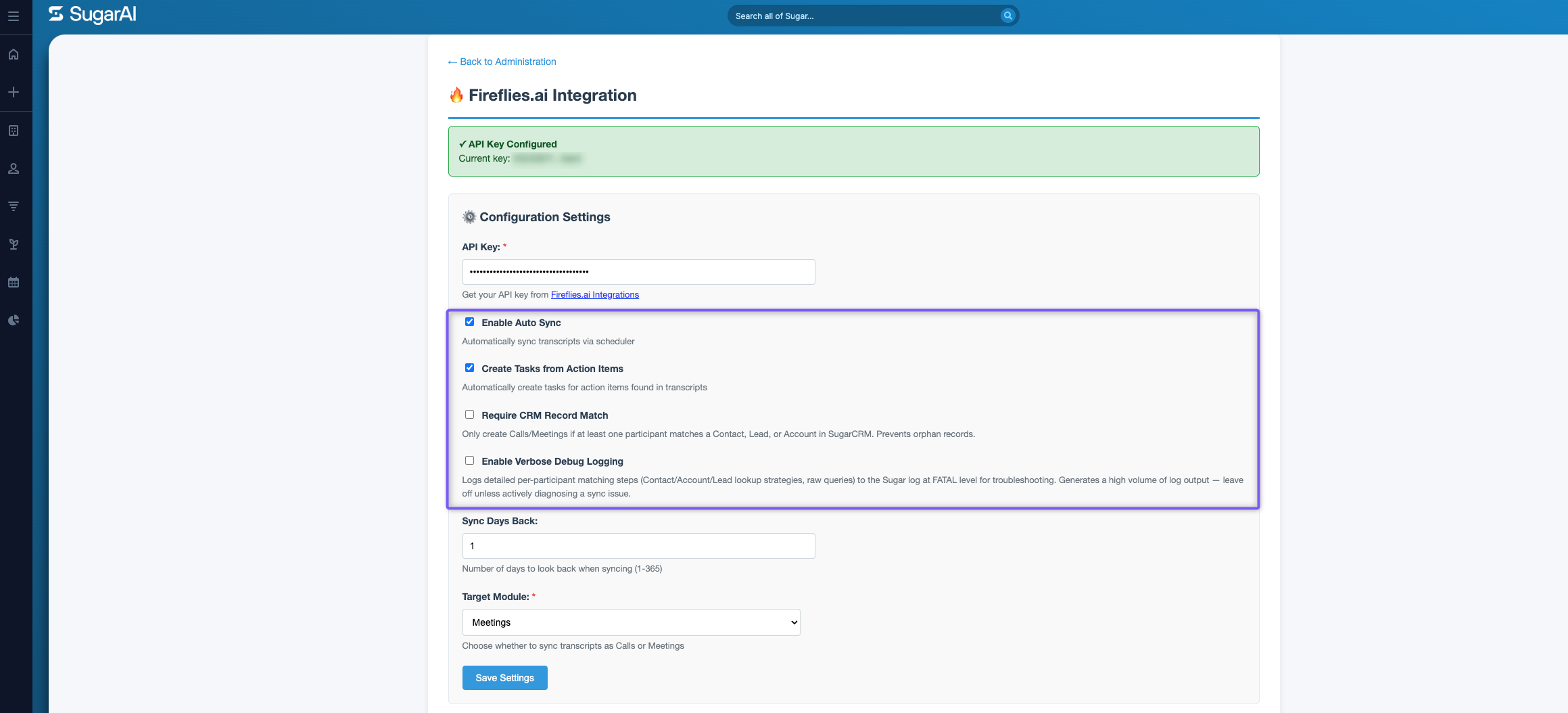
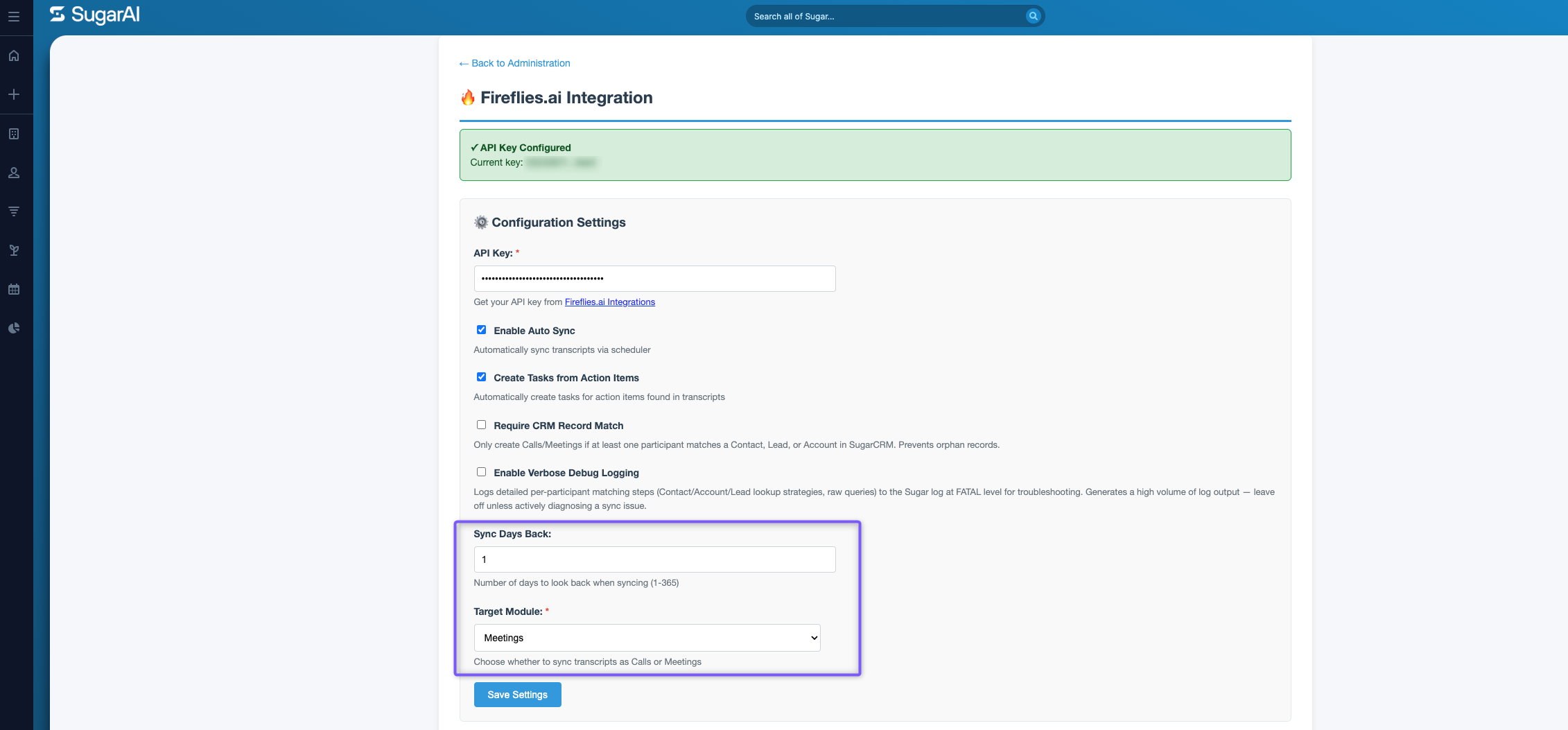
Step 5: Configure the following settings:
Sync Days Back - Enter the number of days to look back when syncing (1–365).
Target Module - Select Meetings to sync transcripts as meeting records.
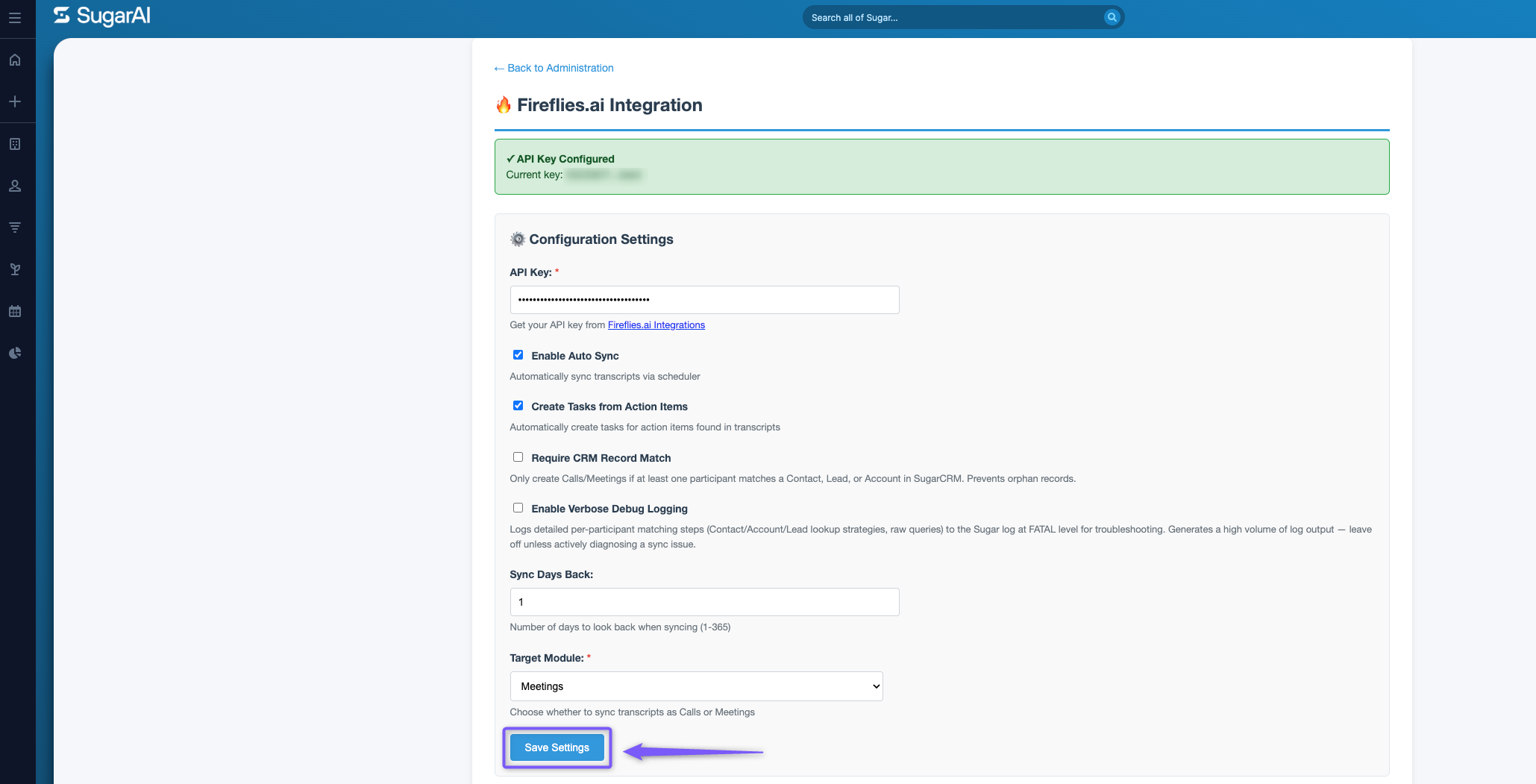
Step 5: Click Save Settings to save your configuration.
✅ How to Use the Fireflies–Sugar.ai Integration
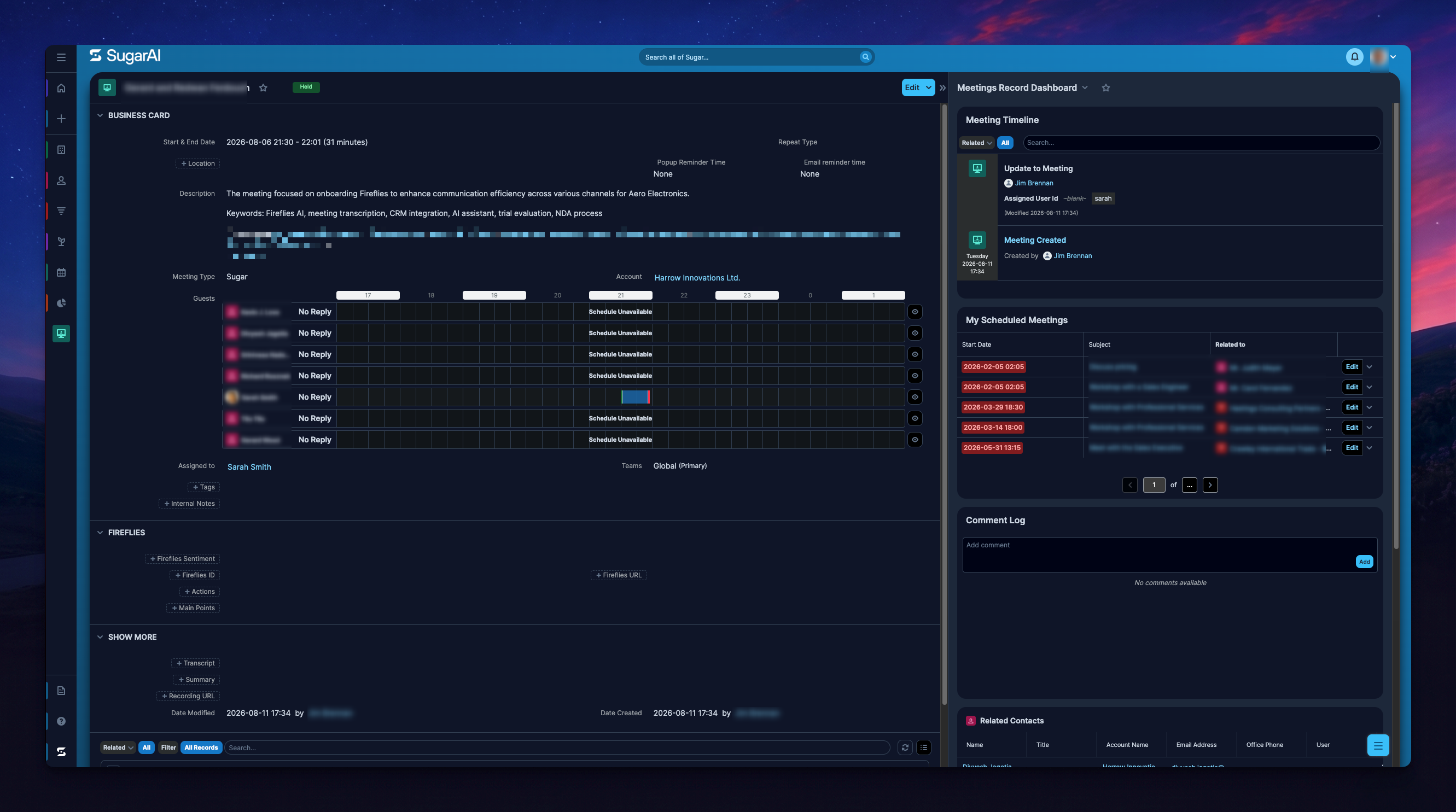
Once configured, Sugar.ai automatically retrieves meeting information from Fireflies based on your settings.
Meeting records — Fireflies meeting notes and transcripts are added to Sugar.ai as meeting records.
Contact and account details — Meeting information is linked to matching contacts and associated accounts.
Action items — Tasks are automatically created from action items identified in transcripts when the option is enabled.
You can review the meeting details directly in Sugar.ai without manually transferring information from Fireflies.
🔧 Troubleshooting
Issue | What to Check / Do |
|---|---|
Meeting data isn't appearing in Sugar.ai | Verify that your Fireflies API key is correct and Enable Auto Sync is selected. |
Transcripts aren't linked to CRM records | Check whether the meeting participants match existing contacts, leads or accounts in Sugar.ai. |
Action items aren't creating tasks | Make sure Create Tasks from Action Items is enabled. |
Older meetings aren't appearing | Review the Sync Days Back setting to confirm the required date range is included. |
Still stuck? Contact support via this link for more help.
❓ Frequently Asked Questions
1. What information does Fireflies send to Sugar.ai?
Fireflies sends meeting notes and data to Sugar.ai, where they can be associated with contacts and company records.
2. Can I automatically create tasks from meeting action items?
Yes. Enable Create Tasks from Action Items in the integration settings.
3. Can I choose which meetings to sync?
You can configure the Sync Days Back setting to control the date range for syncing meeting information.
4. Can I sync meeting transcripts as calls instead of meetings?
Yes. Under Target Module, select Calls or Meetings based on your preference.
🔄 Recap
The Fireflies–Sugar.ai integration helps bring meeting information into your CRM. Here’s what you covered:
Retrieve your Fireflies API key.
Configure the integration in Sugar.ai.
Enable automatic syncing and task creation.
Choose the sync date range and target module for meeting records.
📚 Related Guides
Want to explore more integrations with Fireflies?
AI Meeting Summaries Guide → Understand how Fireflies captures, summarizes, and organizes meeting takeaways.