Learn about unused time within your Fireflies invoices
Last updated: April 22, 2026
When you add or remove teammates during your billing cycle, your charges may change. Fireflies only charges you for the days a seat is actually used—not the full billing period.
This guide explains what unused time means and how it affects your billing.
🕐 What is unused time?
Unused time refers to the remaining days in your billing cycle when changes are made to your team.
When you subscribe to Fireflies, you pay for the entire billing period upfront (monthly or annual).
If you add or remove team members during an ongoing billing cycle, the unused days of that billing period are considered unused time.
You are billed only for the days a seat is active within the billing cycle.
📌 Related: Learn how to invite teammates to Fireflies →
💳 How unused time is billed
Fireflies uses prorated billing, which means you are charged only for the actual usage period. If you make changes to your team during a billing cycle, charges are adjusted based on the remaining days.
➕ Adding a member
When you add a new teammate during an ongoing billing cycle, you are charged only for the remaining days in that billing period — not the full subscription price.
Fireflies calculates the number of days remaining in your current billing cycle
You are charged only for those remaining days
This ensures you don't pay twice for the same period
💡 Example:
You subscribe to the annual Business plan from January 1st to December 31st for $228
On March 1st, you add a new member to your workspace
Fireflies calculates the remaining days from March 1st to December 31st (305 days) and charges $190.52 instead of $228
When your subscription renews on January 1st of the next year, you'll be billed for two seats and renewed at $228 for each seat/year.
❌ Removing a member
When you remove a teammate within 7 days of adding them, Fireflies credits your account for their unused time.
Credits are calculated based on the remaining days of the removed seat
Credits are applied automatically to your next billing cycle
You can use credits to renew your subscription, add another teammate, or purchase AI Credits
Note: Credits are issued only if the seat is removed within 7 days of its creation. This policy helps prevent abuse, such as adding and removing members frequently to maximize usage unfairly.
💡 Example:
Continuing from the above example, if you remove the new member on March 6th (within 7 days of adding them), Fireflies credits your account for the unused time
This credit can be applied to your next billing cycle for subscription renewal, adding team members, or purchasing AI credits.
If you have any questions about unused time billing, feel free to contact support for assistance.
🚀 How to find unused time in Billing
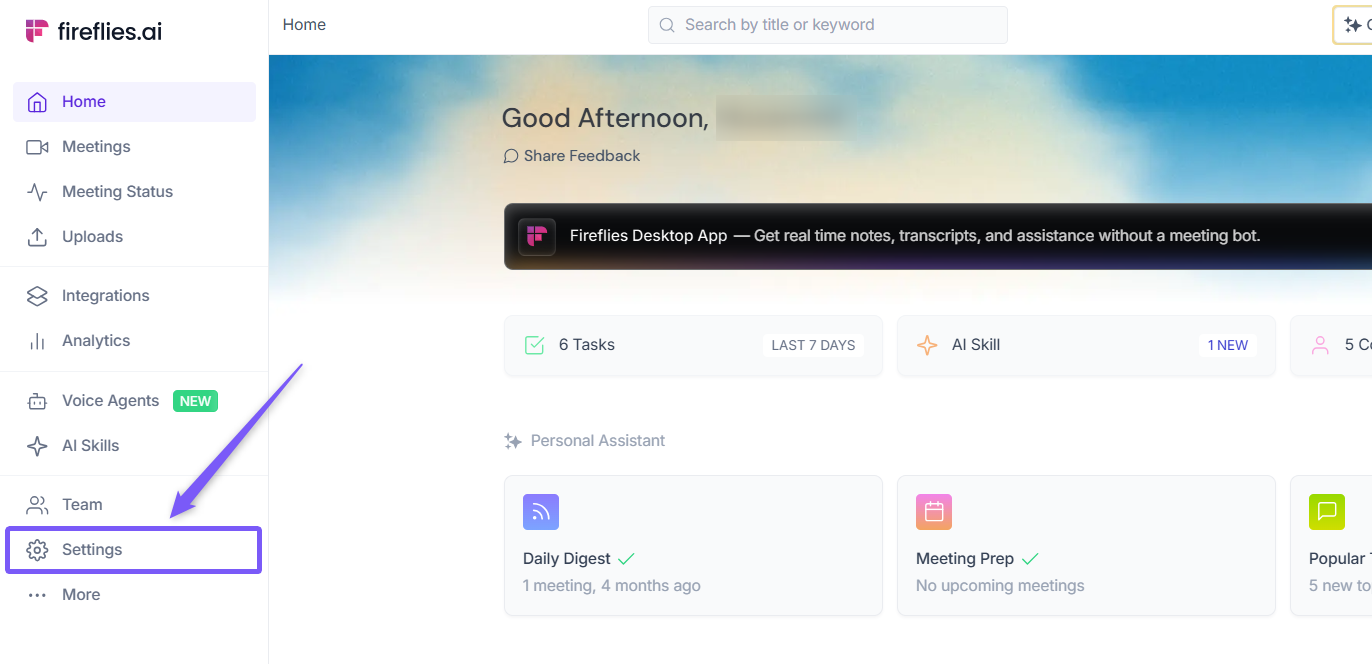
1. Go to the Fireflies web app and click the Settings from left side menu.
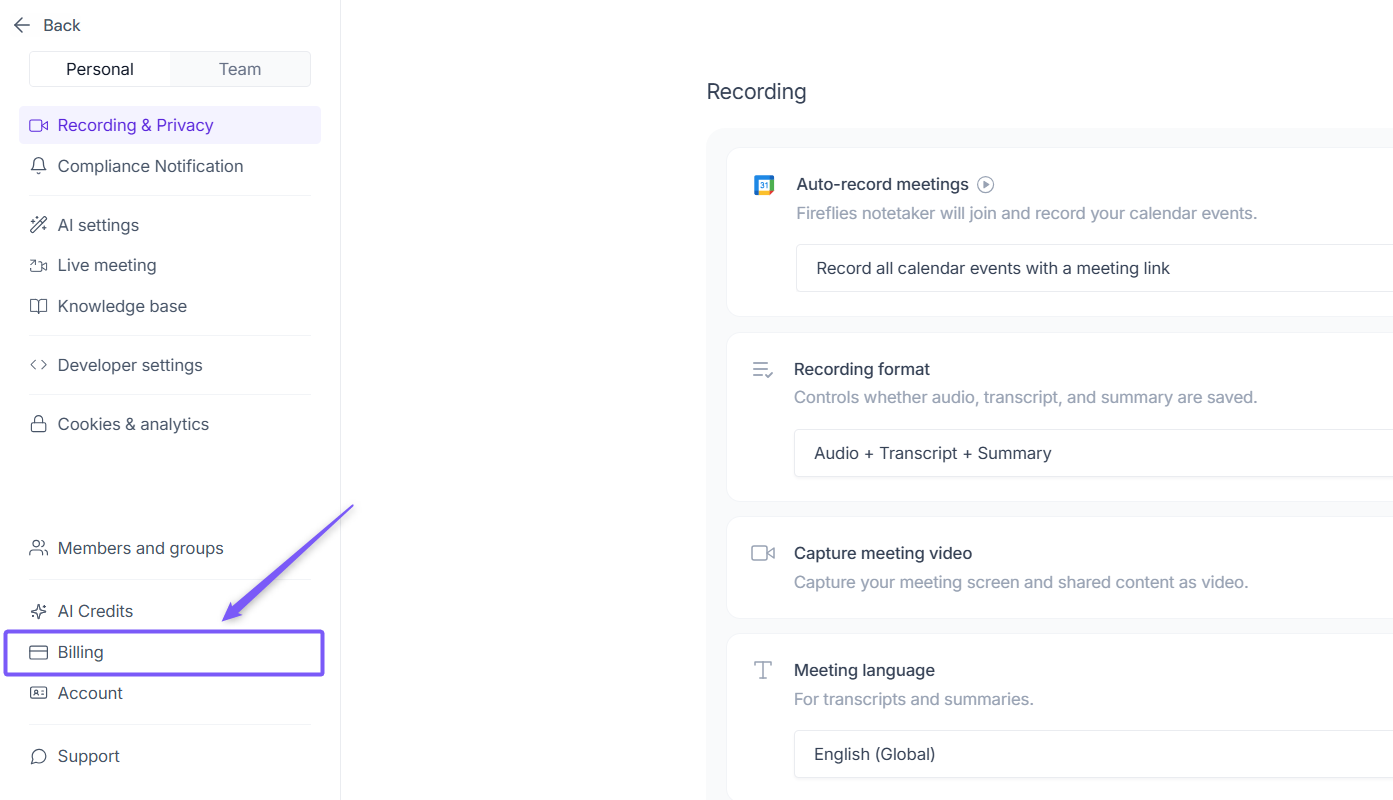
2. Navigate to Billing from the left panel.
3. Scroll to the Billing History section to view your invoices, including details like date, plan/seat description, status, and invoice total.
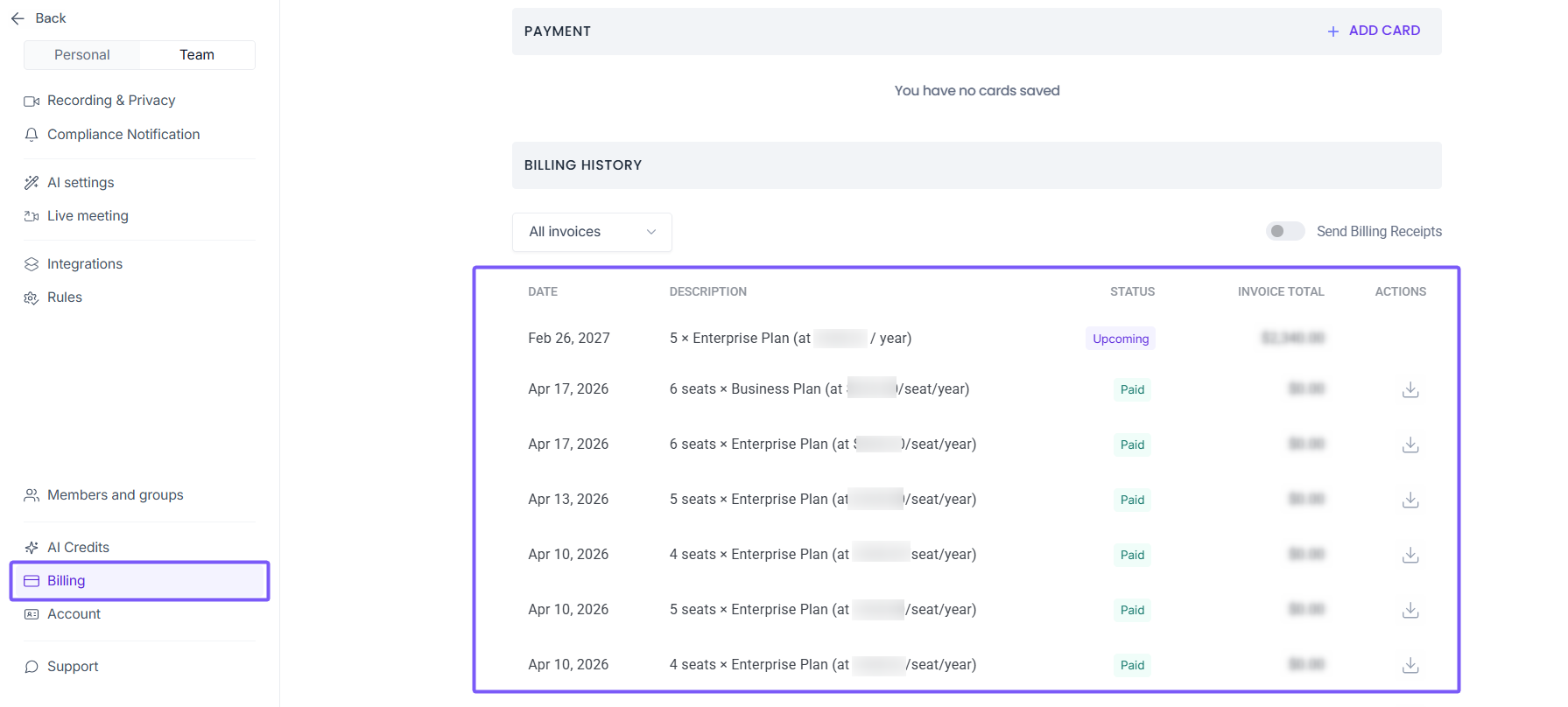
Any teammates you add will automatically be assigned to the same plan as your workspace.
✅ Quick recap
Fireflies bills subscriptions upfront for the full billing period
“Unused time” refers to remaining days when teammates are added or removed mid-cycle
Charges are prorated, so you only pay for the days a seat is active
Adding a teammate → you’re charged only for the remaining days
Removing a teammate within 7 days → you receive credit for the unused time
You can view all charges and adjustments in Settings → Billing → Billing History