How to configure page layouts in Salesforce
Last updated: May 24, 2025
This article covers steps to configure page layouts in Salesforce. Ensure you've completed the Salesforce-Fireflies integration steps before proceeding further.
Related: How to set up Salesforce and Fireflies integration
Configure page layouts
Fireflies logs meeting notes in the Notes & Attachments related list section for contacts, leads, or deals.
If you're unable to view these notes, you may need to add and configure the Notes & Attachments related list on the respective page layout.
Here are the steps to add the Notes & Attachments related list to the lead page layout:
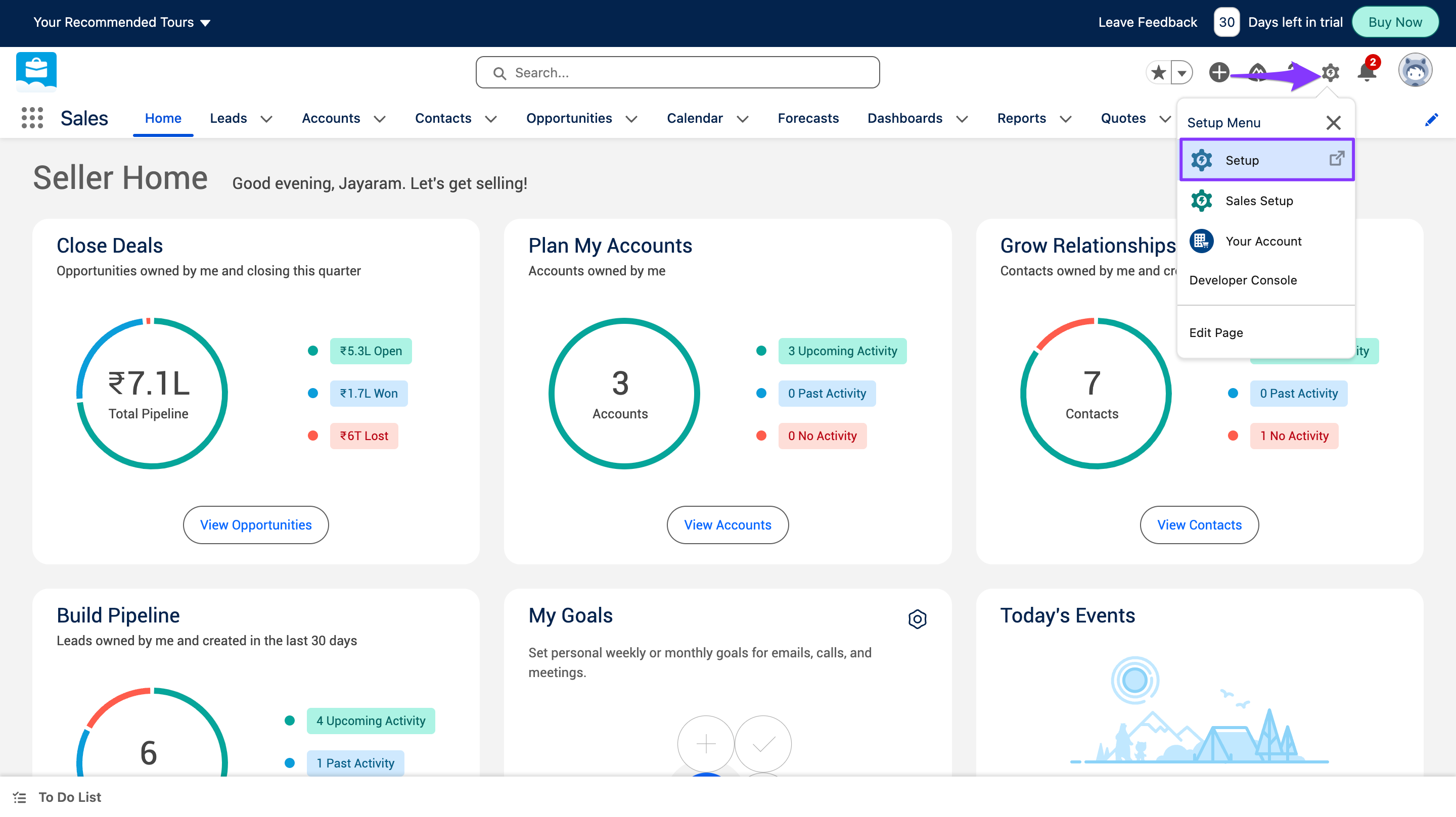
Click the Salesforce Settings and select Setup.
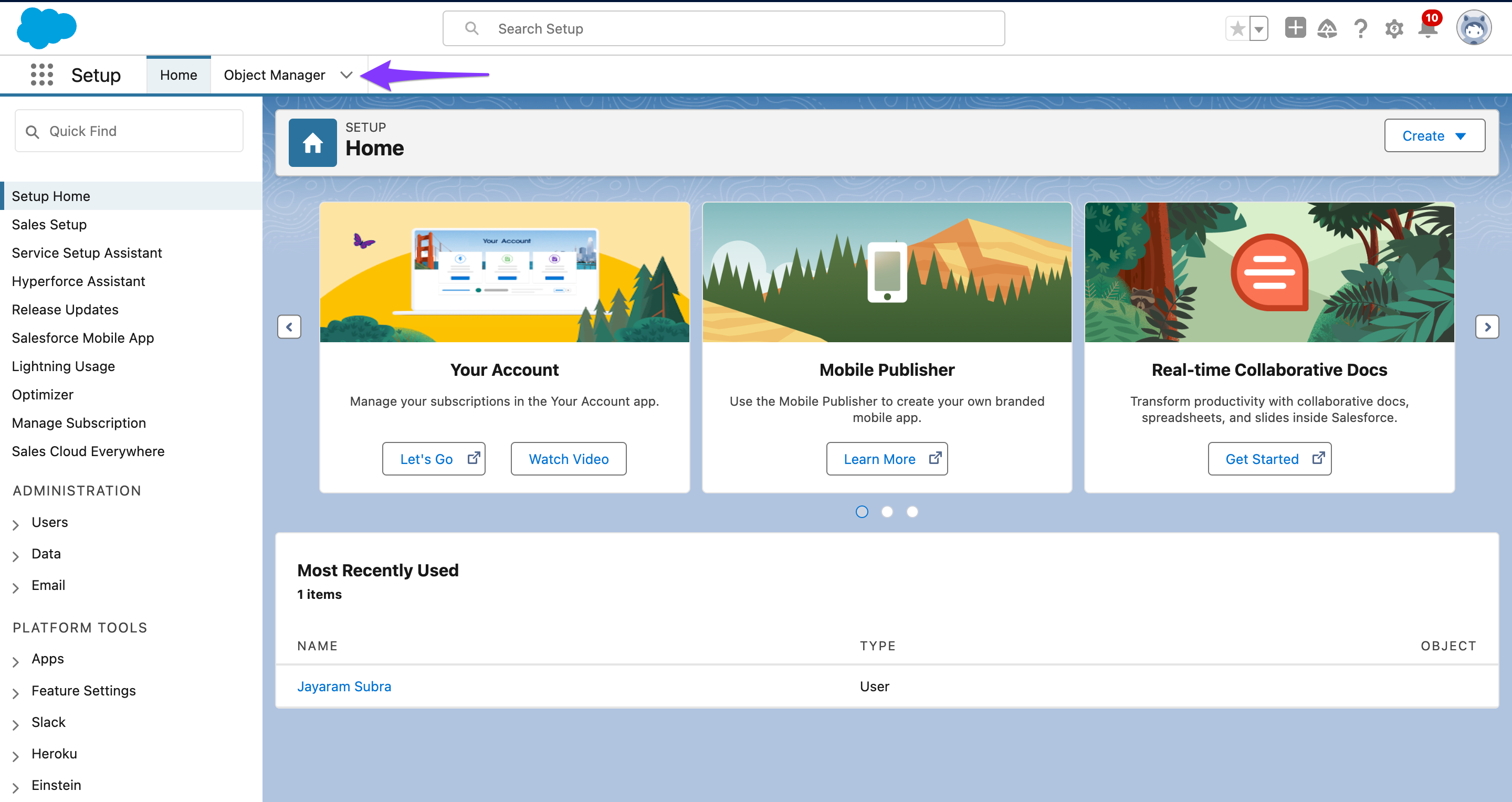
Click on the Object Manager.
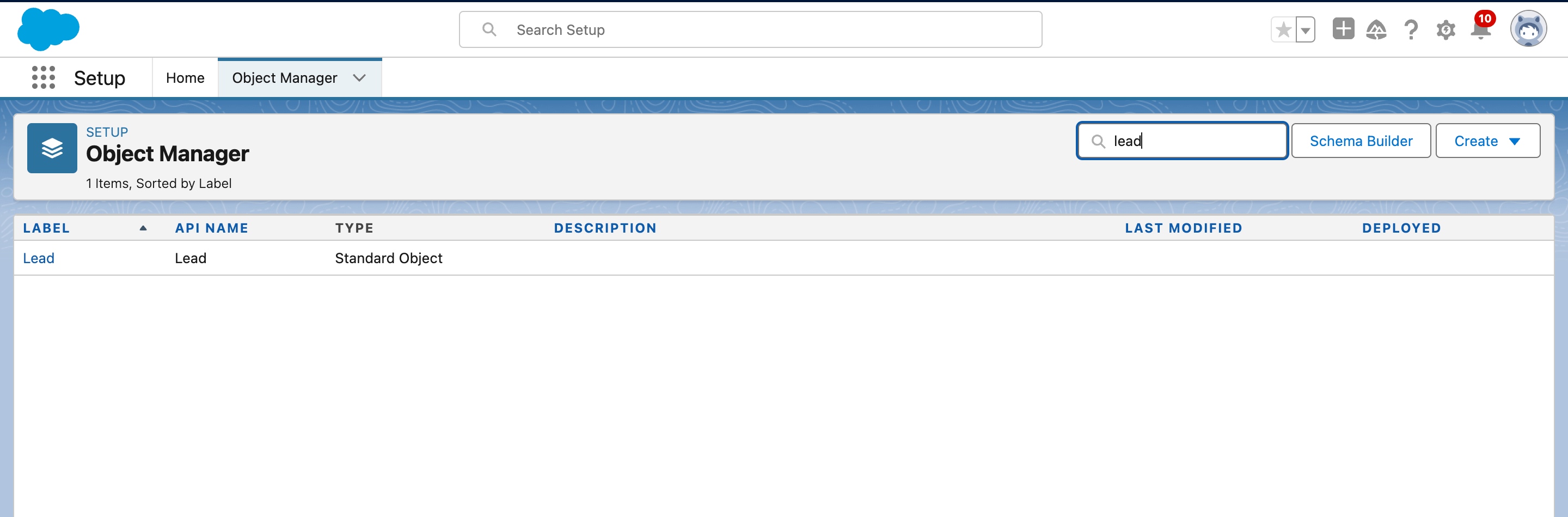
Under the quick find search bar, type in Lead. Click on the Lead object.
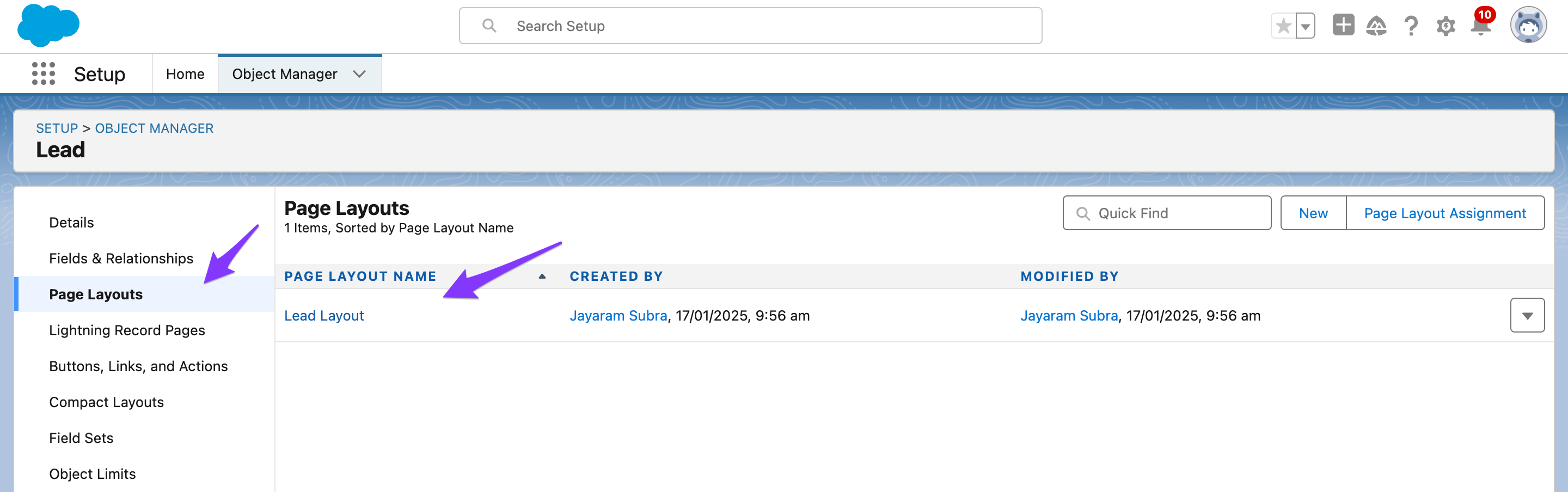
Click on the Page Layouts and select the Lead Layout.
Drag the Notes & Attachments from the Related List onto the page layout.
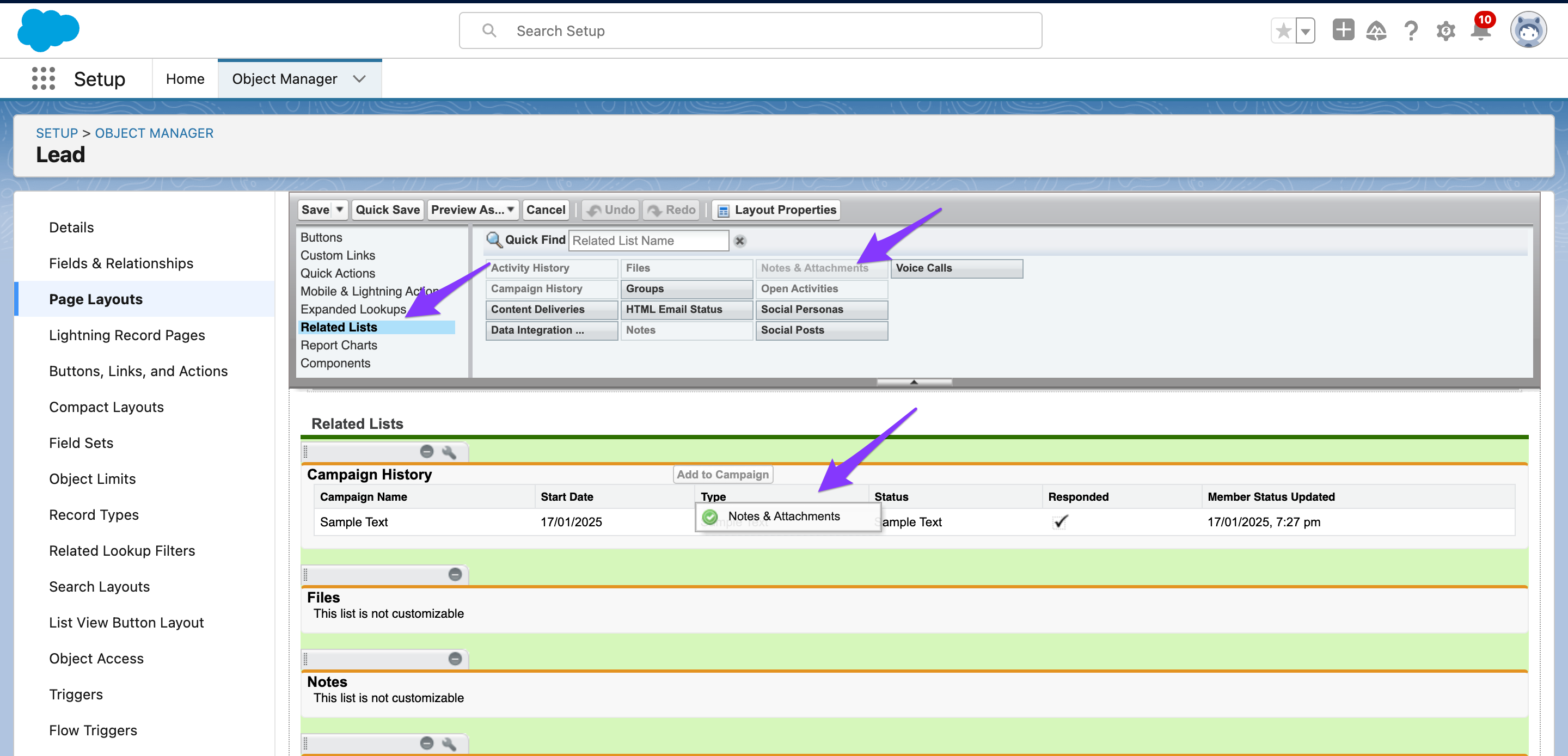
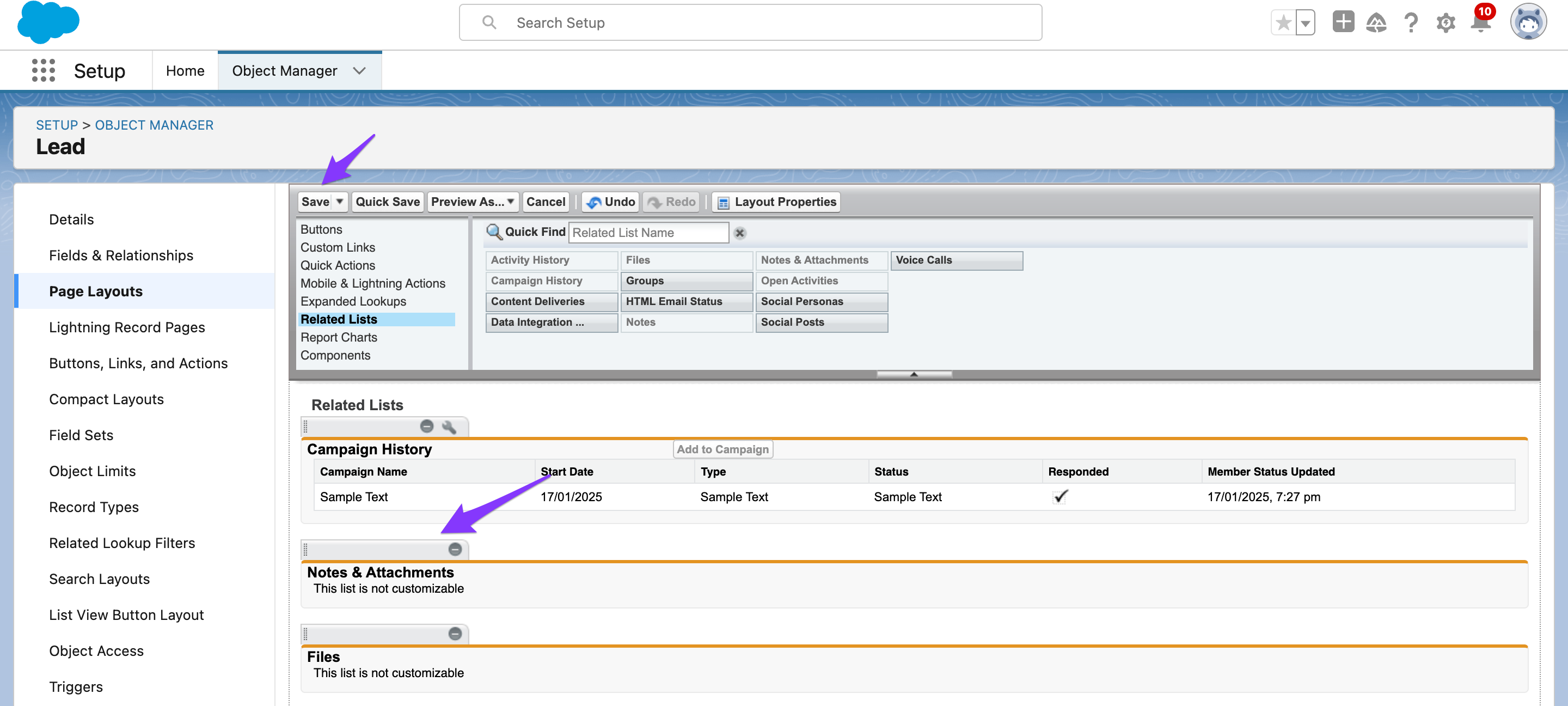
Click Save.
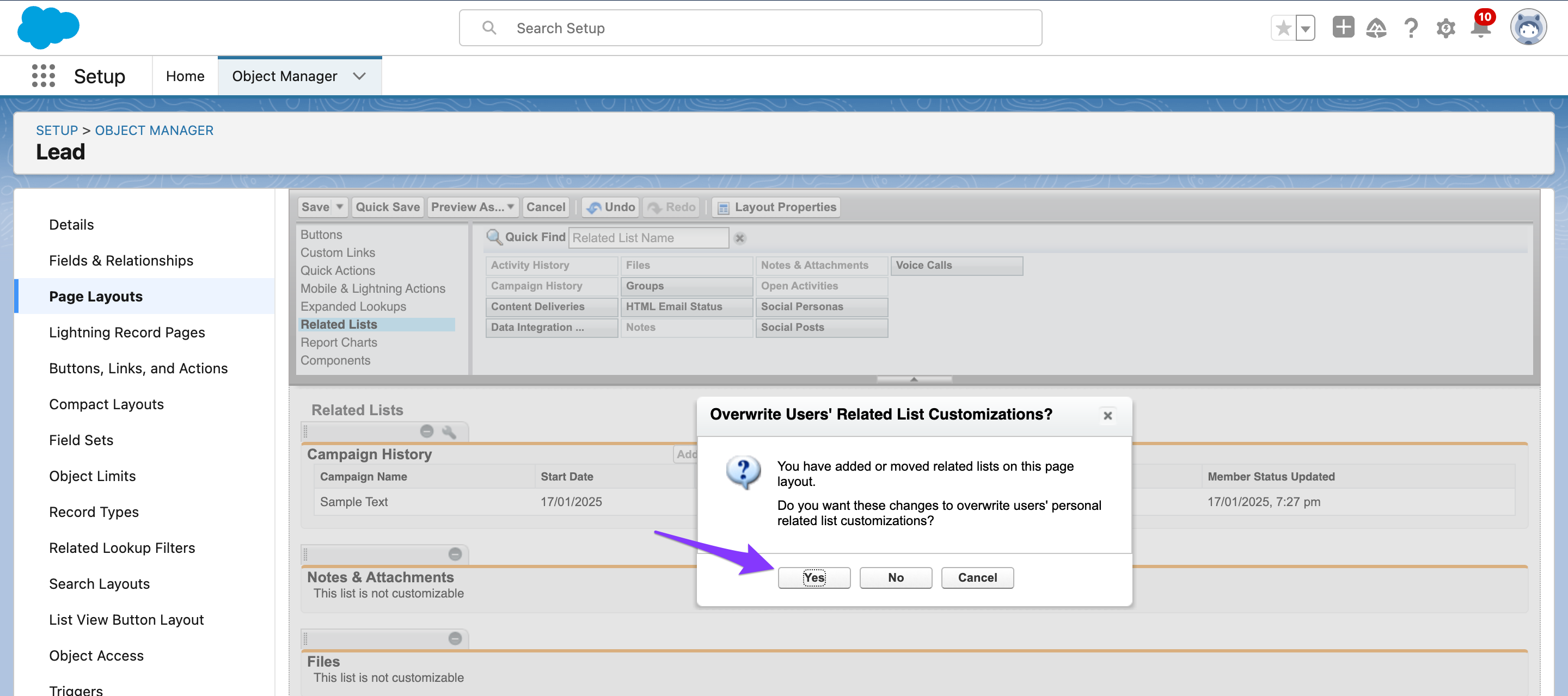
Click Yes.
The Notes & Attachments will now show directly on the page layout.
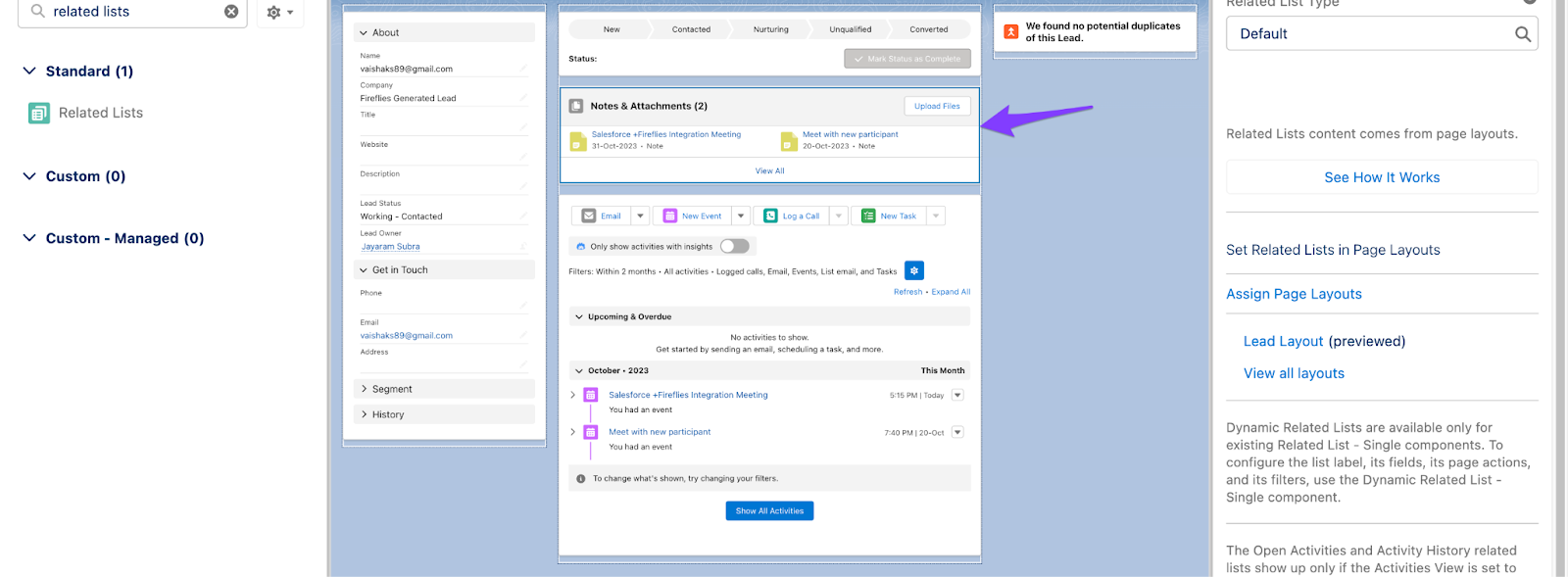
Likewise, you can configure the page layout for Contacts and Deals.