How to delete your Fireflies account
Last updated: March 23, 2026
If you’re thinking of deleting your Fireflies account, we want to make the process as clear and straightforward as possible. This guide walks you through the necessary steps to permanently delete your account.
😢 Ready to delete?
To permanently delete your Fireflies account and all associated data, follow these steps:
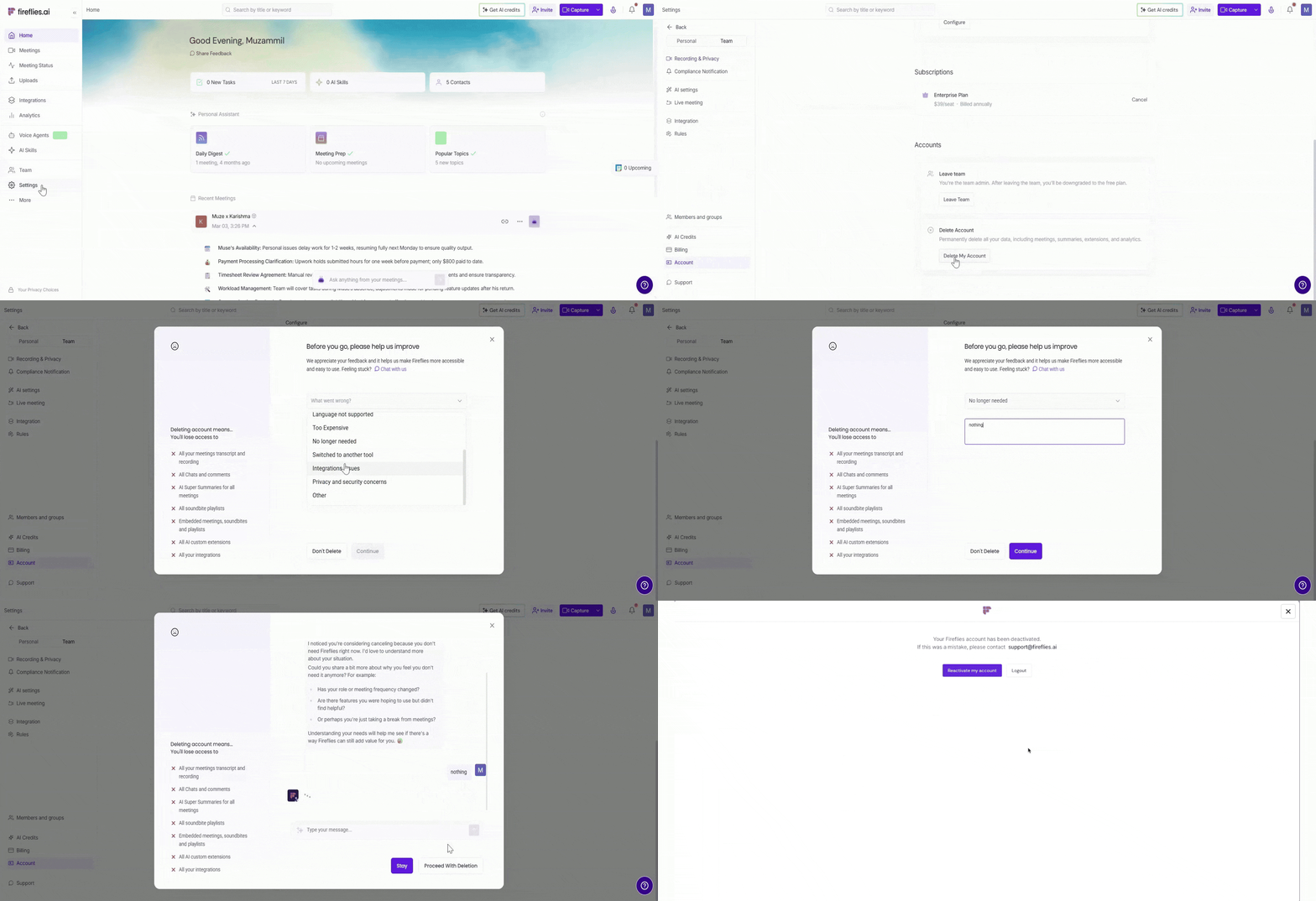
1. Go to Account Settings:
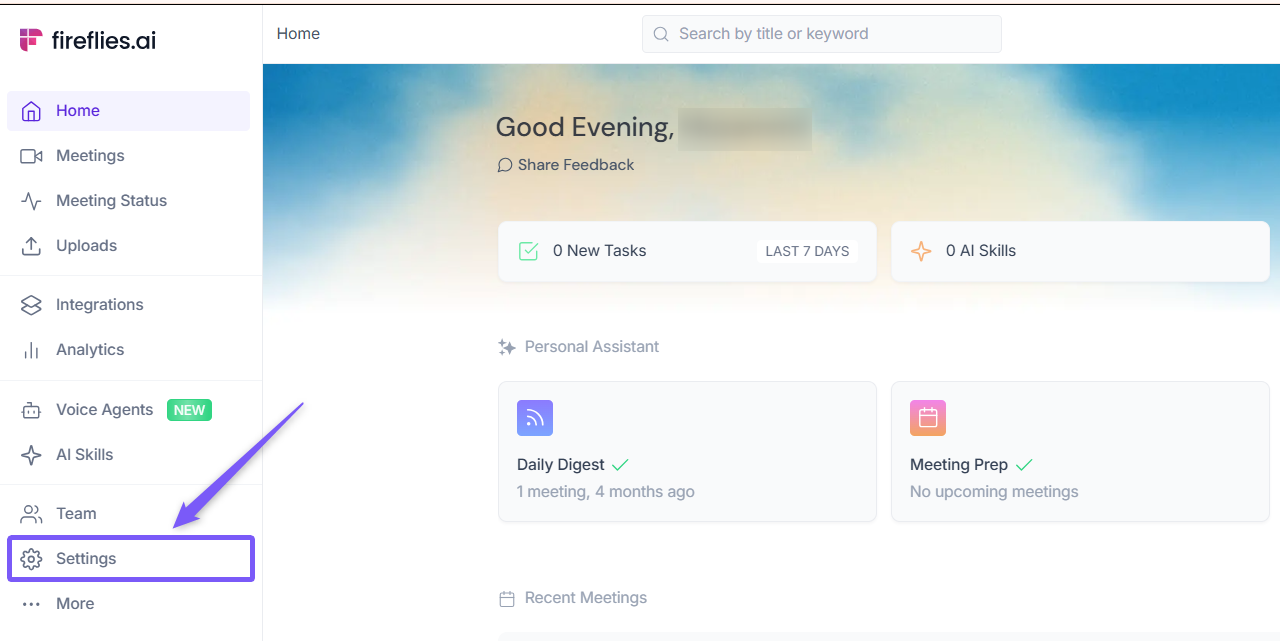
Open your Fireflies web app and click on Settings in the main navigation menu.
From the bottom-left menu, select Account.
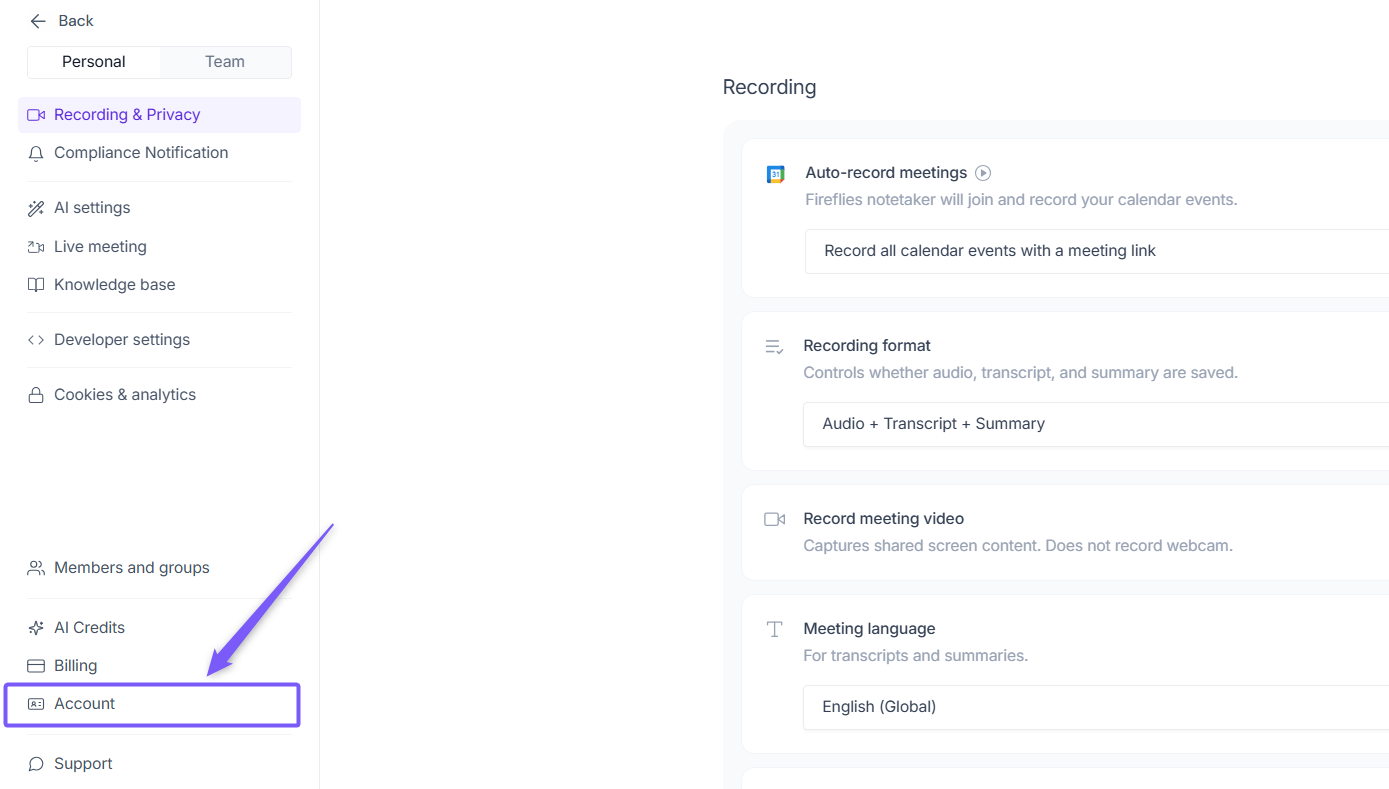
Scroll down to the Delete Account section and click on the Delete my account button

2. Provide feedback (optional):
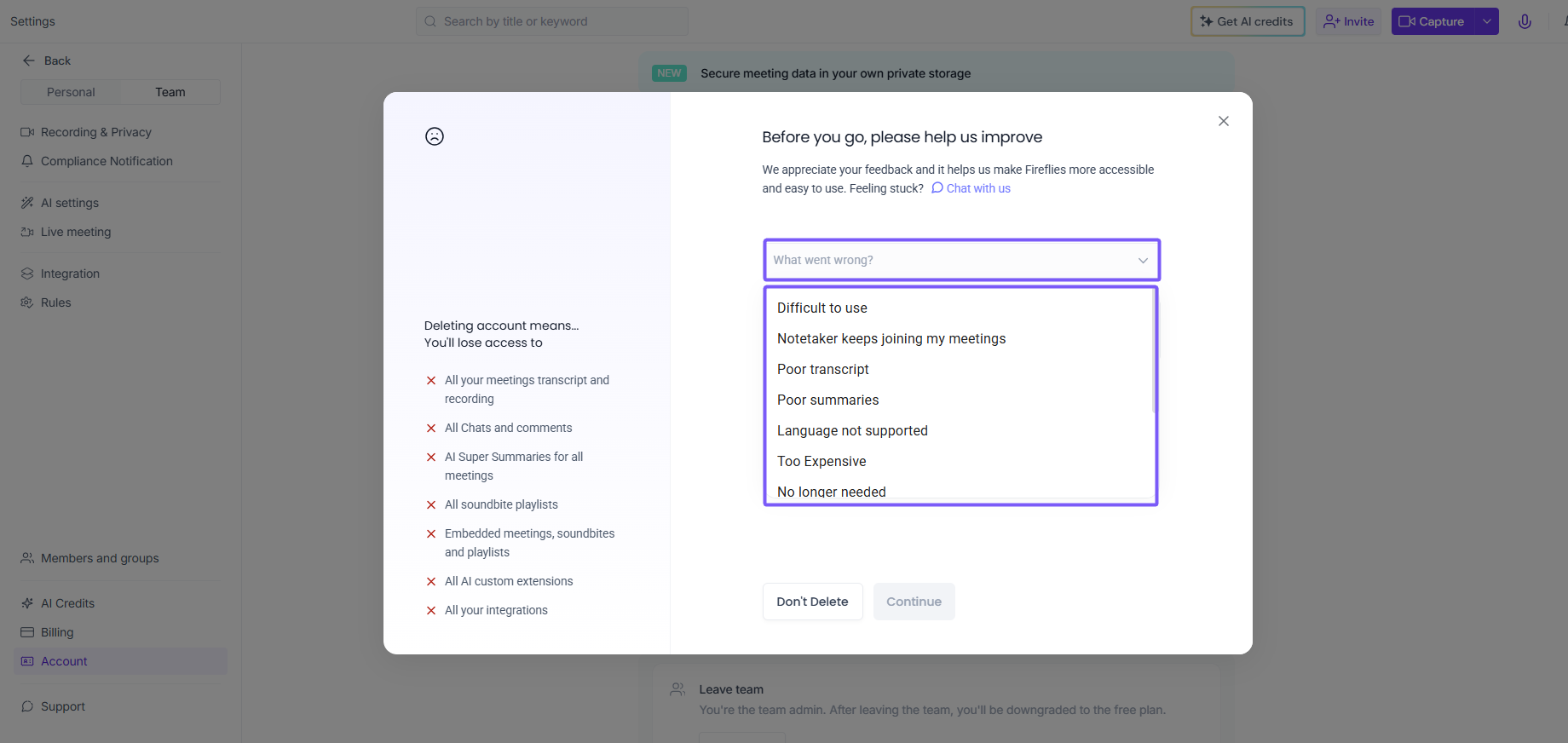
A pop-up window will appear asking for your reason for leaving. Choose a reason from the drop-down menu and, if you wish, add more details in the textbox. When you’re ready, click Continue
3. Final confirmation:
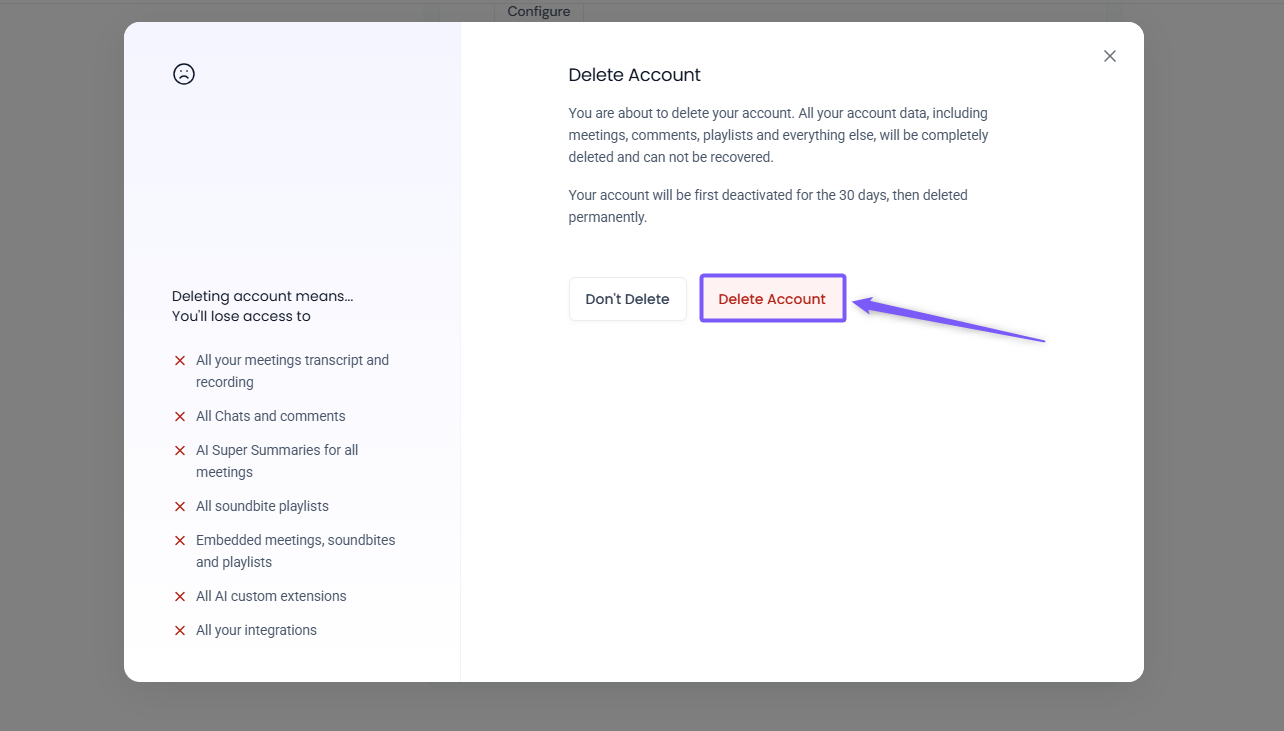
A confirmation prompt will appear to ensure you’re certain about deleting your account. To proceed, click Delete Account
4. Deletion request submitted:
Once confirmed, you’ll see a message indicating that your account deletion request has been successfully submitted. Your account is now in the deletion process
What happens next?
Immediate deactivation: Your account will be deactivated immediately after you initiate deletion
30-day grace period: After deactivation, your account and data will be permanently deleted after 30 days. If you change your mind during this period, contact our support team, and we can help recover your data
Permanent data removal: After 30 days, your data will be permanently erased and cannot be recovered
Making sense of it all
Account deactivation is immediate, but the deletion process takes 30 days
If you change your mind within the 30-day window, we can assist with recovery
Once the 30-day period ends, all data will be permanently lost
We’d love to hear from you before you make this decision. Whether it’s a specific issue or feedback, we’re here to help! If Fireflies hasn’t met your needs yet, let’s chat – there might be a way to improve your experience. Don’t hesitate to reach out; we’re just a message away.