How to save notes under Salesforce Contacts
Last updated: May 24, 2025
This article covers steps to log meeting notes under Salesforce contacts.
Pre requisite
- Ensure you've completed the Salesforce-Fireflies integration steps before proceeding further.
Related: How to set up Salesforce and Fireflies integration
How to save notes under Salesforce Contacts
- By default, Fireflies logs notes under contacts. So, no action is required from you.
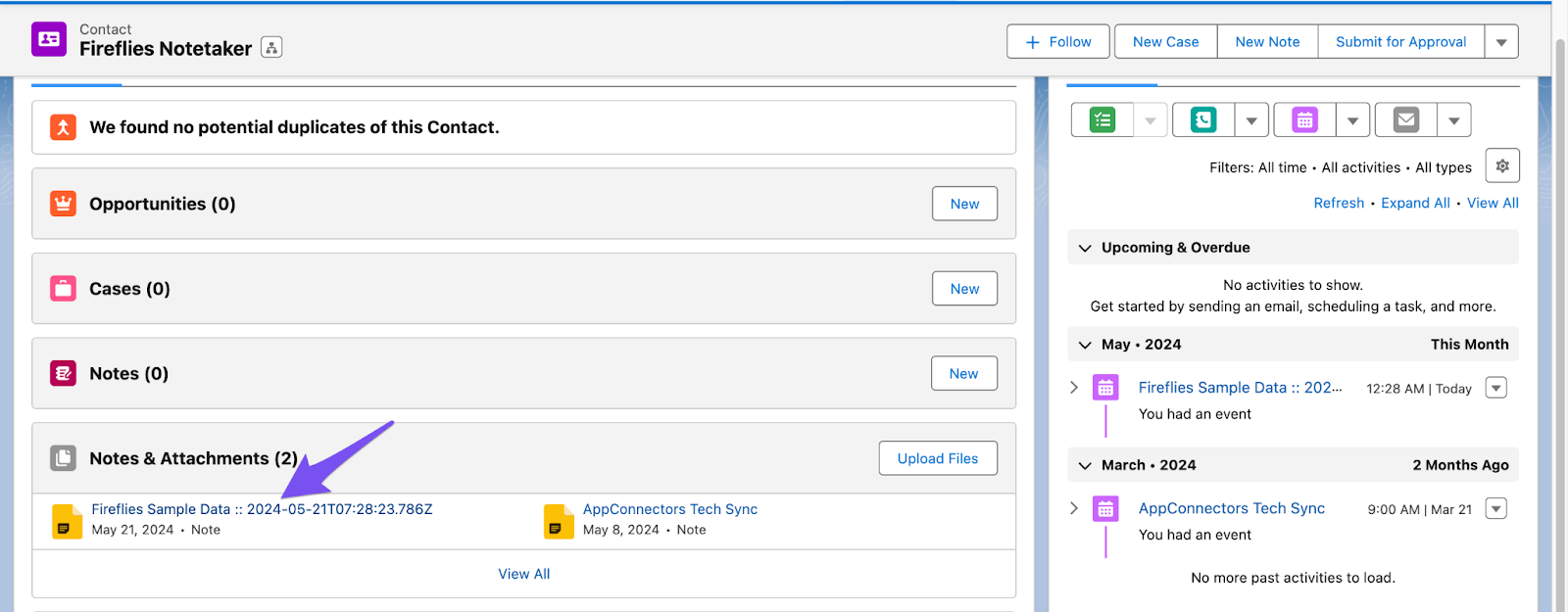
- To view synced meeting notes in Salesforce, From Contacts > All Contacts, click on the sample contact Fireflies Notetaker you inserted.

- Click on the Fireflies Sample Data under the Notes & Attachments section.
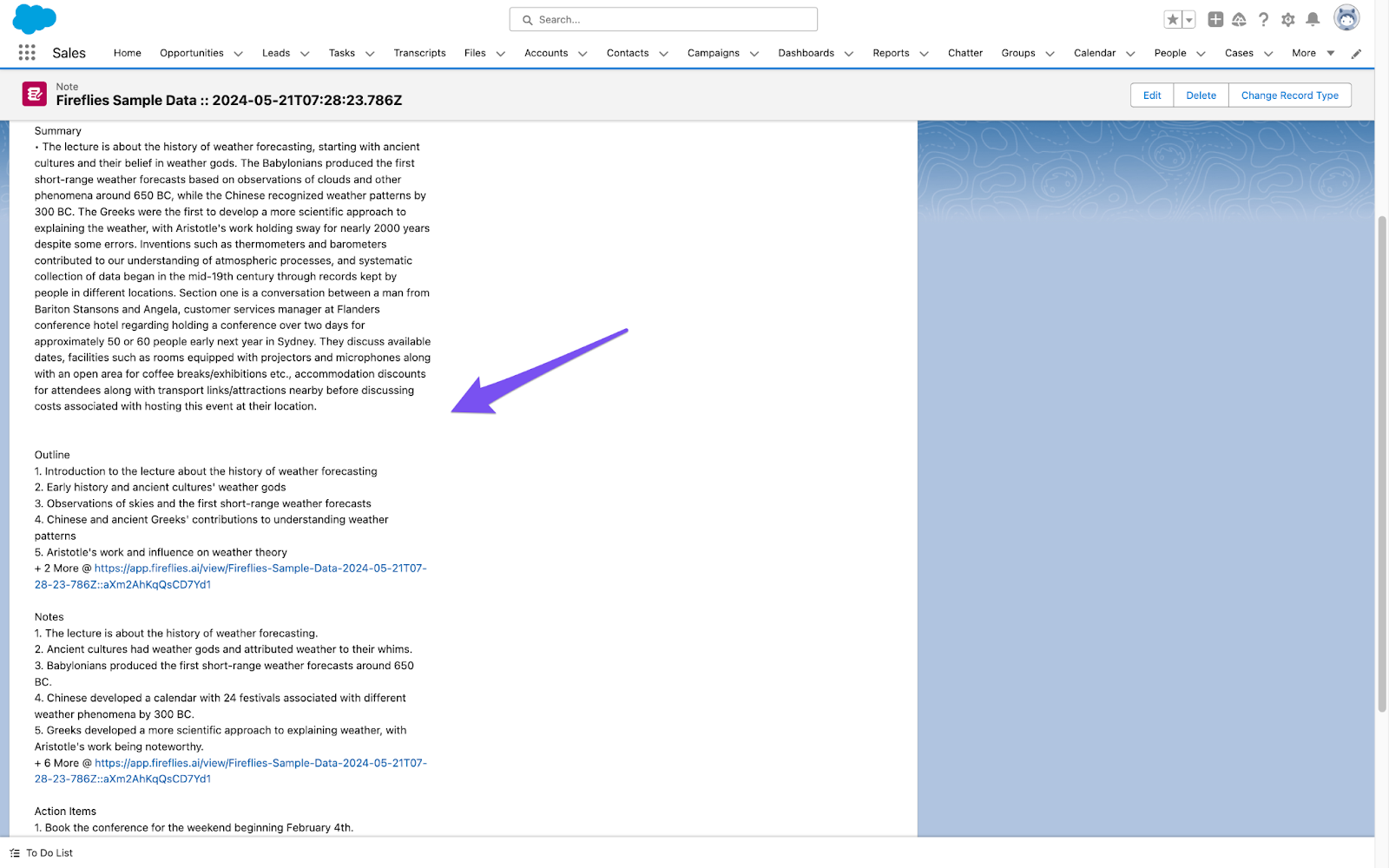
- You will find the Summary, Outline, Notes and Action items logged under the contact.