
How to log meeting notes under Pipedrive deals
This article covers steps to log meeting notes under Pipedrive leads. Ensure you've completed the Fireflies-Pipedrive integration steps before proceeding further.
Related: How to set up the Pipedrive and Fireflies integration
Log meeting notes under Pipedrive deals
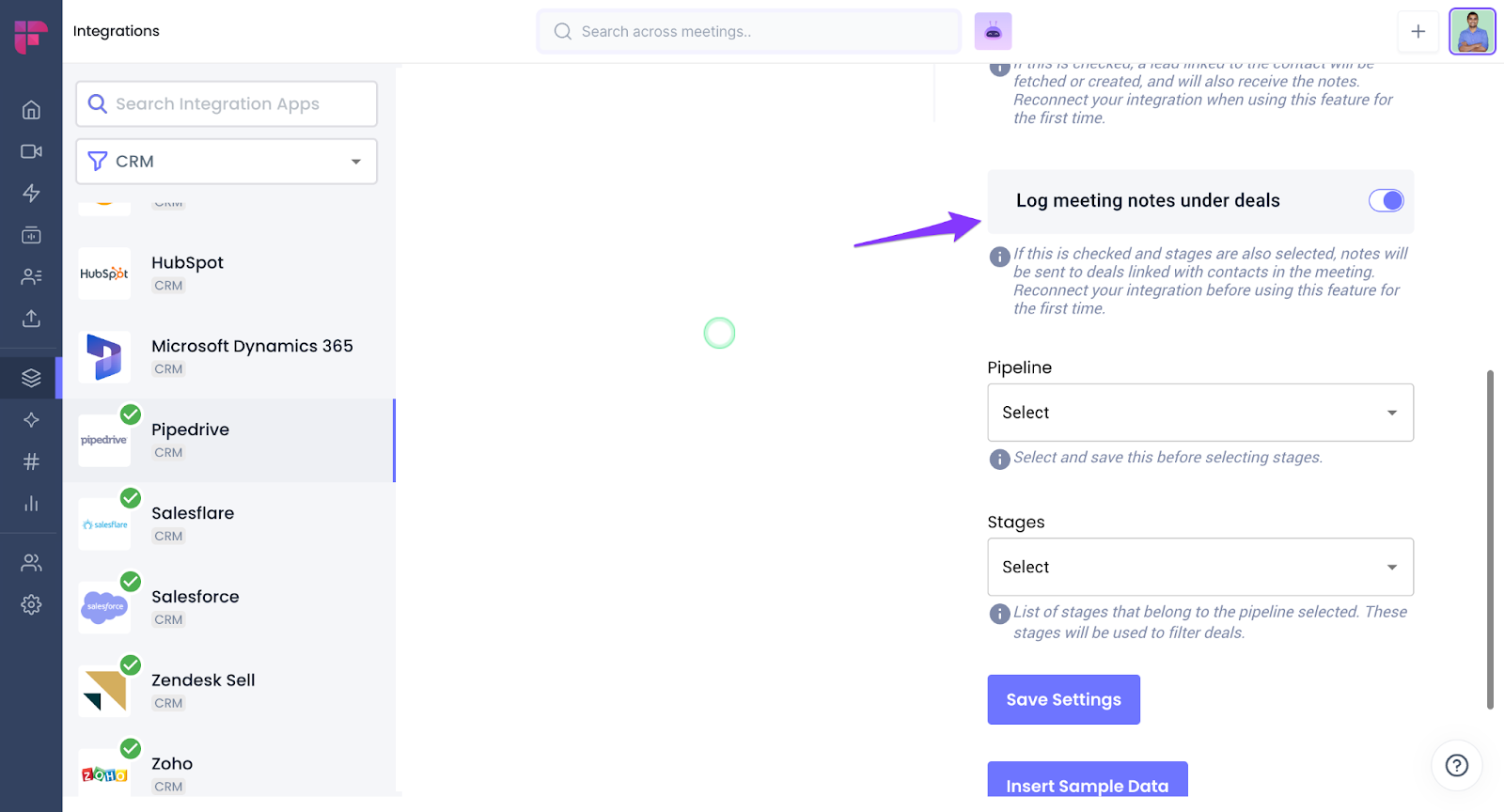
Enable the Create meeting logs under deals toggle.
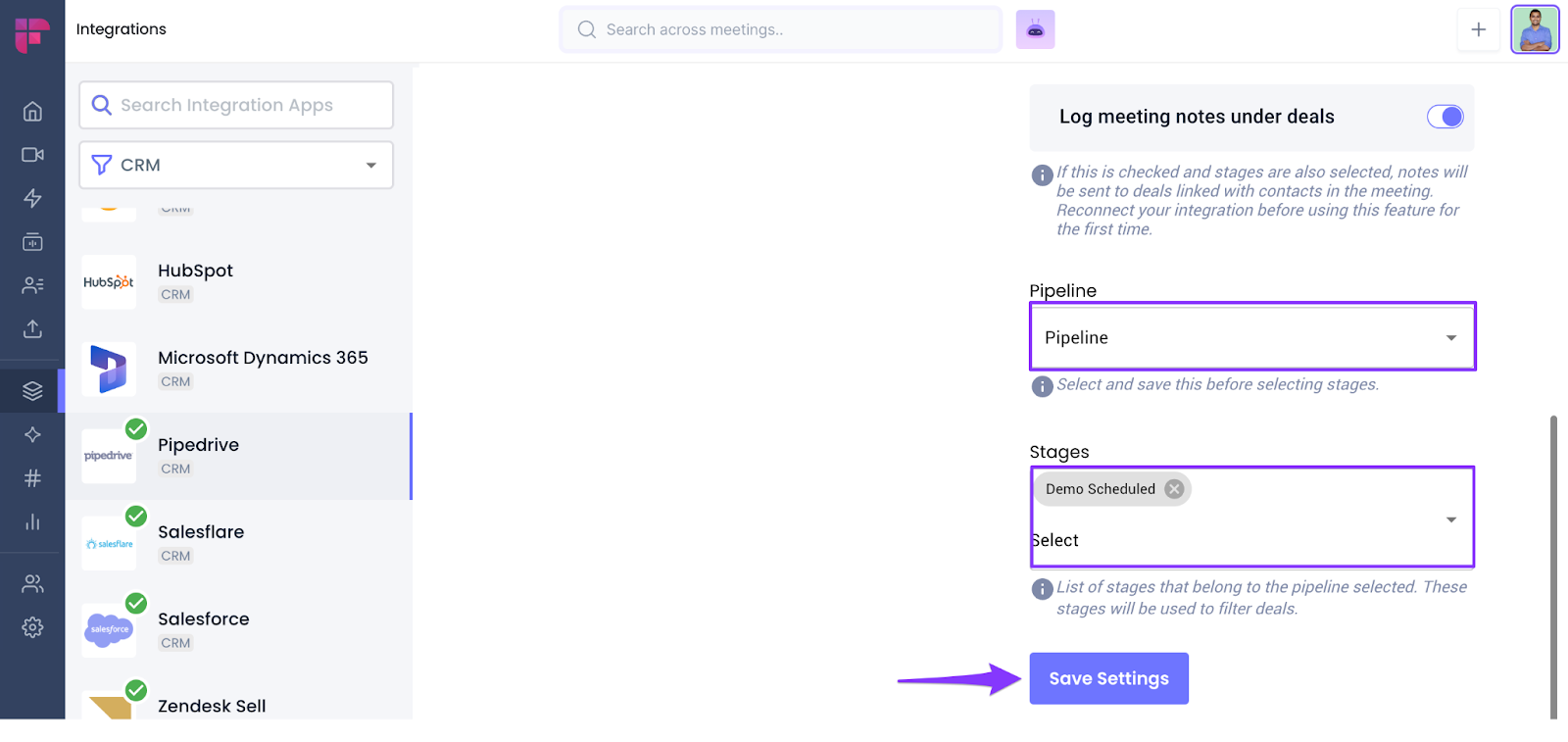
Select a pipeline and deal stage and click Save Settings.
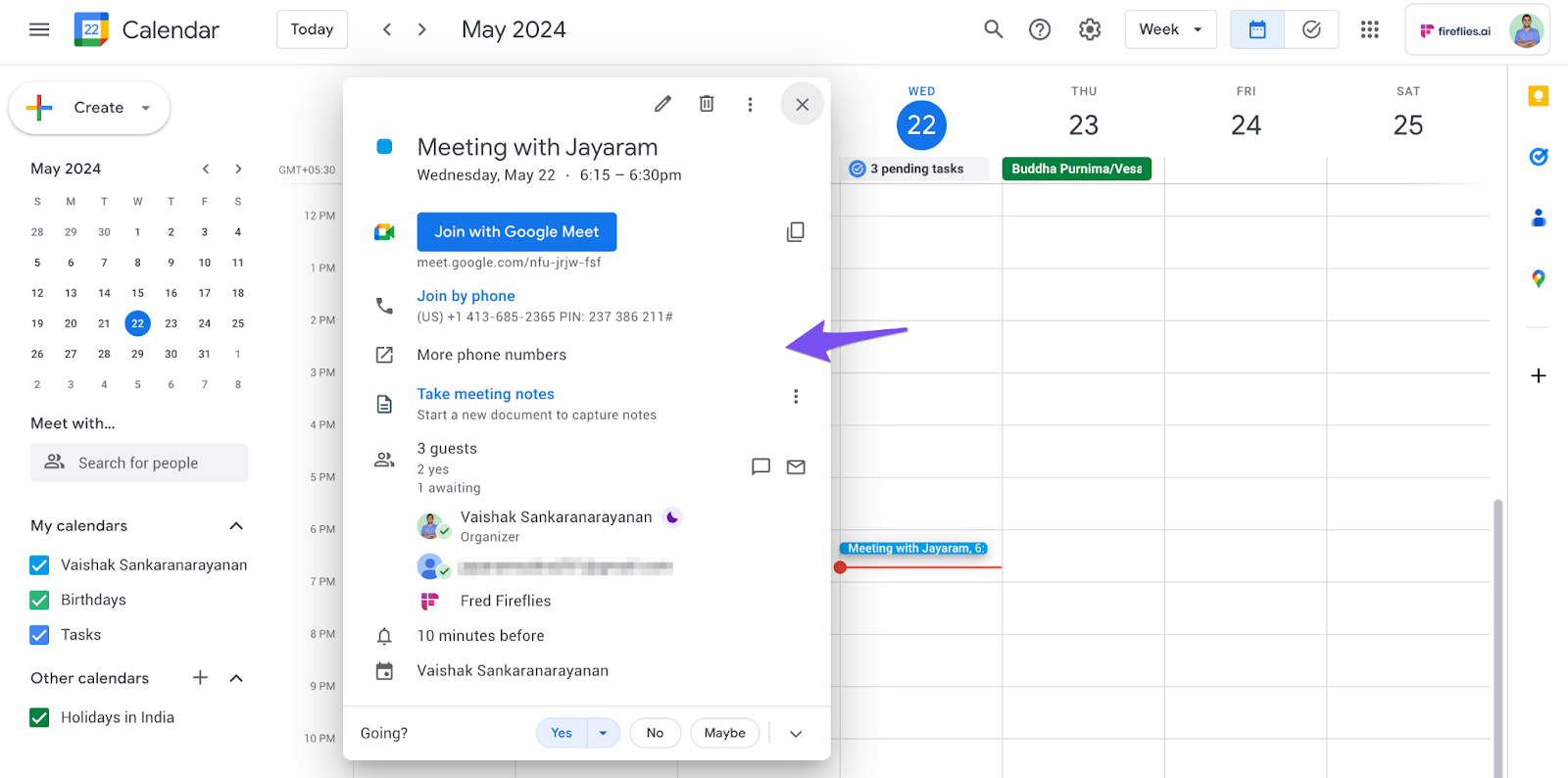
Schedule a meeting with the contact tagged as a deal and ensure the Fireflies bot joins the meeting.
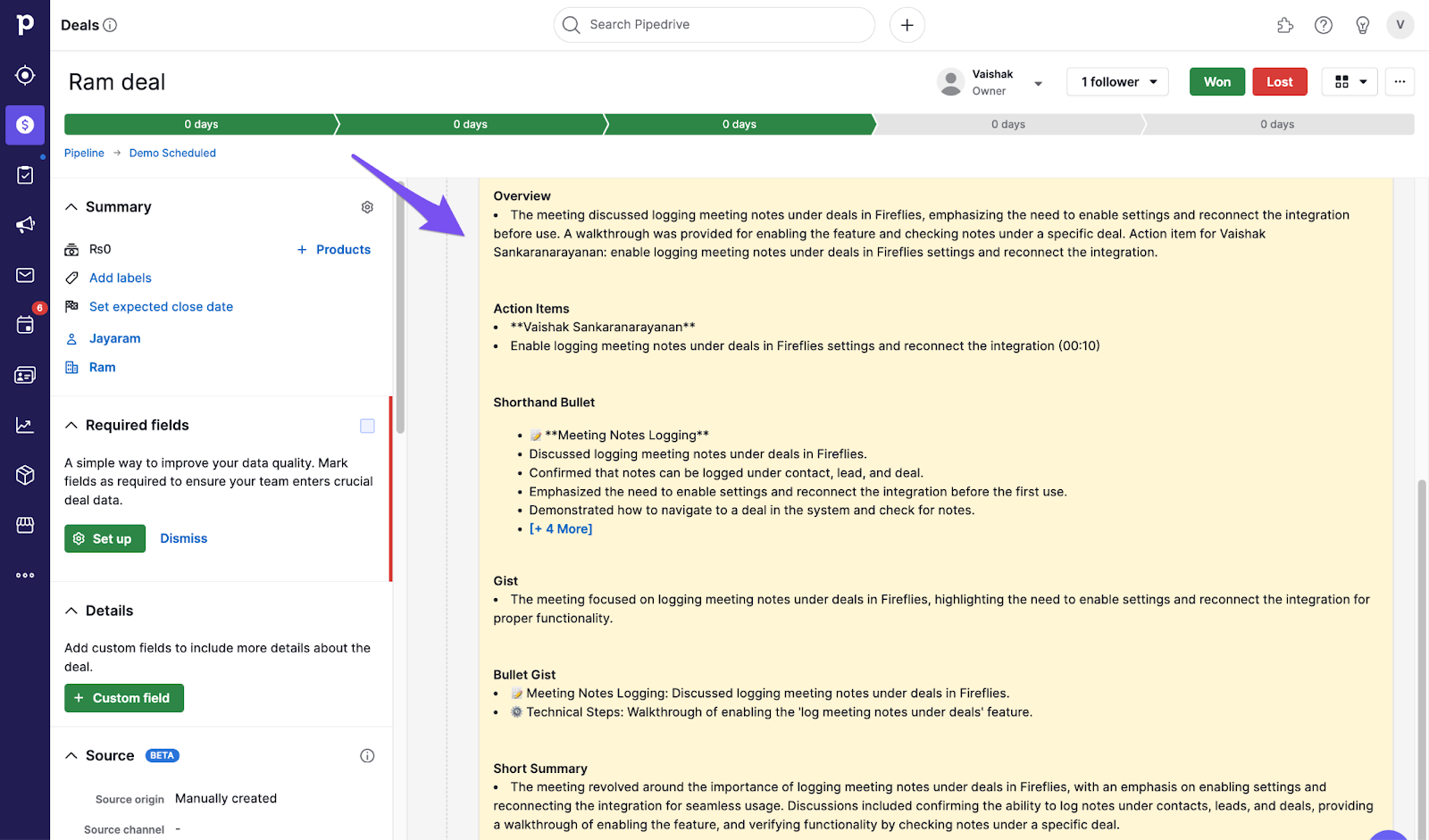
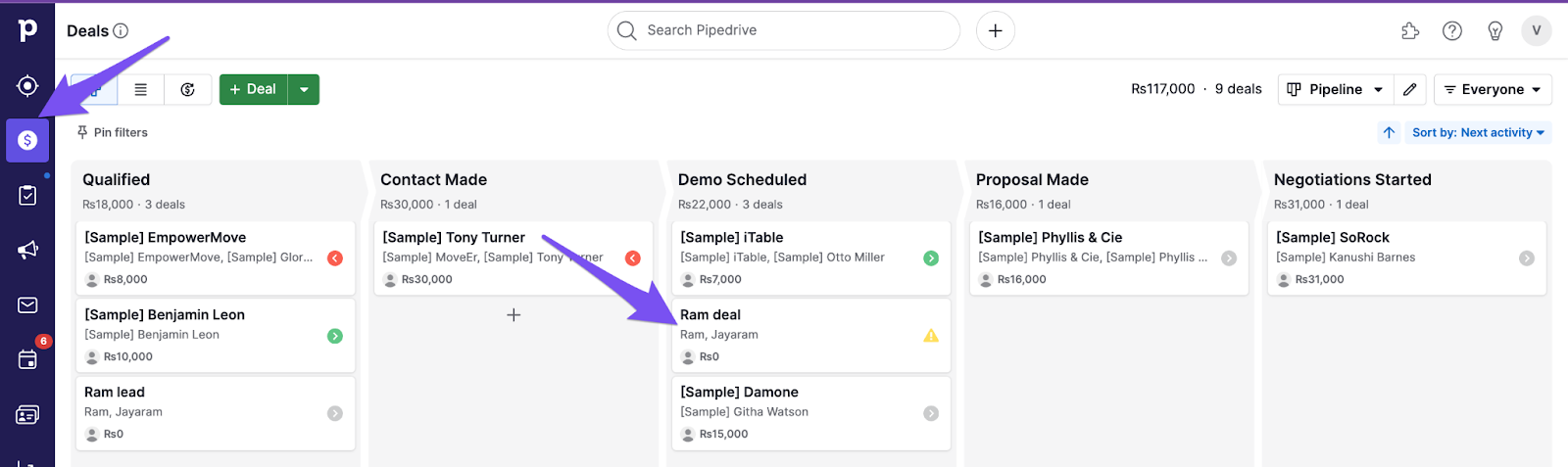
After the meeting, go to the Deals tab in Pipedrive and click on the specific deal.
Under the Notes tab, click on the expand icon.
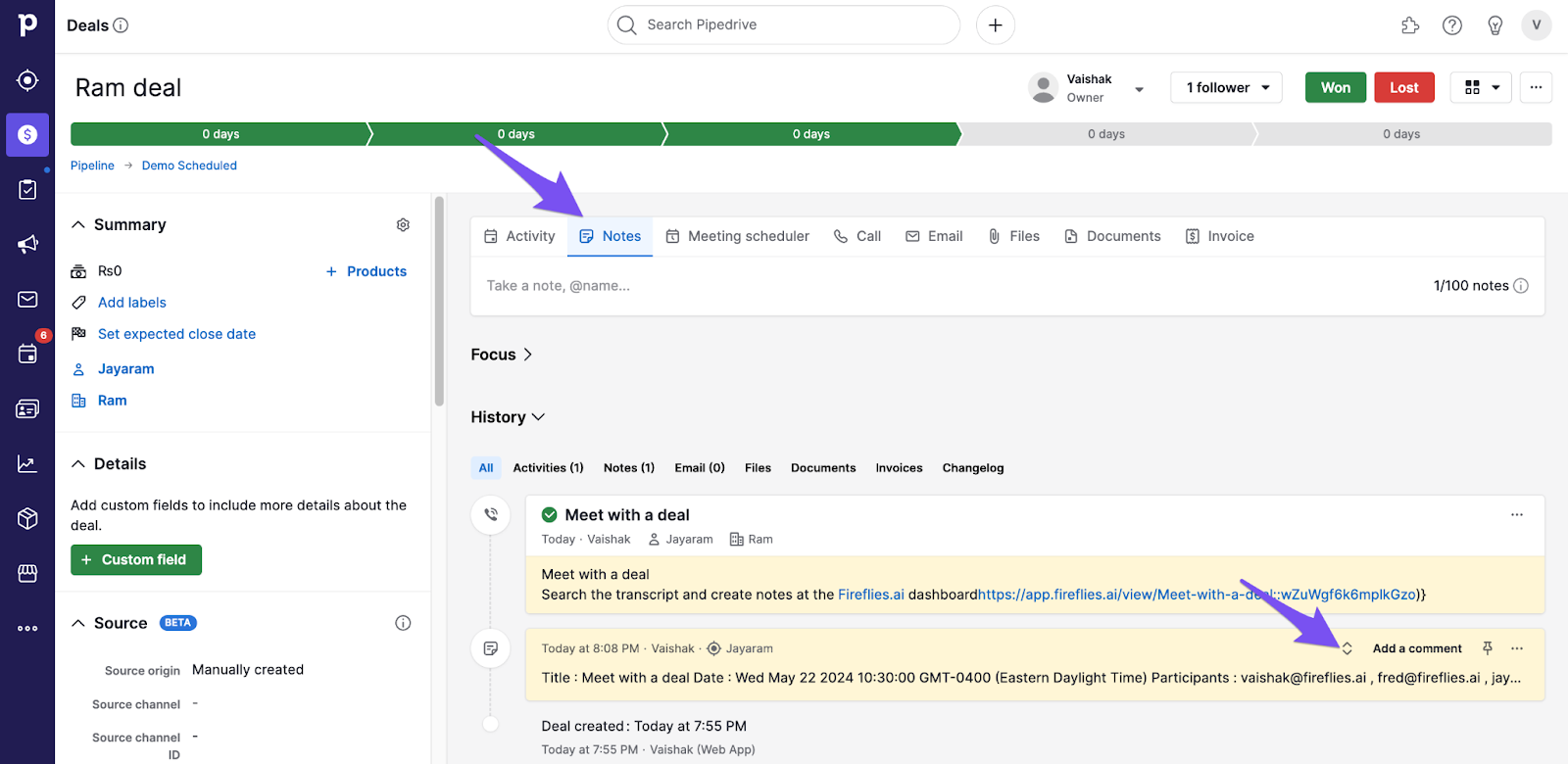
You will find the summary Overview, Outline, Notes, and Action items.