How to log notes under a new Close.io Contacts
Last updated: May 24, 2025
This article covers steps to log meeting notes under Close.io contacts.
Pre requisite
- Ensure you've completed the Fireflies-Close.io integration steps before proceeding further.
Related: How to set up Close.io and Fireflies integration
Log notes under a new Close.io Contacts
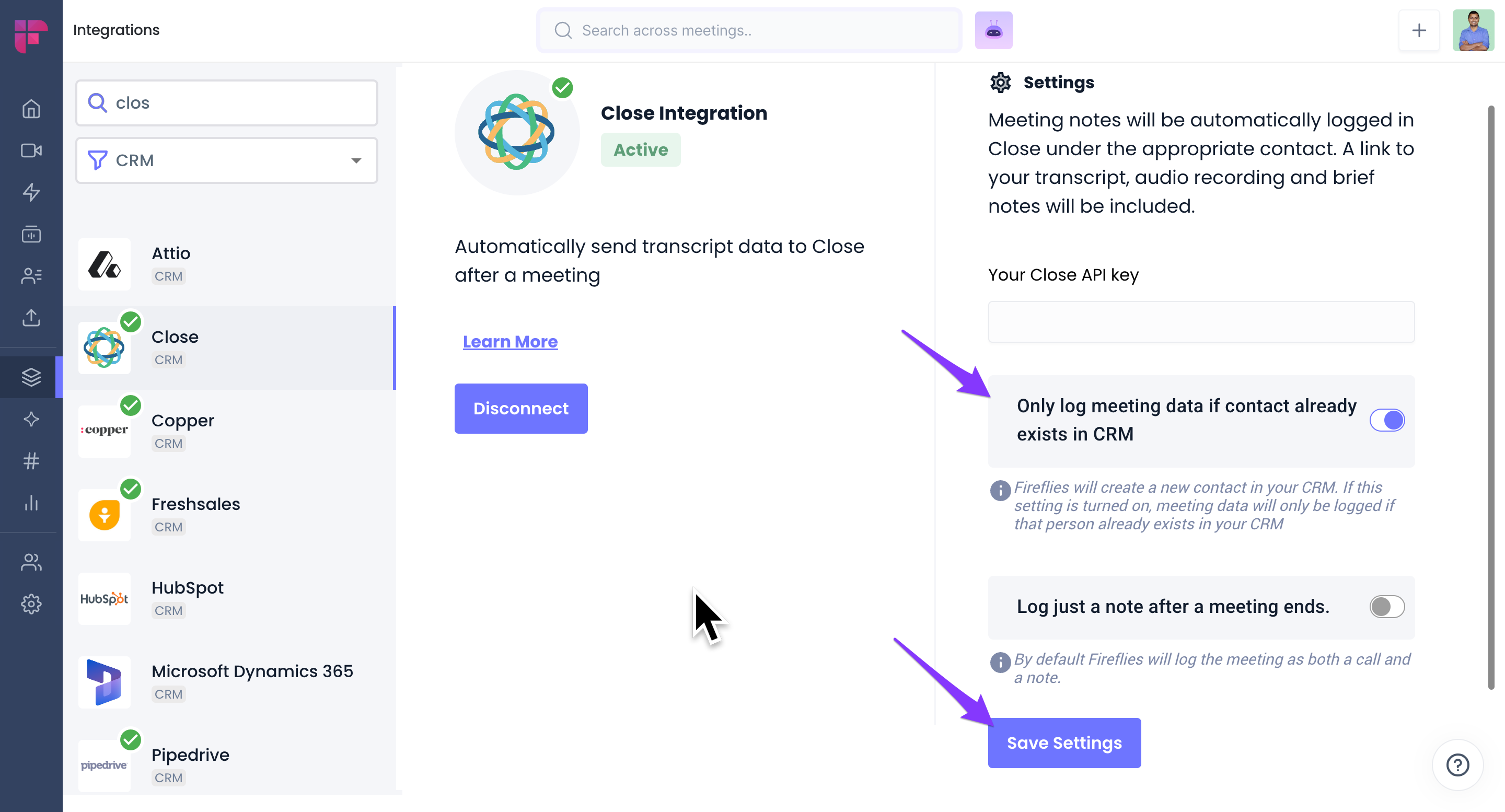
By default, Fireflies automatically logs meetings notes under Contacts. If a contact does not exist, Fireflies creates a new contact.
If you want Fireflies to only log notes under existing contacts, enable the Only log meeting data if contact already exists in CRM toggle and click Save Settings. Fireflies will then log notes only under existing contacts.
-
To view notes, Go to Contacts within Close.io and click on the desired contact.

- You will find the Summary, Outline, Notes, and Action items.
