Connect Fireflies to Google Sheets
Last updated: August 26, 2026
Transform meeting chaos into organized data with an auto-updating meeting tracker. The Fireflies-Google Sheets integration automatically logs every meeting in a live spreadsheet, creating your team's single source of truth for all conversations.
Why use the Google Sheets integration?
Stop wasting time searching through emails and scattered notes to find meeting information. This integration creates a comprehensive meeting database that updates automatically, giving you and your team instant access to all conversation history.
Automatic meeting logging
Every meeting gets logged as a new row with title, date, attendees, summary, transcript links, and action items - no manual work required.
Single-pane visibility
Get a bird's-eye view of all team meetings in one organized spreadsheet. Perfect for managers tracking team activities or finding specific conversations from months ago.
Smart organization
Integrates seamlessly with your existing Google Drive setup, creating a dedicated Tracker subfolder with no duplicates or clutter.
What gets tracked automatically
Each meeting creates a new row in your tracker with comprehensive details:
Data captured | What you get | Why it's useful |
Title & Date | Meeting name and when it occurred | Quick chronological reference |
Attendees | List of all participants | Know who was involved in each conversation |
Summary & Gist | AI-generated meeting overview | Understand key points without reading full transcript |
Links | Direct links to transcript and recording | One-click access to full meeting details |
Action Items | Extracted next steps and tasks | Track follow-ups and accountability |
Set up the Google Sheets integration
Connect your accounts
1. Log in to your Fireflies account, go to the Integrations page, and search for Google Sheets. Click on it to get started.

2. Click Connect.

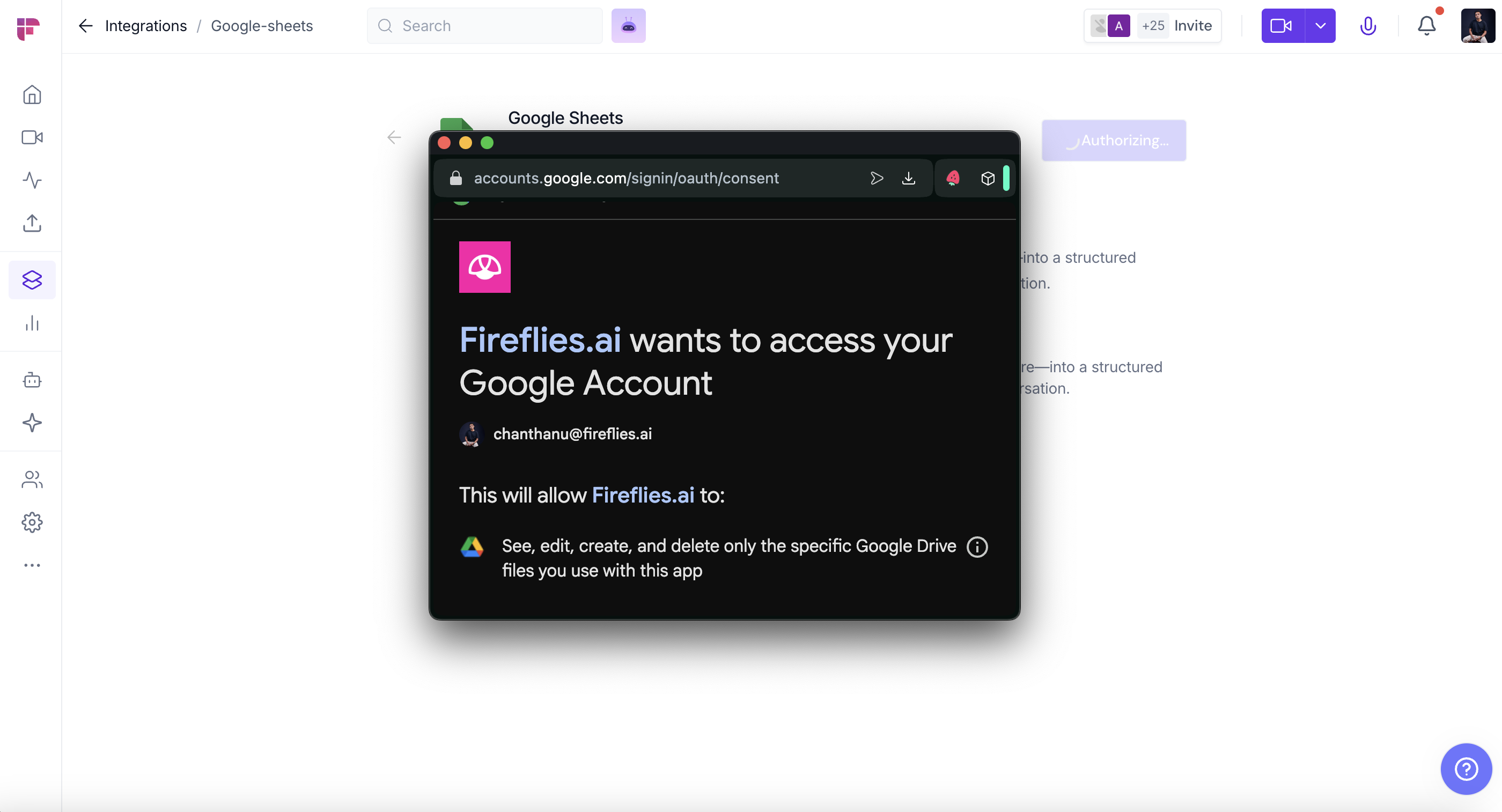
3. Authorize Fireflies to send meeting data to Google Sheets
Grant necessary permissions for sheet creation and data writing
Choose your Google account if prompted
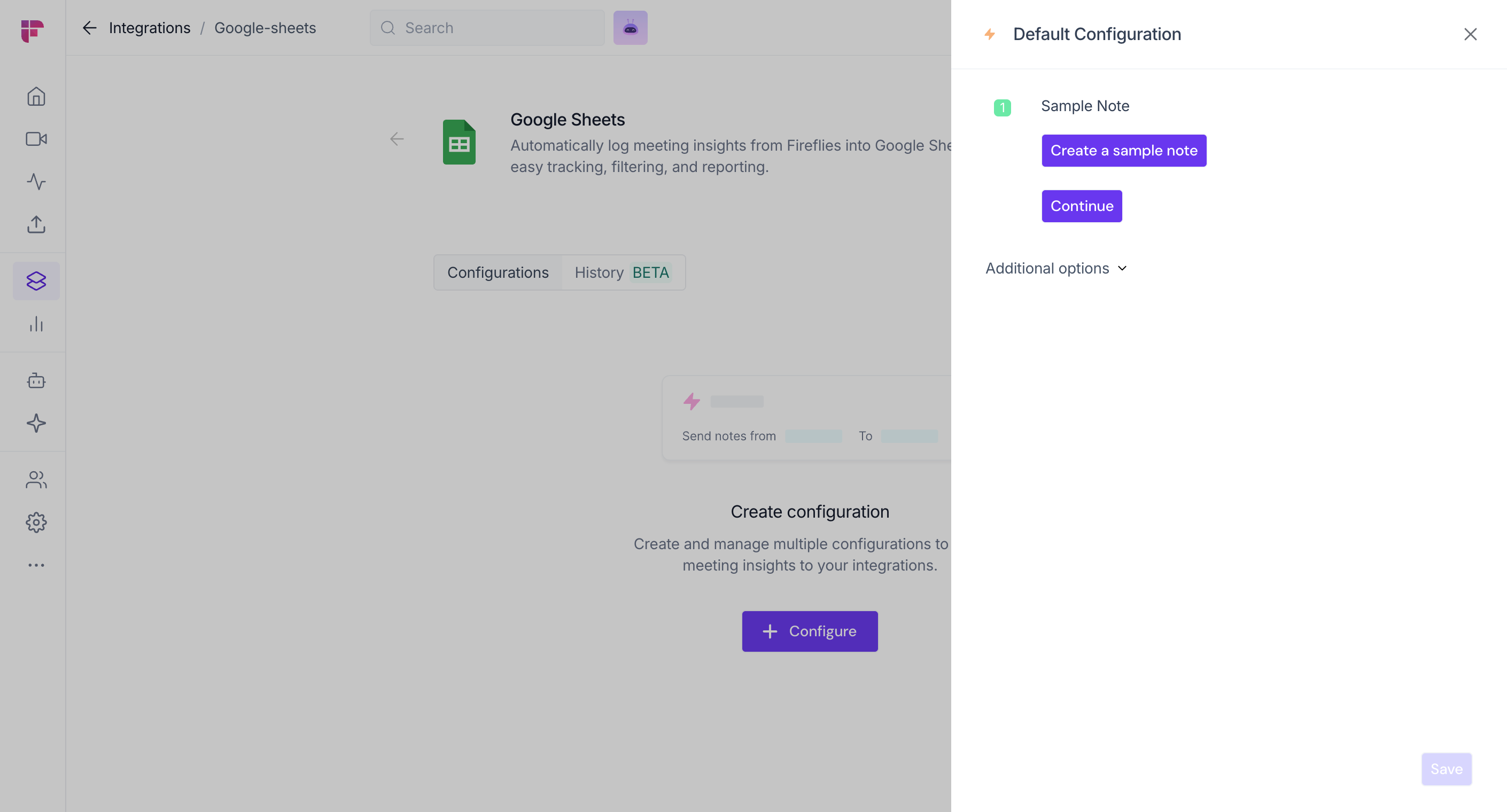
4. Choose default configuration: Create a sample note or Continue
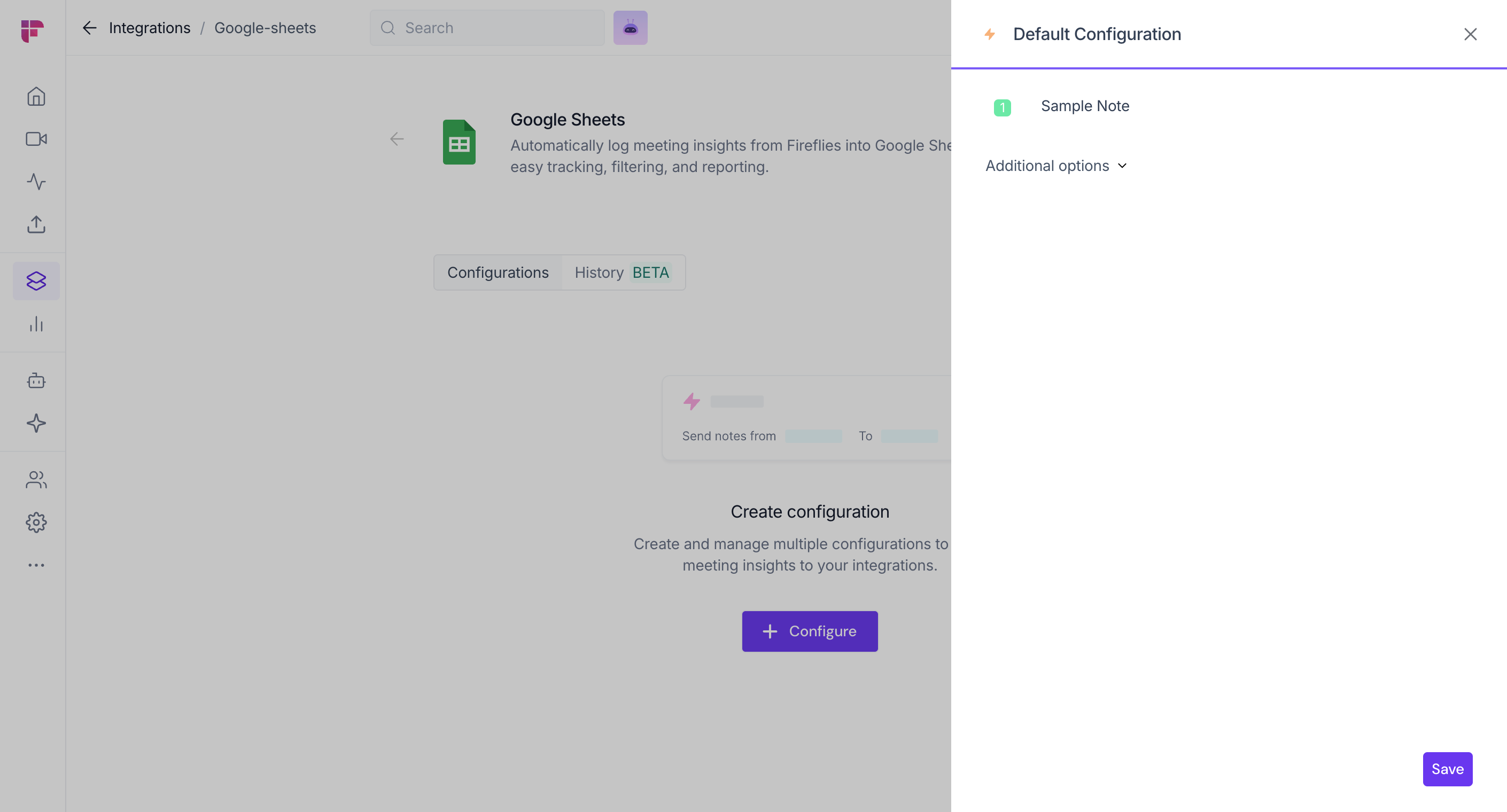
5. Click Save to complete the setup
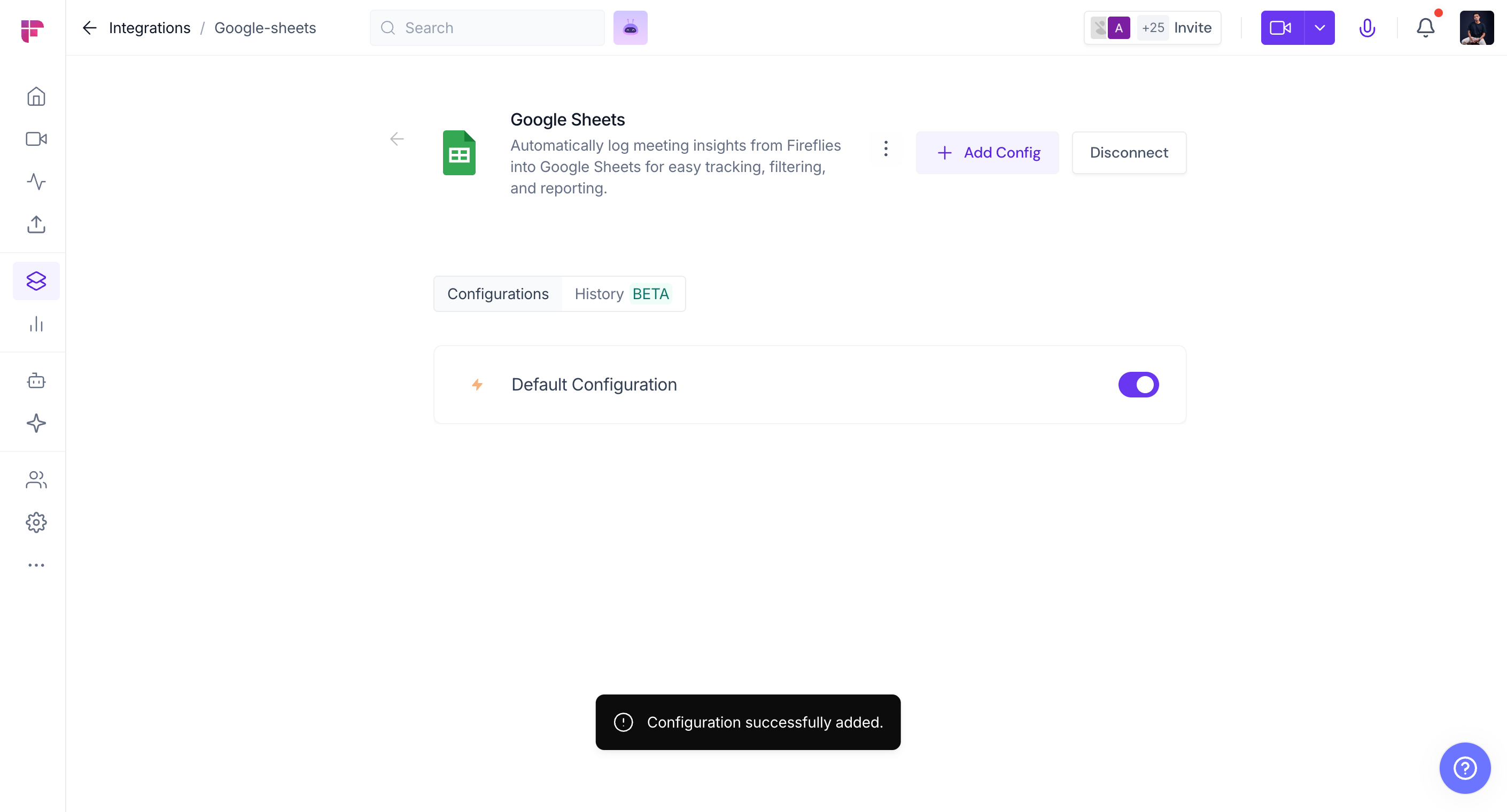
6. Verify the connection - look for the pop up message at the bottom of the page
👥 Team Integration Settings
Workspace admins can control how the Google Sheets is used across their team. The available options depend on your plan and workspace role.
Click the vertical ellipsis (⋮) next to your Google Sheets and select Team Permissions from the dropdown list.

Business and Enterprise
If you are a Workspace Admin on a Business or Enterprise plan, you can manage granular Integration Permissions for the integration, including who can access and connect it.
📖 See Integration Permissions: Control Who Can Access and Connect Integrations for detailed instructions on managing integration permissions.

Free and Pro
Free and Pro users do not have access to the full Integration Permissions dashboard. Instead, Team Permissions opens a modal with the available workspace-level settings.
Apply to entire workspace → Toggle this ON to apply the Google Sheets integration across your Fireflies workspace. All team meetings accessible by the team admin will have notes sent to Google Sheets, keeping everything centralized.
📌Meetings that are set to private in a teammate’s Privacy Settings won’t be pushed to Google Sheets unless you’re a Super Admin who can access meetings regardless of privacy settings.
Restrict non-admin usage → Toggle this ON to prevent non-admin members from creating their own Google Sheets configurations. This helps maintain consistent settings and avoid unintended changes.
After adjusting the toggles to fit your team’s workflow, click Save to apply the changes.

Note: Business and Enterprise Workspace Admins have access to granular integration permissions, while Free and Pro workspaces have more limited workspace-level controls.
How the integration works
Automatic tracker creation
First meeting after setup
Fireflies creates a live tracker in your Google Drive
Uses your existing "Fireflies Meetings" folder (or creates one)
Adds a "Tracker" subfolder for organization
No duplicate files or messy folder structures
Ongoing meeting logging
Every new meeting
Automatically adds a new row to your tracker
Populates all data fields within minutes of meeting completion
Maintains chronological order for easy scanning
Updates in real-time as meetings are processed
Real-world use cases
Transform your raw meeting data into actionable business intelligence:
For sales teams
Deal review dashboards - Track all prospect interactions and deal progression
Pipeline analysis - Identify patterns in successful vs unsuccessful calls
Client relationship mapping - See full conversation history with each account
For customer success
Interaction audit trails - Complete record of all customer touchpoints
Onboarding tracking - Monitor new customer progress through implementation calls
Support escalation history - Quick access to previous support conversations
For project managers
Sprint review summaries - All development discussions in one place
Stakeholder communication log - Track what was communicated to whom and when
Knowledge base building - Create searchable repository of project decisions
For team leaders
Weekly sync overviews - Aggregate team meeting insights
Performance review preparation - Historical record of 1:1 conversations
Cross-team collaboration tracking - Monitor interdepartment meetings
[Screenshot: Example use case showing sales dashboard built from Sheets data]
Customize your tracker
Make the data work for your specific workflow with Google Sheets' built-in capabilities:
Customization | How to do it | Best for |
Sort and filter | Use Google Sheets' filter options | Finding specific meetings or date ranges |
Create pivot tables | Insert → Pivot table | Advanced analysis and reporting dashboards |
Build visualizations | Insert → Chart | Visual meeting trends and insights |
Export data | File → Download | Use in other business intelligence tools |
Share with team | Standard Google Sheets permissions | Collaborative meeting tracking |
Integration with existing workflows
Works seamlessly with your current setup
Already using Google Drive integration? Perfect - everything fits together automatically
Starting fresh? The integration creates the necessary folder structure
Team collaboration - Multiple team members can access the same tracker
Permission control - Standard Google Sheets sharing and editing permissions apply
⏪ Push Past Meetings to Google Sheets
Sometimes, the meetings you want in Google Sheets happened before you connected the integration. Whether you enabled the integration later or want to add older meeting notes to Google Sheets, Push Past Meetings lets you choose a date range and meeting type, then send those meetings in just a few clicks.
Note: Make sure you've connected Google Sheets and created at least one push configuration before using Push Past Meetings. If you haven't, complete the Setting Up Your Configuration section above first.
Follow the steps below to push past meetings to Google Sheets.
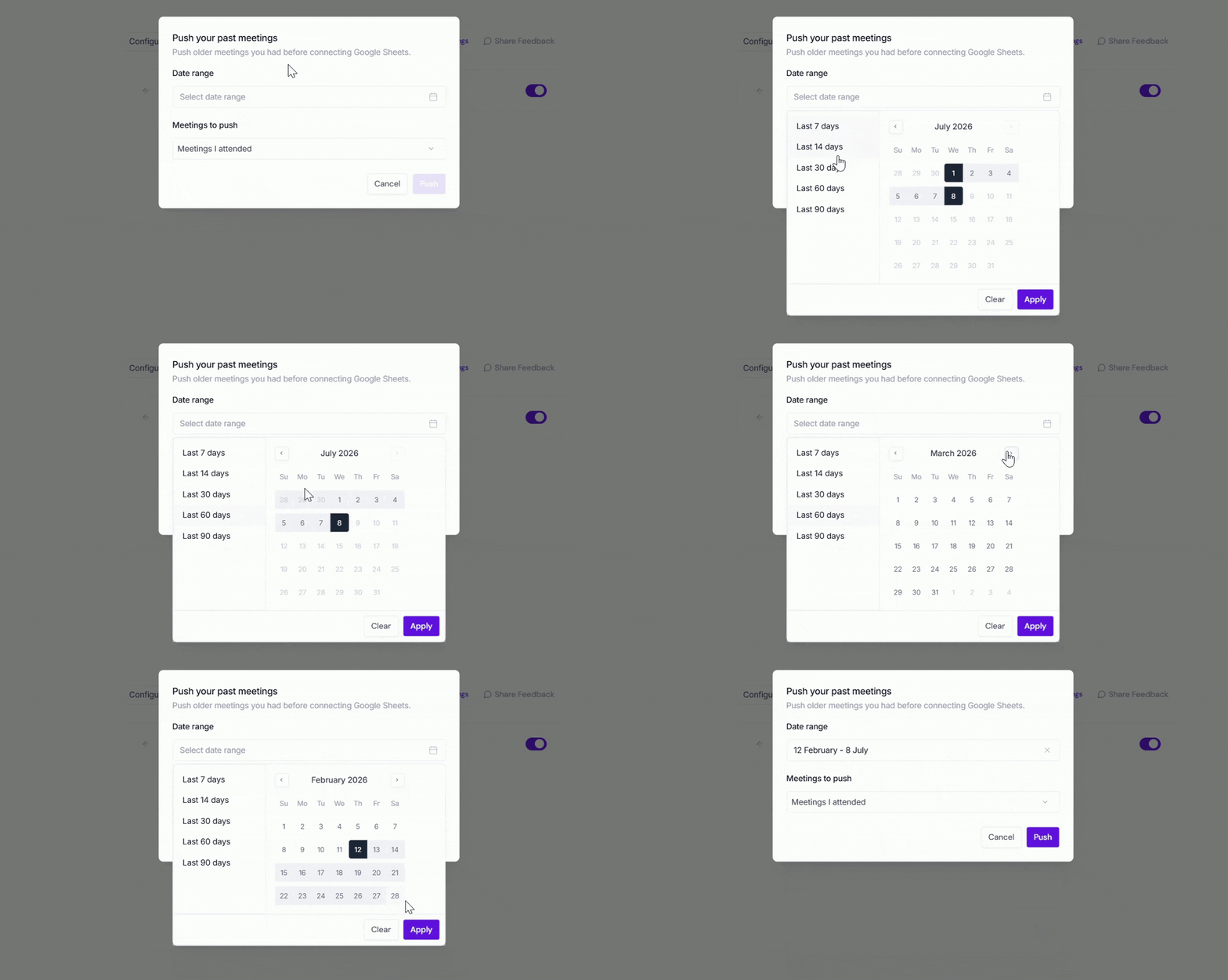
From the Google Sheets integration page, click Push past meetings.

A dialog box will appear. Choose the following:
Date range → Select the meetings you want to send by choosing Last 7, 14, 30, 60, or 90 days, or specify a custom date range.
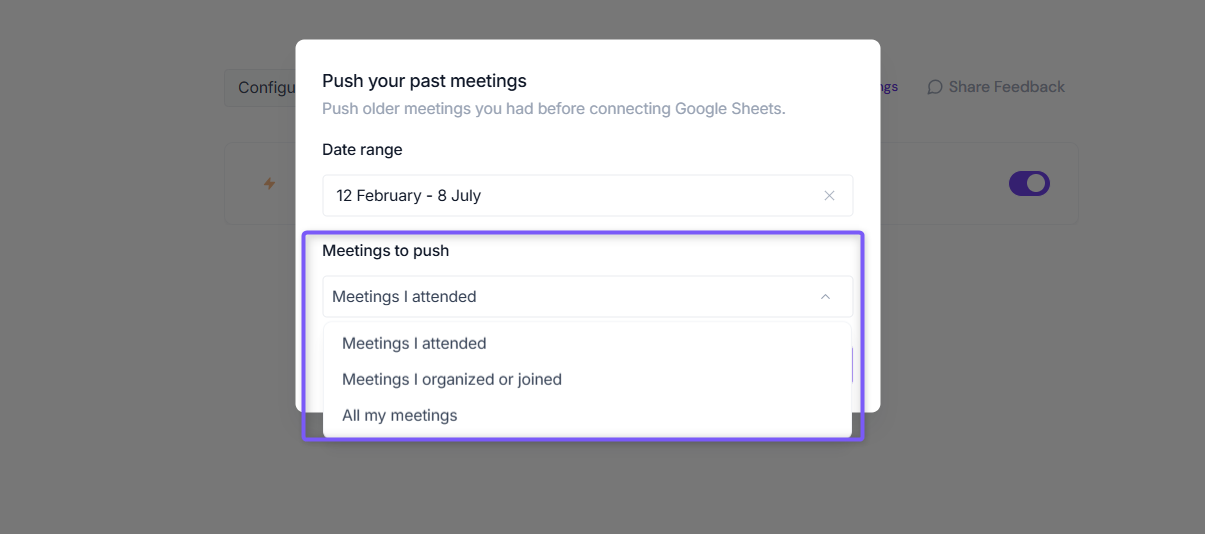
Meetings to push → Choose whether to push Meetings I attended, Meetings I organized or joined, or All my meetings.
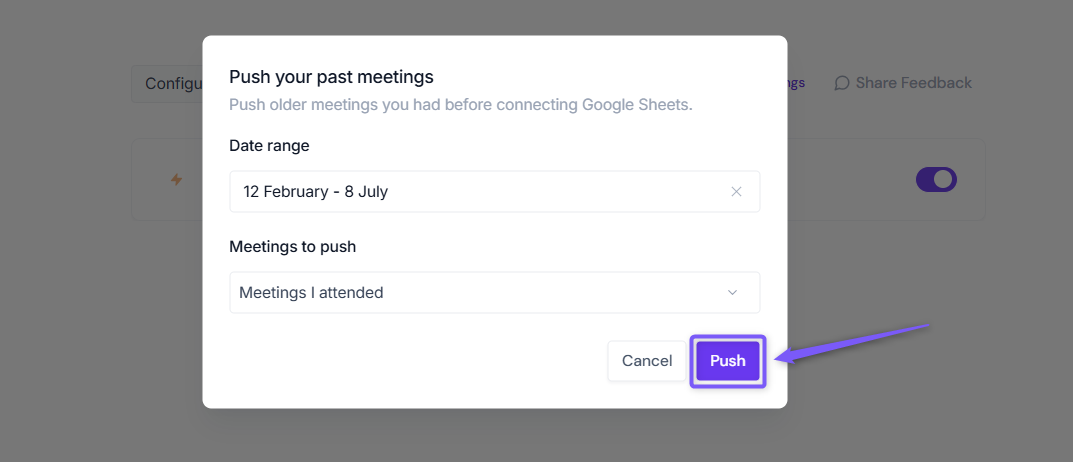
Click Push. Fireflies will send the matching meeting notes to Google Sheets using your existing configuration settings.
Meetings recorded after you connect Google Sheets are sent automatically. Push Past Meetings is only needed for meetings that happened before the integration was connected.
Making sense of it all
Integration creates an auto-updating tracker in your Google Drive with zero manual work required
Every meeting gets logged with comprehensive details including transcript links and action items
Seamlessly integrates with existing Google Drive setup without creating duplicates or clutter
Perfect for sales, customer success, and project management teams needing meeting visibility
Highly customizable - sort, filter, and analyze your meeting data however you need
Team-friendly with standard Google Sheets collaboration and sharing features