Learn about n8n x Fireflies Integration
Last updated: March 17, 2026
The Fireflies integration with n8n lets you connect meeting insights to hundreds of apps and tools. You can build workflows that trigger when a meeting is processed, fetch transcripts, summaries, analytics, or even send audio to Fireflies for transcription. It's ideal for users who want more flexibility than Zapier or Make.
🚀 Fireflies is now a verified and listed integration inside n8n
🧰 What you can do with the Fireflies node in n8n
Automatically get a transcript, summary, analytics, or AI Skill outputs for any processed meeting
Send audio URLs to Fireflies to transcribe and summarize conversations from any tool
Chain Fireflies with your CRM, Notion, Slack, Google Sheets, or any of the 300+ services in n8n
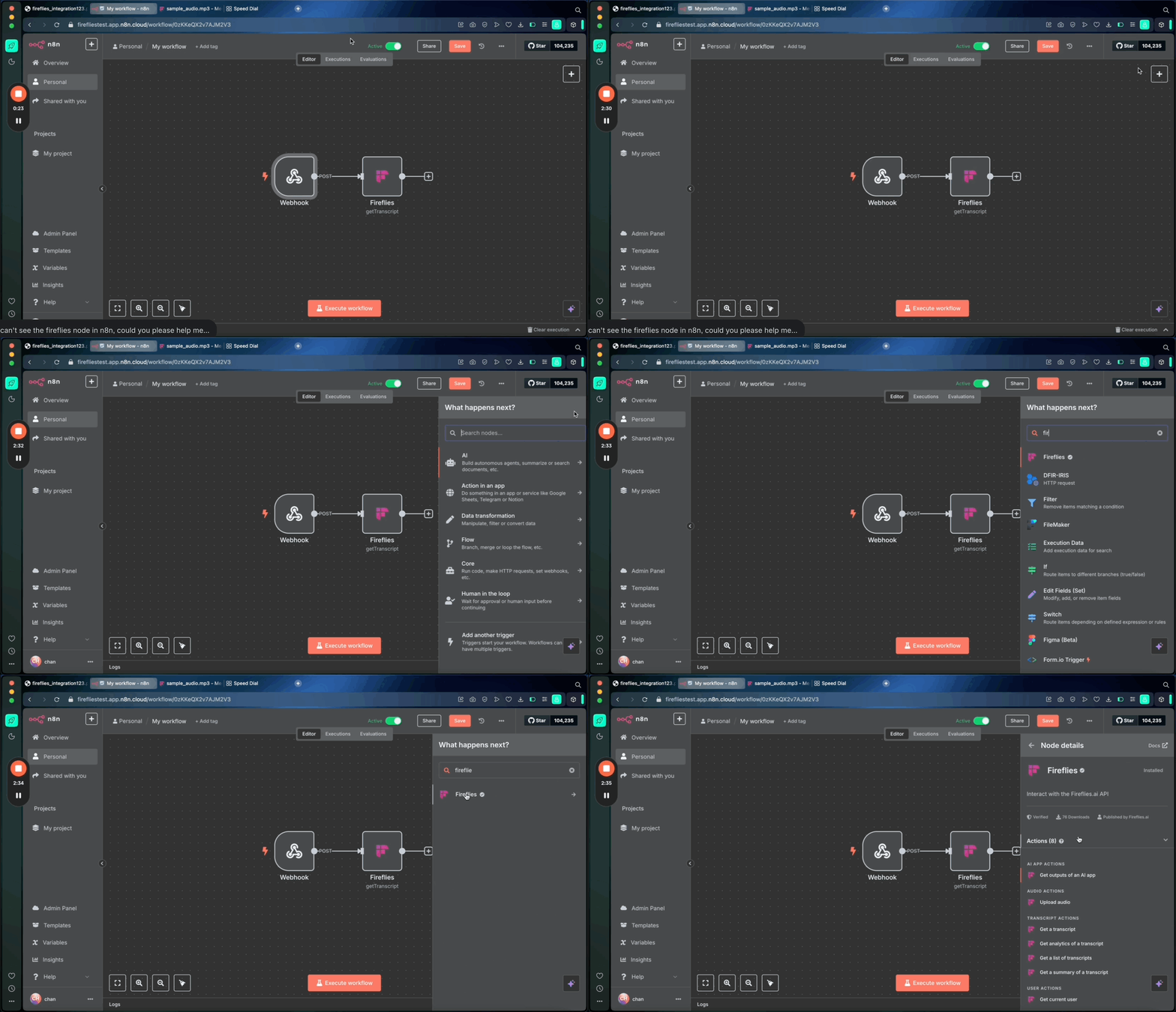
🔍 How to find the Fireflies node in n8n
Go to your n8n workflow editor
Click + to add a new node
Search for Fireflies
Select the official Fireflies.ai node from the results
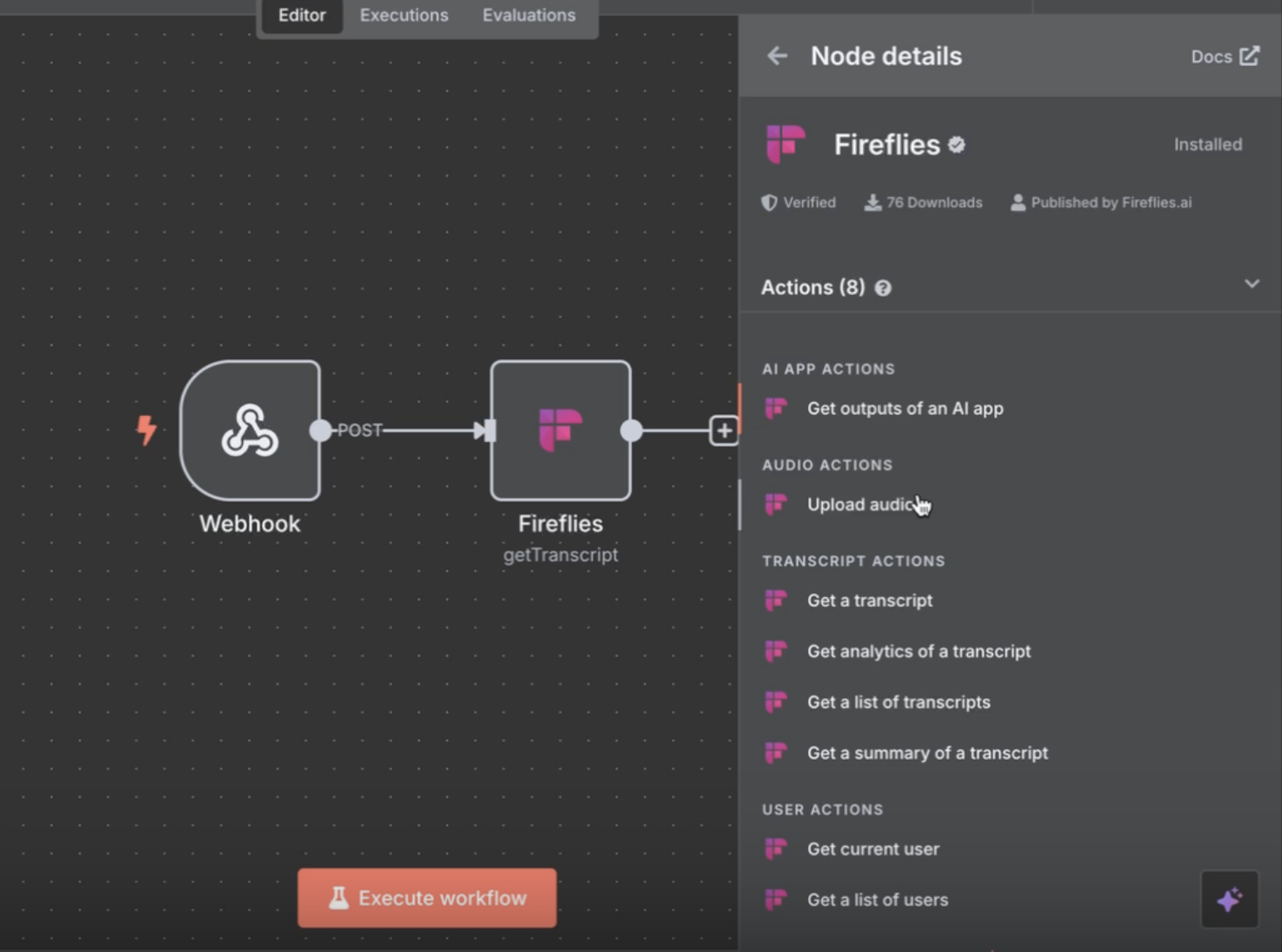
💡 Supported actions in the Fireflies node
Get Transcript — Fetch full transcript using meeting ID
Get Summary — Get AI-generated notes
Get Analytics — Pull metrics like talk-time, silence, sentiment
Get AI Skill Output — Fetch custom AI Skill responses
Upload Audio — Submit a public audio URL to Fireflies for transcription
🔗 Need help with your API key? See how to find your Fireflies API key
⚙ Example: Get transcript automatically after a meeting
Let’s walk through a simple workflow:
Trigger: Start with a Webhook node in n8n
Configure Fireflies:
Get your Fireflies API Key from Settings > Integrations > Developer
Add it to the Fireflies node in n8n
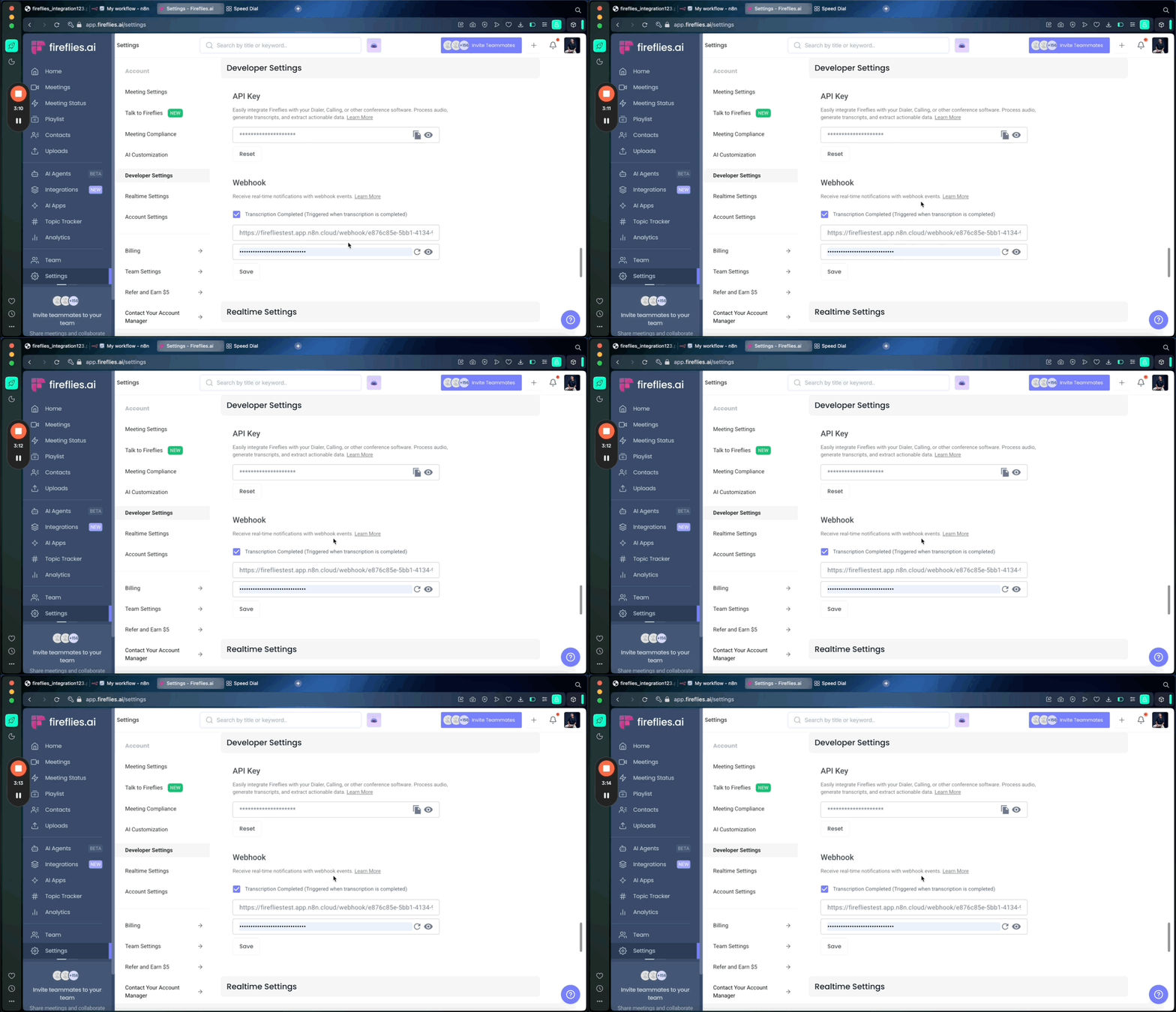
In Fireflies:
Paste the n8n webhook URL into Settings > Developer > Webhooks
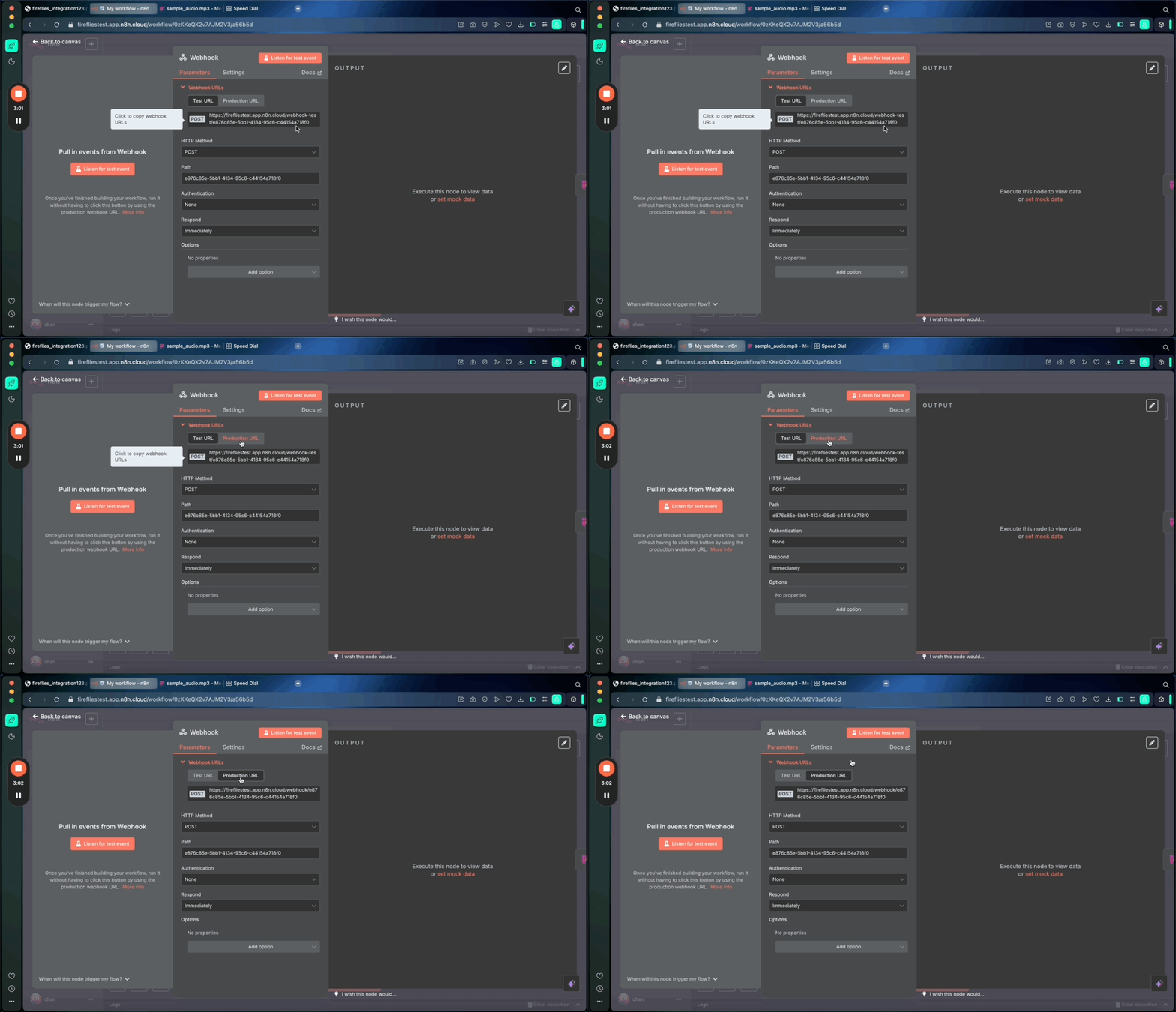
This tells Fireflies to notify n8n when a meeting is processed
Flow setup:
Webhook triggers after the meeting ends
Fireflies node fetches the Meeting ID from webhook payload
Meeting ID is used in a "Get Transcript" node
Output is passed to other tools: Google Docs, Notion, Slack, etc.
🔄 Other ideas for automating with Fireflies + n8n
Send AI Skill outputs to Notion pages
Push transcripts to CRMs or ticketing tools
Upload Zoom call recordings from Drive and get summaries
Run weekly analytics reports on calls and email them
📚 Related: Learn about Fireflies API | Fireflies AI Skills
✅ Things to know
Your Fireflies node only needs an API Key to work
You can test with any recent meeting ID
Make sure audio URLs used in Upload Audio are publicly accessible
Fireflies sends the meeting ID in webhook payload
Start building smarter automations with the Fireflies node on n8n — the flexibility of dev workflows, now powered by AI meeting intelligence.